การอัพเกรดห้องประชุมสำนักงานไม่ได้เป็นเพียงเปลี่ยนหน้าจอเป็นโอกาสในการแก้ไขเวิร์กโฟลว์การประชุมทั้งหมด: การนำเสนอคำอธิบายประกอบการหล่อแบบไร้สายการประชุมทางวิดีโอและการจัดการอุปกรณ์แผงใหม่ที่ช่วยให้ทุกจุดแรงเสียดทานเก่าในสถานที่คือการปรับปรุงราคาแพงที่ไม่มีใครสังเกตเห็น
ห้องแบบดั้งเดิมส่วนใหญ่มีอาการเหมือนกัน: มีคนล่าสัตว์สำหรับสาย HDMI ที่เหมาะสมผู้เข้าร่วมระยะไกลไม่สามารถอ่านสไลด์บนโปรเจคเตอร์กลางวันล้างภาพออกบันทึกไวท์บอร์ดจะถูกลบและลืมแต่ละห้องทำงานแตกต่างกันและไม่สามารถจัดการยานพาหนะจากระยะไกลได้หนึ่ง อัปเกรดบอร์ดอัจฉริยะสำหรับสำนักงาน ควรแก้ปัญหาเหล่านี้ไม่ใช่แค่เพิ่มการแสดงผลที่ใหญ่ขึ้นเท่านั้น
คู่มือประเภทนี้ คุณสมบัติสมาร์ทบอร์ดสำหรับสำนักงาน ใช้เป็นประเภทที่ต้องมีดีต่อการมีและประเภทเฉพาะโครงการดังนั้นคุณจึงใช้จ่ายงบประมาณเกี่ยวกับสิ่งที่เปลี่ยนแปลงประสิทธิภาพการประชุมจริง-และหลีกเลี่ยงอุปกรณ์ที่ไม่สามารถพอดีกับระบบที่มีอยู่และระบบการประชุมของคุณ Qtenboard สร้างการแสดงการประชุมแบบโต้ตอบ4K ขนาด55-110นิ้วพร้อมการทำงานร่วมกันแบบไร้สายตัวเลือกระบบคู่ของ android/windows การจัดการอุปกรณ์ DMS และการกำหนดค่า oem/odm
| ความสำคัญ | คุณสมบัติของ | ทำไมมันสำคัญ |
|---|---|---|
| สิ่งที่ต้องมี | 4K UHD, สัมผัสที่ตอบสนอง, การหล่อแบบไร้สาย, ความเข้ากันได้ของ UC, พอร์ตที่เพียงพอ, ความน่าเชื่อถือในเชิงพาณิชย์, การรับประกัน | ส่งผลโดยตรงต่อประสิทธิภาพการประชุมและความเสี่ยงในการใช้งาน |
| สินค้าที่ดีต่อการมี | การถอดความ Ai, การกำหนดกรอบอัตโนมัติ, หน้าจอแยกหลายอุปกรณ์, การซิงค์บนคลาวด์, การเข้าสู่ระบบ NFC, DMS | ปรับปรุงประสบการณ์; สามารถ Phased ในโครงการโดยโครงการ |
| เฉพาะโครงการ | Windows OPS, Multi-Display, UI ที่กำหนดเอง, โลโก้, ckd/skd, การรับรองพิเศษ | ตัดสินใจโดยความต้องการของอุตสาหกรรมภูมิภาคและแบทช์ |
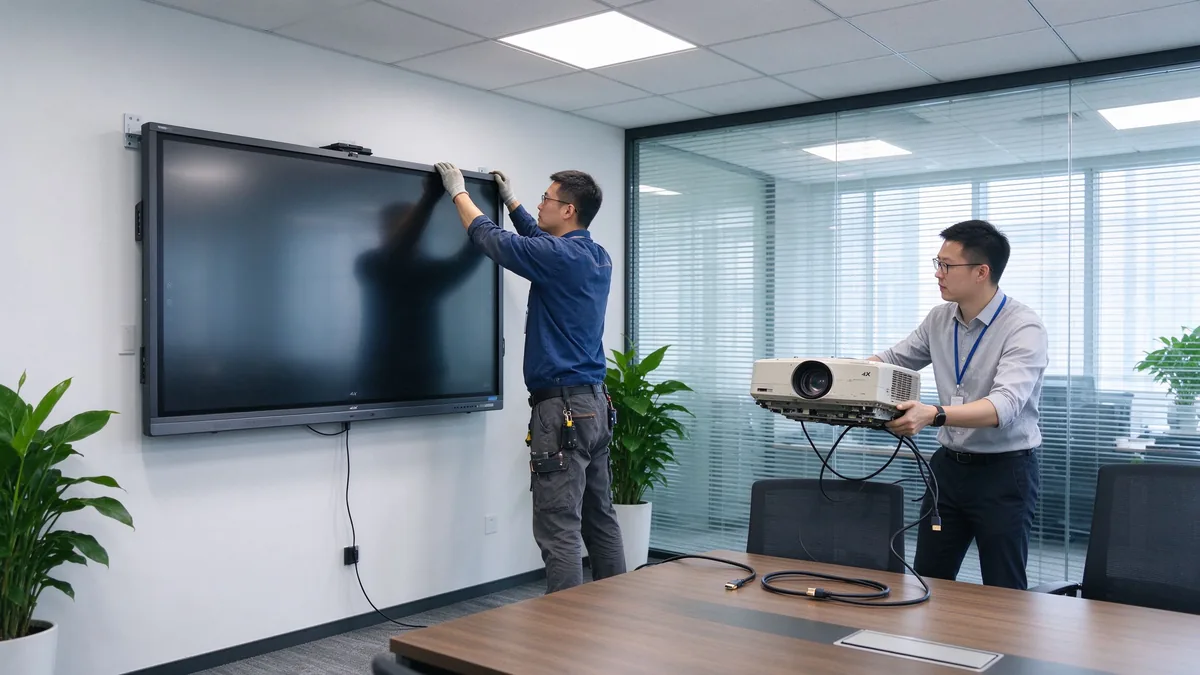
จุดอัพเกรดคือการปรับปรุงเวิร์กโฟลว์ไม่ใช่การทดแทนฮาร์ดแวร์หากผู้สั้นของอุปกรณ์ของคุณไม่ได้เปลี่ยนวิธีการเริ่มต้นการประชุมทำงานและสิ้นสุดก็เป็นผู้สั้นที่ไม่ถูกต้อง
ระบุกรณีการใช้งานจริง: สไลด์และการนำเสนอข้อมูลการประชุมวิดีโอคำอธิบายประกอบเอกสารการระดมความคิดกลุ่มการฝึกอบรมและการสาธิตโฮสติ้งลูกค้าและการทำงานร่วมกันข้ามภูมิภาคคุณลักษณะที่คุณต้องติดตามจากวาระที่แท้จริงของห้องไม่ใช่จากรายการความปรารถนาทั่วไป
ผู้บริหารพนักงานในชีวิตประจำวันผู้บริหารไอทีเยี่ยมชมลูกค้าฝึกอบรมผู้เข้าร่วมระยะไกลและผู้รวมระบบของคุณแต่ละคนมีความต้องการที่แตกต่างกันที่กำหนดว่าห้องต้องการการดำเนินงานที่เรียบง่าย, ผู้เข้าพักหล่อ, การควบคุมการเข้าถึงหรือการจัดการแบบรวมศูนย์
สิบสองจุดคุณลักษณะยุบเป็นเจ็ดกลุ่มแต่ละกลุ่มด้านล่างจะอธิบายโดยมูลค่าทางธุรกิจและโดยคำถามยืนยันที่คุณควรถามซัพพลายเออร์
มูลค่าทางธุรกิจ Native 4K UHD ช่วยให้แผ่นงาน Excel, ข้อมูลทางการเงิน, แดชบอร์ดปฏิบัติการ, ภาพวาดทางวิศวกรรมและการออกแบบผลิตภัณฑ์สามารถอ่านได้จากแถวหลังการสนับสนุนแบบแยกส่วนและหลายหน้าต่างช่วยลดการซูมเข้าและออกอย่างต่อเนื่องสัมผัสแฝงต่ำช่วยให้หลายคนรำคาญและแก้ไขแผนการโครงการตามธรรมชาติกระจกป้องกันแสงสะท้อนช่วยให้ภาพชัดเจนในสำนักงานที่สว่างสดใส
ยืนยัน: Native 4K; จุดสัมผัสเวลาแฝงในการเขียนและการปฏิเสธฝ่ามือการเขียนหลายผู้ใช้พร้อมกันป้องกันแสงสะท้อนความสว่างและมุมมองความสะดวกสบายในช่วงยาว
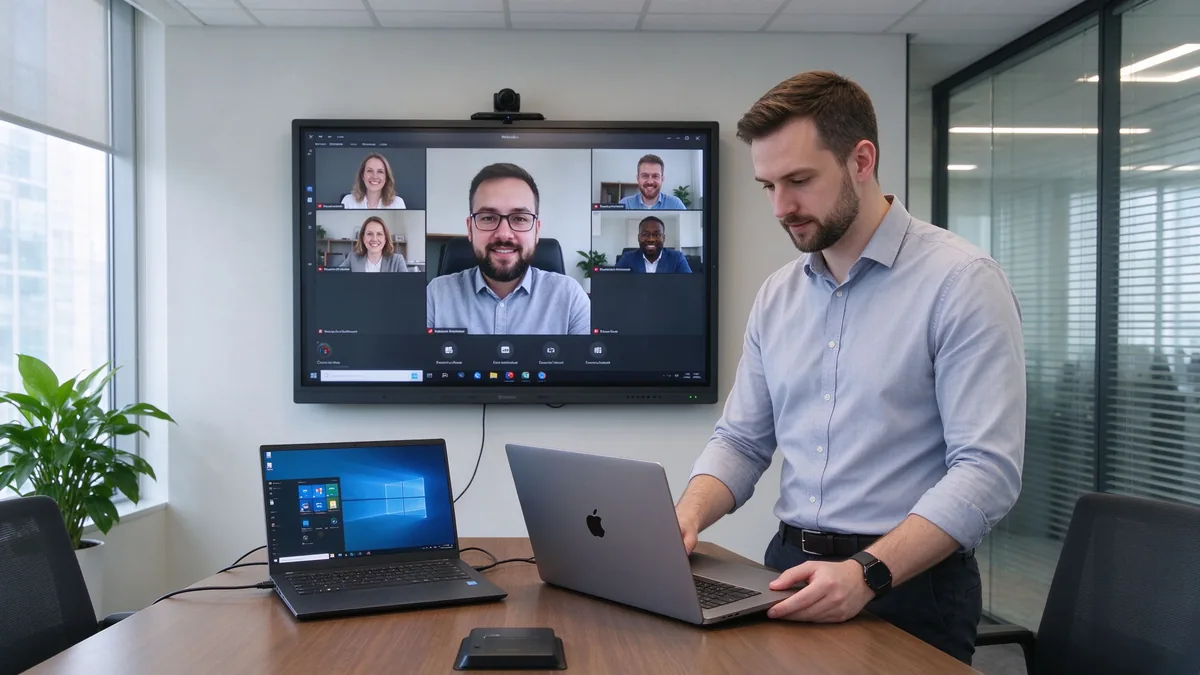
มูลค่าทางธุรกิจ fewer cables, shorter meeting start time, easier guest demos, and a real BYOD environment where anyone can present from their own device.
ยืนยัน: รองรับ Windows, MacOS, iOS และ Android; การควบคุมการอนุญาตการหล่อและโหมดแขกเพื่อป้องกันการเข้าถึงโดยไม่ได้รับอนุญาต
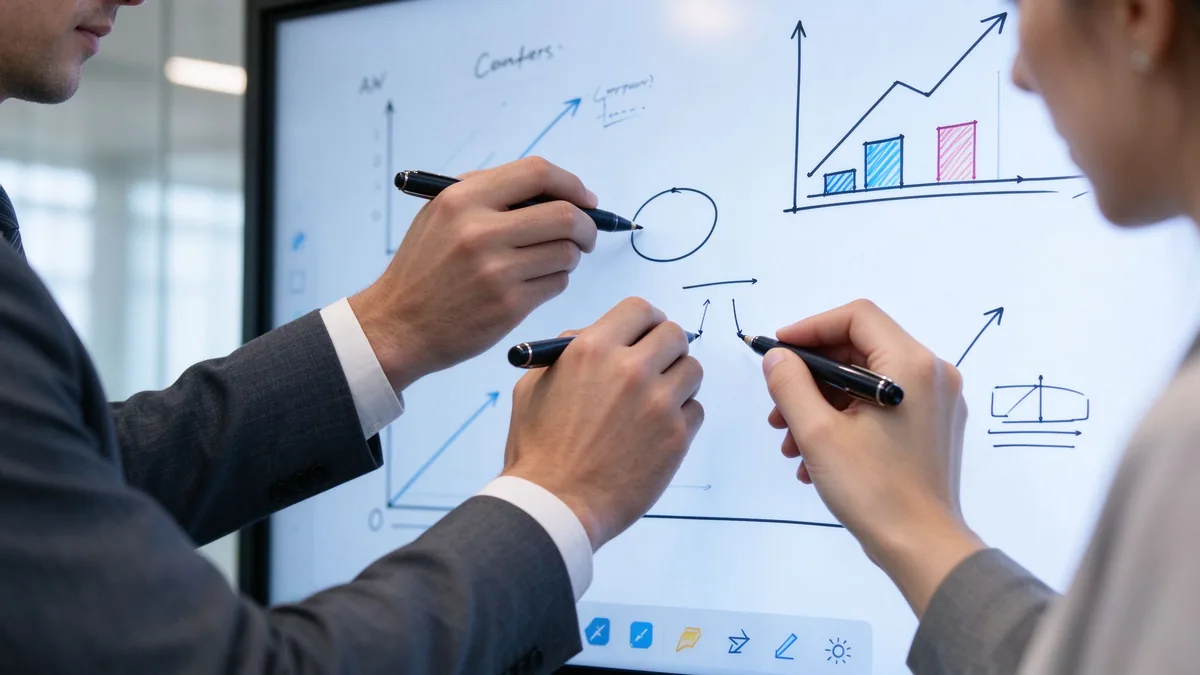
มูลค่าทางธุรกิจ traditional whiteboard content is erased and forgotten. A digital whiteboard saves decisions, produces meeting-note material, sends annotated files, and lets work continue later — cutting the time spent photographing and tidying up notes.
ยืนยัน: ผ้าใบที่ไม่มีที่สิ้นสุดและบอร์ดหลายหน้าการจดจำรูปร่างและการเขียนด้วยลายมือไปยังข้อความการใส่ภาพและไฟล์คำอธิบายประกอบ PDF บันทึกอีเมลหรือรูปแบบการแชร์และส่งออกบนคลาวด์การทำงานร่วมกันของผู้ใช้หลายคน
มูลค่าทางธุรกิจ remote participants should be participants, not audience. Camera, microphone, and speaker coverage decide hybrid meeting quality, and UC-platform compatibility avoids extra bridge hardware.
ยืนยัน: กล้องในตัวหรือภายนอก, มุมมอง, กรอบอัตโนมัติ; ช่วงรถกระบะไมโครโฟน, การยกเลิกเสียงสะท้อน, การลดเสียงรบกวน; ความครอบคลุมของลำโพงและอุปกรณ์ต่อพ่วง USB; ทีม, ซูมและ Google ตอบสนองความเข้ากันได้; สนับสนุน BYOD; การเชื่อมต่อกับโฮสต์ห้องกล้องและเสียงที่มีอยู่
มูลค่าทางธุรกิจ ระบบปฏิบัติการตัดสินใจความยืดหยุ่นของซอฟต์แวร์และความซับซ้อนในการจัดการความเข้ากันได้ของพอร์ตจะตัดสินใจว่าคุณสามารถเก็บอุปกรณ์ห้องที่มีอยู่เชื่อมต่อแล็ปท็อปของพนักงานแนบกล้องและเสียงและขยายในภายหลังได้หรือไม่
| System option | ดีที่สุดสำหรับ | ข้อดี | ข้อควรพิจารณา |
|---|---|---|---|
| แอนดรอยด์ | Whiteboarding, casting, quick meetings | สตาร์ทเตอร์เร็วใช้งานง่าย | May not run every desktop application |
| วินโดวส์ | การใช้งานสำนักงานและขั้นตอนการทำงานขั้นสูง | Familiar business software environment | Usually requires an OPS or external PC |
| Dual system | Mixed corporate environments | Flexible for different users and apps | Higher configuration and management effort |
ยืนยัน: whether Windows is built in or runs through OPS; whether systems switch cleanly; whether the OS version meets your software needs; enterprise account login and system updates; whether touch, casting, and camera behave the same on both systems; and the full port list — HDMI, USB-A, USB-C, LAN, Wi-Fi, Bluetooth, DisplayPort, RS-232, OPS slot, and audio in/out.
มูลค่าทางธุรกิจ the gap between a consumer smart screen and a business-grade device is security, management, and long-term stability. Across many rooms, IT needs centralized management, batch updates, and remote diagnostics.
ยืนยัน: user permissions, casting access control, network isolation, data wiping; account management, firmware updates, remote device monitoring, app installation rights; camera and microphone permissions and where meeting files are stored; centralized management, batch updates, online status, remote reboot, and fault diagnosis; commercial-grade duty cycle and aging testing; touch-glass durability, batch traceability, outgoing inspection, and spare parts.
มูลค่าทางธุรกิจ mounting affects room layout, camera sightlines, and maintenance access. Warranty and after-sales decide long-term risk.
ยืนยัน: wall mount, mobile cart, electric lift, tabletop, freestanding, or multi-display; VESA pattern, wall load, power and network positions; mounting height, camera sightline, and service space; warranty length and coverage, DOA policy; spare-parts lead time, firmware upgrade cycle, support response time; installation and training materials, distributor and integrator support.
| Office space | Recommended focus | Suitable Qtenboard direction |
|---|---|---|
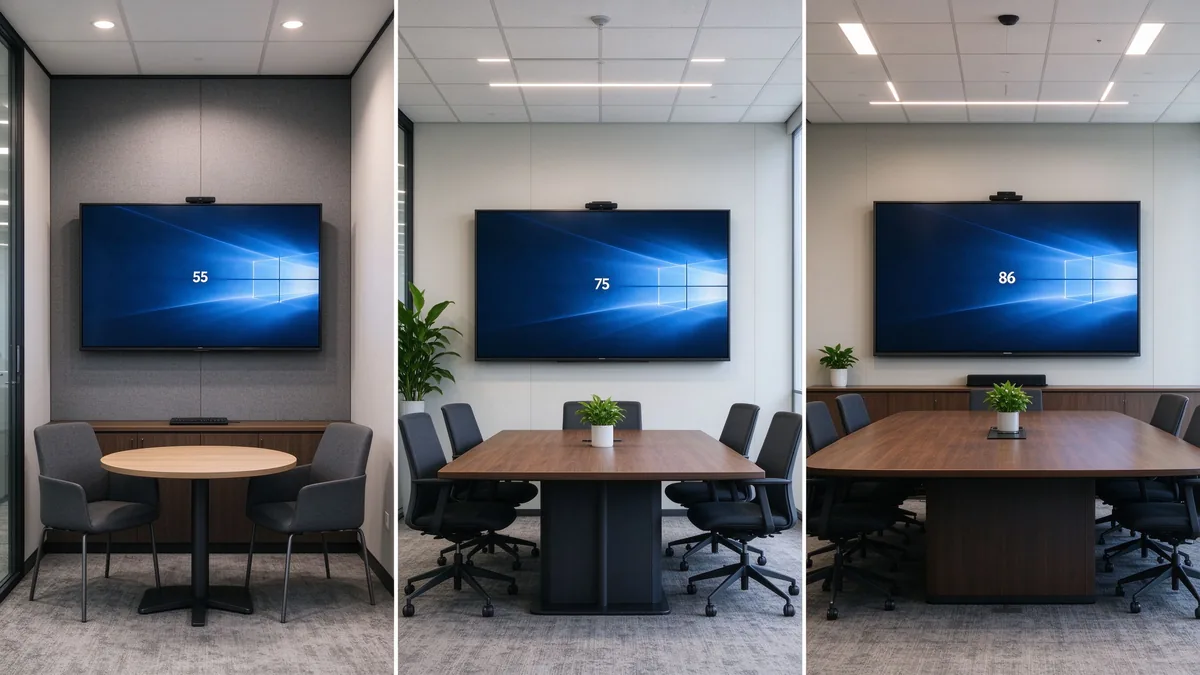
| Huddle room | Fast casting, compact size, easy operation | 55–65-inch interactive panel |
| Standard conference room | 4K, touch, whiteboarding, video meetings | 75–86-inch interactive panel |
| Executive boardroom | Visibility, premium appearance, secure collaboration | 86–110-inch configuration |
| Training room | Large display, multi-touch, mobile stand | 86–110-inch panel |
| Open collaboration area | Mobility, quick access, flexible connectivity | Display on a mobile trolley |
| Multi-room office | Remote management, consistency, service support | Standardized multi-size deployment |
Size is not headcount alone. Factor in the farthest viewing distance, the smallest text you show, room lighting, seating layout, whether remote faces must be visible, and whether two content sources are shown at once. The เครื่องคิดเลขขนาดจอแบนแบบโต้ตอบ helps translate your room into a recommended class.
TCO = device price + installation + software licensing + training + maintenance and spare parts + energy + international shipping and certification.
55 to 110 inches, matching everything from huddle rooms to large training spaces with one consistent product family.
4K display, interactive writing, wireless casting, file and whiteboard collaboration, dual system, video conferencing connectivity, AI meeting assistance, and enterprise device management.
Built for regional distributors, system integrators, commercial display brands, corporate volume projects, and government or education contractors. Customization directions include logo, packaging, boot screen, OS configuration, camera and audio, port mix, preloaded software, and project-specific features.
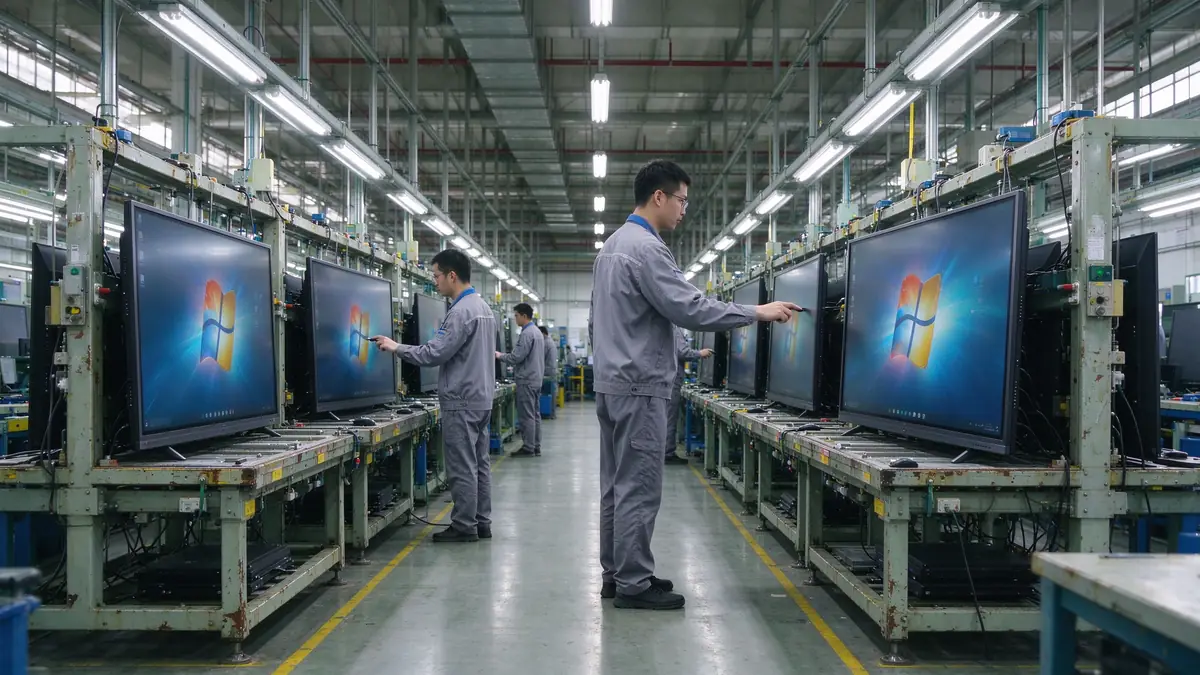
Ask Qtenboard to confirm production capacity, incoming material inspection, assembly checks, aging tests, touch and display testing, outgoing inspection, batch consistency, global delivery, and after-sales support. The company page describes the manufacturing setup and the warranty policy the standard terms.
| Buyer priority | Qtenboard value proposition |
|---|---|
| Room-size flexibility | 55–110" interactive display portfolio |
| ความร่วมมือ | Touch writing, wireless casting, and file sharing |
| Project customization | OEM/ODM hardware, software, branding, and CKD/SKD |
| Supplier stability | Large-scale manufacturing and global B2B experience |
| Deployment support | DMS, batch supply, spare parts, and integrator support |
Prioritize 4K display, low-latency touch, wireless casting, whiteboard collaboration, video conferencing compatibility, operating system, ports, security management, commercial stability, and after-sales support. AI and remote management are advanced features chosen per project.
There is no single answer. Standard offices need device compatibility and wireless casting; executive rooms need display clarity and video conferencing; multi-room deployments need remote management and after-sales support.
If you often show data tables, engineering drawings, financial materials, or video calls, 4K usually pays back. Small, rarely used rooms can evaluate it against budget.
No. Confirm the operating system, app installation method, camera, microphone, speakers, and USB peripheral compatibility before assuming.
If you run Office, browser plugins, enterprise apps, or professional software, Windows or a dual system fits better. If the room mainly whiteboards, casts, and holds simple meetings, Android may be enough.
Combine room dimensions, farthest viewing distance, headcount, and content type. Typical office rooms evaluate 65–86 inches; large rooms and training spaces evaluate 98–110 inches.
AI transcription, summaries, and meeting assistance improve hybrid efficiency, but not every company needs them. Before buying, confirm language support, data storage, privacy policy, and subscription model.
Yes — logo, packaging, system, software, hardware ports, camera, audio, and local assembly can be discussed per project. MOQ, lead time, and configuration are evaluated by Qtenboard per project.
Different roles need different next steps:
| Role | Recommended next step |
|---|---|
| Enterprise procurement | Get an office upgrade recommendation |
| IT manager | Download the security and compatibility checklist |
| AV integrator | Request project configuration support |
| จำหน่ายโดยตัวแทนจำหน่าย | Request the OEM/ODM catalog and sample |
| Large project | Schedule a factory video audit |
Share your meeting room size, number of users, current equipment, preferred software, screen size, and project quantity. Qtenboard can recommend a suitable interactive display configuration for office upgrades, multi-room deployments, or OEM/ODM projects. Reach the team through the contact page.
Required: name, company, email, country, business type, number of meeting rooms, message.
อุปกรณ์เสริม: current meeting room equipment, preferred screen size, required OS, VC platform, OEM/ODM need, estimated quantity, target delivery date, technical requirements.
Get an Office Upgrade Recommendation Request Smart Board Specifications Ask for a Project Quote

ซีอีโอ | ผู้เชี่ยวชาญด้านโซลูชันการแสดงผลแบบโต้ตอบและการทำงานร่วมกัน
ฉันเป็นผู้ก่อตั้ง qtenboard นำความเชี่ยวชาญด้านการลงมือปฏิบัติมากกว่า17ปีมาสู่อุตสาหกรรมการแสดงผลแบบสัมผัสจากมุมมองการจัดการทั่วโลกที่ได้รับจากการศึกษา EMBA ของฉันที่มหาวิทยาลัยเซินเจิ้นฉันนำทีมของฉันในการเพิ่มประสิทธิภาพทุกขั้นตอนของการดำเนินงานของเรา-จากความละเอียดของผลิตภัณฑ์ที่มีประสิทธิภาพสูงการจัดการห่วงโซ่อุปทาน-มั่นใจความสามารถในการผลิตของเรายังคงอยู่ในระดับแนวหน้าของอุตสาหกรรม
ในฐานะผู้นำของ qtenboard ฉันเชี่ยวชาญในการให้บริการโซลูชั่น oem/odm ที่ปรับแต่งสำหรับกระดานไวท์บอร์ดแบบโต้ตอบผนังวิดีโอ LCD ป้ายดิจิตอลและเทอร์มินัลสัมผัสระดับอุตสาหกรรมสนับสนุนโดย330,000ตารางเมตรสวนอุตสาหกรรมที่ทันสมัยของเราในเซินเจิ้น, เรารักษาเต็ม Lifecycle ควบคุมการออกแบบอุตสาหกรรม, การผลิตที่มีความแม่นยำ, และการทดสอบประสิทธิภาพที่เข้มงวด.
ด้วยประสบการณ์โครงการเกือบสองทศวรรษโซลูชันการแสดงผลของ qtenboard จึงถูกนำไปใช้ในกว่า120ประเทศและภูมิภาคได้รับความไว้วางใจจากลูกค้าระดับองค์กรมากกว่า15,000รายทั่วโลกหากคุณกำลังมองหาพันธมิตรที่ตอบสนองต่อการผลิตที่ลึกซึ้งสำหรับโครงการแสดงผลแบบสัมผัสที่กำหนดเองของคุณทีมของฉันและฉันพร้อมที่จะสนับสนุนวิสัยทัศน์ของคุณด้วยความเป็นเลิศระดับมืออาชีพ

 th
th
 EN
EN  pt
pt  spa
spa  vie
vie  aze
aze  bel
bel  est
est  lav
lav  ukr
ukr  ru
ru