จัดการทุกหน้าจอป้ายดิจิตอลในสถานที่ของคุณจากเบราว์เซอร์เดียว: อัปโหลดสื่อเพลย์ลิสต์การออกแบบเนื้อหากำหนดการและควบคุมผู้เล่นทุกคนจากระยะไกลไม่มีการติดตั้งในท้องถิ่น-เนื้อหาการเผยแพร่เป็นเรื่องง่ายเหมือนการส่งอีเมลสร้างขึ้นสำหรับหลายเว็บไซต์หลายหน้าจอการดำเนินงานหลายภาษาทั่วโลก

หน้าจอและสถานที่ที่คุณมีมากขึ้นการปรับปรุงเนื้อหาการบำรุงรักษาและการตอบสนองเหตุการณ์เกลียวออกจากการควบคุมปัญหาทั้งหกนี้ทำให้ทีมและงบประมาณของคุณหมดลงหรือไม่?
ทุกหน้าจอต้องการความสนใจของแต่ละบุคคลสดชื่นหนึ่งแคมเปญหมายถึงการเยี่ยมชมทุกสถานที่ต้นทุนแรงงานและเวลาปีนเขา
การเล่นแบบเรียลไทม์ผ่านลิงก์ที่เป็นขุยหมายถึงหน้าจอสีดำและเนื้อหาที่ไม่สอดคล้องกันผ่านหน้าจอที่ทำร้ายประสบการณ์ของลูกค้า
ไม่มีนักออกแบบไม่มีภาพที่ดีคำขอทางการตลาดนั่งอยู่ในคิวและแคมเปญพลาดหน้าต่างของพวกเขา
คุณไม่สามารถดูสถานะอุปกรณ์ได้คุณจะได้ยินเกี่ยวกับปัญหาเมื่อลูกค้าบ่นและการซ่อมแซมในสถานที่มีค่าใช้จ่ายสูงและช้า
การเปลี่ยนแปลงราคาประกาศปิดการแจ้งเตือนฉุกเฉิน-คุณไม่สามารถผลักดันพวกเขาไปยังทุกหน้าจอได้ทันทีและเนื้อหาปลายจะสูญเสียรายได้
ห่วงโซ่ทั่วโลกต้องการเนื้อหาหลายภาษาและการจัดตารางเวลาเขตเวลาที่มีการเข้าถึงฉัตรสเปรดชีตไม่สามารถติดตามได้
| เวิร์กโฟลว์ | วิธีการด้วยตนเองแบบดั้งเดิม | Qtenboard CMS Cloud Management |
|---|---|---|
| การอัปเดตเนื้อหา | USB sticks หรืออีเมลต่อร้านค้าวันทำงาน | เมฆหนึ่งผลักดันไปยังทุกหน้าจอนาที |
| การบำรุงรักษาอุปกรณ์ | การตรวจสอบในสถานที่และม้วนรถบรรทุกช้า | รีบูตระยะไกล, ระดับเสียง, เฟิร์มแวร์-แก้ไขออนไลน์ |
| การพึ่งพาเครือข่าย | แบ่งการเล่นออฟไลน์หน้าจอไปสีดำ | เนื้อหาแคชในพื้นที่เล่นออฟไลน์ต่อไป |
| การจัดเวลาการเล่น | ตัวจับเวลาด้วยตนเองและ swaps ด้วยตนเองข้อผิดพลาดง่าย | กำหนดการอัตโนมัติตามเวลา/วันที่/การกลับเป็นซ้ำการกดฉุกเฉินทันที |
| การอนุญาตสิทธิ์ | ไม่มีระบบการอนุญาตความโกลาหล | บัญชีย่อยที่มีการเข้าถึงฉัตรการทำงานร่วมกันอย่างปลอดภัย |
Qtenboard CMS แก้ปัญหาทั้งหมดนี้ด้วยการจัดการคลาวด์แบบรวมศูนย์การแก้ไขภาพการเล่นในเครื่องและรีโมทคอนโทรล
Qtenboard CMS เป็นแพลตฟอร์มการจัดการเนื้อหาป้ายดิจิตอลระดับองค์กรและการสตรีมสำหรับการวางแผนการสร้างการจัดระเบียบและการดำเนินการกลยุทธ์เนื้อหาของคุณผ่าน CMS บนคลาวด์คุณจะจัดการแจกจ่ายและควบคุมหน้าจอโปรโมชั่นของอุปกรณ์ทุกป้ายวิทยุการแสดงโฆษณาผนังวิดีโอแผง LCD และกระดานไวท์บอร์ดแบบโต้ตอบ-จากร้านค้าเดียวไปจนถึงห่วงโซ่พันหน้าจอ

ระบบนิเวศของฮาร์ดแวร์: ป้ายดิจิทัลดิจิตัล · กระดานไวท์บอร์ดแบบโต้ตอบ · ข้อมูล kiosks · จอ LCD แสดงผล
จากปริมาณสินทรัพย์และการผลิตที่สร้างสรรค์ไปจนถึงการเล่นที่ขอบสามชั้นสร้างห่วงป้ายดิจิตอลแบบคลาวด์ที่สมบูรณ์

จัดเก็บจำแนกและควบคุมสินทรัพย์สื่อทั้งหมดอย่างปลอดภัยในที่เดียว-รูปภาพ, วิดีโอ, เสียง, เอกสาร, วัสดุเว็บและสตรีมสดแบ่งปันทั่วอุปกรณ์และกำจัดความวุ่นวายรุ่น

ลากและวางการแก้ไขภาพโดยไม่ต้องเวิร์กโฟลว์ที่ซับซ้อนไลบรารีเทมเพลตมืออาชีพช่วยเพิ่มความเร็วในการผลิตและแสดงตัวอย่างทันทีเพื่อตรวจสอบทุกรูปแบบก่อนเผยแพร่

เทอร์มินัลดาวน์โหลดและเนื้อหาแคชในประเทศดังนั้นการเล่นยังคงเป็นหินแข็งแม้ออฟไลน์ที่มีการซิงโครไนซ์การเล่นหลายหน้าจอปรับให้เข้ากับฮาร์ดแวร์ qtenboard.
อัปโหลดสื่อการออกแบบเพลย์ลิสต์การจัดการอุปกรณ์การจัดตารางเวลาและดาวน์โหลดการตรวจสอบ-ทุกขั้นตอนจากเนื้อหาไปยังหน้าจอจะถูกควบคุมและตรวจสอบย้อนกลับ
มูลค่า: EDISON เล่นแต่ตลับหมึกที่สร้างขึ้นไม่สำเร็จและอื่นๆ
มูลค่า: เจ้าหน้าที่การตลาดสามารถผลิตเนื้อหาได้โดยไม่ต้องออกแบบหรือสนับสนุน
มูลค่า: เนื้อหาที่แตกต่างกันตามช่วงเวลาและพื้นที่วางแผนไว้ในไม่กี่นาที
มูลค่า: คอนโซลเดียวสำหรับทุกสถานที่-ค่าใช้จ่ายในการตรวจสอบในสถานที่
มูลค่า: หมดเวลากำหนดเป้าหมายอัตโนมัติตอบสนองได้อย่างรวดเร็วเมื่อมันสำคัญ
มูลค่า: ไม่มีความล่าช้าของเนื้อหาการเผยแพร่ที่เชื่อถือได้


เมื่อเครือข่ายหน้าจอของคุณเติบโตขึ้นจากหลายสิบพันหน่วยการอนุญาตการดำเนินงานและการรวมเป็นสิ่งที่สำคัญ
สร้างบัญชีย่อยที่มีการอนุญาตที่กำหนดเอง-การแก้ไขเนื้อหาการจัดการอุปกรณ์ลำดับชั้นที่สร้างขึ้นสำหรับทีมและการทำงานร่วมกันหลายแผนก
รีบูต, ปรับระดับเสียง, อัพเกรดเฟิร์มแวร์, เปิด/ปิดกำหนดการแก้ไขข้อผิดพลาดทั่วไปออนไลน์และตัดการบำรุงรักษาในสถานที่
แบ่งหนึ่งหน้าจอออกเป็นโซนสำหรับวิดีโอรูปภาพข้อความและข้อมูลสดเหมาะสำหรับผนังดิจิตอลผนังวิดีโอโชว์รูมและห้องควบคุม
เชื่อมต่อ POS, ERP, CRM แหล่งข้อมูลของเขาและบุคคลที่สามเพื่อแสดงข้อมูลแบบเรียลไทม์บนหน้าจอ-เปลี่ยนป้ายเป็นเครื่องมือการดำเนินงาน

ทุกแผนที่ประโยชน์เพื่อการบันทึกที่วัดได้-ว่าทำไมองค์กรถึงเลือกซอฟต์แวร์ป้ายดิจิตอลบนคลาวด์
โฮสต์คลาวด์อย่างเต็มที่ไม่มีอะไรที่จะติดตั้งเบราว์เซอร์ใดๆบนแล็ปท็อปหรือพีซีจัดการหน้าจอทั้งหมดของคุณ
ไม่จำเป็นต้องมีพื้นฐานทางเทคนิค UI ภาพการแก้ไขแบบลากและวางและการเผยแพร่เพียงคลิกเดียวทำให้เนื้อหาทำงานได้อย่างรวดเร็ว
เทอร์มินัลแคชเนื้อหาในท้องถิ่น-การเล่นถือแม้ในเครือข่ายที่ไม่ดีในขณะที่คลาวด์ช่วยให้ทุกหน้าจอสอดคล้องกัน
ดูเนื้อหาการเล่นและสถานะอุปกรณ์สดส่งคำสั่งควบคุมจากระยะไกลลดการหยุดทำงานและค่าบำรุงรักษา
UI พื้นเมืองในภาษาอังกฤษ, สเปน, ญี่ปุ่น, จีน, รัสเซีย, ไทยและเวียดนาม-สร้างขึ้นสำหรับแบรนด์ทั่วโลกและการดำเนินงานข้ามพรมแดน
ไม่ว่าคุณจะเรียกใช้ร้านค้าเดียวหรือใช้โซ่ทั่วโลกเครื่องชั่ง qtenboard CMS กับธุรกิจของคุณ-จากหน้าจอ1หน้าจอถึง1,000.
หน้าจอโปรโมชั่นและสินค้ามาใหม่
บอร์ดเมนูดิจิตอลและหน้าจอโปรโมชั่น
ล็อบบี้การสร้างแบรนด์และภายใน Comms
ประกาศของมหาวิทยาลัยและห้องเรียนอัจฉริยะ
ข้อมูลห้องรอและการศึกษาด้านสุขภาพ
Wayfinding และข้อมูลกิจกรรม
ตารางและการโฆษณาที่ฮับ
ข้อมูลสาธารณะและประกาศฉุกเฉิน


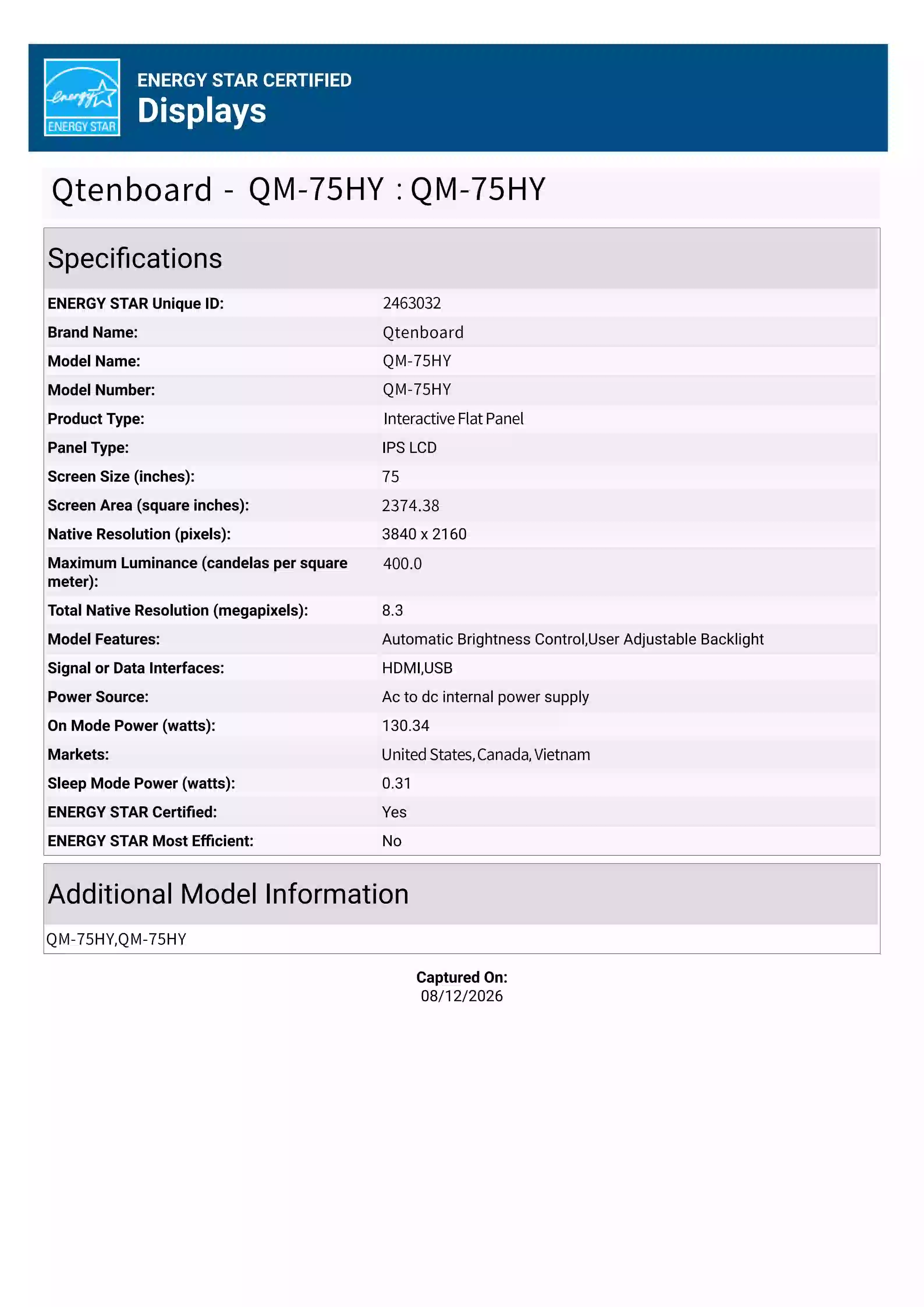
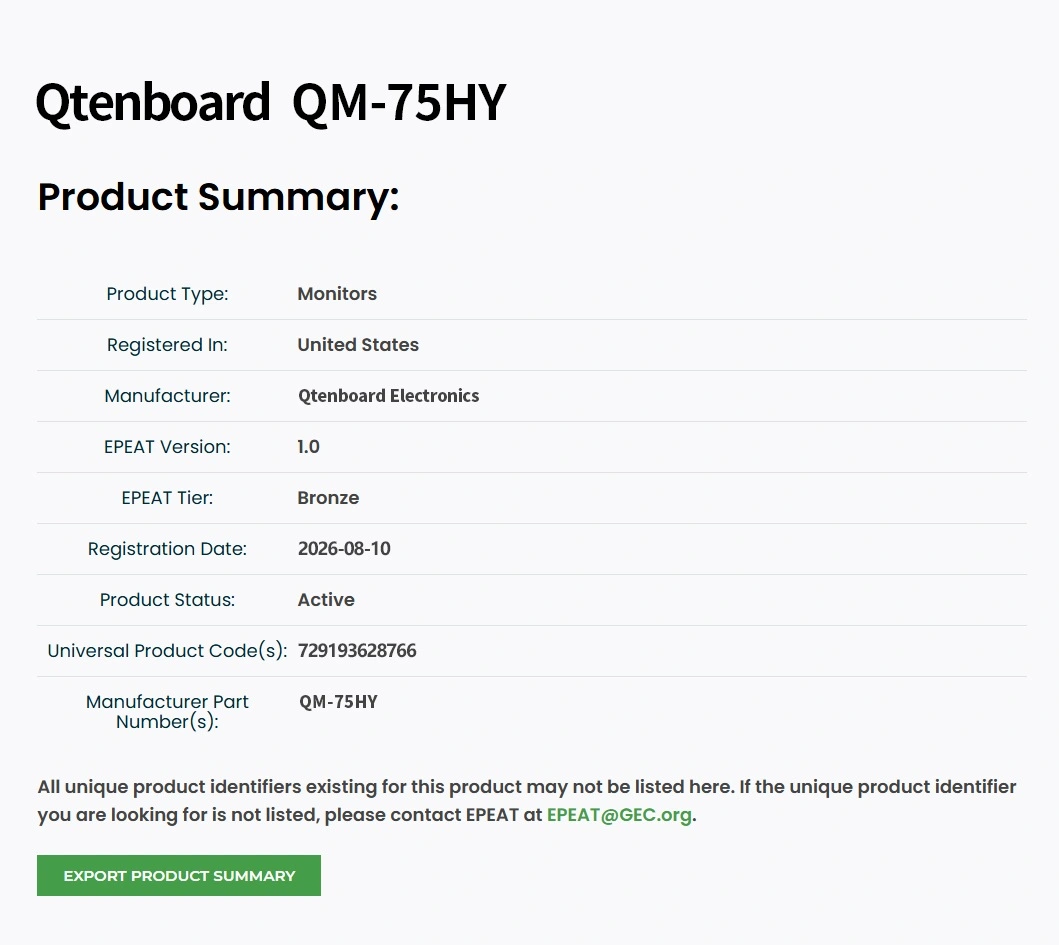
รองรับ line, Android และ Windows ขนาด7-110นิ้วเต็มรูปแบบและฮาร์ดแวร์ที่รวมเข้ากับ CMS-selection การผูกและเล่นในคราวเดียว
| ฮาร์ดแวร์สำหรับคลังสินค้า | ขนาดทั่วไป | การใช้ที่แนะนำ | หน้าสินค้า |
|---|---|---|---|
| จอแสดงโฆษณาแบบติดผนัง/ยืน | 21.5" – 65" | โปรโมชั่นร้านค้าโฆษณาแบรนด์พื้นที่สาธารณะ | การแสดงโฆษณา |
| ข้อมูล kiosks | 32" – 55" | ล็อบบี้ wayfinding, บริการตนเอง, นิทรรศการ | ข้อมูล kiosks |
| ผนังดิจิตอล/ผนังวิดีโอ | ปูกระเบื้อง46 " - 55" | ห้องควบคุมโชว์รูมผนังแบรนด์ | ผนังวิดีโอ |
| จอ LCD แสดงผล | 32" – 86" | หน้าจอข้อมูลค้าปลีกสำนักงานการศึกษา | จอ LCD แสดงผล |
| กระดานไวท์บอร์ดแบบโต้ตอบ | 55" – 86" | ห้องประชุมห้องเรียนการฝึกอบรม | กระดานไวท์บอร์ดแบบโต้ตอบ |
| เครื่องเล่นสื่อแอนดรอยด์ | กล่อง/ออนบอร์ด | อัปเกรดหน้าจอที่มีอยู่ยานพาหนะแบบครบวงจร | เครื่องเล่นสื่อแอนดรอยด์ |
| เครื่องเล่นป้ายดิจิทัล | ออนบอร์ด/ภายนอก | การกระจายเนื้อหาและแคชท้องถิ่น | เครื่องเล่นป้าย |
| แถบยืด/บอร์ดเมนู | กว้างพิเศษ28 " - 56" | เมนูบาร์, แถบขอบชั้นวางของ | บอร์ดเมนูดิจิทัล |

จาก Sign-in ไปยังหน้าจอสดแรกของคุณในสามขั้นตอนไม่มีข้อมูลประจำตัวสาธิตแสดงในหน้าสาธารณะ-ขอบัญชีสาธิตด้านล่าง

สำหรับทีมข้ามชาติโซ่ข้ามพรมแดนและการดำเนินงานหลายเขต: หนึ่งบัญชีจัดการหน้าจอทั่วโลกเนื้อหาจะถูกกระจายโดยอัตโนมัติโดยภาษาภูมิภาค HQ อยู่ในการควบคุมด้วยการทำงานร่วมกันในระดับภูมิภาคฉัตร
โฮสต์บนคลาวด์ด้วยแคชการเล่นในเครื่องเดียว-เครื่องบินควบคุมระดับโลก
ยิ่งเครือข่ายหน้าจอใหญ่เท่าไหร่คุณต้องดูและควบคุมมากขึ้นเท่านั้น Qtenboard CMS ย้ายการดำเนินงานจากบนเว็บไซต์ไปยังเมฆ
ออนไลน์/ออฟไลน์เนื้อหาการเล่นและพารามิเตอร์รันไทม์ในปัญหามุมมองจุดเดียวก่อนที่ลูกค้าจะบ่น
รีบูต, ปรับระดับเสียง, อัพเกรดเฟิร์มแวร์, กำหนดการเปิด/ปิด-แก้ไขปัญหาออนไลน์และลดม้วนรถบรรทุก
ติดตามทุกหน้าจอเผยแพร่โดยหน้าจอ; ผลักดันขั้วล้มเหลวอีกครั้งเพื่อไม่ให้เนื้อหาล่าช้า
ตรวจสอบประวัติการเล่นและตัวชี้วัดการเปิดรับแสงโฆษณาเพื่อเพิ่มประสิทธิภาพเนื้อหาและพิสูจน์มูลค่าให้กับผู้โฆษณา
ประกาศปิดการแจ้งเตือนเร่งด่วนการขายแฟลช-ผลักดันไปยังหน้าจอทั้งหมดหรือที่เลือกในไม่กี่วินาที
สิทธิ์ฉัตรโดยแผนกและภูมิภาคที่มีการดำเนินการที่ตรวจสอบได้-การทำงานเป็นทีมที่ปลอดภัยยิ่งขึ้น
Cloud SaaS สำหรับ Fast time-to-value, on-premise สำหรับข้อมูลอธิปไตยและการปฏิบัติตามข้อกำหนด-การเงิน, รัฐบาลและการดูแลสุขภาพให้ข้อมูลที่มีความสำคัญภายในเครือข่ายของตัวเอง
| มิติข้อมูล | Cloud CMS (SaaS) | สถานที่ตั้ง (ส่วนตัว) |
|---|---|---|
| การปรับใช้ | ไม่มีเซิร์ฟเวอร์ที่จำเป็น; เชื่อมต่อออนไลน์จัดการจากเบราว์เซอร์ใดๆ | ข้อมูลที่เก็บไว้ในเซิร์ฟเวอร์ท้องถิ่นควบคุมโดยทีมงานของคุณอย่างเต็มที่ |
| แบบจำลองค่าใช้จ่าย | การสมัครสมาชิก (รายเดือน/รายปี) ไม่มีฮาร์ดแวร์เพิ่มเติม | ใบอนุญาตพร้อมเซิร์ฟเวอร์เพียงครั้งเดียวและการบำรุงรักษา |
| ความปลอดภัยของข้อมูล | การจัดเก็บและการสำรองข้อมูลบนคลาวด์ที่เข้ารหัสมาตรฐานความปลอดภัยระดับโลก | การเป็นเจ้าของข้อมูลเต็มรูปแบบสำหรับสถานการณ์การปฏิบัติตามข้อกำหนดที่เข้มงวด |
| เครือข่าย | เนื้อหาที่แคชการเล่นในเครื่องยังคงออฟไลน์อยู่ | การเชื่อมต่อ LAN-only ไม่มีการพึ่งพาอินเทอร์เน็ต |
| พอดีที่สุดพอดี | โซ่หลายเว็บไซต์, ลูกแกะ, ทีมโดยไม่ต้องทุ่มเทมัน | องค์กรขนาดใหญ่รัฐบาลการเงินการดูแลสุขภาพ |
ไม่แน่ใจว่าอันไหนเหมาะ? ติดต่อเรา-สถาปนิกแก้ปัญหาจะแนะนำขึ้นอยู่กับการนับหน้าจอเครือข่ายและความต้องการการปฏิบัติตามและสามารถจัดให้มีการสาธิตสด
สถานการณ์การใช้งานทั่วไปและผลการอ้างอิงสำหรับการประเมินผลลัพธ์จริงแตกต่างกันไปตามโครงการ

ปัญหา: เมนูการกำหนดราคาและการอัปเดตโปรโมชั่นจำเป็นต้องมีการทำงานต่อร้านค้ารายการใหม่และการเปลี่ยนแปลงราคาช้าและไม่สอดคล้องกัน
ปัญหา: หลายสิบร้านค้าเรียกใช้หน้าจอของตัวเอง-แคมเปญไปอาศัยสายและความผิดพลาดของอุปกรณ์จะถูกค้นพบสายเกินไป
ปัญหา: ประกาศตายในอีเมลหรือพิมพ์; หน้าจอล็อบบี้ต้องเปลี่ยนอะไรหน้าจอโดยหน้าจอ
ต้องการแผนโดยละเอียดและการประเมิน Roi สำหรับอุตสาหกรรมของคุณหรือไม่ → จองการทบทวนโซลูชันกับที่ปรึกษาอุตสาหกรรม qtenboard
ผู้ซื้อคำถามถามมากที่สุดตอบขึ้นด้านหน้า
Qtenboard CMS คือ qtenboard & #039; S IN-House ระดับองค์กรการจัดการเนื้อหาเมฆและแพลตฟอร์มสตรีมมิ่งสำหรับป้ายดิจิตอล-สื่ออัพโหลด, การออกแบบโปรแกรม, เพลย์ลิสต์, การจัดตารางเวลา, การควบคุมอุปกรณ์ระยะไกลและการตรวจสอบแบบเรียลไทม์ให้บริการค้าปลีกร้านอาหารสำนักงานองค์กรการศึกษาการดูแลสุขภาพการต้อนรับการขนส่งและสถาบันสาธารณะตั้งแต่หน้าจอเดียวไปจนถึงห่วงโซ่พันหน้าจอ
No.qtenboard CMS โฮสต์บนคลาวด์: OPE N cms.qtenboard.com ในเบราว์เซอร์ใดๆเพื่อจัดการหน้าจอทั้งหมดฝั่งเทอร์มินัลจะจัดส่งพร้อมแอพ playback ที่ติดตั้งไว้ล่วงหน้าและเชื่อมต่อผ่านอินเทอร์เน็ต
การแสดงโฆษณา, แผง LCD, ชุดข้อมูล, ผนังวิดีโอ, กระดานไวท์บอร์ดแบบโต้ตอบ, เครื่องเล่นสื่อ Android, เครื่องเล่นป้ายและบอร์ดบาร์/เมนูแบบยืด-7ถึง110นิ้วในช่วงการแสดงผลเชิงพาณิชย์หลักเรือฮาร์ดแวร์ของตัวเองของ qtenboard สามารถประเมินอุปกรณ์ของบุคคลที่สามที่เข้ากันได้ล่วงหน้าได้ตามคำขอ
ใช่. เทอร์มินัลดาวน์โหลดและเนื้อหาแคชในประเทศดังนั้นหน้าจอให้เล่นบนเครือข่ายที่อ่อนแอหรือลดลงโดยไม่มีเฟรมสีดำเนื้อหาใหม่ซิงค์โดยอัตโนมัติเมื่อการเชื่อมต่อกลับ
จากคอนโซล CMS คุณสามารถรีบูตเครื่องเทอร์มินัลปรับระดับเสียงอัปเกรดเฟิร์มแวร์และตั้งเวลาเปิด/ปิดเครื่องในขณะที่ดูสถานะออนไลน์/ออฟไลน์และเล่นสด-ไม่จำเป็นต้องมีการเข้าชมเว็บไซต์สำหรับปัญหาเป็นประจำ
ใช่. UI CMS มีให้บริการในภาษาอังกฤษสเปนญี่ปุ่นจีนรัสเซียไทยและเวียดนามเพื่อการใช้งานทั่วโลกและข้ามพรมแดน
Qtenboard ใช้การอนุญาตก่อนการจัดส่ง: เมนบอร์ดได้รับอนุญาตจากโรงงานและมีการสร้างบัญชีเฉพาะสำหรับโครงการของคุณในเว็บไซต์ให้ป้อนที่อยู่เซิร์ฟเวอร์และรหัสลูกค้าบนเทอร์มินัลเพื่อเชื่อมต่อและผูก-ไม่มีการแก้จุดบกพร่องที่ซับซ้อน
ใช่. หนึ่งหน้าจอสามารถแบ่งออกเป็นโซนแสดงวิดีโอ, ภาพ, ข้อความและข้อมูลสดในครั้งเดียวกับการจัดตารางเวลาแบบครบวงจรในการตั้งค่าผนังวิดีโอกระเบื้อง
คลิก "request A DEMO" และแชร์ความต้องการของคุณในแบบฟอร์มด้านล่างหรือใช้หน้าติดต่อที่ปรึกษาด้านโซลูชันจะให้บัญชีสาธิตและจัดเตรียมคำแนะนำให้คำแนะนำข้อมูลรับรองการทดสอบไม่แสดงในหน้าสาธารณะ
ใช่. คุณสามารถสร้างบัญชีย่อยหลายบัญชีด้วยการแก้ไขสิทธิ์ที่กำหนดเองการจัดการอุปกรณ์ลำดับชั้นโดยแผนกและภูมิภาคที่มีการกระทำที่ตรวจสอบได้
ใช่. Qtenboard CMS นำเสนอ API แบบเปิดสำหรับการเชื่อมต่อระบบ POS, ERP, CRM, ระบบธุรกิจอื่นๆของเขาและแสดงข้อมูลสดบนหน้าจอทีมวิศวกรรมของเราสนับสนุนการบูรณาการ
Cloud SaaS พร้อมใช้งานอย่างรวดเร็วและราคาสมัครสมาชิกเหมาะสำหรับโซ่และลูกแกะหลายสถานที่ On-premise เก็บข้อมูลบนเซิร์ฟเวอร์ของคุณเองและเหมาะสมกับการเงินรัฐบาลและการดูแลสุขภาพที่มีการปฏิบัติตามข้อมูลที่เข้มงวดติดต่อเราเพื่อขอคำแนะนำ
ยังมีคำถาม? ติดต่อเราได้เลย
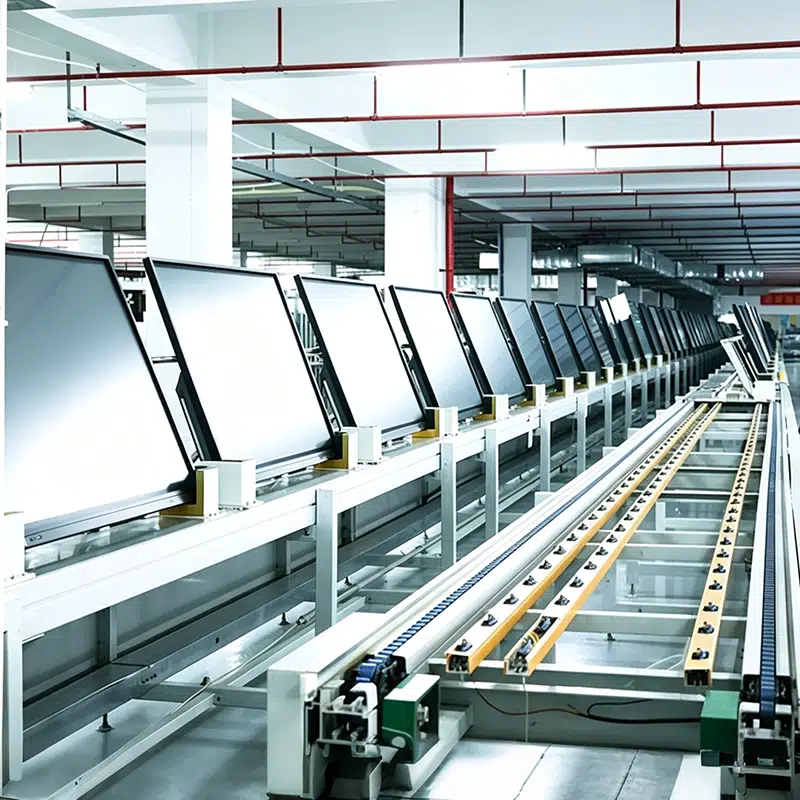
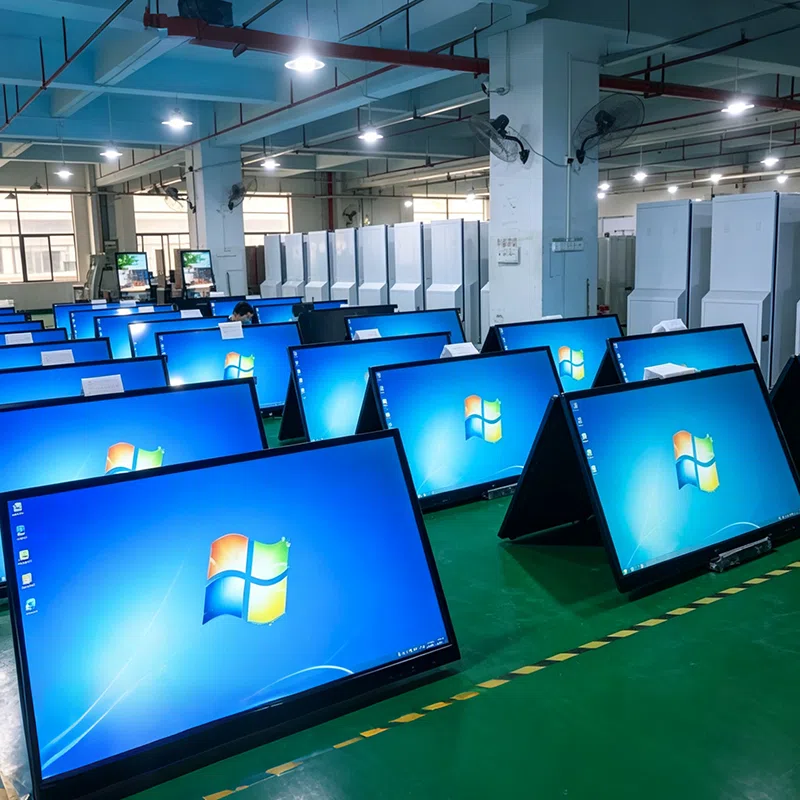
ก่อตั้งขึ้นแล้ว
พื้นที่การผลิต
พนักงาน
ประเทศขายแล้ว





 th
th
 EN
EN  pt
pt  spa
spa  vie
vie  aze
aze  bel
bel  est
est  lav
lav  ukr
ukr  ru
ru