Pārvaldiet katru digitālās izkārtnes ekrānu visās jūsu atrašanās vietās no viena pārlūka: augšupielādējiet multivides saturu, veidojiet atskaņošanas sarakstus, plānojiet satura demonstrēšanu un attālināti kontrolējiet katru atskaņotāju. Nekas nav tik vienkārši kā vietējās instalācijas satura publicēšana, piemēram, e-pasta nosūtīšana. Radīts daudzvietu, daudzuzņēmumu un daudzvalodu darbībai visā pasaulē.

Jo vairāk ekrānu un atrašanās vietu jums ir, jo grūtāk kontrolējamas kļūst satura atjaunināšanas, uzturēšana un incidentu reaģēšana. Vai šīs sešas problēmas iztukšo jūsu komandu un budžetu?
Katram ekrānam ir vajadzīga individuāla uzmanība; vienas kampaņas atjaunināšana nozīmē apmeklēt katru atrašanās vietu. Darba un laika izmaksas turpina pieaugt.
Atskaņošana reālajā laikā caur nestabilu savienojumu nozīmē melnus ekrānus un nevienmērīgu saturu dažādos ekrānos, pasliktinot klientu pieredzi.
Nav dizainera, nav pienācīgas vizuālās noformējuma. Mārketinga pieprasījumi gaida savu kārtu, un kampaņas nokavē savu izplatīšanas laiku.
Jūs nevarat redzēt ierīces statusu. Par problēmām uzzināt tikai tad, kad klients sūdzas, un remontdarbi uz vietas ir dārgi un lēni.
Cenu izmaiņas, slēgšanas paziņojumi, ārkārtas brīdinājumi – jūs nevarat tos nekavējoties nosūtīt uz visiem ekrāniem, un novēloti publicēts saturs nozīmē zaudētus ieņēmumus.
Globālajām ķēdēm ir nepieciešams daudzvalodu saturs un laika joslu plānošana ar daudzpakāpju piekļuvi. Tabulas nevar tikt līdzi.
| Darbplūsma | Tradicionālā manuālā pieeja | Qtenboard CMS mākoņa pārvaldība |
|---|---|---|
| Satura atjauninājumi | Usb nūjas vai e-pastus uz katru veikalu, darba dienas | Viens mākoņa paziņojums uz katru ekrānu, minūtes laikā. |
| Ierīces apkope | Iecirkņa pārbaudes un kravas automašīnu izsaukumi, lēni | Attālināta restartēšana, skaļums, programmaparatūras tiešsaistes labojumi |
| Tīkla atkarība | Bezsaistes atskaņošana iztrūkst, ekrāni kļūst melni. | Saturs ir kešēts lokāli, atskaņošana turpinās bezsaistē. |
| Atskaņošanas plānošana | Manuālie taimeri un manuālās maiņas ir pakļauti kļūdām. | Automātiska plānošana pēc laika/datuma/atkārtošanās, tūlītējs ārkārtas paziņojums |
| Atļaujas | Bez atļauju sistēmas — haoss | Apakškonti ar dažādu piekļuves līmeni, droša sadarbība |
Qtenboard CMS atrisina visu šo ar centralizētu mākoņa pārvaldību, vizuālo rediģēšanu, lokālu atskaņošanu un attālinātu vadību.
Qtenboard CMS ir pilnībā integrēta, uzņēmuma līmeņa digitālās izkārtnes satura pārvaldības un straumēšanas platforma, kas paredzēta jūsu satura stratēģijas plānošanai, izveidei, organizēšanai un īstenošanai. Ar mākoņa CMS palīdzību jūs attālināti pārvaldāt, izplātāt un kontrolējat katru izklaides ierīci — reklāmas ekrānus, informācijas stendus, reklāmas displejus, videowallus, LCD paneļus un interaktīvās tāfeles — sākot no viena veikala līdz pat tūkstošu ekrānu ķēdei.

Aparatūras ekosistēma: Ciparu zīmes · Interaktīvās tāfeles · Informācijas kioski · LCD displeji
No aktīvu uzņemšanas un radošās produkcijas līdz atskaņošanai malā trīs slāņi veido pilnu mākoņa digitālo apzīmējumu cilpu.

Droši uzglabāt, klasificēt un pārvaldīt visus mediju līdzekļus vienā vietā-attēlus, video, audio, dokumentus, tīmekļa materiālus un tiešraides. Dalīties dažādās ierīcēs un novērst versiju haosu.

Velciet un nometiet vizuālo rediģēšanu bez sarežģīta darbplūsmas. Profesionāla veidni bibliotēka paātrina ražošanu, un tūlītēja priekšskats pārbauda katru izkārtojumu pirms publicēšanas.

Termināļi lejupielādēt un cache saturu lokāli, tāpēc atskaņošana paliek rock solid pat bezsaistē, ar sinhronizētu multi-screen atskaņošana tuned qtenboard aparatūru.
Multivides augšupielāde, atskaņošanas sarakstu izstrāde, ierīču pārvaldība, grafika plānošana un lejupielāžu uzraudzība – katrs solis no satura līdz ekrānam ir kontrolēts un izsekojams.
Vērtība: Edisons izgudroja, taču neveiksmīgi uzbūvēja patronu, tāpat kā citi.
Vērtība: Mārketinga darbinieki var izveidot saturu bez dizaina vai IT atbalsta.
Vērtība: Dažāds saturs atkarībā no laika slota un apgabala, plānots pa minūtēm.
Vērtība: Viena konsole visām atrašanās vietām — samaziniet izbraukuma inspekciju izmaksas.
Vērtība: Laika ziņā saskaņota, mērķēta, automatizēta – reaģējiet ātri tad, kad tas ir svarīgi.
Vērtība: Nulles satura kavēšanās, uzticama publicēšana.


Kad jūsu ekrānu tīkls no desmitiem vienību pieaug līdz tūkstošiem, svarīgas ir atļaujas, darbības un integrācijas.
Izveidojiet apakškontus ar pielāgotām atļaujām — satura rediģēšana, ierīču pārvaldība, hierarhija —, kas paredzēti komandas un vairāku nodaļu sadarbībai.
Restartēt, pielāgot skaļumu, atjaunināt programmaparatūru, plānot ieslēgšanu/izslēgšanu. Novērsiet biežāk sastopamās kļūdas tiešsaistē un samaziniet apkopes izmaksas objektā.
Izdaliet vienu ekrānu zonās video, attēliem, tekstam un tiešsaistes datiem. Ideāli piemērots digitālajām sienām, videoseinām, izstāžu zālēm un vadības telpām.
Savienojiet POS, ERP, CRM, HIS un trešo pušu datu avotus, lai ekrānos izvietotajās norādēs reāllaikā attēlotu datus un pārvērstu tās par operacionālu rīku.

Katrs ieguvums atbilst izmērāmam ietaupījumam – tieši tāpēc uzņēmumi izvēlas mākoņpakalpojumu digitālās izkārtnes programmatūru.
Pilnībā mākoņpakalpojumā, nekas nav jāinstalē. Jebkura pārlūkprogramma jebkurā klēpjdatorā vai personālajā datorā pārvalda visus jūsu ekrānus.
Nav nepieciešama tehniska izglītība. Vizuālā lietotāja saskarne, vilkšanas un nomešanas rediģēšana un publiskošana ar vienu klikšķi ļauj ātri strādāt ar saturu.
Termināļi cache saturu lokāli atskaņošana tur pat sliktos tīklos, bet mākonis saglabā katru ekrānu konsekventi.
Skatieties atskaņojuma saturu un ierīces statusu tiešraidē, attālināti nosūtiet vadības komandas, samaziniet dīkstāves laiku un apkopes izmaksas.
Dzimtā ui angļu, spāņu, japāņu, ķīniešu, krievu, taizemes un vjetnamiešu-veidota globālajiem zīmoliem un pārrobežu operācijām.
Neatkarīgi no tā, vai jūs palaist vienu veikalu vai globālu ķēdi, qtenboard cms mēroga ar savu biznesu-no 1 ekrāna līdz 1000.
Reklāmas ekrāni un jaunie produkti
Digitālie ēdienkaršu ekrāni un reklāmas ekrāni
Lobijs ar zīmolu un iekšējā komunikācija
Kampaņu paziņojumi un viedās klases
Gaidāmās telpas informācija un veselības izglītība
Virziena noteikšana un pasākumu informācija
Grafiki un reklāma mezglos
Sabiedriska informācija un ārkārtas paziņojumi


Pilna 7-110 collu līnija, android un windows atbalsts, un aparatūra iepriekš integrēta ar cms-izvēle, saistošo un atskaņošanu vienā plūsmā.
| Aparatūra | Tipiska izmērs | Ieteicamā lietošana | Produkta lapa |
|---|---|---|---|
| Sienas/stāvošie reklāmas displeji | 21.5" – 65" | Veikalu akcijas, zīmolu reklāmas, publiskās vietas | Reklāmas displeji |
| Informācijas kioski | 32" – 55" | Vestibils, pašapkalpošana, izstādes | Informācijas kioski |
| Digitālās sienas/video sienas | 46" - 55" flīzēts | Vadības telpas, izstāžu zāles, zīmolu sienas | Video sienas |
| Lcd displeji | 32" – 86" | Mazumtirdzniecības, biroju un izglītības informācijas ekrāni | Lcd displeji |
| Interaktīvās tāfeles | 55" – 86" | Sanāksmju telpas, klases, apmācības | Interaktīvās tāfeles |
| Android multivides atskaņotāji | Kaste/borta | Papildiniet esošos ekrānus, vienota flote | Android multivides atskaņotāji |
| Digitālās izkārtnes atskaņotāji | Iebūvēts/ārējs | Saturs izplatīšana un lokālā kešēšana | Zīmju atskaņotāji |
| Izstieptas bāra/ēdienkartes tāfelītes | 28 " - 56" ultra-wide | Bāra ēdienkartes, plauktu malu līstes | Digitālie ēdienkarti bori |

No pierakstīšanās uz savu pirmo dzīvojamo ekrānu trīs soļos. Nav demo credentials tiek parādīti publiskajās lapās-pieprasīt demo kontu zemāk.

Daudznacionālām komandām, pārrobežu tīkliem un darbībai vairākās laika joslas: viens konts pārvalda ekrānus visā pasaulē, saturs tiek automātiski izplatīts atbilstoši reģionālajai valodai, bet galvenā mītne saglabā kontroli ar daudzpakāpju reģionālo sadarbību.
Mākoņa pakalpojumā ar lokālu atskaņošanas kešēšanu — viena globāla vadības plāksne.
Jo lielāks ir ekrānu tīkls, jo vairāk jums tas būs jāredz un jākontrolē. Qtenboard CMS pārceļ darbības no lokālās infrastruktūras uz mākoņpakalpojumu.
Tiešsaistē/bezsaistē, atskaņojiet saturu un izpildlaika parametrus vienā skatā — atklājiet problēmas, pirms klienti pasūdzas.
Pārstartējiet, regulējiet skaļumu, atjauniniet programmaparatūru, plānojiet ieslēgšanu un izslēgšanu — novērsiet problēmas tiešsaistē un samaziniet nepieciešamību veikt izbraukumus uz objektu.
Sekojiet līdzi katram publicēšanas soļam; atkārtoti nosūtiet neveiksmīgi reaģējušiem termināļiem, lai nekāds saturs netiktu aizkavēts.
Pārskatiet atskaņošanas vēsturi un reklāmu skatījumu rādītājus, lai optimizētu saturu un pierādītu tā vērtību reklāmdevējiem.
Slēgšanas paziņojumi, steidzami brīdinājumi, ātrās izpārdošanas — nosūtiet uz visiem vai atlasītiem ekrāniem dažu sekunžu laikā.
Dažādu līmeņu atļaujas atbilstoši nodaļām un reģioniem ar pārbaudāmām darbībām — drošāka komandas darba vide.
Mākoņa SaaS nodrošina ātru vērtības sasniegšanu, savukārt lokālā uzstādīšana garantē datu suverenitāti un atbilstību; finanšu, valsts un veselības aprūpes nozares tur sensitīvos datus savā tīklā.
| Dimensija | Mākoņu CMS (SaaS) | Uz vietas (privāts) |
|---|---|---|
| Izvietošana | Nav nepieciešams servers; pieslēdzieties tiešsaistē, pārvaldiet no jebkura pārlūka. | Dati, kas glabāti vietējos serveros un kurus pilnībā kontrolē jūsu komanda. |
| Izmaksu modelis | Abonements (ikmēneša/gadā), bez papildu aparatūras | Vienreizēja licence plus servera un IT uzturēšana |
| Datu drošība | Šifrēta mākoņkrātuve un datu dublēšana, globālie drošības standarti | Pilnas datu īpašumtiesības stingras atbilstības scenārijiem |
| Tīkls | Saturs kešēts lokāli – atskaņošana turpinās bezsaistē | Tikai lokālā tīkla savienojums, nav atkarīgs no interneta |
| Vislabāk piemērots | Vairāku vietņu ķēdes, MVU, komandas bez specializēta IT personāla | Lielie uzņēmumi, valsts pārvalde, finanses, veselības aprūpe |
Neesat pārliecināts, kurš der? Sazinieties ar mums — risinājumu arhitekts sniegs ieteikumus, balstoties uz jūsu ekrānu skaitu, tīkla un atbilstības prasībām, un varēs noorganizēt tiešraides demonstrāciju.
Tipiski ieviešanas scenāriji un atsauces rezultāti novērtēšanai; faktiskie rezultāti atšķiras atkarībā no projekta.

Problēma: izvēlnes, cenu un akciju atjaunināšana prasa veikt darbu katrā veikalā atsevišķi; jaunu preču ieviešana un cenu izmaiņas ir lēnas un nesaskaņotas.
Problēma: desmitiem veikalu rīko savas ekrānu kampaņas, tās tiek palaistas ar kavēšanos, un ierīču kļūdas tiek atklātas pārāk vēlu.
Problēma: paziņojumi pazūd e-pastos vai izdrukās; lai mainītu kaut ko uz ložas ekrāniem, IT nodaļai ir jāveic izmaiņas katrā ekrānā atsevišķi.
Vēlaties detalizētu plānu un ieguldījumu atdevi nozarē? → Rezervējiet risinājuma apskati pie Qtenboard nozares konsultanta.
Atbildes uz biežākajiem pircēju jautājumiem — uzreiz un skaidri.
Qtenboard CMS ir uzņēmuma Qtenboard paša izstrādāta, uzņēmumu līmeņa mākoņpakalpojumu platforma satura pārvaldībai un straumēšanai, kas paredzēta digitālo izkārtnju mediju augšupielādei, programmu veidošanai, atskaņošanas sarakstu izveidei, grafiku plānošanai, attālinātai ierīču vadībai un reāllaika uzraudzībai. Tas apkalpo mazumtirdzniecības uzņēmumus, restorānus, korporatīvos birojus, izglītības iestādes, veselības aprūpes nozari, viesmīlības nozari, transporta un publiskās institūcijas — sākot no viena ekrāna līdz tūkstošu ekrānu ķēdēm.
Nē. Qtenboard CMS tiek izvietots mākoņpakalpojumā: atveriet cms.qtenboard.com jebkurā pārlūkprogrammā, lai pārvaldītu visas ekrānus. Termināls tiek piegādāts ar jau iepriekš instalētu atskaņošanas lietotni un izmanto interneta savienojumu.
Reklāmas displeji, LCD paneļi, informācijas kioski, videowallu sienas, interaktīvās tāfeles, Android multivides atskaņotāji, izkārtnes un pagarinātās joslas/izvēlnes – no 7 līdz 110 collām visā komerciālo displeju klāstā. Qtenboard paša ražotā aparatūra tiek piegādāta jau iepriekš integrēta; saskaņotas trešo pušu ierīces pēc pieprasījuma var tikt novērtētas.
Jā. Termināļi lejupielādēt un cache saturu lokāli, tāpēc ekrāni turpina spēlēt vāju vai nokritumu tīklos bez melniem kadriem; jaunais saturs sinhronizē automātiski, kad savienojums atgriežas.
No CMS konsoles varat restartēt jebkuru termināli, regulēt skaļumu, atjaunināt programmaparatūru un plānot ierīces ieslēgšanu vai izslēgšanu, vienlaikus sekojot līdzi tās tiešsaistes/bezsaistes statusam un tiešraides atskaņošanai — parastu problēmu risināšanai nav nepieciešami apmeklējumi objektā.
Jā. CMS lietotāja saskarne ir iebūvēti pieejama angļu, spāņu, japāņu, ķīniešu, krievu, taizemiešu un vjetnamiešu valodās, kas paredzēta globālai un pārrobežu darbībai.
Qtenboard izmanto autorizāciju pirms piegādes: pamatplate tiek autorizēta rūpnīcā, un jūsu projektam tiek izveidots īpašs konts. Vietnē ievadiet servera adresi un klienta kodu terminālī, lai izveidotu savienojumu un piesaistītu — bez sarežģītas atkļūdošanas.
Jā. Vienu ekrānu var sadalīt zonās, vienlaikus atainojot video, attēlus, tekstu un tiešsaistes datus, ar vienotu grafika plānošanu visās vairāku ekrānu videowall iekārtās.
Noklikšķiniet uz „Pieprasīt demonstrāciju” un norādiet savas prasības zemāk esošajā formā, vai izmantojiet kontaktu lapu. Risinājumu konsultants izveidos demonstrācijas kontu un noorganizēs vadītu apskatu. Testa akreditācijas dati netiek rādīti publiskajās lapās.
Jā. Jūs varat izveidot vairākus apakškontus ar pielāgotām tiesībām — satura rediģēšanu, ierīču pārvaldību un hierarhisku struktūru, kas sadalīta pa departamentiem un reģioniem, kā arī ar auditējamām darbībām.
Jā. Qtenboard CMS piedāvā atvērtu API, lai savienotu POS, ERP, CRM, HIS un citas uzņēmuma sistēmas, attēlojot tiešraides datus ekrānā. Mūsu inženieru komanda atbalsta integrāciju.
Mākoņa SaaS ir ātri gatavs un pieejams par abonēšanas maksu, kas ir ideāli piemērots daudzvietu tīkliem un MVU. Lokālā vide glabā datus jūsu pašu serveros un ir piemērota finanšu, valsts pārvaldes un veselības aprūpes nozarēm ar stingrām datu atbilstības prasībām. Sazinieties ar mums, lai saņemtu ieteikumu.
Vai jums joprojām ir jautājumi? Sazinieties ar mums
Dibināts
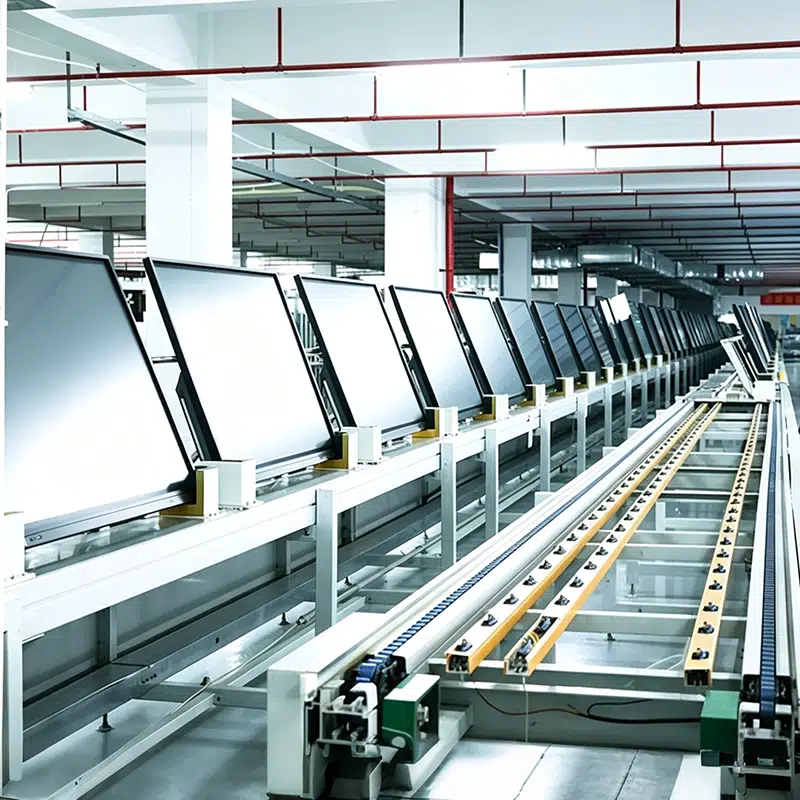
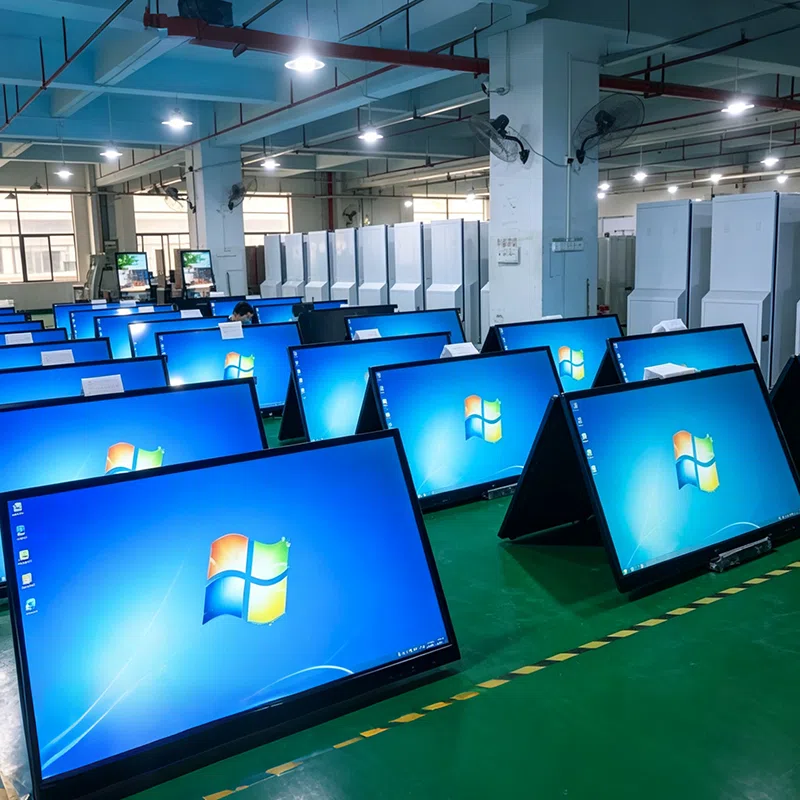
Ražošanas zona
Darbinieki
Pārdotās valstis







 lav
lav
 EN
EN  pt
pt  spa
spa  th
th  vie
vie  aze
aze  bel
bel  est
est  ukr
ukr  ru
ru