ห้องฝึกอบรมขององค์กรต้องการมากกว่าหน้าจอขนาดใหญ่สิ่งที่มันต้องการจริงๆคือระบบการทำงานร่วมกันที่สนับสนุนการนำเสนอคำอธิบายประกอบปฏิสัมพันธ์ของผู้เข้าร่วมหลายตัวการจัดส่งแบบไฮบริดและเนื้อหาที่นำมาใช้ใหม่ในทุกเซสชั่นเลือกได้ไม่ดีและคุณสืบทอดปัญหาเดียวกันทีมฝึกอบรมได้อาศัยอยู่กับปี: โปรเจคเตอร์ล้างออกโดยกลางวัน, เทรนเนอร์เล่นกลแล็ปท็อป, โปรเจคเตอร์, และแผนภูมิพลิก, ผู้เรียนที่ไม่สามารถแก้ไขอะไรบนหน้าจอบันทึกไวท์บอร์ดที่ขับไล่ช่วงเวลาที่การประชุมสิ้นสุดลงผู้เข้าร่วมระยะไกลที่มีผู้ชม Passive, ห้องที่ไม่สอดคล้องกันทั่วทั้งไซต์และสนับสนุนตั๋วทุกเช้าวันจันทร์
คู่มือนี้เขียนขึ้นสำหรับทีม Training managers, HR และ L & D ผู้ซื้อ it/av และผู้รวมระบบที่ต้องการการตัดสินใจจัดซื้อ defensible มากกว่าการเปรียบเทียบ Spec-Sheet มันเดินผ่านกรณีการฝึกอบรมการใช้งานก่อนแล้วขนาดห้องคุณสมบัติที่เปลี่ยนคุณภาพการเรียนการสอนค่าใช้จ่ายทั้งหมดของการเป็นเจ้าของและวิธีการประเมินซัพพลายเออร์ที่อยู่เบื้องหลังฮาร์ดแวร์ Qtenboard มีกระดานไวท์บอร์ดการประชุมแบบโต้ตอบขนาด55-110นิ้ว4K พร้อมระบบ Multi-Touch, การหล่อแบบไร้สาย, ระบบคู่ android/windows, การจัดการ DMS, และ oem/odm-และบทความนี้อธิบายว่าแต่ละการกำหนดค่าที่เหมาะสม
| การฝึกอบรมสถานการณ์ | ขนาดที่แนะนำ | คุณสมบัติที่ต้องมี | Qtenboard ทิศทาง |
|---|---|---|---|
| การฝึกสอน/กอดขนาดเล็ก | 55–65" | 4K, สัมผัส, การหล่อแบบไร้สาย, ใช้งานง่าย | แผงอินเตอร์แอคทีฟ55-65" |
| การฝึกอบรม LED ผู้สอนมาตรฐาน | 75–86" | 4K, multi-touch, whiteboarding, การประชุมวิดีโอ | 75-86 "แผงแบบโต้ตอบ |
| การประชุมเชิงปฏิบัติการขนาดใหญ่/การฝึกอบรมไฮบริด | 86–98" | สัมผัส40-50จุด, กล้อง/ไมค์, ความเข้ากันได้ของ UC | 86-98 "แผงแบบโต้ตอบ |
| หอฝึกอบรม/สัมมนา | 98-110 "หรือหลายจอแสดงผล | รูปแบบขนาดใหญ่, multi-touch, การทำงานเป็นเวลานาน | 98-110 "แผงแบบโต้ตอบ |
| การปรับใช้หลายเว็บไซต์ | มาตรฐาน55-110" | DMS, Batch Supply, Unified UI, อะไหล่ | B2B ส่งตรงจากโรงงาน |
| โครงการฝึกอบรม oem/odm | 55–110" | การสร้างแบรนด์ซอฟต์แวร์ฮาร์ดแวร์ ckd/skd | โปรแกรม oem/odm |
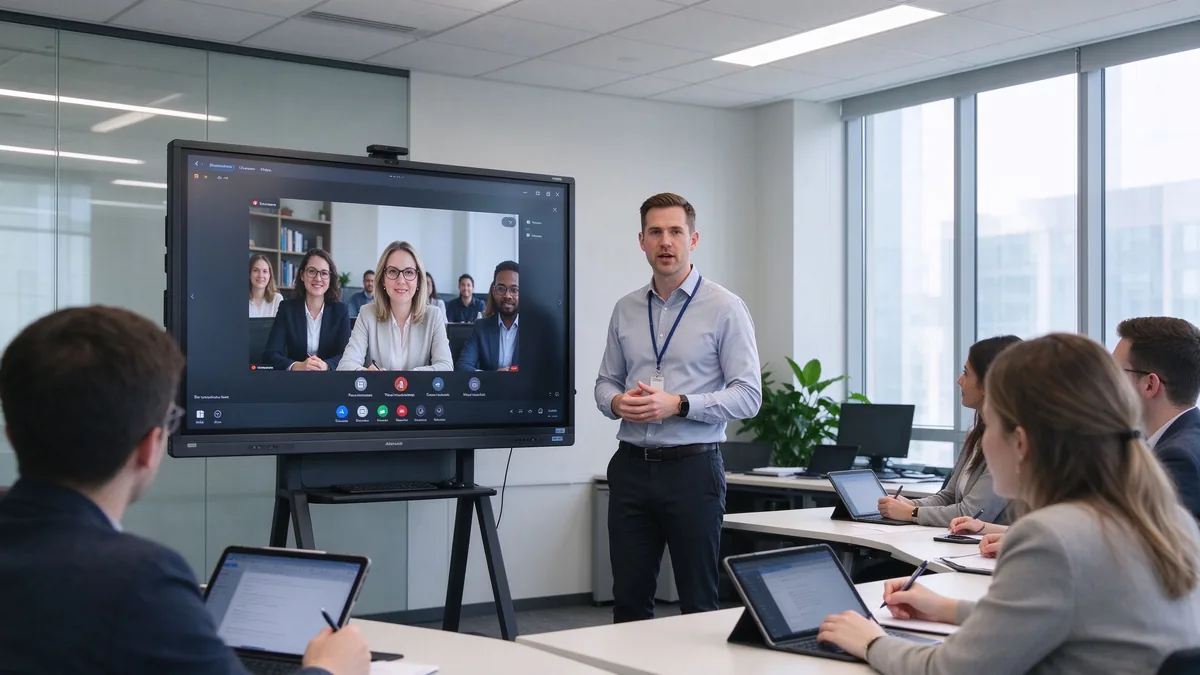
การฝึกอบรมเก่า-กองห้องมีรูปแบบความล้มเหลวที่คุ้นเคยโปรเจ็กเตอร์สูญเสียความคมชัดของมู่ลี่ขณะหมดลงเทรนเนอร์เดินระหว่างแล็ปท็อปการฉายภาพและแผนภูมิพลิกผู้เข้าร่วมระยะไกลจ้องที่กล่องลำโพงขนาดเล็กและไม่มีสองห้องในบริษัททำงานในลักษณะเดียวกันมันจบลงด้วยการเชื่อมต่อการแก้ไขปัญหาที่ไม่ควรจำเป็นต้องแก้ไขปัญหา
บอร์ดอัจฉริยะควรแก้ไขเวิร์กโฟลว์ไม่ใช่แค่รูปภาพเท่านั้นควรนำเสนอสไลด์วิดีโอหน้าเว็บและเอกสารให้เทรนเนอร์ทำเครื่องหมายวัสดุการฝึกอบรมโดยตรงให้ผู้เรียนหลายคนมีส่วนร่วมยอมรับแล็ปท็อปและแท็บเล็ตแบบไร้สายเชื่อมต่อกับแพลตฟอร์มการฝึกอบรมระยะไกลบันทึกเซสชั่นไวท์บอร์ดเป็นเนื้อหาที่นำกลับมาใช้ใหม่ได้
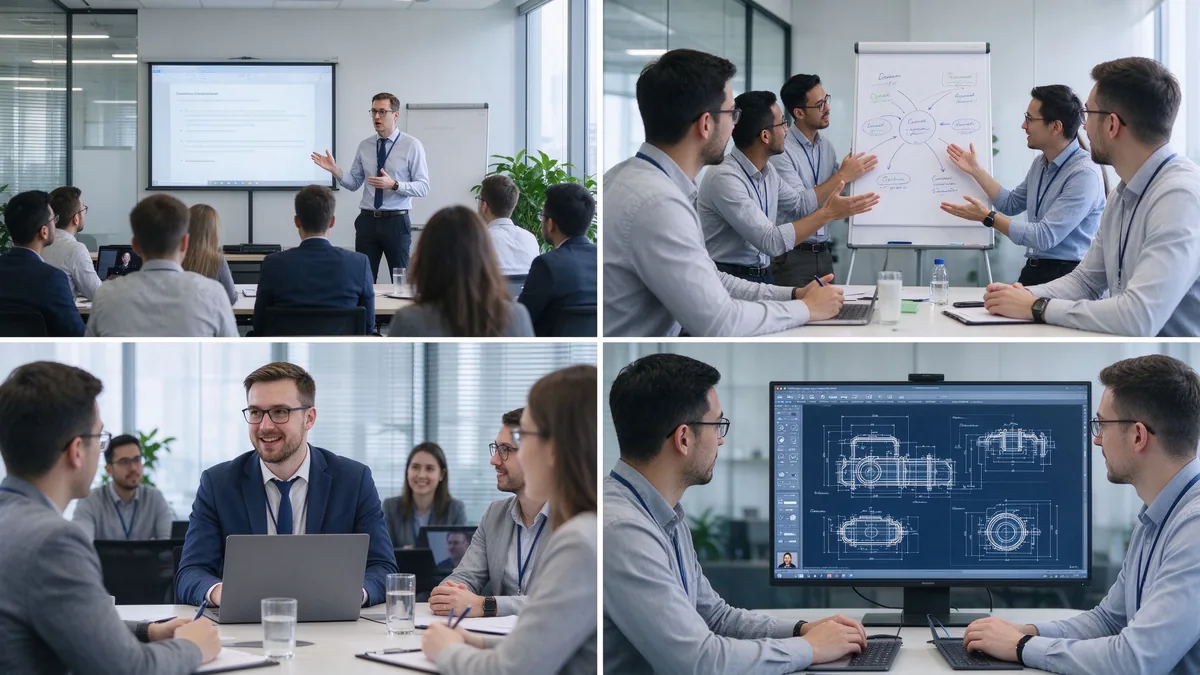
ห้องฝึกอบรมไม่สามารถใช้แทนกันได้ห้องเรียนการปฏิบัติตามข้อกำหนดและห้องเวิร์กช็อปผลิตภัณฑ์ให้รางวัลฮาร์ดแวร์ที่แตกต่างกันมากกำหนดรูปแบบที่โดดเด่นก่อนที่คุณจะเปรียบเทียบขนาดในทางปฏิบัติทีม L & D ที่กำหนดรูปแบบที่โดดเด่นก่อนตัดสินใจได้เร็วขึ้นและถูกกว่า: ห้องที่ใช้80% สำหรับการประชุมเชิงปฏิบัติการต้องการการสัมผัสและเฟอร์นิเจอร์ที่แตกต่างจากห้องที่ใช้80% สำหรับการฝึกอบรมการปฏิบัติตามวิดีโอเมื่อหลายรูปแบบแบ่งปันหนึ่งห้องเลือกคุณสมบัติสำหรับกรณีการใช้งานแบบโต้ตอบมากที่สุด-หนึ่งที่ล้มเหลวดังที่สุดเมื่อฮาร์ดแวร์อยู่ภายใต้การระบุ
Onboarding ความรู้เกี่ยวกับผลิตภัณฑ์ทักษะการขายการปฏิบัติตามและความปลอดภัยการเปิดตัวซอฟต์แวร์ต้องการความชัดเจน4K ขนาดใหญ่การเขียนตามธรรมชาติคำอธิบายประกอบเอกสารการเล่นวิดีโอที่เชื่อถือได้การบันทึกเนื้อหาและการส่งออกและอินเทอร์เฟซที่เรียบง่ายพอที่เทรนเนอร์ใดๆสามารถเริ่มต้นเซสชั่นได้โดยไม่ต้องใช้
การระดมความคิดกรณีศึกษาการวางแผนโครงการไซต์การจัดการต้องการการสัมผัสกับผู้ใช้หลายคนการเขียนพร้อมกันผ้าใบที่ไม่มีที่สิ้นสุดบันทึกย่อและกราฟิกที่แทรกได้องค์กรเนื้อหาและการแบ่งปันและมักเป็นขาตั้งมือถือเพื่อให้บอร์ดสามารถเคลื่อนที่ระหว่างช่องว่างของกลุ่มได้
การประชุมข้ามภูมิภาคการสอนสำนักงานใหญ่สู่สาขาการฝึกอบรมพนักงานระยะไกลการฝึกอบรมลูกค้าและตัวแทนจำหน่ายออนไลน์ต้องการความครอบคลุมของกล้องอาร์เรย์ไมโครโฟนลำโพงทีม/ซูม/google ตอบสนองความเข้ากันได้การหล่อแบบไร้สายผู้เข้าร่วมระยะไกลที่มองเห็นได้และเนื้อหาที่ใช้ร่วมกันหรือบันทึกไว้
ผลิตภัณฑ์อุตสาหกรรม, เทคโนโลยีวิศวกรรม, ระบบซอฟต์แวร์, อุปกรณ์ทางการแพทย์, การซ่อมแซมหลังการขายต้องการรายละเอียด4K, PDF และคำอธิบายประกอบการวาดภาพ, ซูมและหลายหน้าต่าง, อินพุต usb/hdmi, การสัมผัสที่แม่นยำและการทำงานที่มั่นคงเป็นเวลานาน
Multinationals, โซ่ค้าปลีก, ธนาคารและรัฐบาล, การผลิตขนาดใหญ่, ศูนย์ฝึกอบรมสาขาต้องการสายขนาดที่สมบูรณ์การกำหนดค่ามาตรฐานการจัดการอุปกรณ์ระยะไกลการซื้อแบทช์การอัปเดตเฟิร์มแวร์และซอฟต์แวร์ UI ที่มีตราสินค้าที่สอดคล้องกันและการรับรองระดับภูมิภาคและหลังการขาย
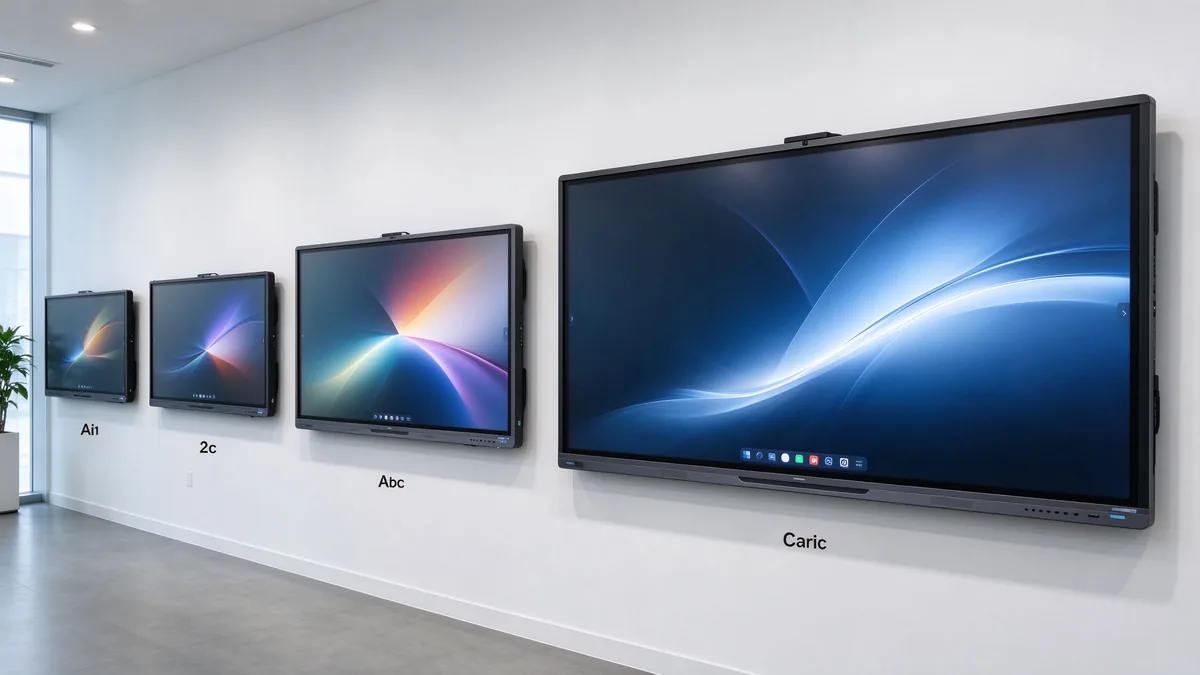
| ประเภทห้องฝึกอบรม | ขนาดกลุ่มทั่วไป | ขนาดการแสดงผลที่แนะนำ | ดีที่สุดสำหรับ |
|---|---|---|---|
| ห้องฝึกอบรมขนาดเล็ก | 2–6 | 55–65" | การฝึกสอนและการสอนแบบกลุ่มเล็ก |
| ห้องฝึกมาตรฐาน | 6–12 | 75–86" | ผู้สอนนำการฝึกอบรมและการนำเสนอ |
| ห้องฝึกอบรมขนาดใหญ่ | 12–25 | 86–98" | การประชุมเชิงปฏิบัติการและการฝึกอบรมไฮบริด |
| ห้องโถงฝึกอบรม | 25+ | 98-110 "หรือหลายจอแสดงผล | การสอนและการสัมมนาแบบกลุ่มใหญ่ |
ก่อนสั่งซื้อวัดห้องไม่ใช่แค่การนับผู้เข้าร่วม: ความยาวและความกว้างของห้องจำนวนผู้เรียนระยะการดูที่ไกลที่สุดความกว้างของผนังที่มีอยู่เค้าโครงที่นั่ง (รูปตัว U, ห้องเรียน, กลุ่มกลุ่ม), แสงธรรมชาติและแสง, ตำแหน่งการติดตั้งกล้อง, ช่วงการเคลื่อนไหวของเทรนเนอร์, ไม่ว่าจะเป็นขาตั้งมือถือที่จำเป็นและไม่ว่าจะเป็นวิดีโอเทรนเนอร์และเนื้อหาการฝึกอบรมจะต้องปรากฏเคียงข้างกัน
หลายกะเรื่องเมื่อคุณเขียนรายการความต้องการในปีนี้:
วัสดุการฝึกอบรมมักจะหนาแน่น: สเปรดชีต, flowcharts, อินเตอร์เฟซซอฟต์แวร์, ไดอะแกรมผลิตภัณฑ์, ภาพวาดวิศวกรรม, คำบรรยาย, ข้อความขนาดเล็กและวิดีโอความละเอียดสูงแผง4K UHD พื้นเมืองที่มีความสว่างเพียงพอกระจกป้องกันแสงสะท้อนและมุมมองที่กว้างช่วยให้แถวหลังสามารถอ่านได้ในห้องที่สว่างสดใสและมุมมองแยกหลายหน้าต่างช่วยให้ดาดฟ้าหลักสูตรการแสดงเทรนเนอร์และสาธิตในครั้งเดียวขอให้ซัพพลายเออร์สาธิตข้อความขนาดเล็กแผ่นงาน Excel ภาพวาดทางเทคนิควิดีโอความละเอียดสูงและแหล่งแยกภายใต้แสงโดยรอบจริง
เทรนเนอร์เขียนตามธรรมชาติผู้เรียนมีส่วนร่วมการแข่งขันกลุ่มงานหลายคนรบกวน flowchart ด้วยกันแผนการโครงการได้รับการแก้ไขสดตัดสินจุดสัมผัสร่วมกับความเร็วในการตอบสนองเวลาแฝงของลายมือความแม่นยำการปฏิเสธปาล์มการจดจำนิ้ว/สไตลัสการเขียนพร้อมกันการดำเนินงานเรืองแสงที่เกี่ยวข้องและความทนทานของแก้วสำหรับปฏิสัมพันธ์ของผู้เรียน20-40คะแนนเป็นเรื่องปกติการประชุมเชิงปฏิบัติการขนาดใหญ่หรือการทำงานร่วมกันหนาแน่นสามารถประเมิน40-50. อย่าเปรียบเทียบจุดนับในการแยก-ทดสอบว่าหลายคนเขียนได้อย่างราบรื่นไม่ว่าซอฟต์แวร์จะช่วยให้วัตถุอิสระและไม่ว่าระบบจะตอบสนองหรือไม่
ไวท์บอร์ดเป็นที่ที่ค่าการฝึกอบรมจะถูกจับ: ผ้าใบไม่มีที่สิ้นสุด, หลายหน้า, รูปร่างและเส้น, ลายมือไปยังข้อความแทรกภาพและไฟล์, PDF และ PPT คำอธิบายประกอบ, ซูม, ยกเลิก/ทำซ้ำเทมเพลตการบันทึกเนื้อหาการแชร์ qr/email และการซิงค์บนคลาวด์เทรนเนอร์ทำเครื่องหมายขึ้นวัสดุสดเพิ่มคำอธิบายบันทึกเซสชั่นเต็มรูปแบบกระจายรุ่นคำอธิบายประกอบและนำมาใช้ใหม่ใน cohort ต่อไปเนื้อหาที่ไม่สามารถบันทึกและแชร์ได้คือเนื้อหาการฝึกอบรมที่สูญหาย
ผู้เรียนมาพร้อมกับแล็ปท็อป Windows, macbooks, ipads, แท็บเล็ต Android, โทรศัพท์และขั้วที่ออกโดยบริษัทบอร์ดควรยอมรับ Windows, MacOS, iOS และ Android แบบไร้สายรองรับการหล่อและแยกอุปกรณ์หลายเครื่องทำงานผ่านเบราว์เซอร์หรือ QR หรือแอปเสริมอนุญาตให้ผู้เข้าพักเข้าถึงและเคารพการอนุญาตการหล่อขั้นตอนการฝึกอบรมทั่วไป: ผู้ฝึกสอนนำเสนอสำรับหลักสูตรผู้เข้าร่วมแบ่งปันกรณีศึกษากลุ่มจะอธิบายเอกสารและผู้สอนจะบันทึกผลสำหรับการกระจายในภายหลัง
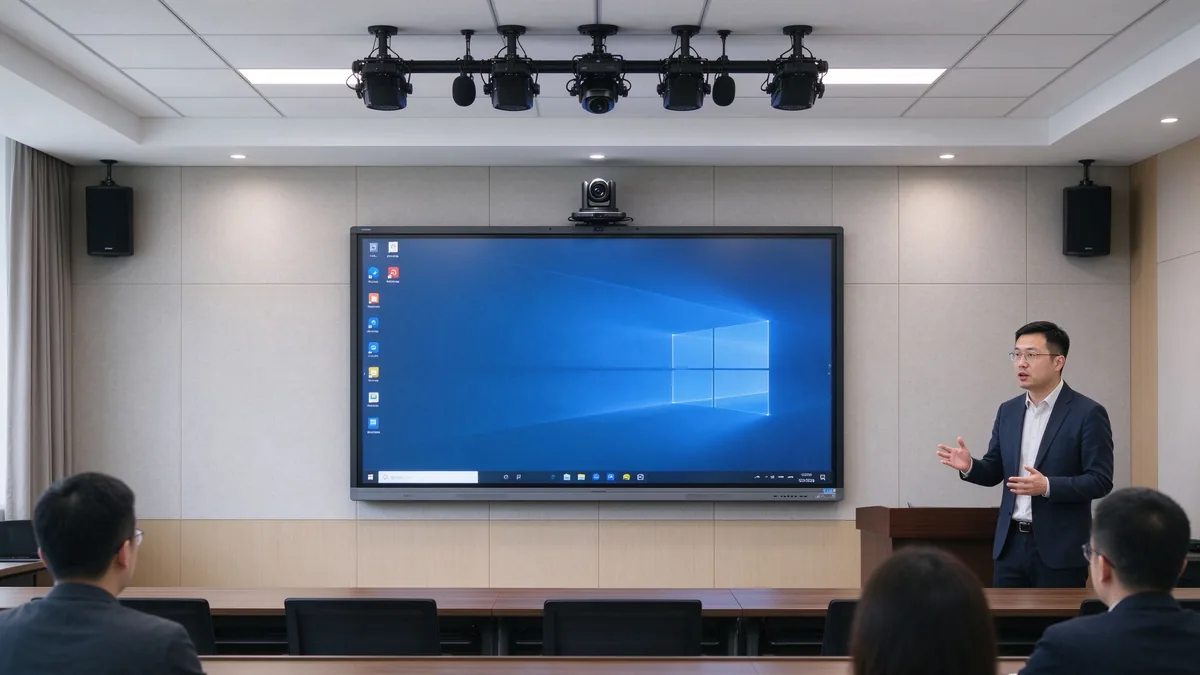
Camera framing must cover the trainer and participants; auto framing and external cameras matter when trainers move around. Microphones must pick up trainer voice and learner questions, with echo cancellation and noise suppression. Speakers must reach the back row and integrate with existing room audio. Software must run Zoom, Microsoft Teams, Google Meet, browser meeting tools, and the company LMS, plus recording and live streaming platforms.
| การกำหนดค่า | Suitable for corporate training | Main consideration |
|---|---|---|
| แอนดรอยด์ | Whiteboarding, casting, quick content access | Confirm app and enterprise account support |
| วินโดวส์ | Office, LMS, browser tools, specialist applications | May require OPS or external PC |
| ระบบคู่ | Mixed training workflows | Flexible but requires IT management |
| การรวมเครื่องคอมพิวเตอร์ภายนอก | Existing corporate AV/IT environment | Check touch-back, USB, display compatibility |
Confirm the company LMS runs, Office files open and edit, browser plugins work, enterprise accounts and permissions hold, and touch behaves inside the target applications. Security means guest-casting permissions, login, data clearing, file storage location, cloud rights, camera/microphone permission, network isolation, remote updates, device lock, and centralized management. Across multiple sites: batch configuration, remote status viewing, unified firmware upgrades, remote restart, fault alerts, and usage permission control.
A five-year view keeps the purchase honest:
TCO = display + mount + OPS PC + camera and audio + software licensing + installation + training + maintenance + spare parts + shipping and certification + later upgrades.
Three layers of ROI make the case to finance:
Do not compare purchase prices alone — installation, software, maintenance, spares, and upgrades all land in year one and year three. Volume orders reduce marginal cost, and factory-direct supply removes intermediary markup. Hidden costs buyers forget to ask for: mounting and cabling, camera and microphone accessories, software licenses, warranty extensions, spare panels for fast swap-outs across branches, and firmware support across regions. A quotation that lists only the display price creates surprises in year one — request the complete landed configuration cost, not the ex-works number.
55-65นิ้วสำหรับการฝึกสอนขนาดเล็กและห้องหมู่75-86นิ้วสำหรับห้องฝึกองค์กรมาตรฐานและ98-110นิ้วสำหรับห้องขนาดใหญ่การฝึกทางเทคนิคและการจัดส่งแบบไฮบริด
4K content display, interactive writing, multi-touch, electronic whiteboarding, wireless casting, file annotation, video conferencing, Android/Windows dual system, AI meeting assistance, and enterprise device management.
Brand logo, product appearance, boot screen, preloaded software, size and touch-point selection, camera and audio combination, packaging and manuals, CKD/SKD local assembly, and batch deployment with project delivery.
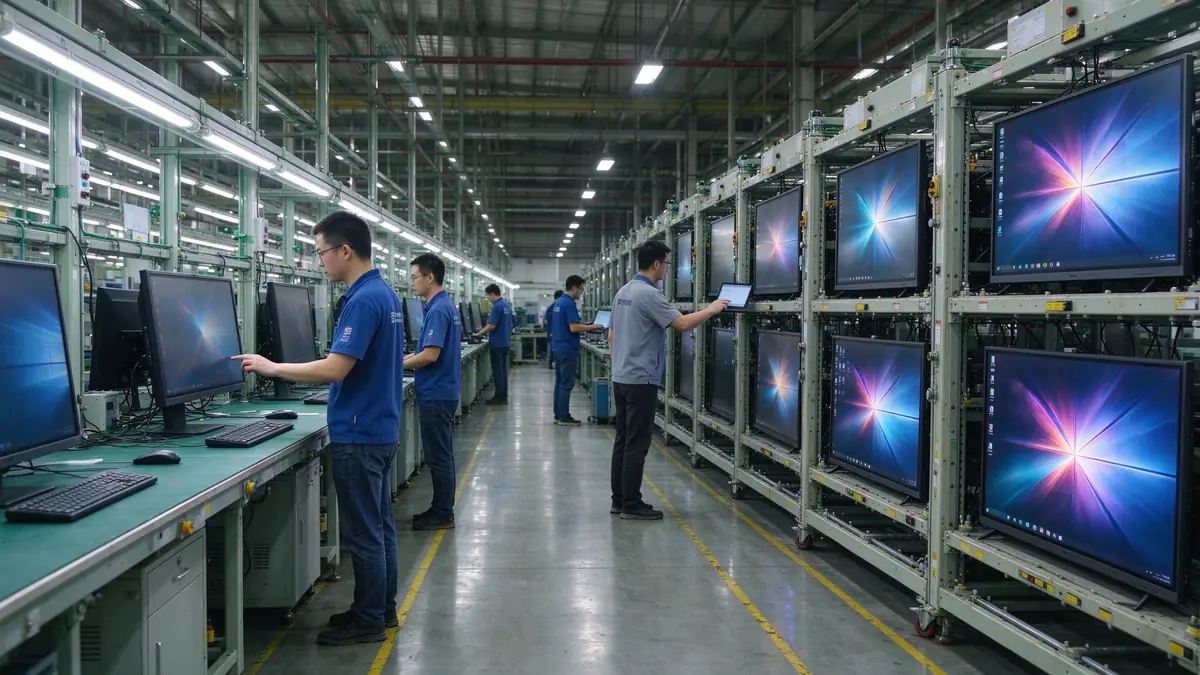
Stable production capacity, sample testing, incoming-material and assembly inspection, aging tests, batch consistency, multi-region certification, technical documentation, spare parts and after-sales processes, and multi-site project support.
Typical training programs buyers configure:
| Buyer priority | Qtenboard value proposition |
|---|---|
| Room-size flexibility | 55–110" interactive display portfolio |
| ความร่วมมือ | Multi-touch writing, wireless casting, file sharing |
| Project customization | OEM/ODM hardware, software, branding, CKD/SKD |
| Supplier stability | Large-scale manufacturing and global B2B experience |
| Deployment support | DMS, batch supply, spare parts, integrator support |
Start with participant count, room size, training type, content format, and whether remote learners join. Then evaluate 4K display, touch, wireless casting, whiteboarding, video conferencing, operating system, ports, security, and after-sales support.
Small rooms 55–65 inches, standard rooms 75–86 inches, large rooms 86–98 inches, training halls 98–110 inches or multi-display. Final size depends on viewing distance and content readability.
4K clarity, low-latency touch, whiteboarding and annotation, wireless casting, file import/export, video conferencing compatibility, camera and audio, enterprise device management, and after-sales support.
If training includes learner interaction, workshops, group tasks, or joint annotation, multi-touch is valuable. If sessions are mainly one-way presentation, a lower touch configuration may be sufficient.
If you need Office, LMS, browser tools, or specialist software, Windows or dual system is more flexible; if casting, whiteboarding, and basic presentation dominate, Android is usually simpler to operate.
Yes, but confirm the full AV configuration: camera, microphone, speakers, meeting platform, network, and visibility of remote participants’ content.
Qtenboard offers interactive display solutions across sizes for enterprise training, with touch, system, software, video conferencing, and OEM/ODM configuration confirmed per project.
Actual size and resolution, touch points and latency, Android/Windows compatibility, training software and meeting platform compatibility, camera and audio solution, ports, DMS and security features, sample testing, MOQ and lead time, warranty and spares.
Different roles take different next steps:
| Role | Recommended next step |
|---|---|
| Training manager / HR-L&D | Get a corporate training display recommendation |
| IT / AV manager | Download the security and compatibility checklist |
| Integrator | Request project configuration support |
| จำหน่ายโดยตัวแทนจำหน่าย | Request the OEM/ODM catalog and sample |
| Large project | Schedule a factory video audit |
Share your training room size, participant capacity, training format, software requirements, and project quantity. Qtenboard can recommend a suitable interactive display configuration for instructor-led training, workshops, hybrid learning, or multi-site deployment. Reach the team through the contact page.
Required: name, company, email, country, business type, training type, number of participants, message.
อุปกรณ์เสริม: room dimensions, preferred display size, need for multi-touch, required OS, VC platform, need for camera/audio, number of training rooms, required quantity, target market, delivery timeline, OEM/ODM requirements.
Get a Corporate Training Display Recommendation Request a Training Room Configuration Ask for a Project Quote Discuss an OEM/ODM Training Solution

ซีอีโอ | ผู้เชี่ยวชาญด้านโซลูชันการแสดงผลแบบโต้ตอบและการทำงานร่วมกัน
ฉันเป็นผู้ก่อตั้ง qtenboard นำความเชี่ยวชาญด้านการลงมือปฏิบัติมากกว่า17ปีมาสู่อุตสาหกรรมการแสดงผลแบบสัมผัสจากมุมมองการจัดการทั่วโลกที่ได้รับจากการศึกษา EMBA ของฉันที่มหาวิทยาลัยเซินเจิ้นฉันนำทีมของฉันในการเพิ่มประสิทธิภาพทุกขั้นตอนของการดำเนินงานของเรา-จากความละเอียดของผลิตภัณฑ์ที่มีประสิทธิภาพสูงการจัดการห่วงโซ่อุปทาน-มั่นใจความสามารถในการผลิตของเรายังคงอยู่ในระดับแนวหน้าของอุตสาหกรรม
ในฐานะผู้นำของ qtenboard ฉันเชี่ยวชาญในการให้บริการโซลูชั่น oem/odm ที่ปรับแต่งสำหรับกระดานไวท์บอร์ดแบบโต้ตอบผนังวิดีโอ LCD ป้ายดิจิตอลและเทอร์มินัลสัมผัสระดับอุตสาหกรรมสนับสนุนโดย330,000ตารางเมตรสวนอุตสาหกรรมที่ทันสมัยของเราในเซินเจิ้น, เรารักษาเต็ม Lifecycle ควบคุมการออกแบบอุตสาหกรรม, การผลิตที่มีความแม่นยำ, และการทดสอบประสิทธิภาพที่เข้มงวด.
ด้วยประสบการณ์โครงการเกือบสองทศวรรษโซลูชันการแสดงผลของ qtenboard จึงถูกนำไปใช้ในกว่า120ประเทศและภูมิภาคได้รับความไว้วางใจจากลูกค้าระดับองค์กรมากกว่า15,000รายทั่วโลกหากคุณกำลังมองหาพันธมิตรที่ตอบสนองต่อการผลิตที่ลึกซึ้งสำหรับโครงการแสดงผลแบบสัมผัสที่กำหนดเองของคุณทีมของฉันและฉันพร้อมที่จะสนับสนุนวิสัยทัศน์ของคุณด้วยความเป็นเลิศระดับมืออาชีพ

 th
th
 EN
EN  pt
pt  spa
spa  vie
vie  aze
aze  bel
bel  est
est  lav
lav  ukr
ukr  ru
ru