A mid-to-premium French fashion chain with 120 stores needed a way to update in-store marketing content faster than printed materials allowed — without forcing every store into the same hardware package.
The client operates a portfolio of stores that differ enormously in size, location, and role: full-size flagship stores in Paris and Lyon, counter-style locations inside shopping malls, standard street-front boutiques in regional city centers, and a handful of small, high-margin boutique stores. Before this project, every store received the same printed poster kits from headquarters, regardless of whether it had a 40-square-metre corner or a 300-square-metre flagship floor.
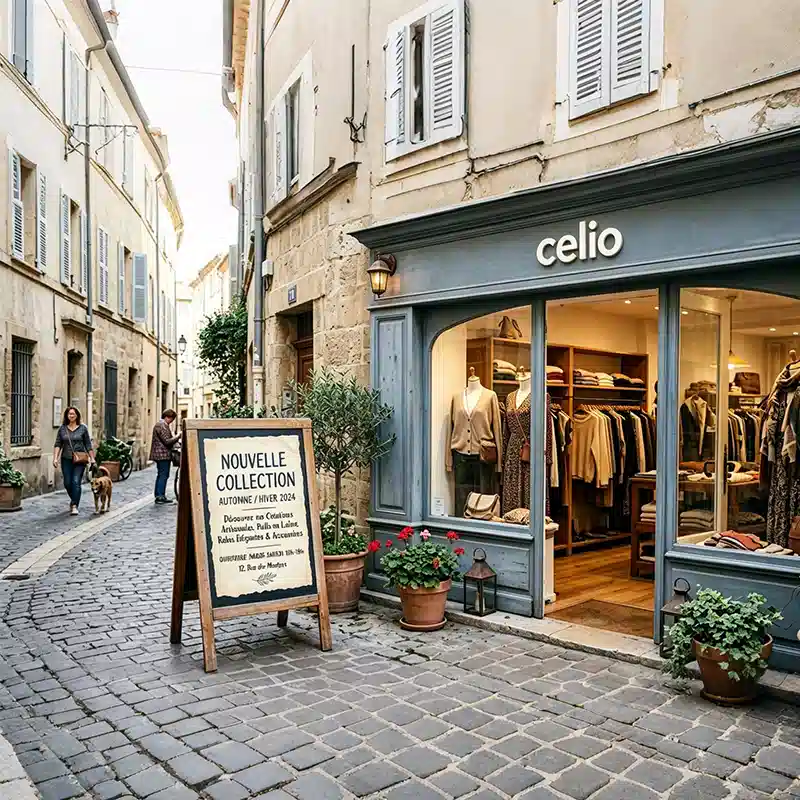
The trigger for the project was a practical one: ahead of a new seasonal collection launch, the marketing team calculated that reprinting and redistributing window posters to 120 locations took over three weeks — by which point regional promotions were already out of sync with the flagship stores that had launched the campaign on day one. Headquarters wanted one system that could push content everywhere at once, but the store network's physical diversity made a single hardware spec impractical.
Most retail digital signage proposals start with a product catalogue. We started with a question the client hadn't been asked before: if every store is different, why would every store get the same screen? Effective retail digital signage solutions are built around store operations first, hardware second.
Large floor area and heavy foot traffic. A single small display looks lost against the space and wastes the store's biggest asset: visual impact.
No independent shopfront window — mall operators control the external façade. A window display simply cannot be installed here.
Window visibility is the main customer draw, but daylight glare on standard panels makes content unreadable for most of the day.
Limited floor space and budget. Over-specifying hardware here doesn't just waste money — it visually clutters a store built around a minimal, curated feel.
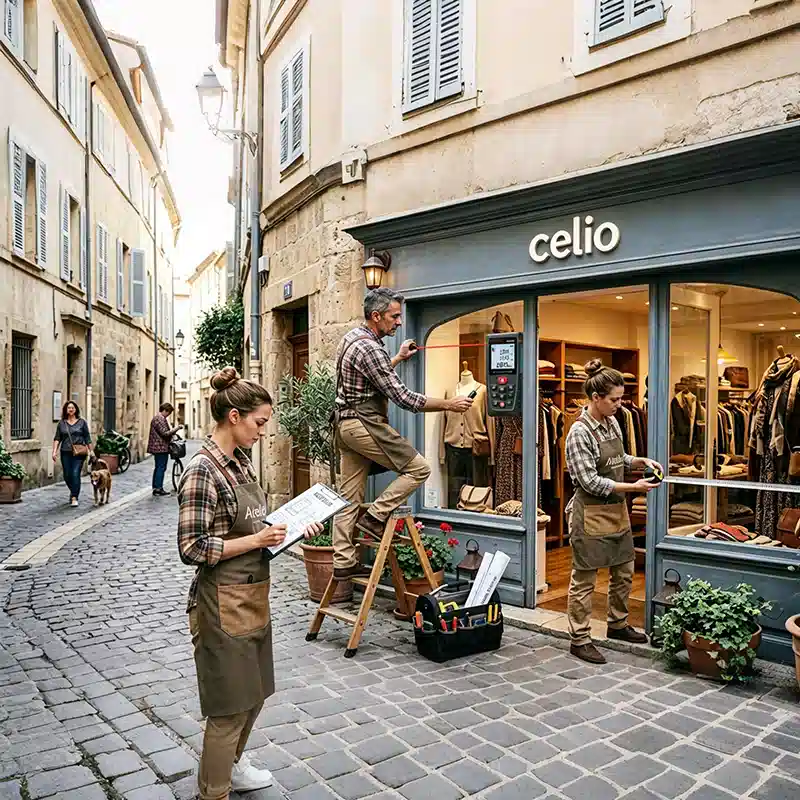
Before recommending a single screen, our team ran a structured store audit across a sample of locations representing each format in the client's network. This step is what separates a hardware order from a signage system — and it's the step most vendors skip.
Each store was assessed against five dimensions that directly determine hardware selection:
| Audit dimension | What it determines |
|---|---|
| Floor area | Screen size, quantity, and whether a video wall is justified |
| Customer flow path | Placement — entrance, checkout, fitting-room corridor |
| Independent shopfront window | Whether a window-facing display is even physically possible |
| Ambient light exposure | Whether high-brightness, anti-glare panels are required |
| Headquarters update frequency needs | Which tier of the CMS the store is grouped into |
The audit sorted the 120-store network into four operating profiles. Store count and share of the hardware budget were then allocated by profile — not evenly split by store count.
This is where the project actually lives: each store profile received a hardware configuration built for how that specific store operates — and, just as importantly, a documented reason for what it did not receive.
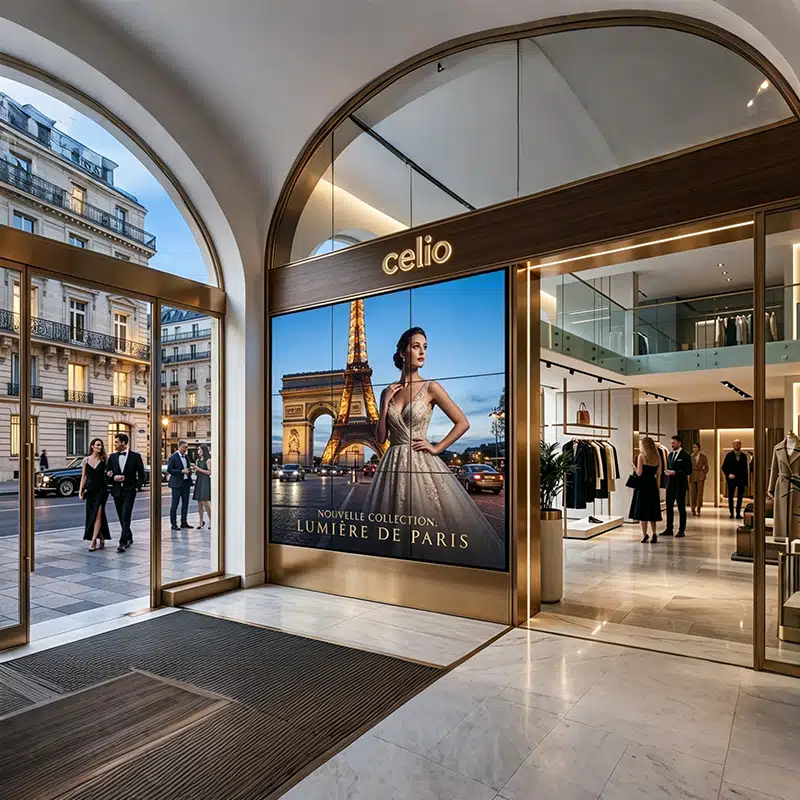
Flagship locations carry the brand's image for the entire chain. Their job isn't just to sell — it's to make a customer stop walking. The screen configuration was built around visual scale and dwell time, so every panel in this tier runs on 4K UHD engines: at video-wall size, anything below native 4K becomes visibly soft the moment a customer stands within a few metres of it.
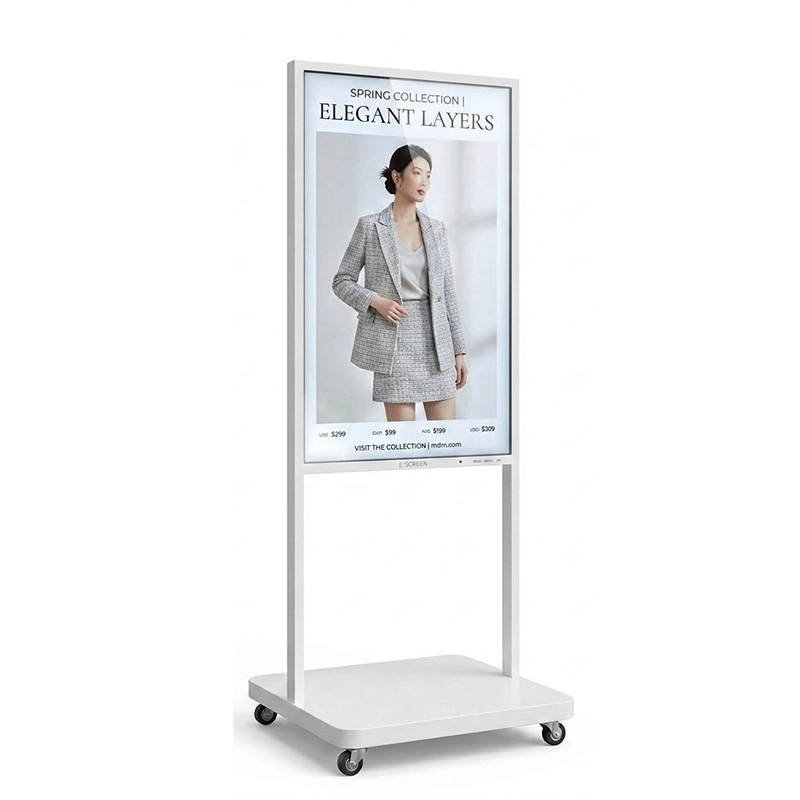
Deployed at flagship store pause points for interactive lookbook browsing and collection navigation. Independent, movable, and built to run continuously all day without a fixed wall mounting point — this is why floor standing digital signage is the default choice for open-floor circulation zones rather than fixed corridor walls.
View floor standing digital signage specifications →Mall locations rely on foot traffic generated by the mall itself, not by their own shopfront — most shopping centers don't allow tenants to alter the external façade, so a window display was never an option here. The configuration focuses entirely on interior wall space and the checkout dwell moment.
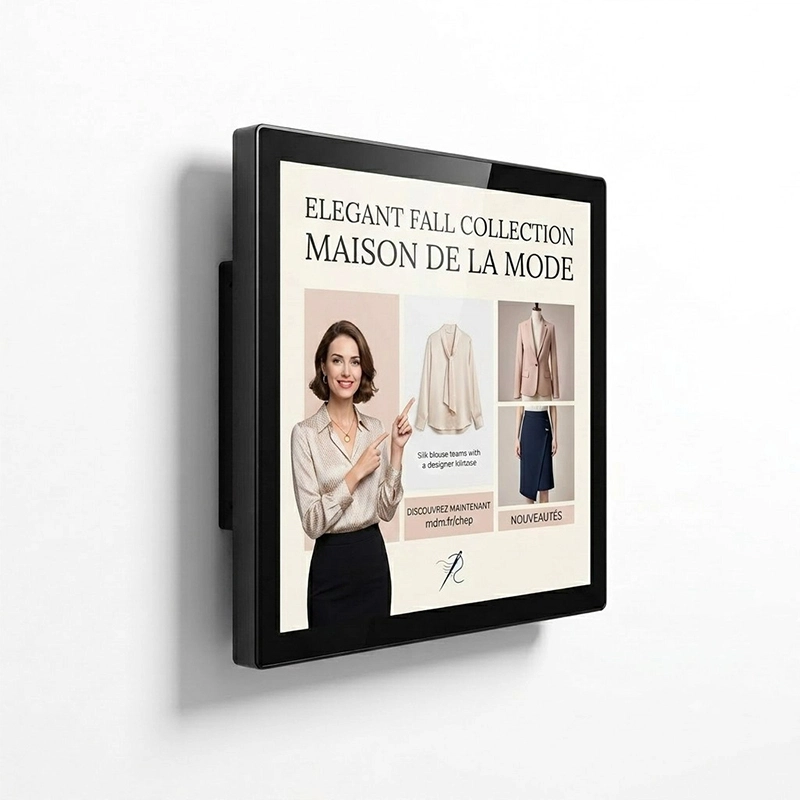
Slim-profile and fixed to the wall above product displays or along circulation corridors — the fit for mall stores where floor space and façade access are both restricted. The panel runs a 24/7-rated commercial engine, so it holds up to a full mall operating schedule without the burn-in or overheating risk of a consumer-grade TV.
View wall mounted digital signage specifications →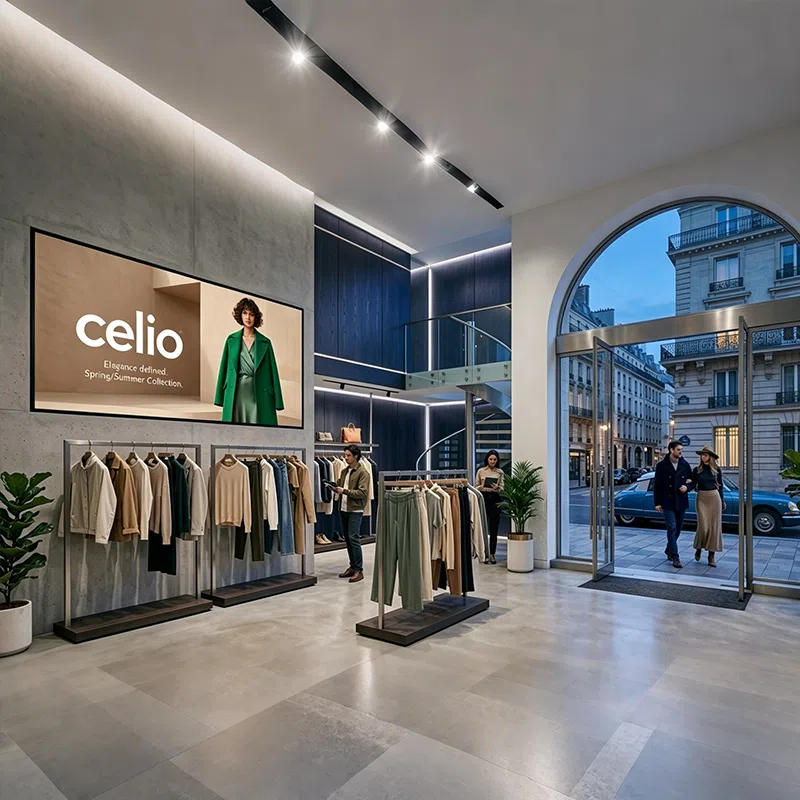
This is the largest single group in the network, and window visibility is their primary customer-acquisition channel — foot traffic passing on the pavement is the entire point. The failure mode we were solving for was legibility: a standard commercial panel washes out in direct daylight by mid-morning.
Built for direct daylight exposure with anti-glare treatment and automatic brightness control. Content stays readable from the street both day and night, and the double-sided panel lets the same screen serve passers-by outside and browsing customers inside without doubling the hardware.
View double-sided window display specifications →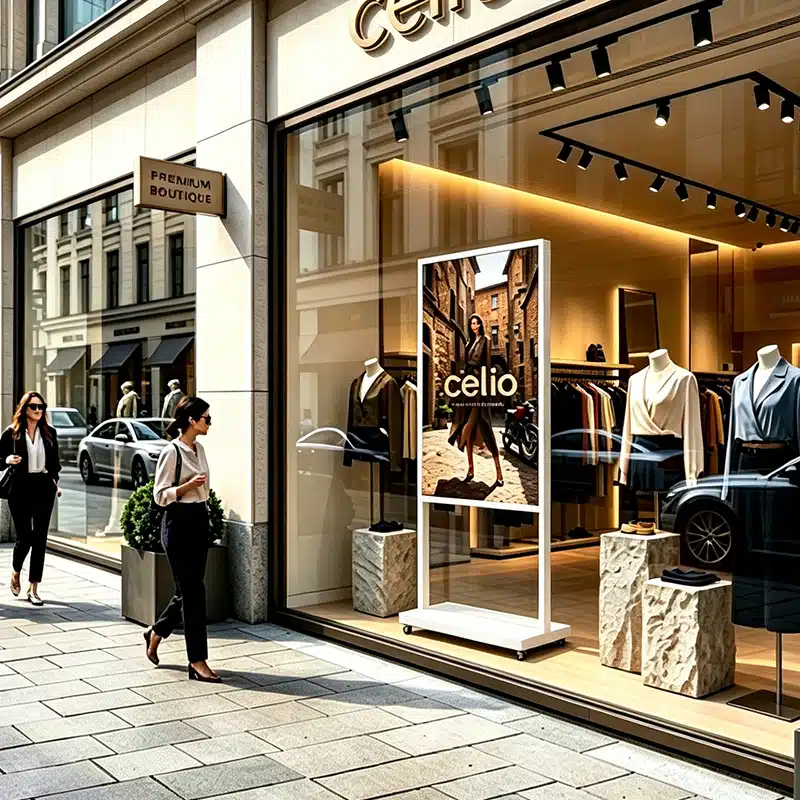
These stores compete on atmosphere, not scale. The goal was to replace the old poster stand with something that updates itself remotely — without adding visual clutter to a deliberately minimal space.
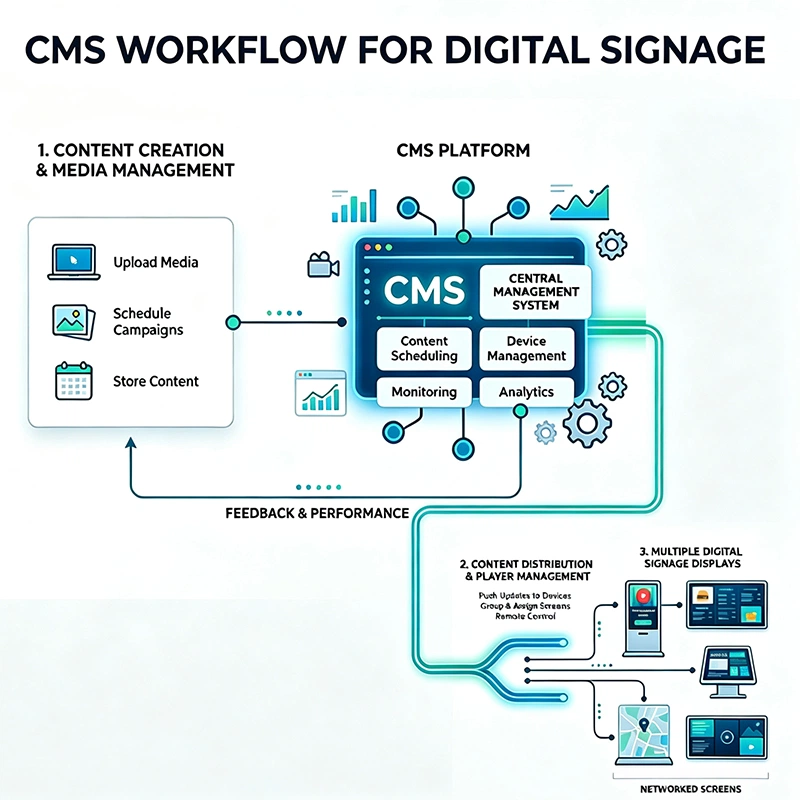
Hardware differs store by store — but content control has to be consistent, or headquarters loses the exact coordination they asked for at the start of the project. A single CMS platform manages every screen type from one dashboard, automatically adapting content to each format.
In practice, a single new-collection video uploaded once at headquarters is automatically resized into a landscape cut for video walls, a portrait cut for floor standing digital signage kiosks, and a short looping clip for window displays — reaching all 120 stores the same day, instead of the three-week print cycle the client started with.

Permissions are layered by role: headquarters controls brand-level campaign content across every store, while regional managers can adjust local promotions within pre-approved templates — so store-level flexibility never breaks brand consistency.
A 120-store rollout is a logistics project as much as a technical one. Hardware was installed in four sequential phases, each validating the next before scaling further.
Video wall and floor standing digital signage installed in three flagship locations to validate content performance and hardware stability before wider commitment.
The largest group, deployed next to establish a repeatable window-display installation standard before moving to more constrained store formats.
Coordinated with individual mall operators for interior installation approvals — a step that's easy to underestimate in a multi-landlord retail network.
Final store group installed, followed by a full network CMS integration test across all 120 stores and four hardware profiles.
Rather than a single chain-wide percentage, results are reported by store type — because that's the level at which the hardware decisions were made, and the level at which they should be judged.
| Store type | What changed after deployment |
|---|---|
| Flagship | New-collection launches now open with a full 4K video wall sequence on day one; customer dwell time at the entrance increased noticeably during observed campaign periods. |
| Mall counter | Promotional content moved from printed swaps to a single remote push from headquarters, removing manual in-store material changes entirely. |
| Street-front | Window content is now controlled around the clock, no longer limited to staff working hours for physical poster changes. |
| Small boutique | Achieved a digital, brand-consistent presentation with a single screen — matching flagship-level brand control at a fraction of the hardware cost. |

A 120-store deployment doesn't fail on the showroom floor — it fails in the supply chain, at customs, or three months after installation when a panel needs a warranty repair. As a commercial digital signage supplier working directly with retail brands, this is the part of the project we're evaluated on just as closely as the hardware itself.
In-house production capacity for floor standing digital signage and wall mounted digital signage lines means order volumes for 50+ or 100+ store rollouts are quoted with a fixed lead time — not a "best effort" estimate that shifts once you've committed to a launch date.
Established freight forwarding relationships for sea and air shipment, with experience routing multi-store consignments into EU distribution points — so a brand doesn't need to manage customs clearance for 120 individual deliveries on its own.
Hardware ships with the compliance documentation brand procurement teams ask for before approving a purchase order — not supplied after the fact.
Standard warranty coverage, regional spare-parts stock, and remote diagnostics so a single panel failure in one store doesn't require a full unit swap shipped from the factory.
As an OEM digital signage manufacturer, we adjust bezel finish, mounting brackets, chassis branding, and pre-loaded CMS software to match a brand's in-store identity — this is standard for chain rollouts, not a special request.
As the digital signage display manufacturer behind the hardware, sales engineering, and after-sales support sit under one roof — a brand's procurement team deals with one contact through quoting, production, shipping, and post-installation support.

These are the questions brand buyers most often raise once they're close to placing an order for a multi-store rollout.
Order quantities are typically discussed per project scope rather than a fixed MOQ — a 15-store pilot and a 120-store full rollout are quoted differently. Contact our team with your store count and formats and we'll return a phased quote.
Yes. Bezel finish, chassis color, mounting hardware, and startup branding can all be adjusted as part of an OEM order — this is standard practice for retail chain deployments, not a one-off customization.
Standard units ship with CE, FCC, and RoHS documentation, with CCC available for applicable markets. Certificate copies are provided ahead of shipment so your compliance team can review them before the order is finalized.
Lead time depends on the mix of floor standing digital signage, wall mounted digital signage, and window display units ordered, plus any OEM customization. We provide a fixed production timeline once the store-type breakdown is confirmed.
We work with established freight partners for sea and air shipment and can coordinate delivery to a central EU distribution point or directly to individual stores, depending on what your logistics team prefers.
All units include standard commercial warranty coverage. Regional spare-parts stock and remote diagnostics mean most issues are resolved without shipping a full replacement unit from the factory.
Yes — the CMS platform used in this rollout manages every screen format from a single dashboard, with content auto-formatted per screen type, so there's no need to run separate systems for different store formats.
Warranty claims are handled per unit through remote diagnostics first, then regional spare-parts dispatch if a hardware swap is required — designed to avoid taking a screen out of service for weeks while a replacement ships internationally.
The best digital signage solutions for retail aren't a single product — they're a hardware mix that matches how each store actually operates. A flagship store and a small boutique are doing fundamentally different jobs for the brand, and the screens inside them should reflect that difference, not ignore it.
Our team can run the same store-by-store audit for your network and recommend a hardware mix built around how your stores actually operate — not a one-size-fits-all package.
This case study is based on a completed retail digital signage rollout for a French fashion retail chain. Store counts, timelines, and configuration details reflect the actual project scope and are presented for illustrative reference. Product specifications referenced in this article are drawn from current listings on qtenboard.com; please confirm exact specifications with our sales engineering team before ordering.
Prepared by the Qtenboard Retail Solutions Engineering Team, who worked directly on store auditing, hardware specification, and CMS deployment for this project.

CEO | Interactive Display & Collaboration Solution Expert
I am the founder of Qtenboard, bringing over 17 years of hands-on expertise to the touch display industry. Drawing on the global management perspective gained through my EMBA studies at ShenZhen University, I lead my team in optimizing every stage of our operations—from product definition to high-efficiency supply chain management—ensuring our manufacturing capabilities remain at the forefront of the industry.
As the leader of Qtenboard, I specialize in providing tailored OEM/ODM solutions for interactive whiteboards, LCD video walls, digital signage, and industrial-grade touch terminals. Backed by our 330,000 m² modern industrial park in Shenzhen, we maintain full-lifecycle control over industrial design, precision manufacturing, and rigorous performance testing.
With nearly two decades of project experience, Qtenboard’s display solutions are now deployed in over 120 countries and regions, earned the trust of more than 15,000 enterprise customers worldwide. If you are seeking a responsive partner with a deep manufacturing foundation for your customized touch display projects, my team and I are ready to support your vision with professional excellence.

 EN
EN
 pt
pt  spa
spa  th
th  vie
vie  aze
aze  bel
bel  est
est  lav
lav  ukr
ukr  ru
ru