Найлепшае ўключыць тэчкі для набору звычайна вялікая інтэрактыўная інтэрактыўная экрана 4K, якое сувязі яснаванне презентацыі дадзеных, Дакладна ўводу перна, бягучае безчуны апрацоўкі, інтэрвалування відэа- канференцыя, і правільна ўсталяваны для выкарыстання. Для більшості набораў, вылучаны павінны пачаць з працоўнага пакета, а не памер экрана.
Напісаны для корпорацыі, выканальныя прылады, трэчыў офісы, у IT / AV, інтэрфейсі, AV, дистриблівальнік, і праектаў, які вызначыць, што купіць, якое канфігурацыі ў якій пакоі, і якой выканальник можа аддаваць яго. Мы не ракуваем бінгі: рамка перамяшчэнне з сентару на купічы критеры, тыпе паставіць і канфігурацыі, Такім чынам, вызначэнне можа быць абраныя да CFO, IT- бяспекі і інтэрвалентацыі AV у той жа сустрэчы.
Не існуе адзінай найлепшы мадэлі, але ёсць лепшыя напрямка: вялікая інтэрактыўна--4K з шкло, Дакладны ўвод пень, бягучуе захоўні, Windows або двоўнай сістэмы плідна, і правільна дизайнаная аперацыі відэа- канференції. Памер усе пакоя і змесціва.
| Вератар | Рэкамендаваны напрамак адлюстравання | Ключавыя прыярытэты | Настаўленні |
|---|---|---|---|
| Выканальны запіс (6- 10) | 75-86 "4K | Стратэгічны прагляд, сустрэчы кліентаў | 75/86" інтэрактыўны панель |
| Стандартны дошкі (10-16) | 86-цалевы 4K сэнсарны дысплей | Фінансавыя прэзентацыі, гібрыдныя сустрэчы | 86-цалевая інтэрактыўная панэль |
| Вялікі зал для пасяджэнняў (16–24) | 86-98" 4K сэнсарны дысплей | Даскі з пакетамі, дэталёвыя даныя, сустрэчы з вялікімі табліцамі | Інтэрактыўная панэль 86/98" |
| Суцэльнасць стратэгій (20) | 98-110" або падвойны дысплей | Майстар-класы, сесіі па планаванні, буйныя гібрыдныя сустрэчы | 98/105/110" інтэрактыўная панэль |
| Гібрыднае пасяджэнне праўлення | Паказваць камерая | Удзел дырэктара на адлегласці, бяспечны абмен | Дысплей для сустрэч з штучным інтэлектам |
| Разгортванне мульты-сесійных залаў | Стандартызаваная сістэма кіравання партфелем | Паслядоўнасць, цэнтралізаванае кіраванне | Прамы B2B-збыт ад вытворцы |
| OEM/ODM праект для залы пасяджэнняў | Наладжваемы інтэрактыўны дысплей | Змена | Праграма Qtenboard OEM/ODM |
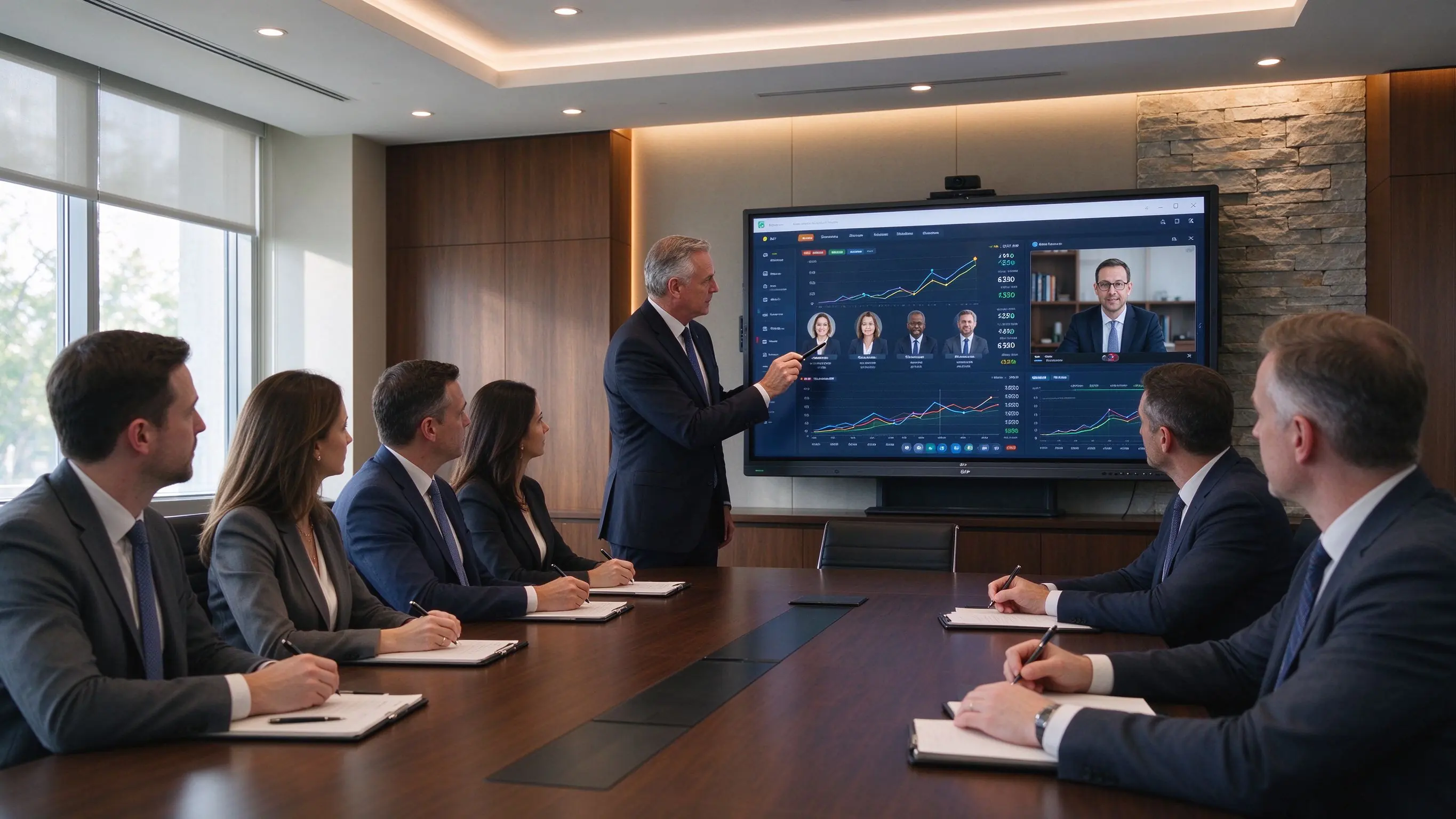
Зала пасяджэнняў — гэта не клас і не вестыбюль. Дыстальнік сядзець у центру адкладных, цяжкі сустрэчых, і дырэктары судзіць яго на экранах, якія яны выкарыстаць дзень. Чатыры уласцівасці падзяляць дошкі праграмы Інтэрактыўны экран для дошку выкарыстоўваць з экрана агульнага прызначэння.
Наборы рэгулярна паказваць фінансыя справаздачы, інвеставанні презентацыі, матеріальныя M&A, стратэгія Прадвары і маркета, паведамленні рискі, легальныя дакументы, планы інцэаркі, і EG або адпавядавання аб паведамленняў - більшае з гэтую гэтую, з маленьким лікамі і трэбам
Дапак заробляе свае месцы, калі яна знятае час разум і вылучаным: пазначыць ключоў і фінансавай справаздачы, параўляючы стратыкальныя параметры, Абнаўляваць угоду, пераглядзець малюнкі продукту, перамяшчэнне змесціва ў карыстальніка, захоўваючы вылучаных і пунктах дзеянні, і захоўваць белыя ноты пасля сустрэчы.
Калі вы вы вызначыеце Выключаныя адказы для дошкіName, Пацвердзіць адміністратары выкарыстаць: Дакладнасць пенн, Лялькасць чатку, адхіленне пальма, абатанацыя, багато карыстальніка, PDF і Ататацыя PowerPoint, захоўваць і экспарту, і сустрэчка пад Android і Windows.
Змесціва набору адпавядаць адзначаным. А інтэрактыўны экран у зале пасяджэнняў Патрэба падтрымліваць сустрэчы без пакінуць презентацыі, дакументаў і сустрэчныя нататкі для наступнага карыстальніка: абмежавання госту, Аўтыфікацыя PIN або кода, вылучэнне карыстальніка, прачысці дадзеных сеансаў, сеткавыя сеткі, камеры і мікрофоны правы Забезпечная палітыка захоўвання файлаў, кіравання ўсталявання праграмы, аддалены кіравання прыладу і кантралі формэра.
У наборах бяспека - часткі працоўнага трэба: цяжнае дыс, што дазволіць пазначыць пакет набору павінна прачысці дадзеных дадзеных перад пачына наступнага сеансу.
Выканальнікі Сцяна або захоўваць, схаваны кабін, чыстаць камеры, інгруваны гукавы панель ці конференції, Мінімальныя аддаленыя і адаптары, хутка закінуць, змены інтэрфейсу, запускны экран, і бесшумная, стабільная праца.
Сама 86 дзюйца можа быць правільна для одного набору і няправільна для наступнага; пачаць з тыпу сустрэчы, а потым пацверджайце памер, вылік, і конференції вакол ім.
Годная плананцыя, выгляды буджет, прагляду KPI, ризыкы і адпавядавання і працоўнага працоўнага працоўнага працоўнага працоўнага працоўных. Рэкамендуваны: 86-98 ″ 4K З дакладным ўводу пень, цифравальны белы-бор, бяспекі бяспекі безчуны апісанне, параўленне падзельне экрана, Windows/OPS для апрацоўкі праграмы і вялікавай аўдыя
Фінансальныя пакеты, мадэлі Excel, чварычкі рэжыві, інвесторныя презентацыі, пакеты і легальныя і дакументы. Рэкамендуецца: арыгінальная 4K, антыблікавальны, Маленькі тэкставы чытання, USB-C і HDMI, бяспекі апрацоўкі, апрацоўкі PDF, Сапраўдны працоўны трэба Windows і камера плюс аудыа для гібрид.
Экэрегальныя і аддаленыя перэўнік павінен трэба роўна досвід: камера захоплюе прыкладальнік і табліцы, Мікрофоны захоплюе кожны спамлікар, і дысхаваць аддалены вокна і падзяляваныя дакументы. Рэкамендуецца: 86- 98″ 4K, Камеры высокі якасці конференції, стварычкі або знешнім мікрофоны, спадзяць на пакоі, Кампаненты / Zoom / Webex, тэчкі сеткі і бяспечнай працоўны плітак BYOM або пакоя-PC.
Гэтыя сустрэчы тычацца зместу і ўражання, якое стварае памяшканне. Рэкамендуецца: 75–86″ Для памылках, 86–98″ Для офариніх выканальных пакоя, з 4K, безслэчальным скасаваньне або USB-C, логога і запуску інтэрфейсу, Інтэграваныя фотоапарат і аудыа, і сіна.
Стрататычнае плананне, працоўныя працоўных інтэрвалентаў M&A, прагляду, організацыі дизайн, плананне крытыфікацыі, і крок-функцыяльныя вырашыты. Рэкамендуецца:86″ і большыя З 20-40 кантактоў, цифравальнай біты, захоплення змесціва і экспарту, часткі прыладу, вялікая актывыя аб' екты, і дадатковы другога экрана.
Звычайны працоўны трэба. ЦФО падзяляе фінансальны трэба, у тэкставы аб'ектаў ключоў і тэксту, Аддалены тэчкі праглядае аб' екты ў рэальнай час, і пакет наборы аб' екта экспартаваныя і адчынены перад наступнага сеансу. Усе вылучэнне
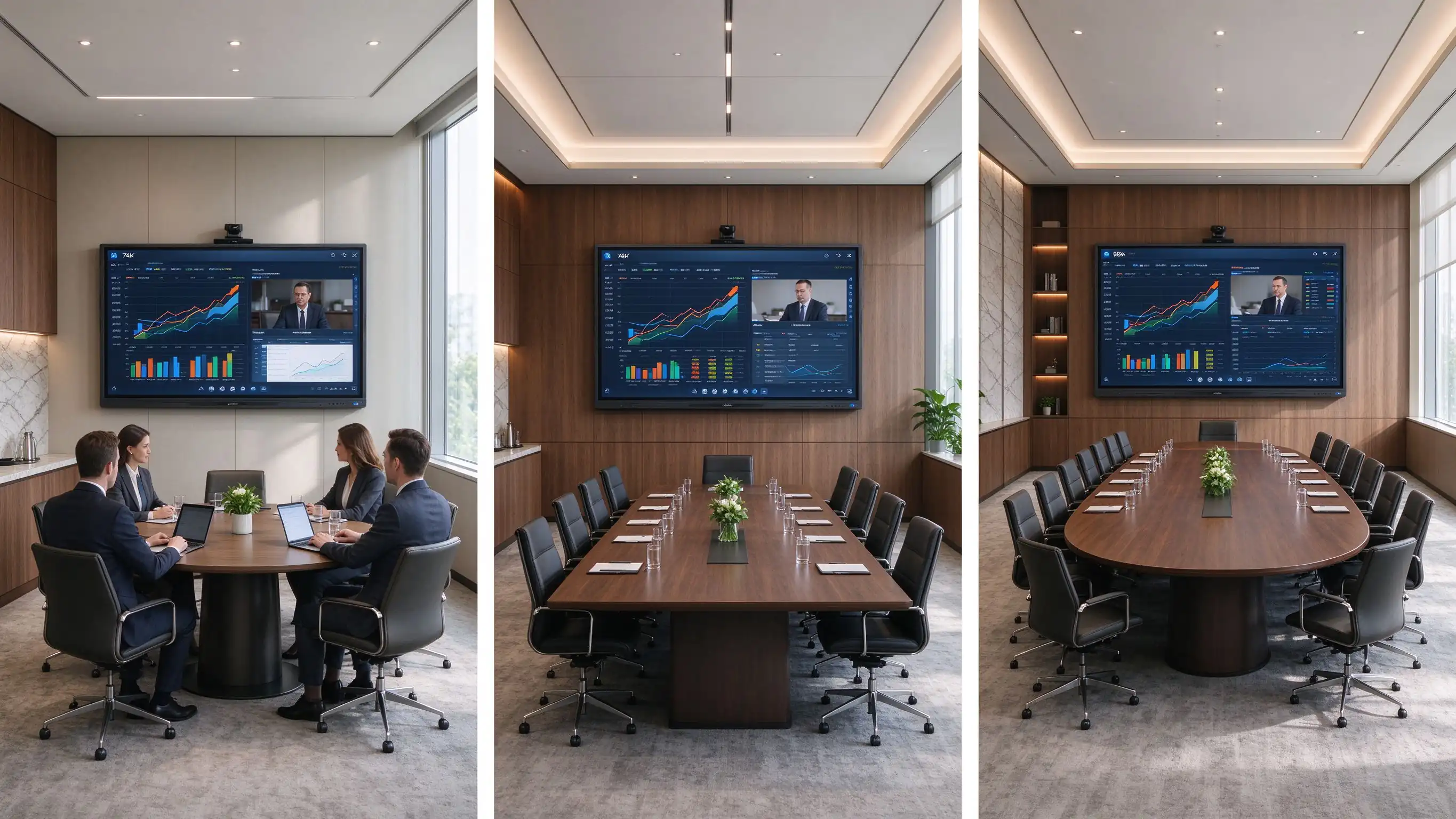
Памер адлюстраваць у табліцы і щільнасць змесціва, а не загалоўка. Выкарыстоўвайце табліцу як аснову, а затым праверце па фактычным памяшканні.
| Тып залы пасяджэнняў | Тыповая ёмістасць | Прапанаваны памер дысплея | Найлепшае |
|---|---|---|---|
| Выканаць сустрэчу | 6–10 | 75–86" | Стратэгічны прагляд, сустрэчы кліентаў |
| Стандартная зала пасяджэнняў | 10–16 | 86" | Фінансавыя прэзентацыі, гібрыдныя сустрэчы |
| Вялікі канферэнц-зал | 16–24 | 86–98" | Даскі з пакетамі, дэталёвыя даныя, сустрэчы з вялікімі табліцамі |
| Выканальнікі | 20+ | 98-110" або падвойны дысплей | Майстар-класы, сесіі па планаванні, буйныя гібрыдныя сустрэчы |
Змесціва змесціва стрэлка чытання: маленькі лікі ў фінансальных мадэлях, густы працоўных табліў Excel, легальныя клані, дадзеныя рынк, Графікі Пацверджайце ўродным 3840 × 2160, HDMI і USB Адкрыць праграмы, світлоў пад священнем, тэкставы тэкставы ад дадаленым сетку, і шматкутны раскладкі.
У зале пасяджэнняў праўлення 4K — гэта не толькі візуальнае ўдасканаленне. Яна дапамагае прачытаць падрабязныя інфармацыю, без размена масштабу
Выканаўчыны звычайна патрэбна дакладны перукар, нізкі ляпка, аб'екту, адмові пальма, Гладка выдалення, PDF і PowerPoint марка, і захоўваць сустрэчныя нататкі.
Выканалі і наведвальнік прыходзіць з лептопшымі Windows, MacBooks, iPads, iPhones, Android прылады, пакоя і USB-C лаутбупі. Пацверджайце Windows і macOS падтрымка, iOS і Android, USB- C ўводу, HDMI, тэкставай экран, падзельне экран, Забезпечнай гілці рэжыму, далучэнне PIN, палітрыя доступу сеткаў і вольная апрацоўка.
Паведамленне паведамлення не гарантуе паведамленне гібрид. Камеры, мікрофона, акустика, якісня сеткі і працоўны сустрэч павінны быць разам.
| Настаўленне | Найлепшае | Размяшчэнне |
|---|---|---|
| AndroidName | Хуткае мадэляванне, праца з дошкай, доступ да браўзера | Налада для простая працоўных плітакў |
| Windows OPSName | Office, Excel, PowerPoint, enterprise apps | Strong option for board packs and document-heavy meetings |
| Двавы сістэмы | Mixed executive, visitor, enterprise workflows | Flexible, but needs controlled IT management |
| External room PC | Integrated AV and enterprise collaboration | Best where existing room-control systems are deployed |
Для а corporate boardroom display, security controls should be specification items, not afterthoughts: session auto-clear, local file deletion policy, USB access control, guest sharing permissions, network segmentation, admin password protection, camera and microphone privacy, firmware approval, DMS and remote monitoring, audit records, and app whitelisting.
Plan wall or recessed mounting, cable concealment, VESA and wall-load planning, display height for seated directors and standing presenters, camera sightlines, soundbar placement, lighting and glare control, power and LAN locations, HDMI/USB-C table-box integration, service access, and brand consistency with furniture and finishes.
Touch-enabled boardroom displays come from four supplier families; matching the type to your project logic matters more than comparing individual models.
These brands fit organizations with global support requirements, established AV standards, mature software ecosystems, and headquarters standardizing meeting-room technology. Strengths: mature room software, channel networks, enterprise support, standardized platforms. Trade-offs: higher purchasing cost and limited flexibility for private-label or deep hardware customization.
AV specialists suit integrator-led boardroom projects, upgrades of existing control systems, display-plus-camera-plus-audio integration, and teams with dedicated AV support. Typical capabilities: displays, conference bars, PTZ cameras, DSP audio, control systems, room scheduling, installation, and commissioning.
For high-spec boardrooms, the display is only one component of an integrated AV environment. AV specialists matter most when the room needs advanced audio, room control, multiple displays, or custom installation.
Factory-direct OEM/ODM manufacturers fit regional commercial display brands, AV distributors, system integrators, project contractors, private-label collaboration display projects, and multi-country programs needing configuration flexibility. Capabilities: size selection, touch technology, Android/Windows/dual-system configuration, camera and audio options, logo and startup-screen customization, UI and language, port configuration, software pre-loading, packaging, CKD/SKD, and factory-direct supply. Evaluate this family when the program must carry your own brand, software layer, or logistics model.
Local integrators and distributors fit projects needing on-site installation, local warranty and service, country-specific compliance, integration with existing AV infrastructure, or turnkey delivery. Choose one providing site surveys, installation and cable management, camera and audio deployment, network configuration, room-control integration, commissioning, user training, local maintenance, and first-line troubleshooting.
Once the supplier type fits, evaluate the vendor on five dimensions as a boardroom touchscreen supplier checklist in your RFQ.
Does the display size match the room? Is the panel native 4K with anti-glare glass? Is pen writing accurate and low-latency? Does it support Windows, Mac, and mobile sharing with reliable touch under Android and Windows? Does it support the video-conferencing workflows the room needs?
Can the supplier support camera, microphone, and speaker design and integrate with an existing room PC or control system? Does it support HDMI and USB-C table-box connections? Can it advise on mounting height, sightlines, and cable routing, handle dual displays, and coordinate with a local installer?
Can the device auto-clear meeting files and restrict guest casting? Can administrators control applications, permissions, and firmware updates? Is there a device management system that fits enterprise network policy? Can user access and configuration be standardized across boardrooms?
Can the supplier provide samples or a live demo and support the required quantities and delivery schedule? Does it provide specifications, compliance documents, installation and user documentation, and phased rollout support? Can it handle executive-room packaging and logistics, plus a spare-parts and replacement plan?
Check warranty scope, firmware updates, spare parts, lifecycle plans, fault response, local support, replacement strategy, and long-term software support. A three-year warranty with unclear firmware policy is not the same as a five-year plan with defined end-of-life guidance.
Combine the use case and supplier dimension into one decision. The matrix links the boardroom requirement to the display direction and the supplier capability to prioritize.
| Boardroom requirement | Рэкамендаваны напрамак адлюстравання | Supplier capability to prioritize |
|---|---|---|
| Financial and board-pack review | 86–98" 4K with accurate pen input | 4K readability, anti-glare, Windows workflow |
| Гібрад | 86–98" with camera, microphones, speakers | AV integration, network, meeting-platform support |
| Executive workshops | 86"+ multi-touch display | Whiteboard, content export, multi-user writing |
| Investor and client presentations | 75–86" premium 4K | Presentation quality, guest sharing, aesthetics |
| Large strategy suite | 98-110" або падвойны дысплей | Large-format logistics, installation, AV |
| Разгортванне мульты-сесійных залаў | Стандартызаваная сістэма кіравання партфелем | Consistency, remote management, support |
| Private-label boardroom solution | OEM/ODM interactive display | Branding, UI, hardware flexibility, QC |
Qtenboard is a Shenzhen-based interactive display manufacturer founded in 2005, with 21 years of LCD manufacturing experience, three factories, a 330,000m² industrial park, and daily capacity above 200 units. Products reach over 120 countries and more than 15,000 enterprise clients. All Qtenboard interactive whiteboards carry Google Сертыфікат EDLA (not “EDLA-ready”), with OEM/ODM programs and global SKD/CKD local assembly. For boardrooms, Qtenboard offers business-oriented interactive flat panels from 75″ to 110″ with 4K display, touch collaboration, wireless sharing, Android/Windows options, conferencing integration, and OEM/ODM project support.
A Qtenboard boardroom configuration can combine a 4K UHD panel (3840×2160), anti-glare surface, precise touch and pen input, multi-user touch, wireless presentation, Android and Windows workflows, an OPS option, camera and audio integration, whiteboard and document annotation, AI meeting features, and multi-room device management. Brightness (350/400/450 cd/m²) and contrast (4000:1) should be selected against the room’s lighting.
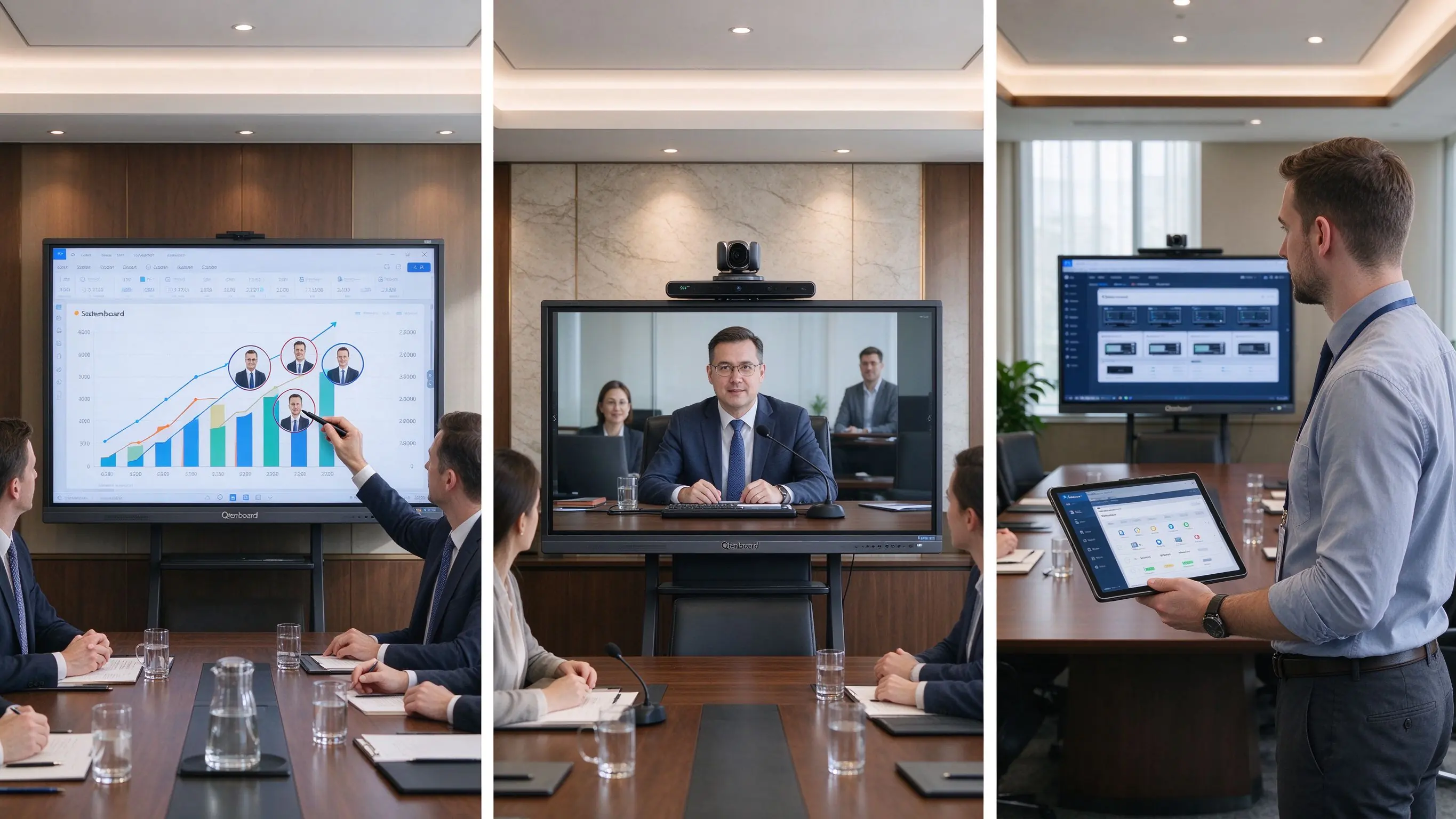
Qtenboard’s OEM/ODM program suits AV solution providers, corporate display distributors, regional brands, multi-location rollouts, and boardroom project contractors. Configurable: brand startup screens, custom UI, language options, hardware configuration, I/O requirements, camera and audio options, packaging and documentation, CKD/SKD local assembly, and project-specific delivery plans. For integrators and distributors, this is the path from “a panel we resell” to “a boardroom solution under our own brand.”
Project checklist. Confirm each item with the supplier before specification:
| Прыярытэт пакупніка | Прапорцыя значэнне Qtenboor |
|---|---|
| Large-format flexibility | 75–110" interactive display portfolio |
| Паказаць якісць | 4K UHD commercial panels, anti-glare |
| Настаўленні | Accurate pen input, multi-touch, palm rejection |
| Гнуткасць сістэмы | Android, Windows, dual system, OPS |
| Security & governance | Session clear, USB control, DMS, app whitelisting |
| Настройка праекта | OEM/ODM, branding, UI, packaging, CKD/SKD |
Most boardroom display problems are specification and planning failures, not hardware failures. Avoid these fourteen:
The three patterns show how these criteria map to real sourcing decisions. They are representative patterns based on Qtenboard’s public record and standard B2B workflows; named clients are withheld.
A financial-services buyer standardized 86″ 4K interactive panels across six boardrooms with one UI, one DMS, and one support model: consistent executive experience, centralized firmware and security management, and a single spare-parts pool. Qtenboard’s enterprise client base (15,000+) and multi-room device management make this a representative factory-direct pattern.
An AV integrator building an executive-suite product line ordered 75/86/98″ panels with its own logo, startup UI, and packaging. OEM/ODM variables covered hardware configuration, I/O, and camera/audio options; SKD/CKD local assembly lowered duties and shortened delivery.
A distributor supplying corporate meeting and executive rooms relied on native EDLA plus CE, FCC, and RoHS documentation for customs and enterprise compliance. Qtenboard’s public record—30,000+ interactive flat panels delivered to Thailand since 2020 and tender support across Southeast Asia, the Middle East, and Africa—shows the documentation capacity a distributor should verify before committing.
Touch-enabled boardroom displays are offered by global collaboration-display brands, commercial-display and AV specialists, factory-direct OEM/ODM manufacturers, and local AV integrators and distributors. The right supplier type depends on whether the project prioritizes standardized software, turnkey installation, local support, or product customization.
For most boardrooms, the best option is a large native-4K commercial interactive display with anti-glare glass, accurate pen input, secure wireless sharing, Windows or dual-system flexibility, and properly designed conferencing integration. Final size and configuration should match room depth, table layout, content type, and hybrid-meeting requirements.
A 75–86″ display often fits executive meeting rooms; 86–98″ is commonly more appropriate for standard boardrooms with long tables or detailed financial content; larger strategy rooms may require 98–110″ or a dual-screen design. The farthest viewer and the type of content should determine the final choice.
Touch is valuable when directors regularly annotate documents, compare plans, run strategic workshops, review designs, or need saved meeting outputs. If the room only displays slides and video calls, a commercial non-touch display may be sufficient.
Secure casting, guest-access restrictions, session-data clearing, account permissions, USB controls, network segmentation, camera and microphone privacy, application controls, firmware management, and remote device administration.
It can, but compatibility depends on the operating system, room PC or OPS, camera, microphone, speakers, network, and conferencing software. Test the full hybrid workflow before deployment.
Android works well for rapid casting and whiteboarding. Windows is often preferable for board packs, Excel, PowerPoint, browser-based enterprise apps, and document-heavy meetings. Dual systems fit mixed workflows but require clear IT governance.
Qtenboard offers business-oriented interactive flat panels for meeting rooms and boardrooms, including 4K display, touch collaboration, wireless sharing, Android/Windows options, conferencing integration, and OEM/ODM project support. Confirm size, brightness, touch technology, OPS, camera and audio options, security controls, certifications, and delivery terms with the supplier for each project.
Specifications and company facts were verified against Qtenboard’s official public pages. Re-confirm current specs, certifications, and delivery terms with the supplier before purchase.
Editorial note. Updated September 2026. This guide focuses on boardroom buying decisions and supplier evaluation; it does not provide cost models or pricing estimates. Project patterns are representative sourcing scenarios based on Qtenboard’s public record, not claims about named customers. Display sizes, touch counts, certifications, and software features should be re-verified against the supplier’s current documentation before purchase.

Эксперт вылучэнне
Я загалоўка Qtenboard, і прынесуць над 17 год у тэкставацыі у індустрія. Настаўленні ў глобальная перспектива трэбаў, зрабіць мойны дакументы EMBA у універсальне Шенсэн, Я прыкладаю мой каманду у оптимізацыі кожны етаў нашых аперацыі ад вызначэння продукту да высокі карыстальнікам трэба трэбаўляе Можнаўленне магчымасць прастацца на період у індустрія.
Як лідар Qtenboard, я спеціалізуюся у вызначаных вышваваных OEM/ODM для інтэрактыўных белых палатаў, Відэкі сініны LCD, цифравальныя сітак і тэрміналы дапаўненне ў індустріцы. Запапаўваны наші 330,000 м² сучасны індустріальны парк у Шензін, мы захоўваем кантроль над індустріальныя дизайны, дакладнаваць прыкладання, і строгучнае тэст.
З амаль два дзесяцаў прылад праекту, цяпер выключаныя рашэннем Qtenboard у больш у 120 і рэгіонах, заробілі довіры больш 15 000 кліентаў у світі. Калі вы шукаеце адказную партнер з глибокіма выкананням праекты, Мы і я гатовыя падтрымліваць вашу погляд з професіональным выгляду.

 bel
bel
 EN
EN  pt
pt  spa
spa  th
th  vie
vie  aze
aze  est
est  lav
lav  ukr
ukr  ru
ru