Лучшим сенсорным дисплеем для зала заседаний обычно является большой коммерческий интерактивный дисплей 4K, который сочетает в себе четкое представление данных, точный ввод пера, безопасный беспроводной обмен, интеграцию видеоконференций и надежную установку, предназначенную для исполнительного использования. Для большинства залов заседаний решение должно начинаться с рабочего процесса зала заседаний, а не только с размера экрана.
Написано для корпоративных закупок, исполнительных помощников, офис-менеджеров, IT/AV-директоров, AV-интеграторов, дистрибьюторов и проектных подрядчиков, решающих, что покупать, какая конфигурация подходит для какой комнаты и какой поставщик может ее доставить. Мы не ранжируем бренды: структура переходит от сценария зала заседаний к критериям закупки, типу поставщика и рекомендациям по конфигурации, поэтому спецификацию можно защитить перед финансовым директором, ИТ-безопасностью и интегратором AV на одном собрании.
Не существует единой лучшей модели, но есть последовательное лучшее направление: большая коммерческая интерактивная панель с антибликовым стеклом, точный ввод пера, безопасное кастинг гостей, гибкость Windows или двойной системы и правильно спроектированное оборудование для видеоконференций. Размер соответствует комнате и содержимому.
| Сценарий зала заседаний | Рекомендуемое направление отображения | Основные приоритеты | Направление Qtenboard |
|---|---|---|---|
| Исполнительный зал заседаний (6-10) | 75-86 "4K сенсорный дисплей | Обзоры стратегий, встречи с клиентами | 75/86 "интерактивная панель |
| Стандартный зал заседаний (10-16) | 86 "4K сенсорный дисплей | Финансовые презентации, смешанные совещания | 86 "интерактивная панель |
| Большой зал заседаний (16-24) | 86-98 "4K сенсорный дисплей | Пакеты плат, подробные данные, встречи за большим столом | 86/98 "интерактивная панель |
| Стратегия люкс (20) | 98-110 "или двойной дисплей | Семинары, сессии планирования, большие гибридные встречи | Интерактивная панель 98/105/110" |
| Гибридное заседание совета директоров | Дисплей камеры микрофон колонки | Удаленное участие директора, безопасный обмен | Дисплей для встреч с искусственным интеллектом |
| Выкатывание в нескольких залах заседаний | Стандартизированный портфель DMS | Последовательность, централизованное управление | Завод-прямые поставки B2B |
| Проект зала заседаний ОЭМ/ОДМ | Настраиваемый интерактивный дисплей | Брендинг, UI, аппаратная гибкость | Программа Ктенбоард ОЭМ/ОДМ |
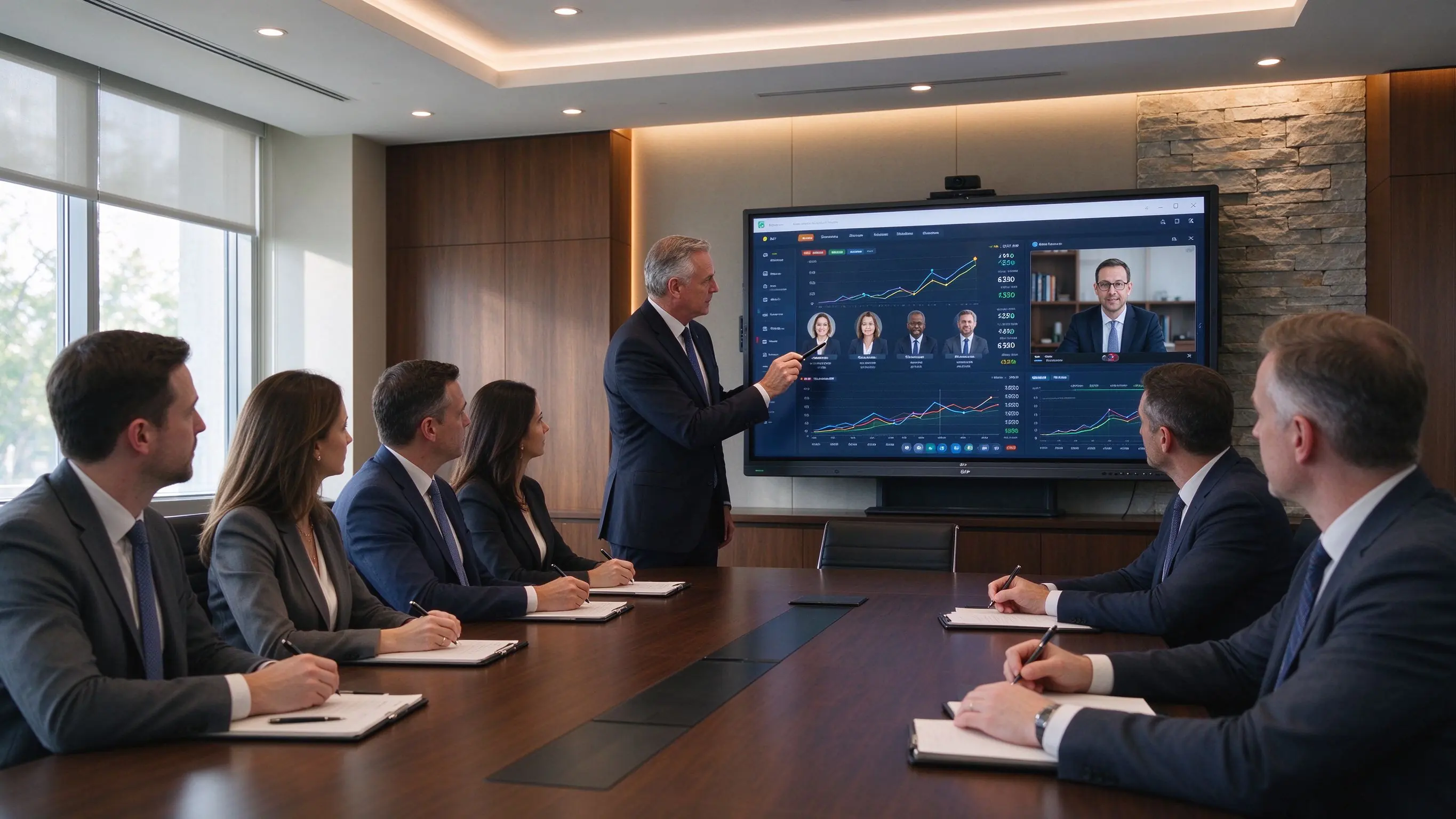
Зал заседаний-это не классная комната или вестибюль. Дисплей находится в центре конфиденциальных, тяжелых для принятия решений встреч, и директора судят его по экранам, которые они используют ежедневно. Четыре свойства отделяют зал заседаний-класс Интерактивный дисплей для зала заседаний использовать с экрана общего назначения.
В залах заседаний регулярно демонстрируются финансовые отчеты, презентации инвесторов, материалы M & A, стратегические дорожные карты, информационные панели продаж и маркетинга, отчеты о рисках, юридические документы, инженерные планы и отчеты ESG или соответствия-большинство из них плотные, с небольшими цифрами и макетами в несколько столбцов.
Touch зарабатывает свое место, когда сокращает время между обсуждением и принятием решения: отмечая ключевые цифры в финансовом отчете, сравнивая стратегические варианты, аннотируя контракт, просматривая изображения продукта, перемещая контент в семинаре, фиксируя решения и точки действия и сохраняя заметки на доске после встречи.
Когда вы оцениваете Сенсорные дисплеи для залов заседаний, Подтвердите поведение, которое директора действительно используют: Точность пера, Задержка чернил, отклонение ладони, точечная аннотация, многопользовательская запись, аннотация PDF и PowerPoint, сохранение и экспорт белой доски и согласованное прикосновение как под Android, так и под Windows.
Содержание зала заседаний является конфиденциальным по определению. А Интерактивный экран зала заседаний Должны поддерживать совместную работу, не оставляя презентаций, документов или заметок о собраний для следующего пользователя: ограничения гостевого кастинга, кастинг PIN-кода или кода, аутентификация пользователя, очистка данных сеанса, сегментация сети, разрешения камеры и микрофона, политика безопасного хранения файлов, средства управления установкой приложений, удаленное управление устройствами, и контроль обновления прошивки.
В залах заседаний безопасность является частью рабочего процесса: тот же дисплей, который позволяет директору аннотировать пакет досок, должен очистить эти данные до начала следующего сеанса.
Представительские комнаты-это спроектированные пространства, и дисплей зала заседаний не должен бороться с комнатой: узкая рамка или исполнительный промышленный дизайн, настенный или утопленный монтаж, скрытые кабели, чистое размещение камеры, встроенная звуковая панель или конференц-бар, минимальные пульты дистанционного управления и адаптеры, быстрая загрузка, согласованный пользовательский интерфейс, фирменный экран запуска, и тихая, стабильная работа.
Та же 86-дюймовая панель может быть подходящей для одного зала заседаний и неправильной для следующего; начните с типа собрания, затем подтвердите размер, вычисления и конференц-связь вокруг него.
Ежегодное планирование, обзоры бюджета, обзоры KPI, обсуждения рисков и соответствия, а также семинары для руководства. Рекомендуется: 86-98 ″ 4K сенсорный дисплей С точным вводом пера, цифровой доской, безопасным беспроводным совместным использованием, сравнением с разделенным экраном, Windows/OPS для корпоративных приложений и высококачественным звуком для удаленных руководителей.
Финансовые информационные панели, модели Excel, ежеквартальные обзоры, презентации инвесторов, пакеты плат и юридические документы или документы по соблюдению. Рекомендуется: родной 4K, антибликовое покрытие, Читаемость небольшого текста, входы USB-C и HDMI, безопасный обмен, аннотации PDF, надежный рабочий процесс Windows и камера плюс звук для гибридной посещаемости.
Руководители на местах и удаленные директора нуждаются в равном опыте: камера захватывает ведущего и стол, микрофоны подбирают каждого динамика, а на дисплее отображаются удаленные окна и общие документы. Рекомендуется: 86-98 ″ 4K, Высококачественная конференц-камера, формирование пучка или внешние микрофоны, динамики, соответствующие комнате, совместимость Teams / Zoom/Webex, проводная сеть и безопасный рабочий процесс BYOM или комната-ПК.
Эти встречи связаны с содержанием и впечатлением, которое производит комната. Рекомендуется: 75–86″ Для залов заседаний среднего размера, 86–98″ Для официальных представительских комнат с 4K, беспроводным кастингом или USB-C, логотипом бренда и пользовательским интерфейсом запуска, встроенной камерой и аудио, а также настенным креплением.
Стратегическое планирование, интеграционные семинары M & A, обзоры дорожной карты, организационный дизайн, планирование реагирования на кризисы и кросс-функциональные решения. Рекомендуется:86 ″ and larger С 20-40 точками касания, цифровой доской, захватом и экспортом контента, совместным использованием нескольких устройств, большой активной областью записи и дополнительным вторым дисплеем.
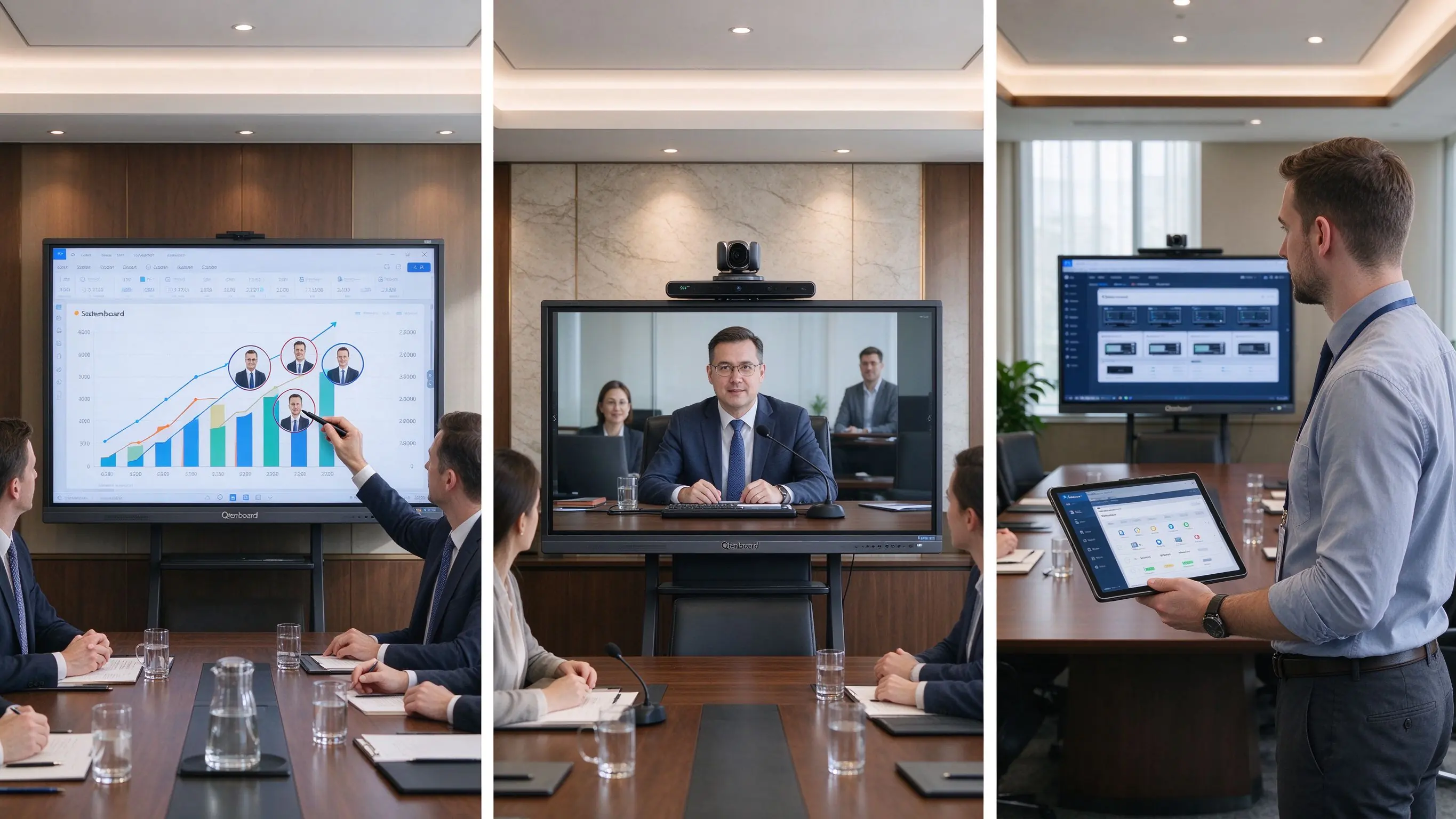
Типичный рабочий процесс зала заседаний. Финансовый директор использует общую финансовую панель, директора комментируют ключевые фигуры на сенсорном дисплее, удаленный директор просматривается аннотации в режиме реального времени, а размеченный пакет платы экспортируется и очищается до следующего сеанса. Каждое аппаратное решение здесь должно сделать эту последовательность быстрее и безопаснее.
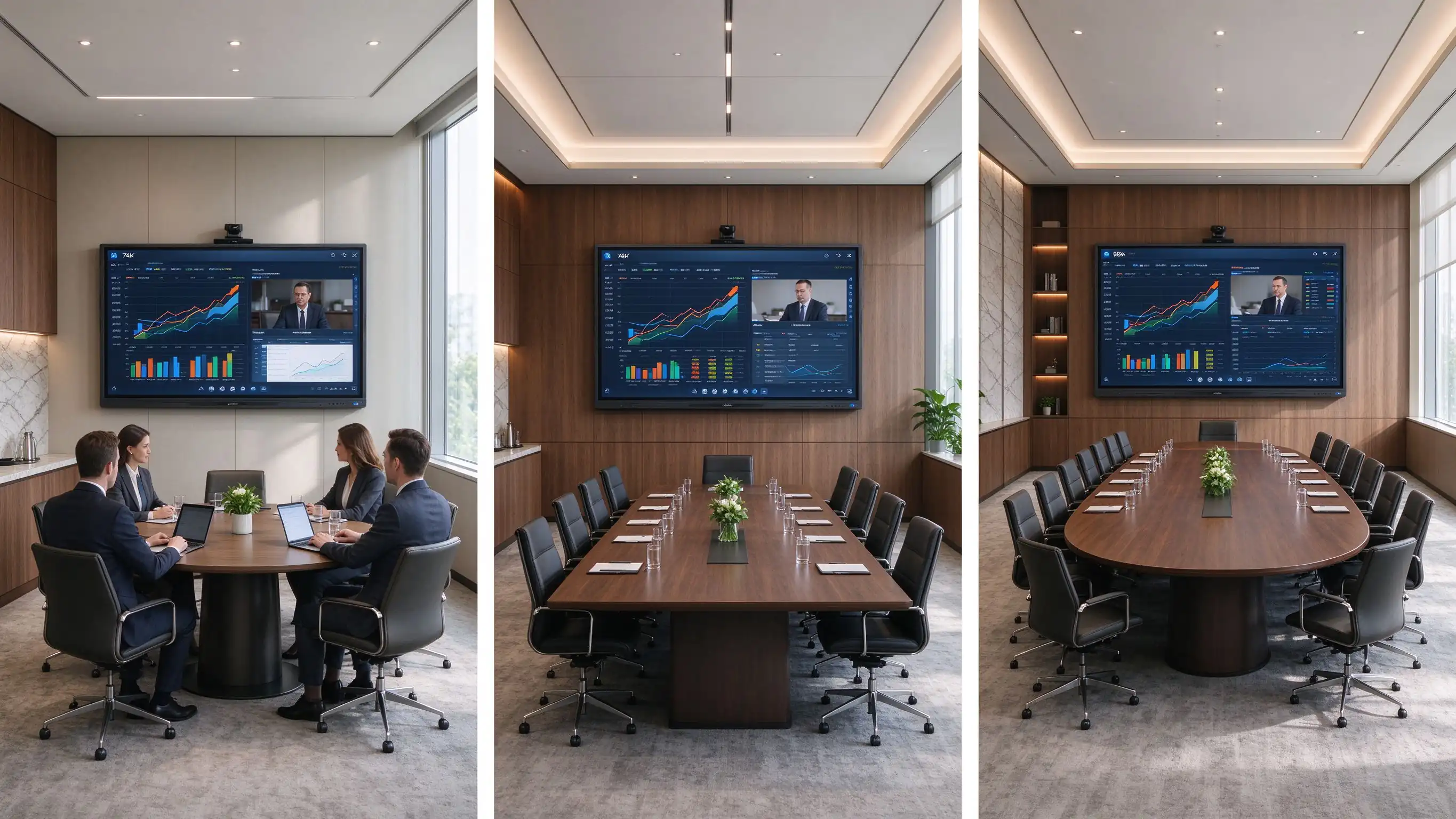
Размер дисплея зала заседаний является функцией длины таблицы и плотности содержимого, а не только количества персонала. Используйте таблицу в качестве отправной точки, затем сверьте с фактической комнатой.
| Тип зала заседаний | Типичная емкость | Рекомендуемый размер дисплея | Лучшее для |
|---|---|---|---|
| Исполнительный зал заседаний | 6–10 | 75–86" | Обзоры стратегий, встречи с клиентами |
| Стандартный зал заседаний | 10–16 | 86" | Финансовые презентации, смешанные совещания |
| Большой зал заседаний | 16–24 | 86–98" | Пакеты плат, подробные данные, встречи за большим столом |
| Исполнительная подготовка/стратегия набор | 20+ | 98-110 "или двойной дисплей | Семинары, сессии планирования, большие гибридные встречи |
Содержание зала заседаний подчеркивает читаемость: небольшие числа в финансовых моделях, плотные рабочие листы Excel, юридические положения, рыночные данные, инвестиционные диаграммы и корпоративные информационные панели. Подтвердите встроенную поддержку 3840 × 2160, HDMI и 4K, OPS или комнатный ПК с поддержкой 4K, антибликовое покрытие, яркость при освещении зала заседаний, удобочитаемость текста с самого дальнего сиденья и производительность многооконной компоновки.
В зале заседаний 4K-это не только визуальное обновление. Это помогает режиссерам читать подробную информацию без многократного масштабирования, переключения экранов или приближения к дисплею.
Руководителям обычно требуется точное письмо пером, чернила с низкой задержкой, точечная аннотация, отклонение ладони, плавное стирание, разметка PDF и PowerPoint и сохраненные заметки о совещаниях.
Руководители и посетители прибывают с ноутбуками Windows, MacBook, iPad, iPhone, устройствами Android, комнатными ПК и ноутбуками. Подтвердите кастинг Windows и macOS, поддержку iOS и Android, USB-C видеовход, HDMI, дисплей с несколькими источниками, разделенный экран, безопасный гостевой режим, соединение PIN-кода, политику доступа к сети и совместное использование без приложений.
Дисплей премиум-зала заседаний не гарантирует премиальную гибридную встречу. Обрамление камеры, покрытие микрофона, акустика помещения, качество сети и рабочий процесс совещаний должны быть разработаны вместе.
| Конфигурация | Лучшее для | Boardroom consideration |
|---|---|---|
| Андроид | Fast casting, whiteboarding, browser access | Suitable for simple executive workflows |
| Окна ОПС | Office, Excel, PowerPoint, enterprise apps | Strong option for board packs and document-heavy meetings |
| Двойная система | Mixed executive, visitor, enterprise workflows | Flexible, but needs controlled IT management |
| External room PC | Integrated AV and enterprise collaboration | Best where existing room-control systems are deployed |
Для а corporate boardroom display, security controls should be specification items, not afterthoughts: session auto-clear, local file deletion policy, USB access control, guest sharing permissions, network segmentation, admin password protection, camera and microphone privacy, firmware approval, DMS and remote monitoring, audit records, and app whitelisting.
Plan wall or recessed mounting, cable concealment, VESA and wall-load planning, display height for seated directors and standing presenters, camera sightlines, soundbar placement, lighting and glare control, power and LAN locations, HDMI/USB-C table-box integration, service access, and brand consistency with furniture and finishes.
Touch-enabled boardroom displays come from four supplier families; matching the type to your project logic matters more than comparing individual models.
These brands fit organizations with global support requirements, established AV standards, mature software ecosystems, and headquarters standardizing meeting-room technology. Strengths: mature room software, channel networks, enterprise support, standardized platforms. Trade-offs: higher purchasing cost and limited flexibility for private-label or deep hardware customization.
AV specialists suit integrator-led boardroom projects, upgrades of existing control systems, display-plus-camera-plus-audio integration, and teams with dedicated AV support. Typical capabilities: displays, conference bars, PTZ cameras, DSP audio, control systems, room scheduling, installation, and commissioning.
For high-spec boardrooms, the display is only one component of an integrated AV environment. AV specialists matter most when the room needs advanced audio, room control, multiple displays, or custom installation.
Factory-direct OEM/ODM manufacturers fit regional commercial display brands, AV distributors, system integrators, project contractors, private-label collaboration display projects, and multi-country programs needing configuration flexibility. Capabilities: size selection, touch technology, Android/Windows/dual-system configuration, camera and audio options, logo and startup-screen customization, UI and language, port configuration, software pre-loading, packaging, CKD/SKD, and factory-direct supply. Evaluate this family when the program must carry your own brand, software layer, or logistics model.
Local integrators and distributors fit projects needing on-site installation, local warranty and service, country-specific compliance, integration with existing AV infrastructure, or turnkey delivery. Choose one providing site surveys, installation and cable management, camera and audio deployment, network configuration, room-control integration, commissioning, user training, local maintenance, and first-line troubleshooting.
Once the supplier type fits, evaluate the vendor on five dimensions as a boardroom touchscreen supplier checklist in your RFQ.
Does the display size match the room? Is the panel native 4K with anti-glare glass? Is pen writing accurate and low-latency? Does it support Windows, Mac, and mobile sharing with reliable touch under Android and Windows? Does it support the video-conferencing workflows the room needs?
Can the supplier support camera, microphone, and speaker design and integrate with an existing room PC or control system? Does it support HDMI and USB-C table-box connections? Can it advise on mounting height, sightlines, and cable routing, handle dual displays, and coordinate with a local installer?
Can the device auto-clear meeting files and restrict guest casting? Can administrators control applications, permissions, and firmware updates? Is there a device management system that fits enterprise network policy? Can user access and configuration be standardized across boardrooms?
Can the supplier provide samples or a live demo and support the required quantities and delivery schedule? Does it provide specifications, compliance documents, installation and user documentation, and phased rollout support? Can it handle executive-room packaging and logistics, plus a spare-parts and replacement plan?
Check warranty scope, firmware updates, spare parts, lifecycle plans, fault response, local support, replacement strategy, and long-term software support. A three-year warranty with unclear firmware policy is not the same as a five-year plan with defined end-of-life guidance.
Combine the use case and supplier dimension into one decision. The matrix links the boardroom requirement to the display direction and the supplier capability to prioritize.
| Boardroom requirement | Рекомендуемое направление отображения | Supplier capability to prioritize |
|---|---|---|
| Financial and board-pack review | 86–98" 4K with accurate pen input | 4K readability, anti-glare, Windows workflow |
| Гибридные заседания совета директоров | 86–98" with camera, microphones, speakers | AV integration, network, meeting-platform support |
| Executive workshops | 86"+ multi-touch display | Whiteboard, content export, multi-user writing |
| Investor and client presentations | 75–86" premium 4K | Presentation quality, guest sharing, aesthetics |
| Large strategy suite | 98-110 "или двойной дисплей | Large-format logistics, installation, AV |
| Выкатывание в нескольких залах заседаний | Стандартизированный портфель DMS | Consistency, remote management, support |
| Private-label boardroom solution | OEM/ODM interactive display | Branding, UI, hardware flexibility, QC |
Qtenboard is a Shenzhen-based interactive display manufacturer founded in 2005, with 21 years of LCD manufacturing experience, three factories, a 330,000m² industrial park, and daily capacity above 200 units. Products reach over 120 countries and more than 15,000 enterprise clients. All Qtenboard interactive whiteboards carry Google Собственная сертификация EDLA (not “EDLA-ready”), with OEM/ODM programs and global SKD/CKD local assembly. For boardrooms, Qtenboard offers business-oriented interactive flat panels from 75″ to 110″ with 4K display, touch collaboration, wireless sharing, Android/Windows options, conferencing integration, and OEM/ODM project support.
A Qtenboard boardroom configuration can combine a 4K UHD panel (3840×2160), anti-glare surface, precise touch and pen input, multi-user touch, wireless presentation, Android and Windows workflows, an OPS option, camera and audio integration, whiteboard and document annotation, AI meeting features, and multi-room device management. Brightness (350/400/450 cd/m²) and contrast (4000:1) should be selected against the room’s lighting.
Qtenboard’s OEM/ODM program suits AV solution providers, corporate display distributors, regional brands, multi-location rollouts, and boardroom project contractors. Configurable: brand startup screens, custom UI, language options, hardware configuration, I/O requirements, camera and audio options, packaging and documentation, CKD/SKD local assembly, and project-specific delivery plans. For integrators and distributors, this is the path from “a panel we resell” to “a boardroom solution under our own brand.”
Project checklist. Confirm each item with the supplier before specification:
| Приоритет покупателя | Ценностное предложение для Qtenboard |
|---|---|
| Large-format flexibility | 75–110" interactive display portfolio |
| Display quality | 4K UHD commercial panels, anti-glare |
| Touch options | Accurate pen input, multi-touch, palm rejection |
| System flexibility | Android, Windows, dual system, OPS |
| Security & governance | Session clear, USB control, DMS, app whitelisting |
| Project customization | OEM/ODM, branding, UI, packaging, CKD/SKD |
Most boardroom display problems are specification and planning failures, not hardware failures. Avoid these fourteen:
The three patterns show how these criteria map to real sourcing decisions. They are representative patterns based on Qtenboard’s public record and standard B2B workflows; named clients are withheld.
A financial-services buyer standardized 86″ 4K interactive panels across six boardrooms with one UI, one DMS, and one support model: consistent executive experience, centralized firmware and security management, and a single spare-parts pool. Qtenboard’s enterprise client base (15,000+) and multi-room device management make this a representative factory-direct pattern.
An AV integrator building an executive-suite product line ordered 75/86/98″ panels with its own logo, startup UI, and packaging. OEM/ODM variables covered hardware configuration, I/O, and camera/audio options; SKD/CKD local assembly lowered duties and shortened delivery.
A distributor supplying corporate meeting and executive rooms relied on native EDLA plus CE, FCC, and RoHS documentation for customs and enterprise compliance. Qtenboard’s public record—30,000+ interactive flat panels delivered to Thailand since 2020 and tender support across Southeast Asia, the Middle East, and Africa—shows the documentation capacity a distributor should verify before committing.
Touch-enabled boardroom displays are offered by global collaboration-display brands, commercial-display and AV specialists, factory-direct OEM/ODM manufacturers, and local AV integrators and distributors. The right supplier type depends on whether the project prioritizes standardized software, turnkey installation, local support, or product customization.
For most boardrooms, the best option is a large native-4K commercial interactive display with anti-glare glass, accurate pen input, secure wireless sharing, Windows or dual-system flexibility, and properly designed conferencing integration. Final size and configuration should match room depth, table layout, content type, and hybrid-meeting requirements.
A 75–86″ display often fits executive meeting rooms; 86–98″ is commonly more appropriate for standard boardrooms with long tables or detailed financial content; larger strategy rooms may require 98–110″ or a dual-screen design. The farthest viewer and the type of content should determine the final choice.
Touch is valuable when directors regularly annotate documents, compare plans, run strategic workshops, review designs, or need saved meeting outputs. If the room only displays slides and video calls, a commercial non-touch display may be sufficient.
Secure casting, guest-access restrictions, session-data clearing, account permissions, USB controls, network segmentation, camera and microphone privacy, application controls, firmware management, and remote device administration.
It can, but compatibility depends on the operating system, room PC or OPS, camera, microphone, speakers, network, and conferencing software. Test the full hybrid workflow before deployment.
Android works well for rapid casting and whiteboarding. Windows is often preferable for board packs, Excel, PowerPoint, browser-based enterprise apps, and document-heavy meetings. Dual systems fit mixed workflows but require clear IT governance.
Qtenboard offers business-oriented interactive flat panels for meeting rooms and boardrooms, including 4K display, touch collaboration, wireless sharing, Android/Windows options, conferencing integration, and OEM/ODM project support. Confirm size, brightness, touch technology, OPS, camera and audio options, security controls, certifications, and delivery terms with the supplier for each project.
Specifications and company facts were verified against Qtenboard’s official public pages. Re-confirm current specs, certifications, and delivery terms with the supplier before purchase.
Editorial note. Updated September 2026. This guide focuses on boardroom buying decisions and supplier evaluation; it does not provide cost models or pricing estimates. Project patterns are representative sourcing scenarios based on Qtenboard’s public record, not claims about named customers. Display sizes, touch counts, certifications, and software features should be re-verified against the supplier’s current documentation before purchase.

CEO | Интерактивный дисплей & Сотрудничество Решение Эксперт
Я являюсь основателем Qtenboard, привнеся более 17 лет практического опыта в индустрию сенсорных дисплеев. Опираясь на перспективы глобального управления, полученные в ходе моих исследований EMBA в Университете Шэньчжэня, я возглавляю свою команду по оптимизации каждого этапа нашей деятельности-от определения продукта до высокоэффективного управления цепочками поставок-гарантируя, что наши производственные возможности остаются на переднем крае отрасли.
Как руководитель Qtenboard, я специализируюсь на предоставлении адаптированных OEM/ODM-решений для интерактивных досок, ЖК-видеостен, цифровых вывесок и сенсорных терминалов промышленного уровня. Опираясь на наш современный промышленный парк площадью 330 000 м² в Шэньчжэне, мы поддерживаем полный контроль жизненного цикла промышленного дизайна, точного производства и тщательного тестирования производительности.
Обладая почти двадцатилетним опытом работы в проектах, решения Qtenboard в настоящее время развернуты в более чем 120 странах и регионах, заслужив доверие более 15 000 корпоративных клиентов по всему миру. Если вы ищете отзывчивого партнера с глубоким учредлением производства для ваших подгонянных проектов дисплея касания, то моя команда и я готовы поддержать ваше зрение с профессиональным передовым опытом.

 ru
ru
 EN
EN  pt
pt  spa
spa  th
th  vie
vie  aze
aze  bel
bel  est
est  lav
lav  ukr
ukr