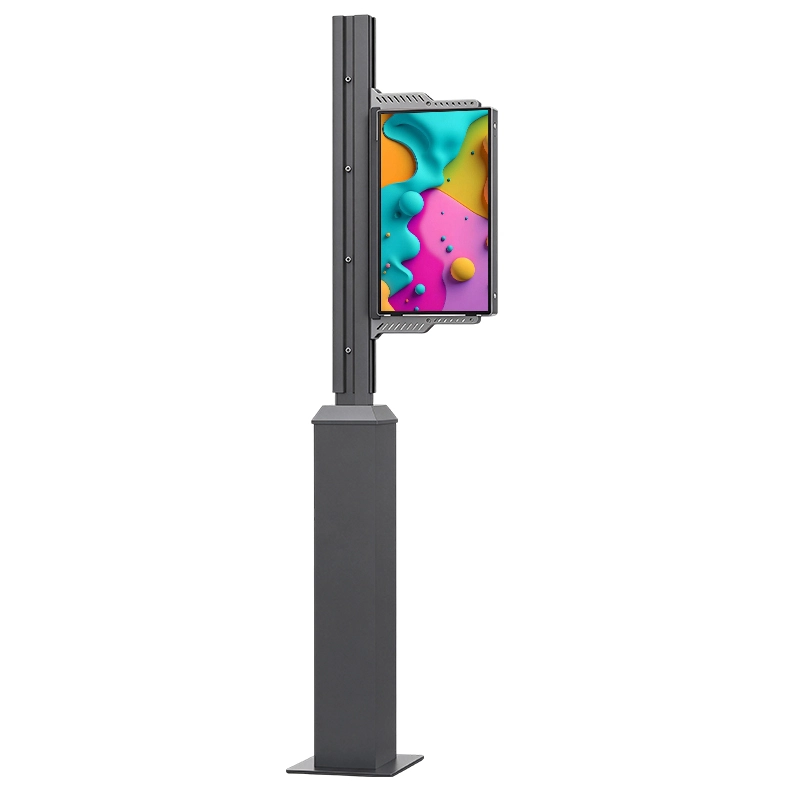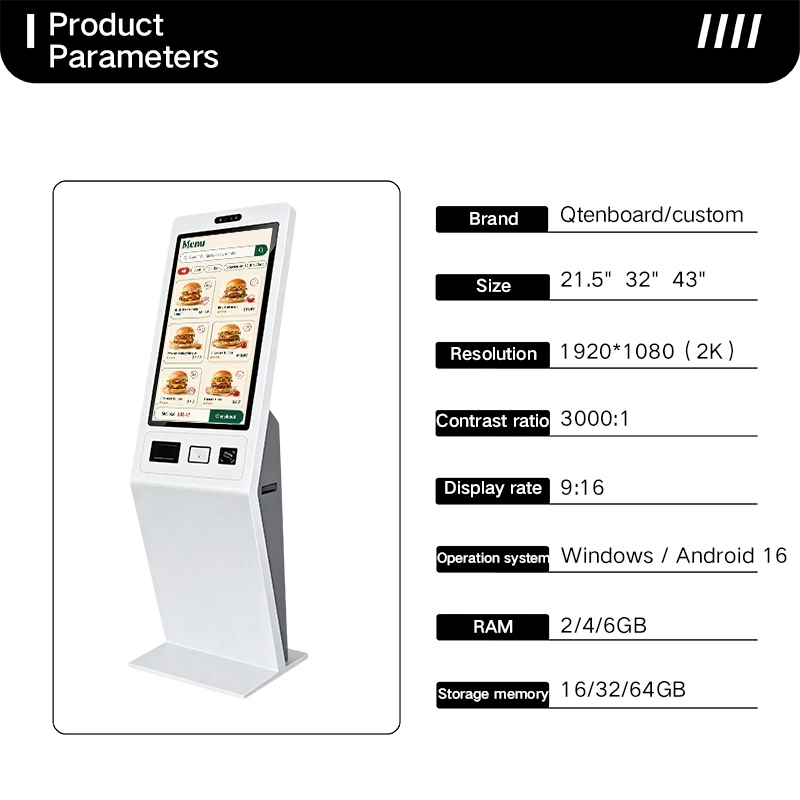
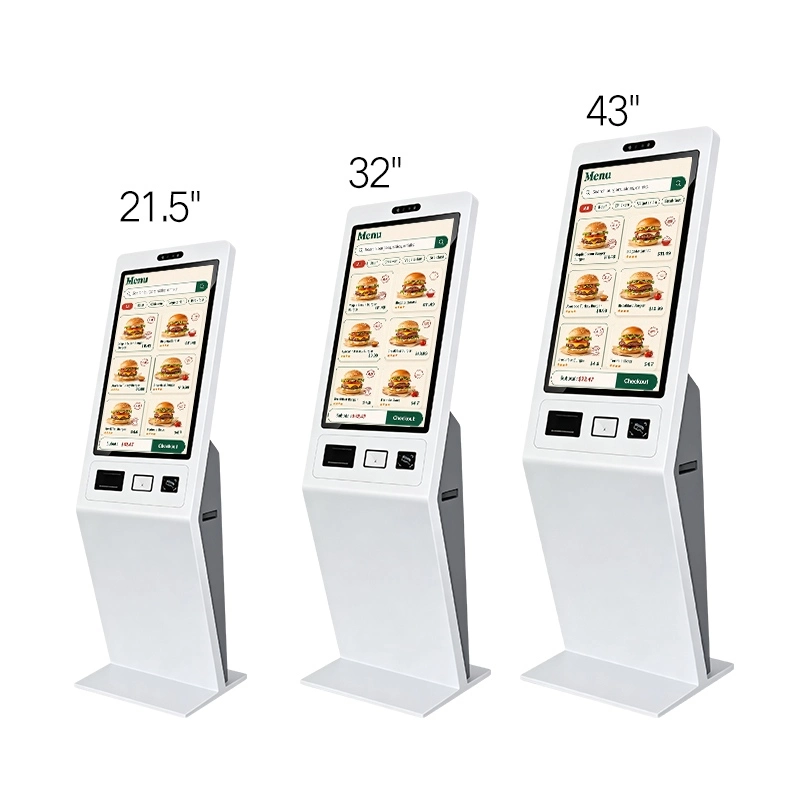
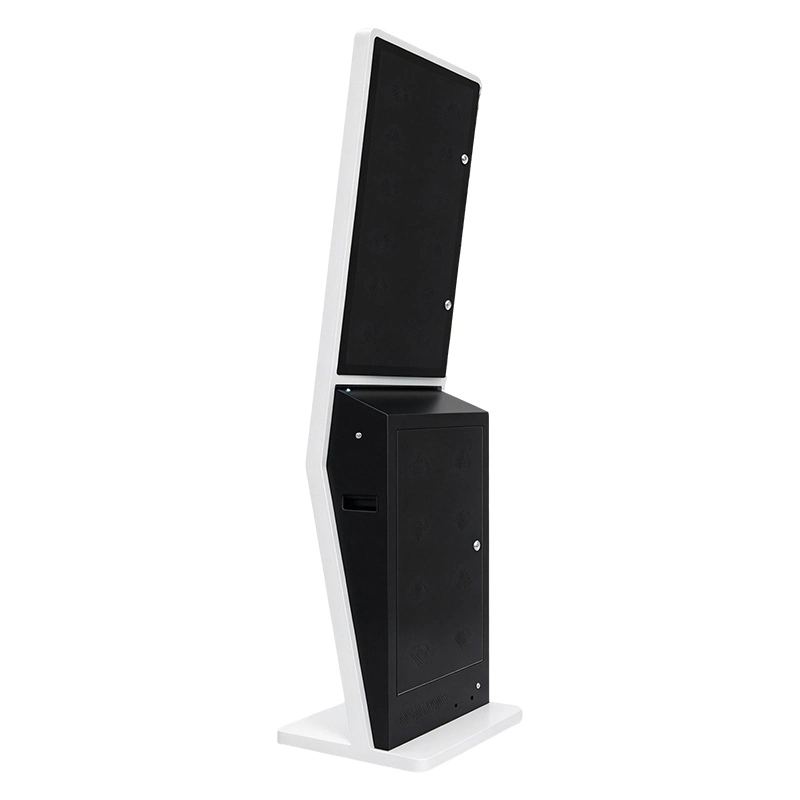

















Floor standing self ordering kiosk product parameters, 21.5 32 43 inch touch screen self‑service payment terminal for fast food restaurant Self‑order kiosk size comparison, 21.5 inch,32 inch,43 inch floor‑standing self‑service ordering touch terminal for fast‑food store` Floor standing self ordering kiosk rear back view, locked maintenance access cabinet, indoor self‑service ordering terminal back side

Працоўны кэоск

Qtenboard ANATEL Certificate Qtenboard CB Certificate Qtenboard CE Certificate Qtenboard EMC Certificate Qtenboard ERP Certificate Qtenboard FCC Certificate Qtenboard EDLA Certificate Qtenboard EPEAT Certificate Qtenboard ENERGY-STAR Certificate Qtenboard ISO4001 Certificate Qtenboard ISO9001 Certificate Qtenboard ISO27001 Certificate Qtenboard ISO45001 Certificate Qtenboard LVD Certificate Qtenboard PVOC Certificate Qtenboard RETIE Certificate Qtenboard RoHs Certificate

Тэхнічныя вызначэнне:

Памылка Самоваротны і кэоск Для ресторантаў і QSRs

Comment=Сіоска сапраўдная служба для ресторані, кафені, молока гары і хуткі сервіса. Наладзіць экран, аперацыяльную сістэму, тэрмінал для плаць, сканер QR і кокад, чытаў NFC, Термальная друкарка і інтэрфейс POS/KDS, каб адпавядае вашага працоўнага трэба.
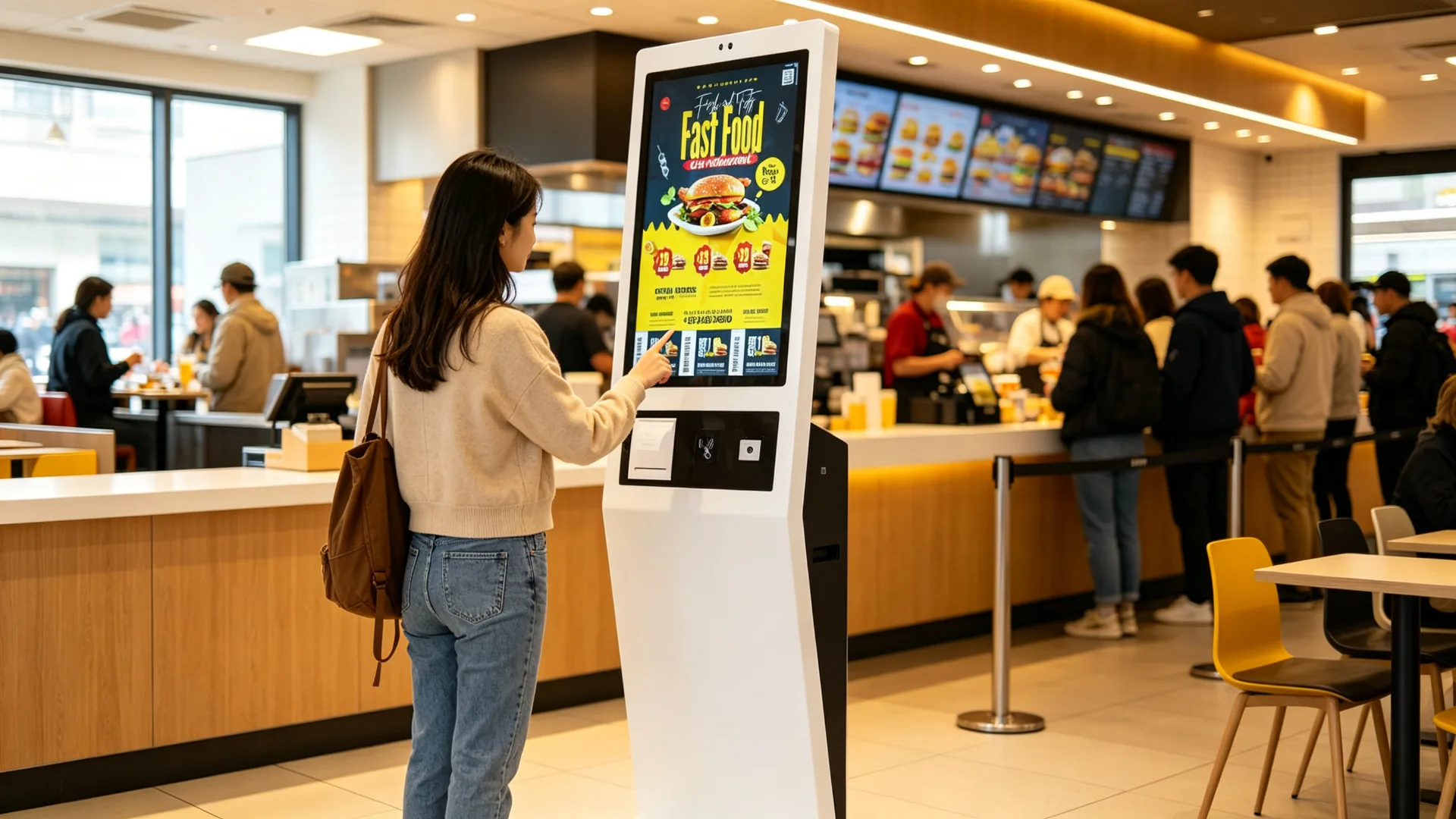
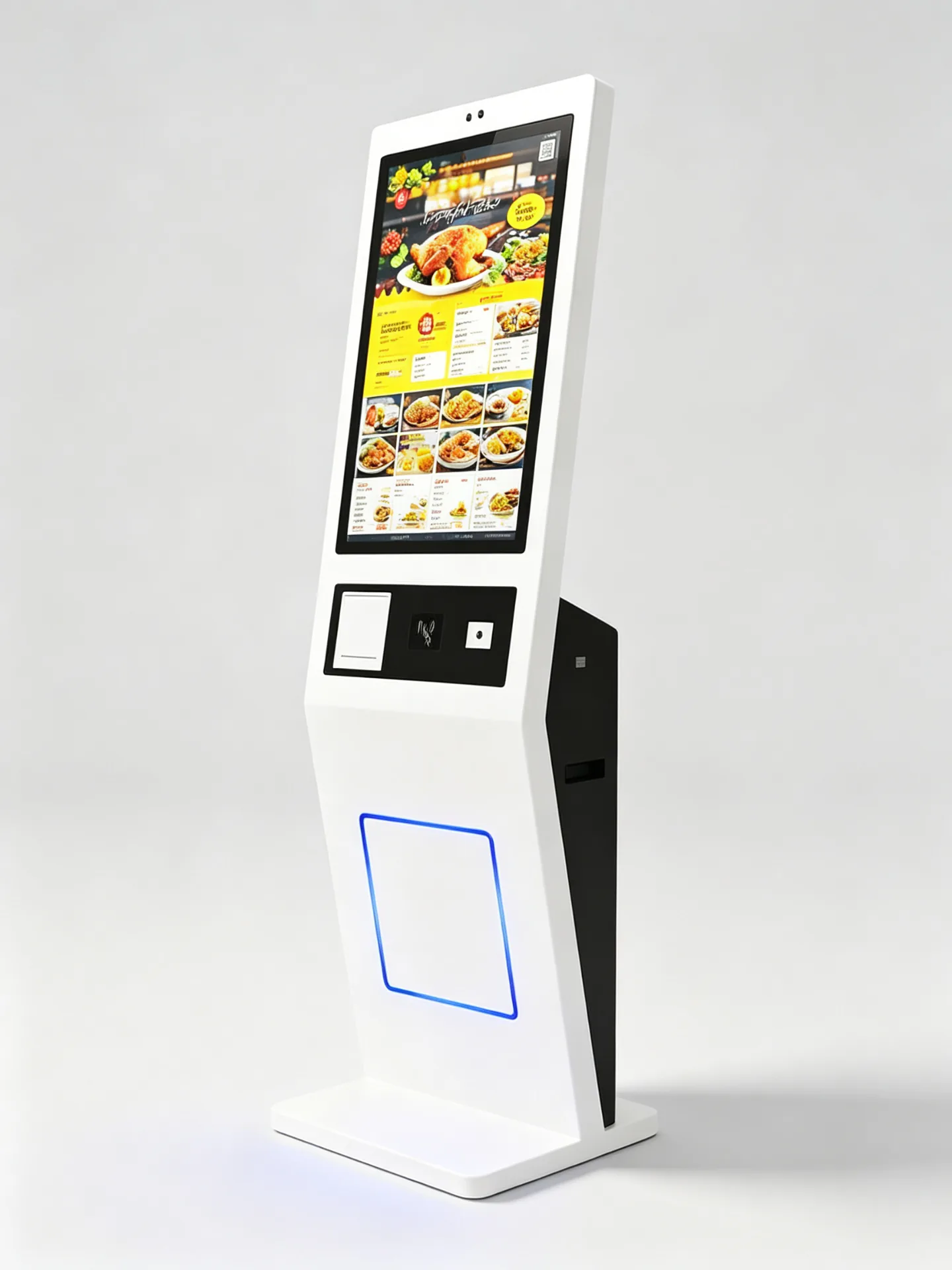
Вялікая інтэрфэйс рэдактар кантакту экрана Настаўленне Дадатковая карта, аплата праз NFC і QR-код Абнаўленне сканер коду QR Абнаўленне тэрмі друкарка Android, Windows або толькі маніторы Гатовае інтэграванне POS-сістэмы з кухоннай сістэмай Метальная кіоска Настаўленне
Floor-Standing Self-Ordering and Payment Kiosk for Restaurants and QSRs
CommentCommentПраверыць QC перад перад памену
Працоўны рэдактараПаведамленне R&D
Настаўленне OEM / ODMПамылка, бренды і праграма
Працэс кантролю якасці і тэставанне на надзейнасць пройдзеныФункцыя пра выканання
ЭкспартавацьКартан
Freestanding Metal Kiosk with Vertical Touchscreen and Integrated Payment Zone
Значэнне продукту

Скарочце чэргі на замову і забяспечце аднастайны досвед самаабслугоўвання.

Захопленыя рэсторані трэба служыць больш кліентам, не зрабіць паваю і менш дакладны. Кісаккаваць самоваротны кліентам дае чясная меню, Параметры настаўленняў праграмы і адпавядае доступ для плаціў у адным выклікой ўласнай сэрвіцы.

Рэсторан можа дапаможыць оператарам да пашываць капіталу на паперы, Стандартнаваць прэзентацыі меню і прахаваць рэгулярныя абнаўленні, паведамленні і дадатковыя пераклад да кліенты.

Больш пунктаў для размяшчэння замоўу пікавыя гадзіны
Найменшае натискання хвостана касавай станцыі
Стандартызаваныя менюЦіны, малюнкі і бінкі
НастаўленнеПамер, напах, верхні і комбос
ПерамясцьДадатковы
ПамылкіПеразапісаць паведамленне
Меню на розных мовахдля турыстаў і аэрапортаў
Сістэма гатоваяPOS, KDS і інтэграцыяя
Разгортванне ланцугаАддалены праграмы і кіраваньне прылада
Парцыйная пастаўка абсталяванняДля багатога магазнаў
Хто БІЛА ЦЕ СЕЛ-СЕРРВІСТУРАНТ КІОСК
  • QSR і ланцючаны
  • Рэстаранныя групы
  • Кафе-хоплі і бінкі
  • Аператары фуд-кортаў
  • Кампаніі па кіраванні франшызай
  • Перазапісальнікі
  • Кампанія SaaS
  • Інтэгратары KDS і кухоннага абсталявання
  • Асаблівыя працы
  • Сістэмныя інтэгратары ў сферы рознічнага гандлю і гасціннасці
  • Дастасаваць прылад для слумаў
Працоўны вылучэнне

Настаўленні ад вылучэньне меню да пацверджанне

Адзін сама-сервісны інтэрфэйс захоўваць гостую прагляду, настаўленне, прапаноў, плаціць і пацверджанне, а потым паведамляе парадку ў вашай сістэмы аперацыі рэстара.
01 ПраглядуЦыфравое меню з катэгорыямі, выявамі і цэнамі
02 НастаўленніПамер, смак, начынне, салодкасць і лёд
03 Заявіць аб прапановахКіравання
04 ПлаціцьКарта, NFC, мабільная гаманца або сплатка QR
05 ПацвердзіцьПеразапісаць і нумар чаргу
06 Даслаць у POS/KDSАпісанне
Бургерс Напоі Бакі Камбінацыі Десерты
6,90 долара ЗША
US$ 4,50.
3,20 долара ЗША
9,80 долара ЗША
US $ 5,60Name
US$ 4.00
3 прадметы · US$21.00 Аплата
Лічбавае прагляданне меню Катэгорыі, выявы прадуктаў, цэны, наяўнасць і шматмоўныя меню ў вертыкальным размяшчэнні.
Халодны малочны чай з таро5,80 долара ЗША
Памера
С.МL.
Сяктасць
0%30%50%100%
Узровень лёду
РэгулярныМеншБез льоду
Прысыпкі
ПеральПасярэдзінКоконут
2 начынкі Дадаць у замову
Настройка прадукту Памер напій, солодкі, узровень льоду, верхні, параметры молока, вылучаныя пераўненне і спецыяльныя настаўленні.
Membership QR, Coupon and Loyalty Validation
Членства і прапановы Кількісць QR, купоўны набору, кропкі праграма, коды прага, ваuchers подпісу і коды праграмы.
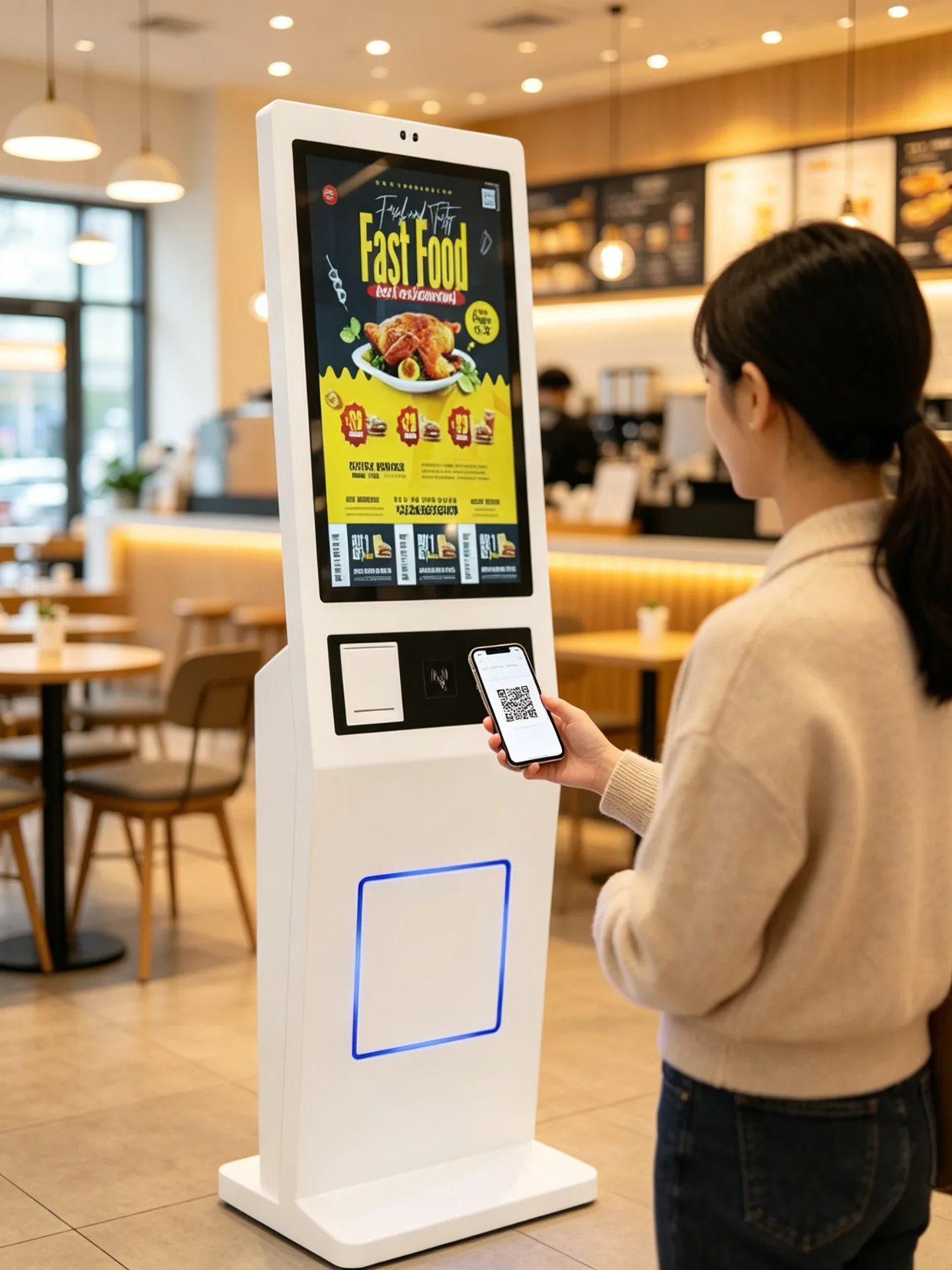
Optional Card, NFC and QR Payment Module
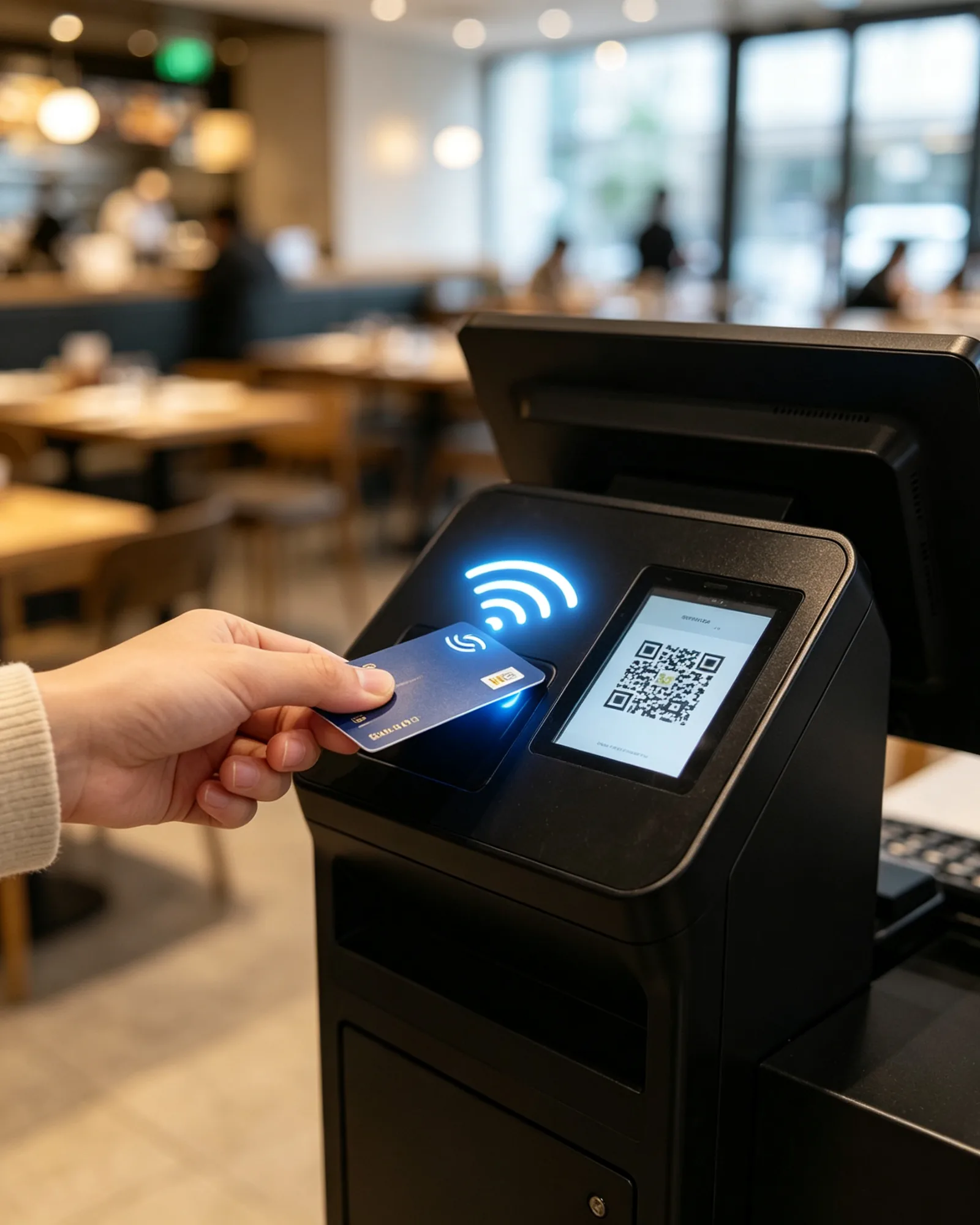
Аплата ў кіёску Кантактная картка, кантакта, мабільная гаманца і сплатка QR, настаўлены на праект і кет.
Receipt, Pickup Ticket and Queue Number Printing
Выхад пацверджання замовы Атрыманне, кліетка, нумар чаргу, коды калекцыя QR і абадзены час чакання.
Кіёск самаабслугоўвання Выпуск аплачанага замовы
Сістэма POSАртыкул
Кухонны прынтэрВывад кроекту на станцыі
Сістэма дысплея на кухніМаршрутацыя па падطوя
Дысплей самавывазуАпавяшчэнне аб гатоўнасці замовы
Інтэгнацыя-Гэта Архітэктура, якая падтрымлівае інтэграцыю POS, KDS і кухонных прынтараў, правераная ў вашай рэстараннай сістэме.
Каляндары могуць праглядаць меню, наладзіць продукты, прыкладаць прапаноў, скончыць плаціць і атрымаць пацверджанне па адным інтэрфейсу самай сэрвіцы. Калі інтэграваны з сумісным рэсторанем, парадак можа быць аўтаматычна даслаць у POS, у кухні і друкарка.
Асноўнае абсталяванне

Адзін напольны кіёск, настроены ў адпаведнасці з вашым працэсам афармлення замовы

Commentle Мідудуды прымерных друкарка і сканэраў у адным вылучаных адпаведнага адрасную кнігу для публічнах рэсторан.
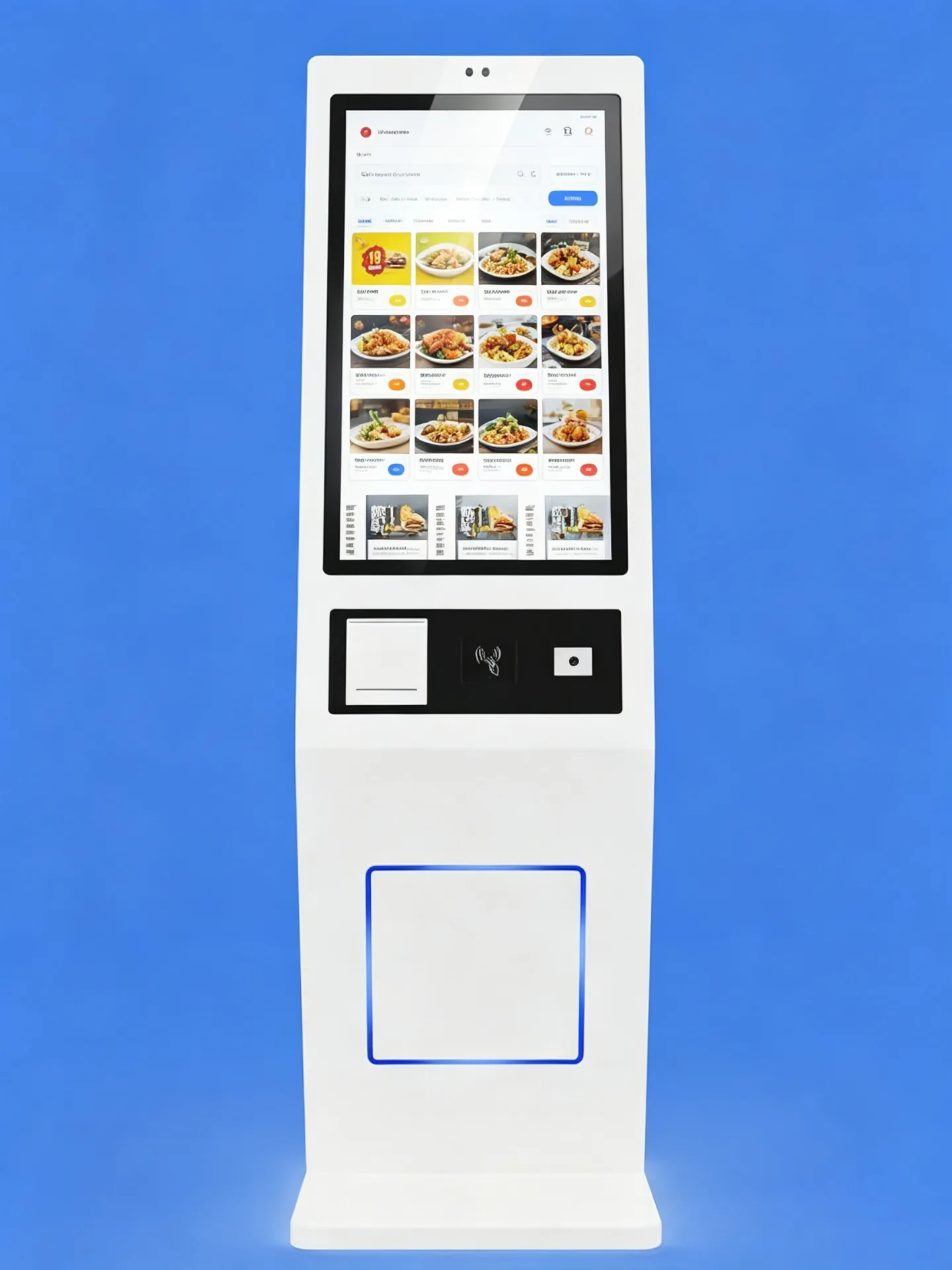
Commercial PCAP Touchscreen with Vertical Ordering Layout

Камерцыйны сэнсарны дысплей

Дапаўненне экран паказвае дыялогныя меню, малюнкі праграмы, крокы прыладу і настаўленні плаціў у яскраным вертыкальным раскладку. Памер экрана, адзолюстравання, яскравіць і тэхналогы можа быць вылучаная адпаведнага памеру, праграмнага інтэрфейсу.
  • Вяліка кантактная экран для ванду і нараджэння меню
  • Каліфікацыі PCA
  • Разгарнуць малюнак для тэчку
  • Варыянты з дазволам Full HD або вышэй
  • Шырокі кут агляду і варыянты супрацьблікавага шкла
  • Зносастойкае пярэдняе шкло для грамадскага карыстання
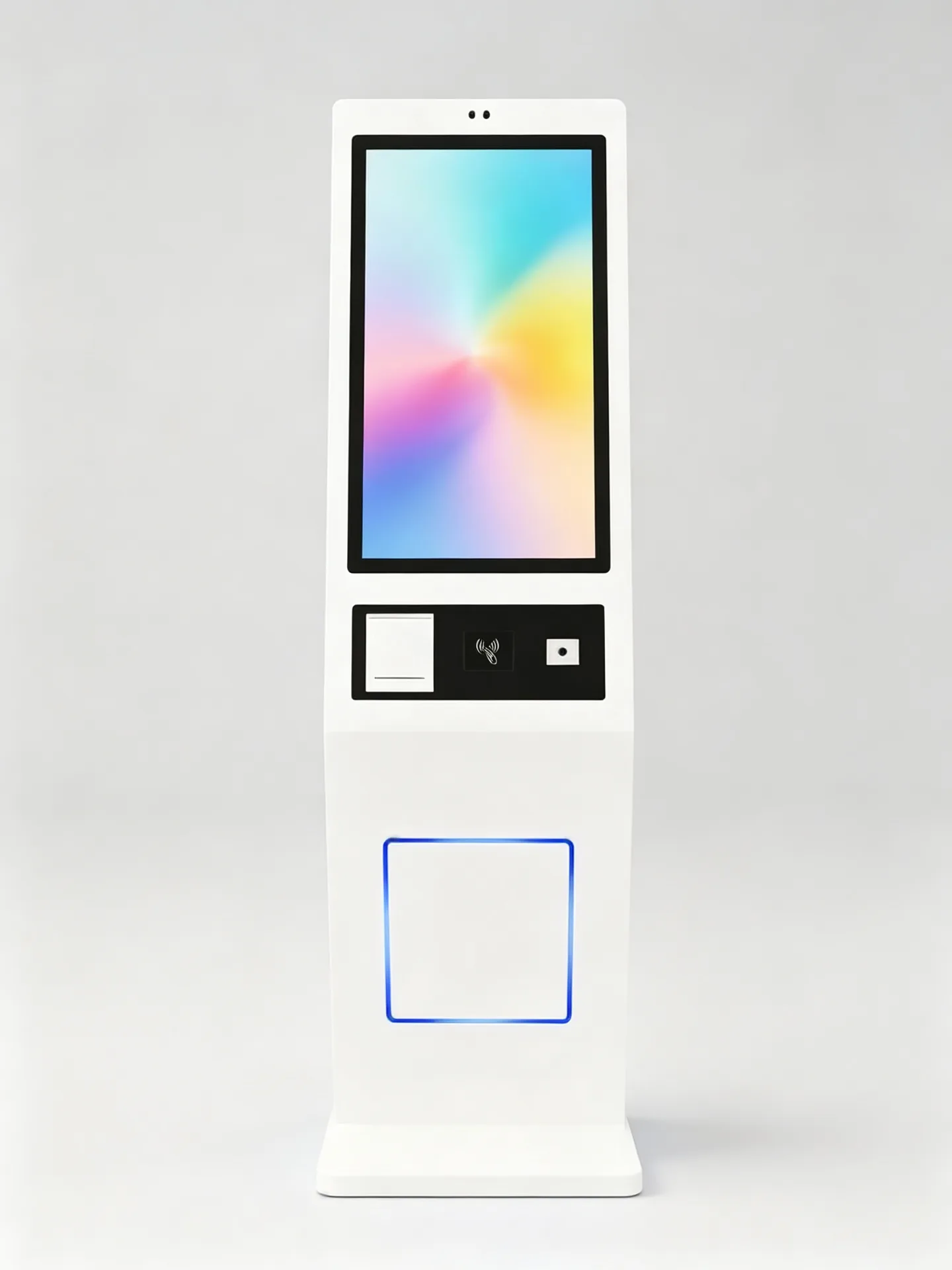
Standard Dimensions and Modular Layout of the Floor-Standing Kiosk Экрана Аплата / Сканаванне Друкарка Ставыя базы

Падлогавы металічны корпус

Асобна стаячая металічная кіёская канструкцыя з устойлівай асновай для ўнутраных грамадскіх памяшканняў. Стандартныя памеры і модульная канфігурацыя; даступныя індывідуальныя памеры.
  • Асобна стаячая металічная кіёская канструкцыя
  • Ставыя базы для прыватных асяродзеў
  • Інтэграваны прастор для друкарка, тэрміналу заплаты, сканэра і аблікавання
  • Захоплены кабулName
  • Доступ для абслугоўвання ззадзі або збоку
  • Індывідуальны колер корпуса і лагатып
Configurable Payment and Scanning Zone

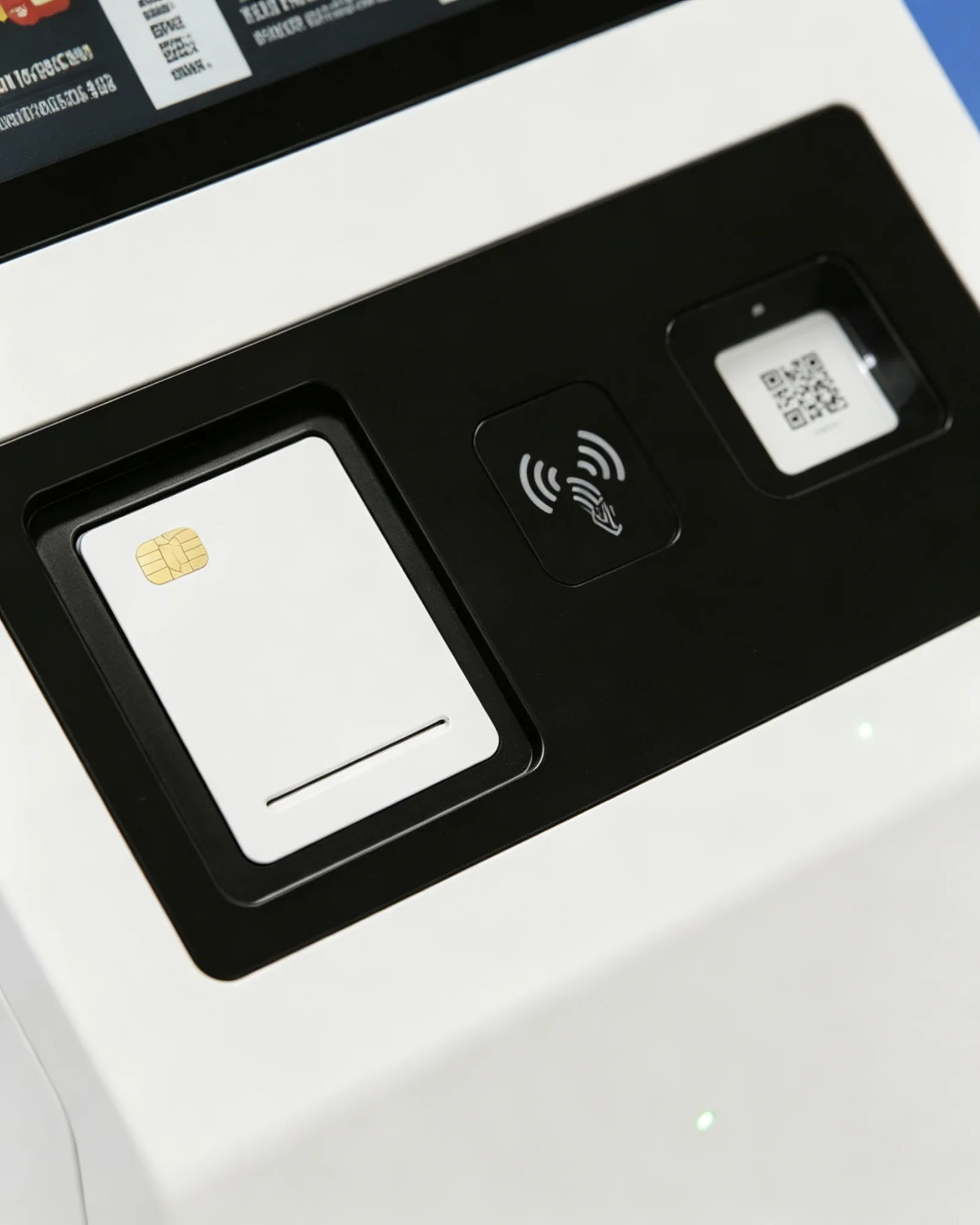
Зона інтэграцыі плацяжоў

Чорная дыяпазон ніжэй экрана працоўная для тэрміналу заплаты, акна сканера, канон NFC або модуля пацверджання.
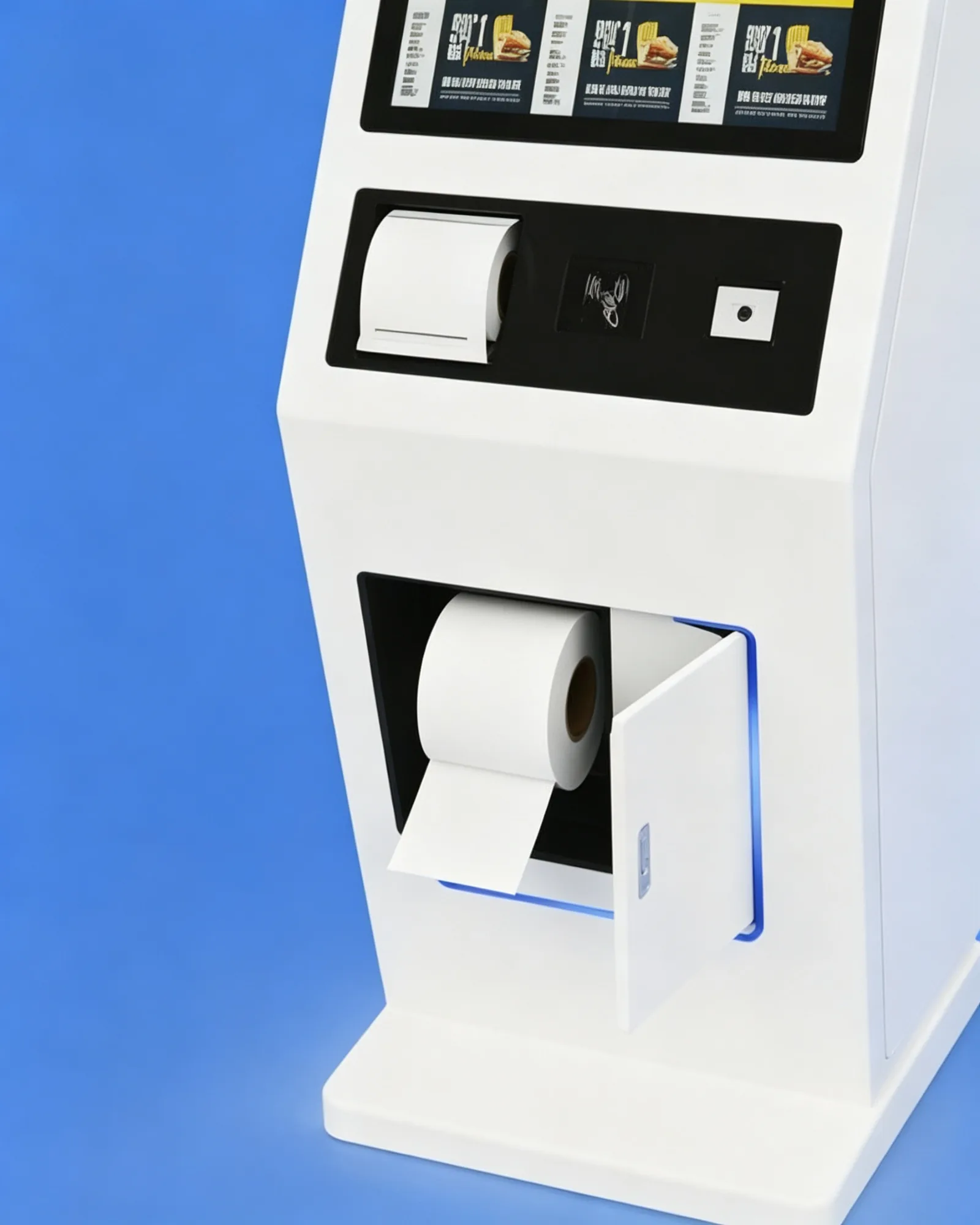
  • Памылка для выплаты
  • Зона бескантактнай аплаты NFC
  • Акно заплаты QR і сканнер купоўны
  • Індыкатар статусу і індывідуальныя выразы
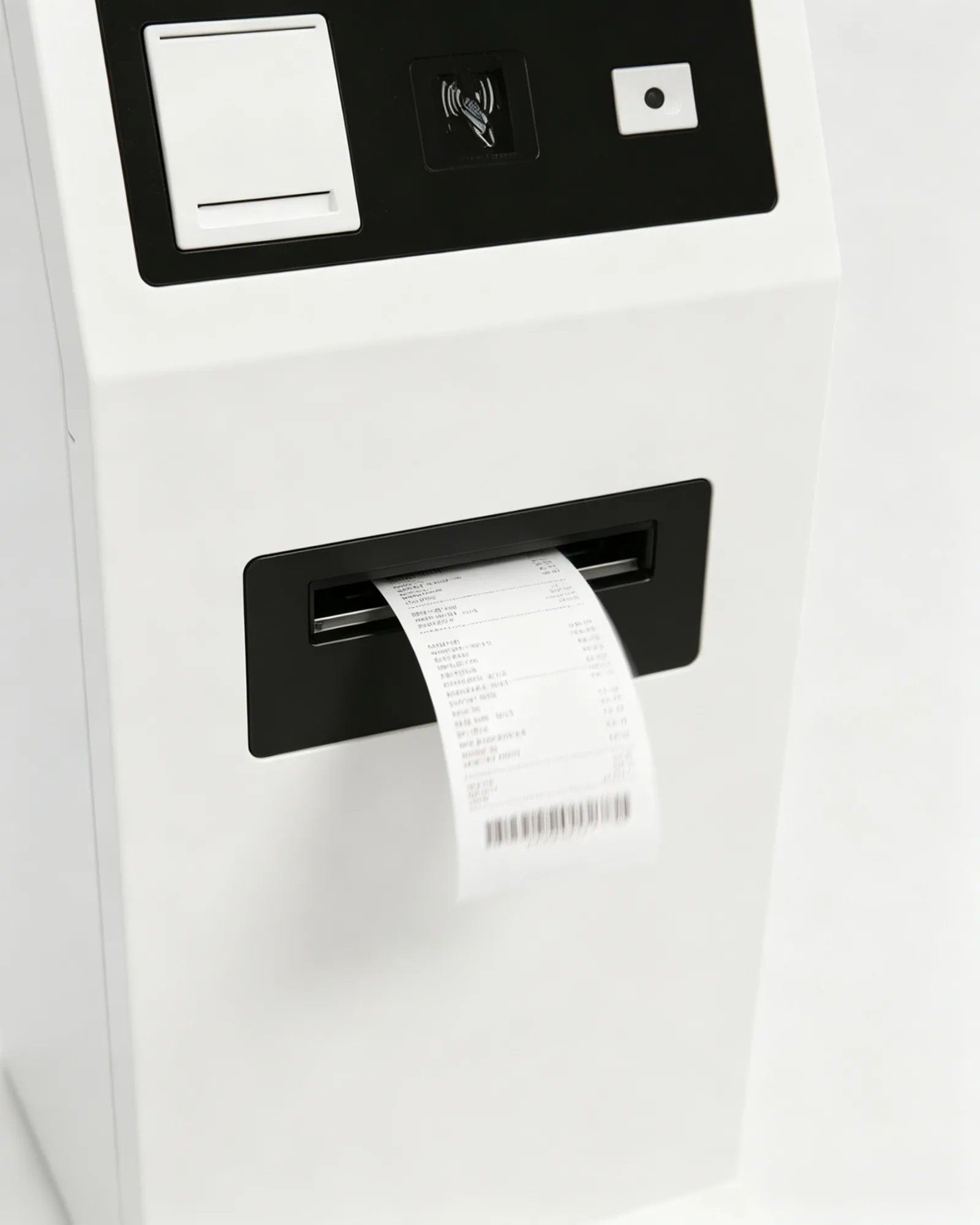
58 mm and 80 mm Thermal Printer Zone

Настаўленні

Тэрмадрукарка шырынёй 58 мм або 80 мм для чэкаў, талонаў на выдачу, нумароў у чаканні і купонаў.
  • Тэрмапрынтэр 58 мм або 80 мм
  • Паведамленне, хвост і друка
  • Простая падпісаная спіса
  • Папярэджанне паперу, дзе падтрымліваецца.
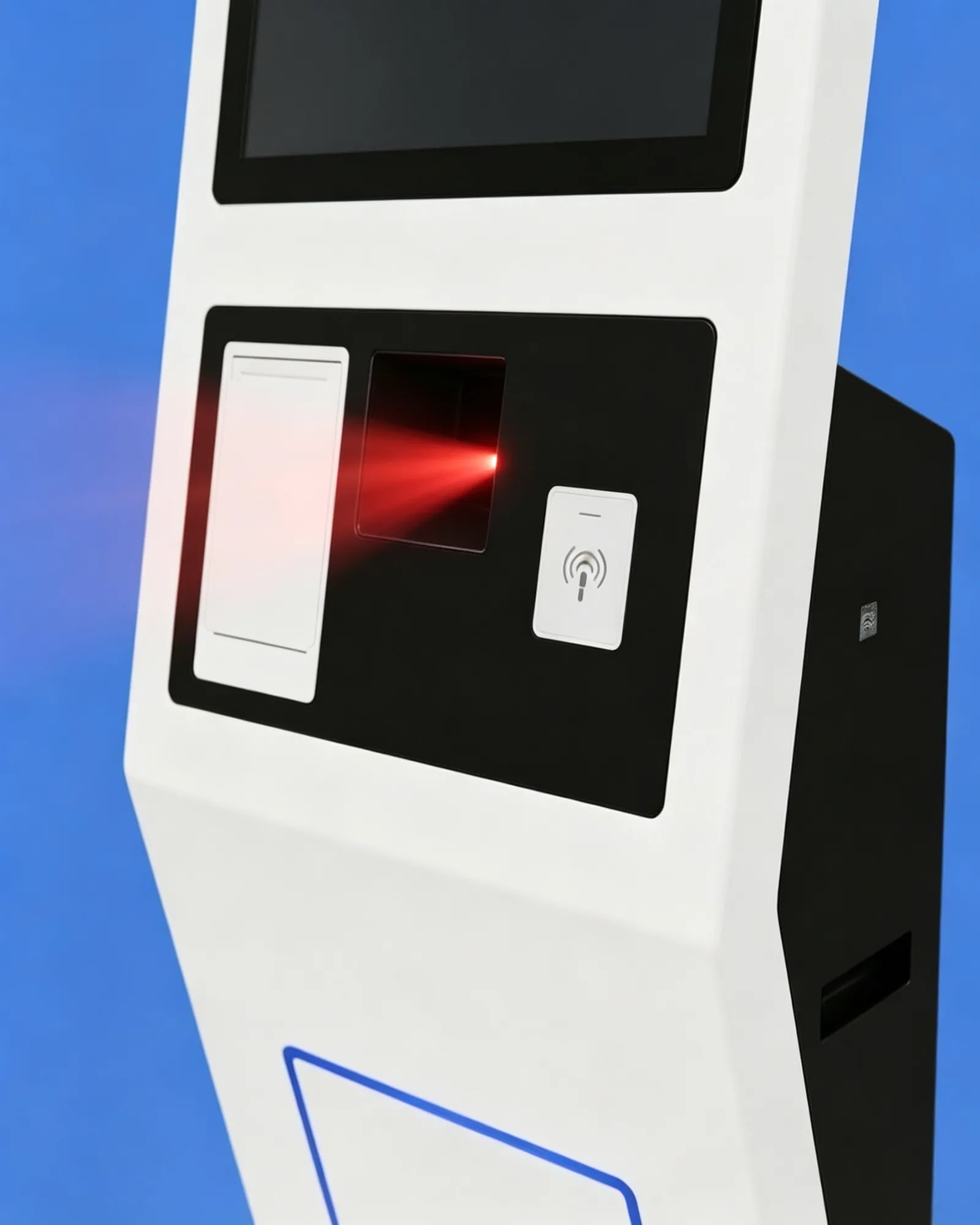
Optional QR, Barcode and NFC Modules

Дадатковыя модулі QR-кодаў, штрых-кодаў і NFC

Сканер 1D/2D і чытаньнік NFC/RFID для працоўнага кавальня, капон, і плаці.
  • Сканэнне
  • Скануйце мабільныя плацяжы і штрых-коды тавараў
  • Чытайце членскія і лаяльнасці карткі з RFID
  • Падтрымка бескантактавай ідэнтыфікацыі
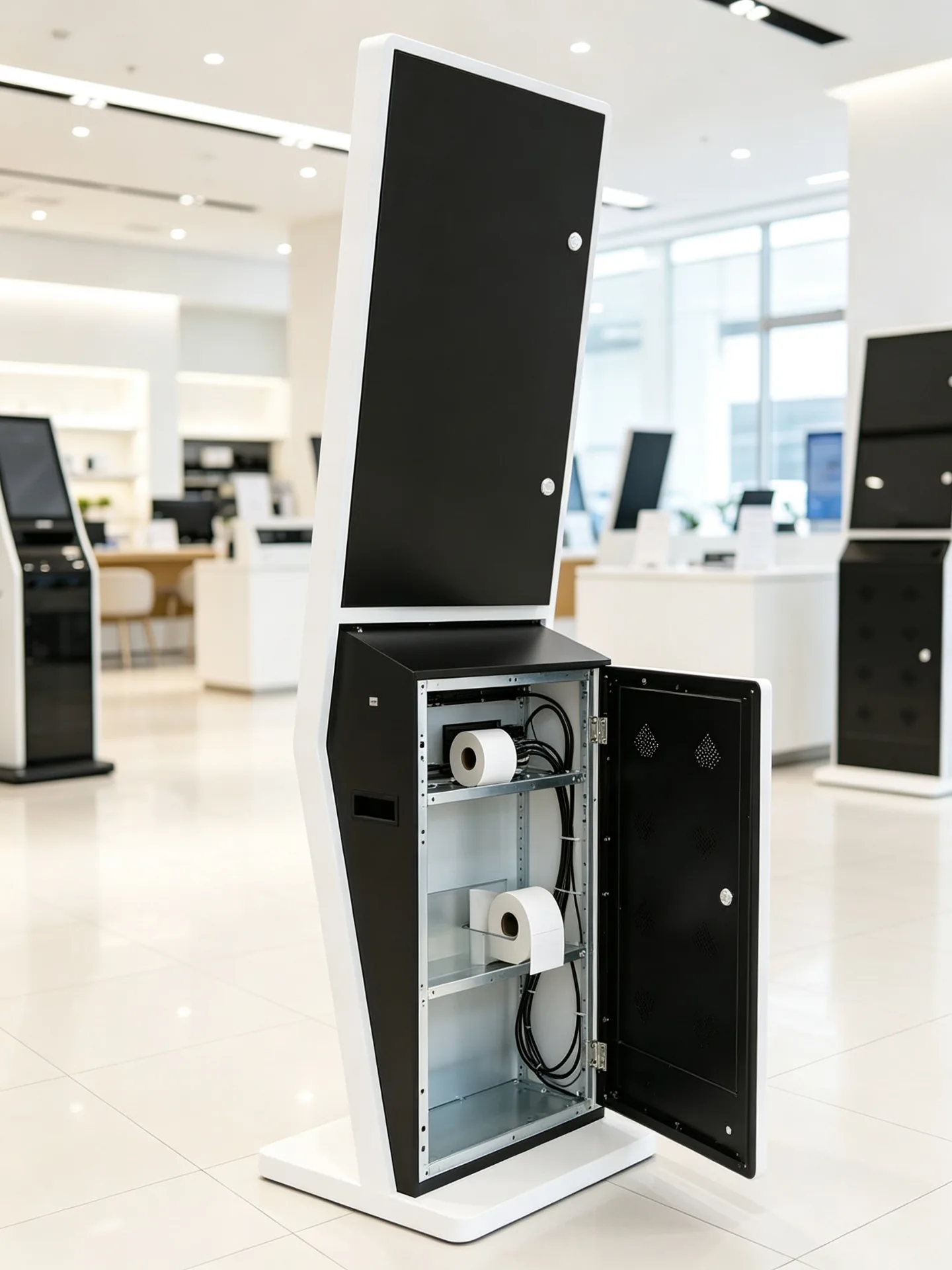
Service-Friendly Metal Enclosure with Concealed Cable Routing

Зручнае абслугоўванне

Назад і бачнае даступныя сервіса з захаваныя кабул і ясна прастора сустрэчы для запісаў службаў.

  • Задняя або бакавая дзверца для абслугоўвання
  • Захоплены кабулName
  • Даступная замена паперы для прынтара
  • Заменныя перыферыйныя модулі
Праграма і інтэграцыя

Падключыце кіёск да тэхналагічнага стэка вашай рэстараннай сеткі.

Вылучыце аперацыяльную платформу, потім інтэграваць мэнэджэру меню, POS, сплаты і кухні паведамленне на вашу працоўны трэба.

AndroidName

Для стандартнага трэба, ресторані і легкага праграмы.

  • Меню, замовы, CMS, сістэма ўдзельніцтва і QR-патокі
  • Хуткі запуск і падтрымка кіёскавага рэжыму
  • Эканамічна эфектыўнае разгортванне ланцуга
Вокны

Для праектаў, якія запусціць наяўны POS, рэгуляць і праграмны праграм.

  • Праграмнае забеспячэнне трэціх асоб і складаныя сістэмы аплаты
  • Задні офіс і інтэграцыя перыферыйных сістэм
  • Пашыраная інтэграцыя сістэм
Толькі манітора

Для кліентаў, якія ўжо ёсць індустріальны PC, гульца або галоўная контрола.

  • АВ і цифравання
  • Паведамленне сеткі
  • Спроміненая падтрымка прыкладання
Інтэграваны панель PCName

Для праектаў, якія патрэбнае ўсіх камп'ютэраў і пашырэнне.

  • Скончыць машын на парад
  • Складныя перiферы і лакальныя праграмы
  • Разгарнаванне

Інтэграцыя POS

  • Сінхранізацыя меню, цэн і акцый
  • Даступнаваць праграмы і абнаўленні
  • Памылка стварэння і выплаты
  • Рэдагаваць рахунку
  • Паведамленне праграмы і наладзіць ўзровень накладання

Друкар KDS і кухнаў

  • Адпраўляйце аплачаныя замовы на кухонны дысплей або прынтэр.
  • Маршрут па катэгорыі прадуктаў або зоне падрыхтоўкі
  • Даслаць напід у станцы, а у кухні.
  • Паказваць стан падтрыма
  • Сінхранізаваць нумар і гатовыя абвяшчэнні

Кіраванне меню

  • Дыстанцыйнае кіраванне меню і цэнтралізаванае абнаўленне цэнаў
  • Новая запуск продукту
  • Захоўваць вызначаныя меню і региональныя мовы
  • Змесціва кампанія і абнаўленне рэжыму
  • Праданне і выкарыстання
Мяжа праграмнага забеспячэння: Кіоск можа быць вызначыць аперацыі, аперацыі і періферальныя інтэрфейсы. Паведамленне праграмкі праграмкі рэсура, інтэрфейс POS, сплаты, рушкі кухні і кліент можа быць дадатковы, Праграмны партнер або праект інтэрфейсу.
Праграма

Усталяваны для сервісаў і дыяпазона

Ад хутка ежа да молока гары, тое ж кіоск стаяны падлога адаптаецца да розныя меню, Працоўны звычай і раскладкі захоўвання.
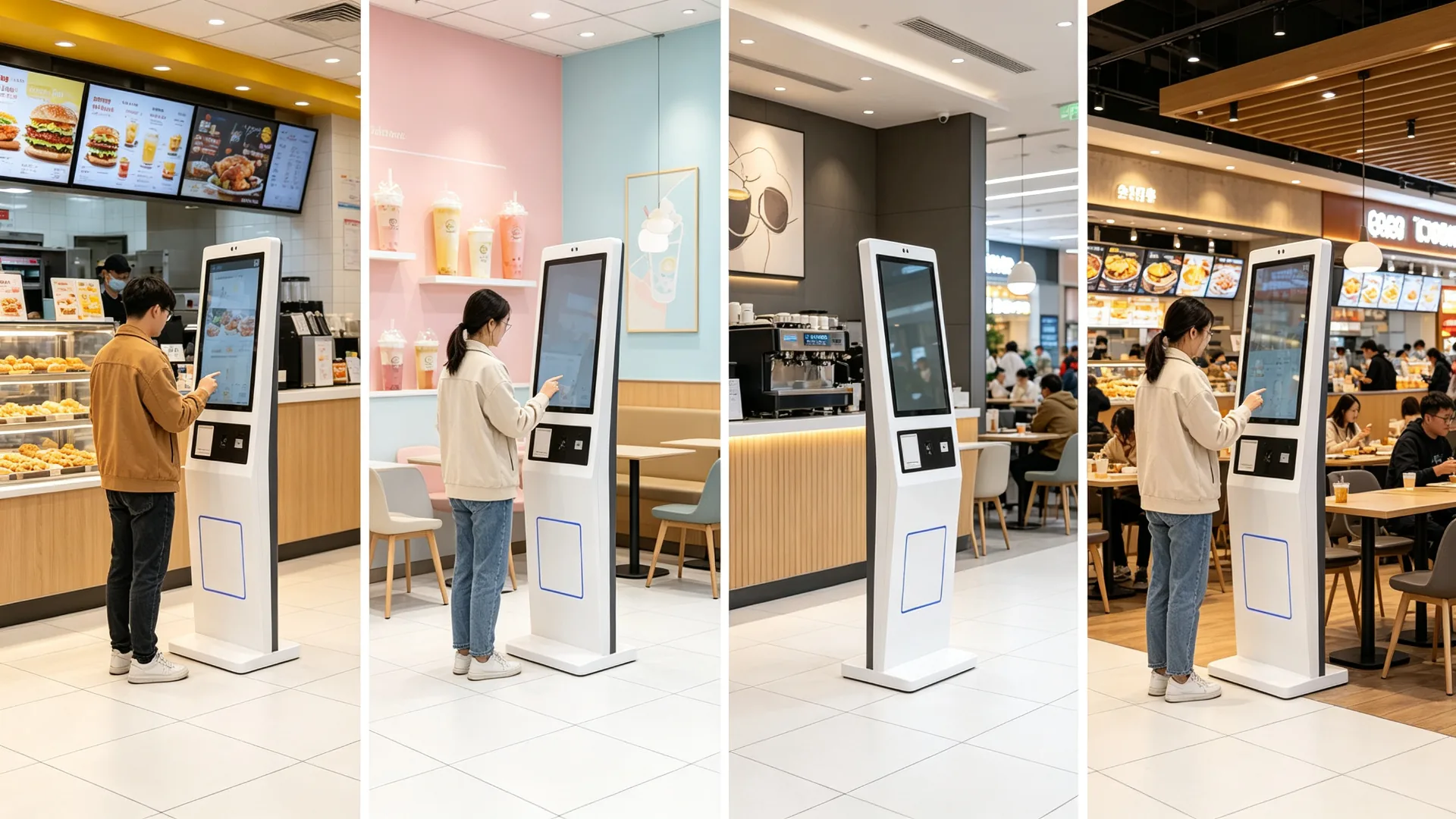
Self-Ordering Kiosk Built for QSR, Cafes, Milk Tea, Food Courts and Retail Food

Рэсутары хуткага сервісаў

Бургерс · Сяроднік · Піца · Сендвічы
  • Прагляд лічбавага меню і выбар камбо-набораў
  • Дадатковыя рэкомендыя
  • Аплата карткай або QR-кодам і друк чэкаў
  • Генерацыя нумара самавывазу
  • Інтэрвал POS і KDS

Малай чай

Малай чай
  • Выбар памеру напою, ступені салодкасці і колькасці лёду
  • Даданне начыння, малака і налада смаку
  • QR-код для ўдзелу і QR-аплата
  • Кітакта і сеансыя

Кафэ і пякарні

Кава · Бэйкера · Снядана
  • Настройка кавы і рэкамендацыі па выпечцы
  • Сняданьня
  • Праграма і адрасна друку
  • Вылучыць

Поўны сэрвічкі

Увага:
  • Рэгістрацыя ў спісе чакання і запыт на абслугоўванне за сталом
  • Настаўленне
  • Перазапісаць меню і праверка священня
  • Абслугоўванне плацяжоў або дэпазітаў

Харжныя суды і падзялія страва

Мульт-Brand · Публічнаея
  • Вылучэнне
  • Мнагамаркетны заказ і адзіная схема аплаты
  • Вылучыць нумар і тэкст
  • Інтэрфейс карыстальніка шмат мовы

Працоўныя храні і магчыма

Бейверы : Свай харч ? Кафе станцыя
  • Тэрмінал самаабслугоўвання для замовы ў пякарні
  • Настаўленне
  • Кэоск сканерар бакад
  • Кэп
Настаўленні

Параметры настаўленні Kiosk

Кожны апаратны модуль можна выбраць для кожнага праекта. Пацвердзіце ніжэйпералічаныя пазіцыі перад афармленнем коштарысу і вытворчасцю.

Элемент канфігурацыіВарыянтыПацвердзіць перад афармленнем коштарысу
Памер экрана15.6 "/ 21.5" / 23.8 "/ 27" / 32 "і астатнаяСкладанасць меню, прастора і адлегласць прагляду
Паказаць арытулыПартрэтПараметры UI і карыстальніка
РазмяшчэннеПоўная высокая дэфініцыя / 4K / для канкрэтнага праектаЯкасць малюнка і щільнасць тэкстуў
ЭкранаПаціцыяльны кантакт PCAPNameМультыдотык, шкло і патрэбы ўзаемадзеяння
АперацыяAndroid / Windows / толькі нанітар / панель PCNameПраграм, POS, перiферыя і бутт
ЦП / аператыўная памяць / сховішчаНастаўленні праектуПрадукцыйнасць прыкладання і лакальны кантэнт
Плацёжны тэрміналКарта / NFC / QR / Знешні прыладаКраіна, правайдэр, сертыфікацыя і SDK
СканэрыСканер штрых-кода 1D / QR-кода 2DКіраўнік, купон, сплата або сканінальны продукту
ДрукаркаТэрмапрынтэр 58 мм / 80 ммАтрыманне, кліетка, паперы і гучні
КамераНеабходнаяВідэасэрвіс, ідэнтыфікацыя або аналітыка
АўдыаВывад аўдыёЗапыты, голас і інтэрмм
СеткаNameLAN / Wi-Fi / 4G / 5GPOS, CMS, умовакі
ІнтэрфейсыUSB / HDMI / RS232 / RS485 / GPIOПеріферы і центральныя сістэмы
КабінеттСтандартны / неабходны металПамылка, колер, міцоўнасць
БазНастаўленніFloor, stability and installation requirements
БрэндынгLogo / housing colour / UI / packagingChain brand and OEM project needs

Custom sizes, colours and module layouts are available on request.
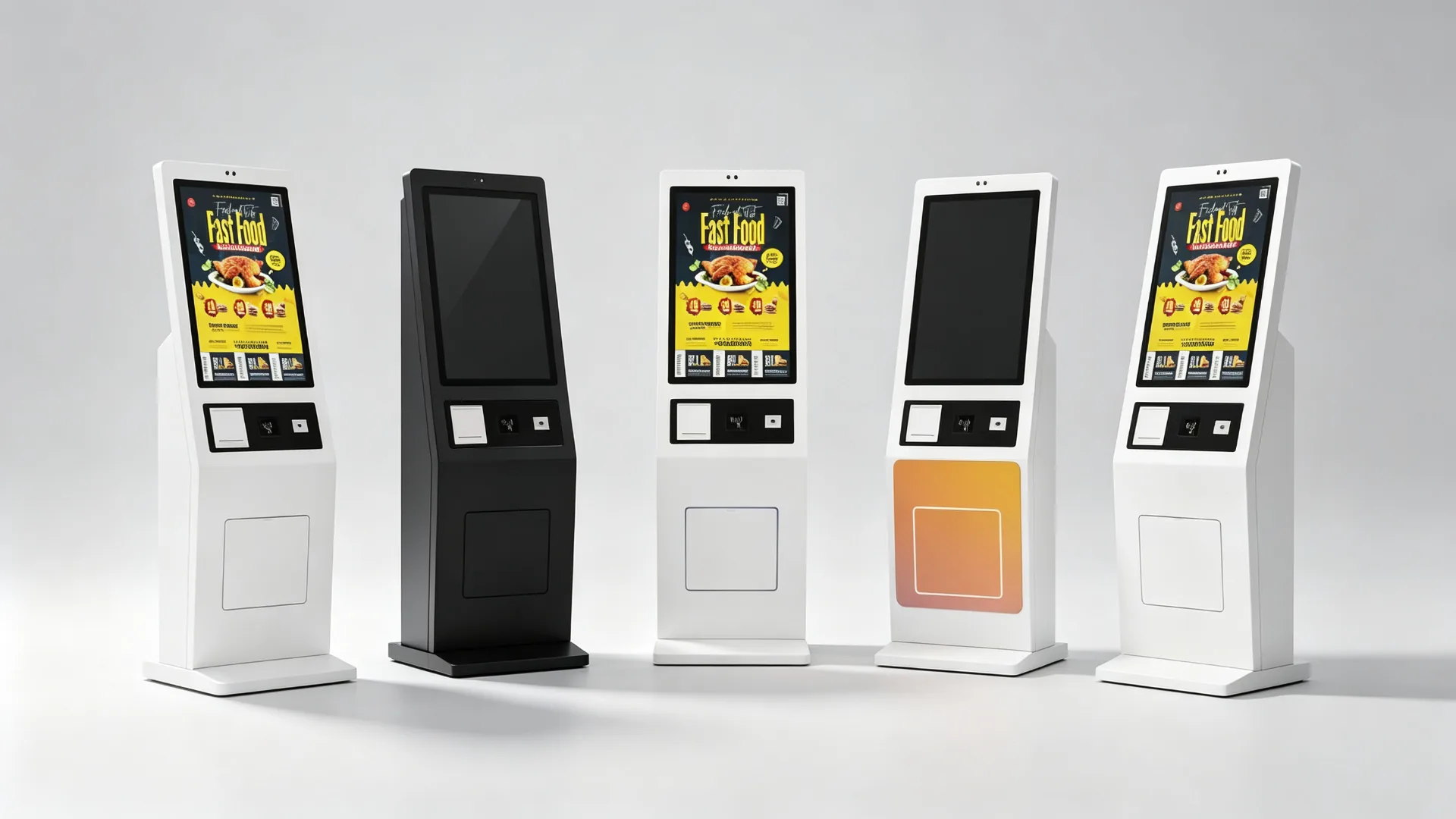
Configurable Screen, Payment, Scanner, Printer and Network Options

Typical Technical Parameters

Уставіць тэчкуAC 100-240V, 50/60Hz (typical)
Перапісаць тэмпатар0-40°C indoor (typical)
АгароджаFloor-standing metal, powder coated
ПаказацьVertical TFT LCD, Full HD (typical)
ДапакPCAP capacitive, multi-touch
ІнтэрфейсыUSB / HDMI / RS232 / RS485 / GPIO / LAN
ПерамясцьFreestanding base, anchor option
ПадтрымкаRear / side service access door

Typical values; final parameters depend on the approved configuration.

Store Deployment

Scale from One Restaurant to a Multi-Store Ordering Network

Pilot first, standardize the configuration, then deploy by store, city or region with remote software support and spare-parts planning.

Single-Store Deployment

For independent restaurants, single cafes, milk tea stores, pop-ups and new-store pilots.

  • Ordering software and screen size selection
  • Payment method, printer and network connection
  • POS integration and installation location
  • Staff training and go-live support

Chain and Franchise Deployment

For fast-food, milk tea, coffee and bakery chains with multiple cities or franchise networks.

  • Central menu and price management
  • Region-specific menus and daypart scheduling
  • Unified brand UI and remote software deployment
  • Device grouping and multi-store performance reporting
  • Spare-parts planning and standardized replacement process
Define ordering workflow and software scope
Confirm payment method and POS/KDS interfaces
Select kiosk hardware configuration
Install and test a pilot unit
Validate menu, payment, printer and kitchen routing
Adjust UI, enclosure and peripheral layout
Approve production configuration
Deploy by store, city or region
Establish remote-support and spare-parts procedures
OEM / ODM

Custom Self-Ordering Kiosks for Restaurant Brands and Solution Providers

Configure the display, peripherals, enclosure and operating platform around your self-ordering workflow.
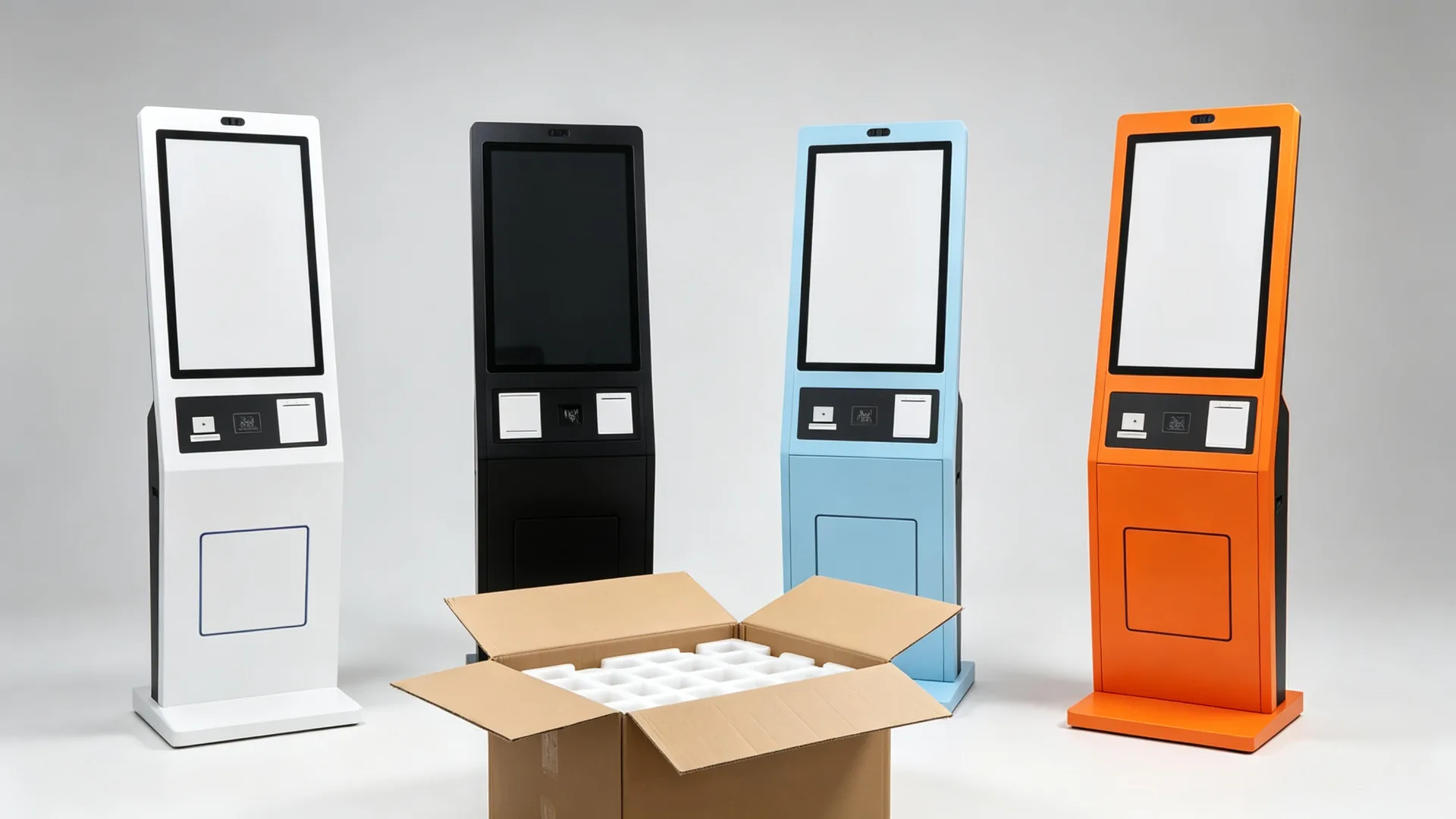
OEM/ODM Branding, Enclosure and Software Customization

Whether you are a restaurant-technology provider, POS software company, kiosk distributor or food-service brand, we can configure the touchscreen, payment peripherals, printer, scanner and enclosure around your ordering workflow. Branded launcher, boot logo, UI and packaging can be prepared for your project.

Enclosure and Structure

  • Custom enclosure design and cabinet colour
  • Powder coating, logo printing and brand graphics
  • Screen size and payment-terminal location
  • Scanner window, printer outlet and camera position
  • Speaker grille, cable routing and maintenance door
  • Base size and wall-mounted / countertop variants

Асаблівы

  • Android mainboard or Windows industrial PC
  • CPU, RAM and SSD per application
  • Different touchscreen sizes
  • Payment-terminal bracket, QR/barcode scanner and NFC/RFID reader
  • Thermal printer, camera, speaker and microphone
  • Network and 4G/5G module, custom I/O, UPS option

Software and Branding

  • Custom boot logo and branded launcher
  • Kiosk mode and restaurant menu UI
  • Multi-language interface and pre-installed ordering app
  • CMS support, API and POS/KDS integration coordination
  • Кіраванне аддаленага прылада
  • Custom packaging, manuals and labels
Quality and Delivery

Designed for Repeatable Commercial Deployment and Serviceability

Every unit passes functional testing and burn-in before export packaging, so multi-store rollouts arrive consistent.
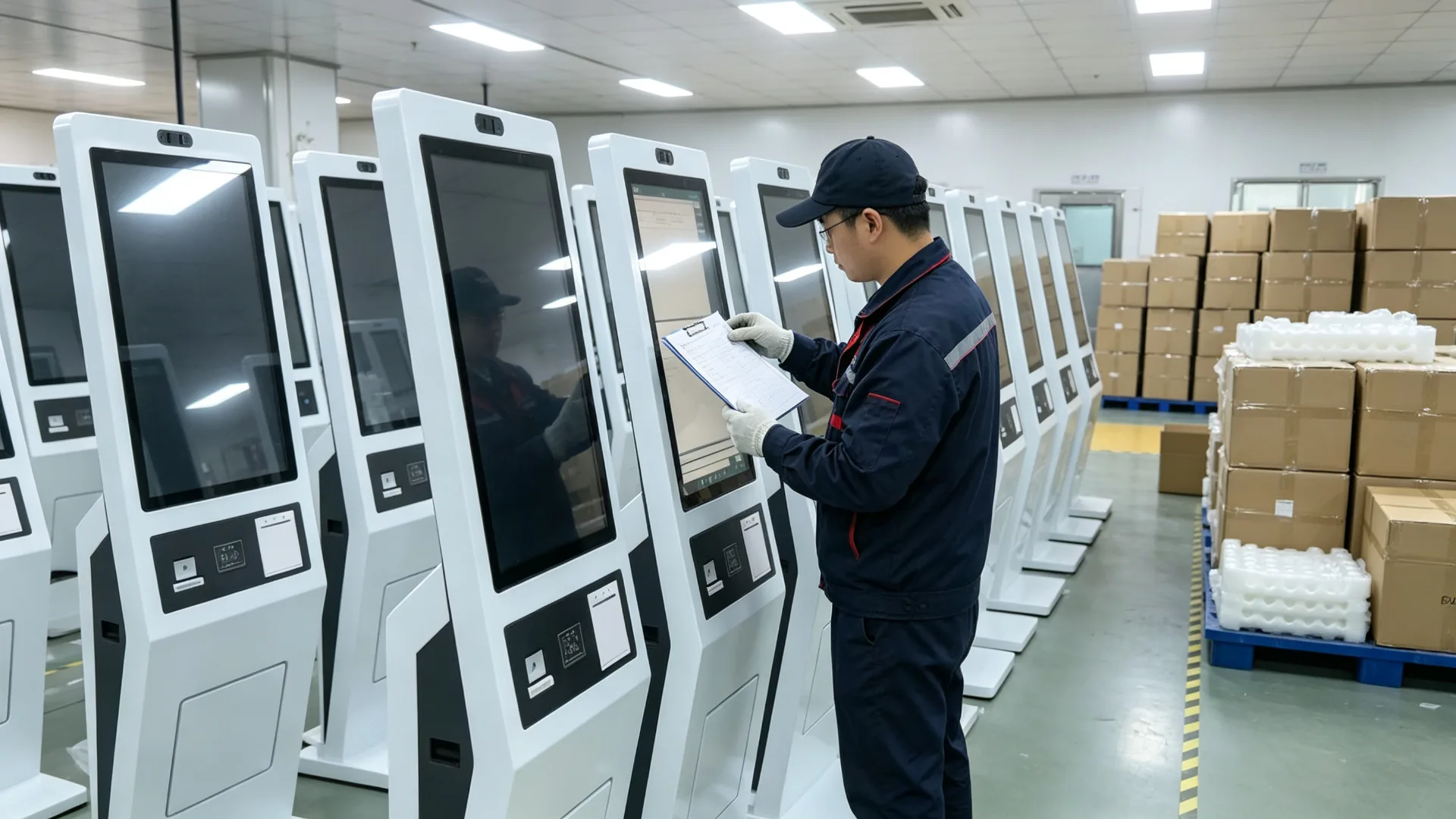
Quality Testing, Export Packaging and Multi-Store Deployment Support

Per-unit inspection covers the display, touch response, boot and application launch, payment-terminal communication, scanner and NFC reading, thermal printing, network, POS/KDS interface where included, power and cables, doors and locks, base stability, and long-duration burn-in before packaging.

Maintenance is designed for field service: rear or side access, replaceable paper, clear peripheral maintenance area and service documentation with wiring guidance. Remote software support and spare-part planning are arranged for chain deployments.

Quality Inspection Items

  • LCD-panel appearance and display colour test
  • Тэст адказу сэнсарнага экрана
  • Android or Windows boot and app launch test
  • Тэст сувязі з плацежным тэрміналам
  • Сканер QR / "%s" і праверка чытаньня NC
  • Thermal-printer printing test
  • LAN, Wi-Fi, 4G or 5G test
  • Паведамленне інтэрфейс POS / KDS
  • Power, cable, door and lock inspection
  • Long-duration burn-in and base stability inspection
  • Packaging and transport-protection inspection

Maintenance Design

  • Rear or side service access
  • Даступная замена паперы для прынтара
  • Clear peripheral maintenance area
  • Replaceable scanner or payment-terminal module
  • Remote software support, subject to platform
  • Spare-part planning for chain deployments
  • Service documentation and wiring guidance

Працэс праекту

  • Пацвердзіце заяўку, краіну і плацежны рынак
  • Азначце экран, сістэму, сканэр, прынтар і плацёжны спосаб.
  • Пацвердзіце аб’ём інтэграцыі POS, KDS і праграмнага забеспячэння.
  • Дапаўненне аб' екта, бінг і механічны малюнку
  • Develop and test sample or pilot unit
  • Правядзенне функцыянальнага тэставання і тэставання на надзейнасць
  • Перапісаць палі
  • Экспартаваць пакеты, рукаванні і спіса адрасу
  • Падтрымка пакетнаў і аддаленага камісавання
Commercial and Delivery

What B2B Buyers Need to Know Before Ordering

Samples, lead time, warranty, payment terms, packaging and certification support are confirmed per project so there are no surprises at rollout.

Warranty and After-Sales

A commercial warranty and after-sales support are included with each project. Warranty terms, remote troubleshooting, spare-parts supply and service documentation are confirmed in the sales agreement.

For chain deployments, spare-parts planning and a standardized replacement process keep store uptime predictable.

MOQ and Lead Time

MOQ and lead time depend on configuration and quantity. A pilot unit can be built and tested before mass production; the production lead time is confirmed after engineering approval.

For large rollouts, batch delivery can be phased by store, city or region.

Samples and Pilot Units

Sample or pilot units are available so you can validate the menu, payment, printer and kitchen routing in a real store before approving the production configuration.

The approved sample is used as the baseline for mass production.

Payment and Trade Terms

Payment terms (such as T/T or L/C) and trade terms (EXW, FOB, CIF, DDP) are agreed per project, together with the delivery schedule and documentation package.

Packaging and Logistics

Units ship in export cartons with foam and corner protection, palletized for sea or air freight. Manuals, wiring diagrams, test reports and an accessory list accompany each shipment.

Certification and Documentation

Documentation for your target market is coordinated during project review. Market-specific certification requirements and payment certifications are confirmed with the selected providers.

Праекты

Representative Self-Ordering Kiosk Deployments

A look at how the floor-standing kiosk has been configured for different food-service formats. Details are anonymized for confidentiality.

QSR Chain

Multi-City Fast-Food Rollout

Android kiosks with QR payment and kitchen routing

  • Standardized digital menu and pricing across stores
  • Card and QR payment at the kiosk payment zone
  • Paid orders routed to the kitchen display system
  • Receipt and pickup-number printing for order flow
Milk Tea Brand

Franchise Drink Customization

Touchscreen kiosks with drink customization UI

  • Size, sweetness, ice and topping selection on screen
  • Membership QR scanning for loyalty points
  • 58 mm thermal printer for pickup tickets
  • Seasonal drink promotions updated remotely
Cafe Franchise

European Multi-Language Cafe Network

Windows-based kiosks with EMV terminal integration

  • EMV payment terminal mounted in the payment zone
  • Four-language menu interface for tourist locations
  • POS integration for sales reporting and menu sync
  • Branded launcher and boot logo per franchise
Food Court

Shared Dining Area Ordering

Multi-brand ordering with queue and pickup display

  • Brand and category selection in one kiosk
  • Unified payment flow across merchants
  • Queue numbers synchronized with pickup display
  • LAN network connection for central management

Representative project profiles; customer and brand details are anonymized. Configuration shown for reference only.

FAQ

Часты пытанні

Common questions from restaurant groups, integrators and kiosk distributors.

What is a self-ordering and payment kiosk?
A self-ordering and payment kiosk is a customer-facing touchscreen terminal that allows guests to browse menus, customize items, apply promotions, complete payment and receive an order confirmation without placing the full order through a staffed cashier counter.
Can this kiosk accept card and QR payments?
Payment options depend on the selected payment terminal, payment provider, local market, payment software and required certifications. The kiosk can be configured with compatible mounting space, communication interfaces and peripheral integration for a project-specific payment solution.
Can the kiosk connect to our POS system?
POS integration can be evaluated based on your POS provider, API, software architecture, order-routing requirement and hardware interfaces. Please provide technical documentation or contact details for the POS software provider during the project review.
Can orders be sent to a kitchen display system?
Yes, if the ordering software and restaurant system support KDS integration. Orders can be routed to a kitchen display, kitchen printer or order-management platform according to the configured workflow.
Can the kiosk print receipts and pickup tickets?
Yes. A 58 mm or 80 mm thermal printer can be integrated for receipts, pickup numbers, order tickets or coupons. Printer width, paper type, print content and paper-roll access should be confirmed before production.
Can customers scan a membership code or coupon?
Yes. A 1D/2D barcode or QR code scanner can be configured for membership identification, coupon redemption, order-pickup validation or mobile payment workflows.
Is the kiosk available with Android or Windows?
Android and Windows configurations may be available. Android is often suitable for dedicated ordering applications, while Windows can be selected for specific third-party software, POS environments or advanced integration requirements.
Does the kiosk include restaurant ordering software?
The kiosk can be supplied with the hardware platform, operating system and peripheral interfaces. Ordering software, POS integration, payment service, kitchen routing and cloud management must be confirmed separately and may be supplied by the customer, a software partner or a dedicated integration project.
Ці можна аформіць корпус у адпаведнасці з нашым брэндам?
Yes. Customization can include the kiosk colour, logo, screen size, payment-terminal area, printer outlet, UI, startup screen, packaging and instructions.
Is the kiosk suitable for milk tea and coffee customization?
Yes. With suitable ordering software, the kiosk can present drink size, sweetness, ice level, toppings, milk choices, flavours, add-ons and promotional bundles.
What is the MOQ and typical lead time?
MOQ and lead time depend on configuration and quantity. A pilot unit can be produced and tested before mass production, and the lead time is confirmed after engineering approval. Batch deliveries can be phased by store, city or region.
Якую гарантыю і пасляпродажную падтрымку вы прадастаўляеце?
A commercial warranty and after-sales support are included. Warranty terms, remote troubleshooting, spare-parts planning and service documentation are confirmed in the sales agreement, and spare-parts planning is available for chain deployments.
Can we receive a sample or pilot unit before mass production?
Yes. Sample or pilot units are available so you can validate the menu, payment, printer and kitchen routing in a real store. The approved sample is used as the baseline for mass production.
Do you provide certification documents for our market?
Documentation for your target market is coordinated during project review. Market-specific certification requirements and payment certifications are confirmed with the selected payment provider and software integrator.
Can the kiosk be supplied without ordering software (monitor-only)?
Yes. The kiosk can be supplied as a monitor-only unit for customers who already have an industrial PC, player or main controller, or as a complete Android / Windows / panel-PC configuration with the agreed software scope.
Якая інфармацыя патрэбна для афармлення коштарысу?
Please provide application and restaurant type, screen size, required quantity, target market, operating system, POS and KDS details, payment method, printer requirement, QR/barcode/NFC requirement, network requirement, branding requirement, target delivery date, required certifications and software integration scope.

Configure Your Restaurant Self-Ordering Kiosk Project

Whether you are launching a self-ordering solution for a single restaurant or deploying a standardized kiosk network across multiple QSR, cafe or beverage-store locations, we can help configure the display, payment peripherals, printer, scanner, operating system and enclosure for your workflow. Share your menu system, POS/KDS platform, payment requirements, target market and order quantity, and our team will recommend a suitable self-ordering kiosk configuration for your project.


Даслаць паведамленне:

Праграмы