












Restorāns pašpasūtījuma kiosks stāvvietas qsr maksājumu kiosks

Qtenboard ANATEL Certificate Qtenboard CB Certificate Qtenboard CE Certificate Qtenboard EMC Certificate Qtenboard ERP Certificate Qtenboard FCC Certificate Qtenboard EDLA Certificate Qtenboard EPEAT Certificate Qtenboard ENERGY-STAR Certificate Qtenboard ISO4001 Certificate Qtenboard ISO9001 Certificate Qtenboard ISO27001 Certificate Qtenboard ISO45001 Certificate Qtenboard LVD Certificate Qtenboard PVOC Certificate Qtenboard RETIE Certificate Qtenboard RoHs Certificate

Tehniskās specifikācijas:

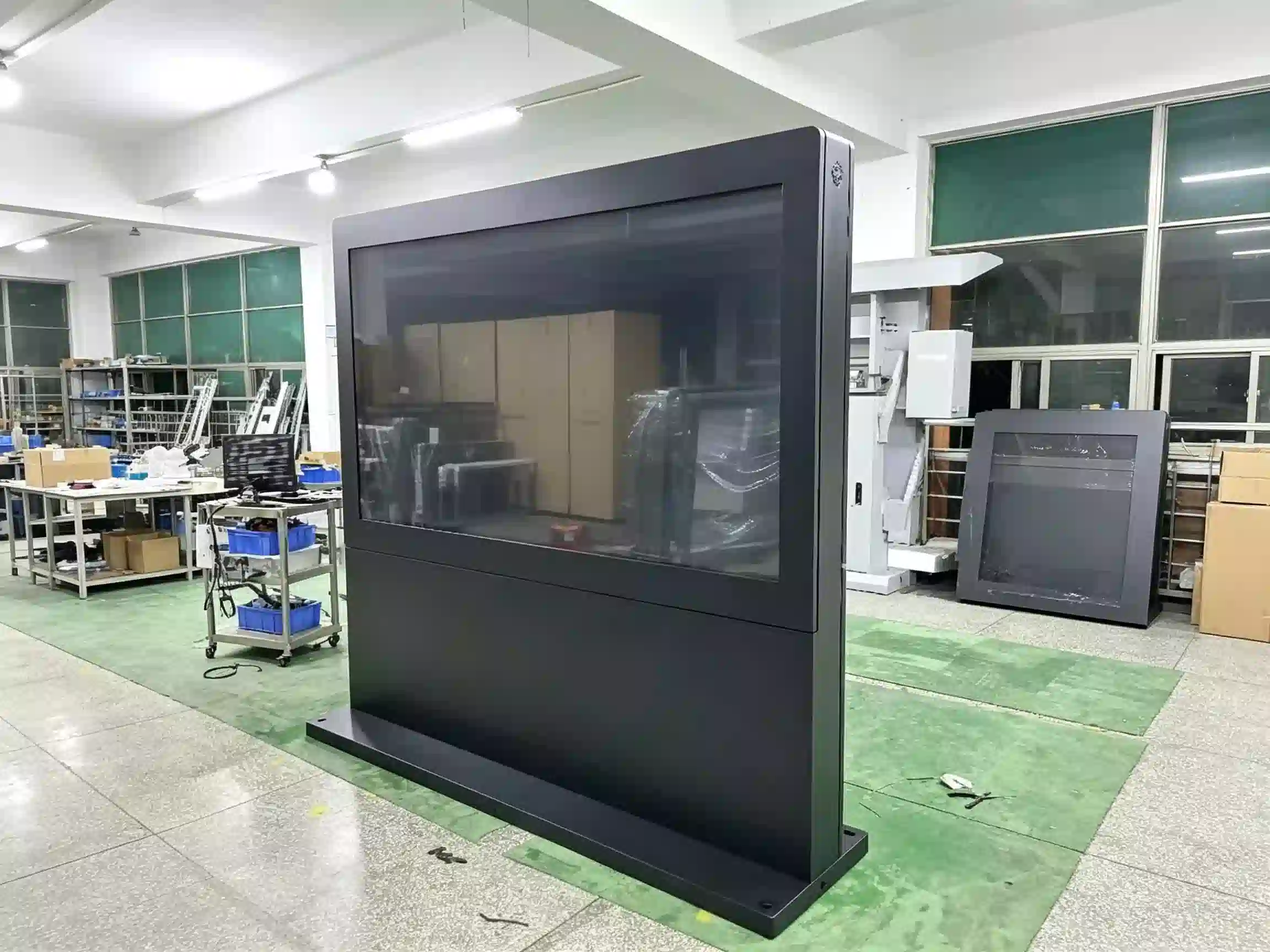
Stāvs-stāvēt Pašapkalpošanās un maksājumu kiosks restorāniem un ātrās apkalpošanas restorāniem

Komerciāls pašapkalpošanās terminālis restorāniem, kafejnīcām, piena tējas veikaliem un ātrās apkalpošanas zīmoliem. Konfigurējiet skārienekrānu, operētājsistēmu, maksājumu terminālu, qr un svītrkodu skeneri, nfc lasītāju, termisko printeri un pos/kds integrāciju, lai atbilstu jūsu pasūtīšanas procesam.
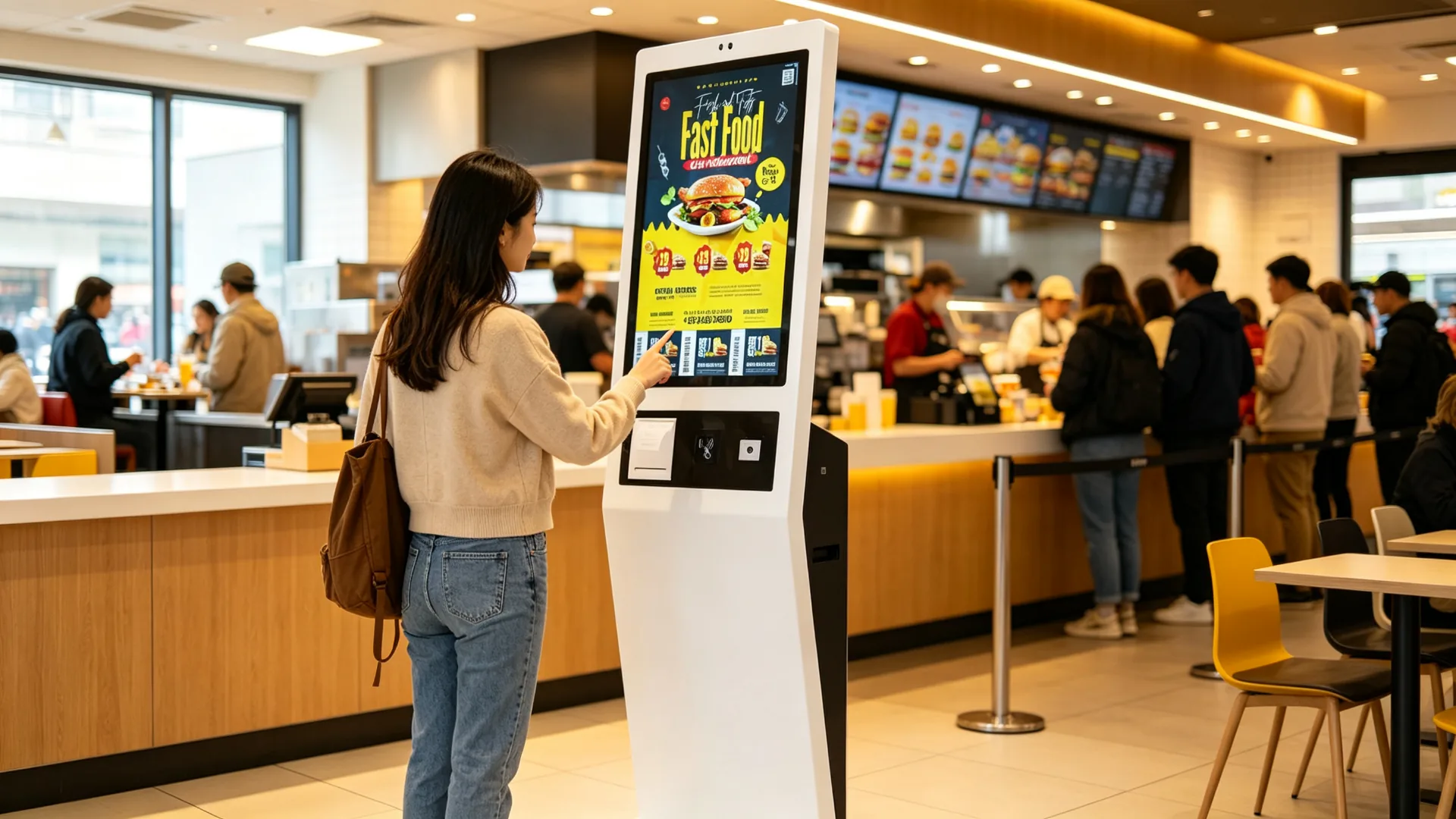
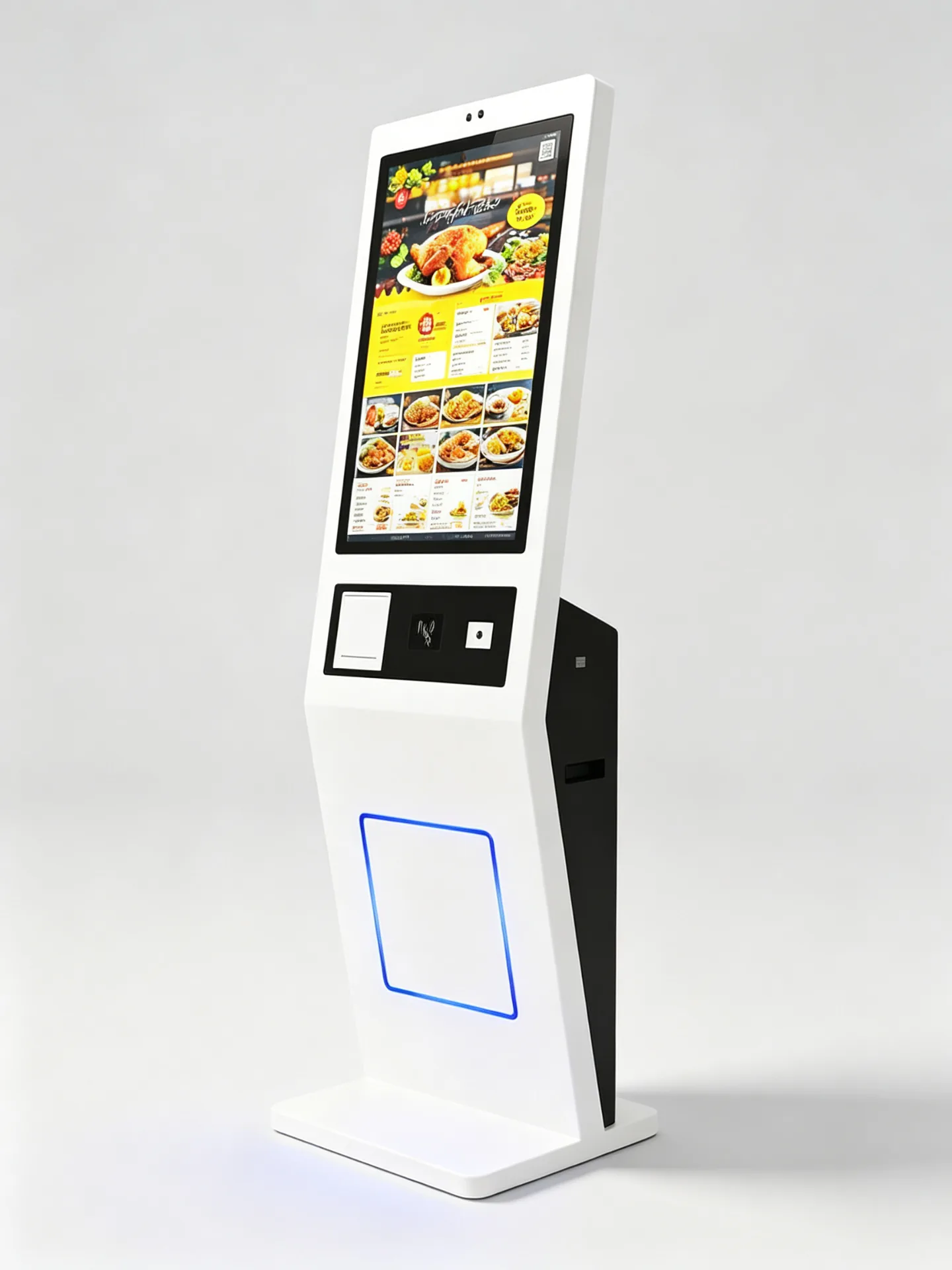
Liela skārienjūtīga pasūtīšanas saskarne Digitālā ēdienkarte un produktu pielāgošana Pēc izvēles: maksājumi ar karti, NFC un QR kodu Pēc izvēles pieejams svītrkodu un QR kodu skeneris Papildu 58mm vai 80mm termoprinteris Android, Windows vai tikai monitora konfigurācija Gatava POS un virtuves sistēmu integrācija Uz grīdas novietojama metāla kioska apvalka konstrukcija OEM zīmola izstrāde un projekta pielāgošana
Floor-Standing Self-Ordering and Payment Kiosk for Restaurants and QSRs
Komerciālā pakāpePārbaudīts QC pirms nosūtīšanas
Tieši no ražotājaIekšējā pētniecība un attīstība, kā arī ražošanas līnija
Oem/odm pielāgošanaIetvars, zīmols un programmatūra
Qc un apdegums pārbaudītsFunkcionālā pārbaude vienībai pirms piegādes
Eksporta iepakojumsKartona, putu un paletēs iepakota piegāde
Freestanding Metal Kiosk with Vertical Touchscreen and Integrated Payment Zone
Produkta vērtība

Samaziniet rindas pasūtījumu veikšanai un nodrošiniet vienmērīgu pašapkalpošanās pieredzi.

Aizņemtiem restorāniem ir jāapkalpo vairāk klientu, vienlaikus nepadarot pasūtīšanu lēnāku vai mazāk precīzu. Pašapkalpošanās kiosks klientiem nodrošina skaidru digitālo ēdienkarti, produktu pielāgošanas iespējas un maksājumu piekļuvi vienā fiksētā pašapkalpošanās stacijā.

Stāvu stāvu restorāna kiosks var palīdzēt operatoriem paplašināt pasūtīšanas jaudu laikā pīķa periodos, standartizēt izvēlnes prezentāciju visā veikalos un veicināt attiecīgos uzlabojumus, saišķus un papildinājumus, pirms klienti pabeidz maksājumu.

Vairāk pasūtījumu veikšanas punktupīķa stundās
Mazāks spiediens rindā pie kasespie kases galda
Standartizētas ēdienkartescenas, attēli un zīmola vizuālie materiāli
Pašapkalpošanās pielāgošanaizmērs, garša, piedevas un kombinācijas
Pārdot papildu produktus pirms apmaksaspapildinājumi, uzlabojumi un komplekti
Mazāk pasūtījumu kļūdupret mutvārdu pasūtījumu pieņemšanu
Daudzvalodu izvēlnestūristiem un lidostām
Sistēma ir gatavaPOS, KDS un lojalitātes programmu integrācija
Ķēdes izvietošanaattālināta programmatūras un ierīču pārvaldība
Partijas aparatūras piegādevairāku veikalu ieviešanai
Kas pērk šo pašapkalpošanās restorāna kiosks
  • QSR un ātrās apkalpošanas ēdināšanas ķēdes
  • Restorānu grupas
  • Kafijas un piena tējas zīmoli
  • Ēdināšanas laukumu operatori
  • Franšīzes pārvaldības uzņēmumi
  • Restorānu POS pakalpojumu sniedzēji
  • Restorānu SaaS uzņēmumi
  • KDS un virtuves aprīkojuma integratori
  • Pašapkalpošanās kiosku izplatītāji
  • Mazumtirdzniecības un viesmīlības sistēmu integratori
  • Ēdināšanas pakalpojumu aprīkojuma piegādātāji
Pašpasūtīšanas darbplūsma

Vadīt klientus no ēdienkartes izvēles līdz pasūtījuma apstiprināšanai

Viens pašapkalpošanas interfeiss ņem viesi, izmantojot pārlūkošanu, pielāgošanu, piedāvājumus, maksājumu un apstiprinājumu, pēc tam nosūta pasūtījumu uz jūsu restorāna operāciju sistēmām.
01 PārlūkotDigitālā ēdienkarte ar kategorijām, attēliem un cenām
02 PielāgotIzmērs, garša, piedevas, saldums un ledus
03 Pieteikt piedāvājumusDalības, kuponi un lojalitātes apstiprināšana
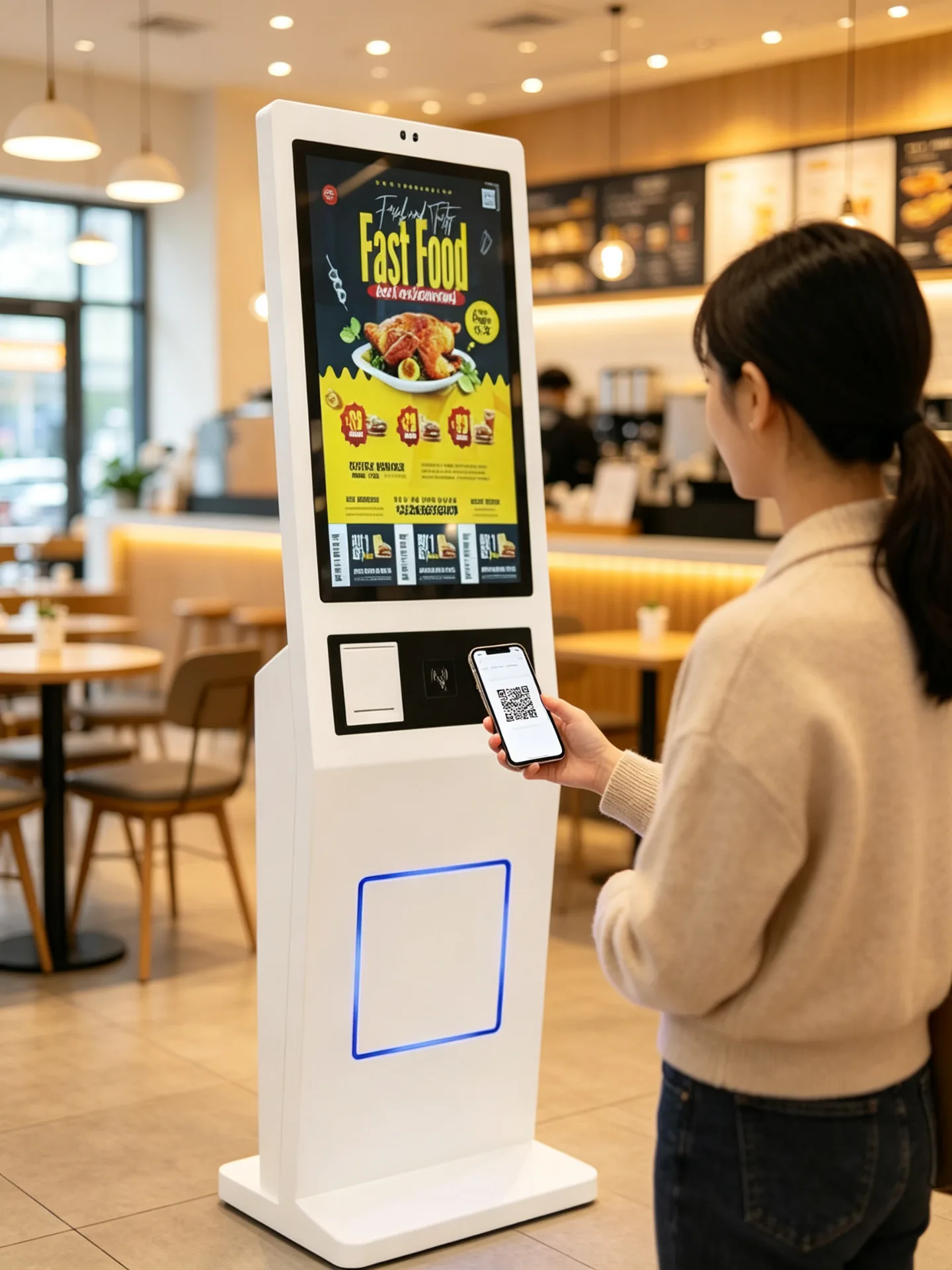
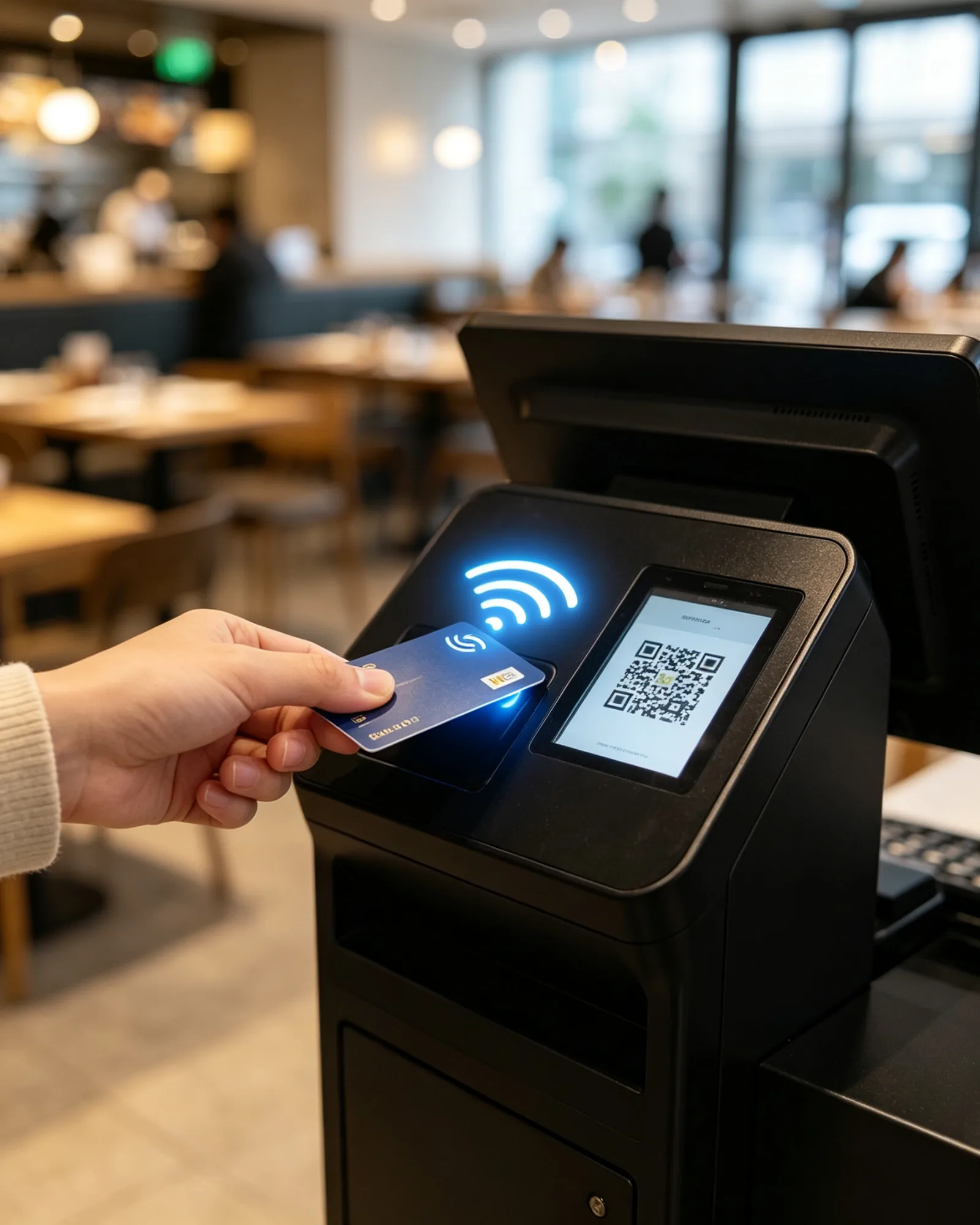
04 SamaksaKarte, NFC, mobilā makā vai QR maksājums
05 ApstiprinātKvīts, izsniegšanas talons un rindas numurs
06 Nosūtīt uz POS/KDSAutomātiska pasūtījumu novirzīšana uz operācijām
Burkerni Dzērieni Puses Kombinācijas Deserti
6,90 ASV dolāri
4,50 ASV dolāri
3,20 ASV dolāri
9,80 ASV dolāri
US$5.60
US$4.90
3 vienības · US$21.50 Norēķināšanās
Digitālās ēdienkartes pārlūkošana Kategorijas, preču attēli, cenas, pieejamība un daudzvalodu izvēlnes vertikālā pasūtīšanas izkārtojumā.
Ledus taro piena tēja5,80 ASV dolāri
Izmērs
SML
Saldums
0%30%50%100%
Ledus līmenis
RegulārsMazākNav ledus
Piedevas
PērlePudiņšKokosrieksts
2 toppings Pievienot pasūtījumam
Produkta pielāgošana Dzēriena izmērs, saldums, ledus daudzums, piedevas, piena veidi, kombināciju papildinājumi un īpašas norādes.
Membership QR, Coupon and Loyalty Validation
Dalība un piedāvājumi Dalības QR kodi, svītrkodu kuponi, lojalitātes punkti, akciju kodi, dāvanu kuponi un lietotnes pasūtījumu kodi.
Optional Card, NFC and QR Payment Module
Maksa kioskā Bank-card terminal, contactless NFC, mobile wallet and QR payment, configured per project and market.
Receipt, Pickup Ticket and Queue Number Printing
Order Confirmation Output Čeks, izsniegšanas talons, rindas numurs, QR maksājuma kods un paredzamais gaidīšanas laiks.
Pašpasūtīšanas kiosks Apmaksātā pasūtījuma izvade
Kases sistēmaPasūtījumu un maksājumu sinhronizācija
Virtuves printerisTicket output per station
Kitchen Display SystemMaršrutēšana pēc sagatavošanas zonas
Izvēles displejsGatavības paziņojums
Integration-Ready POS, KDS un virtuves printeru integrācijai gatava arhitektūra, kas ir pārbaudīta jūsu restorāna sistēmas kontekstā.
Klienti var pārlūkot ēdienkarti, pielāgot produktus, piemērot piedāvājumus, veikt maksājumu un saņemt pasūtījuma apstiprinājumu vienā pašapkalpošanās saskarnē. Integrējot ar saderīgu restorāna sistēmu, pasūtījums var tikt automātiski nosūtīts uz POS sistēmu, virtuves displeja sistēmu vai virtuves printeri.
Galvenā aparatūra

One Floor-Standing Kiosk, Configured Around Your Ordering Workflow

Komerciāls skārienekrāns, metāla korpuss, maksājumu zona, termoprintera un skenera moduļi vienā atsevišķi stāvošā ierīcē, kas paredzēta publiskai restorānu videi.
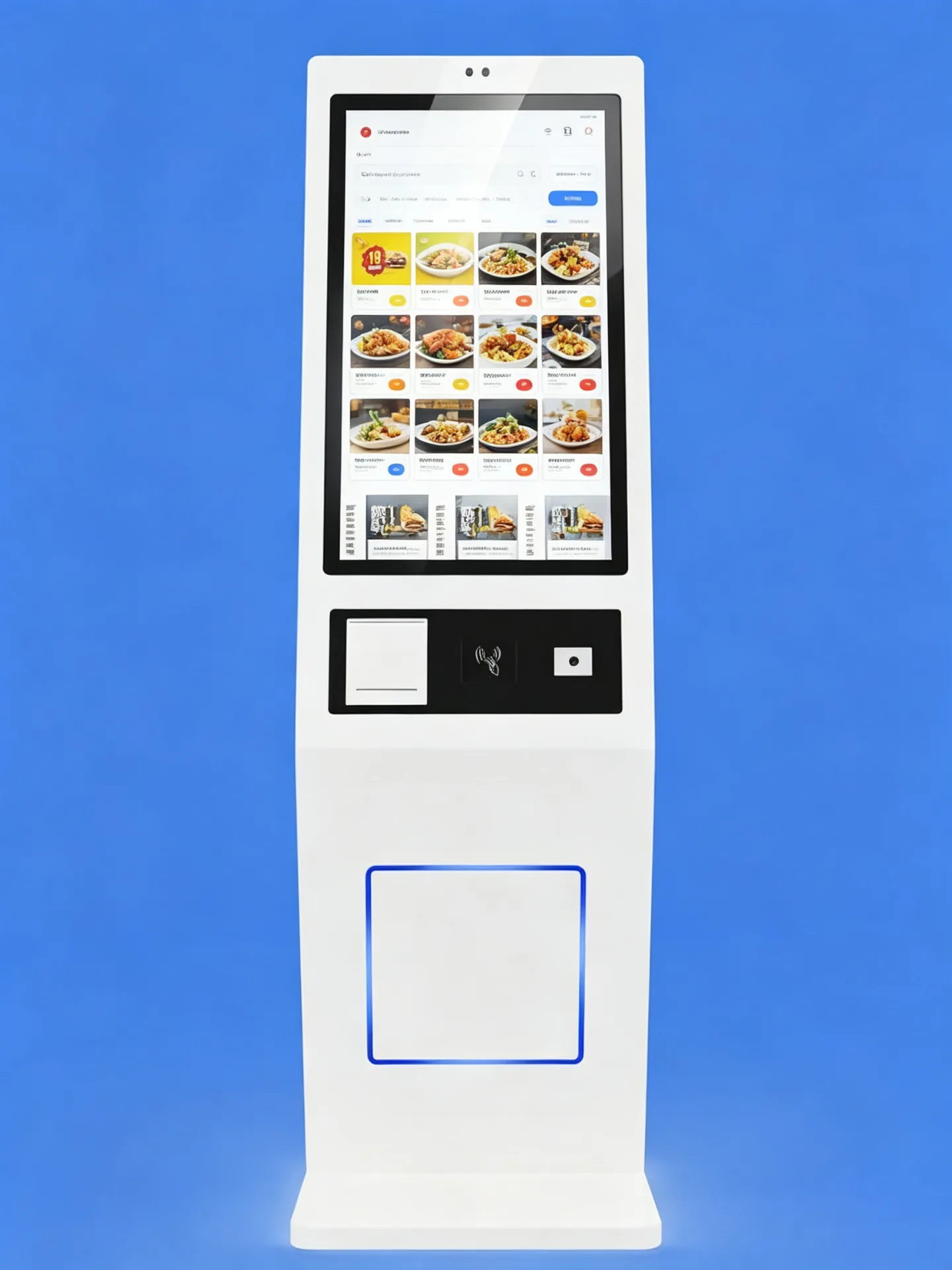
Commercial PCAP Touchscreen with Vertical Ordering Layout

Komerciāls skārienekrāns

Skārienjūtīgais ekrāns skaidrā vertikālā izkārtojumā attēlo digitālos ēdienkartes, produktu attēlus, pielāgošanas soļus un maksājumu instrukcijas. Ekrāna izmēru, izšķirtspēju, spilgtumu un skārienjūtīgās tehnoloģijas var izvēlēties atbilstoši atrašanās vietai, lietotāju plūsmai un programmatūras saskarnei.
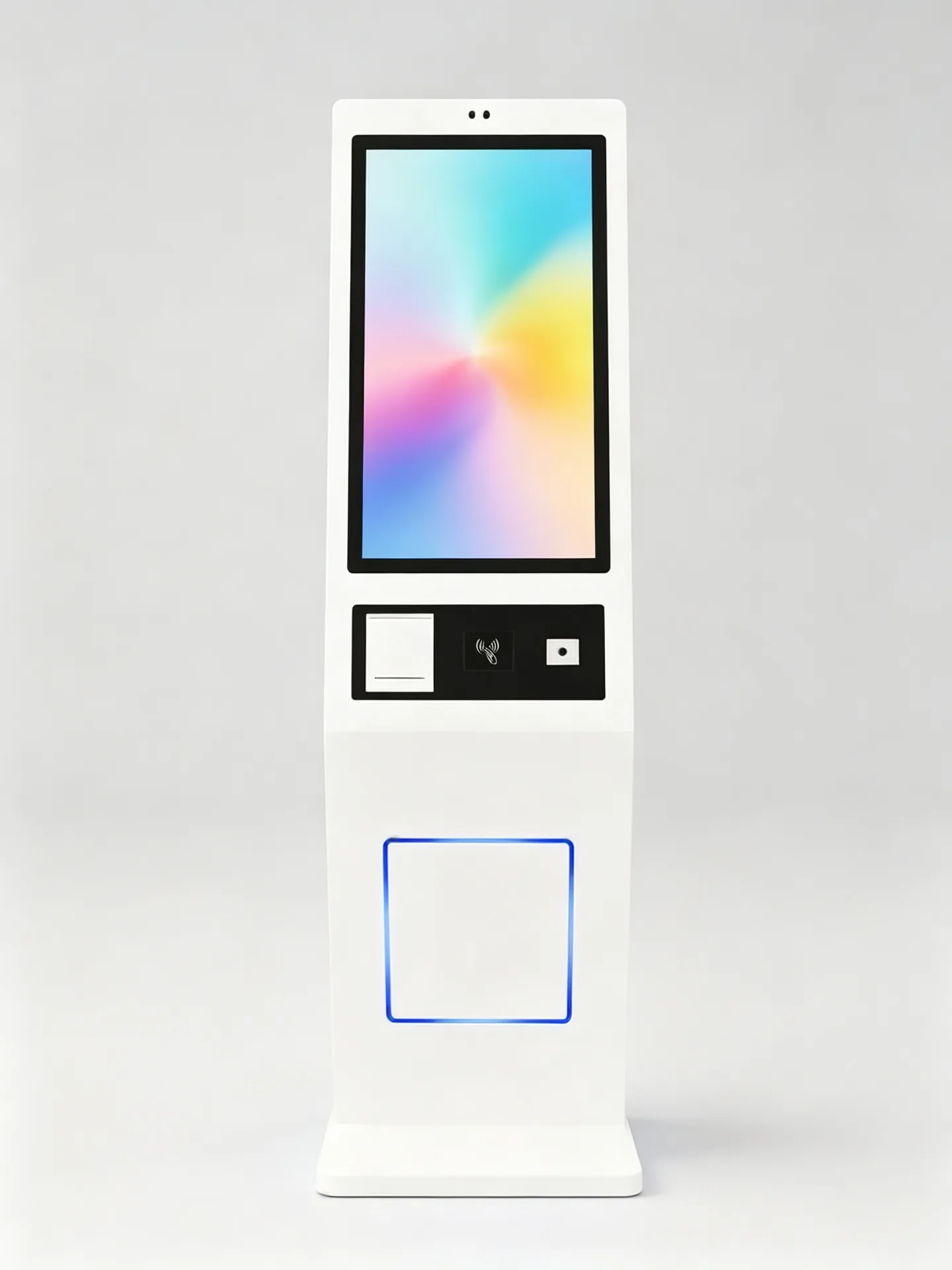
  • Large-format touchscreen for menu browsing and ordering
  • PCAP kapacitīvā skāriena opcija
  • Portrait display layout for restaurant ordering flow
  • Full HD or higher resolution options
  • Wide viewing-angle and anti-glare glass options
  • Durable front glass for public use
Standard Dimensions and Modular Layout of the Floor-Standing Kiosk Skārienekrāns Payment / Scan Printeris Stable Base

Floor-Standing Metal Enclosure

Freestanding metal kiosk structure with a stable base for indoor public environments. Standard dimensions and modular layout; custom sizes available.
  • Freestanding metal kiosk structure
  • Stable base for indoor public environments
  • Integrated space for printer, payment terminal, scanner and computing hardware
  • Slēptā kabeļu vadība
  • Rear or side maintenance access
  • Custom enclosure colour and logo
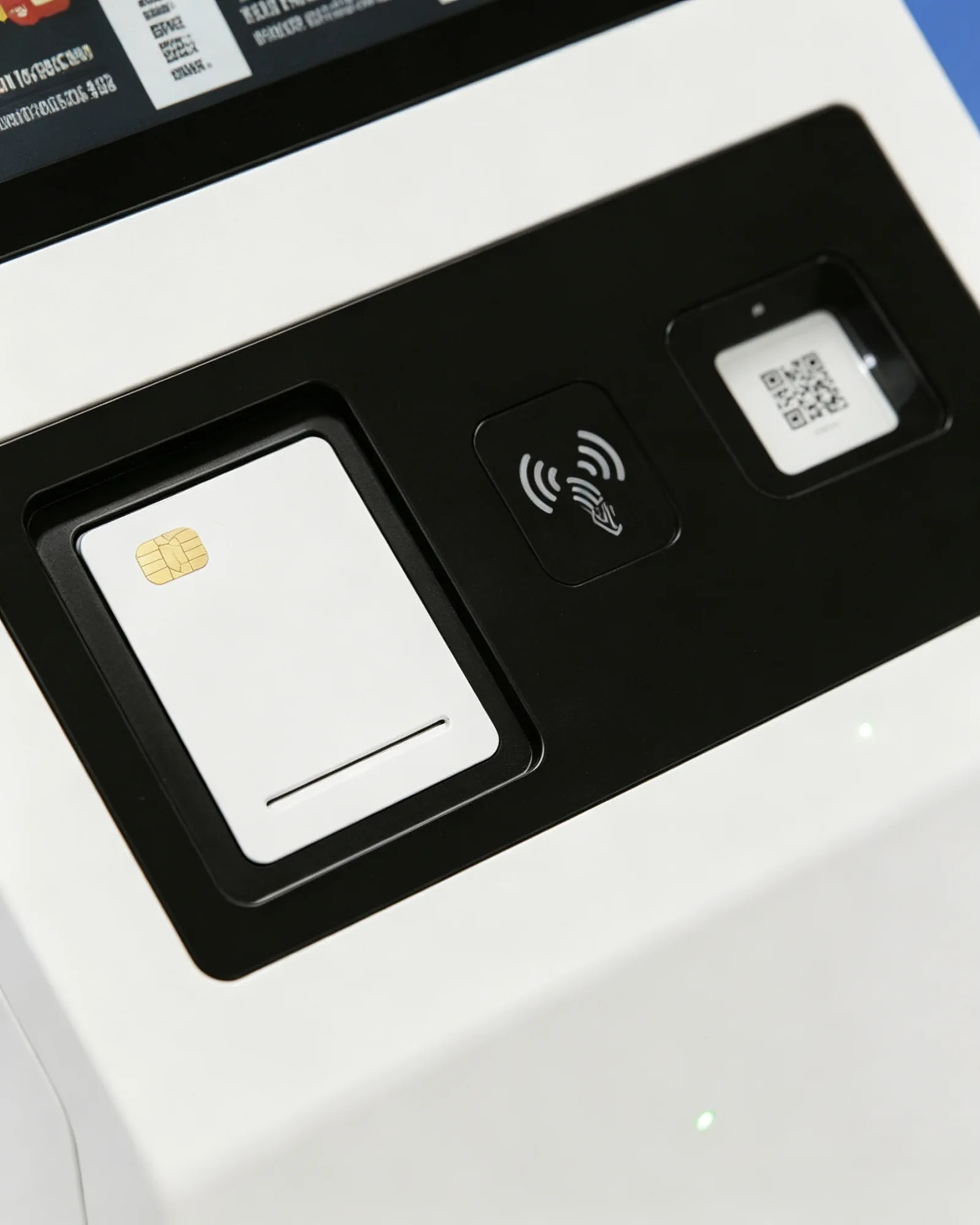
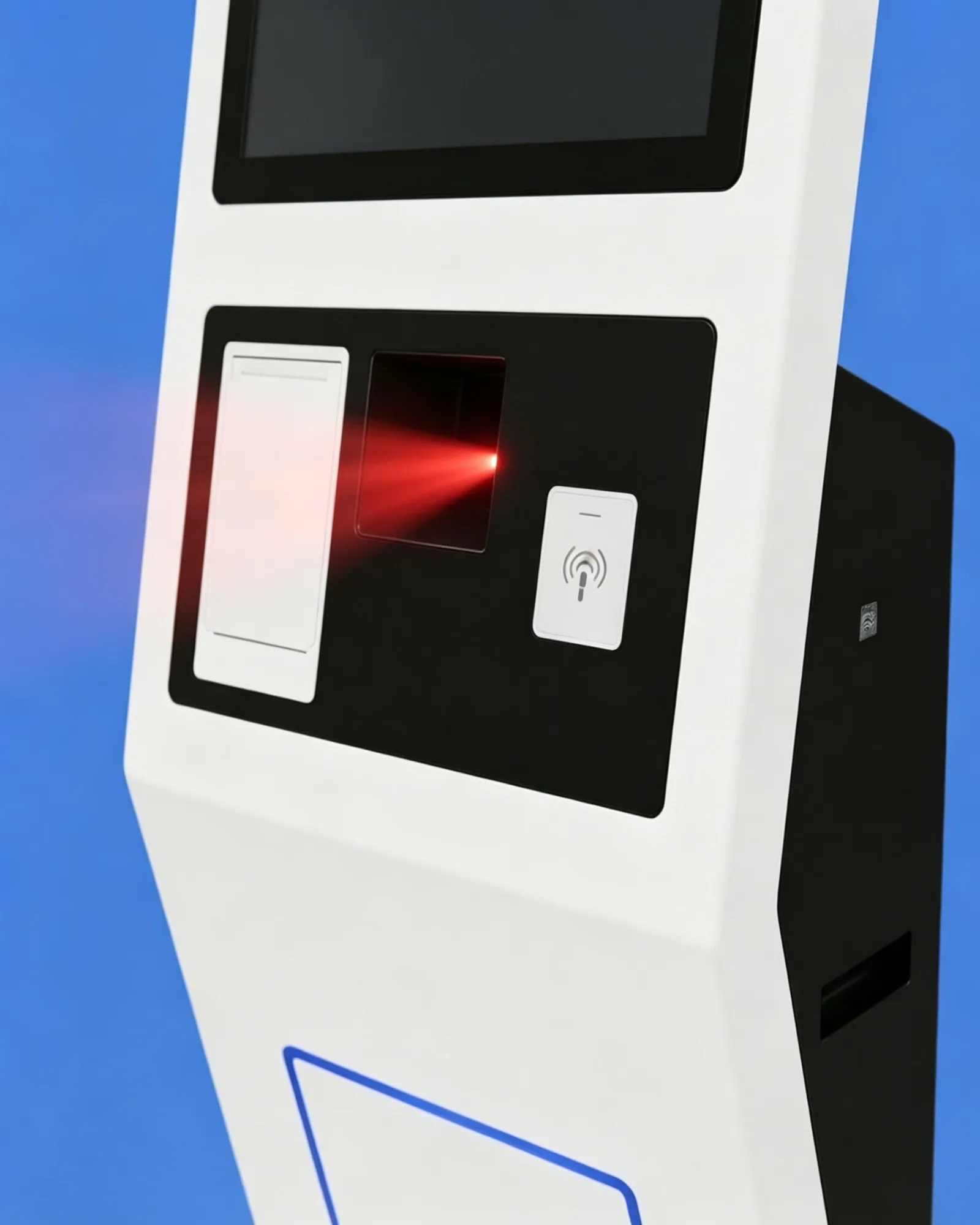
Configurable Payment and Scanning Zone

Payment Integration Zone

The black area below the screen is designed for a payment terminal, scanner window, NFC zone or order-confirmation module.
  • Payment-terminal bracket and card reader mounting area
  • NFC contactless payment zone
  • QR payment and coupon scanner window
  • Status indicator and custom cutouts
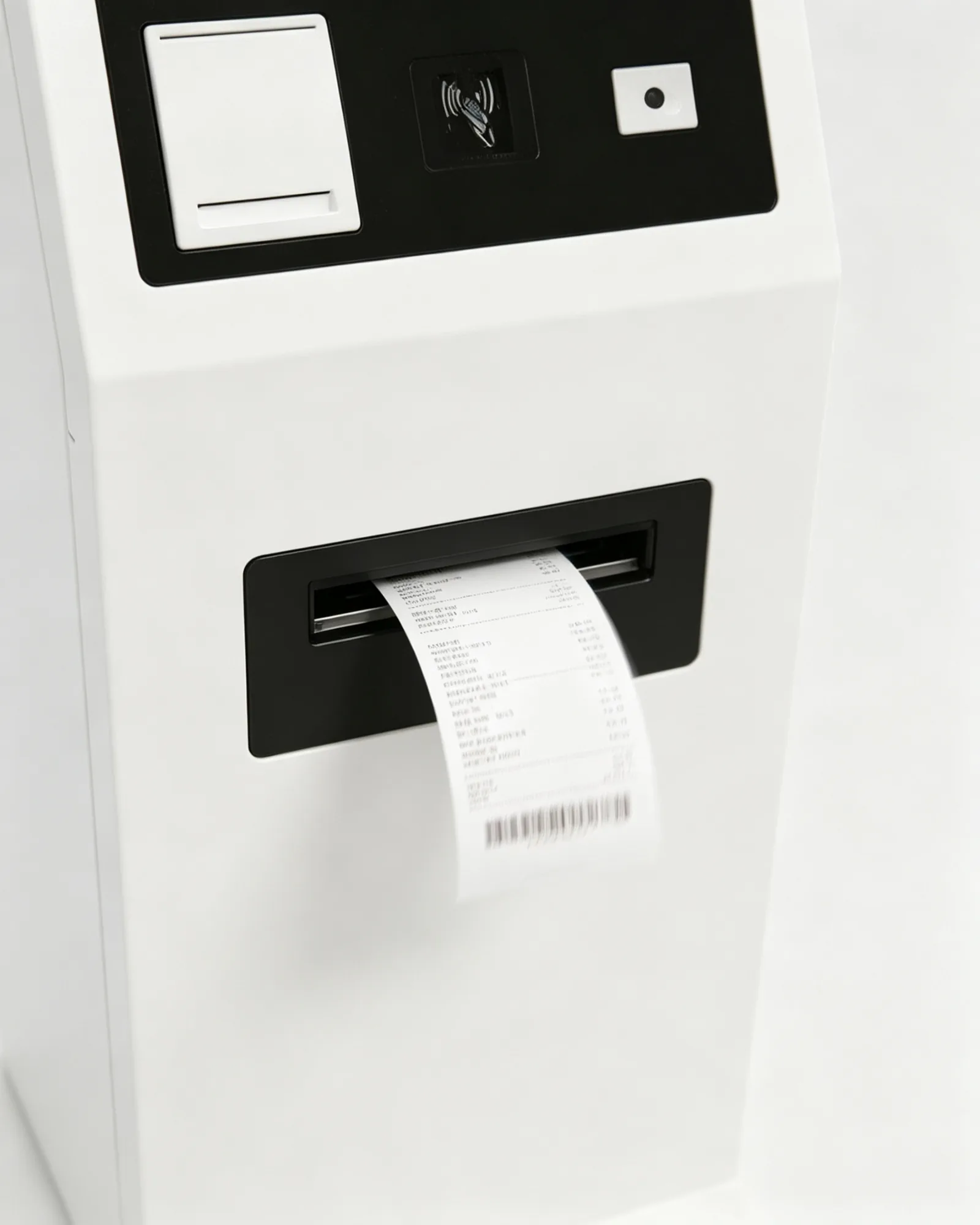
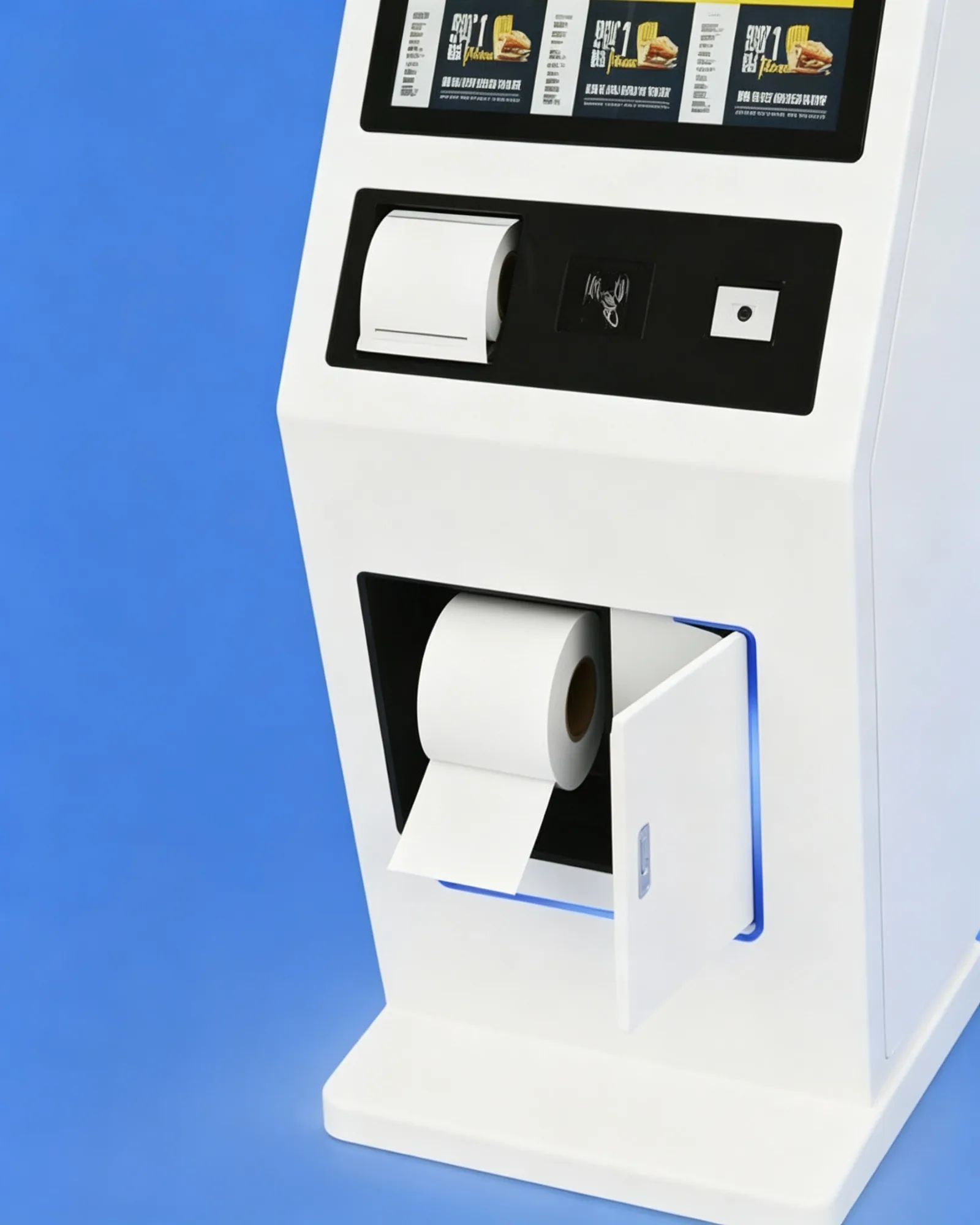
58 mm and 80 mm Thermal Printer Zone

Receipt and Ticket Printer Zone

58 mm or 80 mm thermal printer for receipts, pickup tickets, queue numbers and coupons.
  • 58 mm or 80 mm thermal printer
  • Receipt, ticket, queue and coupon printing
  • Easy paper-roll replacement access
  • Paper-low warning where supported
Optional QR, Barcode and NFC Modules

Optional QR, Barcode and NFC Modules

1D/2D scanner and NFC/RFID reader for membership, coupon, pickup and payment workflows.
  • Scan membership, coupon and pickup codes
  • Scan mobile payment and product barcodes
  • Read RFID membership and loyalty cards
  • Contactless identification support
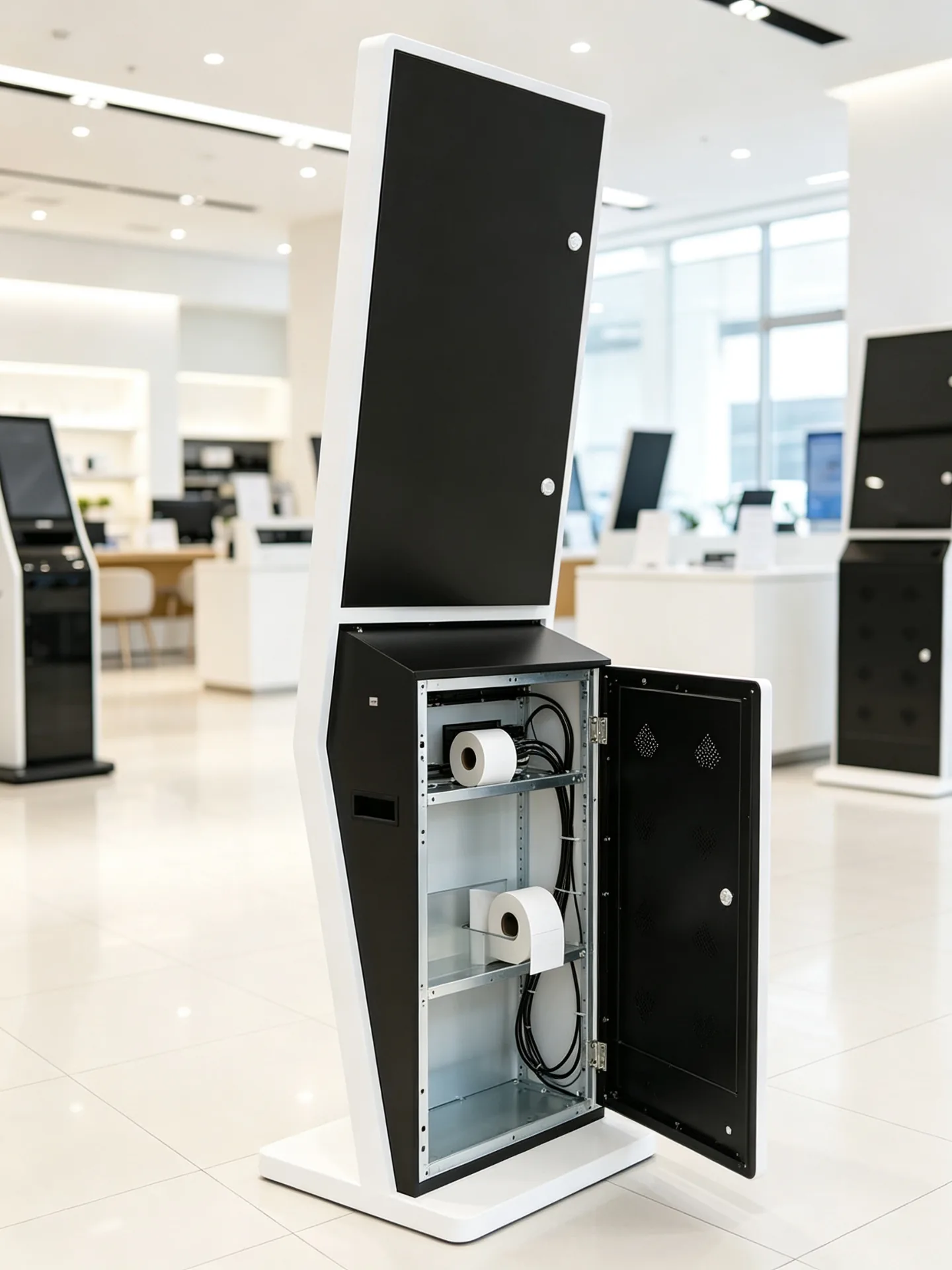
Service-Friendly Metal Enclosure with Concealed Cable Routing

Service-Friendly Maintenance

Rear or side service access with concealed cable routing and clear maintenance space for field service teams.

  • Rear or side service access door
  • Slēptā kabeļu vadība
  • Accessible printer paper replacement
  • Replaceable peripheral modules
Software and Integration

Connect the Kiosk to Your Restaurant Technology Stack

Choose the operating platform, then integrate menu management, POS, payment middleware and kitchen routing around your ordering workflow.

Android

For standard self-ordering, restaurant chains and lightweight software stacks.

  • Menu, ordering, CMS, membership and QR flows
  • Fast boot and kiosk-mode support
  • Cost-efficient chain deployment
Logi

For projects that run an existing POS, ordering or enterprise software.

  • Third-party software and complex payment stacks
  • Back-office and peripheral integration
  • Advanced system integration
Monitor-Only

For customers who already have an industrial PC, player or main controller.

  • AV and digital signage integration
  • Bring-your-own PC and terminal network
  • Simplified hardware supply
Integrated Panel PC

For projects that need an all-in-one computing and expansion platform.

  • Complete ordering machine in one unit
  • Complex peripherals and local applications
  • Expansion-ready I/O

POS Integration

  • Menu, price and promotion synchronization
  • Product availability and sold-out updates
  • Order creation and payment-status return
  • Customer account recognition
  • Sales reporting and store-level configuration

KDS and Kitchen Printer

  • Send paid orders to kitchen display or printer
  • Route by food category or preparation area
  • Send drinks to beverage station, food to kitchen
  • Display preparation status
  • Synchronize pickup number and ready notifications

Menu and Content Management

  • Remote menu and centralized price updates
  • New product launch and daypart scheduling
  • Store-specific menus and regional languages
  • Campaign content and product-image updates
  • Sales and usage reporting, subject to software platform
Software boundary: The kiosk can be supplied with a hardware platform, operating system and peripheral interfaces. Restaurant ordering software, POS integration, payment middleware, kitchen routing and cloud management may be provided by the customer, a software partner or a separately agreed integration project.
Pieteikumu scenāriji

Built for Food-Service and Customer Self-Service Environments

From fast food to milk tea, the same floor-standing kiosk adapts to different menus, payment habits and store layouts.
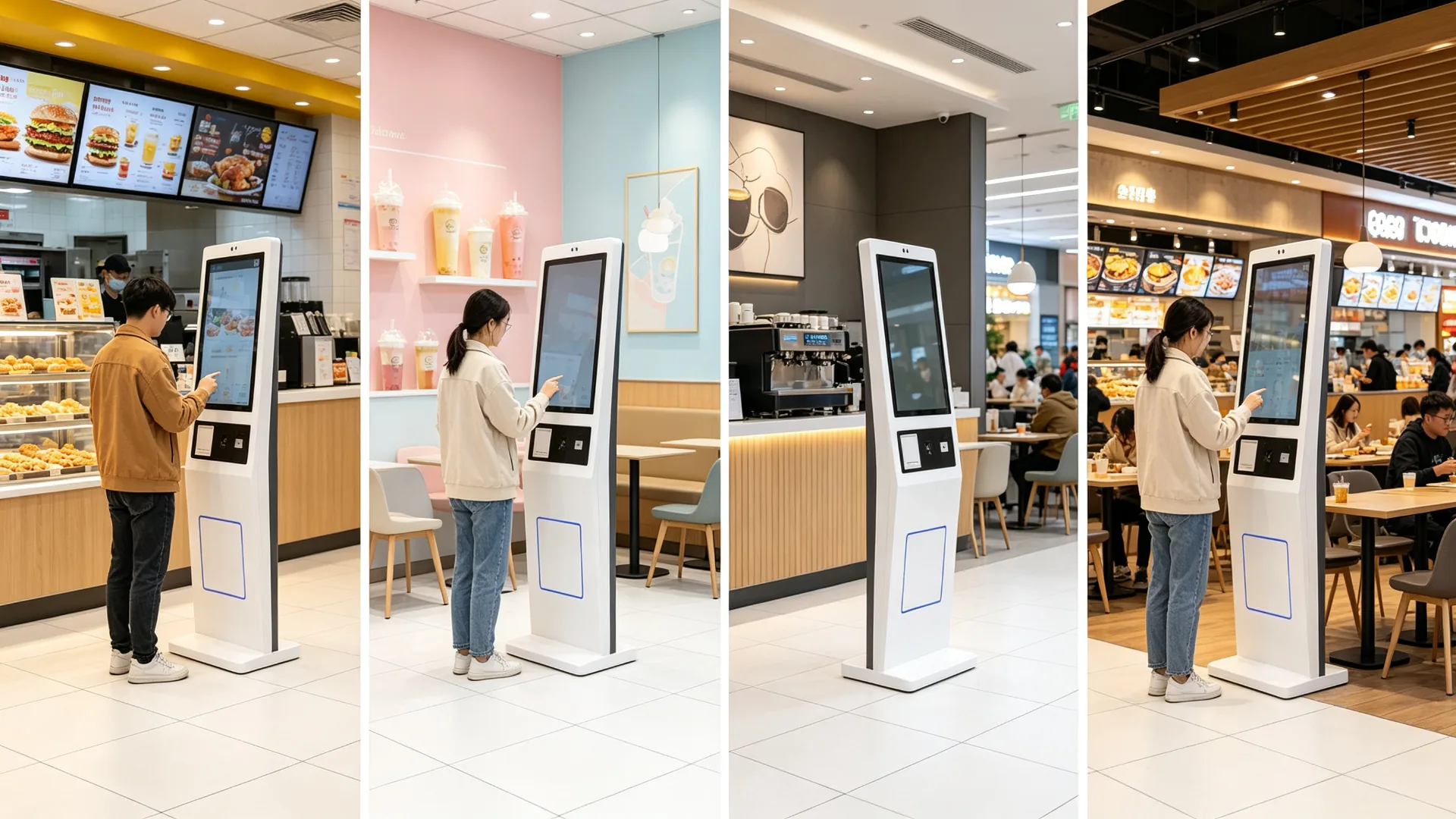
Self-Ordering Kiosk Built for QSR, Cafes, Milk Tea, Food Courts and Retail Food

Ātrās apkalpošanas restorāni

Burgers · Fried Chicken · Pizza · Sandwiches
  • Digital menu browsing and combo selection
  • Extra side-dish recommendation
  • Card or QR payment and receipt printing
  • Pickup-number generation
  • POS and KDS integration

Milk Tea and Beverage Shops

Milk Tea · Fruit Tea · Coffee · Ice Cream
  • Drink size, sweetness and ice-level selection
  • Topping, milk and flavour customization
  • Membership QR code and QR payment
  • Pickup ticket and seasonal promotions

Cafes and Bakery Shops

Coffee · Bakery · Dessert · Breakfast
  • Coffee customization and pastry recommendations
  • Breakfast combo promotion and loyalty rewards
  • Pre-order pickup and receipt printing
  • Dine-in or takeaway selection

Full-Service Restaurants

Entrance · Waiting Area · Takeaway Zone
  • Waiting-list registration and table-service request
  • Takeaway ordering and reservation lookup
  • Menu preview and membership validation
  • Payment or deposit handling

Food Courts and Shared Dining

Multi-Brand Ordering · Public Areas
  • Brand or category selection
  • Multi-merchant ordering and unified payment flow
  • Queue number and pickup screen integration
  • Multi-language user interface

Retail Food and Convenience Stores

Bakery · Fresh Food · Coffee Stations
  • Bakery self-service order terminal
  • Fresh-food ordering and coffee-machine ordering
  • Product barcode scanner kiosk
  • Coupon, membership and self-checkout terminal
Configuration and Specifications

Self-Ordering Kiosk Configuration Options

Every hardware module is selectable per project. Confirm the items below before quotation and production.

Konfigurācijas vienumsOptionsApstiprināt pirms piedāvājuma
Ekrāna izmērs15.6" / 21.5" / 23.8" / 27" / 32" or customMenu complexity, space and viewing distance
Displeja orientācijaPortretsOrdering UI and user flow
IzšķirtspējaPilna HD / 4K/projekta specifisksImage quality and text density
SkārienekrānsPCAP capacitive touchMulti-touch, glass and interaction needs
Operating systemAndroid / Windows / monitor-only / panel PCSoftware, POS, peripherals and budget
CPU / RAM / storageProject-based configurationApp performance and local content
Payment terminalCard / NFC / QR / external deviceCountry, provider, certification and SDK
Skeneris1D barcode / 2D QR code scannerMembership, coupon, payment or product scan
Printeris58 mm / 80 mm thermal printerReceipt, ticket, paper spec and volume
KameraPēc izvēlesVideo service, identification or analytics
AudioSpeaker / microphone / audio outputPrompts, voice and intercom needs
TīklsLAN / Wi-Fi / 4G / 5GPOS, CMS, payment and store conditions
SaskarnesUSB / HDMI / RS232 / RS485 / GPIOPeripherals and central-system integration
KabinetsStandard / custom metal enclosureBrand, colour, durability and device layout
BaseFreestanding base / anchor optionFloor, stability and installation requirements
BrandingLogo / housing colour / UI / packagingChain brand and OEM project needs

Custom sizes, colours and module layouts are available on request.
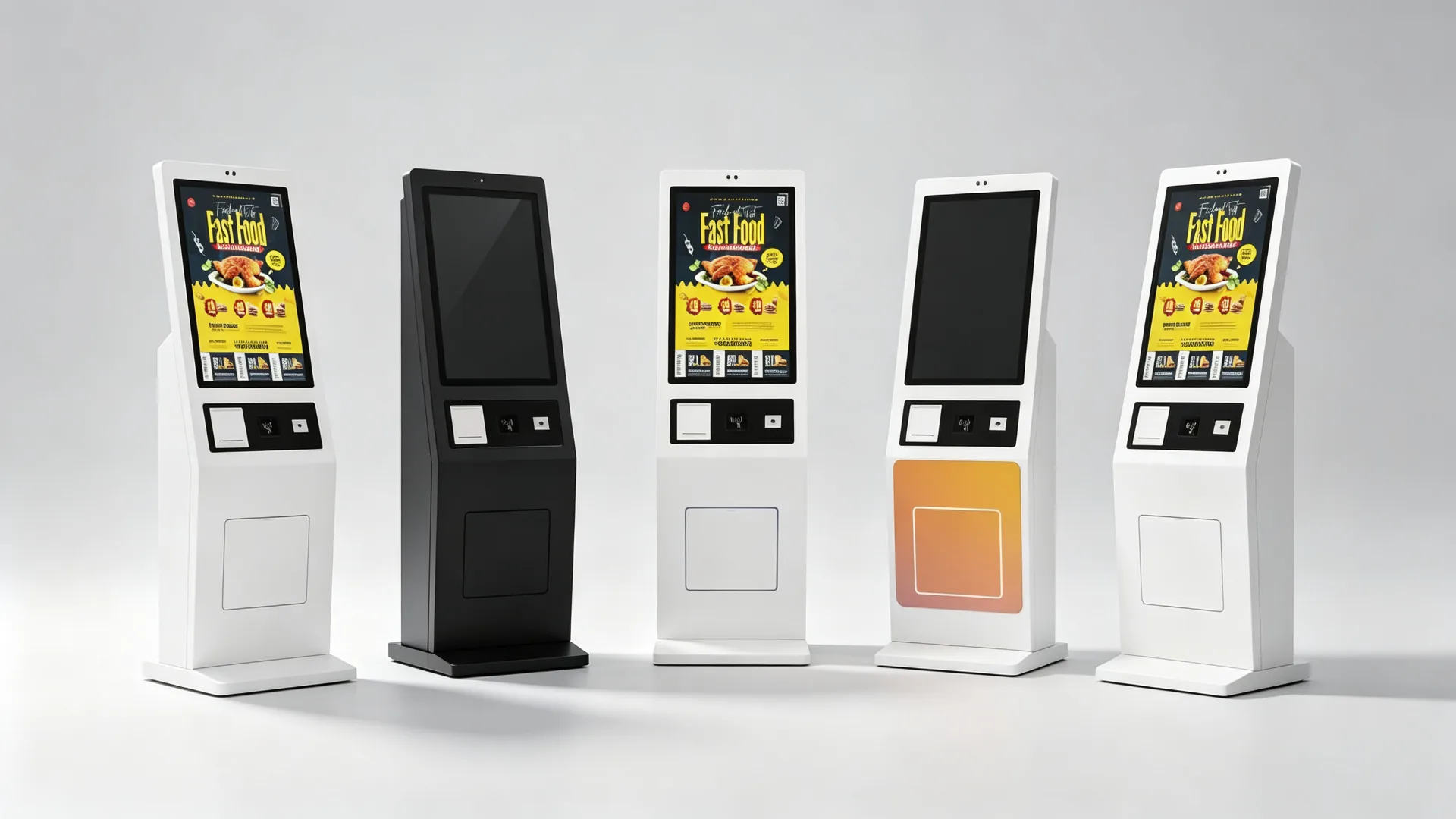
Configurable Screen, Payment, Scanner, Printer and Network Options

Typical Technical Parameters

Jaudas ieejaAC 100-240V, 50/60Hz (typical)
Darbības temperatūra0-40°C indoor (typical)
IetvarsFloor-standing metal, powder coated
DisplejsVertical TFT LCD, Full HD (typical)
PieskāriensPCAP capacitive, multi-touch
SaskarnesUSB / HDMI / RS232 / RS485 / GPIO / LAN
MontāžaFreestanding base, anchor option
UzturēšanaRear / side service access door

Typical values; final parameters depend on the approved configuration.

Store Deployment

Scale from One Restaurant to a Multi-Store Ordering Network

Pilot first, standardize the configuration, then deploy by store, city or region with remote software support and spare-parts planning.

Single-Store Deployment

For independent restaurants, single cafes, milk tea stores, pop-ups and new-store pilots.

  • Ordering software and screen size selection
  • Payment method, printer and network connection
  • POS integration and installation location
  • Staff training and go-live support

Chain and Franchise Deployment

For fast-food, milk tea, coffee and bakery chains with multiple cities or franchise networks.

  • Central menu and price management
  • Region-specific menus and daypart scheduling
  • Unified brand UI and remote software deployment
  • Device grouping and multi-store performance reporting
  • Spare-parts planning and standardized replacement process
Define ordering workflow and software scope
Confirm payment method and POS/KDS interfaces
Select kiosk hardware configuration
Install and test a pilot unit
Validate menu, payment, printer and kitchen routing
Adjust UI, enclosure and peripheral layout
Approve production configuration
Deploy by store, city or region
Establish remote-support and spare-parts procedures
Oem/odm

Custom Self-Ordering Kiosks for Restaurant Brands and Solution Providers

Configure the display, peripherals, enclosure and operating platform around your self-ordering workflow.
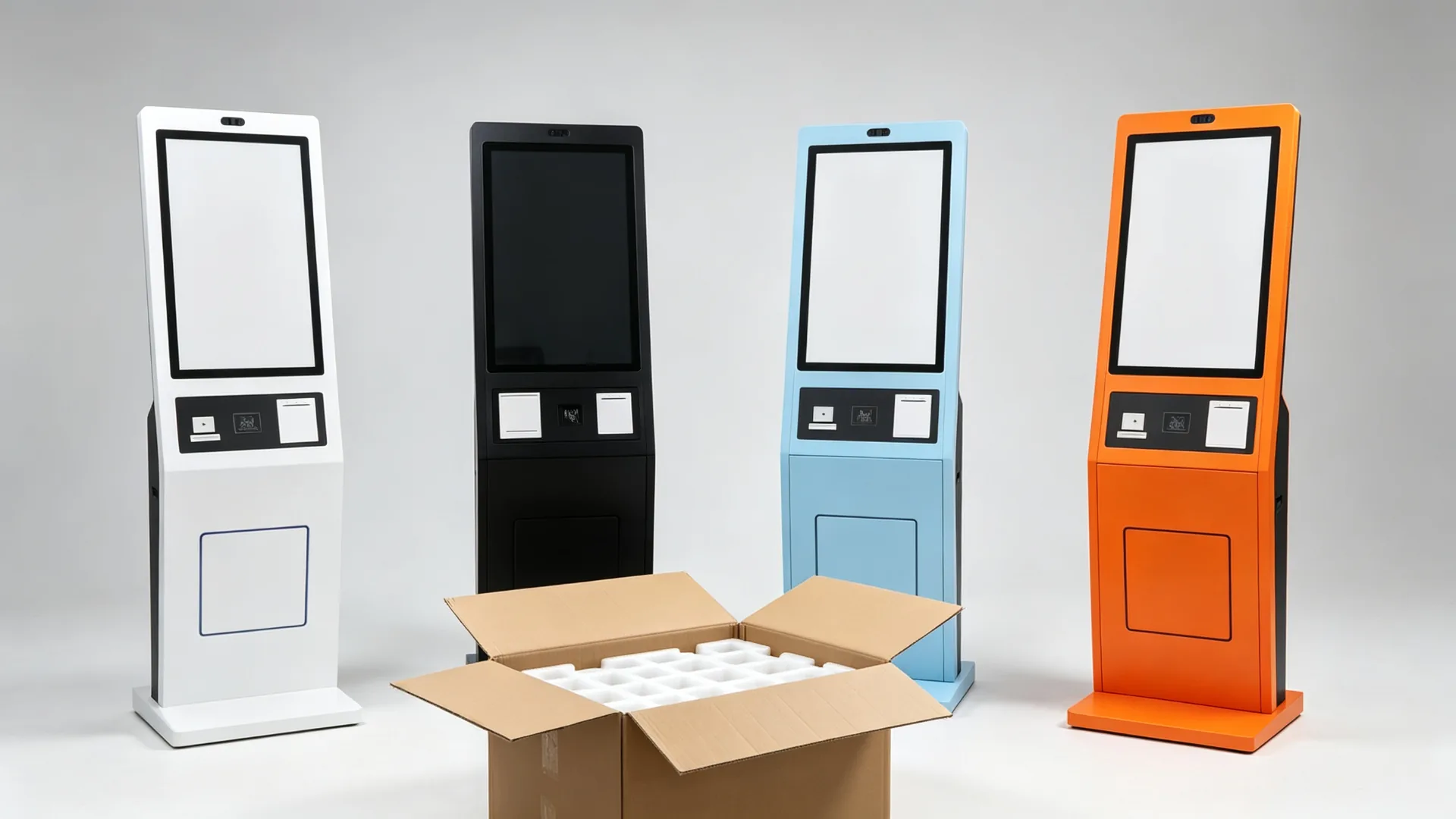
OEM/ODM Branding, Enclosure and Software Customization

Whether you are a restaurant-technology provider, POS software company, kiosk distributor or food-service brand, we can configure the touchscreen, payment peripherals, printer, scanner and enclosure around your ordering workflow. Branded launcher, boot logo, UI and packaging can be prepared for your project.

Enclosure and Structure

  • Custom enclosure design and cabinet colour
  • Powder coating, logo printing and brand graphics
  • Screen size and payment-terminal location
  • Scanner window, printer outlet and camera position
  • Speaker grille, cable routing and maintenance door
  • Base size and wall-mounted / countertop variants

Aparatūras pielāgošana

  • Android mainboard or Windows industrial PC
  • CPU, RAM and SSD per application
  • Different touchscreen sizes
  • Payment-terminal bracket, QR/barcode scanner and NFC/RFID reader
  • Thermal printer, camera, speaker and microphone
  • Network and 4G/5G module, custom I/O, UPS option

Software and Branding

  • Custom boot logo and branded launcher
  • Kiosk mode and restaurant menu UI
  • Multi-language interface and pre-installed ordering app
  • CMS support, API and POS/KDS integration coordination
  • Attālā ierīču pārvaldība
  • Custom packaging, manuals and labels
Quality and Delivery

Designed for Repeatable Commercial Deployment and Serviceability

Every unit passes functional testing and burn-in before export packaging, so multi-store rollouts arrive consistent.
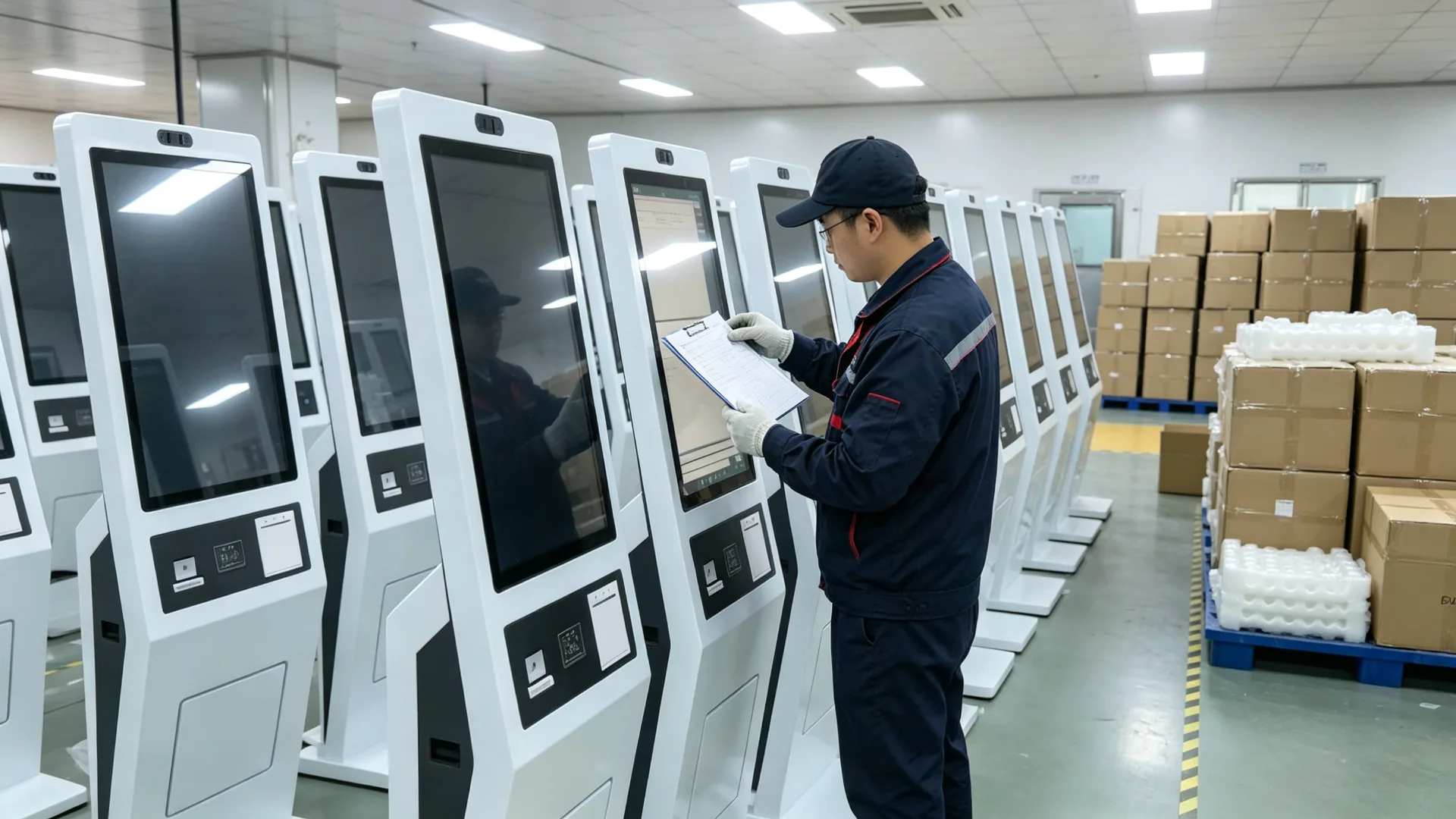
Quality Testing, Export Packaging and Multi-Store Deployment Support

Per-unit inspection covers the display, touch response, boot and application launch, payment-terminal communication, scanner and NFC reading, thermal printing, network, POS/KDS interface where included, power and cables, doors and locks, base stability, and long-duration burn-in before packaging.

Maintenance is designed for field service: rear or side access, replaceable paper, clear peripheral maintenance area and service documentation with wiring guidance. Remote software support and spare-part planning are arranged for chain deployments.

Quality Inspection Items

  • LCD-panel appearance and display colour test
  • Touchscreen response test
  • Android or Windows boot and app launch test
  • Payment-terminal communication test
  • QR / barcode scanner and NFC reader test
  • Thermal-printer printing test
  • LAN, Wi-Fi, 4G or 5G test
  • POS / KDS interface test where included
  • Power, cable, door and lock inspection
  • Long-duration burn-in and base stability inspection
  • Packaging and transport-protection inspection

Maintenance Design

  • Rear or side service access
  • Accessible printer paper replacement
  • Clear peripheral maintenance area
  • Replaceable scanner or payment-terminal module
  • Remote software support, subject to platform
  • Spare-part planning for chain deployments
  • Service documentation and wiring guidance

Project Delivery Process

  • Confirm application, country and payment market
  • Define screen, system, scanner, printer and payment
  • Confirm POS, KDS and software integration scope
  • Approve hardware layout, branding and mechanical drawing
  • Develop and test sample or pilot unit
  • Conduct functional and burn-in testing
  • Pre-shipment inspection
  • Export packaging, manuals and accessory list
  • Batch delivery and remote commissioning support
Commercial and Delivery

What B2B Buyers Need to Know Before Ordering

Samples, lead time, warranty, payment terms, packaging and certification support are confirmed per project so there are no surprises at rollout.

Warranty and After-Sales

A commercial warranty and after-sales support are included with each project. Warranty terms, remote troubleshooting, spare-parts supply and service documentation are confirmed in the sales agreement.

For chain deployments, spare-parts planning and a standardized replacement process keep store uptime predictable.

MOQ and Lead Time

MOQ and lead time depend on configuration and quantity. A pilot unit can be built and tested before mass production; the production lead time is confirmed after engineering approval.

For large rollouts, batch delivery can be phased by store, city or region.

Samples and Pilot Units

Sample or pilot units are available so you can validate the menu, payment, printer and kitchen routing in a real store before approving the production configuration.

The approved sample is used as the baseline for mass production.

Payment and Trade Terms

Payment terms (such as T/T or L/C) and trade terms (EXW, FOB, CIF, DDP) are agreed per project, together with the delivery schedule and documentation package.

Packaging and Logistics

Units ship in export cartons with foam and corner protection, palletized for sea or air freight. Manuals, wiring diagrams, test reports and an accessory list accompany each shipment.

Certification and Documentation

Documentation for your target market is coordinated during project review. Market-specific certification requirements and payment certifications are confirmed with the selected providers.

Projekta gadījumi

Representative Self-Ordering Kiosk Deployments

A look at how the floor-standing kiosk has been configured for different food-service formats. Details are anonymized for confidentiality.

QSR Chain

Multi-City Fast-Food Rollout

Android kiosks with QR payment and kitchen routing

  • Standardized digital menu and pricing across stores
  • Card and QR payment at the kiosk payment zone
  • Paid orders routed to the kitchen display system
  • Receipt and pickup-number printing for order flow
Milk Tea Brand

Franchise Drink Customization

Touchscreen kiosks with drink customization UI

  • Size, sweetness, ice and topping selection on screen
  • Membership QR scanning for loyalty points
  • 58 mm thermal printer for pickup tickets
  • Seasonal drink promotions updated remotely
Cafe Franchise

European Multi-Language Cafe Network

Windows-based kiosks with EMV terminal integration

  • EMV payment terminal mounted in the payment zone
  • Four-language menu interface for tourist locations
  • POS integration for sales reporting and menu sync
  • Branded launcher and boot logo per franchise
Food Court

Shared Dining Area Ordering

Multi-brand ordering with queue and pickup display

  • Brand and category selection in one kiosk
  • Unified payment flow across merchants
  • Queue numbers synchronized with pickup display
  • LAN network connection for central management

Representative project profiles; customer and brand details are anonymized. Configuration shown for reference only.

Faq

Bieži uzdotie jautājumi

Common questions from restaurant groups, integrators and kiosk distributors.

What is a self-ordering and payment kiosk?
A self-ordering and payment kiosk is a customer-facing touchscreen terminal that allows guests to browse menus, customize items, apply promotions, complete payment and receive an order confirmation without placing the full order through a staffed cashier counter.
Can this kiosk accept card and QR payments?
Payment options depend on the selected payment terminal, payment provider, local market, payment software and required certifications. The kiosk can be configured with compatible mounting space, communication interfaces and peripheral integration for a project-specific payment solution.
Can the kiosk connect to our POS system?
POS integration can be evaluated based on your POS provider, API, software architecture, order-routing requirement and hardware interfaces. Please provide technical documentation or contact details for the POS software provider during the project review.
Can orders be sent to a kitchen display system?
Yes, if the ordering software and restaurant system support KDS integration. Orders can be routed to a kitchen display, kitchen printer or order-management platform according to the configured workflow.
Can the kiosk print receipts and pickup tickets?
Yes. A 58 mm or 80 mm thermal printer can be integrated for receipts, pickup numbers, order tickets or coupons. Printer width, paper type, print content and paper-roll access should be confirmed before production.
Can customers scan a membership code or coupon?
Yes. A 1D/2D barcode or QR code scanner can be configured for membership identification, coupon redemption, order-pickup validation or mobile payment workflows.
Is the kiosk available with Android or Windows?
Android and Windows configurations may be available. Android is often suitable for dedicated ordering applications, while Windows can be selected for specific third-party software, POS environments or advanced integration requirements.
Does the kiosk include restaurant ordering software?
The kiosk can be supplied with the hardware platform, operating system and peripheral interfaces. Ordering software, POS integration, payment service, kitchen routing and cloud management must be confirmed separately and may be supplied by the customer, a software partner or a dedicated integration project.
Can the enclosure be customized with our brand?
Yes. Customization can include the kiosk colour, logo, screen size, payment-terminal area, printer outlet, UI, startup screen, packaging and instructions.
Is the kiosk suitable for milk tea and coffee customization?
Yes. With suitable ordering software, the kiosk can present drink size, sweetness, ice level, toppings, milk choices, flavours, add-ons and promotional bundles.
What is the MOQ and typical lead time?
MOQ and lead time depend on configuration and quantity. A pilot unit can be produced and tested before mass production, and the lead time is confirmed after engineering approval. Batch deliveries can be phased by store, city or region.
What warranty and after-sales support do you provide?
A commercial warranty and after-sales support are included. Warranty terms, remote troubleshooting, spare-parts planning and service documentation are confirmed in the sales agreement, and spare-parts planning is available for chain deployments.
Can we receive a sample or pilot unit before mass production?
Yes. Sample or pilot units are available so you can validate the menu, payment, printer and kitchen routing in a real store. The approved sample is used as the baseline for mass production.
Do you provide certification documents for our market?
Documentation for your target market is coordinated during project review. Market-specific certification requirements and payment certifications are confirmed with the selected payment provider and software integrator.
Can the kiosk be supplied without ordering software (monitor-only)?
Yes. The kiosk can be supplied as a monitor-only unit for customers who already have an industrial PC, player or main controller, or as a complete Android / Windows / panel-PC configuration with the agreed software scope.
What information is needed for a quotation?
Please provide application and restaurant type, screen size, required quantity, target market, operating system, POS and KDS details, payment method, printer requirement, QR/barcode/NFC requirement, network requirement, branding requirement, target delivery date, required certifications and software integration scope.

Configure Your Restaurant Self-Ordering Kiosk Project

Whether you are launching a self-ordering solution for a single restaurant or deploying a standardized kiosk network across multiple QSR, cafe or beverage-store locations, we can help configure the display, payment peripherals, printer, scanner, operating system and enclosure for your workflow. Share your menu system, POS/KDS platform, payment requirements, target market and order quantity, and our team will recommend a suitable self-ordering kiosk configuration for your project.


Sūtīt ziņu:

Produkti