
















Sinu positsioon >  Kodu.  >  Tooted  > Kiosk  > Maksekiosk  > 
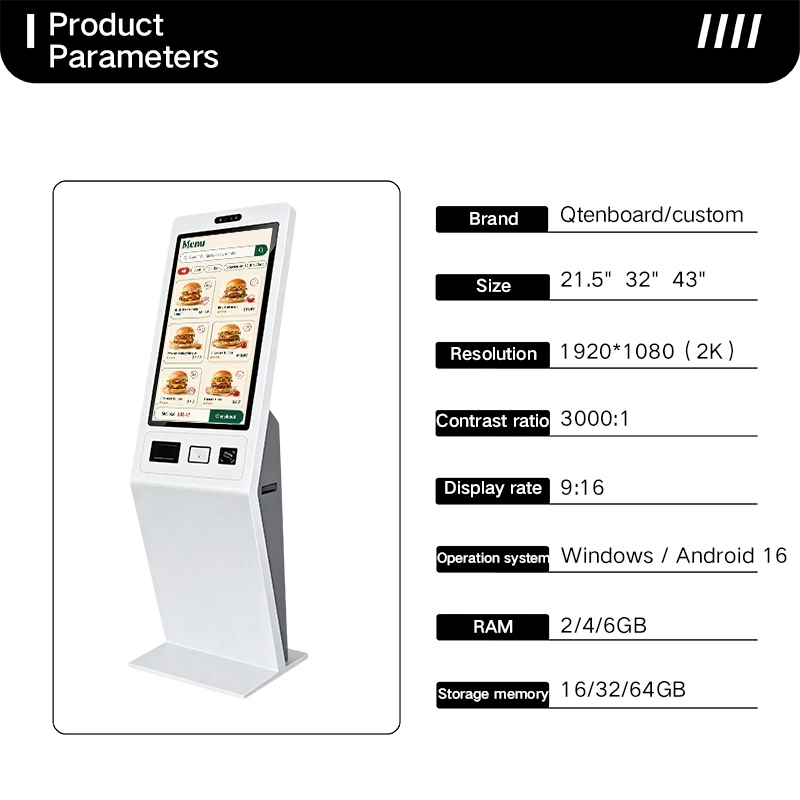
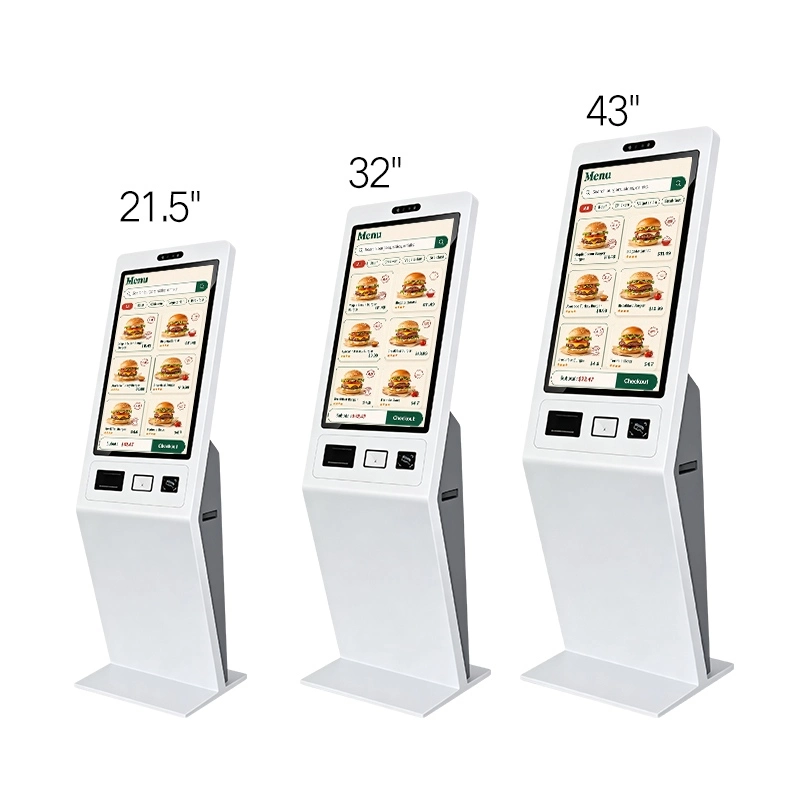
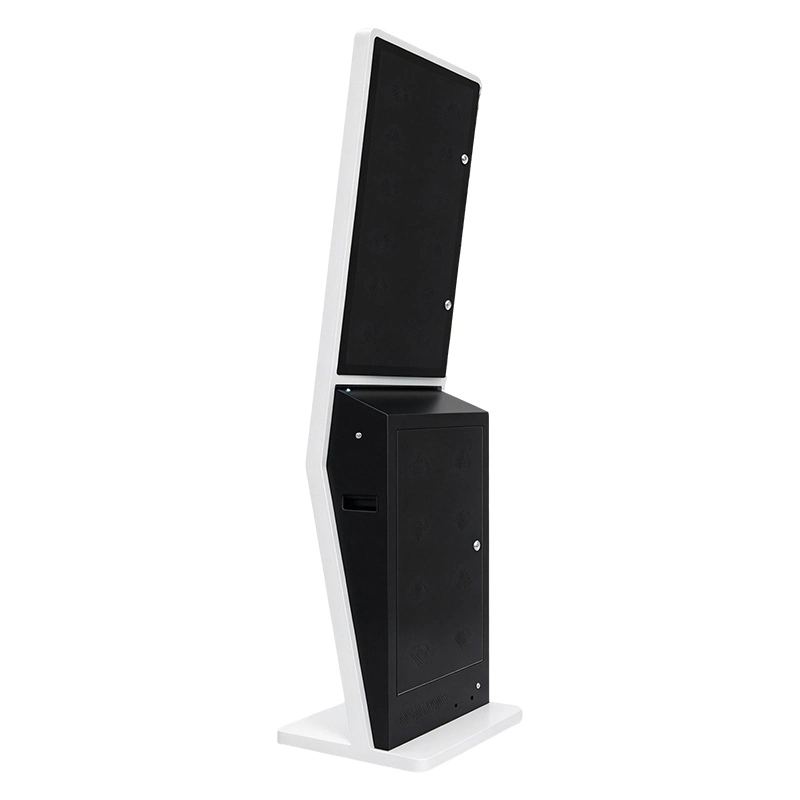
Floor standing self ordering kiosk product parameters, 21.5 32 43 inch touch screen self‑service payment terminal for fast food restaurant Self‑order kiosk size comparison, 21.5 inch,32 inch,43 inch floor‑standing self‑service ordering touch terminal for fast‑food store` Floor standing self ordering kiosk rear back view, locked maintenance access cabinet, indoor self‑service ordering terminal back side

Restoran ise tellimine Kiosk põrandapõranda QSR makse kiosk

Qtenboard ANATEL Certificate Qtenboard CB Certificate Qtenboard CE Certificate Qtenboard EMC Certificate Qtenboard ERP Certificate Qtenboard FCC Certificate Qtenboard EDLA Certificate Qtenboard EPEAT Certificate Qtenboard ENERGY-STAR Certificate Qtenboard ISO4001 Certificate Qtenboard ISO9001 Certificate Qtenboard ISO27001 Certificate Qtenboard ISO45001 Certificate Qtenboard LVD Certificate Qtenboard PVOC Certificate Qtenboard RETIE Certificate Qtenboard RoHs Certificate

Tehnilised kirjeldused:

Põrandale Enese tellimine ja makse Kiosk Restoranid ja QSRid

Kaubanduslik iseteeninduskiosk restoranidele, kohvikutele, piimateepoodidele ja kiirteenuse kaubamärkidele. Seadistada puuteekraani, operatsioonisüsteemi, makseterminali, QR ja vöötkoodi skanneri, NFC lugeja, termilise printeri ja POS/KDS integratsioon sobivad oma tellimise töövoogu.
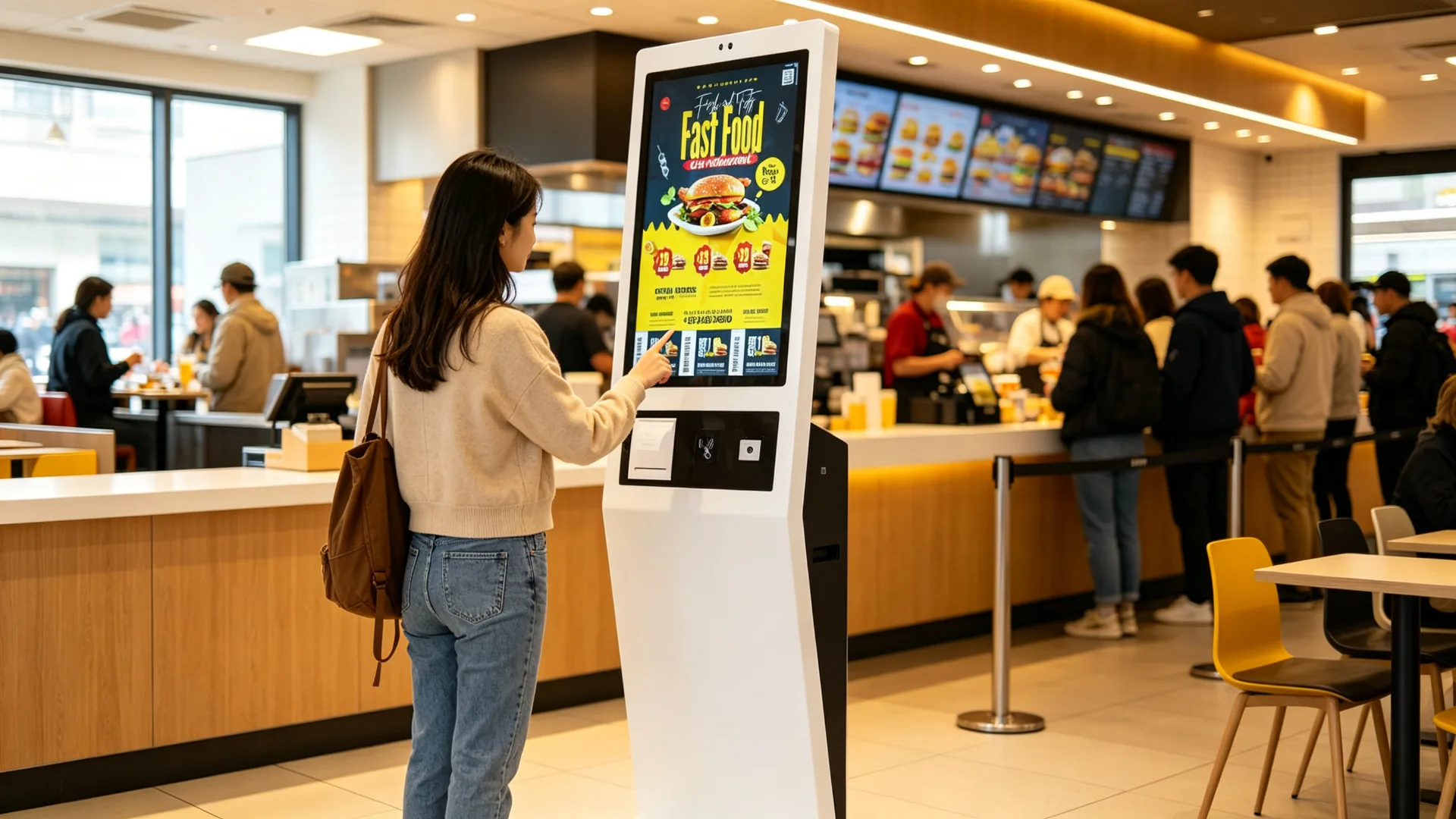
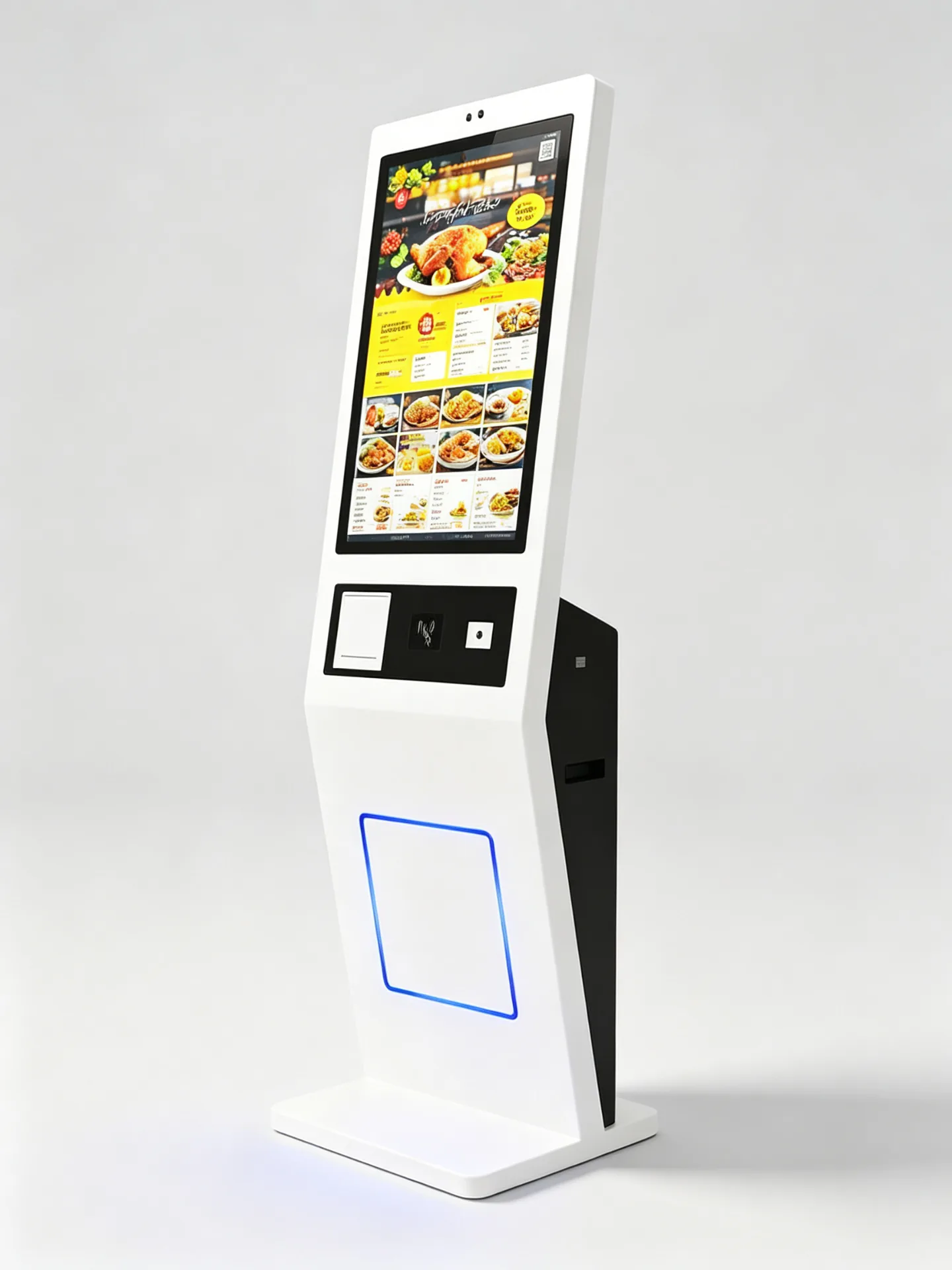
Suur puuteekraani tellimise liidese Digitaalmenüü ja toote kohandamine Vabatahtlik kaart, NFC ja QR makse Vabatahtlik vöötkoodi ja QR koodskanneri Valikuline 58 mm või 80 mm soojusprintir Android, Windows või ainult monitori seadistus POS ja köögisüsteemi integratsioon valmis. Põrandale seisnev metallkiosk OEM brändi ja projekti kohandamine
Floor-Standing Self-Ordering and Payment Kiosk for Restaurants and QSRs
Kaubanduslik hindEnne saadetist testitud QC
Tehase otse tootjaOma teadus- ja arendustegevuse ja tootmisliine
OEM / ODM kohandaminePiirangud, kaubamärgid
Katsetatud QC ja põlenudFunktsionaalne testimine ühiku kohta enne kättetoimetamist
Ekspordi pakendamineKarpides, vahtplastis ja kaubaalustel saatmine
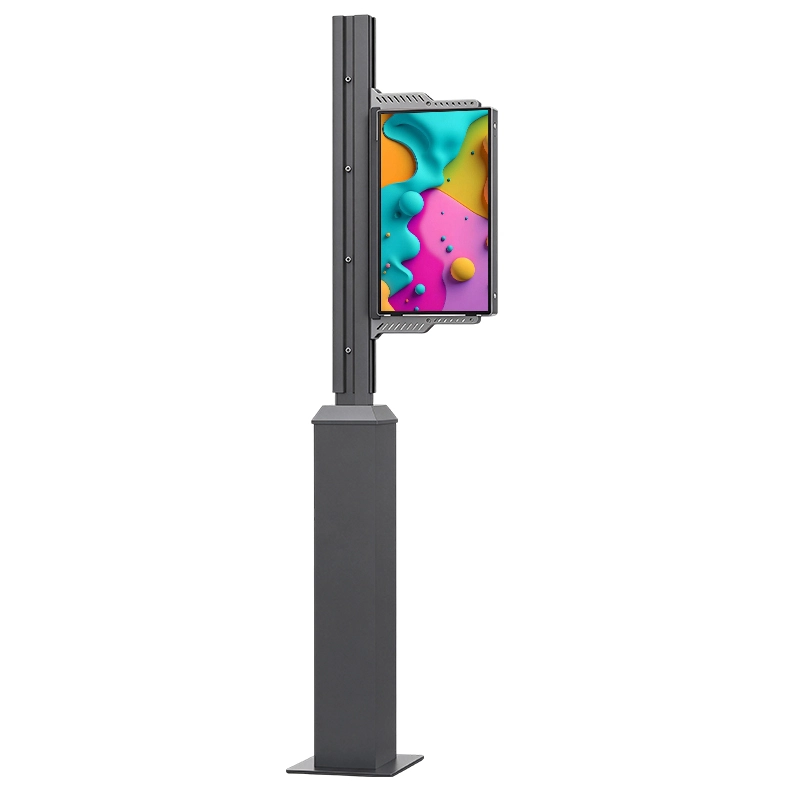
Freestanding Metal Kiosk with Vertical Touchscreen and Integrated Payment Zone
Toote väärtus

Vähendage tellimisjärjekordi ja looge ühtlane iseteeninduskogemus

Hõivatud restoranid peavad teenima rohkem kliente, ilma et tellida aeglasemaks või vähem täpseks. Enese tellitav kiosk annab klientidele selge digitaalse menüü, toote kohandamise võimalused ja makse juurdepääs ühes fikseeritud iseteenindusjaamas.

Põrandal asuv restorani kiosk aitab operaatoritel suurendada tellimisvõimet tippperioodidel, standardiseerida menüü esitluse kauplustes ja edendada asjakohaseid uuendusi, pakette ja lisa-ons enne kui kliendid täielikult makse.

Rohkem tellimuste esitamise võimalusitipptundide ajal
Väiksem sabarõhkKassasjaamas
Standardiseeritud menüüdHinnad, pildid ja brändi visuaalid
Iseteeninduslik kohandaminesuurus, maitse, lisandid ja kombinatsioonid
Täiendmüügipakkumine enne maksmistLisad, uuendamised ja kombinatsioonid
Vähem tellimusveadvõrreldes suulise tellimuste vastuvõtmisega
Mitmekeelsed menüüdturistidele ja lennujaamadele
Süsteem valmis.POS-, KDS- ja liikmelisuse integratsioon
Keti juurutaminekaugtarkvara ja seadmete haldus
Partiaalne riistvara tarnimineMitmepoodi kasutuselevõtud
KES OSTAB SEDA ISERIIVLINNA RESTORANIKIOSKIT?
  • QSR ja kiirtoiduketid
  • Restoranigrupid
  • Kohvipood ja piimatee kaubamärgid
  • Toiduturu operaatorid
  • Frantsiisihaldusettevõtted
  • Restoran POS pakkujad
  • Restorani SaaS-ettevõtted
  • KDS ja köögiseadmete integraatorid
  • Eneseteenuse kioski levitajad
  • Jaekaubanduse ja külalislahkuse süsteemi integraatorid
  • Toiduteenuse seadmete tarnijad
Isepannukordade töövoo

Juhend Kliendid Menüü Valik tellimuse kinnitus

Üks iseteeninduse liides viib külalise läbi sirvimise, kohandamise, pakkumised, makse ja kinnituse, seejärel saadab tellimuse oma restorani operatsioonide süsteemid.
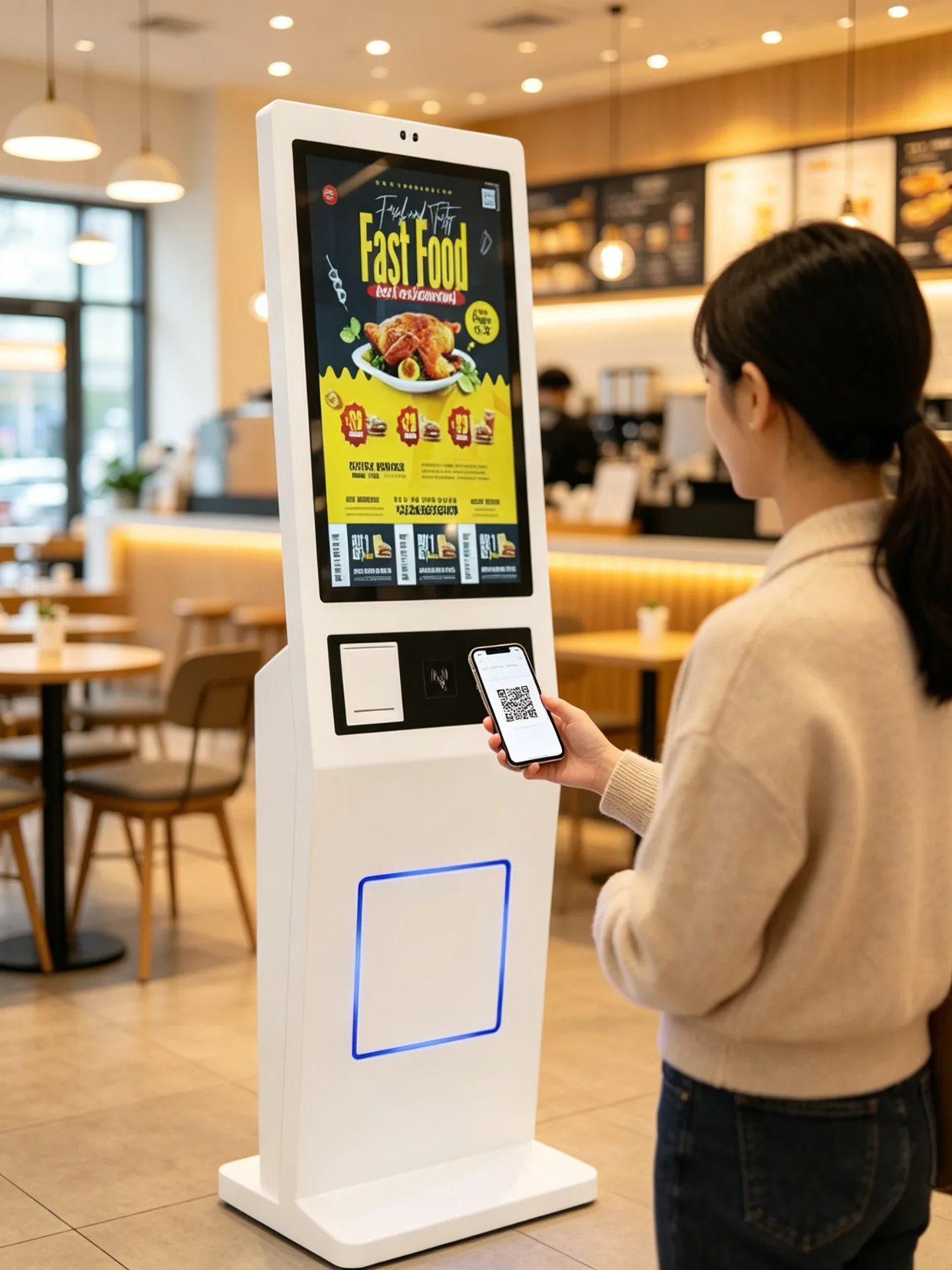
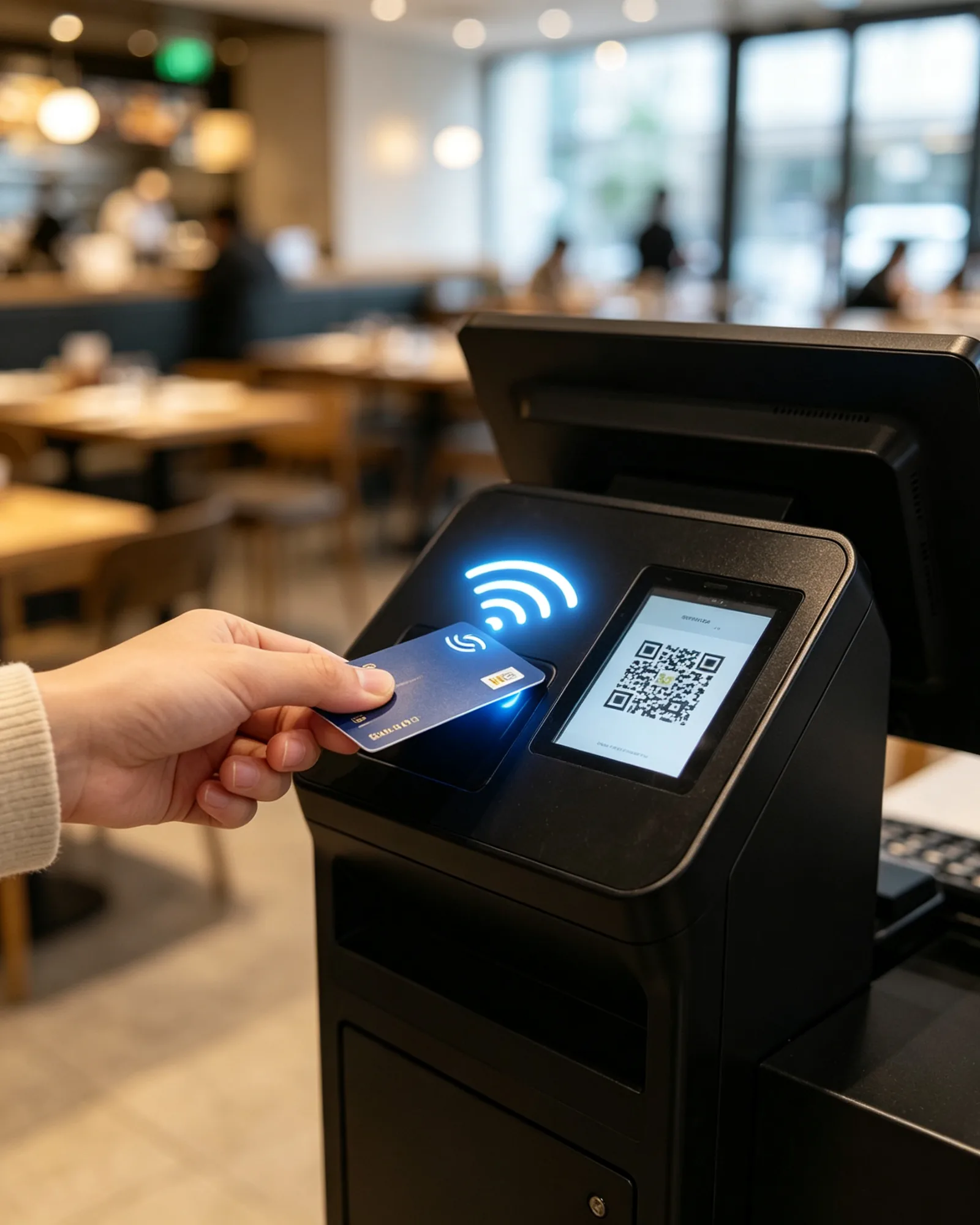
01 SirviDigitaalmenüü kategooriate, piltide ja hindadega
02 KohandaSuurus, maitse, toppingid, magusus ja jää
03 Pakkumiste rakendamineLiikmesus, kupongid ja lojaalsuse valideerimine
04 TasuKaart, NFC, mobiilrahakott või QR makse
05 KinnitaLaekumine, pilet ja järjekorra number
06 Saada POS/KDS-leAutomaatne tegutsemisviis
Burksid Joogid Külged Kombos Magustoidud
6,90 USA dollari
4,50 dollarit.
3,20 dollarit.
9,80 USA dollarit
5,60 USA dollarit
4,90 USA dollari
3 kirjet · 21,50 Väljavõte
Digitaalmenüü sirvimine Kategooriad, tootepildid, hinnad, kättesaadavus ja mitmekeelsed menüüd vertikaalsel korraldusplaadil.
Jääpiimatee5,80 USA dollarit
Suurused
SML
Magusus
0%30%50%100%
Jää tase
TavapäraneVäiksem.Jää puudub
Toppingid
PärlPudingidKookospähklit
2 toppingi Lisa järjekorda
Toote kohandamine Joogi suurus, magus, jäätase, toppings, piima võimalused, kombineeritud uuendused ja erijuhised.
Membership QR, Coupon and Loyalty Validation
Liikmesus ja pakkumised Liikmesus QR, vöötkoodi kupongid, lojaalsuspunktid, promokoodid, kinkekupongid ja app tellimuskoodid.
Optional Card, NFC and QR Payment Module
Maksmine Kioskis Pangakaardi terminal, NFC, mobiilne rahakott ja QR makse, seadistatud projekti ja turu kohta.
Receipt, Pickup Ticket and Queue Number Printing
Tellimuse kinnituse väljund Kviitung, kättesaamistähtpaber, järjekorranumber, QR-kogumiskood ja hinnanguline ooteaeg.
Self-Ordering Kiosk Tasuline tellimuse väljastamine
POS-süsteemTellimuse ja makse sünkroonimine
KöögiprinterPiletite väljastamine jaamade kaupa
Köögikuva süsteemEttevalmistusruumide kaupa
KogumiskuvandValmisolekuteade
Integratsioonivalmis POS-, KDS- ja köögiprinteri integreerimiseks valmis arhitektuur, mis on teie restoranisüsteemiga üle kontrollitud.
Kliendid saavad valida menüü, kohandada tooteid, taotleda pakkumisi, täitma makse ja saama tellimuse kinnituse ühe iseteeninduse liidese kaudu. Kui see on integreeritud ühilduva restorani süsteemiga, saab tellimuse automaatselt saata POS, köögi kuvamissüsteemi või köögi printerisse.
Põhirahvara

Üks korrusel seisnev kiosk, seadistatud ümber oma tellimise töövoog

Kaubanduslik puutetundlik ekraan, metallkorpusega maksetsoon, termoprinteri ja skänneri moodulid ühes eraldiseisvas seadmes, mis on mõeldud avalikesse restoranikeskkondadesse.
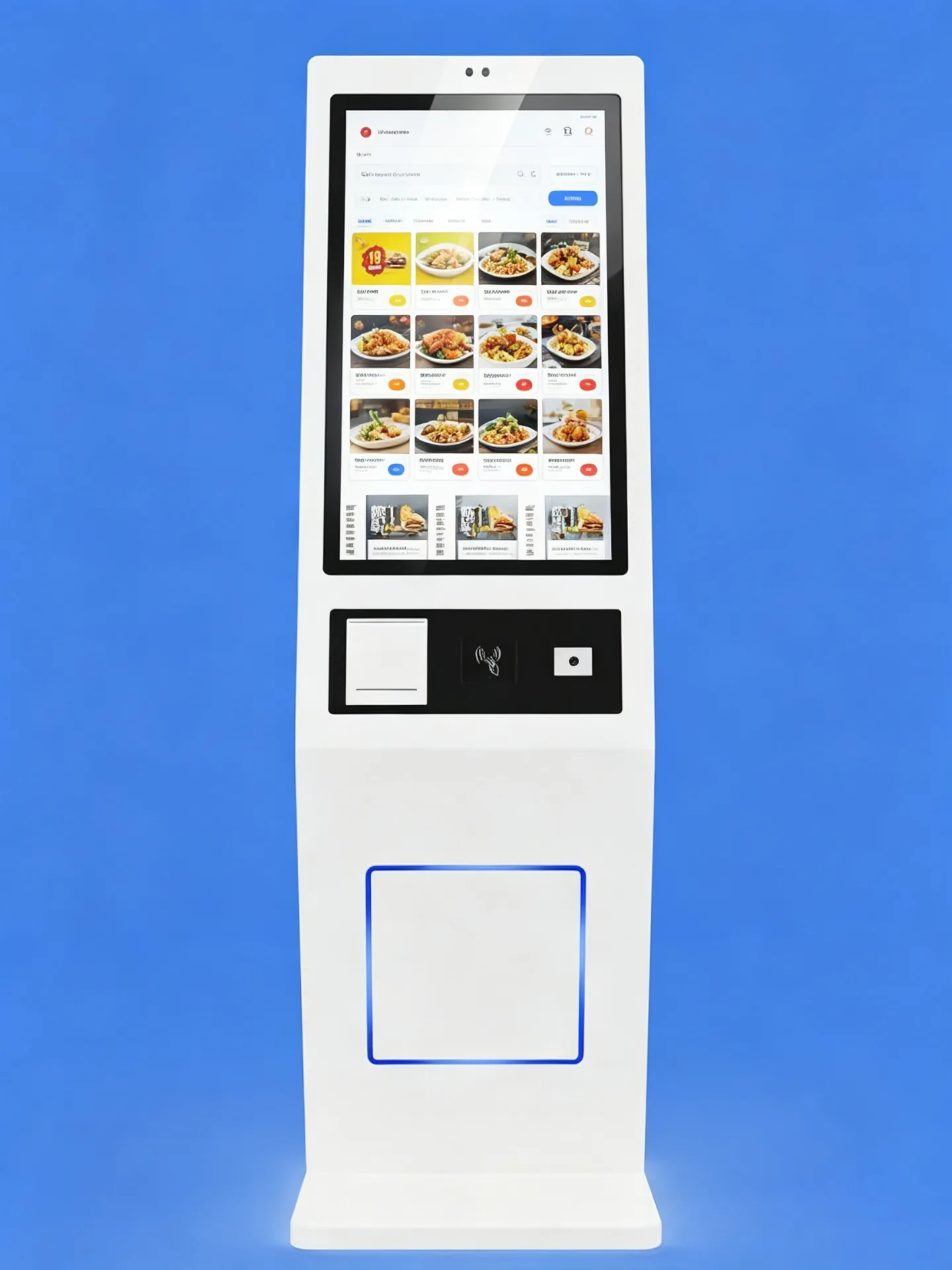
Commercial PCAP Touchscreen with Vertical Ordering Layout

Kaubanduslik puuteekraani näitamine

The touchscreen presents digital menus, product images, customization steps and payment instructions in a clear vertical layout. Screen size, resolution, brightness and touch technology can be selected according to the location, user flow and software interface.
  • Suure vorminguga puuteekraan menüü lehitsemiseks ja tellimiseks
  • PCAP mahtuvuslik puutetundlik valik
  • Restorani tellimisprotsessi portreekuvandiga kuvamiskava
  • Full HD või kõrgema eraldusvõimega valikud
  • Laia vaatenurk- ja klaasivastased valikud
  • Vastupidav esiklaas avalikuks kasutamiseks
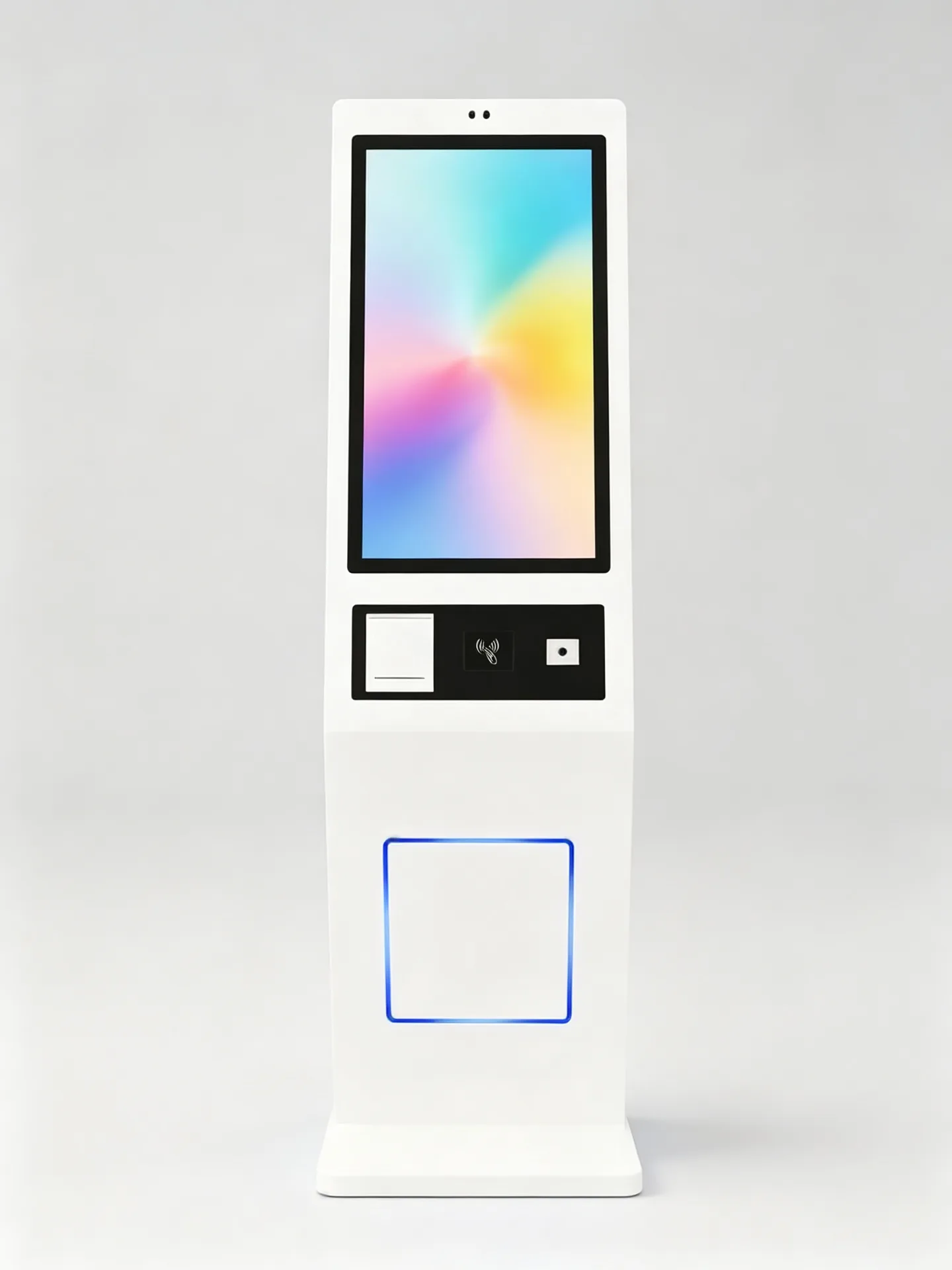
Standard Dimensions and Modular Layout of the Floor-Standing Kiosk PuudutusekraanName Makse / Skaneeri PrinterName Stabiilne alus

Põrandapõhjapõhjapõhja korpuses

Vabastav metallkioski struktuur stabiilne alus siseruumides avalike keskkondade jaoks. Standardmõõdud ja mooduldisain; saadaval erimõõdud.
  • Eraldiseisev metallist kioski konstruktsioon
  • Stabiilne alus siseruumide avalikes keskkondades
  • Integreeritud ruum printerile, makseterminale, skannerile ja andmetöötluse riistvarale
  • Peidetud kaablijuhtimine
  • Tagumine või küljeline hooldusjuurdepääs
  • Kohandatud korpuse värv ja logo
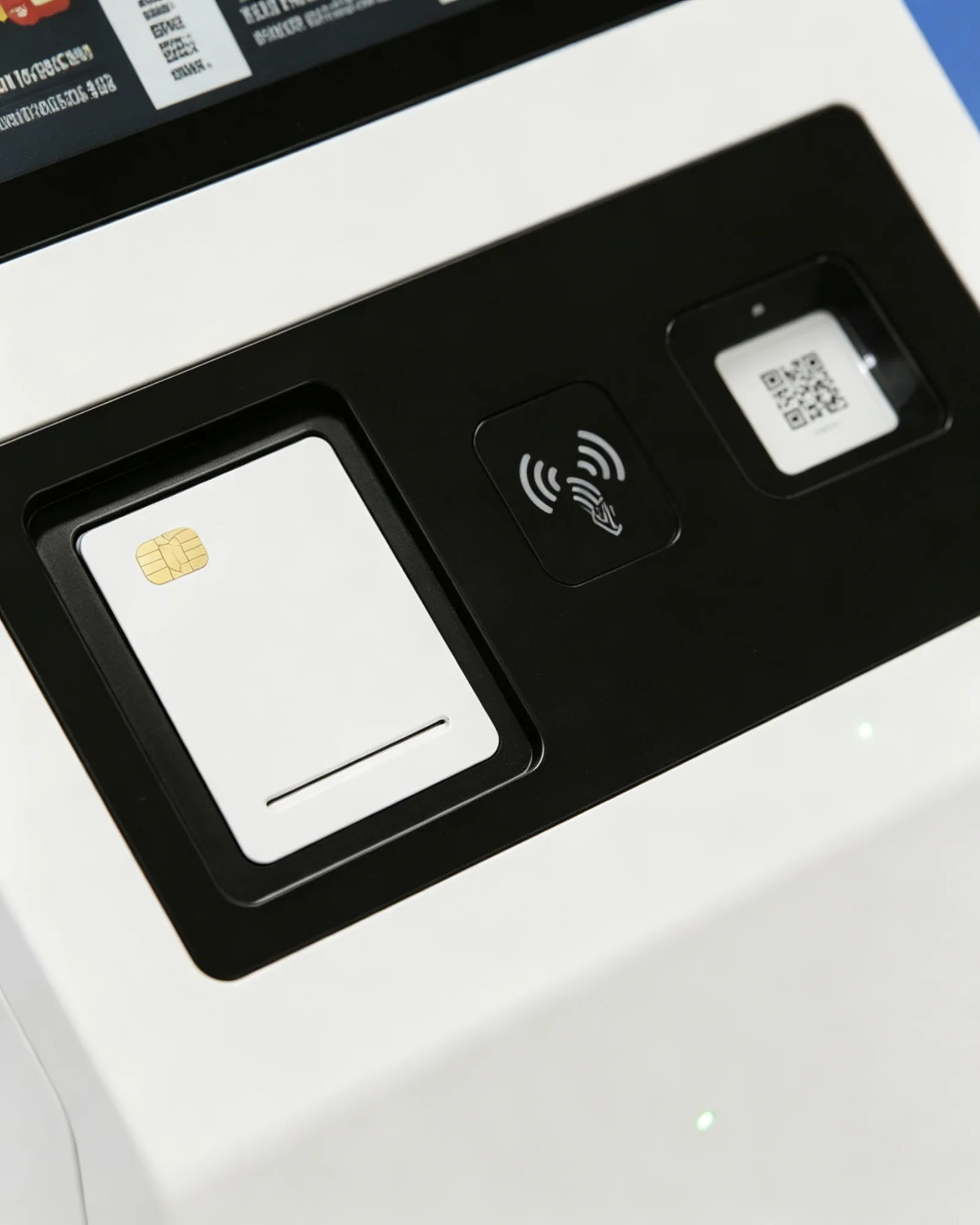
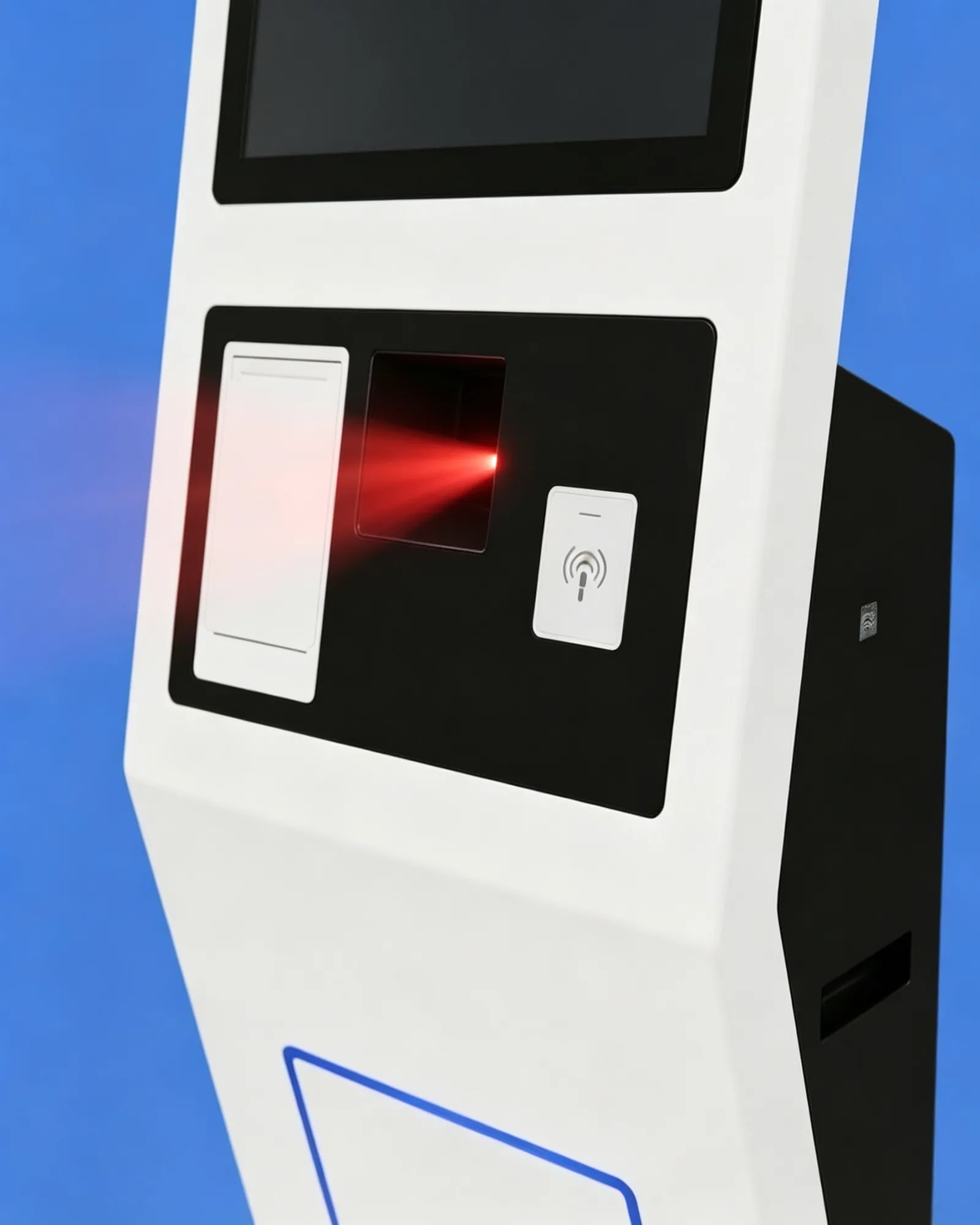
Configurable Payment and Scanning Zone

Maksete integratsiooni tsoon

Must ala ekraani all on mõeldud makseterminali, skannerakna, NFC tsooni või tellimus-kinnitusmooduli jaoks.
  • Makse-terminaalsulgu ja kaardilugeja paigalduspiirkond
  • NFC kontaktivaba maksetsoon
  • QR-makse ja kupongiskanneri aken
  • Oleku indikaator ja kohandatud lõiked
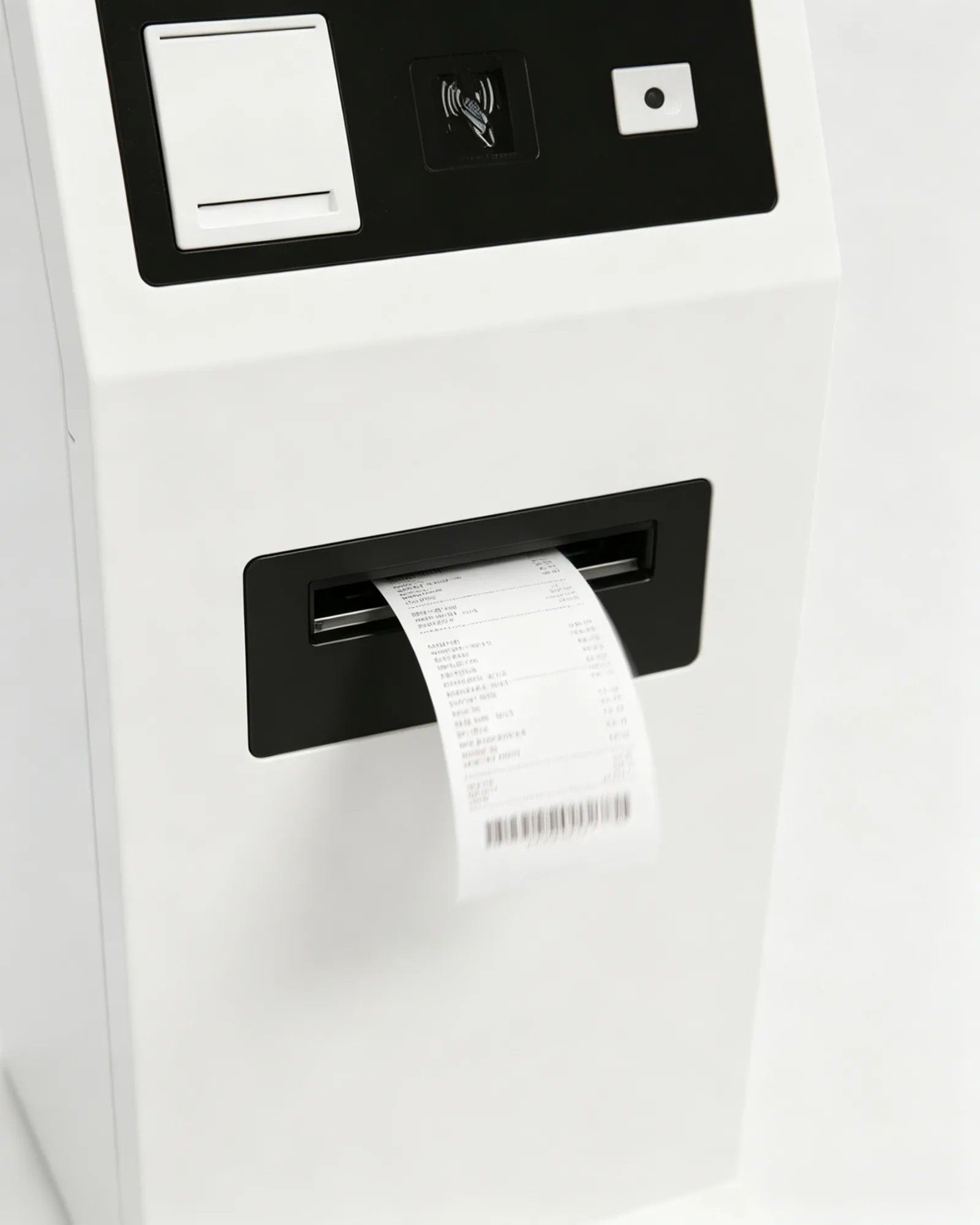
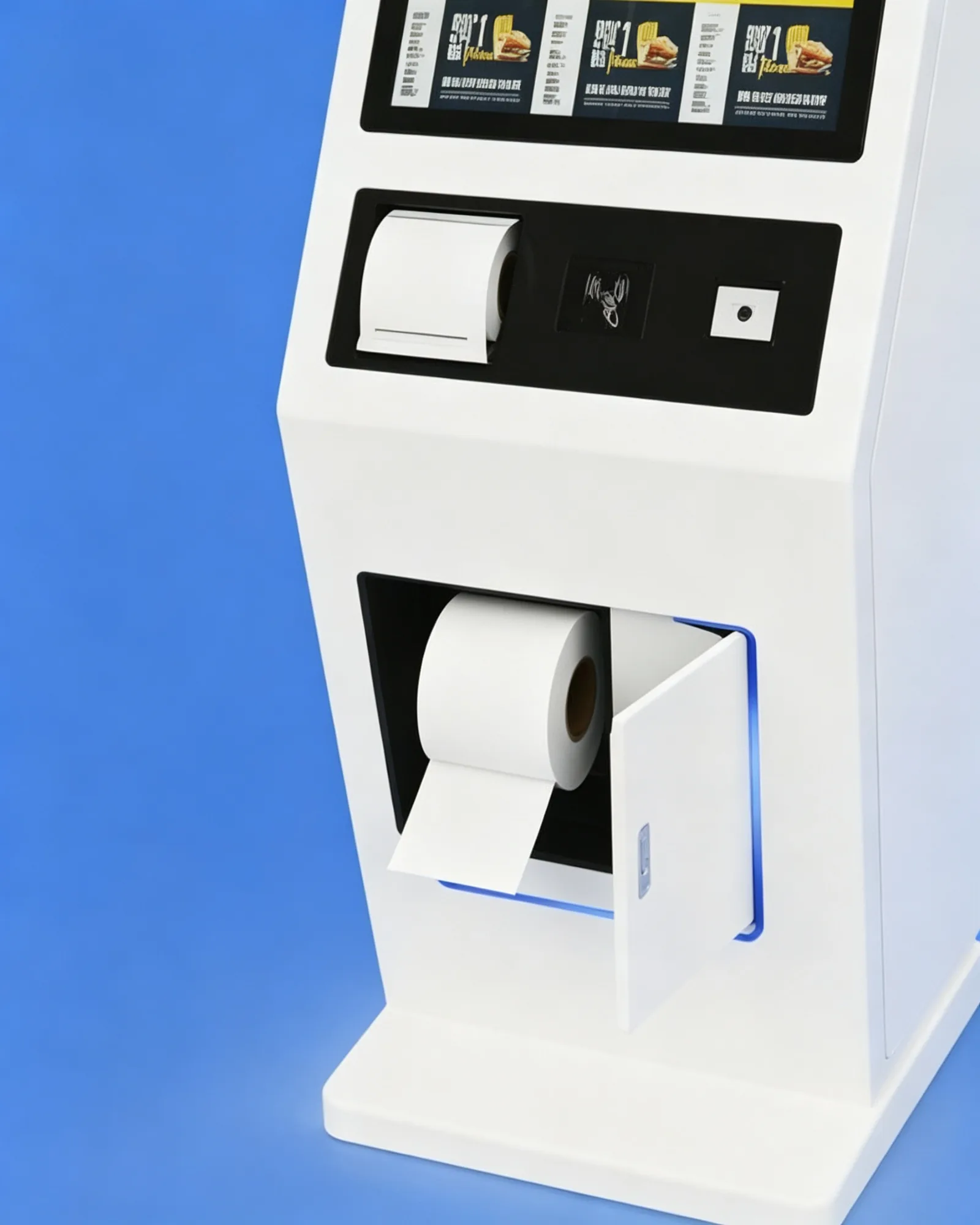
58 mm and 80 mm Thermal Printer Zone

Laekumine ja pileti printeri tsoon

58 mm või 80 mm termilise printeri jaoks kviitungid, piletid, järjekorranumbrid ja kupongid.
  • 58 mm või 80 mm termoprinter
  • Laekumine, pilet, järjekord ja kupongi trükkimine
  • Lihtne juurdepääs paberirulli vahetamiseks
  • Paberivähesuse hoiatus, kui see on toetatud
Optional QR, Barcode and NFC Modules

Valikulised QR-, vöötkoodi- ja NFC-moodulid

1D/2D skanner ja NFC/RFID lugeja liikmeks, kupongiks, võtmiseks ja maksete töövoogudeks.
  • Skaneeri liikme, kupongi ja koodid
  • Skaneeri mobiili makse ja toote vöötooded
  • Lugege RFID liikme- ja lojaalsuskaarte
  • Contactless identification support
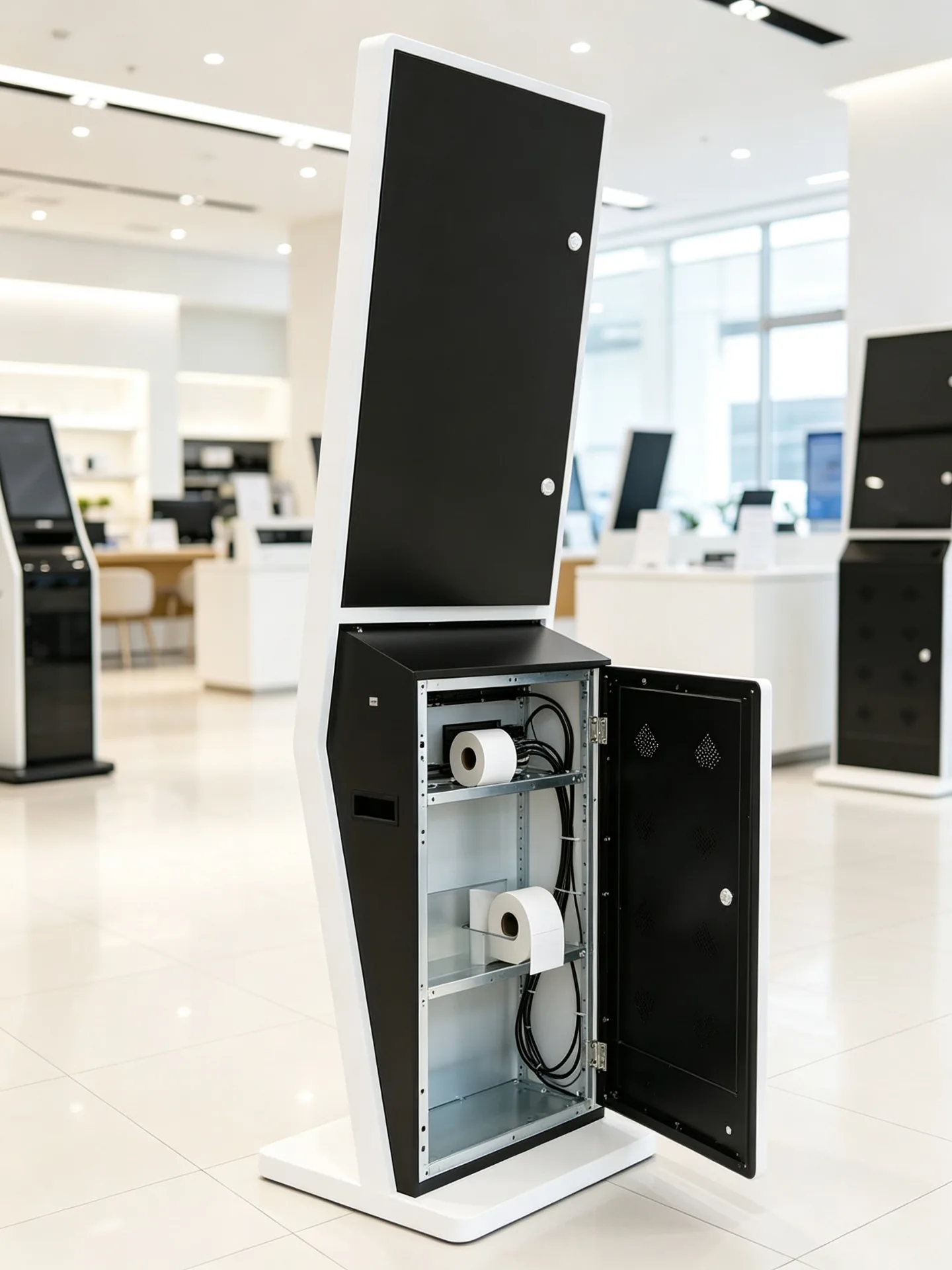
Service-Friendly Metal Enclosure with Concealed Cable Routing

Service-Friendly Maintenance

Rear or side service access with concealed cable routing and clear maintenance space for field service teams.

  • Rear or side service access door
  • Peidetud kaablijuhtimine
  • Accessible printer paper replacement
  • Replaceable peripheral modules
Software and Integration

Connect the Kiosk to Your Restaurant Technology Stack

Choose the operating platform, then integrate menu management, POS, payment middleware and kitchen routing around your ordering workflow.

Androidi

For standard self-ordering, restaurant chains and lightweight software stacks.

  • Menu, ordering, CMS, membership and QR flows
  • Fast boot and kiosk-mode support
  • Cost-efficient chain deployment
Akend

For projects that run an existing POS, ordering or enterprise software.

  • Third-party software and complex payment stacks
  • Back-office and peripheral integration
  • Advanced system integration
Monitor-Only

For customers who already have an industrial PC, player or main controller.

  • AV and digital signage integration
  • Bring-your-own PC and terminal network
  • Simplified hardware supply
Integrated Panel PC

For projects that need an all-in-one computing and expansion platform.

  • Complete ordering machine in one unit
  • Complex peripherals and local applications
  • Expansion-ready I/O

POS-i integreerimine

  • Menüü, hind ja reklaami sünkroniseerimine
  • Product availability and sold-out updates
  • Tellimuse loomine ja maksestaatuse tagastamine
  • Customer account recognition
  • Müügitaruandlus ja lao tasandi konfiguratsioon

KDS and Kitchen Printer

  • Send paid orders to kitchen display or printer
  • Route by food category or preparation area
  • Send drinks to beverage station, food to kitchen
  • Display preparation status
  • Synchronize pickup number and ready notifications

Menu and Content Management

  • Remote menu and centralized price updates
  • New product launch and daypart scheduling
  • Store-specific menus and regional languages
  • Campaign content and product-image updates
  • Sales and usage reporting, subject to software platform
Software boundary: The kiosk can be supplied with a hardware platform, operating system and peripheral interfaces. Restaurant ordering software, POS integration, payment middleware, kitchen routing and cloud management may be provided by the customer, a software partner or a separately agreed integration project.
Rakenduste stsenaariumid

Built for Food-Service and Customer Self-Service Environments

From fast food to milk tea, the same floor-standing kiosk adapts to different menus, payment habits and store layouts.
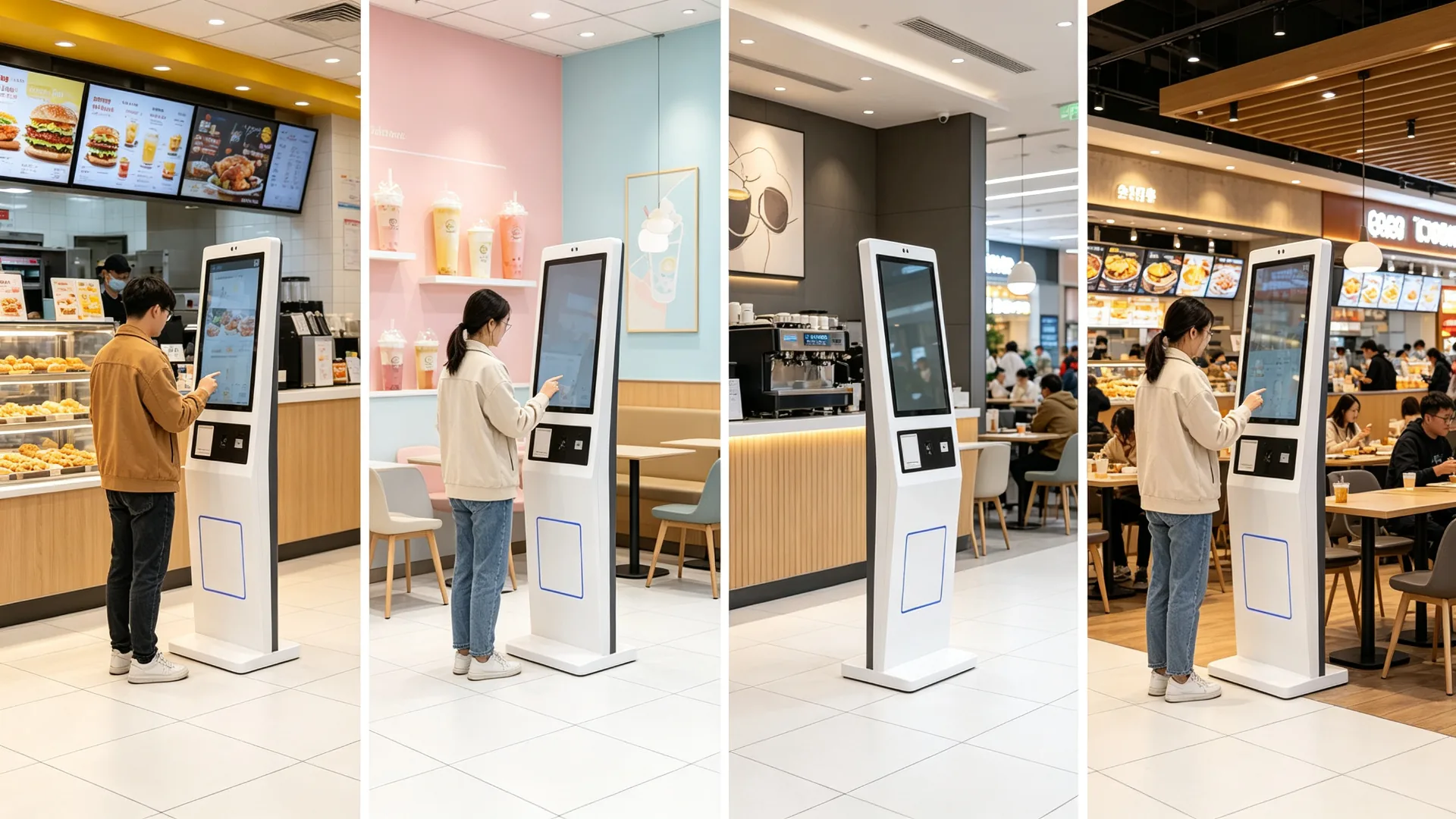
Self-Ordering Kiosk Built for QSR, Cafes, Milk Tea, Food Courts and Retail Food

Kiirsöögikohad

Burgers · Fried Chicken · Pizza · Sandwiches
  • Digital menu browsing and combo selection
  • Extra side-dish recommendation
  • Card or QR payment and receipt printing
  • Pickup-number generation
  • POS and KDS integration

Milk Tea and Beverage Shops

Milk Tea · Fruit Tea · Coffee · Ice Cream
  • Drink size, sweetness and ice-level selection
  • Topping, milk and flavour customization
  • Membership QR code and QR payment
  • Pickup ticket and seasonal promotions

Cafes and Bakery Shops

Coffee · Bakery · Dessert · Breakfast
  • Coffee customization and pastry recommendations
  • Breakfast combo promotion and loyalty rewards
  • Pre-order pickup and receipt printing
  • Dine-in or takeaway selection

Full-Service Restaurants

Entrance · Waiting Area · Takeaway Zone
  • Waiting-list registration and table-service request
  • Takeaway ordering and reservation lookup
  • Menu preview and membership validation
  • Payment or deposit handling

Food Courts and Shared Dining

Multi-Brand Ordering · Public Areas
  • Brand or category selection
  • Multi-merchant ordering and unified payment flow
  • Queue number and pickup screen integration
  • Mitmekeelne kasutajaliides

Retail Food and Convenience Stores

Bakery · Fresh Food · Coffee Stations
  • Bakery self-service order terminal
  • Fresh-food ordering and coffee-machine ordering
  • Product barcode scanner kiosk
  • Coupon, membership and self-checkout terminal
Configuration and Specifications

Self-Ordering Kiosk Configuration Options

Every hardware module is selectable per project. Confirm the items below before quotation and production.

KonfiguratsiooniüksusValikudKinnita enne pakkumist
Ekraani suurus15.6" / 21.5" / 23.8" / 27" / 32" or customMenu complexity, space and viewing distance
Kuva orientatsioonPortreeOrdering UI and user flow
LahutamineTäis-HD / 4K / projektipõhineImage quality and text density
PuudutusekraanNamePCAP capacitive touchMulti-touch, glass and interaction needs
OperatsioonisüsteemAndroid / Windows / monitor-only / panel PCSoftware, POS, peripherals and budget
CPU / RAM / storageProject-based configurationApp performance and local content
MakseterminalCard / NFC / QR / external deviceCountry, provider, certification and SDK
Skaneer1D barcode / 2D QR code scannerMembership, coupon, payment or product scan
PrinterName58 mm / 80 mm thermal printerReceipt, ticket, paper spec and volume
KaamerasVabatahtlikVideo service, identification or analytics
AudioSpeaker / microphone / audio outputPrompts, voice and intercom needs
VõrkLAN / Wi-Fi / 4G / 5GPOS, CMS, payment and store conditions
LiidesedUSB / HDMI / RS232 / RS485 / GPIOPeripherals and central-system integration
KabinetStandard / custom metal enclosureBrand, colour, durability and device layout
BaasFreestanding base / anchor optionFloor, stability and installation requirements
KaubamärkeLogo / housing colour / UI / packagingChain brand and OEM project needs

Custom sizes, colours and module layouts are available on request.
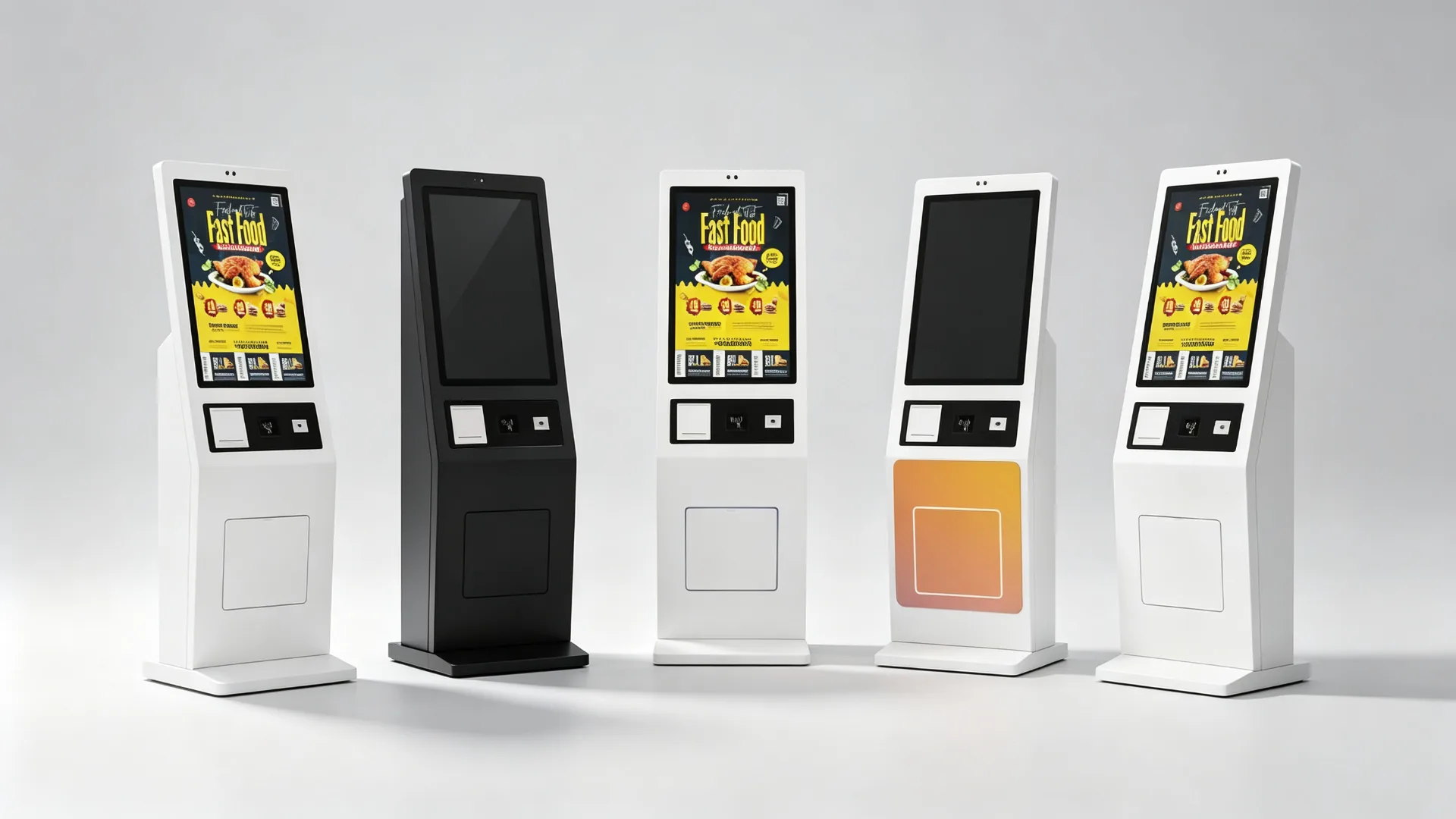
Configurable Screen, Payment, Scanner, Printer and Network Options

Typical Technical Parameters

Võimsuse sisendAC 100-240V, 50/60Hz (typical)
Töötemperatuur0-40°C indoor (typical)
LisandFloor-standing metal, powder coated
KuvadVertical TFT LCD, Full HD (typical)
PuudusPCAP capacitive, multi-touch
LiidesedUSB / HDMI / RS232 / RS485 / GPIO / LAN
PaigaldamineFreestanding base, anchor option
HooldusRear / side service access door

Typical values; final parameters depend on the approved configuration.

Store Deployment

Scale from One Restaurant to a Multi-Store Ordering Network

Pilot first, standardize the configuration, then deploy by store, city or region with remote software support and spare-parts planning.

Single-Store Deployment

For independent restaurants, single cafes, milk tea stores, pop-ups and new-store pilots.

  • Ordering software and screen size selection
  • Payment method, printer and network connection
  • POS integration and installation location
  • Staff training and go-live support

Chain and Franchise Deployment

For fast-food, milk tea, coffee and bakery chains with multiple cities or franchise networks.

  • Central menu and price management
  • Region-specific menus and daypart scheduling
  • Unified brand UI and remote software deployment
  • Device grouping and multi-store performance reporting
  • Spare-parts planning and standardized replacement process
Define ordering workflow and software scope
Confirm payment method and POS/KDS interfaces
Select kiosk hardware configuration
Install and test a pilot unit
Validate menu, payment, printer and kitchen routing
Adjust UI, enclosure and peripheral layout
Approve production configuration
Deploy by store, city or region
Establish remote-support and spare-parts procedures
OEM / ODM

Custom Self-Ordering Kiosks for Restaurant Brands and Solution Providers

Configure the display, peripherals, enclosure and operating platform around your self-ordering workflow.
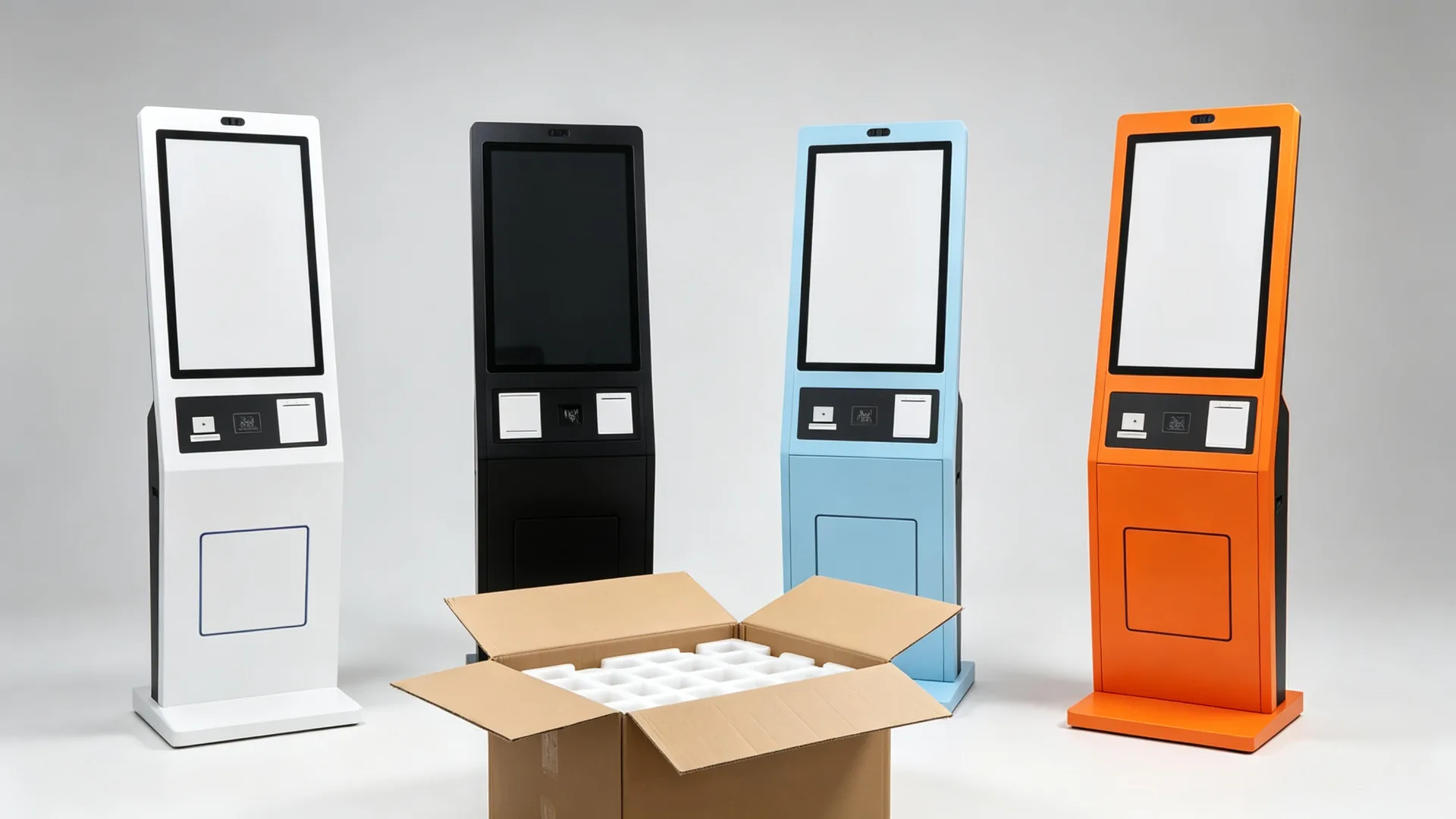
OEM/ODM Branding, Enclosure and Software Customization

Whether you are a restaurant-technology provider, POS software company, kiosk distributor or food-service brand, we can configure the touchscreen, payment peripherals, printer, scanner and enclosure around your ordering workflow. Branded launcher, boot logo, UI and packaging can be prepared for your project.

Enclosure and Structure

  • Custom enclosure design and cabinet colour
  • Powder coating, logo printing and brand graphics
  • Screen size and payment-terminal location
  • Scanner window, printer outlet and camera position
  • Speaker grille, cable routing and maintenance door
  • Base size and wall-mounted / countertop variants

Riistvara kohandamine

  • Android mainboard or Windows industrial PC
  • CPU, RAM and SSD per application
  • Different touchscreen sizes
  • Payment-terminal bracket, QR/barcode scanner and NFC/RFID reader
  • Thermal printer, camera, speaker and microphone
  • Network and 4G/5G module, custom I/O, UPS option

Tarkvara ja bränding

  • Custom boot logo and branded launcher
  • Kiosk mode and restaurant menu UI
  • Multi-language interface and pre-installed ordering app
  • CMS support, API and POS/KDS integration coordination
  • Kaugseadme haldus
  • Custom packaging, manuals and labels
Quality and Delivery

Designed for Repeatable Commercial Deployment and Serviceability

Every unit passes functional testing and burn-in before export packaging, so multi-store rollouts arrive consistent.
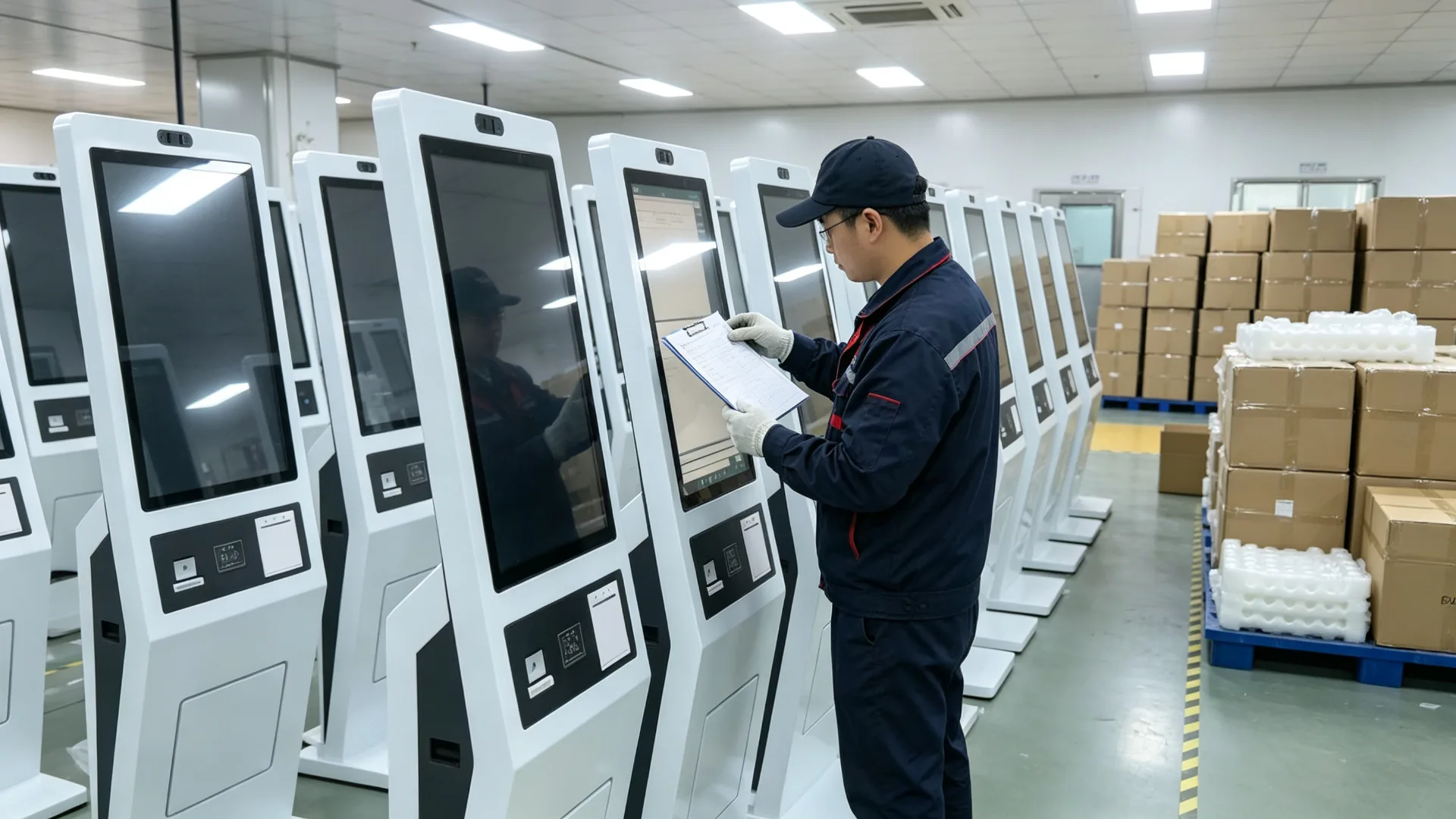
Quality Testing, Export Packaging and Multi-Store Deployment Support

Per-unit inspection covers the display, touch response, boot and application launch, payment-terminal communication, scanner and NFC reading, thermal printing, network, POS/KDS interface where included, power and cables, doors and locks, base stability, and long-duration burn-in before packaging.

Maintenance is designed for field service: rear or side access, replaceable paper, clear peripheral maintenance area and service documentation with wiring guidance. Remote software support and spare-part planning are arranged for chain deployments.

Quality Inspection Items

  • LCD-panel appearance and display colour test
  • Puuteekraani reageerimiskatse
  • Android or Windows boot and app launch test
  • Makse-terminaalne sidekatse
  • QR / vöötkoodi skanner ja NFC lugeja testi
  • Soojustrüki trükkimise katse
  • LAN, Wi-Fi, 4G or 5G test
  • POS / KDS liidese test, kus sisaldub
  • Voolu-, kaabli-, ukse- ja lukukontroll
  • Long-duration burn-in and base stability inspection
  • Packaging and transport-protection inspection

Maintenance Design

  • Rear or side service access
  • Accessible printer paper replacement
  • Clear peripheral maintenance area
  • Replaceable scanner or payment-terminal module
  • Remote software support, subject to platform
  • Spare-part planning for chain deployments
  • Service documentation and wiring guidance

Projekti täitmise protsess

  • Kinnitage taotlus, riik ja makseturg
  • Määrake ekraan, süsteem, skanner, printer ja makse
  • POS, KDS ja tarkvara integratsiooni ulatus kinnitamine
  • Riistvara paigutuse, brändi ja mehaanilise joonise heakskiitmine
  • Develop and test sample or pilot unit
  • Funktsionaalne ja põletuskatse tegemine
  • Transpordieelne kontrollimine
  • Ekspordipakend, kasutusjuhendid ja lisatarvikute loetelu
  • Batch delivery and remote commissioning support
Commercial and Delivery

What B2B Buyers Need to Know Before Ordering

Samples, lead time, warranty, payment terms, packaging and certification support are confirmed per project so there are no surprises at rollout.

Warranty and After-Sales

A commercial warranty and after-sales support are included with each project. Warranty terms, remote troubleshooting, spare-parts supply and service documentation are confirmed in the sales agreement.

For chain deployments, spare-parts planning and a standardized replacement process keep store uptime predictable.

MOQ and Lead Time

MOQ and lead time depend on configuration and quantity. A pilot unit can be built and tested before mass production; the production lead time is confirmed after engineering approval.

For large rollouts, batch delivery can be phased by store, city or region.

Samples and Pilot Units

Sample or pilot units are available so you can validate the menu, payment, printer and kitchen routing in a real store before approving the production configuration.

The approved sample is used as the baseline for mass production.

Payment and Trade Terms

Payment terms (such as T/T or L/C) and trade terms (EXW, FOB, CIF, DDP) are agreed per project, together with the delivery schedule and documentation package.

Packaging and Logistics

Units ship in export cartons with foam and corner protection, palletized for sea or air freight. Manuals, wiring diagrams, test reports and an accessory list accompany each shipment.

Certification and Documentation

Documentation for your target market is coordinated during project review. Market-specific certification requirements and payment certifications are confirmed with the selected providers.

Projekti juhtumid

Representative Self-Ordering Kiosk Deployments

A look at how the floor-standing kiosk has been configured for different food-service formats. Details are anonymized for confidentiality.

QSR Chain

Multi-City Fast-Food Rollout

Android kiosks with QR payment and kitchen routing

  • Standardized digital menu and pricing across stores
  • Card and QR payment at the kiosk payment zone
  • Paid orders routed to the kitchen display system
  • Receipt and pickup-number printing for order flow
Milk Tea Brand

Franchise Drink Customization

Touchscreen kiosks with drink customization UI

  • Size, sweetness, ice and topping selection on screen
  • Membership QR scanning for loyalty points
  • 58 mm thermal printer for pickup tickets
  • Seasonal drink promotions updated remotely
Cafe Franchise

European Multi-Language Cafe Network

Windows-based kiosks with EMV terminal integration

  • EMV payment terminal mounted in the payment zone
  • Four-language menu interface for tourist locations
  • POS integration for sales reporting and menu sync
  • Branded launcher and boot logo per franchise
Food Court

Shared Dining Area Ordering

Multi-brand ordering with queue and pickup display

  • Brand and category selection in one kiosk
  • Unified payment flow across merchants
  • Queue numbers synchronized with pickup display
  • LAN network connection for central management

Representative project profiles; customer and brand details are anonymized. Configuration shown for reference only.

KKK

Korduma kippuvad küsimused

Common questions from restaurant groups, integrators and kiosk distributors.

What is a self-ordering and payment kiosk?
A self-ordering and payment kiosk is a customer-facing touchscreen terminal that allows guests to browse menus, customize items, apply promotions, complete payment and receive an order confirmation without placing the full order through a staffed cashier counter.
Can this kiosk accept card and QR payments?
Payment options depend on the selected payment terminal, payment provider, local market, payment software and required certifications. The kiosk can be configured with compatible mounting space, communication interfaces and peripheral integration for a project-specific payment solution.
Can the kiosk connect to our POS system?
POS integration can be evaluated based on your POS provider, API, software architecture, order-routing requirement and hardware interfaces. Please provide technical documentation or contact details for the POS software provider during the project review.
Can orders be sent to a kitchen display system?
Yes, if the ordering software and restaurant system support KDS integration. Orders can be routed to a kitchen display, kitchen printer or order-management platform according to the configured workflow.
Can the kiosk print receipts and pickup tickets?
Yes. A 58 mm or 80 mm thermal printer can be integrated for receipts, pickup numbers, order tickets or coupons. Printer width, paper type, print content and paper-roll access should be confirmed before production.
Can customers scan a membership code or coupon?
Yes. A 1D/2D barcode or QR code scanner can be configured for membership identification, coupon redemption, order-pickup validation or mobile payment workflows.
Is the kiosk available with Android or Windows?
Android and Windows configurations may be available. Android is often suitable for dedicated ordering applications, while Windows can be selected for specific third-party software, POS environments or advanced integration requirements.
Does the kiosk include restaurant ordering software?
The kiosk can be supplied with the hardware platform, operating system and peripheral interfaces. Ordering software, POS integration, payment service, kitchen routing and cloud management must be confirmed separately and may be supplied by the customer, a software partner or a dedicated integration project.
Kas ruum saab kohandada meie brändiga?
Yes. Customization can include the kiosk colour, logo, screen size, payment-terminal area, printer outlet, UI, startup screen, packaging and instructions.
Is the kiosk suitable for milk tea and coffee customization?
Yes. With suitable ordering software, the kiosk can present drink size, sweetness, ice level, toppings, milk choices, flavours, add-ons and promotional bundles.
What is the MOQ and typical lead time?
MOQ and lead time depend on configuration and quantity. A pilot unit can be produced and tested before mass production, and the lead time is confirmed after engineering approval. Batch deliveries can be phased by store, city or region.
Millist garantii ja müügijärgset toetust annate?
A commercial warranty and after-sales support are included. Warranty terms, remote troubleshooting, spare-parts planning and service documentation are confirmed in the sales agreement, and spare-parts planning is available for chain deployments.
Can we receive a sample or pilot unit before mass production?
Yes. Sample or pilot units are available so you can validate the menu, payment, printer and kitchen routing in a real store. The approved sample is used as the baseline for mass production.
Do you provide certification documents for our market?
Documentation for your target market is coordinated during project review. Market-specific certification requirements and payment certifications are confirmed with the selected payment provider and software integrator.
Can the kiosk be supplied without ordering software (monitor-only)?
Yes. The kiosk can be supplied as a monitor-only unit for customers who already have an industrial PC, player or main controller, or as a complete Android / Windows / panel-PC configuration with the agreed software scope.
What information is needed for a quotation?
Please provide application and restaurant type, screen size, required quantity, target market, operating system, POS and KDS details, payment method, printer requirement, QR/barcode/NFC requirement, network requirement, branding requirement, target delivery date, required certifications and software integration scope.

Configure Your Restaurant Self-Ordering Kiosk Project

Whether you are launching a self-ordering solution for a single restaurant or deploying a standardized kiosk network across multiple QSR, cafe or beverage-store locations, we can help configure the display, payment peripherals, printer, scanner, operating system and enclosure for your workflow. Share your menu system, POS/KDS platform, payment requirements, target market and order quantity, and our team will recommend a suitable self-ordering kiosk configuration for your project.


Sõnumi saatmine:

Tooted