Гід пакупніка · Камерцыйныя даследаванні B2B
Найлепшае інтэрактыўны адказ для бізнесу залежны ад памеру па пакоя, вылічэньне дыдыдыя, працоўны прыліп, у відэа- канференції, Патрымка ў IT, шкапак і падтрымкі жыцоўкі - не толькі на памер экрана і выкупу. Дыстальнік, які падабаецца пакоі чатыры чалавека, можа быць няправільны выбар для набору 16 personaга, і прылад без плана кіравання стане догагага праблема у багата пакоя.
Гэты даведнік напісаны для каманд, якія займаюцца закупкамі, менеджараў па ІТ/АВ, інтэгратараў, дыстрыб'ютараў і пакупнікоў OEM/ODM. Яна не ракваць бенты; яна дадае рахунку, якое пакладе тыпі продукті, критеры вылічэньні, выпадковы выпадку, Выбар памер, купуваньне і вылічэнне Qtenboard з'явіць як інтэрактыўны рэгістраны панэлі з 55-110 дзюймаў Параметры Android / Windows / двох сістэмы, DMS і OEM/ODM падтрымкі праекту - адзін параметр на вашай кароткі спіс, а не толькі адказ.
Не існуе адзінай найлепшай мадэлі для кожнай кампаніі. Табліца паказвае бізнесмі прабелкі да ўкладзенні, якія часта адпраўляецца, прыярытэты для праверыць, і настаўленне Qtenboard для вылічэння.
| Выраз карыстальніка | Рэкамендаваны падыход да адлюстравання | Асноўныя прыярытэты | Настаўленні |
|---|---|---|---|
| Камера для невялікай групы (2–5 чалавек) | Інтэрактыўны дысплей 55–65 цаляў | Хуткасць, простая аперацыю, кантактны задання | 55/65" інтэрактыўны панель |
| Невялікая канферэнц-зала (4–8) | Інтэрактыўны экран 65-75 "4K | Сустрэў | 65/75-цалевая інтэрактыўная панэль |
| Стандартная конференцыяльная пакоя (6-12) | 75-86 "4K інтэрактыўная экрана | Прэзентацыя, анатацыя, відэаканферэнцыі | 75/86" інтэрактыўны панель |
| Выканальны набор (12-20) | Павышаная якасць, дысплей 4K памерам 86–98 цаляў | Чытальнасць на вялікай адлегласці, бяспечны абмен | Інтэрактыўная панэль 86/98" |
| Карпаратыўная навучальная зала (20) | 86-110" multi-touch display | Бачнасць для вялікай групы, дошка, узаемадзеянне | 98/105/110" інтэрактыўная панэль |
| Гібрад | Паказваць аўдыё- Mc-м | Аддалены каблучэнне, агляцыя зместу | Дысплей для сустрэч з штучным інтэлектам |
| Інжынерны / праектны агляд | Настаўленні | CAD, дыяграмі, анатацыя дадзеных | 4K з OPS |
| Мнагакамернае разгортванне для прадпрыемстваў | Стандартная DMS шмат памеру | Паслядоўнасць, цэнтралізаваная падтрымка | Прамы B2B-збыт ад вытворцы |
| Бізнес-праект OEM/ODM | Інтэрактыўны панель | Брэндынг, канфігурацыя, рэалізацыя праектаў | Праграма Qtenboard OEM/ODM |
Пачніце з базавых функцый: унутранае разрозненне 4K, мультытач, бесправадная трансляцыя, сумяшчальнасць з UC (Teams / Zoom / Meet) і DMS. Дадаць OPS Windows, Google EDLA, AI сустрэў Аб і наладзіць OEM/ODM толькі калі працоўнага кліента або праекту патрэбна іх - выкарыстаная магчымасць падняе ціна кожны одинок.
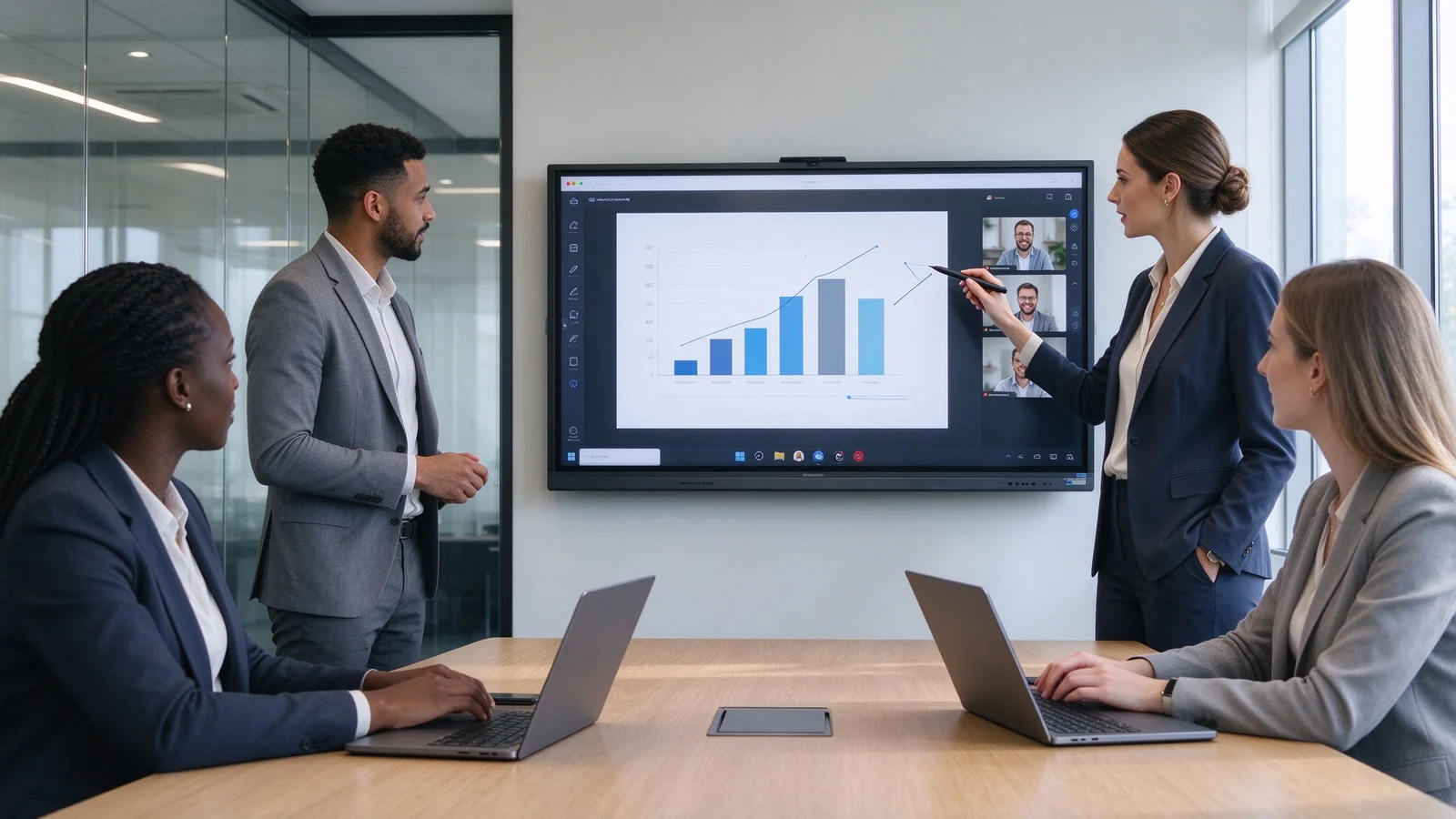
Бізнэфі выкарыстаць інтэрактыўныя экраны для презентацыі кліентаў, і гібрадыя.
Пераскаць у секцы, якое адпавядае вашы ролі у працэсе купіў.
Інтэрактыўнае адказ для бізнесу - сустрэчная сістэма усё ў адным спіса, збудована вакол пацістай экрана - сустрэчны Room de. адказ, Біта-бор, экран презентацыі і канчальны пункт відэа Замяніць старыя налада праектора-whiteboard-PC.
Выкарыстачыць выкарыстаць гэтыя трэба нятліна, такім чынам судзьмі па вызначэннем і выпадку выкарыстання. Табліца паказвае, што кожны тэлеф звычайна значыць у бізнэс мард.
| Тэкст | Што гэта звычайна значыць | Тыповы бізнес-выкарыстанне |
|---|---|---|
| Interactive display | Шырокі тэрмін для сэнсарнага дысплея для карпаратыўнай супрацоўніцы | Сустрэчы, навучанне, прэзентацыі |
| Інтэрактыўны белы хіб | Display designed around writing and annotation | Workshops, classrooms, meetings |
| Інтэрактыўная плоская панэль | All-in-one flat-panel touchscreen with onboard computing | Modern meeting rooms, hybrid collaboration |
| Interactive monitor | Often a smaller touchscreen connected to a PC | Individual workstations, compact collaboration |
| Smart board | Generic market term; may also refer to a specific brand | Meetings, teaching, team collaboration |
| Паведамленне | Interactive display | Comment TVName | Праектора |
|---|---|---|---|
| СпасылкаName | Пабудавана | Звычайна недаступць | Requires interactive hardware |
| Цікавая белы- табліцы | Даступнасць | Requires external software | Requires external software |
| File annotation | Падтрымка | Звычайна недаступць | Звычайна недаступць |
| Wireless collaboration | Designed for multi-device sharing | Often needs add-on devices | Often needs add-on devices |
| Hybrid meeting integration | Can integrate camera and audio | Requires external system | Requires external system |
| Найлепшае выкарыстанне | Collaboration and interaction | One-way content playback | Large image in existing projection rooms |
This guide does not rank products by brand name alone. Use the eight criteria below to build your shortlist and compare suppliers on equal terms.
Check native resolution, brightness, anti-glare, contrast, viewing angle, and color consistency. Readability matters more than peak brightness: small fonts in Excel dashboards, financial reports, technical drawings, and multi-window layouts must stay legible from the back row. Test with real content.
Touch quality depends on touch technology, touch-point count, latency, pen accuracy, palm rejection, and behavior in Android and Windows. Confirm finger, pen, and eraser recognition, edge precision, and simultaneous multi-user writing without ghost strokes.
A high touch-point number is useful only when the screen size, whiteboard software, latency, and room workflow allow comfortable multi-user collaboration. A 50-point panel in a 65-inch room where two people present is specification theater — match touch capacity to the room task.
Verify client compatibility across Windows, macOS, iOS, and Android; supported protocols (AirPlay, Miracast, Google Cast, or vendor apps); simultaneous sharing; split-screen; and guest access. In enterprises, check whether casting requires installing software on employee laptops.
Check camera field of view and auto-framing, microphone pickup, echo cancellation, noise suppression, and speaker coverage. Confirm Teams, Zoom, Google Meet, and browser compatibility, plus how BYOM or a room PC is handled.
A display that supports conferencing does not automatically include a complete room video system. Confirm camera, microphone, speaker, computer, software, and network separately, and test a real call before committing.
| Сістэмная опцыя | Найлепшае | Галоўная дыяпазона |
|---|---|---|
| AndroidName | Fast whiteboarding, casting, simple meetings | Confirm app support and enterprise account policies |
| Вокны | Office, browser tools, business applications, specialist software | May require OPS or an external PC |
| Двавы сістэмы | Organizations with mixed meeting and software workflows | Requires clear IT management rules |
| Знешні ПК | Existing enterprise AV and room-control systems | Confirm touch-back, USB, and 4K compatibility |
If users open PowerPoint, Excel, browsers, and industry software daily, Windows access (via OPS or a room PC) matters more than the Android app store. If the display is mainly casting and whiteboarding, Android lowers cost and support burden. For mixed organizations, dual system lets teams switch without changing hardware.
Inventory ports and expansion: HDMI in/out, USB-A, USB-C with video and touch-back, DisplayPort, LAN, Wi-Fi, Bluetooth, audio in/out, an OPS slot, RS-232 or network control, and camera or microphone interfaces. Confirm the panel follows the same control protocol as the rest of the room.
Enterprise buying differs from single-room buying in one decisive way: every display becomes a networked device. Check guest casting control, permissions, network segmentation, sign-out and data clearing, app-install control, camera and microphone permissions, and OTA control. Verify DMS: remote monitoring, device status, remote restart, and batch configuration.
Ask for the commercial-use rating, aging tests, quality-control workflow, batch consistency, lifecycle plan, warranty, spare parts, firmware policy, DOA handling, and support response time. These factors decide whether a deployment lasts three to five years or becomes a replacement problem.
These trends change what you specify today: each affects certification, security, compatibility, or total cost of ownership.
Official Google EDLA certification ships with GMS and supported Google services — relevant for Workspace organizations.
More panels ship with validated Teams and Zoom compatibility, cutting integration risk.
Guest casting control, permissions, and centralized remote management are becoming enterprise table stakes.
Single USB-C cables for video, touch-back, and power, plus network AV distribution, simplify installation.
Speech-to-text, meeting minutes, and smart assistants are appearing in panels. Evaluate privacy, accuracy, and data location.
Enterprises increasingly standardize on a few models and sizes with one management platform, instead of per-room brand choices.
Power, standby, packaging, and materials are entering tender requirements, especially for public-sector accounts.
AirPlay, Miracast, and Google Cast change across OS versions; verify firmware supports your device mix.
Tariffs, certifications, and rules of origin now influence sourcing. Confirm certifications for the target market before bulk purchase.
The seven scenarios below cover the spaces where business interactive displays are deployed, with the priorities that should drive each spec.
Huddle rooms host quick discussions, short presentations, and ad-hoc calls for two to five people. Priorities: fast startup, simple casting, a basic whiteboard, HDMI and USB-C, simple camera and audio, easy guest access, and an optional cart.
Standard conference rooms host team meetings, project reviews, and most hybrid calls. Priorities: 75–86 inch native 4K, multi-touch (20–40 points), casting, PDF and PPT annotation, Teams or Zoom integration, and Android with Windows via OPS. This is the most common corporate specification, so standardization across rooms pays off. See the Найлепшы інтэрактыўны белы табліц для бізнэс прэзентацыі for presentation-focused buying.
Boardrooms run high-stakes presentations for 12 to 20 people at distance. Priorities: 86–98 inch (or larger) 4K, anti-glare glass, high-quality camera and audio, secure screen sharing, clean cable management, premium wall mounting, and integration with existing room control.
Training rooms need the whole room to see and interact: 86–110 inch or multi-display, 4K readability, 20–50 point touch, a reliable whiteboard, annotation with export, hybrid-learning camera and audio, and mobile cart options. For multiple sites, DMS pushes consistent settings to every unit.
Hybrid rooms are judged by the remote experience. Verify camera framing, microphone pickup, speaker coverage, Teams / Zoom / Meet compatibility, remote annotation, participant layouts, and secure screen sharing. The display is one component; camera, audio, and network carry equal weight.
Engineering and design reviews demand precision: 4K, accurate touch, low writing latency, USB-C and HDMI for workstations, Windows via OPS or an external PC, multi-window display, and annotation of PDFs, CAD captures, and dashboards. Choose the largest size the room depth allows — detail density decides.
A 20–100 room deployment is an IT project, not a hardware purchase. Standardize on a small model portfolio (55, 65, 75, 86, and 98 inch), one unified interface, DMS, common accessories, a spare-part plan, installation templates, training, and centralized support.
Size is a starting point, not a decision. The table gives starting ranges; the checklist below covers what else to verify. For ultra-large formats, see the 4K & 100 inch interactive whiteboard buyer's guide.
| Тып пакоя | Тыповая аўдыторыя | Паказваць памеры | Дадатковы |
|---|---|---|---|
| Камера для невялікай групы | 2–5 | 55–65" | Quick discussions, short presentations |
| Малая канферэнц-зала | 4–8 | 65–75" | Сустрэў |
| Стандартны конференцыяй | 6–12 | 75–86" | Presentations, collaboration, hybrid meetings |
| Вялікі канферэнц-зал | 12–20 | 86–98" | Executive meetings, technical presentations |
| Training room / large collaboration | 20+ | 98-110" or multi-display "маст | Навучанне, семінары, супрацоўніцтва ў вялікіх групах |
Follow a five-step process to build a shortlist of one to three models you can defend to finance, IT, and facilities — not a spec sheet chosen by brand familiarity.
List the actual activities: presentations, whiteboarding, video meetings, client meetings, training, design reviews, data analysis, hybrid work, multi-room deployment. Every feature decision follows.
Collect room size, seating layout, viewing distance, existing computers, camera and audio, meeting software, network policy, Wi-Fi coverage, LAN ports, power location, mounting wall, and security requirements. This audit prevents the two most common errors: wrong size and missing infrastructure.
Separate must-have, important, and optional — the table below is a starting template.
| Прыярытэт | Example requirement |
|---|---|
| Паведамленне | 4K, wireless casting, HDMI, USB-C, basic whiteboard |
| Important | Windows OPS, multi-touch, video conferencing, DMS |
| Неабходная | AI transcription, auto-framing, custom UI, NFC login |
Test shortlisted models with corporate PPT decks, Excel dashboards, PDF reports, product videos, CAD drawings, browser applications, a live Teams or Zoom call, laptop casting, annotation and file export, and simultaneous writing. Demo videos hide most weaknesses.
Verify factory or authorized-supplier status, product range, samples, certifications, quality control, batch capacity, lead time, warranty, spare parts, firmware support, and OEM/ODM capability. Section 9 turns this into a checklist.
Compare total project cost, not unit price: mounting, OPS, camera, audio, cabling, network, training, and support usually exceed the hardware itself. A slightly more expensive panel with a cleaner install can be cheaper per room than a bargain unit.
Interactive flat panels compete with alternatives for the same room budget. Use this comparison to decide whether the room needs an interactive display or a simpler solution.
| Вылучэнне | Сілы | Абмежаванні | Найлепшае |
|---|---|---|---|
| Інтэрактыўная плоская панэль | Touch, whiteboarding, casting, all-in-one collaboration | Requires installation and IT planning | Meeting rooms, training, collaboration |
| Commercial display | Lower complexity for playback | No built-in touch or annotation | One-way presentations and signage |
| Сістэма на аснове праектара | Вялікая кантэльная малюнка | Ambient-light and maintenance considerations | Настаўленні |
| ВідэсакаName | Strong visual impact and scalable size | Higher project complexity; touch may require a separate layer | Boardrooms, command centers, showrooms |
| Interactive monitor | Compact touchscreen interaction | Smaller display area | Individual desks and small collaboration |
| Традыцыйная белая дошка | Low cost and simple | No digital capture or remote collaboration | Basic in-room writing |
The same screen can ship from a factory, a trading company, or a brand assembling third-party parts. The supplier determines price, delivery, quality consistency, and long-term support. Walk through these four question groups before committing.
Qtenboard is an interactive flat panel manufacturer and brand owner controlling production from R&D to final assembly and quality testing — factory-direct specification, batch consistency, and direct support over the deployment life.
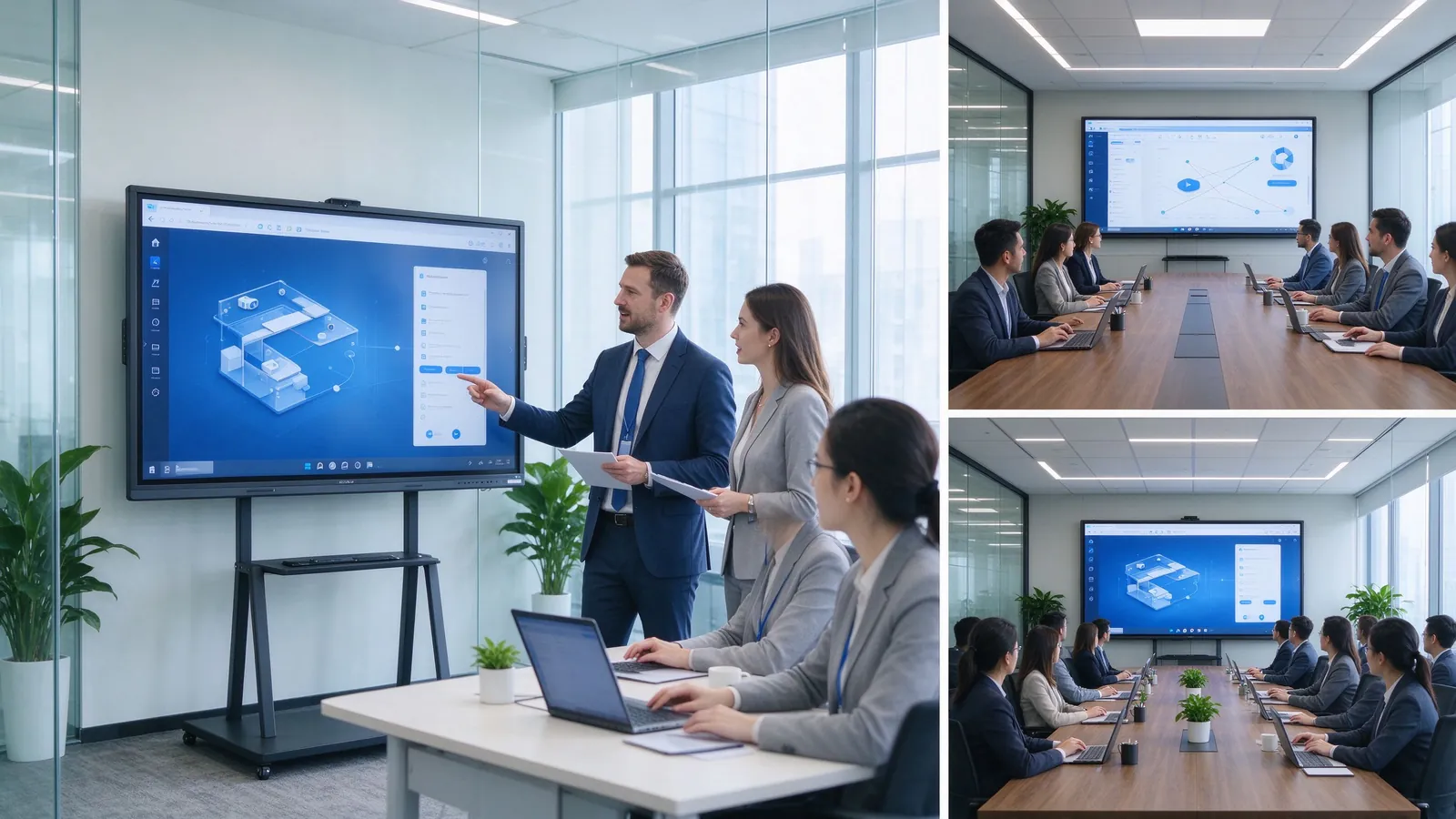
Qtenboard interactive displays in business settings: meeting rooms, boardrooms, training rooms, and multi-room deployments managed through DMS.
| Qtenboard configuration direction | Suitable business space | Key value |
|---|---|---|
| Інтэрактыўная панэль 55–65" | Huddle rooms and executive offices | Compact collaboration |
| 75-86-цалевы інтэрактыўны экран фармату 4K | Стандартныя запісы | Presentation, annotation, hybrid meetings |
| 86–98" interactive display | Boardrooms and technical review rooms | Long-distance readability |
| 98–110" large-format display | Training rooms and large collaboration spaces | Large-group visibility and interaction |
| OEM/ODM configuration | Brand, distributor, and integration projects | Customized branding, hardware, software, packaging |
Qtenboard runs an OEM/ODM program for commercial display distributors, AV integrators, corporate project contractors, regional brands, and smart-office solution providers. Customization topics include logo and boot animation, UI and language, Android / Windows / dual-system choice, touch configuration, camera and audio options, I/O ports, pre-installed software, packaging, documentation, and CKD/SKD or local assembly. MOQ, lead time, and final configuration are confirmed per project. Compare factory options in our Тэкст І customizable digital screen factory guides.
Three project patterns recur in business procurement, described here as typical briefs you can match to the support model.
An AV distributor supplies 65, 75, and 86 inch panels across customer projects with consistent firmware, local language UI, and batch delivery to several sites. The value: one product portfolio, DMS-ready units, and predictable lead times.
An enterprise IT team rolls out standardized displays across 20–100 meeting and training rooms with identical settings, remote updates, and spare units. The value: one management platform and centralized support.
A regional brand launches its own display line with custom logo, UI, software, and packaging through OEM/ODM, including certification packages for the target market. The value: a factory partner owning R&D, assembly, and quality control.
| Прыярытэт пакупніка | Прапорцыя значэнне Qtenboor |
|---|---|
| Памеры | 55–110" interactive display portfolio covering every business space |
| Паказаць якісць | 4K UHD commercial panels with tempered glass and aluminum frame options |
| Настаўленні | Multi-touch, low-latency writing, palm rejection, finger/pen/eraser recognition |
| Гнуткасць сістэмы | Android, Windows, dual system, and OPS expansion |
| Настройка праекта | OEM/ODM, branding, software, packaging, CKD/SKD |
| Падтрымка разгортвання | DMS, batch supply, spare parts, multi-room rollout |
For project-specific answers on sizing, configuration, certification, MOQ, lead time, and samples, contact the Qtenboard B2B team with your room list.
Most failed deployments share the same root causes. Check your shortlist against these twelve before you sign.
Two more decisions belong before the bulk order: run a sample or on-site demo, and confirm with OEM suppliers which features are standard versus optional so the final configuration matches the quoted price.
What are the best interactive displays for business in 2026?
There is no single best model for every company. The right choice depends on room size, content, touch requirements, workflow, operating system, device compatibility, IT security, and deployment scale. For most new mid-to-large meeting rooms, a 4K interactive flat panel with wireless sharing, annotation, and video-conferencing extension is a strong starting point.
What is the difference between an interactive monitor and an interactive display?
An interactive display is usually a large all-in-one touchscreen system for meeting rooms and collaboration spaces. An interactive monitor sometimes refers to a smaller touchscreen used with an external computer. Definitions vary by supplier; judge by specification and use case.
What size interactive display is best for a business meeting room?
55–65 inch suits small collaboration spaces; 75–86 inch fits standard meeting rooms; 86–98 inch works for boardrooms; 98–110 inch or multi-display serves large training rooms. Confirm against viewing distance and content detail.
Is a 4K interactive display necessary for business?
4K is usually worth it for mid-to-large meeting rooms, training rooms, boardrooms, data presentation, engineering reviews, and multi-window collaboration. For small, close-range spaces with simple content, evaluate 1080p. The deciding factor is whether small fonts and detail matter.
Do business interactive displays work with Teams and Zoom?
Many business interactive displays support Teams, Zoom, Google Meet, or browser platforms, but compatibility depends on the OS, meeting host, camera, microphone, speaker, network, and software version. Run a real test call first.
Should a business choose Android, Windows, or dual system?
Android suits fast casting, whiteboarding, and basic meetings; Windows suits Office and specialist software; dual system suits mixed workflows. Choose by your applications, IT policy, and existing devices.
Can interactive displays support multiple users?
Yes, but the experience depends on touch points, latency, palm rejection, whiteboard software, screen size, and the task. Test simultaneous writing before committing.
What should businesses ask an interactive display supplier?
Ask about resolution, brightness, touch, OS, casting, interfaces, conferencing, DMS, security, samples, certifications, lead time, warranty, spare parts, firmware updates, and project support — the full list is in the supplier checklist.
Does Qtenboard provide interactive displays for business?
Yes. Qtenboard supplies interactive flat panels for meeting rooms, boardrooms, and business projects, with 4K displays, Android / Windows / dual-system options, video-conferencing and AI directions, DMS, and OEM/ODM configuration. Confirm the exact model against your brief.
Can Qtenboard customize interactive displays for distributors and projects?
Qtenboard can discuss brand logo, UI, software, system, touch, camera, audio, interfaces, packaging, and other OEM/ODM requirements per project. Scope, MOQ, and lead time are confirmed per specification.
Наступны крок:
Prepare your room list, content types, and IT environment, then compare two to three suppliers against the checklist. If Qtenboard is on your list, request a quote with your project details.

Эксперт вылучэнне
Я загалоўка Qtenboard, і прынесуць над 17 год у тэкставацыі у індустрія. Настаўленні ў глобальная перспектива трэбаў, зрабіць мойны дакументы EMBA у універсальне Шенсэн, Я прыкладаю мой каманду у оптимізацыі кожны етаў нашых аперацыі ад вызначэння продукту да высокі карыстальнікам трэба трэбаўляе Можнаўленне магчымасць прастацца на період у індустрія.
Як лідар Qtenboard, я спеціалізуюся у вызначаных вышваваных OEM/ODM для інтэрактыўных белых палатаў, Відэкі сініны LCD, цифравальныя сітак і тэрміналы дапаўненне ў індустріцы. Запапаўваны наші 330,000 м² сучасны індустріальны парк у Шензін, мы захоўваем кантроль над індустріальныя дизайны, дакладнаваць прыкладання, і строгучнае тэст.
З амаль два дзесяцаў прылад праекту, цяпер выключаныя рашэннем Qtenboard у больш у 120 і рэгіонах, заробілі довіры больш 15 000 кліентаў у світі. Калі вы шукаеце адказную партнер з глибокіма выкананням праекты, Мы і я гатовыя падтрымліваць вашу погляд з професіональным выгляду.

 bel
 EN
 spa
 pt
 vie
 th
 est
 lav
 aze
 ukr
 ru