Buyer's Guide · B2B Commercial Research
The best interactive display for business depends on the room size, audience count, collaboration workflow, video-conferencing ecosystem, IT requirements, deployment scale, and lifecycle support — not only on screen size or purchase price. A display that fits a four-person huddle room can be the wrong choice for a 16-person boardroom, and a device without a management plan becomes an expensive problem in a multi-room rollout.
This guide is written for procurement teams, IT/AV managers, integrators, distributors, and OEM/ODM buyers. It does not rank brands; it gives a decision framework covering product types, evaluation criteria, use-case matching, size selection, purchasing, and supplier evaluation. Qtenboard appears as a factory-direct interactive flat panel manufacturer with 55–110 inch displays, Android / Windows / dual-system options, DMS, and OEM/ODM project support — one option on your shortlist, not the only answer.
There is no single best model for every company. The table maps business spaces to the display approach that most often fits, the priorities to verify, and the Qtenboard direction to evaluate.
| Business use case | Recommended display approach | Main priorities | Направление Qtenboard |
|---|---|---|---|
| Huddle room (2–5 people) | 55–65" interactive display | Fast casting, simple operation, compact design | 55/65" interactive panel |
| Small meeting room (4–8) | 65–75" 4K interactive display | Team meetings, project reviews | 65/75" interactive panel |
| Standard conference room (6–12) | 75–86" 4K interactive display | Presentation, annotation, video meetings | 75/86" interactive panel |
| Executive boardroom (12–20) | 86–98" premium 4K display | Long-distance readability, secure sharing | 86/98" interactive panel |
| Corporate training room (20+) | 86–110" multi-touch display | Large-group visibility, whiteboard, interaction | 98/105/110" interactive panel |
| Hybrid meeting room | Display + camera + mic + audio | Remote participation, content sharing | AI meeting display |
| Engineering / design review | 4K + precise touch + Windows | CAD, diagrams, data annotation | 4K with OPS |
| Multi-room enterprise deployment | Standardized multi-size + DMS | Consistency, centralized support | Завод-прямые поставки B2B |
| OEM/ODM business project | Customizable interactive flat panel | Branding, configuration, project delivery | Программа Ктенбоард ОЭМ/ОДМ |
Start with a core feature baseline: native 4K, multi-touch, wireless casting, UC (Teams / Zoom / Meet) compatibility, and DMS. Add OPS Windows, Google EDLA, AI meeting features, custom UI, or OEM/ODM configuration only when the workflow or project brief requires them — unused capability raises the price of every unit.
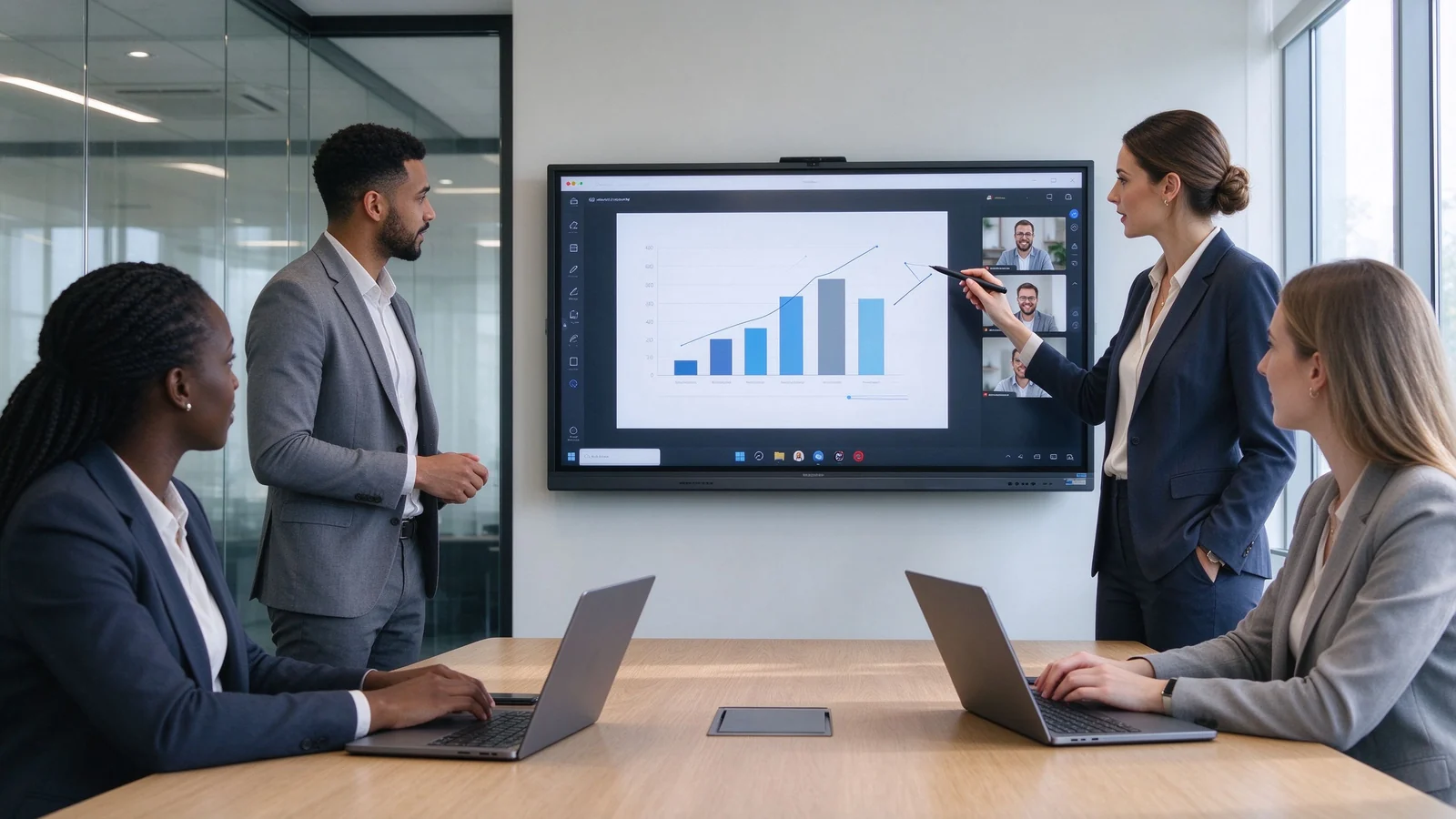
Business teams use 4K interactive displays for client presentations, live annotation, and hybrid participation.
Jump to the section that matches your role in the buying process.
An interactive display for business is an all-in-one collaboration system built around a touchscreen flat panel — a meeting room device, a whiteboard, a presentation screen, and a video-conferencing endpoint in one enclosure, replacing the old projector-whiteboard-PC setup.
Vendors use these terms inconsistently, so judge by specification and use case. The table shows what each term usually means in the business market.
| Термин | What it usually means | Typical business use |
|---|---|---|
| Interactive display | Broad term for a touchscreen collaboration display for business | Meetings, training, presentations |
| Интерактивная доска | Display designed around writing and annotation | Workshops, classrooms, meetings |
| Interactive flat panel | All-in-one flat-panel touchscreen with onboard computing | Modern meeting rooms, hybrid collaboration |
| Interactive monitor | Often a smaller touchscreen connected to a PC | Individual workstations, compact collaboration |
| Smart board | Generic market term; may also refer to a specific brand | Meetings, teaching, team collaboration |
| Особенность | Interactive display | Commercial TV | Проектор |
|---|---|---|---|
| Touch interaction | Built in | Usually unavailable | Requires interactive hardware |
| Digital whiteboard | Доступно | Requires external software | Requires external software |
| File annotation | Поддерживается | Usually unavailable | Usually unavailable |
| Wireless collaboration | Designed for multi-device sharing | Often needs add-on devices | Often needs add-on devices |
| Hybrid meeting integration | Can integrate camera and audio | Requires external system | Requires external system |
| Best use | Collaboration and interaction | One-way content playback | Large image in existing projection rooms |
This guide does not rank products by brand name alone. Use the eight criteria below to build your shortlist and compare suppliers on equal terms.
Check native resolution, brightness, anti-glare, contrast, viewing angle, and color consistency. Readability matters more than peak brightness: small fonts in Excel dashboards, financial reports, technical drawings, and multi-window layouts must stay legible from the back row. Test with real content.
Touch quality depends on touch technology, touch-point count, latency, pen accuracy, palm rejection, and behavior in Android and Windows. Confirm finger, pen, and eraser recognition, edge precision, and simultaneous multi-user writing without ghost strokes.
A high touch-point number is useful only when the screen size, whiteboard software, latency, and room workflow allow comfortable multi-user collaboration. A 50-point panel in a 65-inch room where two people present is specification theater — match touch capacity to the room task.
Verify client compatibility across Windows, macOS, iOS, and Android; supported protocols (AirPlay, Miracast, Google Cast, or vendor apps); simultaneous sharing; split-screen; and guest access. In enterprises, check whether casting requires installing software on employee laptops.
Check camera field of view and auto-framing, microphone pickup, echo cancellation, noise suppression, and speaker coverage. Confirm Teams, Zoom, Google Meet, and browser compatibility, plus how BYOM or a room PC is handled.
A display that supports conferencing does not automatically include a complete room video system. Confirm camera, microphone, speaker, computer, software, and network separately, and test a real call before committing.
| System option | Лучшее для | Main consideration |
|---|---|---|
| Андроид | Fast whiteboarding, casting, simple meetings | Confirm app support and enterprise account policies |
| Окна | Office, browser tools, business applications, specialist software | May require OPS or an external PC |
| Dual system | Organizations with mixed meeting and software workflows | Requires clear IT management rules |
| External PC | Existing enterprise AV and room-control systems | Confirm touch-back, USB, and 4K compatibility |
If users open PowerPoint, Excel, browsers, and industry software daily, Windows access (via OPS or a room PC) matters more than the Android app store. If the display is mainly casting and whiteboarding, Android lowers cost and support burden. For mixed organizations, dual system lets teams switch without changing hardware.
Inventory ports and expansion: HDMI in/out, USB-A, USB-C with video and touch-back, DisplayPort, LAN, Wi-Fi, Bluetooth, audio in/out, an OPS slot, RS-232 or network control, and camera or microphone interfaces. Confirm the panel follows the same control protocol as the rest of the room.
Enterprise buying differs from single-room buying in one decisive way: every display becomes a networked device. Check guest casting control, permissions, network segmentation, sign-out and data clearing, app-install control, camera and microphone permissions, and OTA control. Verify DMS: remote monitoring, device status, remote restart, and batch configuration.
Ask for the commercial-use rating, aging tests, quality-control workflow, batch consistency, lifecycle plan, warranty, spare parts, firmware policy, DOA handling, and support response time. These factors decide whether a deployment lasts three to five years or becomes a replacement problem.
These trends change what you specify today: each affects certification, security, compatibility, or total cost of ownership.
Official Google EDLA certification ships with GMS and supported Google services — relevant for Workspace organizations.
More panels ship with validated Teams and Zoom compatibility, cutting integration risk.
Guest casting control, permissions, and centralized remote management are becoming enterprise table stakes.
Single USB-C cables for video, touch-back, and power, plus network AV distribution, simplify installation.
Speech-to-text, meeting minutes, and smart assistants are appearing in panels. Evaluate privacy, accuracy, and data location.
Enterprises increasingly standardize on a few models and sizes with one management platform, instead of per-room brand choices.
Power, standby, packaging, and materials are entering tender requirements, especially for public-sector accounts.
AirPlay, Miracast, and Google Cast change across OS versions; verify firmware supports your device mix.
Tariffs, certifications, and rules of origin now influence sourcing. Confirm certifications for the target market before bulk purchase.
The seven scenarios below cover the spaces where business interactive displays are deployed, with the priorities that should drive each spec.
Huddle rooms host quick discussions, short presentations, and ad-hoc calls for two to five people. Priorities: fast startup, simple casting, a basic whiteboard, HDMI and USB-C, simple camera and audio, easy guest access, and an optional cart.
Standard conference rooms host team meetings, project reviews, and most hybrid calls. Priorities: 75–86 inch native 4K, multi-touch (20–40 points), casting, PDF and PPT annotation, Teams or Zoom integration, and Android with Windows via OPS. This is the most common corporate specification, so standardization across rooms pays off. See the best interactive whiteboard for business presentations for presentation-focused buying.
Boardrooms run high-stakes presentations for 12 to 20 people at distance. Priorities: 86–98 inch (or larger) 4K, anti-glare glass, high-quality camera and audio, secure screen sharing, clean cable management, premium wall mounting, and integration with existing room control.
Training rooms need the whole room to see and interact: 86–110 inch or multi-display, 4K readability, 20–50 point touch, a reliable whiteboard, annotation with export, hybrid-learning camera and audio, and mobile cart options. For multiple sites, DMS pushes consistent settings to every unit.
Hybrid rooms are judged by the remote experience. Verify camera framing, microphone pickup, speaker coverage, Teams / Zoom / Meet compatibility, remote annotation, participant layouts, and secure screen sharing. The display is one component; camera, audio, and network carry equal weight.
Engineering and design reviews demand precision: 4K, accurate touch, low writing latency, USB-C and HDMI for workstations, Windows via OPS or an external PC, multi-window display, and annotation of PDFs, CAD captures, and dashboards. Choose the largest size the room depth allows — detail density decides.
A 20–100 room deployment is an IT project, not a hardware purchase. Standardize on a small model portfolio (55, 65, 75, 86, and 98 inch), one unified interface, DMS, common accessories, a spare-part plan, installation templates, training, and centralized support.
Size is a starting point, not a decision. The table gives starting ranges; the checklist below covers what else to verify. For ultra-large formats, see the 4K & 100 inch interactive whiteboard buyer's guide.
| Room type | Typical audience | Suggested size | Подходит для |
|---|---|---|---|
| Huddle room | 2–5 | 55–65" | Quick discussions, short presentations |
| Малый зал заседаний | 4–8 | 65–75" | Team meetings, project reviews |
| Standard conference room | 6–12 | 75–86" | Presentations, collaboration, hybrid meetings |
| Большой зал заседаний | 12–20 | 86–98" | Executive meetings, technical presentations |
| Training room / large collaboration | 20+ | 98-110 "или мульти-дисплей | Training, workshops, large-group collaboration |
Follow a five-step process to build a shortlist of one to three models you can defend to finance, IT, and facilities — not a spec sheet chosen by brand familiarity.
List the actual activities: presentations, whiteboarding, video meetings, client meetings, training, design reviews, data analysis, hybrid work, multi-room deployment. Every feature decision follows.
Collect room size, seating layout, viewing distance, existing computers, camera and audio, meeting software, network policy, Wi-Fi coverage, LAN ports, power location, mounting wall, and security requirements. This audit prevents the two most common errors: wrong size and missing infrastructure.
Separate must-have, important, and optional — the table below is a starting template.
| Приоритет | Example requirement |
|---|---|
| Должен-иметь | 4K, wireless casting, HDMI, USB-C, basic whiteboard |
| Important | Windows OPS, multi-touch, video conferencing, DMS |
| Необязательно | AI transcription, auto-framing, custom UI, NFC login |
Test shortlisted models with corporate PPT decks, Excel dashboards, PDF reports, product videos, CAD drawings, browser applications, a live Teams or Zoom call, laptop casting, annotation and file export, and simultaneous writing. Demo videos hide most weaknesses.
Verify factory or authorized-supplier status, product range, samples, certifications, quality control, batch capacity, lead time, warranty, spare parts, firmware support, and OEM/ODM capability. Section 9 turns this into a checklist.
Compare total project cost, not unit price: mounting, OPS, camera, audio, cabling, network, training, and support usually exceed the hardware itself. A slightly more expensive panel with a cleaner install can be cheaper per room than a bargain unit.
Interactive flat panels compete with alternatives for the same room budget. Use this comparison to decide whether the room needs an interactive display or a simpler solution.
| Решение | Strengths | Ограничения | Лучшее для |
|---|---|---|---|
| Interactive flat panel | Touch, whiteboarding, casting, all-in-one collaboration | Requires installation and IT planning | Meeting rooms, training, collaboration |
| Commercial display | Lower complexity for playback | No built-in touch or annotation | One-way presentations and signage |
| Projector-based system | Large image potential | Ambient-light and maintenance considerations | Existing projection rooms |
| LED video wall | Strong visual impact and scalable size | Higher project complexity; touch may require a separate layer | Boardrooms, command centers, showrooms |
| Interactive monitor | Compact touchscreen interaction | Smaller display area | Individual desks and small collaboration |
| Традиционная белая доска | Low cost and simple | No digital capture or remote collaboration | Basic in-room writing |
The same screen can ship from a factory, a trading company, or a brand assembling third-party parts. The supplier determines price, delivery, quality consistency, and long-term support. Walk through these four question groups before committing.
Qtenboard is an interactive flat panel manufacturer and brand owner controlling production from R&D to final assembly and quality testing — factory-direct specification, batch consistency, and direct support over the deployment life.
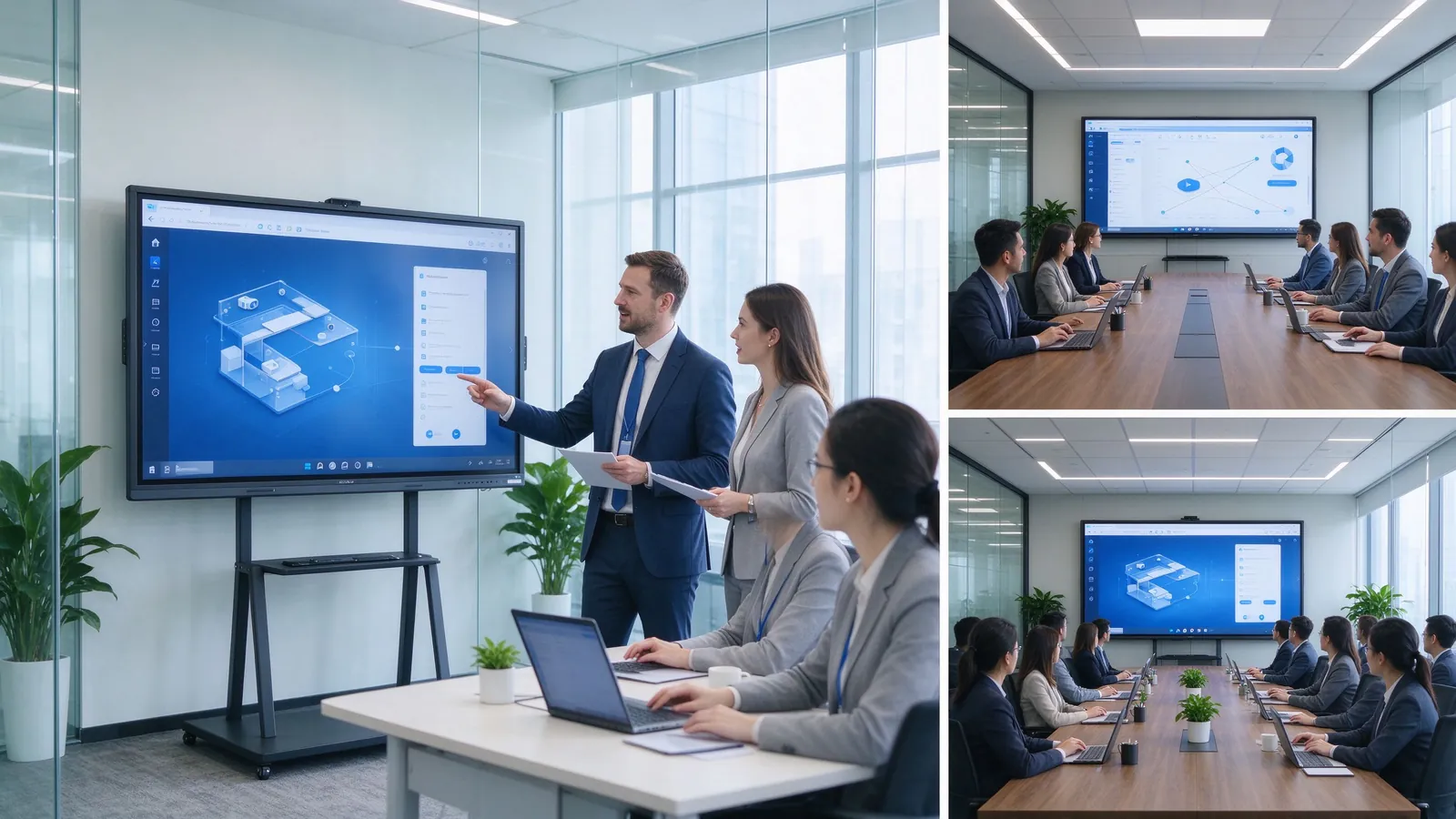
Qtenboard interactive displays in business settings: meeting rooms, boardrooms, training rooms, and multi-room deployments managed through DMS.
| Qtenboard configuration direction | Suitable business space | Key value |
|---|---|---|
| Интерактивная панель 55-65 дюймов | Huddle rooms and executive offices | Compact collaboration |
| 75–86" 4K interactive panel | Стандартные конференц залы | Presentation, annotation, hybrid meetings |
| 86–98" interactive display | Boardrooms and technical review rooms | Long-distance readability |
| 98–110" large-format display | Training rooms and large collaboration spaces | Large-group visibility and interaction |
| OEM/ODM configuration | Brand, distributor, and integration projects | Customized branding, hardware, software, packaging |
Qtenboard runs an OEM/ODM program for commercial display distributors, AV integrators, corporate project contractors, regional brands, and smart-office solution providers. Customization topics include logo and boot animation, UI and language, Android / Windows / dual-system choice, touch configuration, camera and audio options, I/O ports, pre-installed software, packaging, documentation, and CKD/SKD or local assembly. MOQ, lead time, and final configuration are confirmed per project. Compare factory options in our Производитель умных досок OEM И customizable digital screen factory guides.
Three project patterns recur in business procurement, described here as typical briefs you can match to the support model.
An AV distributor supplies 65, 75, and 86 inch panels across customer projects with consistent firmware, local language UI, and batch delivery to several sites. The value: one product portfolio, DMS-ready units, and predictable lead times.
An enterprise IT team rolls out standardized displays across 20–100 meeting and training rooms with identical settings, remote updates, and spare units. The value: one management platform and centralized support.
A regional brand launches its own display line with custom logo, UI, software, and packaging through OEM/ODM, including certification packages for the target market. The value: a factory partner owning R&D, assembly, and quality control.
| Buyer priority | Qtenboard value proposition |
|---|---|
| Size flexibility | 55–110" interactive display portfolio covering every business space |
| Display quality | 4K UHD commercial panels with tempered glass and aluminum frame options |
| Touch options | Multi-touch, low-latency writing, palm rejection, finger/pen/eraser recognition |
| System flexibility | Android, Windows, dual system, and OPS expansion |
| Project customization | OEM/ODM, branding, software, packaging, CKD/SKD |
| Deployment support | DMS, batch supply, spare parts, multi-room rollout |
For project-specific answers on sizing, configuration, certification, MOQ, lead time, and samples, contact the Qtenboard B2B team with your room list.
Most failed deployments share the same root causes. Check your shortlist against these twelve before you sign.
Two more decisions belong before the bulk order: run a sample or on-site demo, and confirm with OEM suppliers which features are standard versus optional so the final configuration matches the quoted price.
What are the best interactive displays for business in 2026?
There is no single best model for every company. The right choice depends on room size, content, touch requirements, workflow, operating system, device compatibility, IT security, and deployment scale. For most new mid-to-large meeting rooms, a 4K interactive flat panel with wireless sharing, annotation, and video-conferencing extension is a strong starting point.
What is the difference between an interactive monitor and an interactive display?
An interactive display is usually a large all-in-one touchscreen system for meeting rooms and collaboration spaces. An interactive monitor sometimes refers to a smaller touchscreen used with an external computer. Definitions vary by supplier; judge by specification and use case.
What size interactive display is best for a business meeting room?
55–65 inch suits small collaboration spaces; 75–86 inch fits standard meeting rooms; 86–98 inch works for boardrooms; 98–110 inch or multi-display serves large training rooms. Confirm against viewing distance and content detail.
Is a 4K interactive display necessary for business?
4K is usually worth it for mid-to-large meeting rooms, training rooms, boardrooms, data presentation, engineering reviews, and multi-window collaboration. For small, close-range spaces with simple content, evaluate 1080p. The deciding factor is whether small fonts and detail matter.
Do business interactive displays work with Teams and Zoom?
Many business interactive displays support Teams, Zoom, Google Meet, or browser platforms, but compatibility depends on the OS, meeting host, camera, microphone, speaker, network, and software version. Run a real test call first.
Should a business choose Android, Windows, or dual system?
Android suits fast casting, whiteboarding, and basic meetings; Windows suits Office and specialist software; dual system suits mixed workflows. Choose by your applications, IT policy, and existing devices.
Can interactive displays support multiple users?
Yes, but the experience depends on touch points, latency, palm rejection, whiteboard software, screen size, and the task. Test simultaneous writing before committing.
What should businesses ask an interactive display supplier?
Ask about resolution, brightness, touch, OS, casting, interfaces, conferencing, DMS, security, samples, certifications, lead time, warranty, spare parts, firmware updates, and project support — the full list is in the supplier checklist.
Does Qtenboard provide interactive displays for business?
Yes. Qtenboard supplies interactive flat panels for meeting rooms, boardrooms, and business projects, with 4K displays, Android / Windows / dual-system options, video-conferencing and AI directions, DMS, and OEM/ODM configuration. Confirm the exact model against your brief.
Can Qtenboard customize interactive displays for distributors and projects?
Qtenboard can discuss brand logo, UI, software, system, touch, camera, audio, interfaces, packaging, and other OEM/ODM requirements per project. Scope, MOQ, and lead time are confirmed per specification.
Следующий шаг
Prepare your room list, content types, and IT environment, then compare two to three suppliers against the checklist. If Qtenboard is on your list, request a quote with your project details.

CEO | Интерактивный дисплей & Сотрудничество Решение Эксперт
Я являюсь основателем Qtenboard, привнеся более 17 лет практического опыта в индустрию сенсорных дисплеев. Опираясь на перспективы глобального управления, полученные в ходе моих исследований EMBA в Университете Шэньчжэня, я возглавляю свою команду по оптимизации каждого этапа нашей деятельности-от определения продукта до высокоэффективного управления цепочками поставок-гарантируя, что наши производственные возможности остаются на переднем крае отрасли.
Как руководитель Qtenboard, я специализируюсь на предоставлении адаптированных OEM/ODM-решений для интерактивных досок, ЖК-видеостен, цифровых вывесок и сенсорных терминалов промышленного уровня. Опираясь на наш современный промышленный парк площадью 330 000 м² в Шэньчжэне, мы поддерживаем полный контроль жизненного цикла промышленного дизайна, точного производства и тщательного тестирования производительности.
Обладая почти двадцатилетним опытом работы в проектах, решения Qtenboard в настоящее время развернуты в более чем 120 странах и регионах, заслужив доверие более 15 000 корпоративных клиентов по всему миру. Если вы ищете отзывчивого партнера с глубоким учредлением производства для ваших подгонянных проектов дисплея касания, то моя команда и я готовы поддержать ваше зрение с профессиональным передовым опытом.

 ru
ru
 EN
EN  pt
pt  spa
spa  th
th  vie
vie  aze
aze  bel
bel  est
est  lav
lav  ukr
ukr