














Countertop Digital Menu Board for Cafes Milk Tea Shops and Restaurants Qtenboard

Qtenboard ANATEL Certificate Qtenboard CB Certificate Qtenboard CE Certificate Qtenboard EMC Certificate Qtenboard ERP Certificate Qtenboard FCC Certificate Qtenboard EDLA Certificate Qtenboard EPEAT Certificate Qtenboard ENERGY-STAR Certificate Qtenboard ISO4001 Certificate Qtenboard ISO9001 Certificate Qtenboard ISO27001 Certificate Qtenboard ISO45001 Certificate Qtenboard LVD Certificate Qtenboard PVOC Certificate Qtenboard RETIE Certificate Qtenboard RoHs Certificate

Technical specifications:

Q Qtenboard
Countertop Digital Menu Board Series
Countertop Digital Menu Board for Cafes, Milk Tea Shops and Restaurants

A compact tabletop digital signage display designed for cashier counters, ordering stations and product-promotion areas. Show menus, prices, new drinks, seasonal campaigns and upselling offers exactly where customers make purchase decisions.
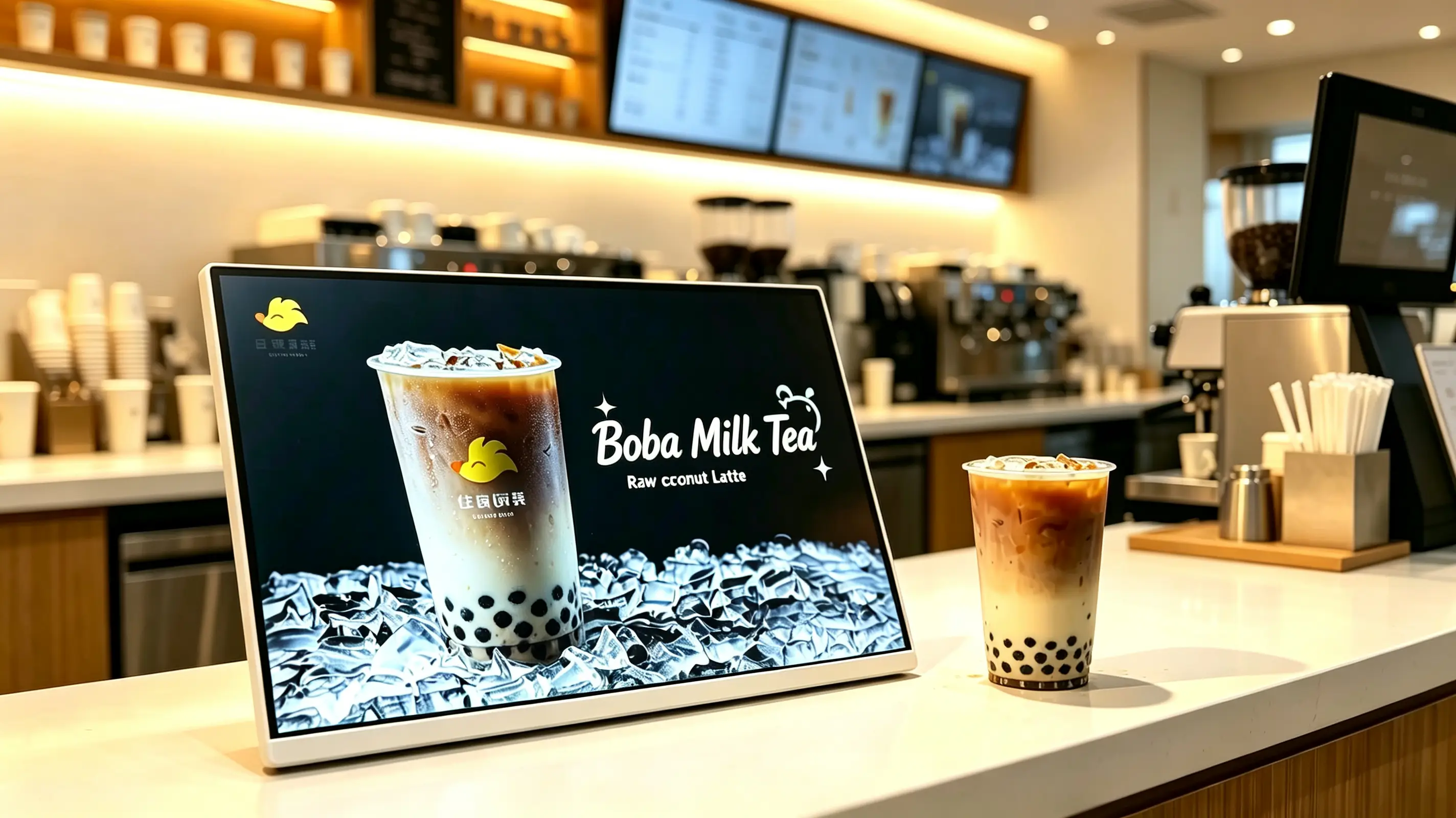
Compact countertop design Landscape display layout Digital menu & promotion playback Ideal for cafes, milk tea shops & restaurants Android, Windows or monitor-only USB, Wi-Fi, LAN and CMS options Optional touchscreen & POS integration OEM branding & chain-store deployment
Landscape countertop digital menu board on a milk tea shop counter displaying a raw coconut latte promotion with white frame and flat tabletop base
Image shown with landscape orientation, white frame and single-product beverage promotion. Final configuration to be confirmed per project.
2005Founded in Shenzhen
330,000㎡Manufacturing area
1,000+Employees across 3 bases
110+Countries served
Why It Sells at the Counter

Turn the Ordering Counter into a Digital Sales Opportunity

Customers often make final purchase decisions at the cashier counter. A countertop digital menu board helps cafes, beverage shops and restaurants display featured drinks, limited-time offers, add-ons and membership promotions at the exact moment customers are ready to order.

Unlike printed countertop posters, the display can be updated quickly for new products, changing prices, daypart promotions and seasonal campaigns.

  • Show promotional information at the exact moment customers order and pay.
  • Promote new products, limited editions, high-margin drinks and add-on combos.
  • Reduce the cost and labour of printing and replacing paper countertop posters.
  • Switch content automatically for breakfast, lunch, afternoon tea and dinner dayparts.
  • Keep menus, prices and visual identity consistent across chain-store networks.
  • Publish content remotely from head office and reduce manual store operations.
  • Works as a POS-adjacent display, a brand communication screen or a small digital menu board.
Image configuration note: The product image shows a landscape countertop display with a white frame and a beverage promotion layout. This configuration is suitable for single-product campaigns, new drink launches and countertop upselling. For full menu display or interactive ordering, a different screen size, orientation or touch configuration may be recommended.
Pick the Right Version

Quick Selection Guide for Countertop Digital Menu Boards

Choose a USB standalone display for single-store promotion, an Android CMS display for chain-store content management, a Windows configuration for POS or third-party software integration, or a monitor-only version for existing media players. Final configuration depends on counter space, content type, network and software requirements.

VersionBest ForRecommended ConfigurationConfirm Before Ordering
USB Standalone Landscape DisplaySingle stores, milk tea shops, cafes, single-product campaignsLandscape, 10.1"–21.5", USB loop playback, non-touchScreen size, content update frequency, counter space
Android CMS Chain-Store DisplayMilk tea, coffee and fast-food chainsAndroid, Wi-Fi/LAN, cloud CMS, multi-store groups, daypart switchingNumber of stores, permissions, playback reports, network
Windows POS-Integrated DisplayProjects requiring POS, membership or third-party menu softwareWindows industrial PC, HDMI/USB, POS interface, custom softwarePOS brand, interface documentation, software compatibility
Monitor-Only Counter DisplayBuyers with an existing player, POS host or AV systemHDMI input, external media player, non-touchResolution, cable length, player compatibility
Touchscreen Interactive DisplayMenu browsing, membership registration, self-service lookupPCAP touch, Android/Windows, CMS or APPSoftware, gloves, glass, maintenance method
Beverage Promotion DisplayHero products, new launches, add-on promotionsLandscape, high-brightness indoor panel, USB/Android, white or custom frameContent template, brand colours, stand angle
Technical dimension drawing of landscape countertop digital menu board showing screen size, stand width, height and viewing angle
Dimension example of a landscape countertop digital menu board with flat white base.
Landscape, portrait and split-screen content layout comparison for countertop digital menu board
Landscape, portrait and split-screen layouts available for the same countertop display.
Built for Service Counters

Compact Tabletop Design for Busy Counters

Space-Efficient Countertop Footprint

  • Compact size for cashier counters and ordering stations
  • Designed to fit beside POS terminals and payment devices
  • Suitable for narrow counters and high-traffic service areas
  • Can be placed near beverage displays, pickup counters or product shelves
  • Easy to reposition for temporary campaigns and seasonal promotions

The compact tabletop form factor is designed for limited counter space. Place the display beside a POS terminal, at the ordering point or near featured products to deliver clear promotional messages without blocking daily service operations.

Landscape Display Layout

The featured product uses a landscape display, which is well suited to hero beverage advertising, two-product comparison, combo recommendations, horizontal video, wide-format menus and split-screen content such as menu + promotion + QR code.

OrientationContent That Works BestTypical Placement
LandscapeWide beverage images, two-product comparison, combo recommendations, horizontal videoCashier counters, coffee bars, product display cabinets
PortraitSingle-product posters, membership QR codes, new-product features, vertical price listsNarrow counters, store entrances, queue areas
Split-screen layoutMenu + promotion + price + QR code in one viewChain restaurants, milk tea shops, quick-service stores

White Metal Frame and Commercial Construction

  • White or custom-colour metal frame
  • Commercial display panel options
  • Clear image and video playback for close-range viewing
  • Wide viewing-angle option
  • Anti-glare front treatment option
  • Durable enclosure for retail and food-service environments
  • Optional protective glass for high-contact locations
  • Stable tabletop stand or custom bracket option

Optional Touchscreen Configuration

For projects that require customer interaction, a touchscreen option can be configured for menu browsing, product selection, membership registration or customer-service applications. Touch functionality should be selected according to the intended software and user workflow.
  • Product browsing
  • Digital menu navigation
  • Add-on selection
  • Membership registration
  • QR code display and interaction
  • Loyalty-program information
  • Customer feedback
  • Queue or pickup information
  • Ordering-system interface
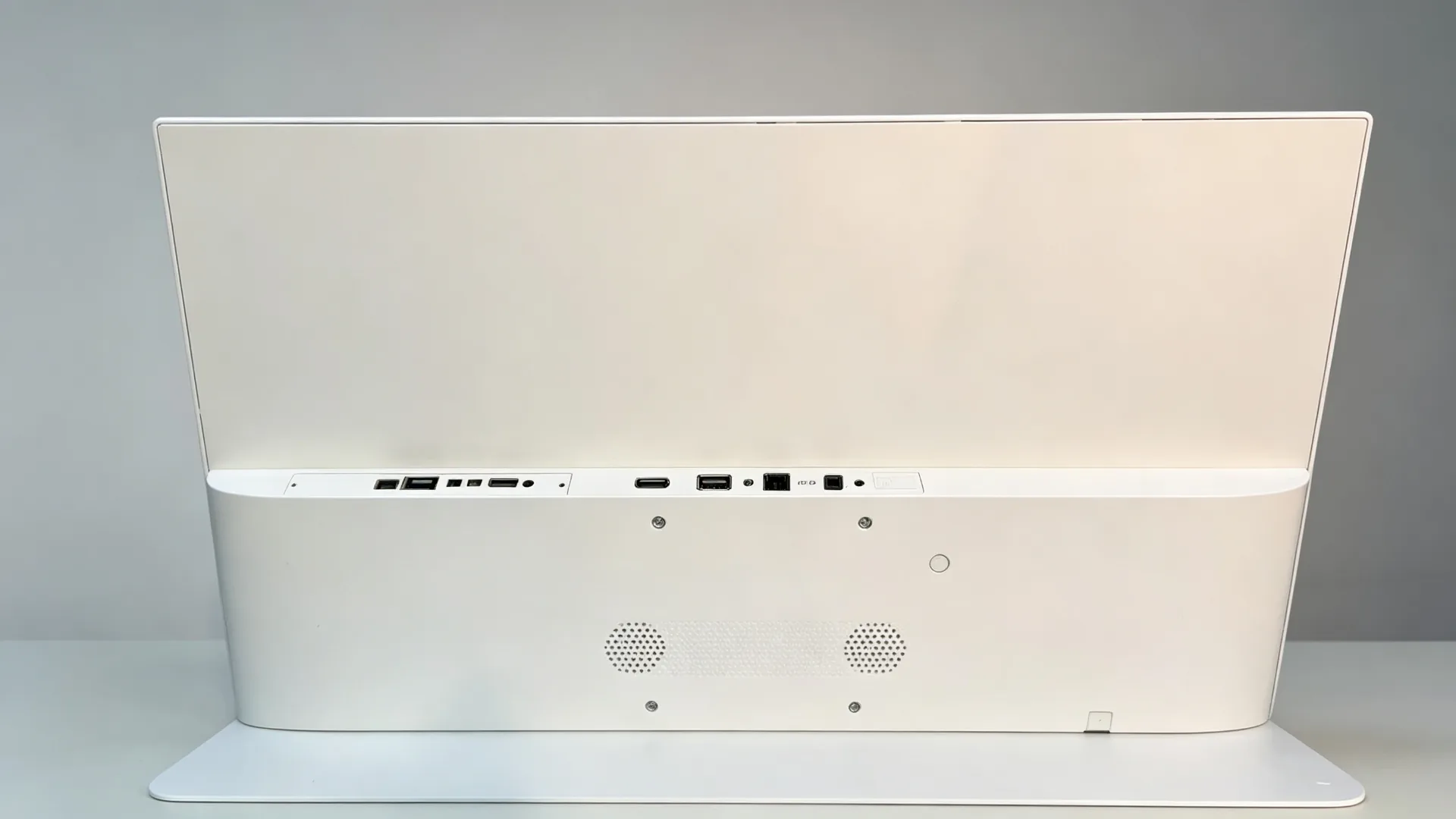
Rear interface and cable management of countertop digital menu board showing HDMI, USB, LAN and DC power ports
Rear interface layout with HDMI, USB, LAN and DC power ports.
Content That Sells

Display Menus, Promotions and Upselling Content at the Point of Purchase

Digital Menu Presentation

Beverage menuCoffee menuMilk tea menuDessert menuBakery itemsDaily specialsSeasonal productsCombo mealsPricesProduct ingredientsAllergen noticesCalorie or nutrition infoMulti-language content

Single-Product and New Product Promotion

New drink launchSignature beverage promotionSeasonal limited editionCollaboration productHigh-margin drink recommendationBest-seller rankingLimited-time discount

Upselling and Cross-Selling

  • Add a topping
  • Upgrade to a larger size
  • Add a pastry
  • Add an espresso shot
  • Try oat milk
  • Buy two drinks and save
  • Add dessert with your drink
  • Join the loyalty program
  • Scan to receive a coupon
  • Collect points with your membership code

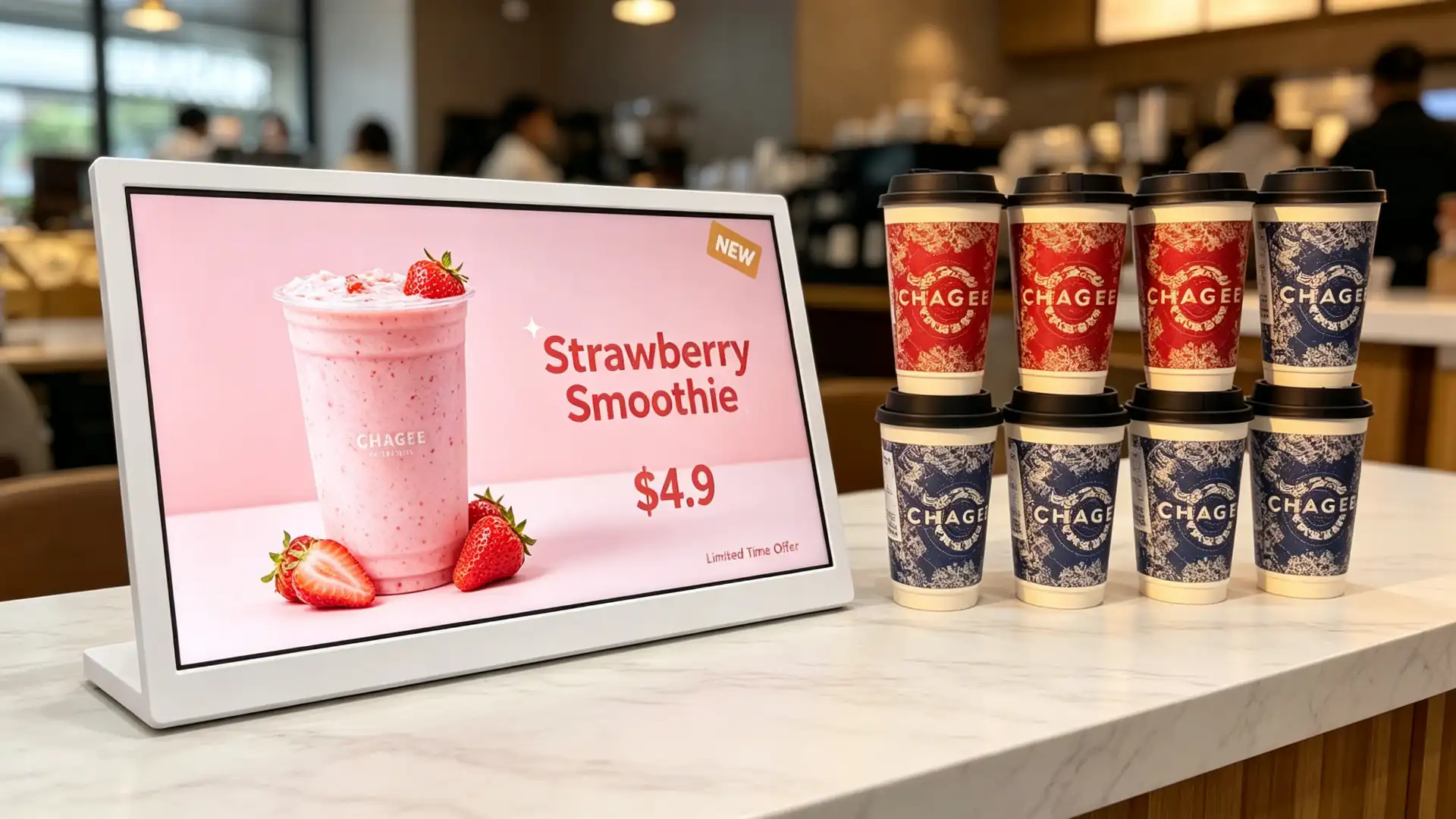
Use the display to recommend high-margin add-ons, upgrade options and product bundles. By placing targeted messages beside the payment or ordering area, stores can promote relevant offers while customers are still deciding what to buy.
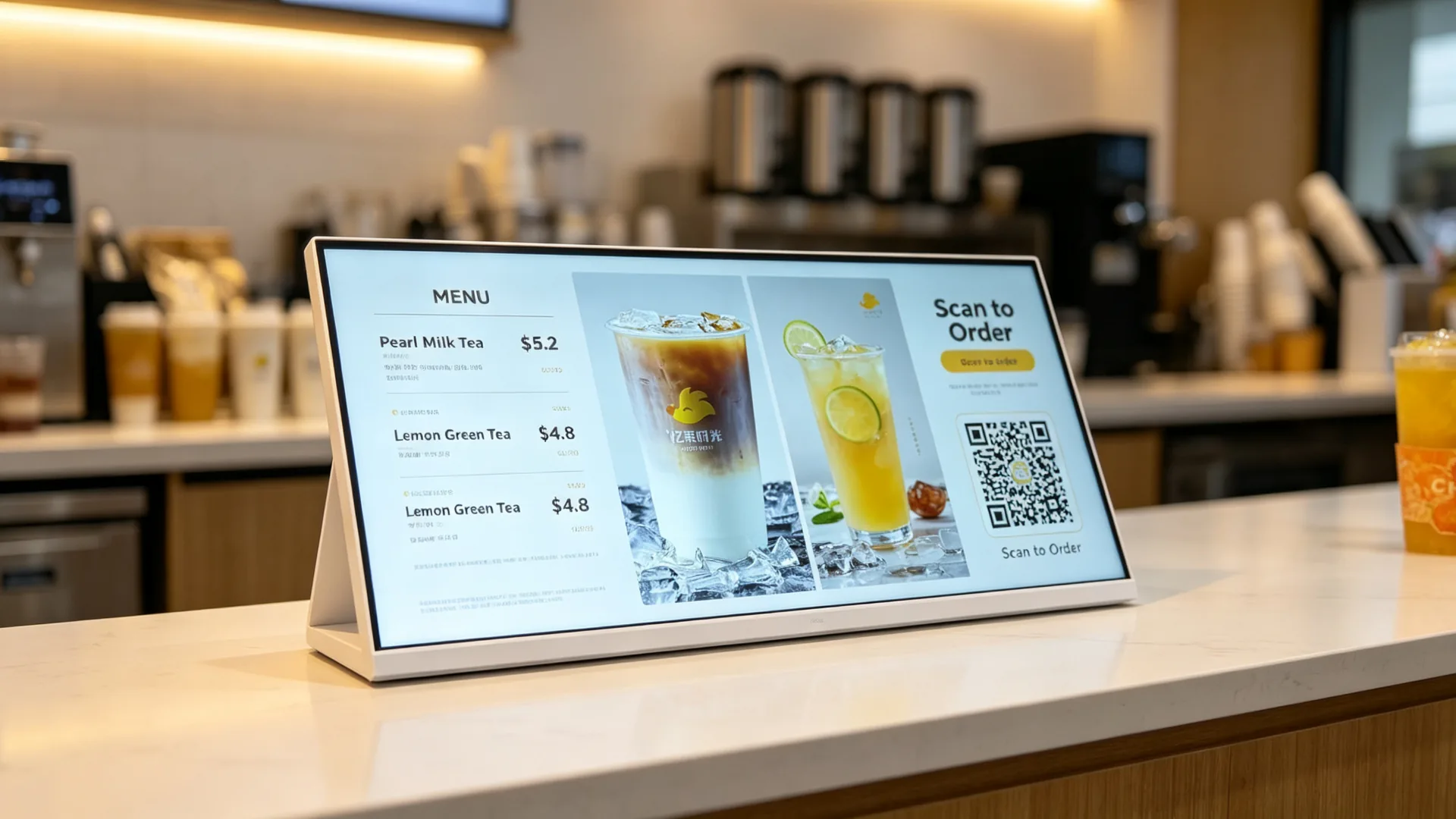
Membership, QR and Mobile Ordering Promotion

  • Membership QR code
  • Loyalty-program registration
  • Mobile ordering QR code
  • Delivery-platform QR code
  • Coupon redemption
  • WeChat mini-program entry
  • App download QR code
  • Customer-review QR code
  • Social-media campaign
QR wording note: If the screen is used only to display a QR code, it is a QR code promotion display. Only configurations with a scan module and compatible software should be described as a QR code scanner or QR kiosk.
Single-product beverage promotion template on landscape countertop digital menu board for milk tea shop
Single-product beverage promotion template in landscape layout.
Split-screen layout showing menu, price, promotion and QR code on countertop digital menu board
Split-screen menu, price, promotion and QR code layout.
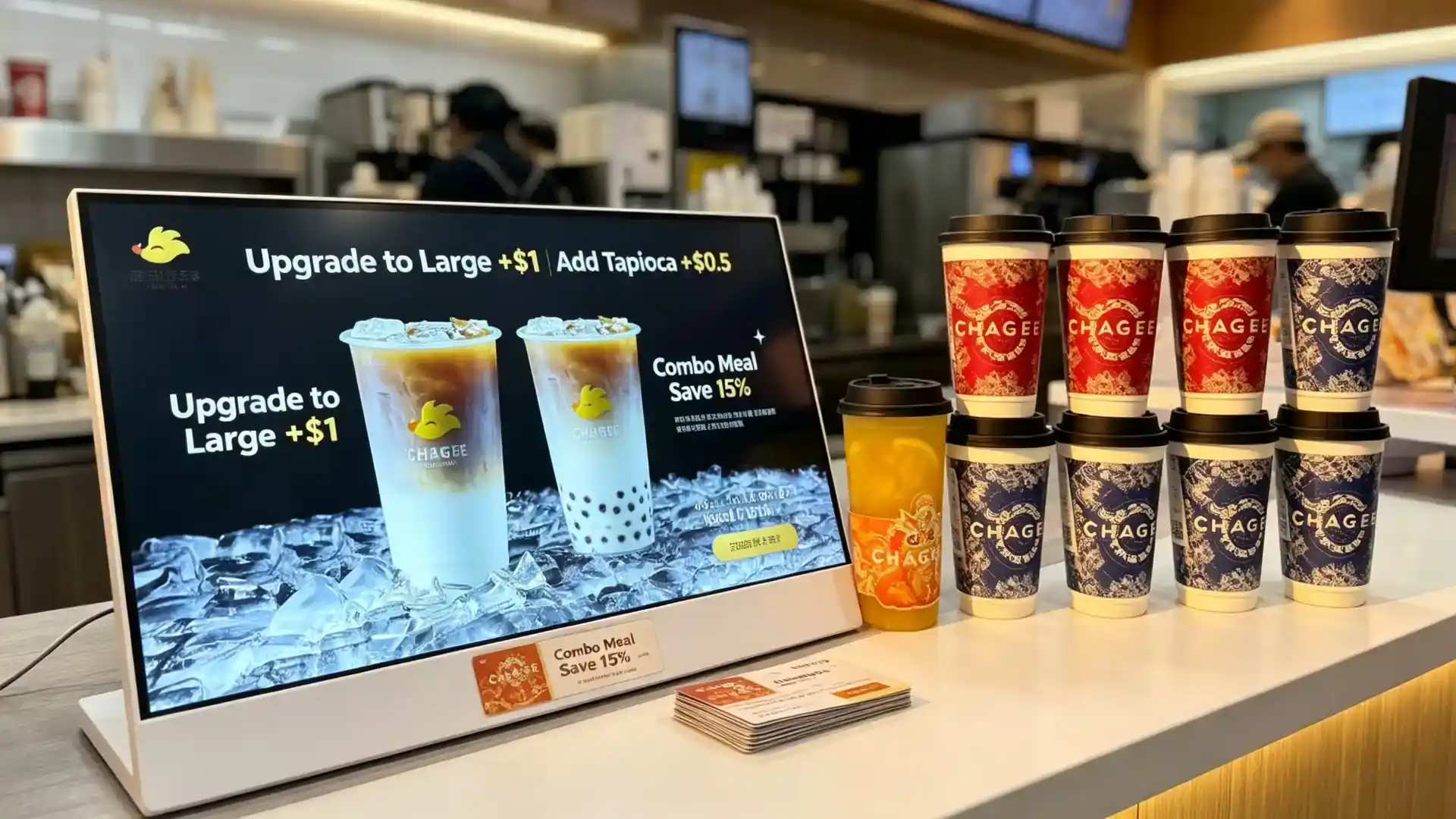
Upselling and cross-selling content template for countertop digital menu board showing add-on and size upgrade options
Add-on, size upgrade and combo recommendation template.
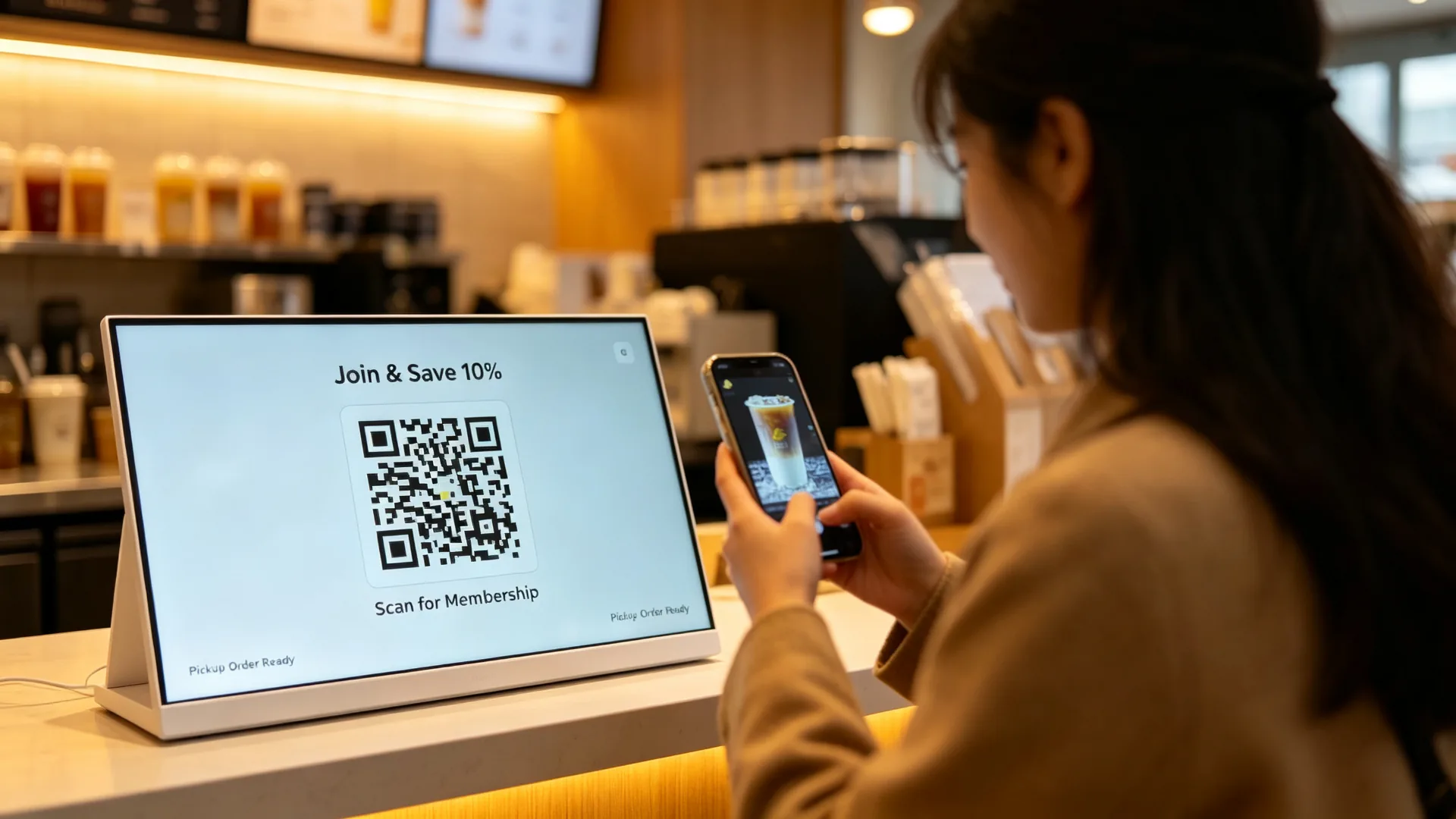
Membership QR code and mobile order pickup promotion displayed on countertop digital menu board
Membership QR code and mobile order pickup promotion at the counter.
Control from One Place

Choose the Content Management Method for Your Store Network

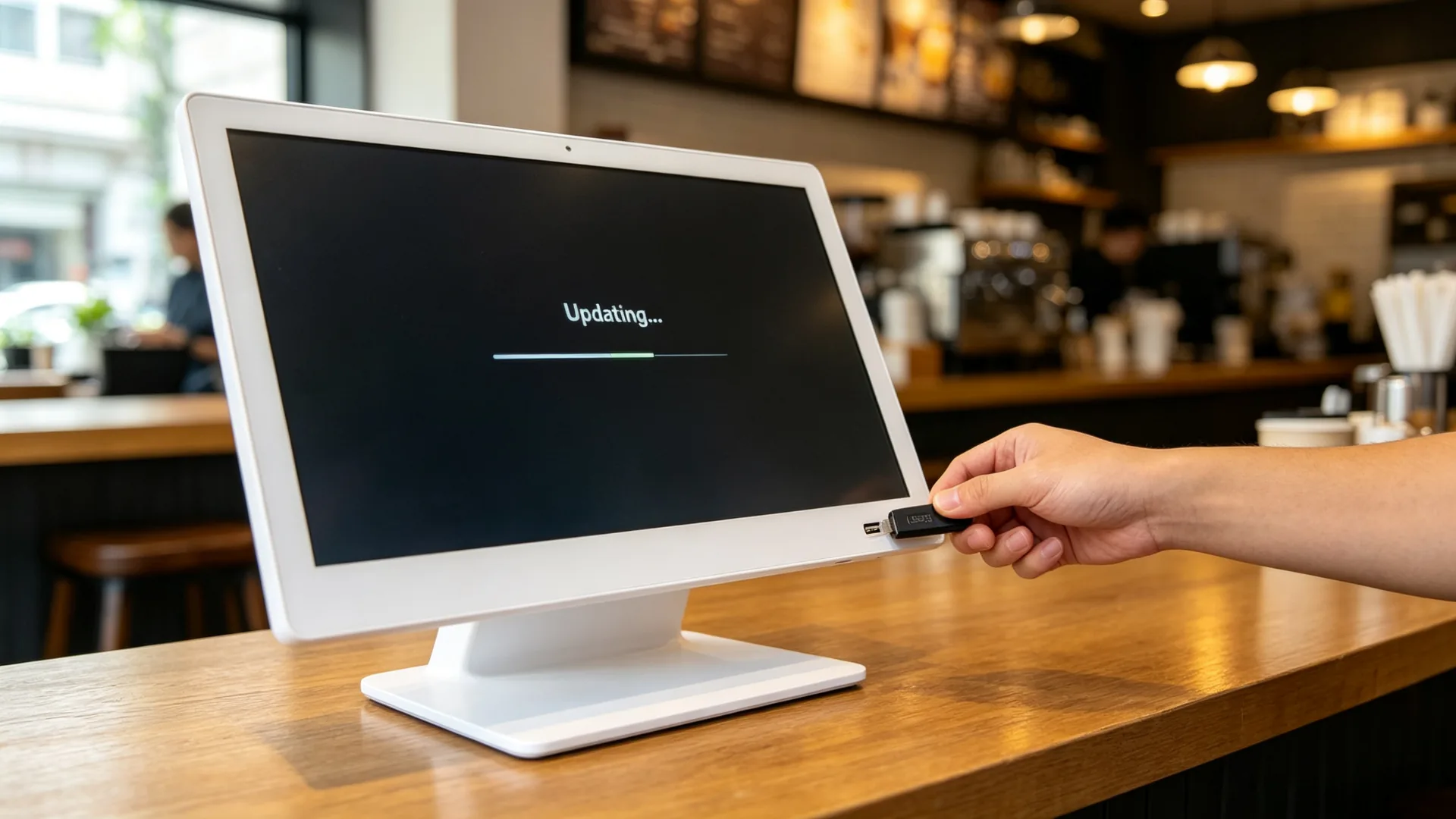
USB Standalone Playback

  • USB content upload
  • Image and video playback
  • Loop playback
  • Scheduled playback
  • Plug-and-play operation
  • No network requirement
  • Simple on-site content replacement

Best for: Independent cafes, single milk tea shops, bakery counters, pop-up stores, temporary promotion stands and small restaurants.
Android Digital Signage with CMS

  • Android operating system
  • Wi-Fi or LAN connection
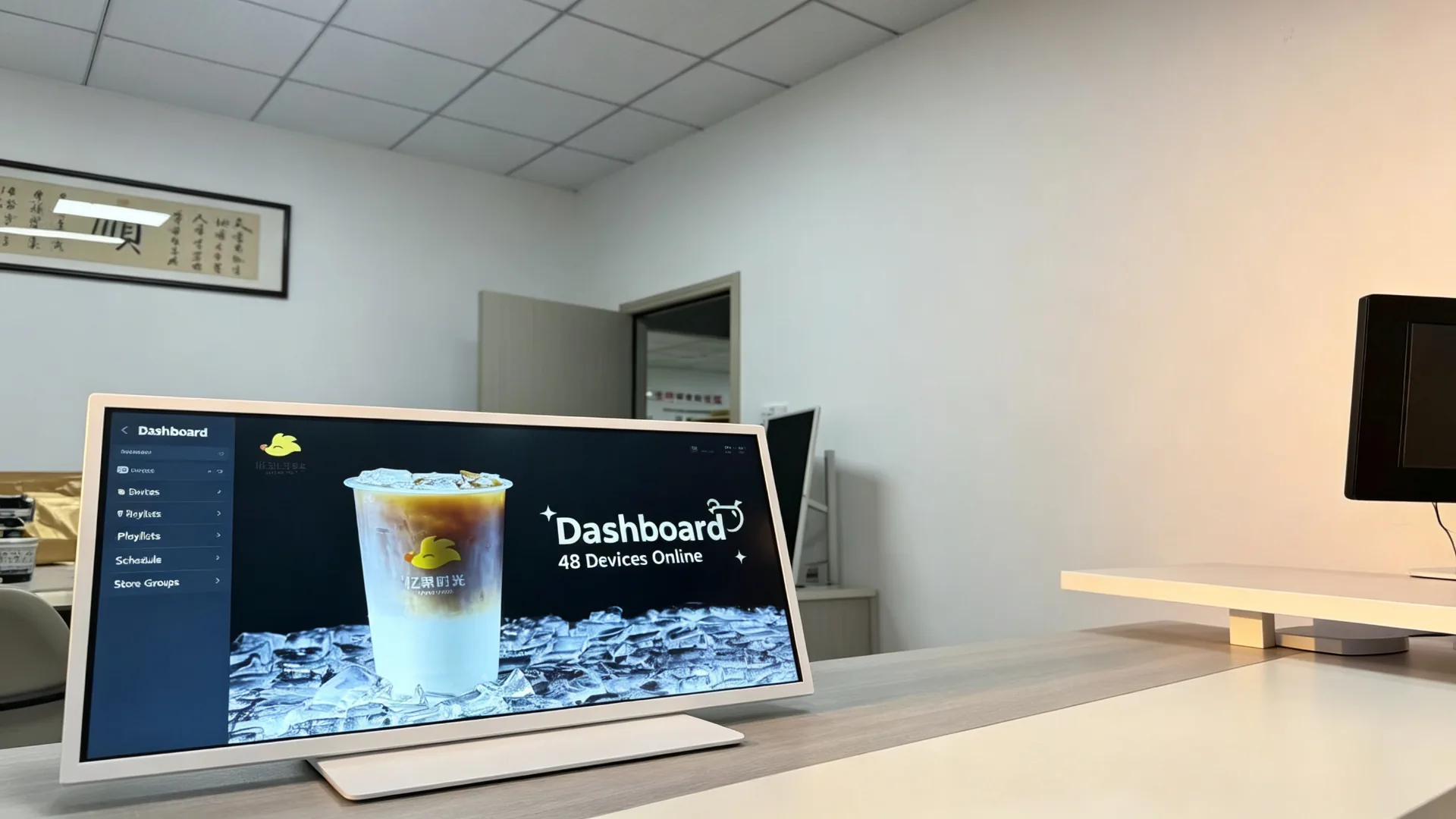
  • Cloud CMS management
  • Remote content upload
  • Multi-store display grouping
  • Playlist scheduling
  • Daypart menu switching
  • Region-specific promotions
  • Remote screen monitoring
  • Optional remote reboot and software update

Windows-Based Configuration

  • Optional Windows PC configuration
  • Third-party menu software compatibility
  • POS-related content integration
  • Web-based application playback
  • Custom interface development
  • Retail or restaurant management software integration
  • Data dashboard or queue-information display
Windows-based configuration is available upon project request. Hardware specifications, operating-system licensing and software compatibility should be confirmed before production.

Monitor-Only Configuration

  • HDMI input
  • USB touch connection, if touchscreen is selected
  • Compatible with external media players
  • Suitable for AV integrators
  • Flexible system replacement and maintenance
USB standalone content update process for countertop digital menu board in a cafe
USB standalone content update — no network required.
Android CMS dashboard for managing multiple countertop digital menu boards, playlists and daypart promotions
Android CMS dashboard for multi-device playlists and daypart promotions.
Windows-based countertop digital menu board integrated with POS system and restaurant management software
Windows-based countertop display beside a POS system in a quick-service environment.
Where It Works

Applications for Countertop Digital Menu Boards

Milk Tea Shops and Beverage Stores

Placement: Cashier counter, ordering area, drink pickup area, beside display cabinets, waiting area.

  • Fruit tea and milk tea menu
  • New drink launches
  • Topping options
  • Sweetness and ice-level guidance
  • Seasonal campaigns
  • Buy-one-get-one promotions
  • Membership QR codes
  • Pickup reminders

Value: highlight new products and toppings before ordering or at checkout to support a higher average order value.

Coffee Shops and Cafes

Placement: Coffee bar, cashier counter, pastry display case, takeaway pickup area.

  • Coffee menu
  • Espresso-based drinks
  • Plant milk options
  • Pastry and dessert pairing
  • Breakfast offers
  • Coffee bean stories
  • Membership benefits
  • Mobile-order pickup information

Quick-Service Restaurants

Placement: Order counter, payment area, pickup area and combo recommendation area.

  • Combo meals
  • Side dishes
  • Drinks
  • Dessert upselling
  • Limited-time offers
  • Queue information
  • Pickup instructions
  • Digital coupons

Bakeries and Dessert Shops

Placement: Cake counter, bread display area, checkout and pre-order area.

  • Fresh bakery products
  • Daily specials
  • Birthday cakes
  • Seasonal gift boxes
  • Pre-order information
  • Pairing recommendations
  • Membership promotions

Hotel Cafes and Hospitality Counters

Placement: Hotel coffee bars, breakfast areas, lounge areas and small food-service counters.

  • Breakfast menu
  • Afternoon tea
  • Bar menu
  • Event promotions
  • Room-service QR codes
  • Loyalty-program messages
  • Local travel recommendations

Retail Counter Promotions

Suitable industries: beauty and cosmetics, convenience stores, pharmacies, gift shops, mobile-phone accessory stores, supermarket checkout areas and specialty food stores.
  • Point-of-purchase product highlights
  • Bundle and cross-sell suggestions
  • Membership and app download QR codes
  • Seasonal retail campaigns
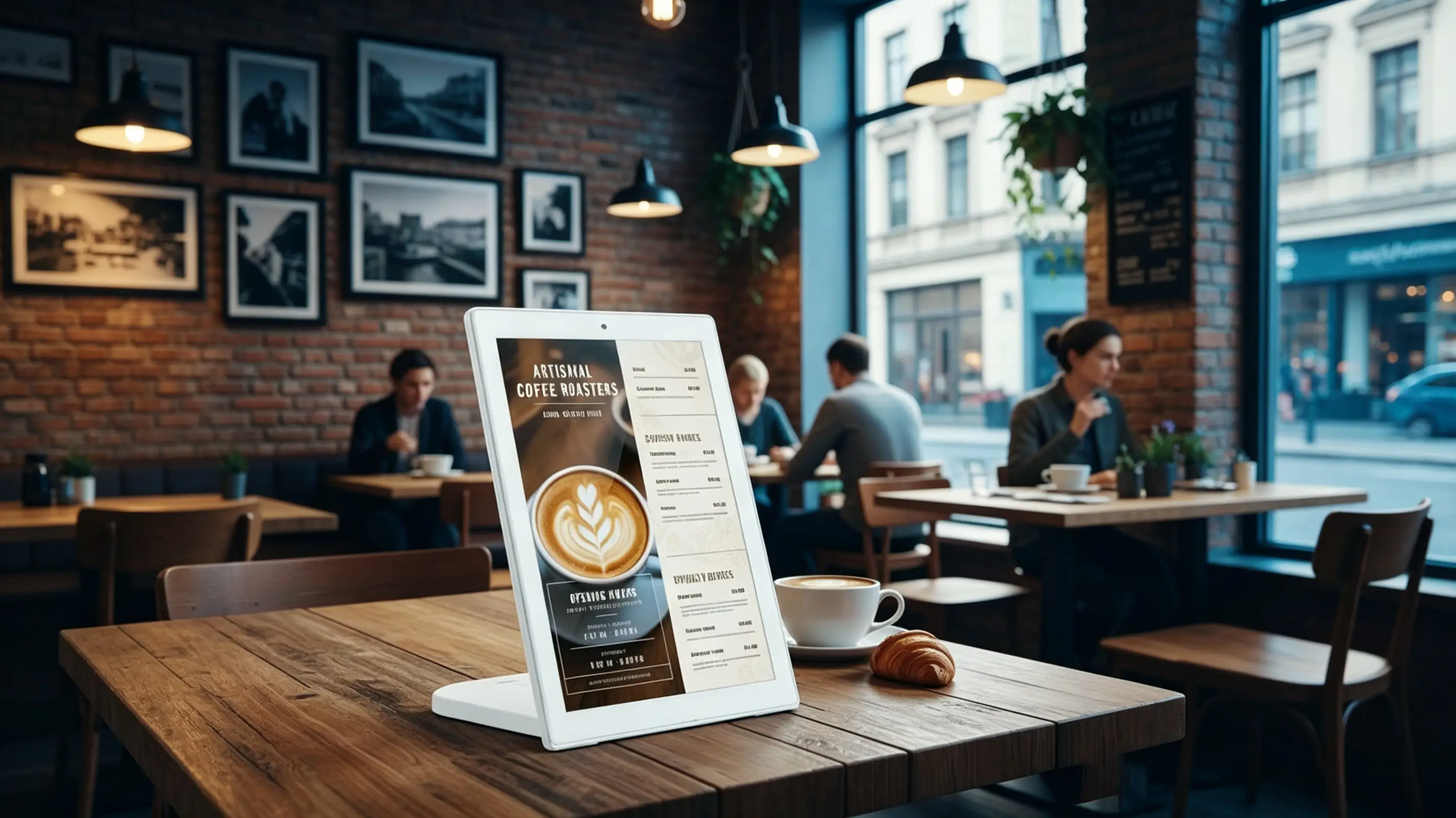
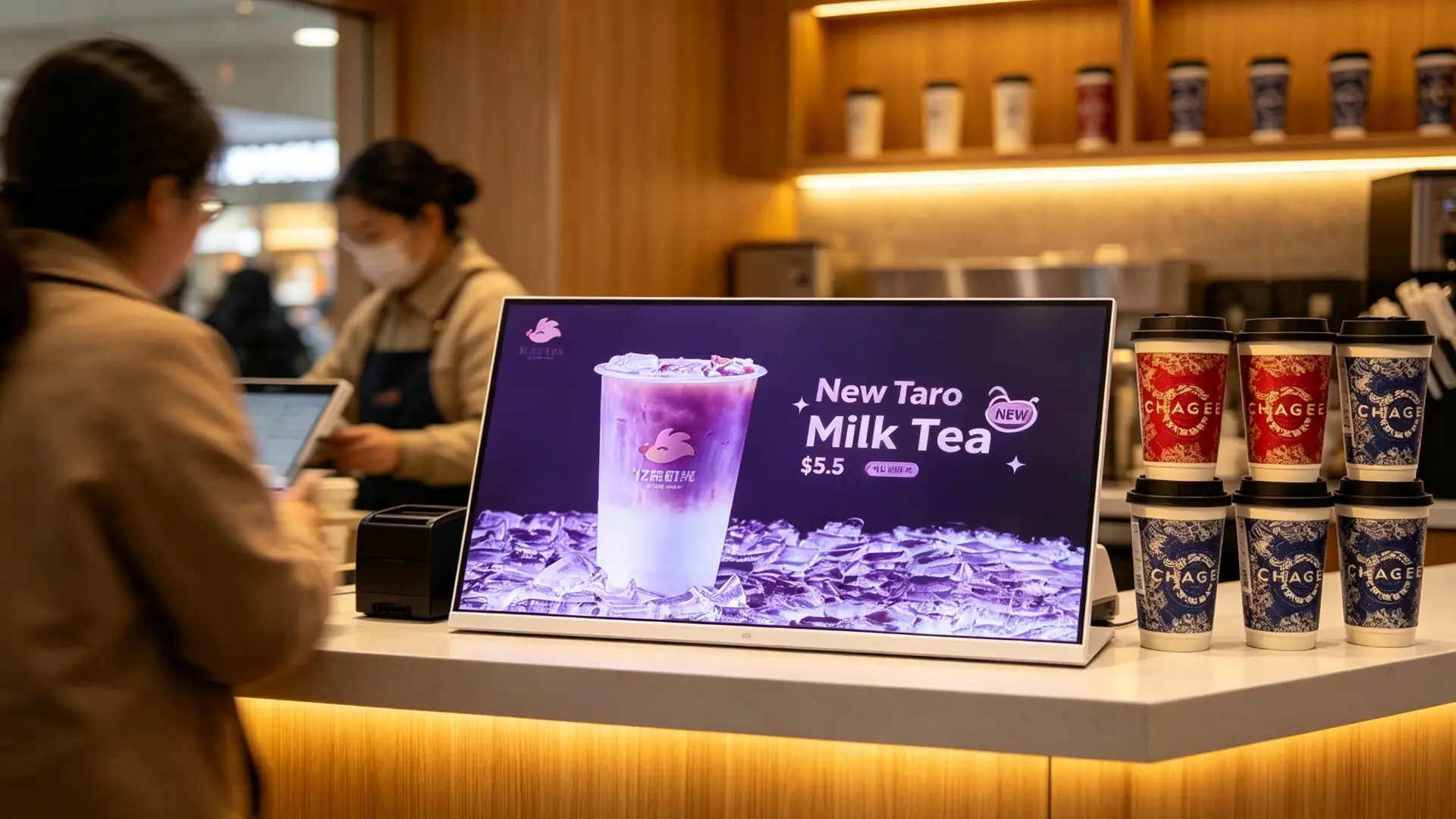
Landscape countertop digital menu board at a milk tea shop cashier counter showing new drink promotion
Milk tea shop cashier counter with a new drink promotion.
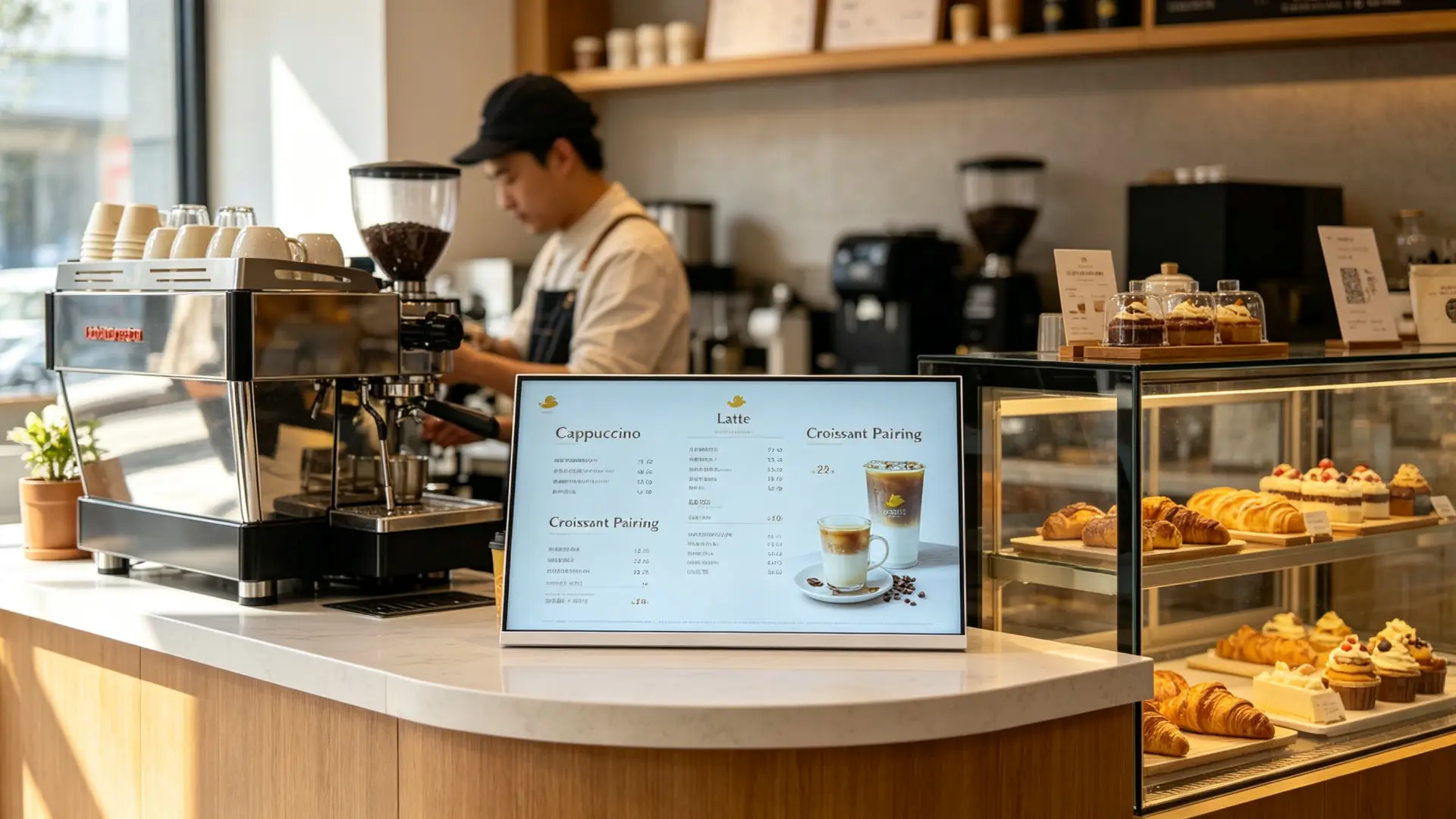
Countertop digital menu board on a cafe bar counter displaying coffee menu and pastry pairing
Cafe bar counter with coffee menu and pastry pairing content.
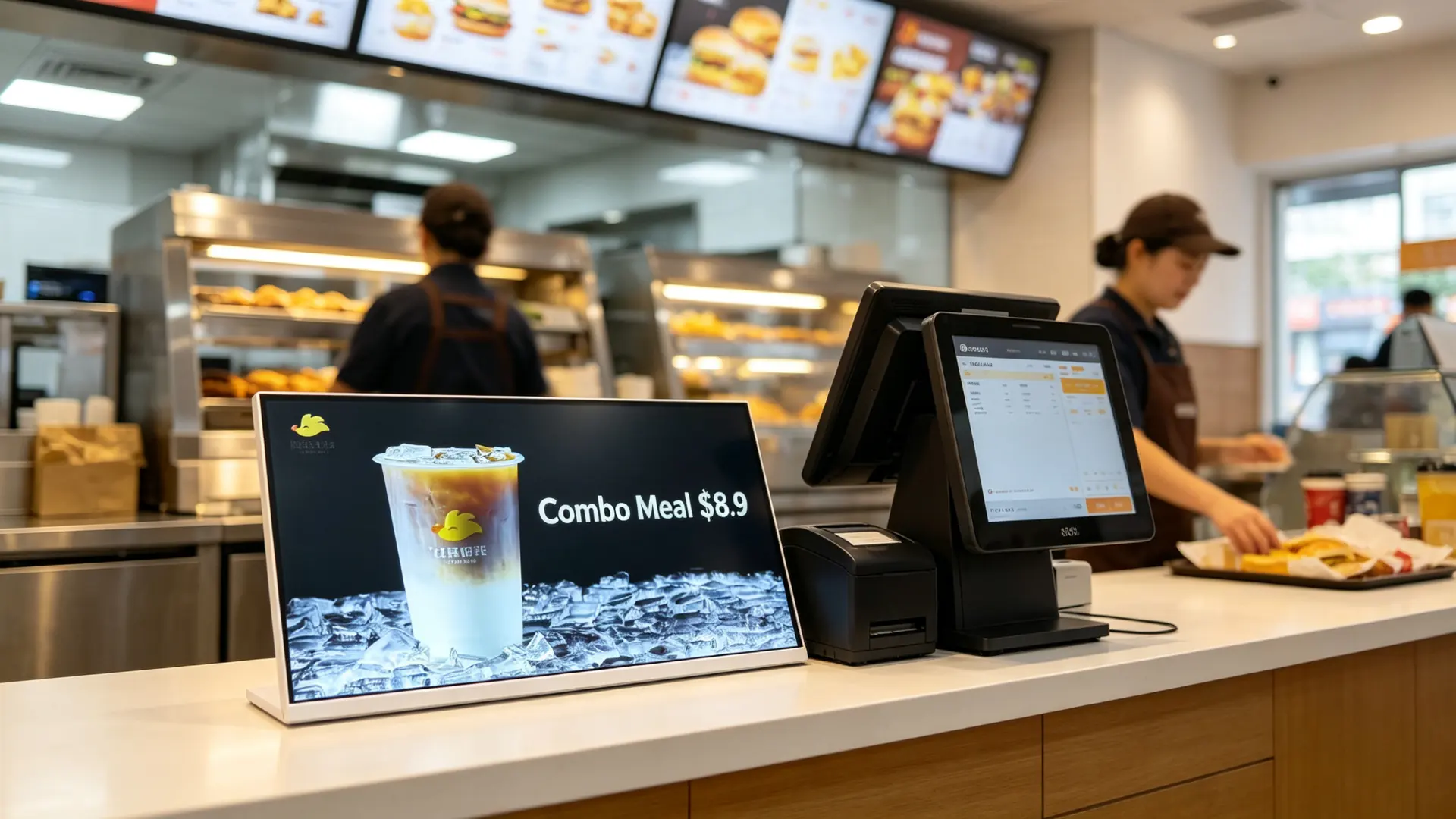
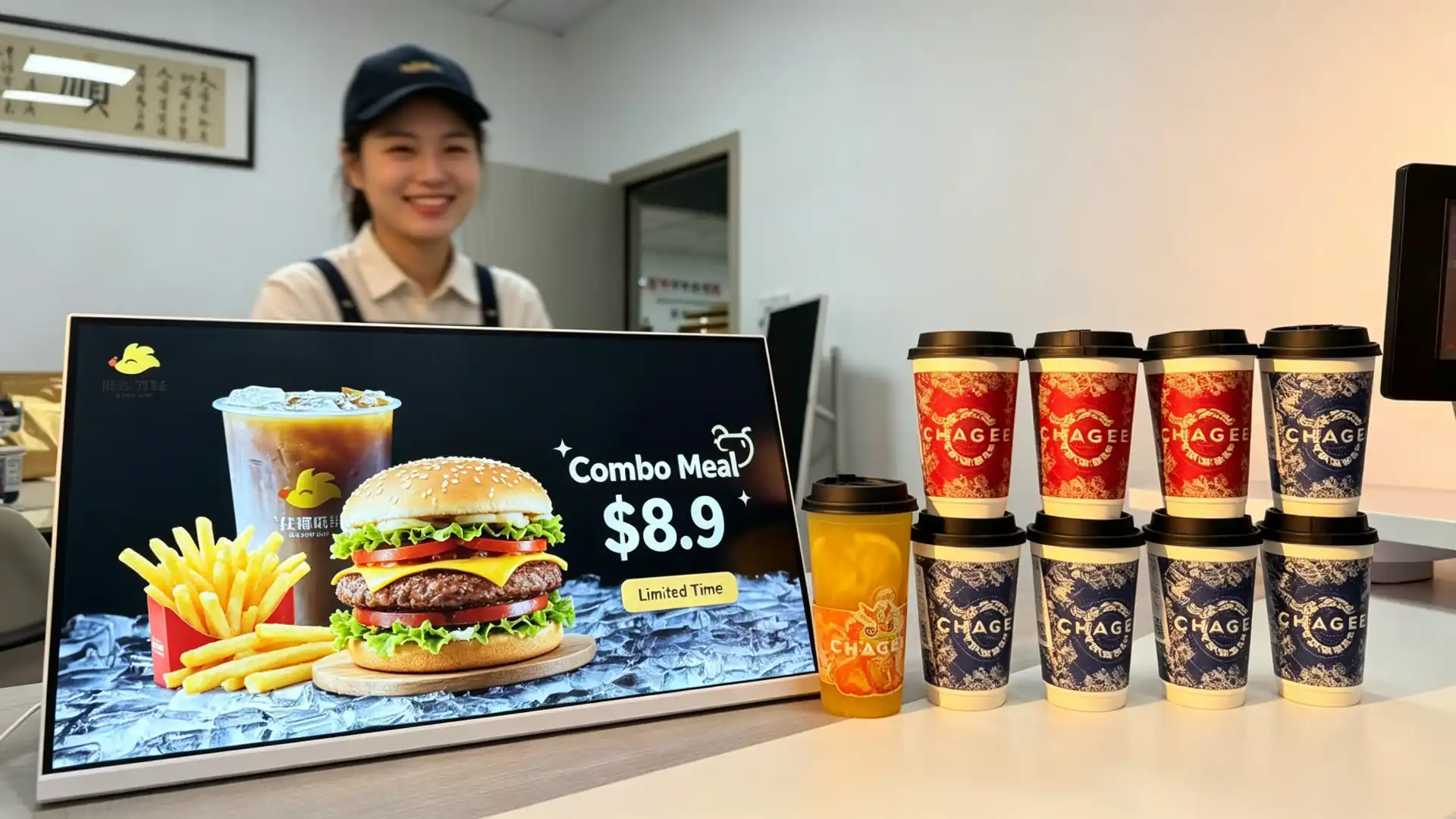
Countertop digital display at a quick-service restaurant ordering counter showing combo meal promotion
Quick-service ordering counter with a combo meal promotion.
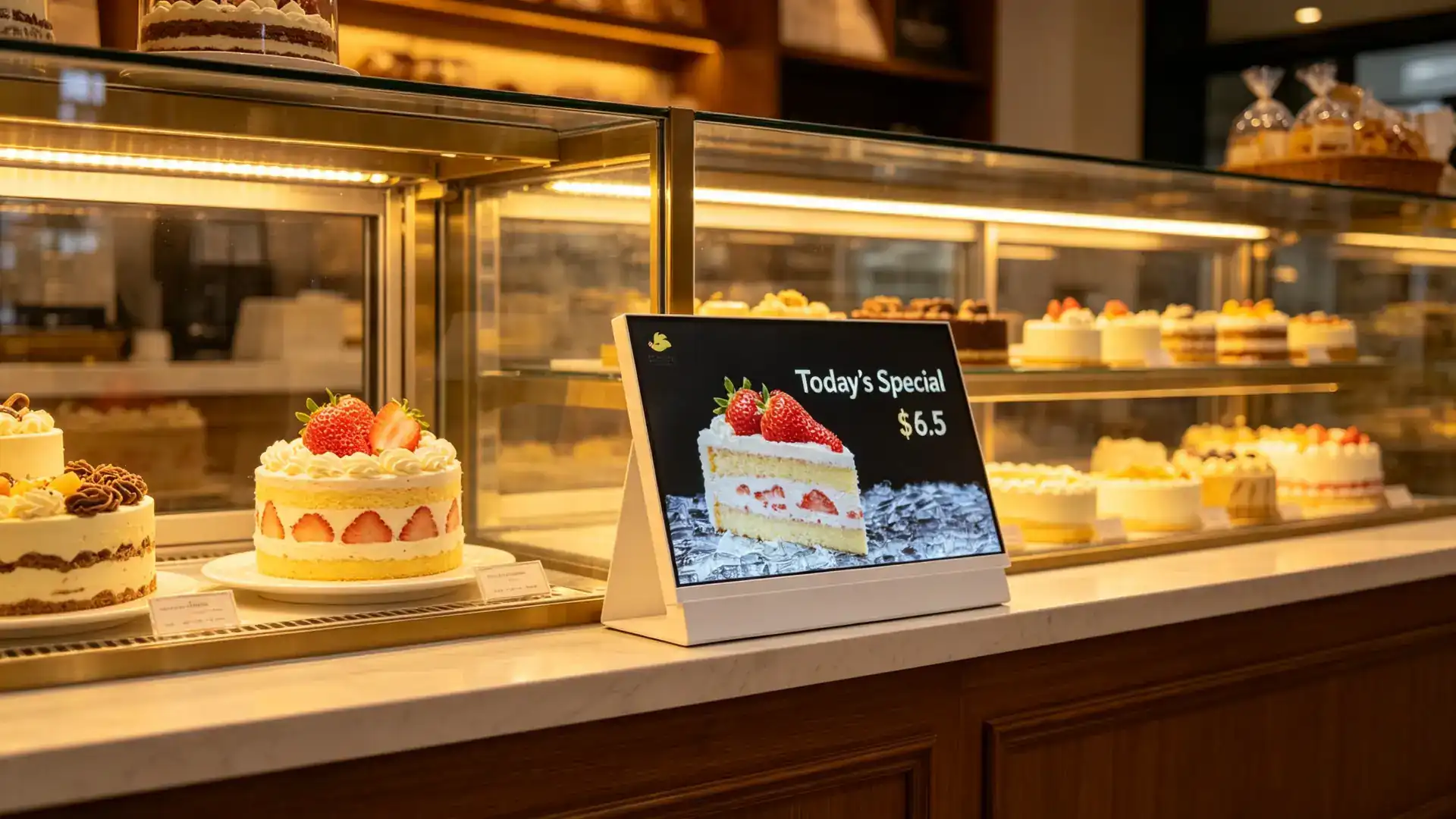
Countertop digital menu board beside a bakery display case showing daily specials and cake promotions
Bakery display case with daily specials and cake promotions.
Connect to Your Stack

Flexible Hardware and Connectivity Options

Common Interfaces

HDMIUSBWi-FiLANBluetooth4G (optional)Audio outputRS232RJ45DC power inputTF card slot

Optional Peripherals and Functions

TouchscreenBuilt-in speakerCameraQR code displayQR code scannerNFC/RFID readerCustomer display integrationPOS system interfacePrinter connectionUSB charging portLED status indicatorCustom sensor module

POS / Membership / Delivery Integration

  • POS brand and interface documentation required for compatibility evaluation
  • Membership system API integration
  • Delivery platform QR code display
  • Mobile ordering entry
  • Coupon and loyalty data flow
  • Third-party menu software compatibility
  • Payment terminal integration to be reviewed separately

Peripheral integration should be selected according to the final application. A promotional display may only require video playback, while a touchscreen ordering or membership terminal may require additional software, network connectivity and payment-related hardware.
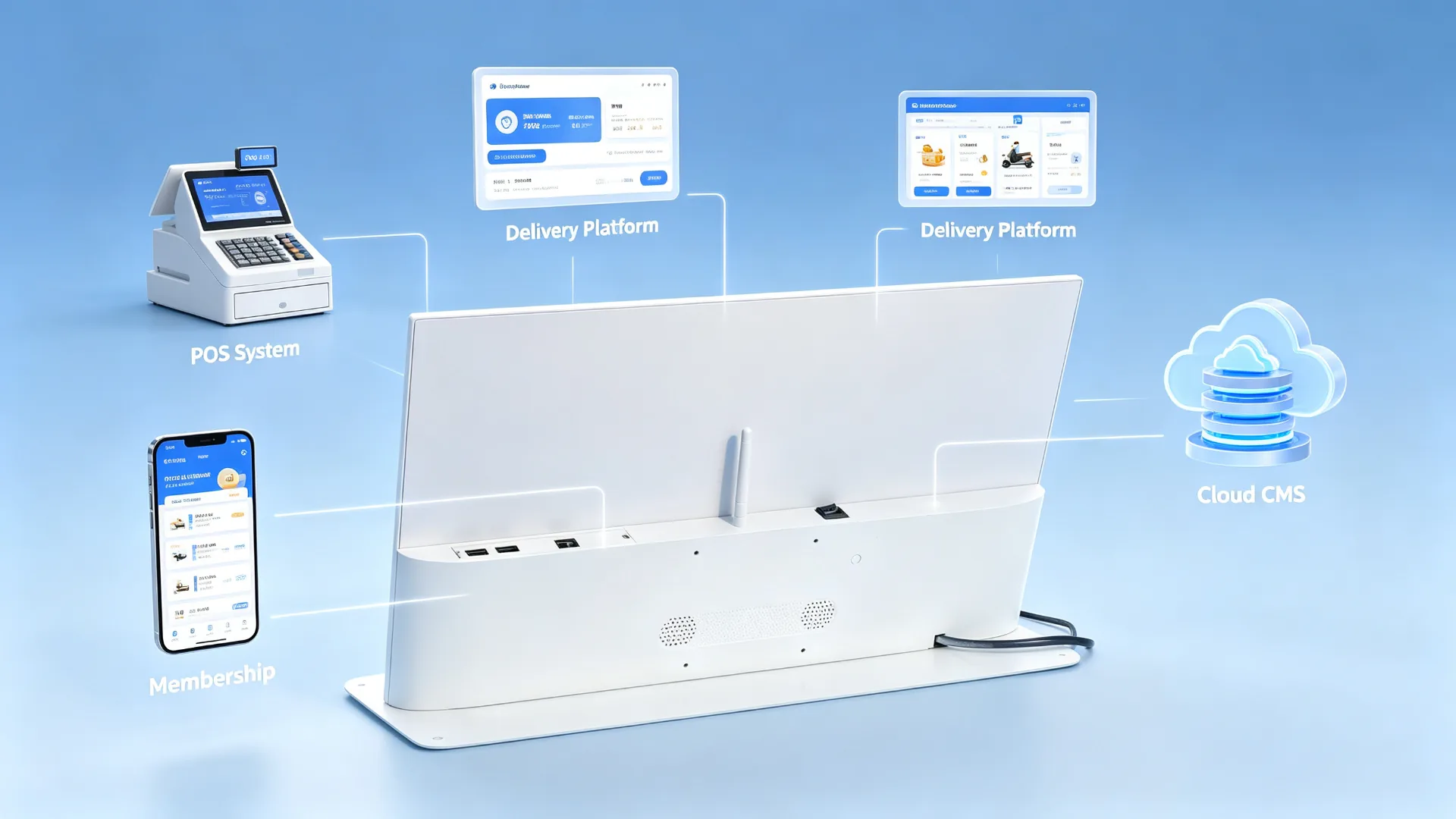
POS, membership and delivery platform integration diagram for countertop digital menu board
Example integration topology: POS system, membership, delivery platform and cloud CMS.
Specify Your Project

Countertop Digital Menu Board Configuration Options

Configuration ItemAvailable OptionsConfirm Before Quotation
Screen Size10.1", 13.3", 15.6", 18.5", 21.5" or customizedCounter space, viewing distance, content volume
OrientationLandscape, portrait or rotatable designMenu layout, device structure, store layout
ResolutionHD, Full HD or 4KMenu detail, product images, system platform
BrightnessStandard indoor or enhanced brightnessIn-store lighting, window reflection, mounting position
TouchNon-touch or PCAP touchMenu browsing, scanning or interaction needs
Operating SystemAndroid, Windows or monitor-onlyCMS, POS, customer software and budget
ConnectivityUSB, Wi-Fi, LAN, Bluetooth or optional 4GContent update and network conditions
CMSUSB playback, local CMS, cloud CMS or third-party CMSSingle-store or chain-store management needs
AudioBuilt-in speaker or audio outputVideo audio needs, store noise level
HousingPlastic, metal or customized enclosureBrand image, durability, cleaning requirements
Frame ColourWhite, black, silver or customStore visuals and brand colours
StandFixed countertop stand, adjustable stand or custom bracketCounter height, viewing angle, device stability
Protective GlassStandard, anti-glare or tempered glass optionHigh-contact use, light reflection, cleaning method
BrandingLogo, frame colour, startup screen, UI and packagingOEM/ODM requirements
IntegrationPOS, QR, NFC, camera or custom peripheralInterfaces, software and workflow requirements
One Network, One Message

Scale Consistent Menu and Promotion Content Across Multiple Stores

Head-Office Content Management

  • Publish new-product visuals across all stores at the same time
  • Standardize prices and menu layouts
  • Switch products by region
  • Adjust language, price or promotion by city
  • Launch limited-time campaigns in sync for holidays
  • Replace sold-out or paused products quickly
  • Assign different playlists to different stores
  • Manage content permissions for franchise and owned stores

Switch Menus by Time of Day

DaypartRecommended Content
BreakfastCoffee, breakfast combos, bakery products
LunchCombo meals, main dishes, drink add-ons
Afternoon teaDesserts, fruit teas, coffee pairings
EveningNight-time specials, delivery, pickup and membership campaigns
HolidaySeasonal new products, gift boxes, collaborations and coupons

Centralized content management helps headquarters update campaigns without requiring every store to replace printed posters manually. This improves brand consistency and makes it easier to launch time-sensitive promotions across a restaurant or beverage-store network.
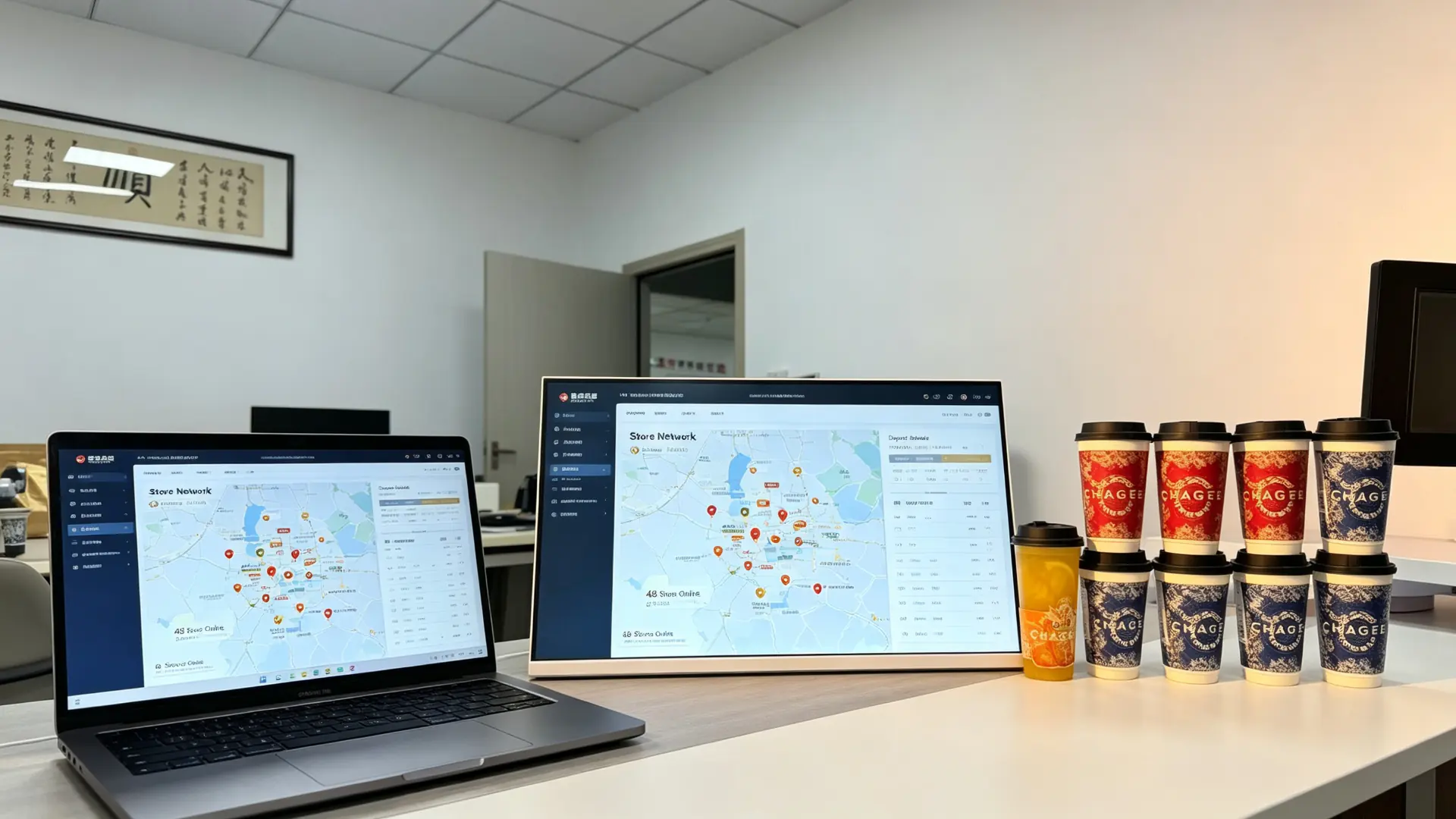
Multi-store countertop digital menu board management dashboard showing unified branding and daypart promotions
Multi-store management dashboard for unified branding and daypart promotions.
Your Brand, Our Factory

Custom Countertop Digital Displays for Restaurant and Retail Projects

Appearance and Structure

  • Custom screen size
  • Landscape or portrait enclosure
  • Frame colour
  • Metal or plastic housing
  • Custom tabletop stand
  • Adjustable viewing angle
  • Logo printing
  • Brand colour matching
  • Front glass design
  • Cable-exit direction
  • Custom mounting bracket
  • POS counter integration design

Hardware Customization

  • Android mainboard
  • Windows mini PC
  • RAM and storage configuration
  • Touchscreen
  • Wi-Fi and LAN
  • 4G module
  • Speaker
  • Camera
  • NFC/RFID
  • QR code scanner
  • Customer-facing display module
  • Custom I/O ports

Software and Branding

  • Custom boot animation
  • Branded Android launcher
  • UI design
  • Restaurant menu software
  • Cloud CMS deployment
  • Multi-language interface
  • POS integration coordination
  • Membership-system interface
  • API integration
  • Kiosk mode
  • Custom packaging and manuals

Typical B2B Partners

Restaurant chainsMilk tea shop chainsCoffee-shop brandsBakery chainsQuick-service restaurant operatorsPOS system providersRestaurant technology integratorsDigital signage distributorsRetail-fixture suppliersFranchise-management companiesFood-service equipment distributors
OEM/ODM projects: Qtenboard has supplied OEM/ODM/CKD/SKD display projects since 2005, from component kits to fully finished branded units. Share your counter size, menu content, CMS requirement and branding needs, and our team will recommend a suitable configuration.
Why This Solution

Why Choose a Countertop Digital Menu Board Instead of a Tablet or Poster

Compared WithLimitationThis Product's Advantage
Printed posterSlow to update, recurring print cost, no videoRemote updates, dynamic video, daypart switching
Consumer tabletNon-commercial, limited cooling and lifespan, weak managementCommercial panel, CMS, batch management, custom stand
Wall-mounted menu boardComplex installation, takes wall space, far from the order pointTabletop placement, close-range reach, easy repositioning
POS secondary displaySingle function, usually shows amounts onlyPlays menus, ads, membership and QR content
Large advertising screenHigh cost, large footprintCompact, lower cost, ideal for countertop single-product promotion

A countertop digital menu board is designed for close-range decision-making at the ordering counter. It combines commercial display hardware, flexible content management and optional POS or membership integration in a compact tabletop format.

Tested Before It Ships

Commercial Quality Control for Countertop Deployment

Inspection Items We Recommend

  • LCD-panel appearance inspection
  • Image, colour and brightness inspection
  • Touch test, if selected
  • Android or Windows boot test
  • USB, Wi-Fi and LAN connectivity test
  • Video, image and audio playback test
  • CMS connectivity test, if selected
  • HDMI and external-player compatibility test
  • Stand stability test
  • Housing and logo inspection
  • Power adapter and cable inspection
  • Long-duration burn-in test
  • Packaging and drop-protection inspection
  • Individual retail-ready or project packaging
  • Foam protection
  • Carton or custom export packaging
  • Accessory-kit arrangement
  • Custom labels and barcode stickers

Project Delivery Process

  1. Confirm display size, orientation and placement location
  2. Confirm playback platform and CMS requirement
  3. Select touch, connectivity and peripheral options
  4. Confirm OEM branding and mechanical design
  5. Approve sample or pre-production configuration
  6. Complete assembly and quality testing
  7. Conduct pre-shipment inspection
  8. Prepare packaging, documentation and accessory list
  9. Arrange bulk shipment and provide technical support
Trusted Manufacturer

Trusted by Restaurant Chains, Beverage Brands and Retail Projects

Qtenboard was founded in Shenzhen in 2005 and started inside the display supply chain, supplying CKD and SKD panel kits to assemblers and local brands before most commercial display brands existed. That component-level origin means quality is controlled from the module up, and OEM/ODM projects are adapted for local voltage, certification and assembly requirements.

2005Founded in Shenzhen
330,000㎡Manufacturing area
1,000+Employees across 3 bases
110+Countries served

Project References

M Milk Tea Chain · 60+ Store Counters

Android CMS chain deployment

Landscape countertop displays with Wi-Fi CMS, daypart playlists and brand-level content permissions.

Result: menus, prices and new launches updated centrally across the network.

C Coffee Brand · Bar Counter

Countertop upselling display

White-frame landscape displays beside the pastry case promoting new drinks and food pairings.

Result: pairing and upgrade offers shown at the exact decision point.

Q QSR Group · Order Terminals

POS-side menu display

Monitor-only and Windows configurations placed beside order terminals for combo and add-on promotion.

Result: counter-level promotions without touching the POS workflow.

B Bakery Chain · Display Cases

Product showcase at the case

Split-screen content with daily specials, cake promotions and pre-order QR codes.

Result: seasonal items promoted without re-printing posters.

Certifications Maintained for Distributor Due Diligence

CE FCC RoHS ISO
9001
ISO
14001
CB

We support B2B countertop digital menu board projects from configuration and sample confirmation to production, testing, packaging and after-sales support. Share your counter size, menu content, CMS requirement and branding needs, and our team will recommend a suitable configuration.

Working Together

Certification, Order Terms and After-Sales Support

Certification and Compliance

  • CE / FCC / RoHS options
  • Power adapter safety certificates
  • Touchscreen and glass safety certificates, where applicable
  • Food-service environment cleaning and splash-resistance review
  • POS or payment integration certification to be reviewed separately

Order Terms

  • MOQ: sample order and batch order support
  • Lead time: depending on configuration, quantity and customization
  • Payment terms: T/T, LC or project-specific terms
  • Packaging: retail-ready carton or export packaging
  • Shipping: sea, air or express according to project schedule
  • Warranty: standard warranty and extended warranty options
  • Spare parts: recommended spare-parts list for chain deployment

After-Sales Support

  • Remote technical support
  • Installation and commissioning guidance
  • CMS configuration support
  • POS / membership integration coordination
  • Replacement parts supply
  • Batch-order and repeat-order support
  • Chain-store maintenance planning support
Common Questions

Frequently Asked Questions

What is a countertop digital menu board?

A countertop digital menu board is a compact commercial display placed on a cashier counter, ordering station or product display area. It is used to show menu items, prices, promotions, featured drinks, product images and upselling messages.

Is this product suitable for milk tea shops and coffee shops?

Yes. It is designed for beverage shops, cafes, bakeries, restaurants and quick-service counters where customers make ordering and payment decisions at close range.

Can the screen display a full menu?

Yes. It can display a full menu, selected categories, prices, promotional products or a split-screen layout. The recommended screen size depends on the amount of menu information, viewing distance and available counter space.

Can I update content remotely?

With an Android or network-enabled configuration, content can be managed through a CMS using Wi-Fi, LAN or optional cellular connectivity. USB playback is also available for standalone applications.

Can the display switch content by time of day?

Yes. A CMS or scheduling function can be used to switch breakfast, lunch, afternoon-tea, dinner and late-night promotional content automatically.

Can the device be used as a self-ordering kiosk?

A touchscreen version may support menu browsing and self-service functions. However, full self-ordering requires compatible ordering software, payment integration and workflow design. A non-touch advertising display should not be described as a self-ordering kiosk.

Can it connect to a POS system?

POS-related integration may be available depending on the operating system, software platform and interface requirements. Please provide your POS brand, system architecture and required data flow for compatibility evaluation.

Can I add a QR code, NFC or scanner module?

A QR code can be displayed on any screen as content. QR scanning, NFC and barcode scanning require dedicated hardware and compatible software, which can be considered for project-based configurations.

Is the display waterproof?

This product is intended for indoor countertop use. If it will be placed near beverage preparation areas, confirm the required splash resistance, front-glass protection, cleaning method and enclosure material before ordering.

Can I customize the frame and logo?

Yes. Customization may include the housing colour, logo, stand, boot screen, user interface, packaging and manuals.

What information is needed for a quotation?

Please provide screen size, orientation, quantity, placement location, Android/Windows/monitor-only requirement, CMS requirement, touch requirement, network requirement, branding needs, target country and expected delivery schedule.


Send message:

Products