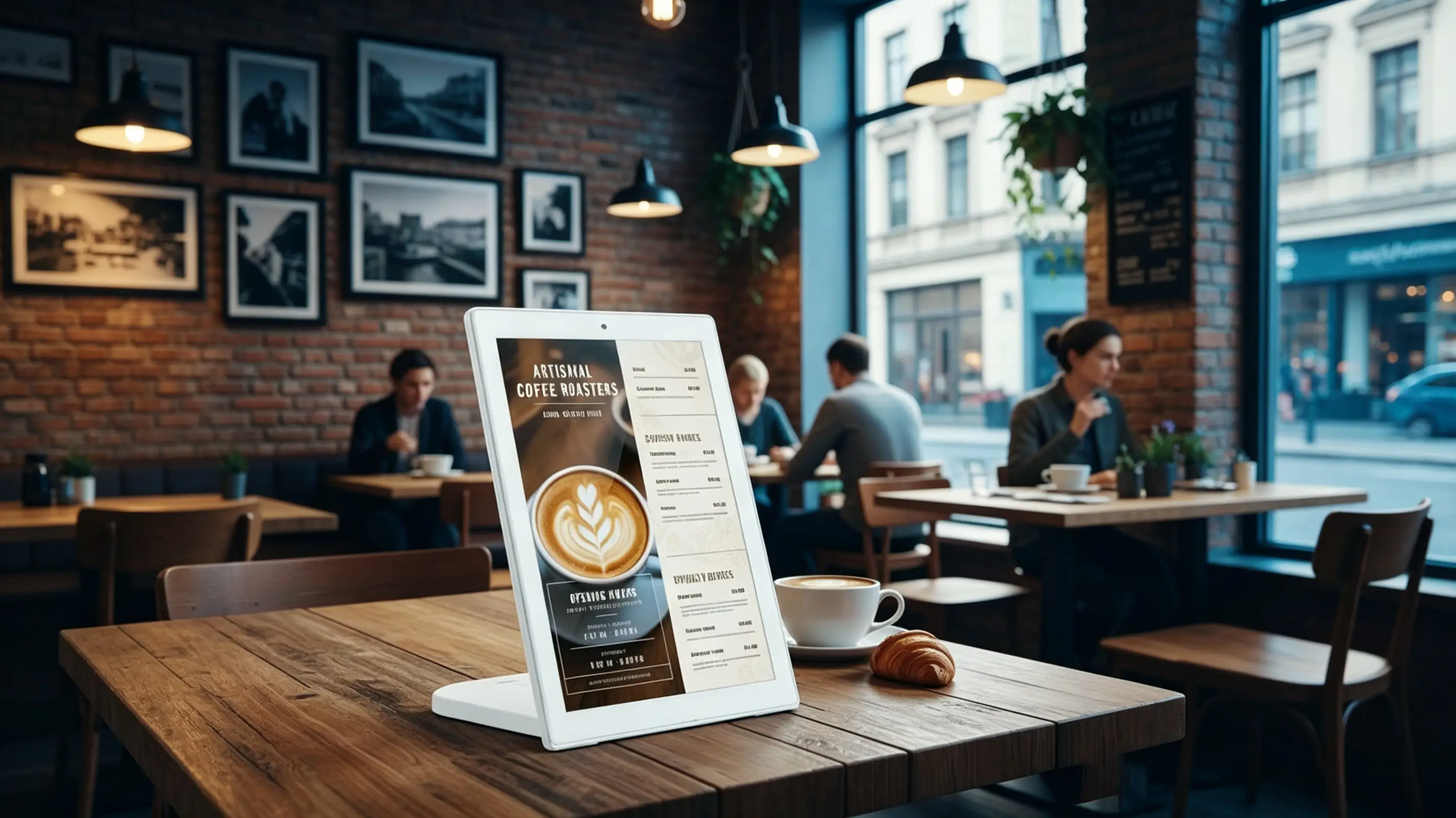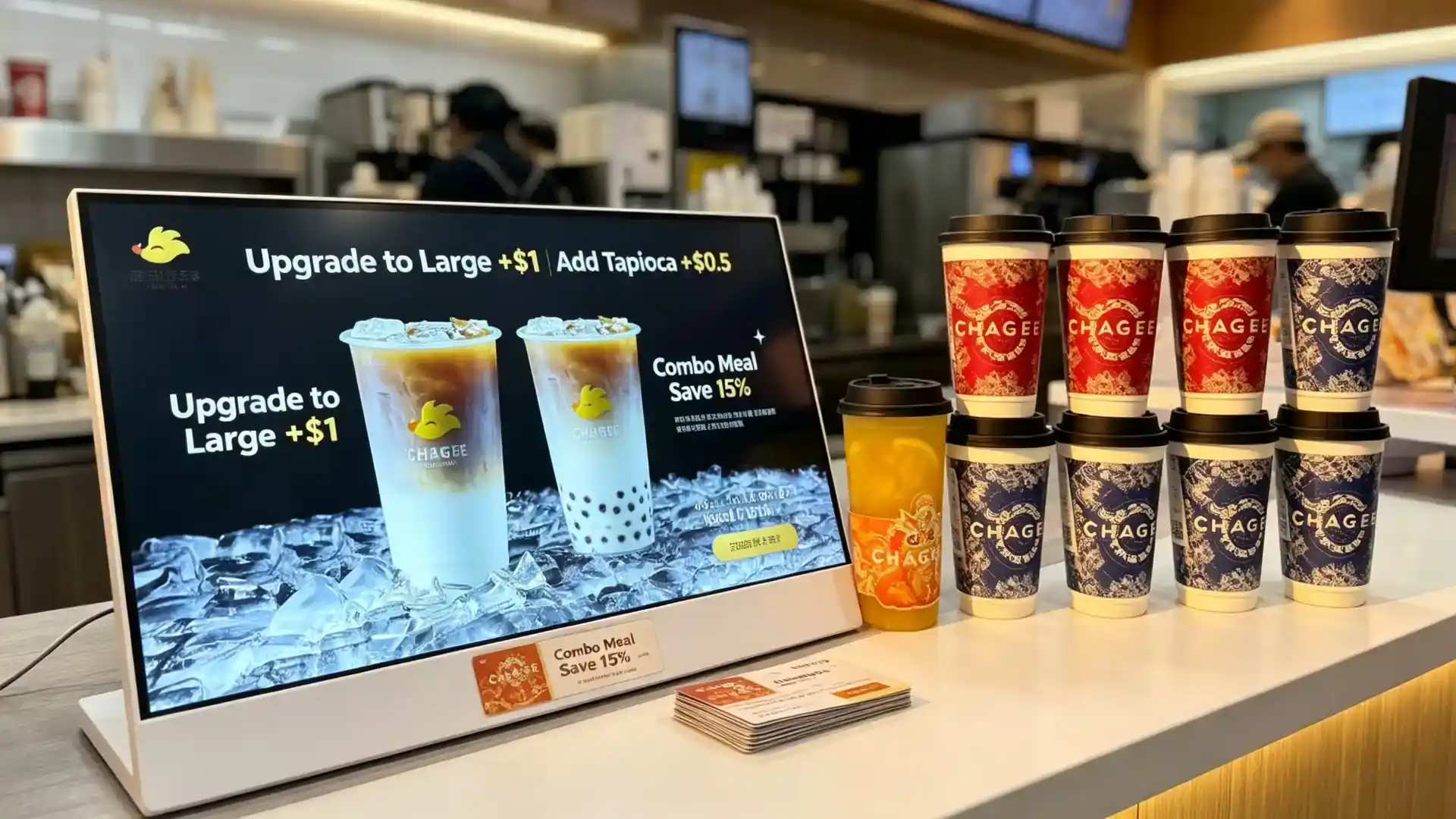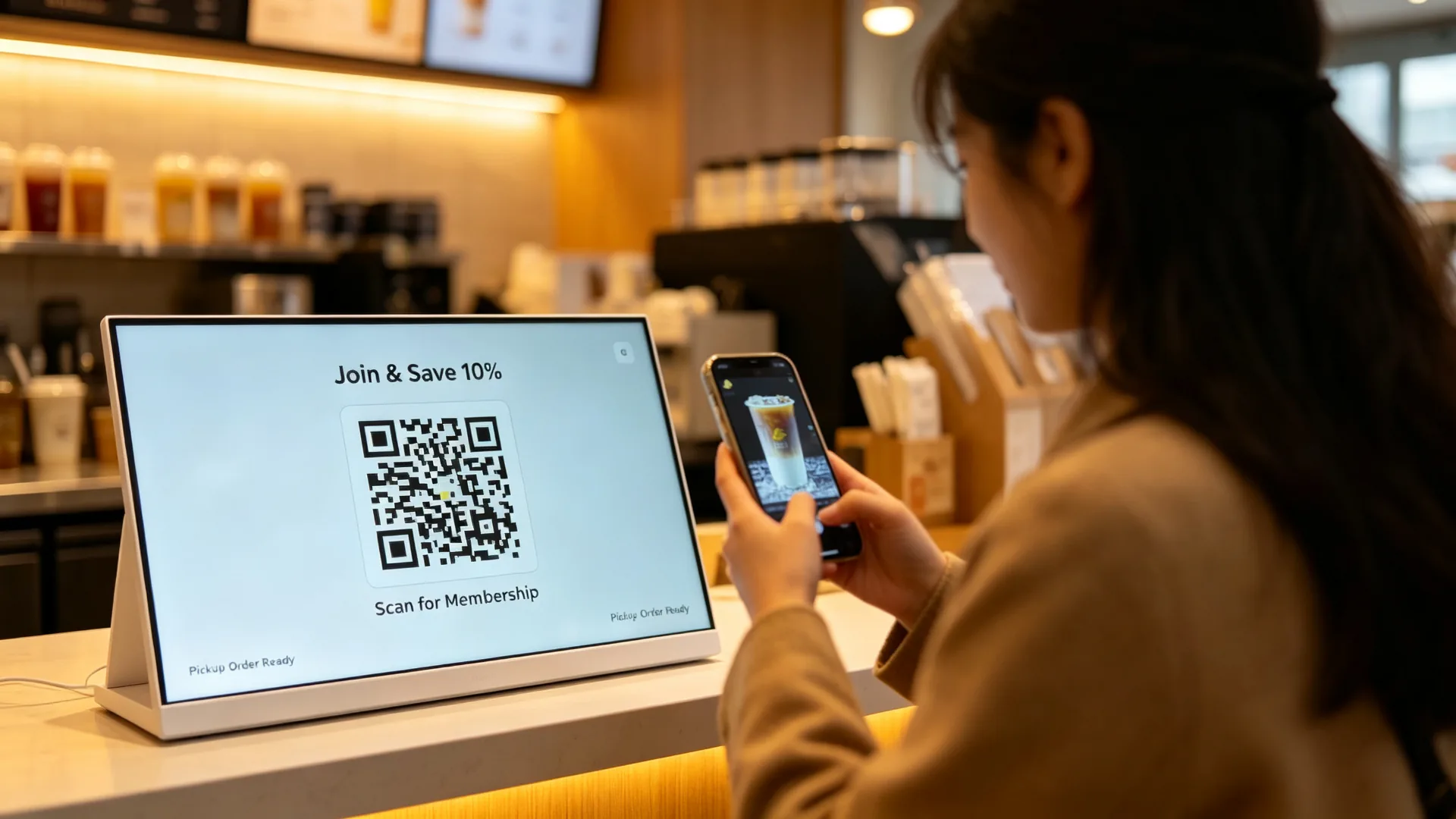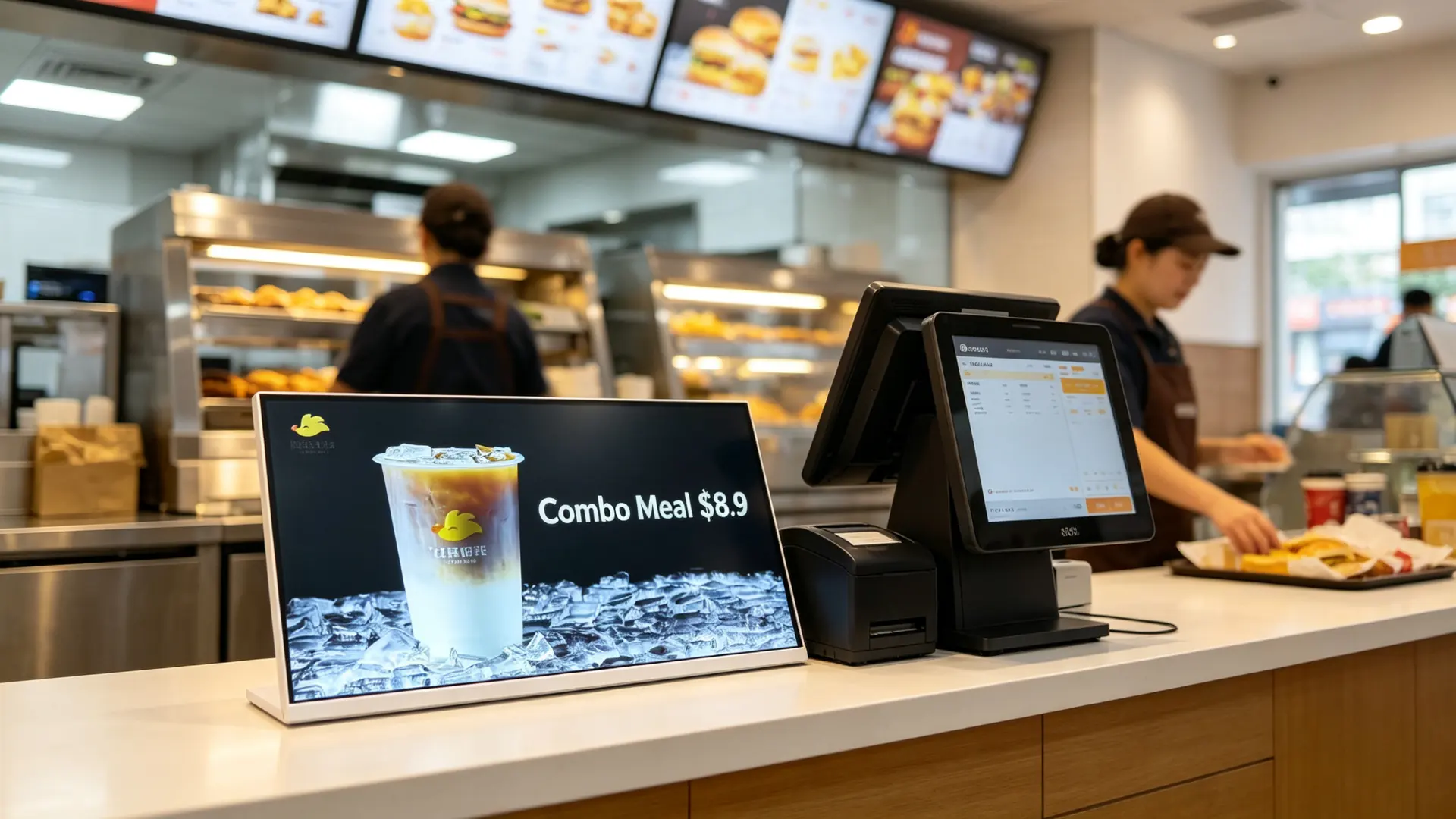















เคาน์เตอร์คณะกรรมการเมนูดิจิตอลสำหรับร้านกาแฟร้านชานมและร้านอาหาร qtenboard

Qtenboard ANATEL Certificate Qtenboard CB Certificate Qtenboard CE Certificate Qtenboard EMC Certificate Qtenboard ERP Certificate Qtenboard FCC Certificate Qtenboard EDLA Certificate Qtenboard EPEAT Certificate Qtenboard ENERGY-STAR Certificate Qtenboard ISO4001 Certificate Qtenboard ISO9001 Certificate Qtenboard ISO27001 Certificate Qtenboard ISO45001 Certificate Qtenboard LVD Certificate Qtenboard PVOC Certificate Qtenboard RETIE Certificate Qtenboard RoHs Certificate

ข้อมูลจำเพาะทางเทคนิค:

คำถาม Qten qtenบอร์ด
ชุดบอร์ดเมนูดิจิตอลเคาน์เตอร์
บอร์ดเมนูดิจิตอลเคาน์เตอร์สำหรับ ร้านกาแฟร้านชานม และร้านอาหาร

จอแสดงผลป้ายดิจิตอลบนโต๊ะขนาดกะทัดรัดที่ออกแบบมาสำหรับเคาน์เตอร์แคชเชียร์สถานีสั่งซื้อและพื้นที่ส่งเสริมการขายผลิตภัณฑ์แสดงเมนูราคาเครื่องดื่มใหม่แคมเปญตามฤดูกาลและข้อเสนอการขายที่ลูกค้าตัดสินใจซื้อ
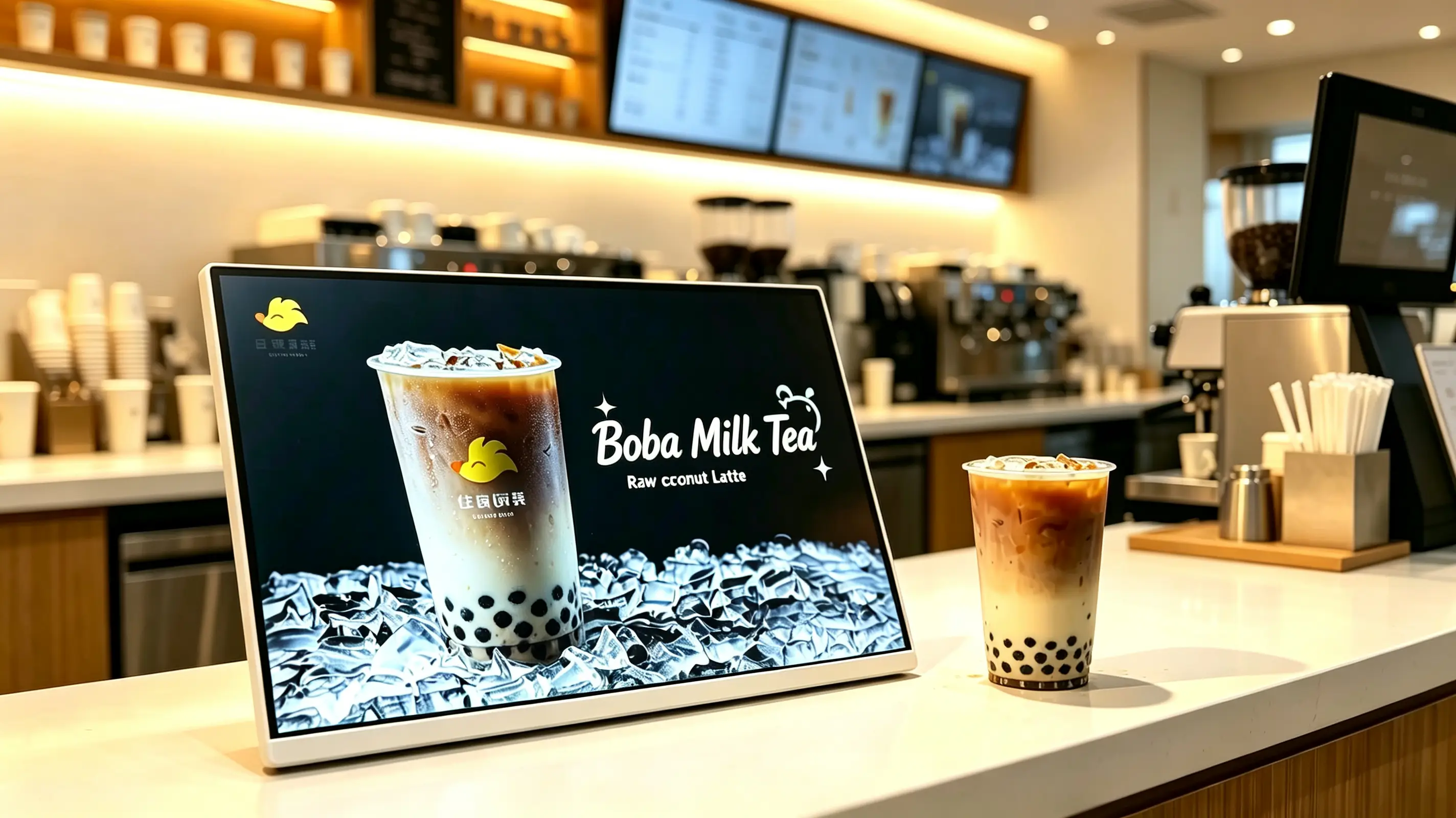
การออกแบบเคาน์เตอร์ขนาดกะทัดรัด รูปแบบการแสดงผลภูมิทัศน์ เมนูดิจิทัลและการเล่นโปรโมชั่น เหมาะสำหรับร้านกาแฟร้านชานมและร้านอาหาร Android, Windows หรือจอภาพเท่านั้น ตัวเลือก USB, Wi-Fi, LAN และ CMS ตัวเลือกการรวมหน้าจอสัมผัสและ POS การปรับใช้แบรนด์ OEM และการปรับใช้ในร้านค้าในเครือ
Landscape countertop digital menu board on a milk tea shop counter displaying a raw coconut latte promotion with white frame and flat tabletop base
ภาพที่แสดงด้วยการวางแนวแนวนอนกรอบสีขาวและโปรโมชั่นเครื่องดื่มผลิตภัณฑ์เดียวการกำหนดค่าขั้นสุดท้ายจะได้รับการยืนยันตามแต่ละโครงการ
2005ก่อตั้งขึ้นในเซินเจิ้น
330,000㎡พื้นที่การผลิต
1,000+พนักงานทั่วทั้ง3ฐาน
110+ประเทศที่ให้บริการ
ทำไมขายที่เคาน์เตอร์

เปิดเคาน์เตอร์การสั่งซื้อเป็นโอกาสการขายดิจิตอล

ลูกค้ามักจะตัดสินใจซื้อขั้นสุดท้ายที่เคาน์เตอร์แคชเชียร์คณะกรรมการเมนูดิจิตอลเคาน์เตอร์ช่วยให้ร้านกาแฟร้านเครื่องดื่มและร้านอาหารแสดงเครื่องดื่มที่โดดเด่นข้อเสนอที่จำกัดเวลา Add-ons และโปรโมชั่นสมาชิกในช่วงเวลาที่แน่นอนลูกค้าพร้อมที่จะสั่งซื้อ

ซึ่งแตกต่างจากโปสเตอร์เคาน์เตอร์พิมพ์จอแสดงผลสามารถปรับปรุงได้อย่างรวดเร็วสำหรับผลิตภัณฑ์ใหม่เปลี่ยนแปลงราคาโปรโมชั่น daypart และแคมเปญตามฤดูกาล

  • แสดงข้อมูลส่งเสริมการขายทันทีที่ลูกค้าสั่งซื้อและชำระเงิน
  • ส่งเสริมผลิตภัณฑ์ใหม่รุ่นที่จำกัดเครื่องดื่มที่มีอัตรากำไรสูงและคอมโบเสริม
  • ลดต้นทุนและแรงงานในการพิมพ์และเปลี่ยนโปสเตอร์เคาน์เตอร์กระดาษ
  • สลับเนื้อหาโดยอัตโนมัติสำหรับอาหารเช้าอาหารกลางวันชายามบ่ายและอาหารเย็น
  • เก็บเมนูราคาและข้อมูลประจำตัวของภาพให้สอดคล้องในเครือข่ายร้านค้า
  • เผยแพร่เนื้อหาจากระยะไกลจากสำนักงานใหญ่และลดการดำเนินงานร้านค้าด้วยตนเอง
  • ทำงานเป็นจอแสดงผล POS ที่อยู่ติดกันหน้าจอการสื่อสารแบรนด์หรือบอร์ดเมนูดิจิตอลขนาดเล็ก
หมายเหตุการกำหนดค่าภาพ: ภาพผลิตภัณฑ์แสดงการแสดงเคาน์เตอร์แนวนอนพร้อมกรอบสีขาวและรูปแบบการส่งเสริมเครื่องดื่มการกำหนดค่านี้เหมาะสำหรับแคมเปญผลิตภัณฑ์เดียวการเปิดตัวเครื่องดื่มใหม่และการอัปโหลดเคาน์เตอร์สำหรับการแสดงเมนูแบบเต็มหรือการสั่งซื้อแบบโต้ตอบอาจมีการแนะนำขนาดหน้าจอการวางแนวหรือการกำหนดค่าแบบสัมผัสที่แตกต่างกัน
เลือกรุ่นที่เหมาะสม

คู่มือการเลือกอย่างรวดเร็วสำหรับบอร์ดเมนูดิจิตอลบนเคาน์เตอร์

เลือกจอแสดงผลแบบสแตนด์อโลน USB สำหรับโปรโมชั่นร้านค้าเดียวจอแสดงผล Android CMS สำหรับการจัดการเนื้อหาในร้านค้าแบบโซ่การกำหนดค่า Windows สำหรับ POS หรือการรวมซอฟต์แวร์ของบุคคลที่สามหรือเวอร์ชันสำหรับจอภาพเท่านั้นสำหรับเครื่องเล่นสื่อที่มีอยู่การกำหนดค่าขั้นสุดท้ายขึ้นอยู่กับพื้นที่เคาน์เตอร์ประเภทเนื้อหาความต้องการเครือข่ายและซอฟต์แวร์

เวอร์ชันดีที่สุดสำหรับการกำหนดค่าที่แนะนำยืนยันก่อนสั่งซื้อ
จอแสดงผล USB แนวนอนแบบสแตนด์อโลนร้านค้าเดี่ยวร้านชานมร้านกาแฟแคมเปญผลิตภัณฑ์เดียวภูมิทัศน์, 10.1 "-21.5", การเล่นลูป USB, Non-Touchขนาดหน้าจอความถี่ในการอัปเดตเนื้อหาพื้นที่เคาน์เตอร์
การแสดงผล CMS CHAIN-Store ของแอนดรอยด์ชานมกาแฟและโซ่อาหารจานด่วนAndroid, Wi-fi/lan, Cloud CMS, กลุ่มร้านค้าหลายแห่ง, การสลับ daypartจำนวนร้านค้าการอนุญาตรายงานการเล่นเครือข่าย
จอแสดงผลรวมระบบ POS ของ Windowsโครงการที่ต้องใช้ POS สมาชิกหรือซอฟต์แวร์เมนูของบุคคลที่สามWindows Industrial PC, hdmi/usb, อินเทอร์เฟซ POS, ซอฟต์แวร์ที่กำหนดเองแบรนด์ POS, เอกสารประกอบอินเทอร์เฟซ, ความเข้ากันได้ของซอฟต์แวร์
หน้าจอแสดงเฉพาะรายการผู้ซื้อที่มีเครื่องเล่นโฮสต์ Pos หรือระบบ AV ที่มีอยู่อินพุต HDMI, เครื่องเล่นสื่อภายนอก, Non-Touchความละเอียดความยาวสายเคเบิลความเข้ากันได้ของผู้เล่น
หน้าจอสัมผัสแบบโต้ตอบการเรียกดูเมนูการลงทะเบียนสมาชิกการค้นหาบริการตนเองPCAP Touch, android/windows, CMS หรือ APPซอฟต์แวร์ถุงมือแก้ววิธีการบำรุงรักษา
การแสดงโปรโมชั่นเครื่องดื่มผลิตภัณฑ์ HERO เปิดตัวใหม่โปรโมชั่นเสริมภูมิทัศน์, แผงภายในอาคารความสว่างสูง, usb/android, กรอบสีขาวหรือกำหนดเองเทมเพลตเนื้อหาสีแบรนด์มุมขาตั้ง
Technical dimension drawing of landscape countertop digital menu board showing screen size, stand width, height and viewing angle
ตัวอย่างมิติของเคาน์เตอร์ภูมิทัศน์คณะกรรมการเมนูดิจิตอลที่มีฐานสีขาวแบน
Landscape, portrait and split-screen content layout comparison for countertop digital menu board
รูปแบบแนวนอนแนวตั้งและหน้าจอแยกที่มีอยู่สำหรับการแสดงผลเคาน์เตอร์เดียวกัน
สร้างขึ้นสำหรับเคาน์เตอร์บริการ

การออกแบบโต๊ะขนาดกะทัดรัดสำหรับเคาน์เตอร์ที่วุ่นวาย

รอยเท้าบนเคาน์เตอร์ที่มีประสิทธิภาพพื้นที่

  • ขนาดกะทัดรัดสำหรับเคาน์เตอร์แคชเชียร์และสถานีสั่งซื้อ
  • ออกแบบมาให้พอดีกับขั้ว POS และอุปกรณ์ชำระเงิน
  • เหมาะสำหรับเคาน์เตอร์แคบและพื้นที่บริการการจราจรสูง
  • สามารถวางไว้ใกล้ตู้โชว์เครื่องดื่มเคาน์เตอร์รับสินค้าหรือชั้นวางของ
  • ย้ายตำแหน่งได้ง่ายสำหรับแคมเปญชั่วคราวและโปรโมชั่นตามฤดูกาล

ฟอร์มแฟคเตอร์โต๊ะขนาดกะทัดรัดถูกออกแบบมาสำหรับพื้นที่เคาน์เตอร์ที่จำกัดวางจอแสดงผลข้างเทอร์มินัล POS ที่จุดสั่งซื้อหรือใกล้ผลิตภัณฑ์ที่โดดเด่นเพื่อส่งข้อความส่งเสริมการขายที่ชัดเจนโดยไม่ปิดกั้นการดำเนินงานบริการรายวัน

รูปแบบการแสดงผลภูมิทัศน์

ผลิตภัณฑ์ที่โดดเด่นใช้จอแสดงผลแนวนอนซึ่งเหมาะสำหรับการโฆษณาเครื่องดื่มฮีโร่การเปรียบเทียบผลิตภัณฑ์สองรายการคำแนะนำคำสั่งผสมวิดีโอแนวนอนเมนูรูปแบบกว้างและเนื้อหาหน้าจอแยกเช่นเมนูโปรโมชั่นรหัส qr.

การวางแนวเนื้อหาใช้งานได้ดีที่สุดตำแหน่งทั่วไป
การตกแต่งภูมิทัศน์ภาพเครื่องดื่มกว้างการเปรียบเทียบผลิตภัณฑ์สองรายการคำแนะนำคำสั่งผสมวิดีโอแนวนอนเคาน์เตอร์แคชเชียร์, บาร์กาแฟ, ตู้โชว์สินค้า
ภาพเหมือนโปสเตอร์ผลิตภัณฑ์เดียวรหัส QR สมาชิกคุณสมบัติผลิตภัณฑ์ใหม่รายการราคาแนวตั้งเคาน์เตอร์แคบทางเข้าร้านค้าพื้นที่คิว
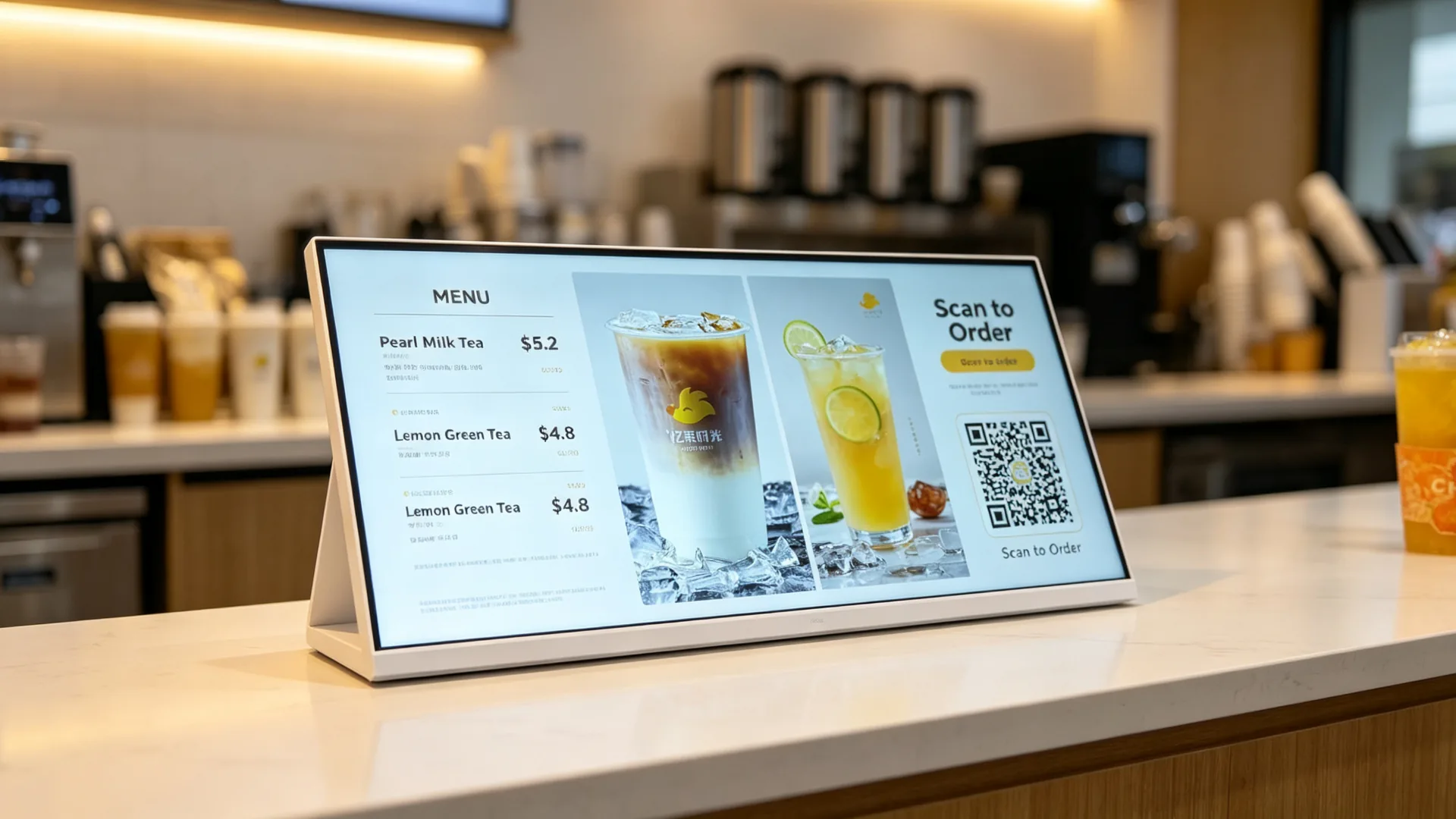
รูปแบบหน้าจอแยกQR Code ราคาโปรโมชั่นเมนูในมุมมองเดียวร้านอาหารสายโซ่ร้านชานมร้านบริการด่วน

กรอบโลหะสีขาวและการก่อสร้างเชิงพาณิชย์

  • กรอบโลหะสีขาวหรือสีที่กำหนดเอง
  • ตัวเลือกแผงแสดงผลเชิงพาณิชย์
  • การเล่นภาพและวิดีโอที่ชัดเจนสำหรับการดูระยะใกล้
  • ตัวเลือกมุมมองกว้าง
  • ตัวเลือกการรักษาด้านหน้าป้องกันแสงสะท้อน
  • ตู้ที่ทนทานสำหรับสภาพแวดล้อมค้าปลีกและบริการอาหาร
  • กระจกป้องกันเสริมสำหรับสถานที่ติดต่อสูง
  • ขาตั้งโต๊ะที่มั่นคงหรือตัวเลือกวงเล็บที่กำหนดเอง

การกำหนดค่าหน้าจอสัมผัสเสริม

สำหรับโครงการที่ต้องการการโต้ตอบกับลูกค้าตัวเลือกหน้าจอสัมผัสสามารถกำหนดค่าสำหรับการเรียกดูเมนูการเลือกผลิตภัณฑ์การลงทะเบียนสมาชิกหรือแอปพลิเคชันบริการลูกค้าควรเลือกฟังก์ชันการทำงานแบบสัมผัสตามซอฟต์แวร์ที่ต้องการและเวิร์กโฟลว์ผู้ใช้
  • การเรียกดูผลิตภัณฑ์
  • การนำทางเมนูดิจิตอล
  • สินค้าที่ร่วมรายการ
  • การลงทะเบียนสมาชิก
  • การแสดงรหัส QR และการโต้ตอบ
  • ข้อมูลโปรแกรมความภักดี
  • ความคิดเห็นของลูกค้า
  • ข้อมูลคิวหรือรถกระบะ
  • อินเทอร์เฟซระบบสำหรับการสั่งซื้อ
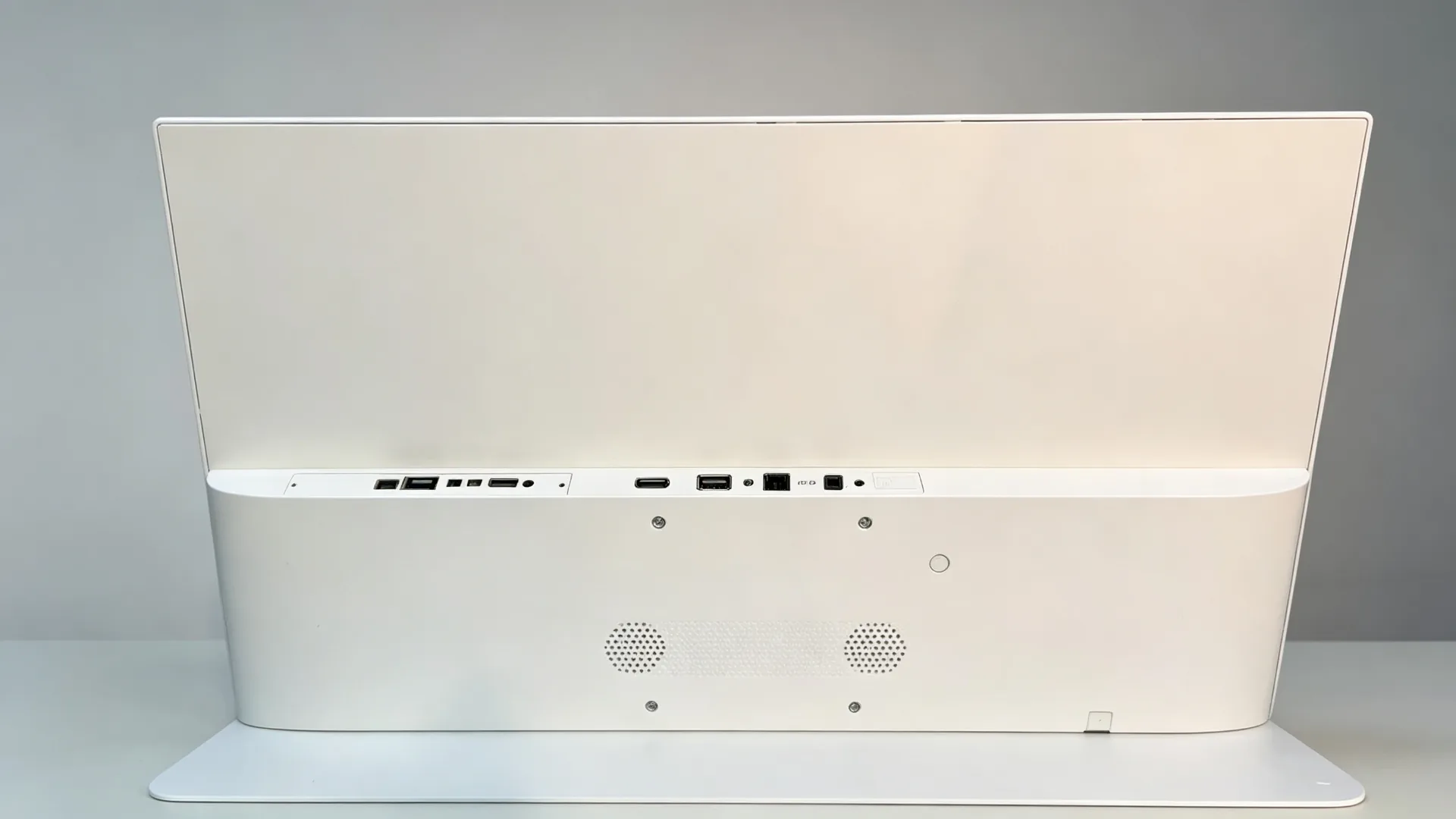
Rear interface and cable management of countertop digital menu board showing HDMI, USB, LAN and DC power ports
รูปแบบอินเทอร์เฟซด้านหลังพร้อมพอร์ต HDMI, USB, LAN และ DC Power
เนื้อหาที่ขาย

แสดงเมนูโปรโมชั่นและเนื้อหาการขายณจุดที่ซื้อ

การนำเสนอเมนูดิจิทัล

เมนูเครื่องดื่มเมนูกาแฟเมนูชานมเมนูของหวานรายการเบเกอรี่รายการพิเศษประจำวันสินค้าตามฤดูกาลอาหารคอมโบราคาส่วนประกอบของผลิตภัณฑ์สารก่อภูมิแพ้ประกาศข้อมูลแคลอรี่หรือโภชนาการเนื้อหาหลายภาษา

สินค้าเดี่ยวและโปรโมชั่นสินค้าใหม่

เปิดตัวเครื่องดื่มใหม่โปรโมชั่นลายเซ็นเครื่องดื่มรุ่นจำนวนจำกัดตามฤดูกาลผลิตภัณฑ์การทำงานร่วมกันคำแนะนำเครื่องดื่มที่มีอัตรากำไรสูงการจัดอันดับขายดีที่สุดส่วนลดจำกัดเวลา

ลดราคาและลดกระหน่ำ

  • เพิ่มท็อปปิ้ง
  • อัปเกรดเป็นขนาดใหญ่ขึ้น
  • เพิ่มขนมอบ
  • เพิ่มเอสเปรสโซช็อต
  • ลองข้าวโอ๊ตนม
  • ซื้อสองเครื่องดื่มและประหยัด
  • เพิ่มของหวานด้วยเครื่องดื่มของคุณ
  • เข้าร่วมโปรแกรมความภักดี
  • สแกนเพื่อรับคูปอง
  • รวบรวมคะแนนด้วยรหัสสมาชิกของคุณ

ใช้จอแสดงผลเพื่อแนะนำส่วนเสริมระยะขอบสูงตัวเลือกการอัปเกรดและชุดผลิตภัณฑ์โดยการวางข้อความเป้าหมายข้างพื้นที่การชำระเงินหรือการสั่งซื้อร้านค้าสามารถส่งเสริมข้อเสนอที่เกี่ยวข้องในขณะที่ลูกค้ายังคงตัดสินใจซื้ออะไร
การเป็นสมาชิก QR และโปรโมชั่นการสั่งซื้อผ่านมือถือ

  • รหัส QR การเป็นสมาชิก
  • การลงทะเบียนโปรแกรมความภักดี
  • QR Code สำหรับการสั่งซื้อผ่านโทรศัพท์มือถือ
  • QR Code ที่แพลตฟอร์มการจัดส่ง
  • การแลกคูปอง
  • รายการมินิโปรแกรม WeChat
  • แอพดาวน์โหลดรหัส QR
  • คิวอาร์โค้ดรีวิวลูกค้า
  • การรณรงค์โซเชียลมีเดีย
หมายเหตุการใช้คำ QR: ถ้าใช้หน้าจอเท่านั้นเพื่อ แสดงผล QR Code จะเป็น QR Code promotion Display ค่ะเฉพาะการกำหนดค่าที่มีโมดูลสแกนและซอฟต์แวร์ที่เข้ากันได้ควรอธิบายว่าเป็นสแกนเนอร์รหัส QR หรือตู้ qr.
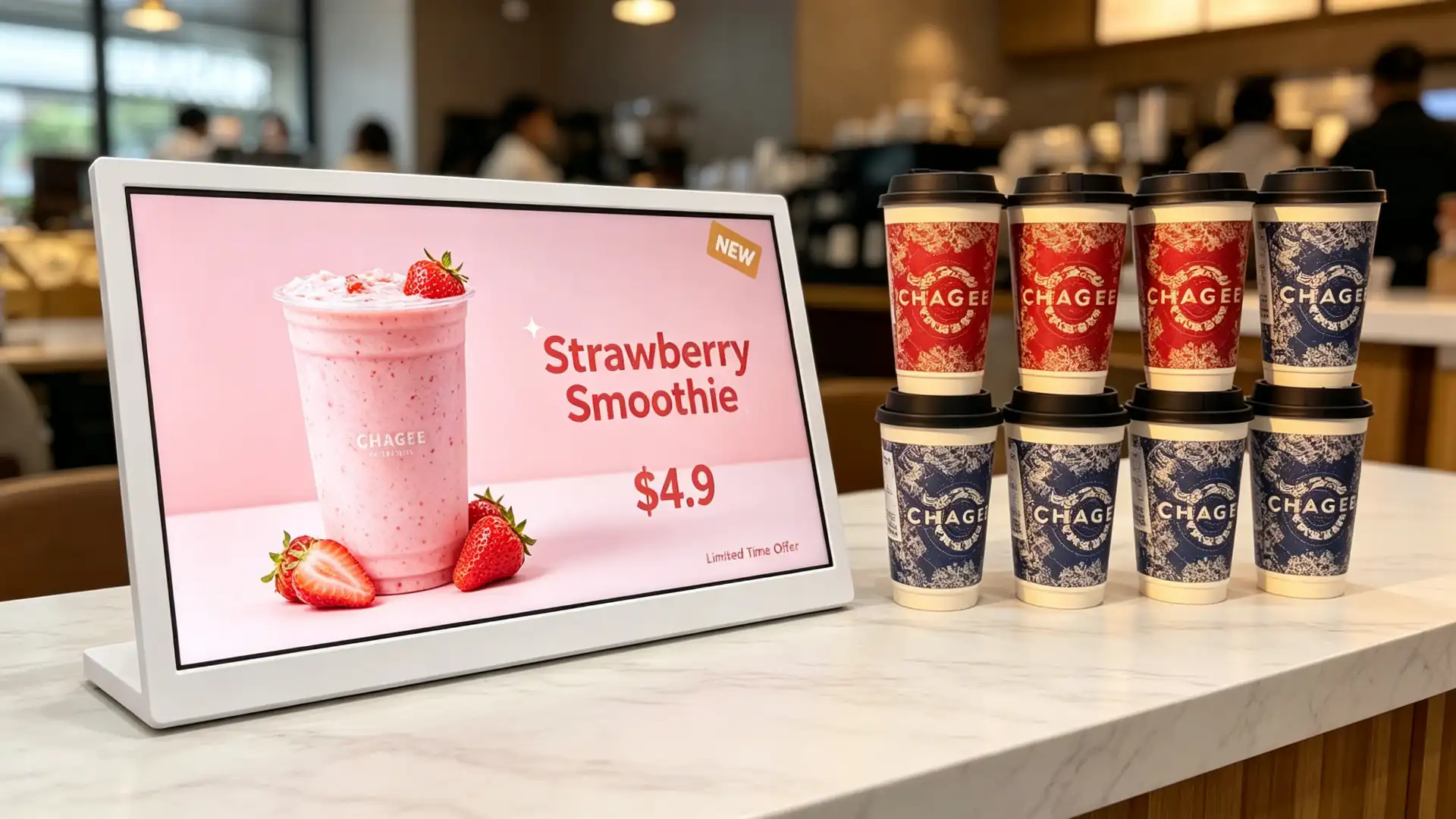
Single-product beverage promotion template on landscape countertop digital menu board for milk tea shop
เทมเพลตการส่งเสริมเครื่องดื่มผลิตภัณฑ์เดียวในรูปแบบแนวนอน
Split-screen layout showing menu, price, promotion and QR code on countertop digital menu board
เมนูแบ่งหน้าจอราคาโปรโมชั่นและรูปแบบรหัส QR
Upselling and cross-selling content template for countertop digital menu board showing add-on and size upgrade options
Add-On, การอัพเกรดขนาดและแม่แบบคำแนะนำคำสั่งผสม
Membership QR code and mobile order pickup promotion displayed on countertop digital menu board
รหัส QR สมาชิกและโปรโมชั่นการรับสินค้าผ่านมือถือที่เคาน์เตอร์
ควบคุมได้จากที่หนึ่ง

เลือกวิธีการจัดการเนื้อหาสำหรับเครือข่ายร้านค้าของคุณ

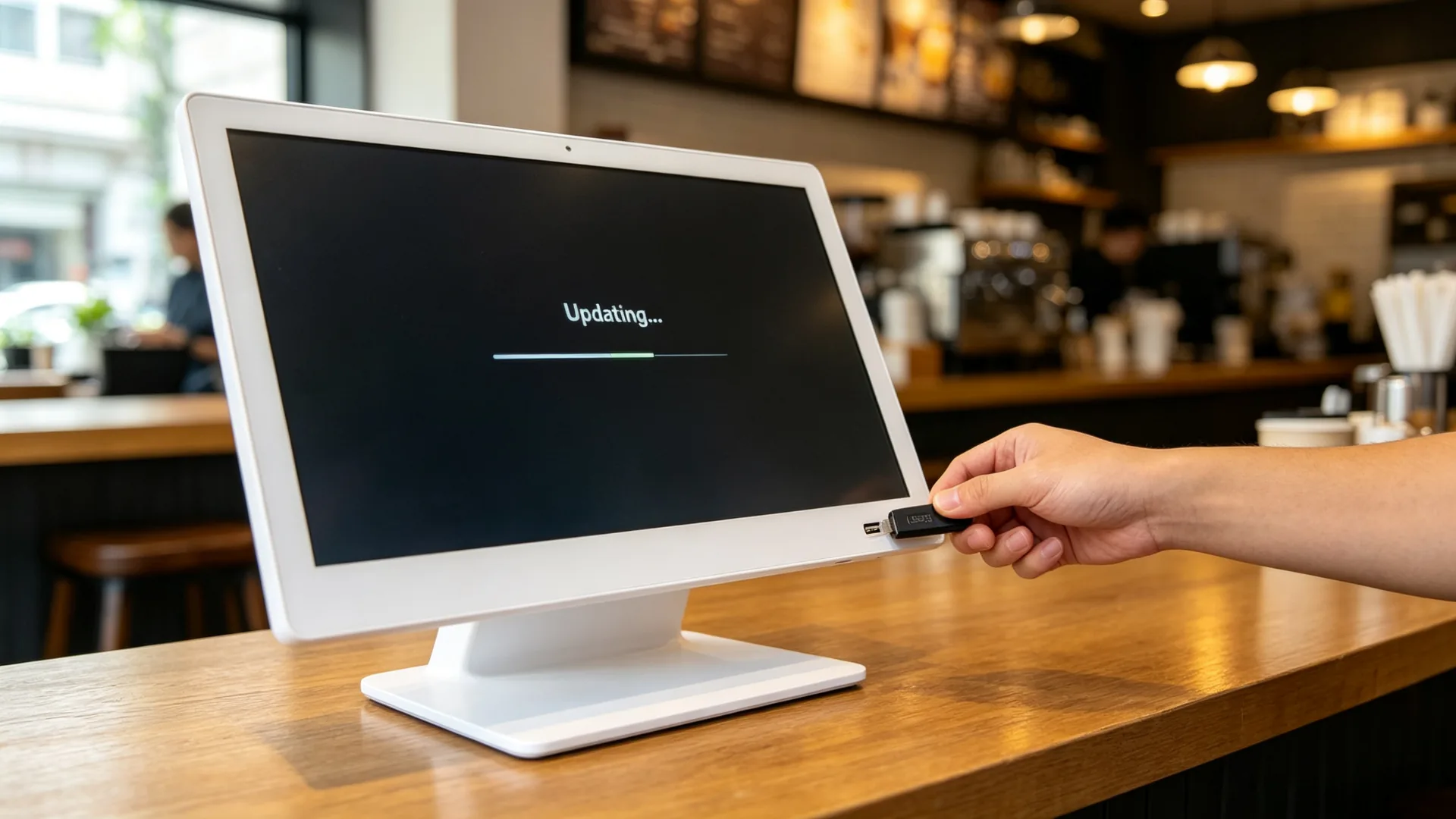
เล่น USB แบบสแตนด์อโลน

  • อัปโหลดเนื้อหา USB
  • การเล่นภาพและวิดีโอ
  • เล่นวนซ้ำ
  • การเล่นตามกำหนดเวลา
  • การทำงานแบบพลักแอนด์เพลย์
  • ไม่มีความต้องการเครือข่าย
  • การเปลี่ยนเนื้อหาในสถานที่อย่างง่าย

ดีที่สุดสำหรับ: ร้านกาแฟอิสระร้านชานมเดี่ยวเคาน์เตอร์เบเกอรี่ร้านค้าป๊อปอัปขาตั้งโปรโมชั่นชั่วคราวและร้านอาหารขนาดเล็ก
ป้ายดิจิตอล Android กับ CMS

  • ระบบปฏิบัติการแอนดรอยด์
  • การเชื่อมต่อ Wi-Fi หรือ LAN
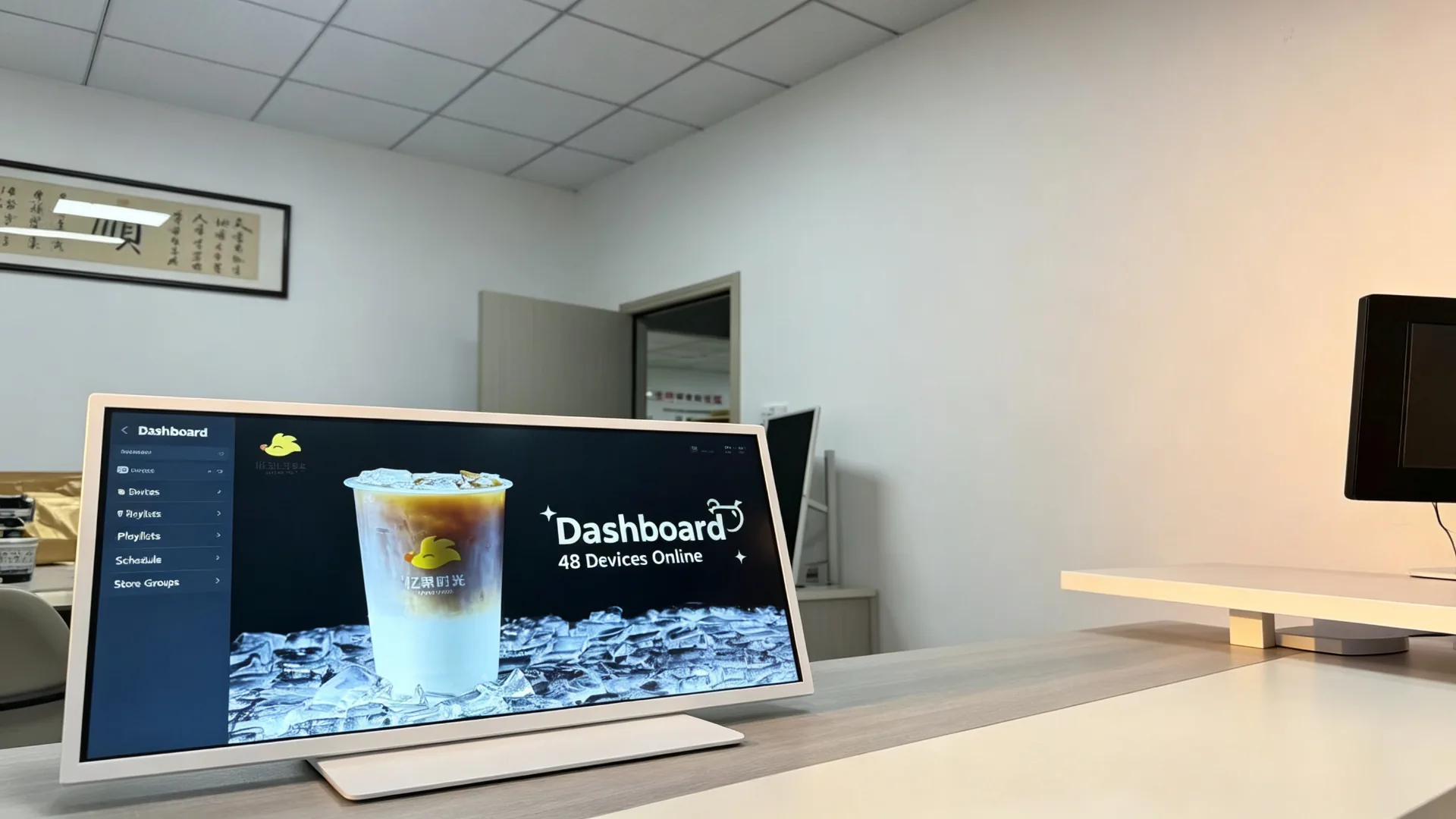
  • การจัดการ CMS คลาวด์
  • อัปโหลดเนื้อหาจากระยะไกล
  • การจัดกลุ่มการแสดงผลหลายร้าน
  • การจัดตารางเพลย์ลิสต์
  • การสลับเมนู daypart
  • โปรโมชั่นเฉพาะภูมิภาค
  • การตรวจสอบหน้าจอระยะไกล
  • การรีบูตระยะไกลเสริมและการอัปเดตซอฟต์แวร์

การกำหนดค่า Windows-based

  • การกำหนดค่าพีซี Windows เสริม
  • ความเข้ากันได้ของซอฟต์แวร์เมนูของบุคคลที่สาม
  • การรวมเนื้อหาที่เกี่ยวข้องกับ POS
  • การเล่นแอปพลิเคชันบนเว็บ
  • การพัฒนาอินเตอร์เฟซที่กำหนดเอง
  • การรวมซอฟต์แวร์การจัดการค้าปลีกหรือร้านอาหาร
  • แดชบอร์ดข้อมูลหรือการแสดงข้อมูลคิว
การกำหนดค่าตาม Windows สามารถใช้ได้ตามคำขอของโครงการข้อกำหนดฮาร์ดแวร์ใบอนุญาตระบบปฏิบัติการและความเข้ากันได้ของซอฟต์แวร์ควรได้รับการยืนยันก่อนการผลิต

การกำหนดค่าจอภาพเท่านั้น

  • อินพุต HDMI
  • การเชื่อมต่อแบบสัมผัส USB หากเลือกหน้าจอสัมผัส
  • เข้ากันได้กับเครื่องเล่นสื่อภายนอก
  • เหมาะสำหรับตัวรวม AV
  • การเปลี่ยนและบำรุงรักษาระบบที่ยืดหยุ่น
USB standalone content update process for countertop digital menu board in a cafe
USB อัปเดตเนื้อหาแบบสแตนด์อโลน-ไม่จำเป็นต้องใช้เครือข่าย
Android CMS dashboard for managing multiple countertop digital menu boards, playlists and daypart promotions
แดชบอร์ด Android CMS สำหรับเพลย์ลิสต์หลายอุปกรณ์และโปรโมชั่น daypart.
Windows-based countertop digital menu board integrated with POS system and restaurant management software
จอแสดงผลบนเคาน์เตอร์ที่ใช้ Windows ข้างระบบ POS ในสภาพแวดล้อมที่รวดเร็ว
ที่ซึ่งมันทำงาน

แอปพลิเคชั่นสำหรับเคาน์เตอร์บอร์ดเมนูดิจิตอล

ร้านชานมและร้านเครื่องดื่ม

ตำแหน่ง: เคาน์เตอร์แคชเชียร์พื้นที่สั่งซื้อพื้นที่รับเครื่องดื่มข้างตู้โชว์พื้นที่รอ

  • เมนูชาผลไม้และชานม
  • เปิดตัวเครื่องดื่มใหม่
  • ตัวเลือกเครื่องประดับด้านบน
  • คำแนะนำระดับความหวานและน้ำแข็ง
  • แคมเปญตามฤดูกาล
  • ซื้อ-รับ-หนึ่งโปรโมชั่น
  • รหัส QR การเป็นสมาชิก
  • รถกระบะเตือนความจำ

ค่า: เน้นผลิตภัณฑ์ใหม่และท็อปปิ้งก่อนสั่งซื้อหรือที่เช็คเอาท์เพื่อสนับสนุนมูลค่าการสั่งซื้อเฉลี่ยที่สูงขึ้น

ร้านกาแฟและร้านกาแฟ

ตำแหน่ง: บาร์กาแฟเคาน์เตอร์แคชเชียร์กรณีแสดงขนมพื้นที่รถกระบะ takeaway.

  • เมนูกาแฟ
  • เครื่องดื่มเอสเปรสโซ
  • ตัวเลือกสำหรับปลูกนม
  • การจับคู่ขนมอบและของหวาน
  • ข้อเสนออาหารเช้า
  • เรื่องราวเมล็ดกาแฟ
  • ผลประโยชน์ของสมาชิก
  • ข้อมูลรับสินค้าตามคำสั่งซื้อผ่านมือถือ

ร้านอาหารบริการด่วน

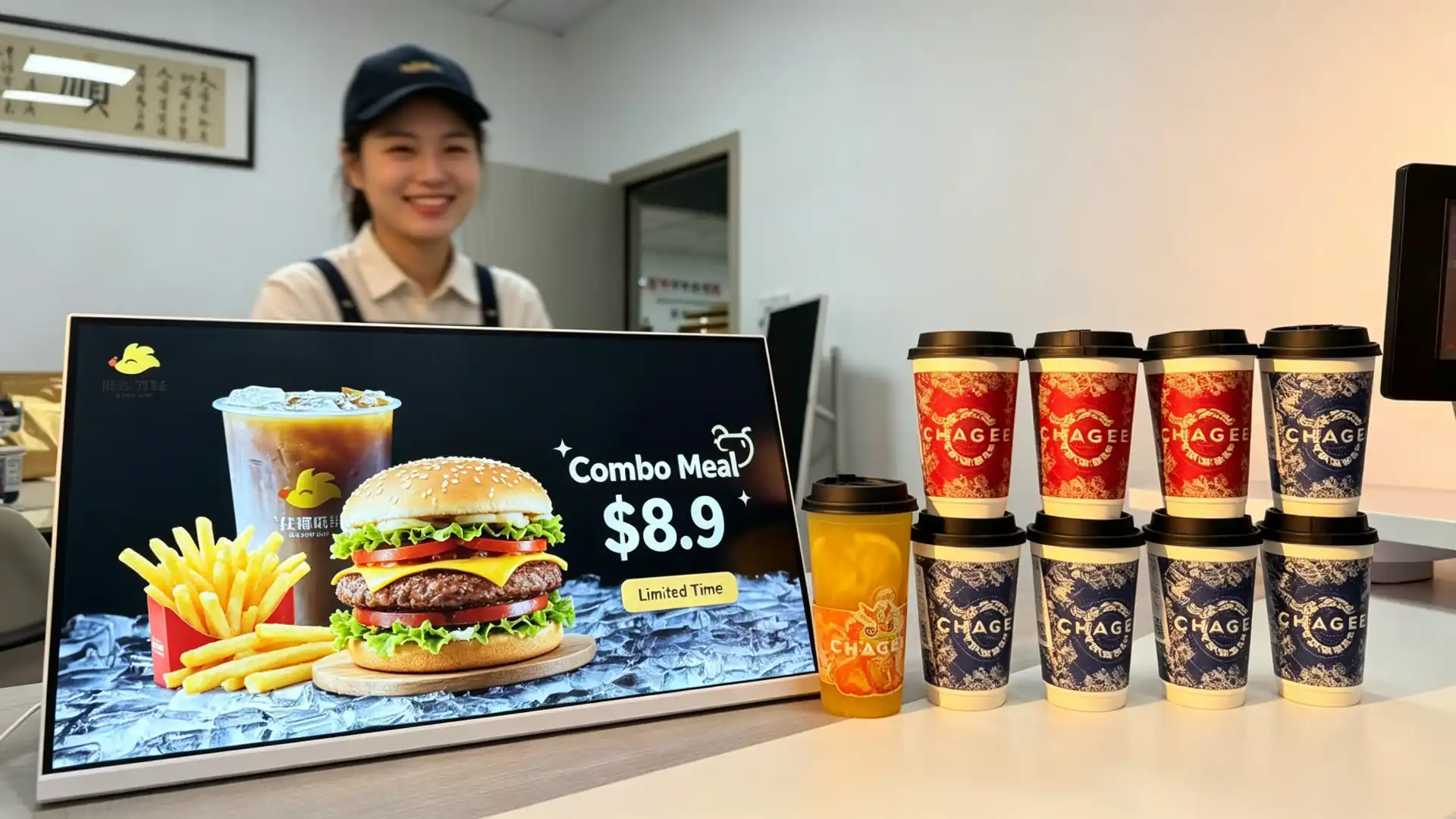
ตำแหน่ง: ตัวนับคำสั่งซื้อพื้นที่ชำระเงินพื้นที่รับสินค้าและพื้นที่แนะนำคำสั่งผสม

  • อาหารคอมโบ
  • จานข้างอาหาร
  • เครื่องดื่ม
  • การขายขนมหวาน
  • ข้อเสนอจำกัดเวลา
  • ข้อมูลคิว
  • คำแนะนำในการรับสินค้า
  • คูปองดิจิทัล

ร้านเบเกอรี่และร้านขนม

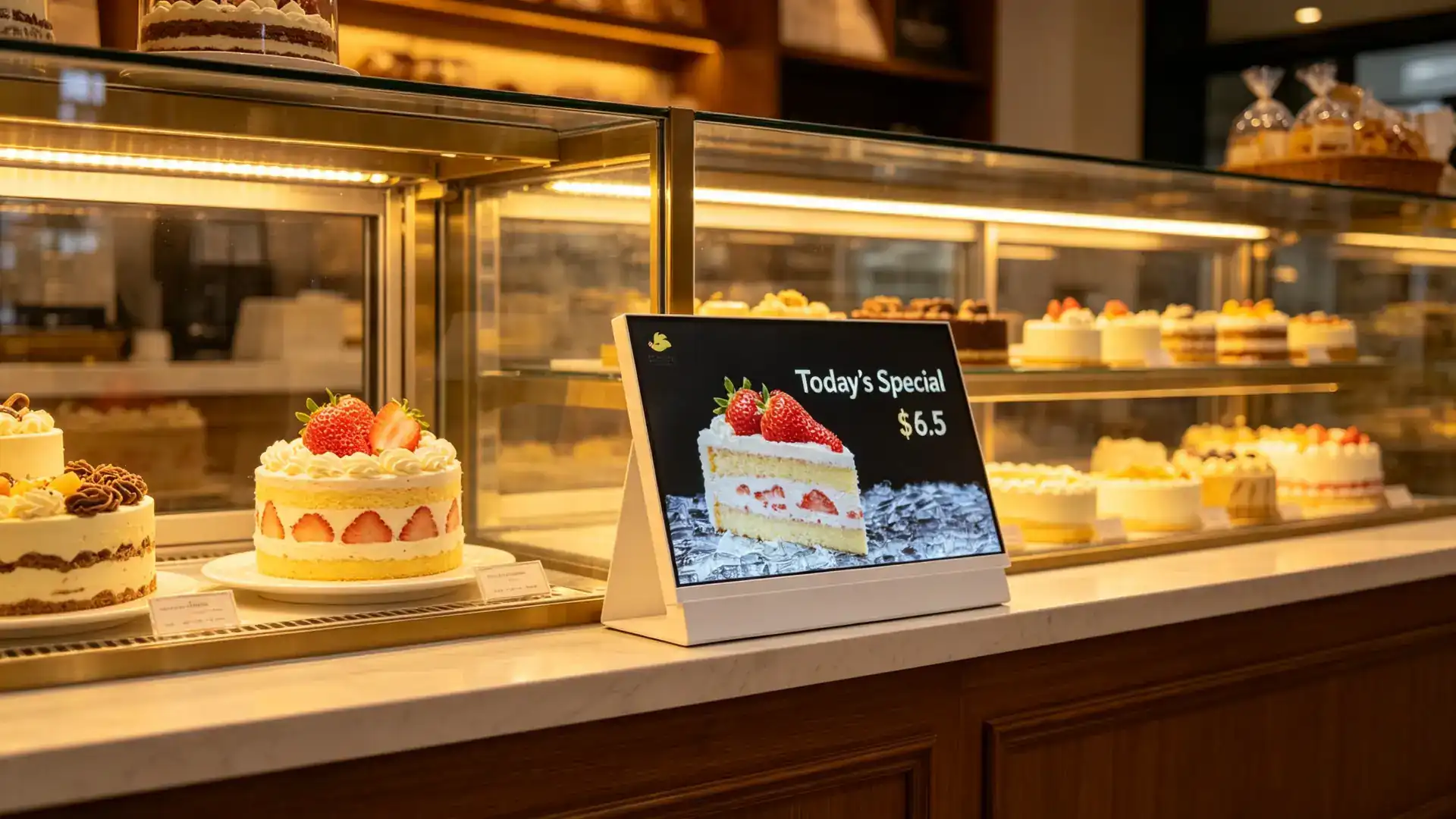
ตำแหน่ง: เคาน์เตอร์เค้กพื้นที่แสดงขนมปังชำระเงินและพื้นที่สั่งซื้อล่วงหน้า

  • ผลิตภัณฑ์เบเกอรี่สด
  • รายการพิเศษประจำวัน
  • เค้กวันเกิดเค้ก
  • กล่องของขวัญตามฤดูกาล
  • ข้อมูลการสั่งซื้อล่วงหน้า
  • คำแนะนำการจับคู่
  • โปรโมชั่นสมาชิก

ร้านกาแฟและเคาน์เตอร์การต้อนรับของโรงแรม

ตำแหน่ง: บาร์กาแฟโรงแรมพื้นที่อาหารเช้าพื้นที่เลานจ์และเคาน์เตอร์บริการอาหารขนาดเล็ก

  • เมนูอาหารเช้า
  • น้ำชายามบ่าย
  • เมนูบาร์
  • โปรโมชั่นงานอีเวนท์
  • QR Code สำหรับบริการห้องพัก
  • ข้อความในโปรแกรม
  • คำแนะนำการเดินทางท้องถิ่น

โปรโมชั่นเคาน์เตอร์ค้าปลีก

อุตสาหกรรมที่เหมาะสม: ความงามและเครื่องสำอาง, ร้านสะดวกซื้อ, ร้านขายยา, ร้านขายของที่ระลึก, ร้านเครื่องประดับโทรศัพท์มือถือ, พื้นที่เช็คเอาท์ซูเปอร์มาร์เก็ตและร้านขายอาหารพิเศษ
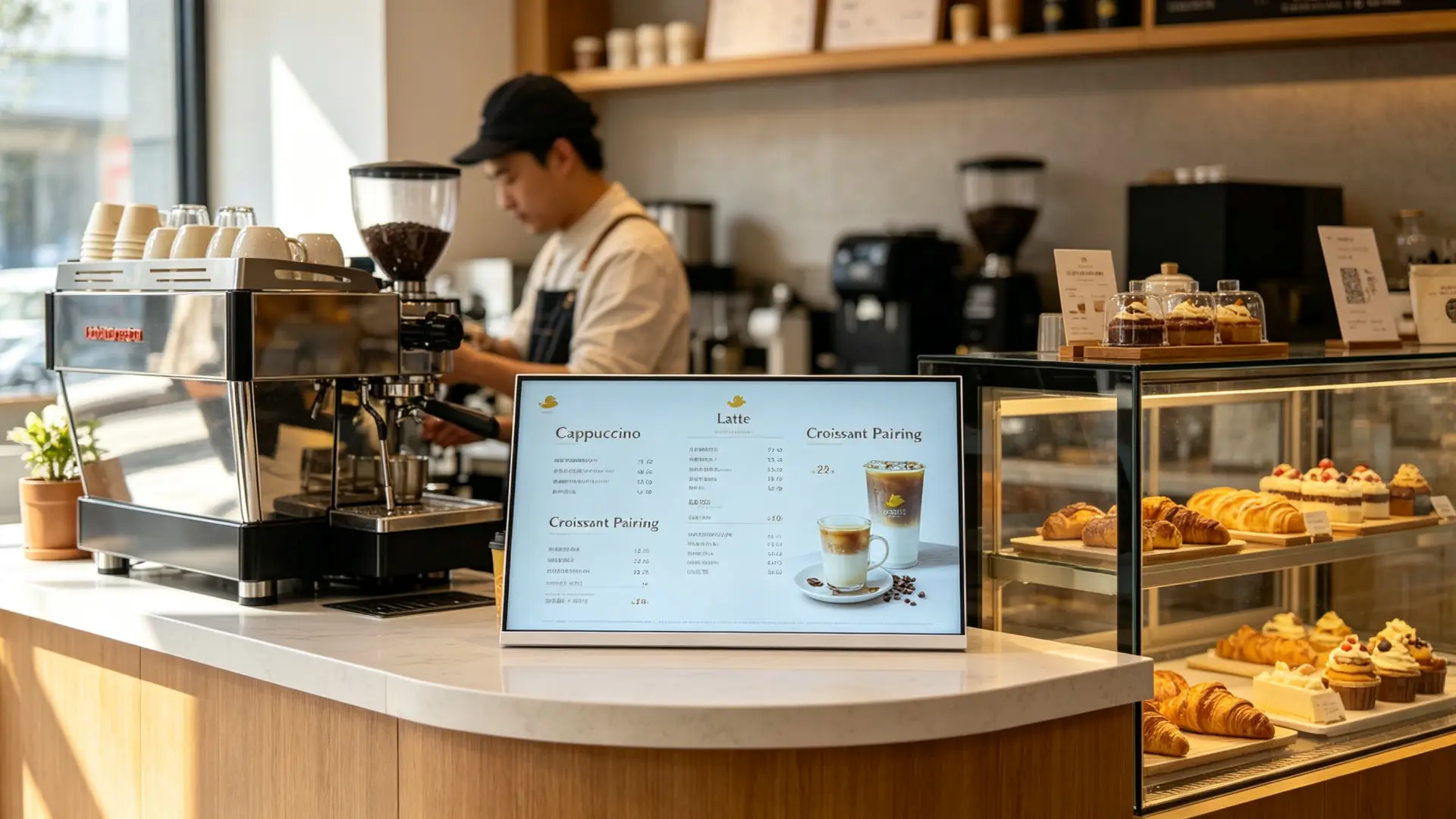
  • จุดเด่นของผลิตภัณฑ์ที่ซื้อ
  • คำแนะนำกลุ่มและการขายข้าม
  • การเป็นสมาชิกและแอพดาวน์โหลดรหัส QR
  • แคมเปญค้าปลีกตามฤดูกาล
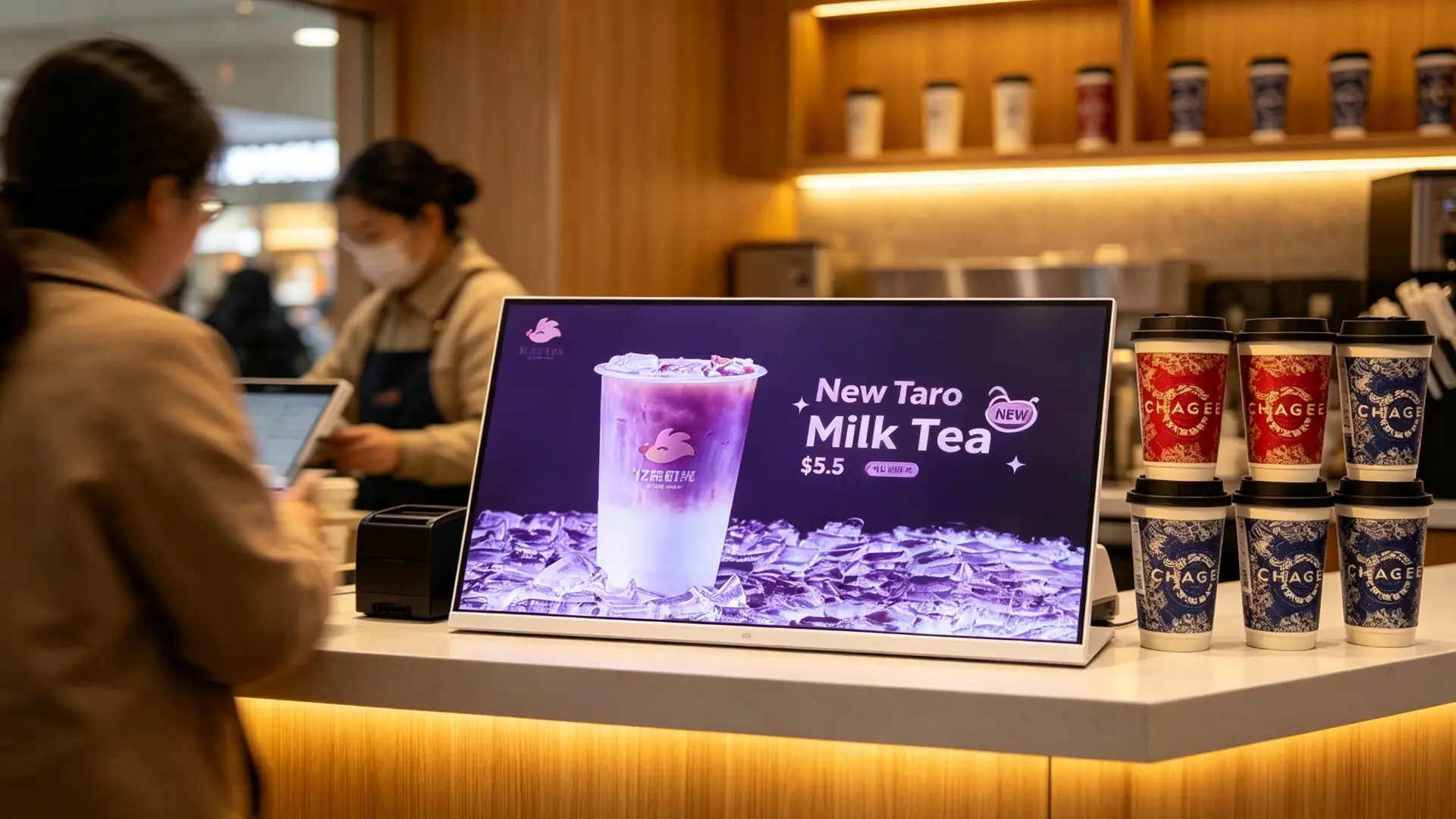
Landscape countertop digital menu board at a milk tea shop cashier counter showing new drink promotion
เคาน์เตอร์แคชเชียร์ร้านชานมพร้อมโปรโมชั่นเครื่องดื่มใหม่
Countertop digital menu board on a cafe bar counter displaying coffee menu and pastry pairing
Cafe bar counter with coffee menu and pastry pairing content.
Countertop digital display at a quick-service restaurant ordering counter showing combo meal promotion
Quick-service ordering counter with a combo meal promotion.
Countertop digital menu board beside a bakery display case showing daily specials and cake promotions
Bakery display case with daily specials and cake promotions.
Connect to Your Stack

Flexible Hardware and Connectivity Options

Common Interfaces

เอชดีเอ็มไอยูเอสบีไวไฟแลนบลูทูธ4G (optional)Audio outputRS232RJ45DC power inputTF card slot

Optional Peripherals and Functions

หน้าจอสัมผัสหน้าจอสัมผัสลำโพงในตัวกล้องQR code displayเครื่องสแกน QR CodeNFC/RFID readerCustomer display integrationPOS system interfacePrinter connectionพอร์ตชาร์จ USBLED status indicatorCustom sensor module

POS / Membership / Delivery Integration

  • POS brand and interface documentation required for compatibility evaluation
  • Membership system API integration
  • Delivery platform QR code display
  • Mobile ordering entry
  • Coupon and loyalty data flow
  • ความเข้ากันได้ของซอฟต์แวร์เมนูของบุคคลที่สาม
  • Payment terminal integration to be reviewed separately

Peripheral integration should be selected according to the final application. A promotional display may only require video playback, while a touchscreen ordering or membership terminal may require additional software, network connectivity and payment-related hardware.
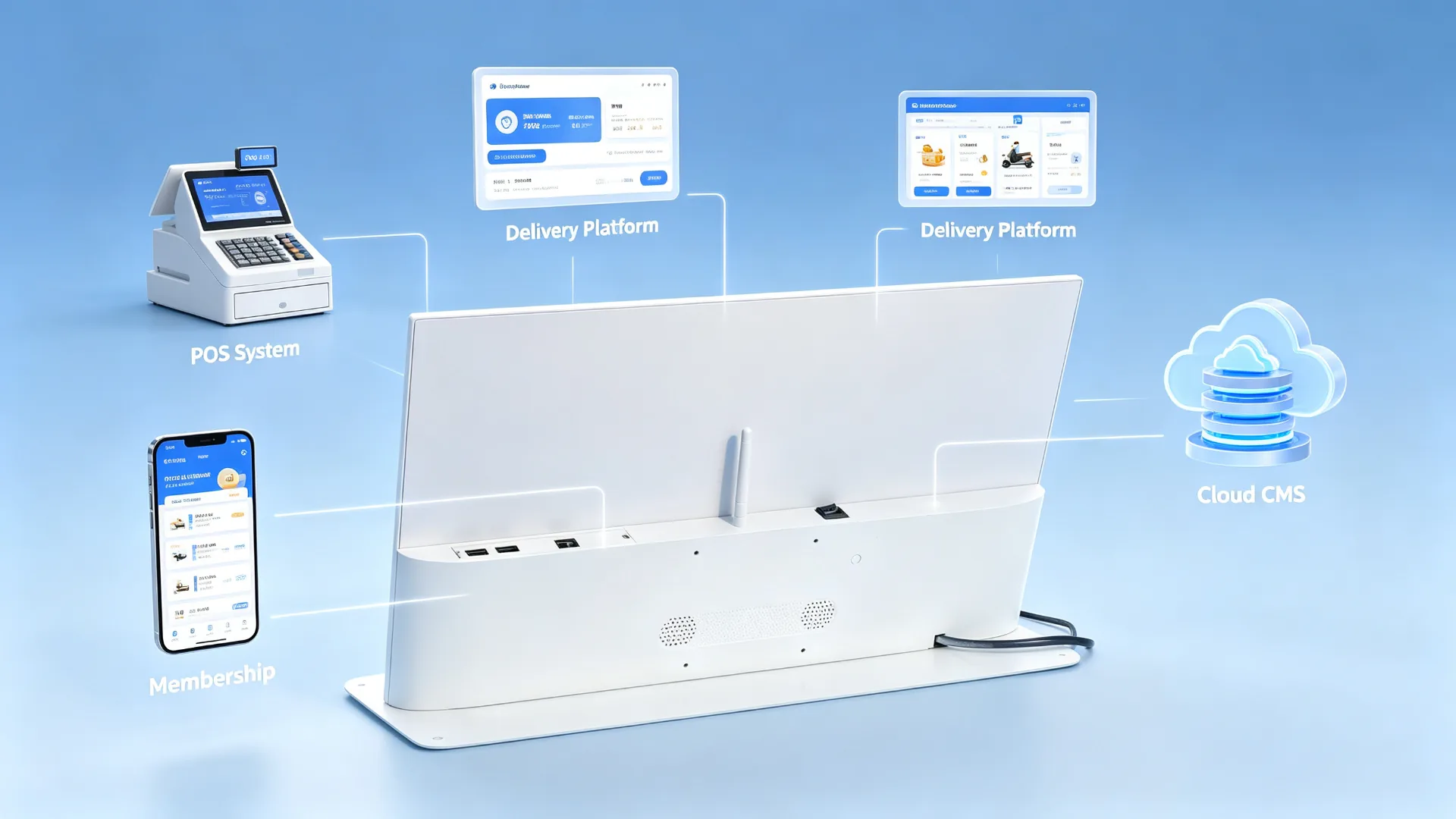
POS, membership and delivery platform integration diagram for countertop digital menu board
Example integration topology: POS system, membership, delivery platform and cloud CMS.
Specify Your Project

Countertop Digital Menu Board Configuration Options

รายการการกำหนดค่าตัวเลือกที่ใช้ได้Confirm Before Quotation
ขนาดหน้าจอหน้าจอ10.1", 13.3", 15.6", 18.5", 21.5" or customizedCounter space, viewing distance, content volume
การวางแนวLandscape, portrait or rotatable designMenu layout, device structure, store layout
ความละเอียดสูงHD, Full HD or 4KMenu detail, product images, system platform
ความสว่างความสว่างสูงStandard indoor or enhanced brightnessIn-store lighting, window reflection, mounting position
สัมผัสหน้าจอสัมผัสNon-touch or PCAP touchMenu browsing, scanning or interaction needs
ระบบปฏิบัติการสำหรับปฏิบัติการAndroid, Windows หรือจอภาพเท่านั้นCMS, POS, customer software and budget
การเชื่อมต่อการเชื่อมต่อUSB, Wi-Fi, LAN, Bluetooth or optional 4GContent update and network conditions
CMS CMSUSB playback, local CMS, cloud CMS or third-party CMSSingle-store or chain-store management needs
เสียงออดิโอBuilt-in speaker or audio outputVideo audio needs, store noise level
ที่อยู่อาศัยPlastic, metal or customized enclosureBrand image, durability, cleaning requirements
Frame ColourWhite, black, silver or customStore visuals and brand colours
StandFixed countertop stand, adjustable stand or custom bracketCounter height, viewing angle, device stability
กระจกป้องกันสำหรับStandard, anti-glare or tempered glass optionHigh-contact use, light reflection, cleaning method
BrandingLogo, frame colour, startup screen, UI and packagingOEM/ODM requirements
การบูรณาการPOS, QR, NFC, camera or custom peripheralInterfaces, software and workflow requirements
One Network, One Message

Scale Consistent Menu and Promotion Content Across Multiple Stores

Head-Office Content Management

  • Publish new-product visuals across all stores at the same time
  • Standardize prices and menu layouts
  • Switch products by region
  • Adjust language, price or promotion by city
  • Launch limited-time campaigns in sync for holidays
  • Replace sold-out or paused products quickly
  • Assign different playlists to different stores
  • Manage content permissions for franchise and owned stores

Switch Menus by Time of Day

DaypartRecommended Content
BreakfastCoffee, breakfast combos, bakery products
LunchCombo meals, main dishes, drink add-ons
น้ำชายามบ่ายDesserts, fruit teas, coffee pairings
EveningNight-time specials, delivery, pickup and membership campaigns
HolidaySeasonal new products, gift boxes, collaborations and coupons

Centralized content management helps headquarters update campaigns without requiring every store to replace printed posters manually. This improves brand consistency and makes it easier to launch time-sensitive promotions across a restaurant or beverage-store network.
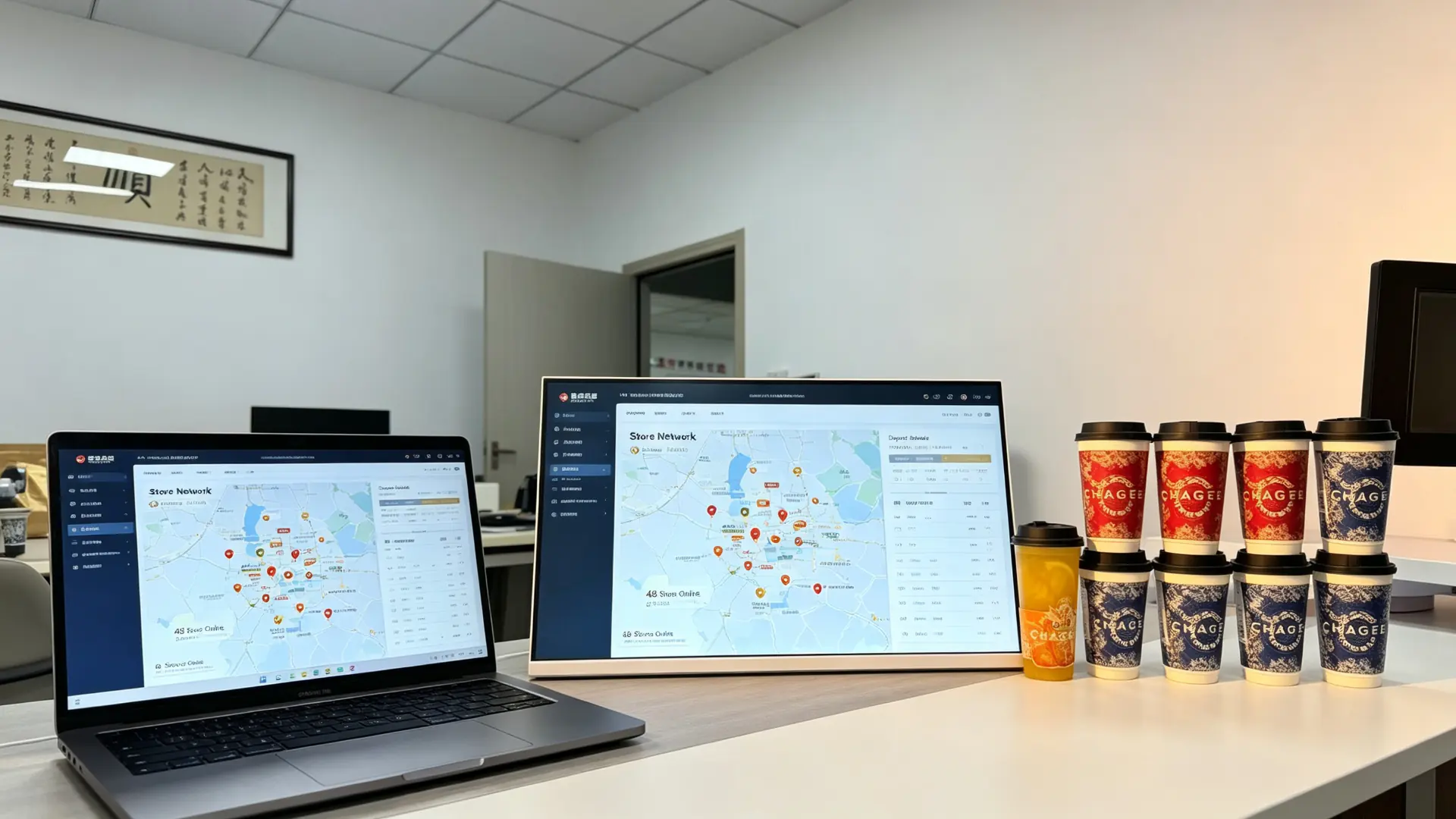
Multi-store countertop digital menu board management dashboard showing unified branding and daypart promotions
Multi-store management dashboard for unified branding and daypart promotions.
Your Brand, Our Factory

Custom Countertop Digital Displays for Restaurant and Retail Projects

Appearance and Structure

  • Custom screen size
  • Landscape or portrait enclosure
  • Frame colour
  • Metal or plastic housing
  • Custom tabletop stand
  • Adjustable viewing angle
  • Logo printing
  • Brand colour matching
  • Front glass design
  • Cable-exit direction
  • Custom mounting bracket
  • POS counter integration design

การปรับแต่งฮาร์ดแวร์

  • Android mainboard
  • Windows mini PC
  • การกำหนดค่า RAM และพื้นที่เก็บข้อมูล
  • หน้าจอสัมผัสหน้าจอสัมผัส
  • Wi-Fi and LAN
  • 4G module
  • ลำโพงสําหรับสตรี
  • กล้อง
  • NFC/RFID
  • เครื่องสแกน QR Code
  • Customer-facing display module
  • Custom I/O ports

Software and Branding

  • Custom boot animation
  • Branded Android launcher
  • UI design
  • Restaurant menu software
  • Cloud CMS deployment
  • อินเตอร์เฟซหลายภาษา
  • POS integration coordination
  • Membership-system interface
  • API integration
  • Kiosk mode
  • Custom packaging and manuals

Typical B2B Partners

Restaurant chainsMilk tea shop chainsCoffee-shop brandsBakery chainsQuick-service restaurant operatorsPOS system providersRestaurant technology integratorsDigital signage distributorsRetail-fixture suppliersFranchise-management companiesFood-service equipment distributors
OEM/ODM projects: Qtenboard has supplied OEM/ODM/CKD/SKD display projects since 2005, from component kits to fully finished branded units. Share your counter size, menu content, CMS requirement and branding needs, and our team will recommend a suitable configuration.
Why This Solution

Why Choose a Countertop Digital Menu Board Instead of a Tablet or Poster

Compared WithLimitationThis Product's Advantage
Printed posterSlow to update, recurring print cost, no videoRemote updates, dynamic video, daypart switching
Consumer tabletNon-commercial, limited cooling and lifespan, weak managementCommercial panel, CMS, batch management, custom stand
Wall-mounted menu boardComplex installation, takes wall space, far from the order pointTabletop placement, close-range reach, easy repositioning
POS secondary displaySingle function, usually shows amounts onlyPlays menus, ads, membership and QR content
Large advertising screenHigh cost, large footprintCompact, lower cost, ideal for countertop single-product promotion

A countertop digital menu board is designed for close-range decision-making at the ordering counter. It combines commercial display hardware, flexible content management and optional POS or membership integration in a compact tabletop format.

Tested Before It Ships

Commercial Quality Control for Countertop Deployment

Inspection Items We Recommend

  • LCD-panel appearance inspection
  • Image, colour and brightness inspection
  • Touch test, if selected
  • การทดสอบการบูต Android หรือ Windows
  • USB, Wi-Fi and LAN connectivity test
  • Video, image and audio playback test
  • CMS connectivity test, if selected
  • HDMI and external-player compatibility test
  • Stand stability test
  • Housing and logo inspection
  • Power adapter and cable inspection
  • การทดสอบการเผาไหม้เป็นเวลานาน
  • Packaging and drop-protection inspection
  • Individual retail-ready or project packaging
  • Foam protection
  • Carton or custom export packaging
  • Accessory-kit arrangement
  • Custom labels and barcode stickers

Project Delivery Process

  1. Confirm display size, orientation and placement location
  2. Confirm playback platform and CMS requirement
  3. Select touch, connectivity and peripheral options
  4. Confirm OEM branding and mechanical design
  5. Approve sample or pre-production configuration
  6. Complete assembly and quality testing
  7. Conduct pre-shipment inspection
  8. Prepare packaging, documentation and accessory list
  9. Arrange bulk shipment and provide technical support
Trusted Manufacturer

Trusted by Restaurant Chains, Beverage Brands and Retail Projects

Qtenboard was founded in Shenzhen in 2005 and started inside the display supply chain, supplying CKD and SKD panel kits to assemblers and local brands before most commercial display brands existed. That component-level origin means quality is controlled from the module up, and OEM/ODM projects are adapted for local voltage, certification and assembly requirements.

2005ก่อตั้งขึ้นในเซินเจิ้น
330,000㎡พื้นที่การผลิต
1,000+พนักงานทั่วทั้ง3ฐาน
110+ประเทศที่ให้บริการ

การอ้างอิงโครงการ

M Milk Tea Chain · 60+ Store Counters

Android CMS chain deployment

Landscape countertop displays with Wi-Fi CMS, daypart playlists and brand-level content permissions.

ผลลัพธ์: menus, prices and new launches updated centrally across the network.

C C Coffee Brand · Bar Counter

Countertop upselling display

White-frame landscape displays beside the pastry case promoting new drinks and food pairings.

ผลลัพธ์: pairing and upgrade offers shown at the exact decision point.

คำถาม QSR Group · Order Terminals

POS-side menu display

Monitor-only and Windows configurations placed beside order terminals for combo and add-on promotion.

ผลลัพธ์: counter-level promotions without touching the POS workflow.

บี Bakery Chain · Display Cases

Product showcase at the case

Split-screen content with daily specials, cake promotions and pre-order QR codes.

ผลลัพธ์: seasonal items promoted without re-printing posters.

Certifications Maintained for Distributor Due Diligence

ซีอี เอฟซีซี โรเอชดี ไอเอสโอ
9001
ไอเอสโอ
14001
ซีบี

We support B2B countertop digital menu board projects from configuration and sample confirmation to production, testing, packaging and after-sales support. Share your counter size, menu content, CMS requirement and branding needs, and our team will recommend a suitable configuration.

Working Together

การรับรองข้อกำหนดการสั่งซื้อและการสนับสนุนหลังการขาย

การรับรองและการปฏิบัติตามข้อกำหนด

  • ตัวเลือก ce/fcc/rohs
  • Power adapter safety certificates
  • Touchscreen and glass safety certificates, where applicable
  • Food-service environment cleaning and splash-resistance review
  • POS or payment integration certification to be reviewed separately

เงื่อนไขการสั่งซื้อสินค้า

  • MOQ: สั่งซื้อตัวอย่างและรองรับการสั่งซื้อแบบแบทช์
  • Lead time: depending on configuration, quantity and customization
  • เงื่อนไขการชำระเงิน: t/t, LC หรือเงื่อนไขเฉพาะโครงการ
  • Packaging: retail-ready carton or export packaging
  • Shipping: sea, air or express according to project schedule
  • Warranty: standard warranty and extended warranty options
  • Spare parts: recommended spare-parts list for chain deployment

การสนับสนุนหลังการขาย

  • การสนับสนุนทางเทคนิคจากระยะไกล
  • Installation and commissioning guidance
  • CMS configuration support
  • POS / membership integration coordination
  • Replacement parts supply
  • Batch-order and repeat-order support
  • Chain-store maintenance planning support
คำถามทั่วไป

คำถามที่ถามบ่อย

What is a countertop digital menu board?

A countertop digital menu board is a compact commercial display placed on a cashier counter, ordering station or product display area. It is used to show menu items, prices, promotions, featured drinks, product images and upselling messages.

Is this product suitable for milk tea shops and coffee shops?

Yes. It is designed for beverage shops, cafes, bakeries, restaurants and quick-service counters where customers make ordering and payment decisions at close range.

Can the screen display a full menu?

Yes. It can display a full menu, selected categories, prices, promotional products or a split-screen layout. The recommended screen size depends on the amount of menu information, viewing distance and available counter space.

Can I update content remotely?

With an Android or network-enabled configuration, content can be managed through a CMS using Wi-Fi, LAN or optional cellular connectivity. USB playback is also available for standalone applications.

Can the display switch content by time of day?

Yes. A CMS or scheduling function can be used to switch breakfast, lunch, afternoon-tea, dinner and late-night promotional content automatically.

Can the device be used as a self-ordering kiosk?

A touchscreen version may support menu browsing and self-service functions. However, full self-ordering requires compatible ordering software, payment integration and workflow design. A non-touch advertising display should not be described as a self-ordering kiosk.

Can it connect to a POS system?

POS-related integration may be available depending on the operating system, software platform and interface requirements. Please provide your POS brand, system architecture and required data flow for compatibility evaluation.

Can I add a QR code, NFC or scanner module?

A QR code can be displayed on any screen as content. QR scanning, NFC and barcode scanning require dedicated hardware and compatible software, which can be considered for project-based configurations.

Is the display waterproof?

This product is intended for indoor countertop use. If it will be placed near beverage preparation areas, confirm the required splash resistance, front-glass protection, cleaning method and enclosure material before ordering.

Can I customize the frame and logo?

Yes. Customization may include the housing colour, logo, stand, boot screen, user interface, packaging and manuals.

What information is needed for a quotation?

Please provide screen size, orientation, quantity, placement location, Android/Windows/monitor-only requirement, CMS requirement, touch requirement, network requirement, branding needs, target country and expected delivery schedule.


ส่งข้อความ:

ผลิตภัณฑ์สำหรับเด็ก