ตรวจสอบล่าสุด: 24กันยายน2026 · ผู้ชม: การจัดซื้อ it/av ผู้รวมผู้จัดจำหน่ายพันธมิตร oem/odm
การเลือก ไวท์บอร์ดแบบโต้ตอบที่ดีที่สุดสำหรับการนำเสนอทางธุรกิจ ไม่ค่อยมีการจัดอันดับผลิตภัณฑ์เดียว "ดีที่สุด" ขึ้นอยู่กับเนื้อหาการนำเสนอของคุณขนาดห้องเวิร์กโฟลว์คำอธิบายประกอบสแต็คการประชุมทางวิดีโออุปกรณ์พนักงานขนาดการปรับใช้และต้นทุนรวมในการเป็นเจ้าของแผงขนาด75นิ้วที่ชนะในห้องประชุมคณะกรรมการแห่งหนึ่งอาจล้มเหลวในห้องโถงฝึกอบรมและหน้าจอสัมผัสโดยไม่ต้องหล่อแบบไร้สายทำให้การเยี่ยมชมลูกค้าทุกคนช้าลง
คู่มือนี้สร้างกรอบการตัดสินใจในสี่ขั้นตอน- สถานการณ์การนำเสนอขนาดห้องการกำหนดค่าคุณลักษณะและความสามารถของซัพพลายเออร์ -ดังนั้นการจัดซื้อ it/av ผู้รวมและผู้จัดจำหน่ายจึงสามารถเข้าเกณฑ์สั้นได้อย่างมั่นใจ Qtenboardผู้ผลิตจอแสดงผลแบบโต้ตอบที่ใช้เซินเจิ้นก่อตั้งขึ้นในปี2005อ้างอิงตลอดเป็นตัวเลือกโดยตรงจากโรงงานพร้อมกระดานไวท์บอร์ดแบบโต้ตอบ4K ขนาด55-110นิ้วระบบ Android และ Windows และโปรแกรม oem/odm-ไม่ใช่คำตอบเดียวแต่เป็นการกำหนดค่าที่คุ้มค่าเมื่อเทียบ
สำหรับมุมที่แตกต่างให้ดู วิธีการเลือกจอแสดงผลอัจฉริยะสำหรับห้องประชุมของคุณ หรือใน บอร์ดอัจฉริยะที่ดีที่สุดสำหรับธุรกิจในปี2026 การสำรวจตลาด
เส้นทางที่เร็วที่สุดไปยังผู้สั้นคือการจับคู่ประเภทการประชุมและห้องเพื่อการกำหนดค่าที่พิสูจน์แล้วตารางด้านล่างแสดงจุดเริ่มต้นที่แนะนำสำหรับสถานการณ์ทั่วไปด้วยเหตุผลที่อยู่เบื้องหลังแต่ละทางเลือก
| สถานการณ์การนำเสนอ | การกำหนดค่าที่แนะนำ | เหตุผลหลักที่สำคัญ | Qtenboard ทิศทาง |
|---|---|---|---|
| การประชุมกับลูกค้าขนาดเล็ก | จอแสดงผลแบบโต้ตอบขนาด55-65นิ้ว4K | ขนาดกะทัดรัดชัดเจนติดตั้งได้รวดเร็ว | แผงอินเตอร์แอคทีฟขนาด55-65นิ้ว |
| ห้องประชุมมาตรฐาน | จอแสดงผลแบบโต้ตอบขนาด75-86นิ้ว4K | ปรับสมดุลทัศนวิสัยและการทำงานร่วมกัน | แผงอินเตอร์แอคทีฟขนาด75-86นิ้ว |
| ห้องประชุมสำหรับผู้บริหาร | 86-110นิ้ว Premium 4K Configuration | การดูทางไกลการนำเสนออย่างเป็นทางการ | แผงแบบโต้ตอบขนาด86-110นิ้ว |
| การสาธิตผลิตภัณฑ์ | จอแสดงผลมัลติมีเดียแบบสัมผัสขนาด75-86นิ้ว | การโต้ตอบกับผลิตภัณฑ์สด | แผงอินเตอร์แอคทีฟขนาด75-86นิ้ว |
| การออกแบบทางวิศวกรรม/การตรวจสอบ | 4K ขนาด86นิ้วหรือใหญ่กว่าพร้อมการสัมผัสที่แม่นยำ | เส้นละเอียด CAD คำอธิบายประกอบ | หน้าจอแบบโต้ตอบ4K |
| การนำเสนอแบบไฮบริด | ลำโพงไมค์กล้องแสดงผล | ทัศนวิสัยของผู้เข้าร่วมจากระยะไกล | Ai Meeting DISPLAY |
| การฝึกอบรม/การประชุมเชิงปฏิบัติการ | มัลติทัชขนาด86นิ้วหรือใหญ่กว่าพร้อมเครื่องมือไวท์บอร์ด | การเข้าร่วมกลุ่ม | แผงวงจรโต้ตอบขนาดใหญ่ |
| โรลเอาท์แบบหลายห้อง | การจัดการอุปกรณ์ช่วงมาตรฐาน | การปรับใช้และการจัดการ | B2B ส่งตรงจากโรงงาน |
| โครงการ oem/odm | กำหนดขนาดเองยี่ห้อซอฟต์แวร์ | ความแตกต่างและขนาด | โปรแกรม oem/odm |
นี่คือจุดเริ่มต้นไม่ใช่กฎ-ยืนยันการปรับขนาดขั้นสุดท้ายด้วยการตรวจสอบระยะการดูในส่วนขนาดด้านล่าง
คำแนะนำสถานการณ์การเปรียบเทียบ TcO และรายการตรวจสอบคำถามของซัพพลายเออร์ ข้ามไปยังกระบวนการซื้อ.
การตรวจสอบ4K พื้นเมืองการรักษาความปลอดภัยการจัดการอุปกรณ์เครือข่ายและความเข้ากันได้ของระบบ กระโดดไปยังคุณสมบัติที่สำคัญ.
พอร์ต, OPS, โปรโตคอลการควบคุมและโครงการสนับสนุนความคาดหวัง ข้ามไปยังการเปรียบเทียบ.
ขอบเขต oem/odm, MOQ, การรับรอง, เวลานำ, บรรจุภัณฑ์และ ckd/skd. อุปกรณ์ JUMP TO qtenboard.
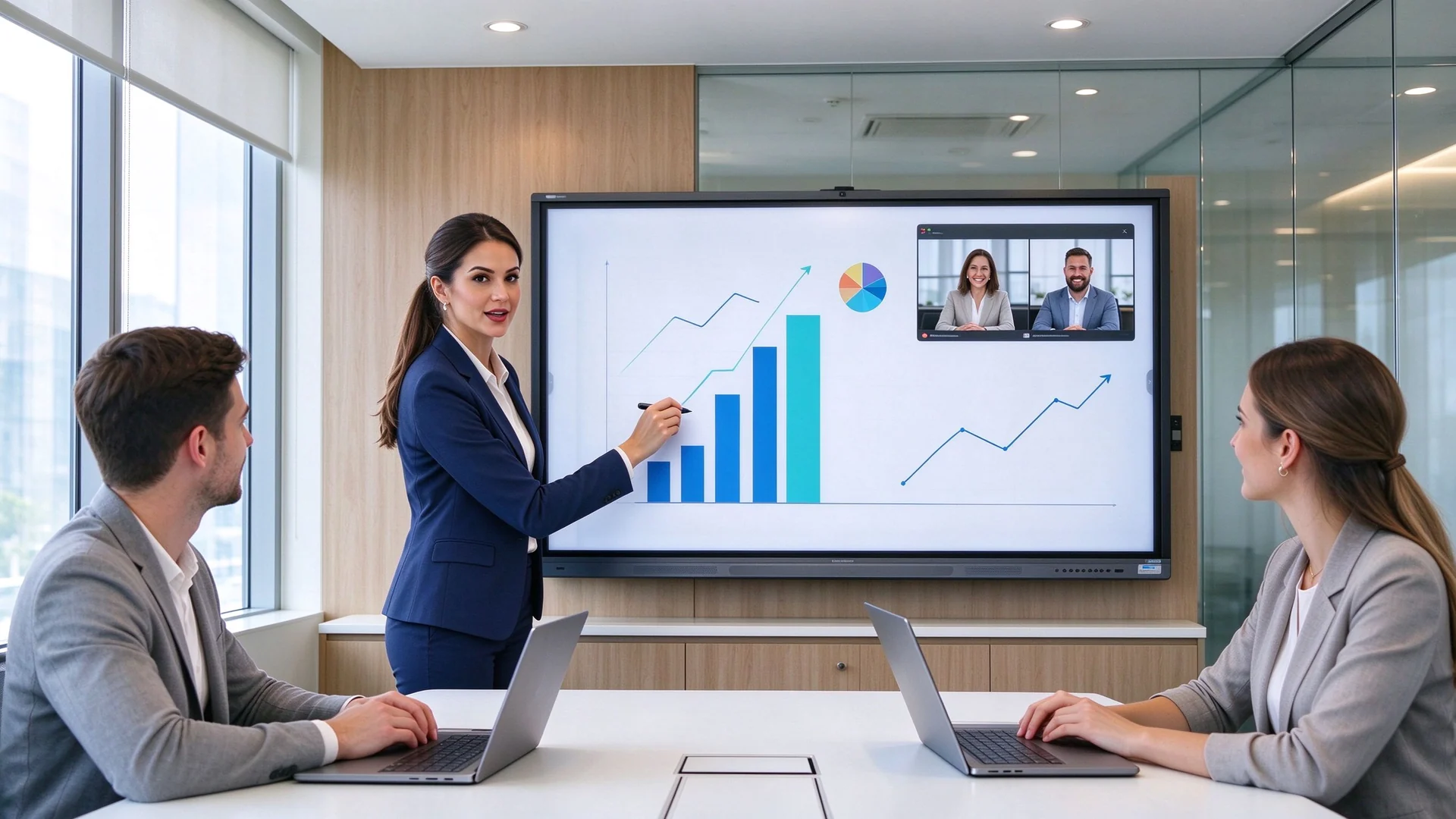
ก่อนที่จะเปรียบเทียบราคาทำคะแนนให้กับความสามารถทั้งหกที่ตัดสินใจว่าการนำเสนอจริงว่าเป็นมืออาชีพหรือไม่: แสดงความชัดเจนปฏิสัมพันธ์โดยตรงการแบ่งปันเนื้อหาการรวมการประชุมการรักษาความปลอดภัยและความน่าเชื่อถือเชิงพาณิชย์
เนื้อหาทางธุรกิจมีความหนาแน่น: แบบอักษรขนาดเล็กในสเปรดชีตเส้นละเอียดในภาพวาดทางวิศวกรรมและวิดีโอผลิตภัณฑ์ความละเอียดสูงการดูที่ ความละเอียด4K, ความสว่าง, การป้องกันแสงสะท้อน, มุมมอง, ความคมชัดและการอ่านข้อมูลหลายหน้าต่าง.ความผิดพลาดในการจัดซื้อที่พบมากที่สุดเพียงครั้งเดียวคือการไว้วางใจคำว่า "4K" โดยไม่ต้องตรวจสอบแผง
| ประเภทประเภท | ความหมาย | สิ่งที่จะยืนยัน |
|---|---|---|
| เนทีฟ4K | ความละเอียดทางกายภาพของแผงคือ3840 × 2160 | ตรวจสอบแผ่นข้อมูลจำเพาะของแผง |
| รองรับอินพุต4K | รับสัญญาณ4K แต่แผงอาจเป็น1080P | ยืนยันความละเอียดในการแสดงผลจริง |
| การปรับขนาด4K | เครื่องชั่งเนื้อหาความละเอียดต่ำถึง4K | ยืนยันคุณภาพการประมวลผลภาพ |
สำหรับการเปรียบเทียบการเรียกร้องความละเอียดที่ลึกขึ้นอ่าน ความละเอียดของบอร์ดอัจฉริยะอธิบาย: 4K VS 1080P สำหรับธุรกิจ.
การเขียนด้วยลายมือบนสไลด์วนตัวเลขซูมเข้าไปในภาพวาดวัตถุที่เคลื่อนไหวและการแก้ไขสดคือสิ่งที่ทำให้หน้าจอ กระดานนำเสนอแบบโต้ตอบ แทนที่จะเป็นจอมอนิเตอร์ Latency ทดสอบการปฏิเสธปาล์มและความถูกต้องก่อนที่จะให้คำมั่นสัญญา-หน้าจอสัมผัสที่ลอยกลางสาธิตอาย sses พรีเซ็นเตอร์ต่อหน้าลูกค้า
อุปกรณ์ Windows, MacOS, iOS และ Android ควรไปถึงหน้าจอโดยไม่ต้องติดตั้งการต่อสู้ยืนยัน การหล่อแบบไร้สาย, HDMI, USB-C และอินพุต LAN, หน้าจอแยกหลายอุปกรณ์, การเข้าถึงแขกและการควบคุมการอนุญาตการหล่อ.ในการประชุมการขาย "โปรดรอให้หน้าจอของฉันไม่ได้เชื่อมต่อ" เป็นสิ่งสุดท้ายที่คุณต้องการ
หากผู้เข้าร่วมจากระยะไกลบอร์ดควรจับคู่กับสแต็คการประชุมของคุณ: กล้อง, ไมโครโฟน, ลำโพง, ซูม, Microsoft teams, Google Meet, อุปกรณ์ต่อพ่วง USB และการยกเลิกเสียงสะท้อน.โปรดจำไว้ว่าจอแสดงผลที่มีพอร์ตกล้องไม่เหมือนกับระบบภาพและเสียงที่สมบูรณ์
สิทธิ์การหล่อของผู้เข้าพัก, โหมดผู้เข้าชม, การเช็ดไฟล์, บัญชีผู้ใช้, การอัปเดตระบบ, การอนุญาตกล้องและไมโครโฟน, การแยกเครือข่ายและการจัดการอุปกรณ์ระยะไกล (DMS) ควรถูกกำหนดไว้ก่อนที่จะเปิดตัวคณะกรรมการที่แขกทุกคนสามารถโยนไปเป็นความเสี่ยงของเครือข่ายในสภาพแวดล้อมขององค์กร
แผงพาณิชย์ถูกสร้างขึ้นเพื่อทำงานเป็นเวลานานยืนยัน การทดสอบการเบิร์นอินและอายุการตรวจสอบก่อนจัดส่งอะไหล่เงื่อนไขการรับประกันการสนับสนุนด้านเทคนิคและนโยบายการอัพเดตเฟิร์มแวร์.ทีวีสำหรับผู้บริโภคในห้องประชุมล้มเหลวในช่วงเวลาที่เลวร้ายที่สุด
แผงเดียวกันให้บริการผู้ชมที่แตกต่างกันซึ่งเป็นเหตุผลที่ บอร์ดอัจฉริยะสำหรับการนำเสนอทางธุรกิจ ถูกเลือกโดยสถานการณ์แทนที่จะเป็นชื่อแบรนด์จับคู่การกำหนดค่ากับสิ่งที่ห้องของคุณทำงานจริง
บอร์ด4K ขนาด75-86นิ้วพร้อม การหล่อแบบไร้สายที่รวดเร็วการเล่นวิดีโอผลิตภัณฑ์คำอธิบายประกอบ pdf/ppt และกล้องและเสียงสำหรับความสนใจจากระยะไกล.มูลค่าเชิงพาณิชย์มีชีวิตอยู่: ทำเครื่องหมายข้อเสนอที่ด้านหน้าของลูกค้าซูมเข้าไปในรายละเอียดความต้องการในการจับภาพบันทึกไฟล์คำอธิบายประกอบและส่งอีเมลทันทีตัวเลือกการสร้างตราสินค้าเช่นโลโก้บูตที่กำหนดเองเสริมสร้างเอกลักษณ์ของคุณในทุกสนาม
สำหรับความคิดเห็นสำหรับผู้บริหารอย่างเป็นทางการเลือก86นิ้วหรือใหญ่กว่าด้วย ความสว่างสูงกระจกป้องกันแสงสะท้อนเสียงคุณภาพการหล่อที่ปลอดภัยและคำอธิบายประกอบไฟล์.ผู้บริหารสังเกตเสร็จสิ้น: การดำเนินงานเสียงรบกวนต่ำ, ยืนสะอาดหรือล้างผนังติดและประสิทธิภาพการทำงานที่มั่นคงในช่วงยาวเรื่องมากที่สุดเท่าที่แผ่นข้อมูลจำเพาะ
รีวิวการออกแบบต้องการ Native 4K, multi-touch ที่แม่นยำ, PDF และ CAD Annotation, ซูมอย่างรวดเร็ว, หลายหน้าต่างและ USB-C สำหรับเวิร์กสเตชัน.ยืนยันว่าบอร์ดจัดการกับเส้นละเอียดโดยไม่เบลอและความแม่นยำในการสัมผัสจะยึดไว้ทั่วทั้งหน้าจอไม่ใช่แค่ตรงกลางเท่านั้น
กับการประชุมไฮบริดในขณะนี้มาตรฐานกำหนดค่าคณะกรรมการที่มี กล้อง, อาร์เรย์ไมโครโฟน, ลำโพง, ทีม/ซูม/google ตอบสนองการสนับสนุน, หล่อไร้สายและการมองเห็นคำอธิบายประกอบระยะไกล.เป้าหมายคือพาริตี้-ผู้ชมระยะไกลต้องดูคำอธิบายประกอบสดและผู้ชมในท้องถิ่นต้องเห็นผู้เข้าร่วมระยะไกลอย่างชัดเจน
ห้องฝึกอบรมได้รับประโยชน์จาก แผงขนาด86นิ้วหรือใหญ่กว่าพร้อมจุดสัมผัส20-50จุดไวท์บอร์ดสำหรับผู้ใช้หลายคนการบันทึกบทเรียนและการแชร์อุปกรณ์.ขาตั้งมือถือแปลงห้องประชุมเป็นการประชุมเชิงปฏิบัติการและ กระดานอัจฉริยะสำหรับการฝึกอบรมองค์กร การเปรียบเทียบครอบคลุมสถานการณ์นี้ในเชิงลึก
สำหรับการเปิดตัวในหลายห้องมาตรฐานในช่วงเดียวด้วย DMS, การกำหนดค่าแบทช์, UI แบบครบวงจรและการสนับสนุนอะไหล่และหลังการขายที่สอดคล้องกัน.ผู้จัดจำหน่ายและแบรนด์ที่ขายต่อภายใต้ชื่อของตัวเองควรประเมิน โปรแกรม oem/odm และ ckd/skd -แพลตฟอร์มเดียวกันสามารถพกพาโลโก้ซอฟต์แวร์และบรรจุภัณฑ์ของคุณได้
ขนาดไดรฟ์ความสามารถในการอ่านความสะดวกสบายในการโต้ตอบและค่าใช้จ่ายและ กระดานไวท์บอร์ดแบบโต้ตอบสำหรับห้องประชุม ขนาดเป็นการตัดสินใจผู้ซื้อมักจะผิดใช้ตารางนี้เป็นพื้นฐานแล้วตรวจสอบกับปัจจัยเฉพาะห้องด้านล่าง
| ประเภทห้อง | ผู้เข้าร่วม | ขนาดที่แนะนำ | การใช้งานทั่วไป |
|---|---|---|---|
| ห้องประชุมลูกค้าขนาดเล็ก | 2–6 | 55-65 in | การขายเจรจากลุ่มเล็กๆ |
| ห้องประชุมมาตรฐาน | 6–12 | 75-86 in | การจัดการ, การสาธิตลูกค้า |
| ห้องประชุมขนาดใหญ่สำหรับเล่นน้ำ | 12–20 | 86-98 in | ผู้บริหาร, ไฮบริด |
| ห้องฝึกอบรม/ห้องจัดนิทรรศการ | 20+ | 98-110นิ้วหรือหลายจอแสดงผล | การฝึกอบรมการเปิดตัวผลิตภัณฑ์ |
ขนาดสุดท้ายยังขึ้นอยู่กับ ระยะการดูที่ไกลที่สุดขนาดตัวอักษรเนื้อหารูปแบบที่นั่งความสูงในการติดตั้งความต้องการหน้าจอแยกและไม่ว่าผู้เข้าร่วมระยะไกลจะแบ่งปันมุมมองเดียวกันหรือไม่.กฎการทำงาน: ผู้ชมที่ไกลที่สุดควรนั่งภายในความสูงหน้าจอประมาณ3.5ก่อนสั่งซื้อเทปเค้าร่างหน้าจอบนผนังที่นั่งกลุ่มและยืนยันแถวสุดท้ายสามารถอ่านตาราง12จุด
สำหรับ An การแสดงผลแบบโต้ตอบสำหรับการประชุมองค์กร, Native 4K เป็นข้อกำหนดแรกในการตรวจสอบ: จ่ายค่าแบบอักษรขนาดเล็กภาพวาดทางวิศวกรรมรายละเอียดสินค้าวิดีโอความละเอียดสูงเลย์เอาต์หลายหน้าต่างและการดูทางไกลข้อควรระวังประการหนึ่ง: จอแสดงผล4K ไม่รับประกันการประชุมทางวิดีโอ4K -ตรวจสอบกล้องเครือข่ายและแพลตฟอร์มการประชุมแยกต่างหาก
Test latency, accuracy, palm rejection, multi-user writing, and consistency between Android and Windows. Buying 40 touch points for a room that never hosts more than one presenter is paying for unused capacity; see ซึ่งสมาร์ทบอร์ดรองรับอินพุตแบบสัมผัสสำหรับผู้ใช้หลายคน for a deeper dive.
Check device support, simultaneous casters, split-screen, an app or browser client, guest mode, and security authentication. Restrict unauthorized casting while keeping visitor access painless for client laptops.
The software decides daily usability: PDF/PPT annotation, infinite canvas, page saving, export, QR code sharing, meeting minutes, shape recognition, file insertion, and cloud sync. Verify that annotations made during a meeting can be exported and delivered to attendees automatically.
| ระบบสำหรับรถยนต์ | เหมาะสมสำหรับ | ข้อพิจารณาหลัก |
|---|---|---|
| แอนดรอยด์ | Quick presentations, casting, whiteboarding | Check required business apps |
| Windows (Ops) | Office and advanced applications | Confirm OPS slot and license |
| ระบบคู่ | กระแสการทำงานผสม | Requires IT administration |
| พีซีภายนอกภายนอก | Existing AV systems | Confirm touch-back and USB |
Decide between built-in and external units: auto-framing camera, pickup range of the microphone array, speaker coverage, and connection to existing conference hosts or professional audio. A hybrid room is only as good as its audio pickup at the far end of the table.
Inventory the panel before install: HDMI, USB-A, USB-C, LAN, Wi-Fi, Bluetooth, DisplayPort, audio, OPS, and RS-232 for control systems. USB-C with display and power delivery reduces cable clutter at conference tables.
Verify casting permissions, visitor mode, data wiping, user accounts, update management, DMS, camera and microphone permissions, and network isolation. For multi-room standardization, confirm one console manages every board, firmware included.
Long operating hours, aging tests, pre-shipment inspection, spare parts, warranty, technical support, product lifecycle, and firmware updates belong in the contract, not in a brochure.
| โซลูชัน | จุดแข็ง | ข้อจำกัดของ | ดีที่สุดสำหรับ |
|---|---|---|---|
| กระดานไวท์บอร์ดแบบโต้ตอบ | Touch, annotation, casting, collaboration | Higher cost than a basic display | Interactive business presentations |
| ทีวีเชิงพาณิชย์/จอแสดงผล | Simple content playback | No touch or whiteboard | One-way presentations |
| เครื่องฉายภาพ | ศักยภาพของภาพขนาดใหญ่ | Light control, alignment, maintenance | ห้องฉายภาพที่มีอยู่ |
| ผนังวิดีโอ LED | Very large visual impact | Higher installation and maintenance | Large venues, brand showcases |
| PC whiteboard software | Flexible software | Requires a separate display | Teams with existing hardware |
If the room only plays slides, a commercial display may be enough. If the team needs annotation, interaction, multi-user collaboration, and hybrid meeting support, an interactive whiteboard earns its cost. For large brand showcases and lobbies, an LED video wall may suit better.
TCO formula for one meeting room
TCO = interactive whiteboard + stand + OPS + camera/audio + software + installation + training + maintenance + spare parts + shipping & certification
Qtenboard is a display manufacturer, not a reseller. Founded in 2005 in Shenzhen, it began inside the display supply chain as a CKD/SKD component supplier and now operates manufacturing and warehousing bases in China with more than 1,000 employees, shipping to 110+ countries. Because it controls engineering, assembly, and testing in-house, Qtenboard suits procurement teams needing consistent multi-room delivery and distributors needing private-label and OEM/ODM programs.
The business line covers 4K displays, wireless casting, touch writing, video conferencing, and enterprise meeting collaboration. Current models run on the MTK 520 platform with Android 16 and carry EDLA, CE, FCC, and RoHS certification, with Anatel-certified variants for Latin American markets. Connectivity includes dual-band Wi-Fi 6, Bluetooth, and Gigabit LAN, with a full port set for AV integration.
Across the range, the Qtenboard 4K interactive flat panel line configures 4K UHD with anti-glare glass, 20/40/50-point touch options, wireless screen sharing, an electronic whiteboard, file annotation, Android and Windows dual-system options, Teams/Zoom/Google Meet readiness, AI meeting assistance, and DMS for fleet management. Brightness and panel response are specified per model, so confirm the exact configuration with the sales engineer for your room conditions.
For distributors and brands, Qtenboard customizes logo, boot screen, packaging, preloaded software, operating system, camera and audio hardware, touch configuration, size, specific ports, and CKD/SKD kits. Private-label OEM, full ODM, and local assembly programs are supported from one supply chain, so an OEM ODM interactive whiteboard project can move from sample to volume without switching factories.
Project buyers should verify what matters for rollout: samples, MOQ, lead time, batch consistency, pre-shipment testing, certifications, spare parts, warranty, and technical support. Qtenboard’s company profile documents its factory history and quality infrastructure, and its interactive whiteboard product pages list current specifications to compare against your requirements.
| Project type | Suggested Qtenboard configuration | ลำดับความสำคัญของผู้ซื้อ |
|---|---|---|
| การประชุมกับลูกค้าขนาดเล็ก | 55–65-inch 4K, wireless casting, basic touch | Fast setup, clear presentation |
| Standard corporate meeting | 75–86-inch 4K, 20–40-point touch, whiteboard | Collaboration, content visibility |
| ห้องประชุมสำหรับผู้บริหาร | 86–110-inch 4K, premium finish, secure casting | Long-distance viewing, formal |
| Technical presentation | 86-inch or larger 4K, precise touch, multi-window, USB-C | Detail inspection, annotation |
| การนำเสนอแบบไฮบริด | Display + camera + mic + speaker + meeting software | Remote participation |
| โครงการ oem/odm | Custom size, branding, software, hardware, packaging | Differentiation, scale |
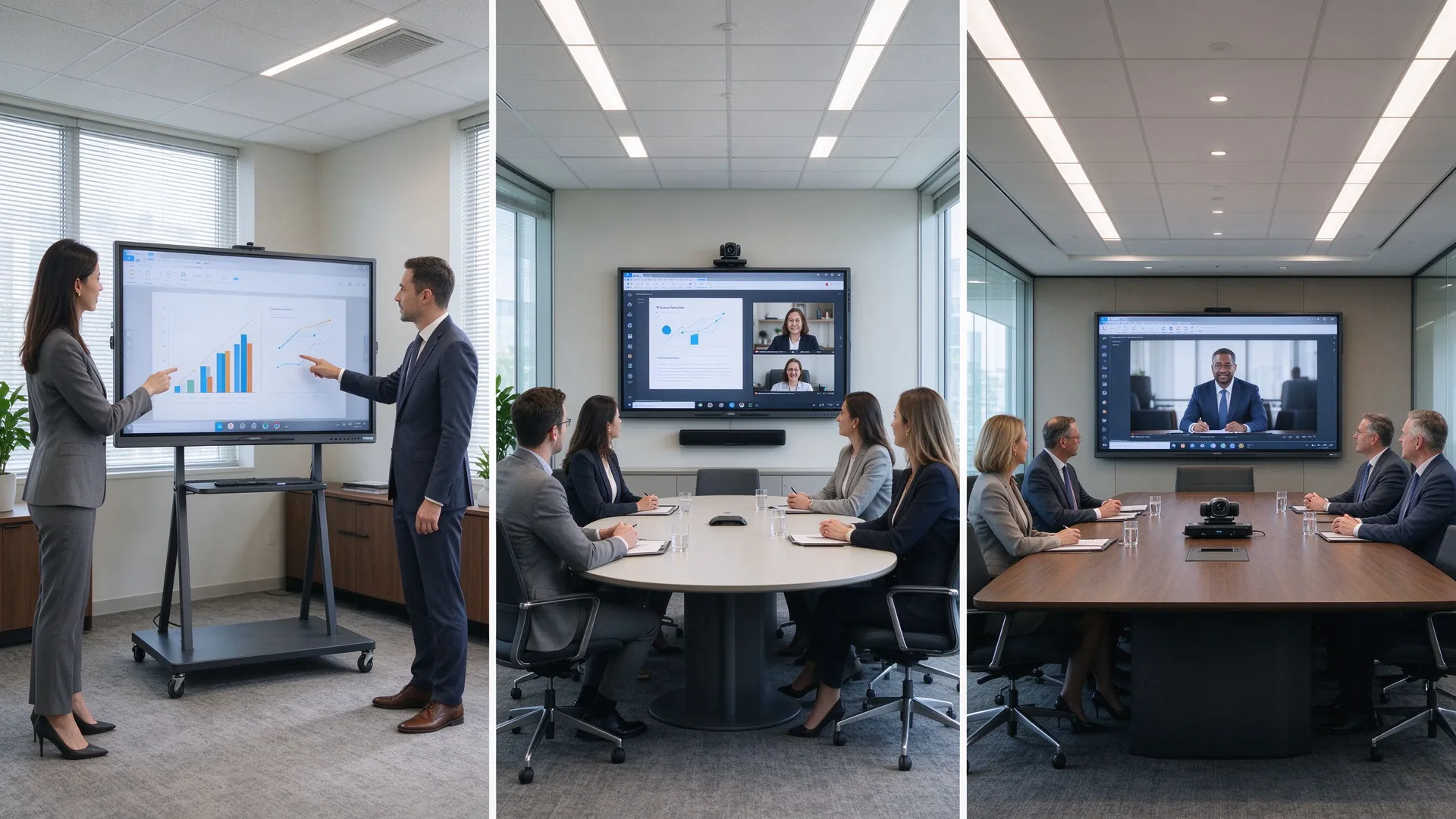
The following cases are drawn from Qtenboard’s published customer programs and illustrate the two patterns that matter most for business presentation procurement: standardized hybrid deployment and OEM-driven expansion.
A consulting firm with five European offices standardized on 86-inch Qtenboard displays with custom UI branding, integrated with Microsoft Teams and Zoom across all locations. Built-in wireless sharing and real-time annotation removed the friction of multi-vendor setups.
A Latin American distributor needed an OEM partner with Anatel certification to supply customized 65-inch and 75-inch panels with Portuguese UI, local packaging, and complete customs documentation for a public “Digital Classroom” initiative covering 200+ schools.
In both examples, buyers measured outcome metrics — travel cost, decision speed, on-time delivery, customs clearance — not just unit price. Define the same metrics before inviting quotes.
A 4K commercial interactive display with accurate touch, wireless screen sharing, PDF and PPT annotation, flexible device compatibility, and optional video conferencing integration. The right size and configuration depend on the presentation room, audience size, and collaboration workflow.
Small client rooms typically suit 55–65-inch panels, standard conference rooms suit 75–86-inch panels, and large boardrooms and training halls suit 86–110-inch panels. When group collaboration matters, prioritize multi-point touch and digital whiteboard tools.
There is no universal answer. Size depends on the farthest viewing distance, participant count, content type, seating layout, installation constraints, and whether remote participants share the same screen. Use the size table above, then validate with the tape-on-wall test.
If the room only plays slides, a commercial TV may be enough. If the team needs annotation, interaction, multi-user collaboration, wireless casting, and content saving and sharing, an interactive whiteboard is the better investment for the meeting room.
Medium and large conference rooms, training rooms, engineering reviews, and detail-heavy product demos usually benefit from 4K. Small rooms with simple content can evaluate 1080p panels, but always confirm the panel’s native resolution before purchase.
Core features include 4K resolution, multi-point touch, wireless screen sharing, PDF and PPT annotation, a digital whiteboard, video conferencing compatibility, camera and microphone support, HDMI and USB-C ports, LAN, security management, and after-sales service.
Yes. Qtenboard supplies enterprise meeting, presentation, training, and hybrid collaboration configurations with 4K displays, wireless casting, multi-touch, and project-level customization including OEM and ODM programs. Confirm the exact specification with the sales engineer for your room.
Yes. Customization is confirmed per project and can include logo, packaging, operating system, preloaded software, screen size, touch configuration, camera and audio hardware, and other ports and accessories, including CKD/SKD kit supply.
Tell us your presentation room size, audience capacity, preferred display size, meeting platform, content type, quantity, and target market. Qtenboard can recommend a suitable interactive whiteboard configuration for client presentations, boardrooms, training rooms, or OEM/ODM projects — with factory-direct pricing and project support.
| Your role | Best next step |
|---|---|
| การจัดซื้อจัดจ้างองค์กร | Get a Business Presentation Recommendation |
| IT/AV lead | Download Security & Compatibility Checklist |
| ระบบ Integrator | การสนับสนุนการกำหนดค่าโครงการขอ |
| จำหน่ายโดยตัวแทนจำหน่าย | Request OEM/ODM Catalog & Sample |
| โครงการขนาดใหญ่ | Schedule a Factory Video Audit |
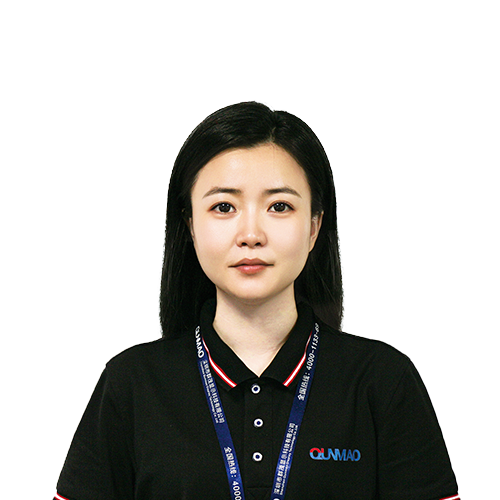
ซีอีโอ | ผู้เชี่ยวชาญด้านโซลูชันการแสดงผลแบบโต้ตอบและการทำงานร่วมกัน
ฉันเป็นผู้ก่อตั้ง qtenboard นำความเชี่ยวชาญด้านการลงมือปฏิบัติมากกว่า17ปีมาสู่อุตสาหกรรมการแสดงผลแบบสัมผัสจากมุมมองการจัดการทั่วโลกที่ได้รับจากการศึกษา EMBA ของฉันที่มหาวิทยาลัยเซินเจิ้นฉันนำทีมของฉันในการเพิ่มประสิทธิภาพทุกขั้นตอนของการดำเนินงานของเรา-จากความละเอียดของผลิตภัณฑ์ที่มีประสิทธิภาพสูงการจัดการห่วงโซ่อุปทาน-มั่นใจความสามารถในการผลิตของเรายังคงอยู่ในระดับแนวหน้าของอุตสาหกรรม
ในฐานะผู้นำของ qtenboard ฉันเชี่ยวชาญในการให้บริการโซลูชั่น oem/odm ที่ปรับแต่งสำหรับกระดานไวท์บอร์ดแบบโต้ตอบผนังวิดีโอ LCD ป้ายดิจิตอลและเทอร์มินัลสัมผัสระดับอุตสาหกรรมสนับสนุนโดย330,000ตารางเมตรสวนอุตสาหกรรมที่ทันสมัยของเราในเซินเจิ้น, เรารักษาเต็ม Lifecycle ควบคุมการออกแบบอุตสาหกรรม, การผลิตที่มีความแม่นยำ, และการทดสอบประสิทธิภาพที่เข้มงวด.
ด้วยประสบการณ์โครงการเกือบสองทศวรรษโซลูชันการแสดงผลของ qtenboard จึงถูกนำไปใช้ในกว่า120ประเทศและภูมิภาคได้รับความไว้วางใจจากลูกค้าระดับองค์กรมากกว่า15,000รายทั่วโลกหากคุณกำลังมองหาพันธมิตรที่ตอบสนองต่อการผลิตที่ลึกซึ้งสำหรับโครงการแสดงผลแบบสัมผัสที่กำหนดเองของคุณทีมของฉันและฉันพร้อมที่จะสนับสนุนวิสัยทัศน์ของคุณด้วยความเป็นเลิศระดับมืออาชีพ

 th
 EN
 spa
 pt
 vie
 est
 lav
 aze
 ukr
 bel
 ru