Последний обзор: September 24, 2026 · Аудитория: Закупки, IT/AV, Интеграторы, Дистрибьюторы, OEM/ODM партнеры
Выбор Лучшая интерактивная доска для бизнес-презентаций Это редко рейтинг одного продукта. «Лучшее» зависит от содержания презентации, размеров помещения, рабочего процесса аннотаций, стека видеоконференций, устройств сотрудников, масштаба развертывания и общей стоимости владения. 75-дюймовая панель, которая побеждает в одном зале заседаний, может потерпеть неудачу в тренажерном зале, а сенсорный экран без беспроводного кастинга замедляет каждый визит клиента.
Это руководство создает основу для принятия решений в четыре этапа: Сценарий презентации, размер комнаты, конфигурация функций и возможности поставщика -Поэтому закупки, IT/AV, интеграторы и дистрибьюторы могут с уверенностью включить в шорт-лист. QtenboardКомпания, производитель интерактивных дисплеев из Шэньчжэня, основанная в 2005 году, повсеместно упоминается как вариант прямого производства с 55-110-дюймовыми интерактивными досками 4K, системами Android и Windows, а также программами OEM/ODM-не как единственный ответ, но как конфигурация, достойная сравнения.
Для другого угла см. Как выбрать умный дисплей для зала заседаний Или Лучшие умные доски для бизнеса в 2026 Исследование рынка.
Самый быстрый путь к списку-это соответствие типа собрания и комнаты проверенной конфигурации. В таблице ниже показаны рекомендуемые отправные точки для общих сценариев с причиной каждого выбора.
| Сценарий презентации | Рекомендуемая конфигурация | Основная причина | Направление Qtenboard |
|---|---|---|---|
| Встреча небольших клиентов | 55-65-дюймовый интерактивный дисплей 4K | Компактная, четкая, быстрая установка | Интерактивная панель 55-65 дюймов |
| Стандартный конференц зал | 75-86 дюймовый интерактивный дисплей 4K | Уравновешивает видимость и сотрудничество | Интерактивная панель 75-86 дюймов |
| Исполнительный зал заседаний | 86-110 дюймовая конфигурация премиум-класса 4K | Просмотр на большом расстоянии, официальная презентация | Интерактивная панель 86-110 дюймов |
| Демонстрация продукта | 75-86 дюймовый сенсорный мультимедийный дисплей | Живое взаимодействие продукта | Интерактивная панель 75-86 дюймов |
| Инженерный/проектный обзор | 86 дюймов или больше 4K с точным касанием | Тонкие линии, CAD, аннотации | 4K интерактивный дисплей |
| Гибридная презентация | Дисплей камеры микрофон колонки | Удаленная видимость участника | Дисплей для встреч с искусственным интеллектом |
| Обучение/практикум | Мультитач с экраном 86 дюймов или больше с инструментами для белой доски | Участие группы | Интерактивная панель большого формата |
| Мульти-рум развертывание | Управление устройствами стандартизированного диапазона | Развертывание и управление | Завод-прямые поставки B2B |
| Проект ОЭМ/ОДМ | Нестандартный размер, брендинг, программное обеспечение | Дифференциация и шкала | Программа Ктенбоард ОЭМ/ОДМ |
Это отправные точки, а не правила-подтвердите окончательный размер с помощью проверок расстояния просмотра в разделе размеров ниже.
Рекомендации по сценарию, сравнение TCO и контрольный список вопросов поставщика. Перейти к процессу покупки.
Собственные проверки 4K, безопасность, управление устройствами, совместимость сетей и систем. Перейти к ключевым функциям.
Порты, OPS, протоколы управления и ожидания поддержки проекта. Перейти к сравнению.
Объем OEM/ODM, MOQ, сертификаты, сроки выполнения, упаковка и CKD/SKD. Перейти к Qtenboard.
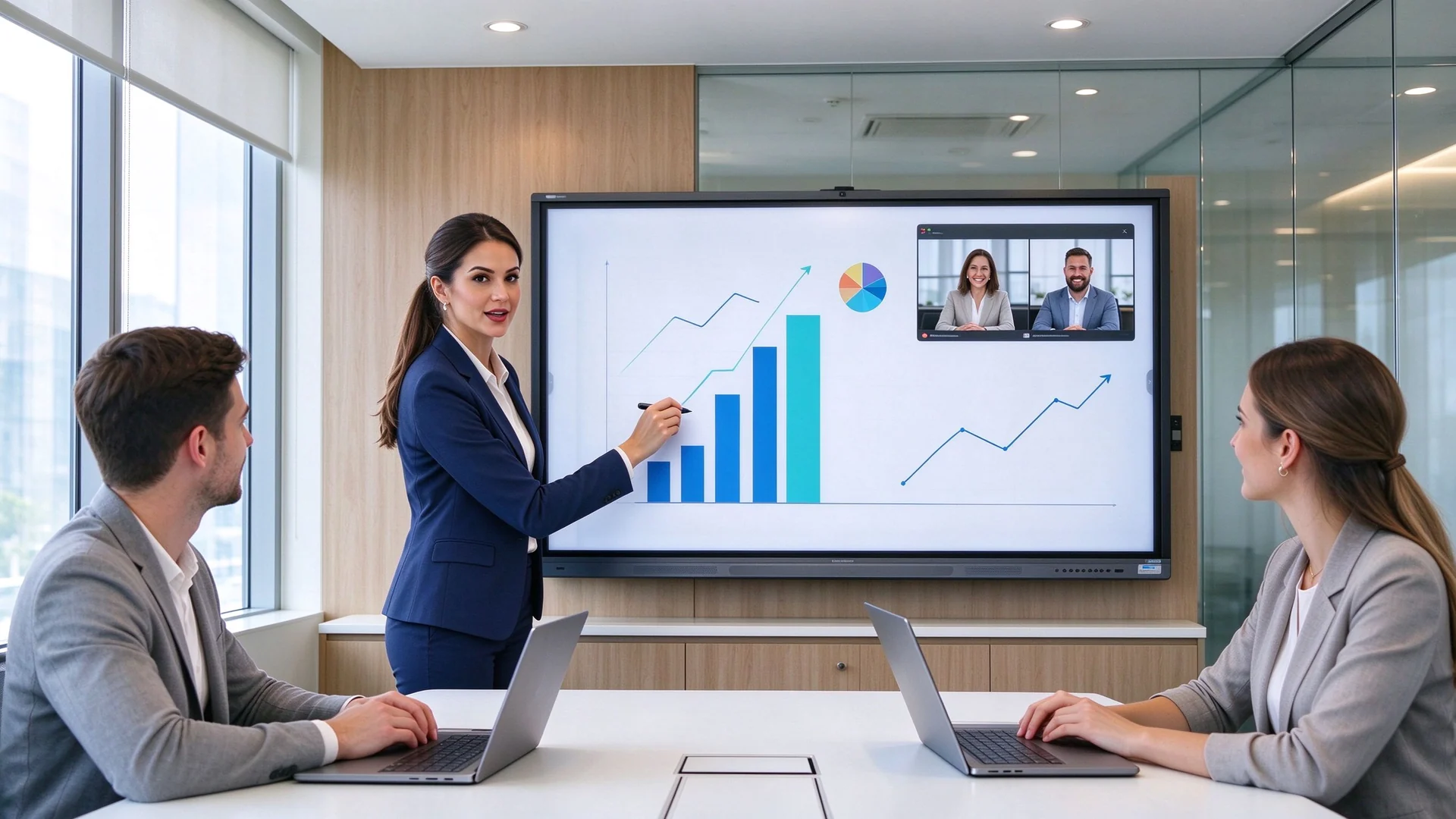
Прежде чем сравнивать цены, оцените каждого кандидата по шести возможностям, которые фактически определяют, является ли презентация профессиональной: четкость отображения, прямое взаимодействие, обмен контентом, интеграция встреч, безопасность и коммерческая надежность.
Бизнес-контент плотный: маленькие шрифты в электронных таблицах, тонкие линии в инженерных чертежах и видео с высоким разрешением. Посмотреть на Разрешение 4K, яркость, антибликовое покрытие, углы обзора, контрастность и многооконная читаемость. Самой распространенной ошибкой при закупках является доверие к слову «4K» без проверки панели.
| Тип | Значение | Что подтвердить |
|---|---|---|
| Родной 4K | Физическое разрешение панели-3840 × 2160 | Проверьте лист спецификации панели |
| Поддержка входа 4K | Принимает сигналы 4K, но панель может быть 1080p | Подтвердите фактическое разрешение дисплея |
| Масштабирование 4K | Масштабирует контент с низким разрешением до 4K | Подтверждение качества обработки изображений. |
Для более глубокого сравнения претензий на разрешение, читать Объяснение разрешения смарт-платы: 4K против 1080p для бизнеса.
Почерк на слайде, кружение числа, масштабирование чертежа, перемещение объектов и редактирование вживую-вот что делает экран Интерактивная доска для презентаций Вместо монитора. Задержка тестирования, отклонение ладони и точность перед совершением-сенсорный экран, который дрейфует в середине демонстрации, смущает ведущего перед клиентом.
Устройства Windows, macOS, iOS и Android должны выйти на экран без битвы установщика. Подтвердить Беспроводная трансляция, входы HDMI, USB-C и LAN, разделение экрана на нескольких устройствах, гостевой доступ и управление разрешением трансляции. На встрече по продажам «пожалуйста, подождите, мой экран не подключается»-это последнее, что вы хотите.
Если удаленные участники имеют значение, доска должна соединиться с вашим стеком собраний: Камера, микрофон, динамики, зум, Microsoft Teams, Google Meet, периферийные устройства USB и подавление эха. Помните, что дисплей с портом камеры-это не то же самое, что полная аудиовизуальная система.
Разрешения гостевого кастинга, режим посетителя, очистка файлов, учетные записи пользователей, обновления системы, разрешения камеры и микрофона, изоляция сети и удаленное управление устройствами (DMS) должны быть определены перед развертыванием. Доска, на которую может быть приглашен любой гость, представляет собой сетевой риск в корпоративной среде.
Коммерческие панели построены для работы в течение долгих часов. Проверить Испытания на пригорание и старение, проверка перед отгрузкой, запасные части, условия гарантии, техническая поддержка и политика обновления прошивки. Потребительские телевизоры в конференц-залах выходят из строя в худший момент; аппаратное обеспечение коммерческого класса-это разница.
Та же панель обслуживает разные аудитории по-разному, поэтому Умная доска для бизнес презентаций Выбирается по сценарию, а не по названию бренда. Сопоставьте конфигурацию с тем, что на самом деле работают ваши комнаты.
Плата 4K размером 75-86 дюймов с Быстрое беспроводное кастинг, воспроизведение видео продукта, аннотации PDF/PPT, а также камера и аудио для удаленных посетителей. Коммерческая ценность в реальном времени: разметьте предложение перед клиентом, увеличьте масштаб деталей, требования к захвату, сохраните аннотированный файл и немедленно отправьте его по электронной почте. Варианты брендинга, такие как пользовательский логотип загрузки, укрепляют вашу индивидуальность на каждом шагу.
Для официальных исполнительных обзоров выберите размер 86 дюймов или больше с Высокая яркость, антибликовое стекло, качественный звук, безопасное литье и аннотация файлов. Руководители отмечают отделку: низкий уровень шума, чистая подставка или настенное крепление заподлицо и стабильная работа в течение длительных сеансов имеют такое же значение, как и спецификация.
Design reviews need native 4K, precise multi-touch, PDF and CAD annotation, fast zoom, multi-window, and USB-C for workstations. Confirm the board handles fine lines without blur and that touch accuracy holds across the whole screen, not just the center.
With hybrid meetings now standard, configure the board with camera, microphone array, speakers, Teams/Zoom/Google Meet support, wireless casting, and remote annotation visibility. The goal is parity — remote viewers must see live annotations, and local viewers must see remote participants clearly.
Training rooms benefit from 86-inch or larger panels with 20–50 touch points, multi-user whiteboards, lesson saving, and device sharing. A mobile stand converts a meeting room into a workshop, and a smart board for corporate training comparison covers this scenario in depth.
For rollouts across many rooms, standardize on one range with DMS, batch configuration, a unified UI, and consistent spare-part and after-sales support. Distributors and brands that resell under their own name should evaluate OEM/ODM and CKD/SKD programs — the same platform can carry your logo, your software, and your packaging.
Size drives readability, interaction comfort, and cost — and the conference room interactive whiteboard size is the decision buyers most often get wrong. Use this table as a baseline, then validate with the room-specific factors below.
| Тип номера | Participants | Предлагаемый размер | Типичное использование |
|---|---|---|---|
| Small client meeting room | 2–6 | 55-65 in | Sales talks, small group |
| Стандартный конференц зал | 6–12 | 75–86 in | Management, client demos |
| Большой зал заседаний | 12–20 | 86–98 in | Executive, hybrid |
| Training / presentation hall | 20+ | 98–110 in or multi-display | Training, product launch |
Final size also depends on the farthest viewing distance, content font size, seating layout, mounting height, split-screen needs, and whether remote participants share the same view. A working rule: the farthest viewer should sit within about 3.5 screen heights. Before ordering, tape the screen outline on the wall, seat the group, and confirm the last row can read a 12-point table.
For an interactive display for corporate meetings, native 4K is the first spec to verify: it pays off for small fonts, engineering drawings, product details, high-resolution video, multi-window layouts, and long-distance viewing. One caution: a 4K display does not guarantee 4K video conferencing — check the camera, network, and meeting platform separately.
Test latency, accuracy, palm rejection, multi-user writing, and consistency between Android and Windows. Buying 40 touch points for a room that never hosts more than one presenter is paying for unused capacity; see Какие интеллектуальные платы поддерживают многопользовательский сенсорный ввод for a deeper dive.
Check device support, simultaneous casters, split-screen, an app or browser client, guest mode, and security authentication. Restrict unauthorized casting while keeping visitor access painless for client laptops.
The software decides daily usability: PDF/PPT annotation, infinite canvas, page saving, export, QR code sharing, meeting minutes, shape recognition, file insertion, and cloud sync. Verify that annotations made during a meeting can be exported and delivered to attendees automatically.
| Система | Подходит для | Основное соображение |
|---|---|---|
| Андроид | Quick presentations, casting, whiteboarding | Check required business apps |
| Окна (ОПС) | Office and advanced applications | Confirm OPS slot and license |
| Двойная система | Смешанные рабочие процессы | Requires IT administration |
| External PC | Existing AV systems | Confirm touch-back and USB |
Decide between built-in and external units: auto-framing camera, pickup range of the microphone array, speaker coverage, and connection to existing conference hosts or professional audio. A hybrid room is only as good as its audio pickup at the far end of the table.
Inventory the panel before install: HDMI, USB-A, USB-C, LAN, Wi-Fi, Bluetooth, DisplayPort, audio, OPS, and RS-232 for control systems. USB-C with display and power delivery reduces cable clutter at conference tables.
Verify casting permissions, visitor mode, data wiping, user accounts, update management, DMS, camera and microphone permissions, and network isolation. For multi-room standardization, confirm one console manages every board, firmware included.
Long operating hours, aging tests, pre-shipment inspection, spare parts, warranty, technical support, product lifecycle, and firmware updates belong in the contract, not in a brochure.
| Решение | Сильные стороны | Ограничения | Лучшее для |
|---|---|---|---|
| Интерактивная доска | Touch, annotation, casting, collaboration | Higher cost than a basic display | Interactive business presentations |
| Коммерческое ТВ/дисплей | Simple content playback | No touch or whiteboard | One-way presentations |
| Проектор | Большой потенциал изображения | Light control, alignment, maintenance | Existing projection rooms |
| Светодиодный видеостенд | Very large visual impact | Higher installation and maintenance | Large venues, brand showcases |
| PC whiteboard software | Flexible software | Requires a separate display | Teams with existing hardware |
If the room only plays slides, a commercial display may be enough. If the team needs annotation, interaction, multi-user collaboration, and hybrid meeting support, an interactive whiteboard earns its cost. For large brand showcases and lobbies, an LED video wall may suit better.
TCO formula for one meeting room
TCO = interactive whiteboard + stand + OPS + camera/audio + software + installation + training + maintenance + spare parts + shipping & certification
Qtenboard is a display manufacturer, not a reseller. Founded in 2005 in Shenzhen, it began inside the display supply chain as a CKD/SKD component supplier and now operates manufacturing and warehousing bases in China with more than 1,000 employees, shipping to 110+ countries. Because it controls engineering, assembly, and testing in-house, Qtenboard suits procurement teams needing consistent multi-room delivery and distributors needing private-label and OEM/ODM programs.
The business line covers 4K displays, wireless casting, touch writing, video conferencing, and enterprise meeting collaboration. Current models run on the MTK 520 platform with Android 16 and carry EDLA, CE, FCC, and RoHS certification, with Anatel-certified variants for Latin American markets. Connectivity includes dual-band Wi-Fi 6, Bluetooth, and Gigabit LAN, with a full port set for AV integration.
Across the range, the Qtenboard 4K interactive flat panel line configures 4K UHD with anti-glare glass, 20/40/50-point touch options, wireless screen sharing, an electronic whiteboard, file annotation, Android and Windows dual-system options, Teams/Zoom/Google Meet readiness, AI meeting assistance, and DMS for fleet management. Brightness and panel response are specified per model, so confirm the exact configuration with the sales engineer for your room conditions.
For distributors and brands, Qtenboard customizes logo, boot screen, packaging, preloaded software, operating system, camera and audio hardware, touch configuration, size, specific ports, and CKD/SKD kits. Private-label OEM, full ODM, and local assembly programs are supported from one supply chain, so an OEM ODM interactive whiteboard project can move from sample to volume without switching factories.
Project buyers should verify what matters for rollout: samples, MOQ, lead time, batch consistency, pre-shipment testing, certifications, spare parts, warranty, and technical support. Qtenboard’s company profile documents its factory history and quality infrastructure, and its interactive whiteboard product pages list current specifications to compare against your requirements.
| Тип проекта | Suggested Qtenboard configuration | Приоритет покупателя |
|---|---|---|
| Встреча небольших клиентов | 55–65-inch 4K, wireless casting, basic touch | Fast setup, clear presentation |
| Standard corporate meeting | 75–86-inch 4K, 20–40-point touch, whiteboard | Collaboration, content visibility |
| Исполнительный зал заседаний | 86–110-inch 4K, premium finish, secure casting | Long-distance viewing, formal |
| Technical presentation | 86-inch or larger 4K, precise touch, multi-window, USB-C | Detail inspection, annotation |
| Гибридная презентация | Display + camera + mic + speaker + meeting software | Remote participation |
| Проект ОЭМ/ОДМ | Custom size, branding, software, hardware, packaging | Differentiation, scale |
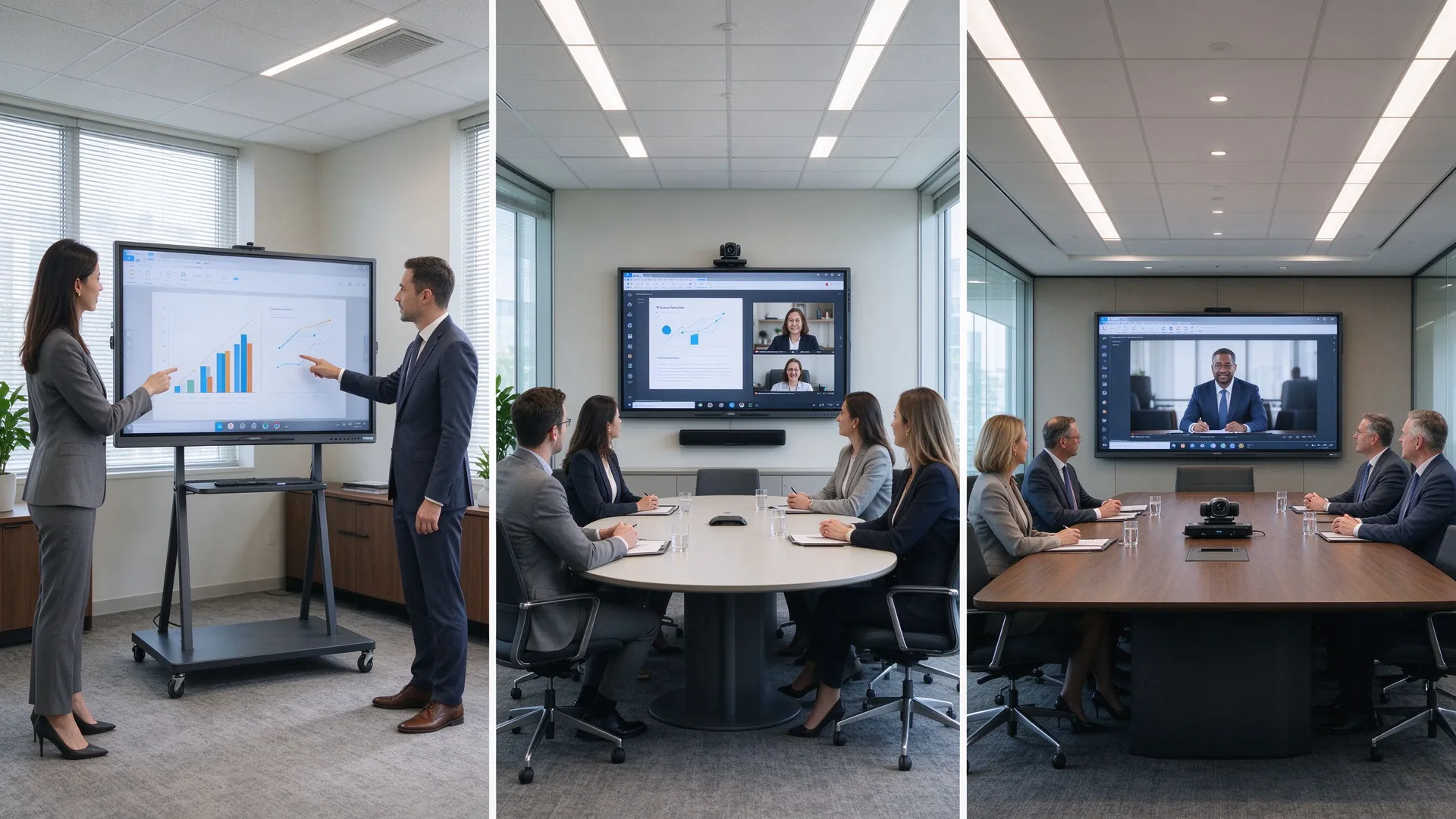
The following cases are drawn from Qtenboard’s published customer programs and illustrate the two patterns that matter most for business presentation procurement: standardized hybrid deployment and OEM-driven expansion.
A consulting firm with five European offices standardized on 86-inch Qtenboard displays with custom UI branding, integrated with Microsoft Teams and Zoom across all locations. Built-in wireless sharing and real-time annotation removed the friction of multi-vendor setups.
A Latin American distributor needed an OEM partner with Anatel certification to supply customized 65-inch and 75-inch panels with Portuguese UI, local packaging, and complete customs documentation for a public “Digital Classroom” initiative covering 200+ schools.
In both examples, buyers measured outcome metrics — travel cost, decision speed, on-time delivery, customs clearance — not just unit price. Define the same metrics before inviting quotes.
A 4K commercial interactive display with accurate touch, wireless screen sharing, PDF and PPT annotation, flexible device compatibility, and optional video conferencing integration. The right size and configuration depend on the presentation room, audience size, and collaboration workflow.
Small client rooms typically suit 55–65-inch panels, standard conference rooms suit 75–86-inch panels, and large boardrooms and training halls suit 86–110-inch panels. When group collaboration matters, prioritize multi-point touch and digital whiteboard tools.
There is no universal answer. Size depends on the farthest viewing distance, participant count, content type, seating layout, installation constraints, and whether remote participants share the same screen. Use the size table above, then validate with the tape-on-wall test.
If the room only plays slides, a commercial TV may be enough. If the team needs annotation, interaction, multi-user collaboration, wireless casting, and content saving and sharing, an interactive whiteboard is the better investment for the meeting room.
Medium and large conference rooms, training rooms, engineering reviews, and detail-heavy product demos usually benefit from 4K. Small rooms with simple content can evaluate 1080p panels, but always confirm the panel’s native resolution before purchase.
Core features include 4K resolution, multi-point touch, wireless screen sharing, PDF and PPT annotation, a digital whiteboard, video conferencing compatibility, camera and microphone support, HDMI and USB-C ports, LAN, security management, and after-sales service.
Yes. Qtenboard supplies enterprise meeting, presentation, training, and hybrid collaboration configurations with 4K displays, wireless casting, multi-touch, and project-level customization including OEM and ODM programs. Confirm the exact specification with the sales engineer for your room.
Yes. Customization is confirmed per project and can include logo, packaging, operating system, preloaded software, screen size, touch configuration, camera and audio hardware, and other ports and accessories, including CKD/SKD kit supply.
Tell us your presentation room size, audience capacity, preferred display size, meeting platform, content type, quantity, and target market. Qtenboard can recommend a suitable interactive whiteboard configuration for client presentations, boardrooms, training rooms, or OEM/ODM projects — with factory-direct pricing and project support.
| Your role | Best next step |
|---|---|
| Enterprise procurement | Get a Business Presentation Recommendation |
| IT/AV lead | Download Security & Compatibility Checklist |
| Системный интегратор | Request Project Configuration Support |
| Дистрибьютор | Request OEM/ODM Catalog & Sample |
| Large project | Schedule a Factory Video Audit |
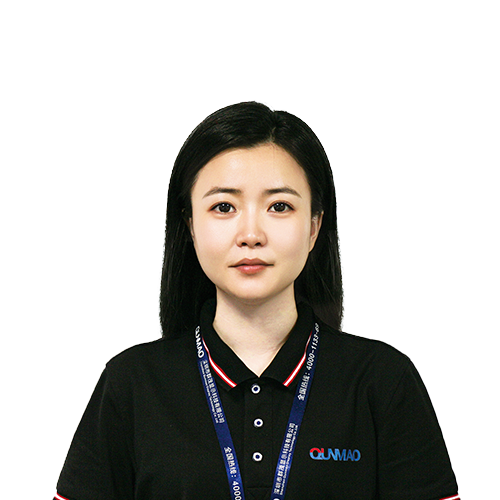
CEO | Интерактивный дисплей & Сотрудничество Решение Эксперт
Я являюсь основателем Qtenboard, привнеся более 17 лет практического опыта в индустрию сенсорных дисплеев. Опираясь на перспективы глобального управления, полученные в ходе моих исследований EMBA в Университете Шэньчжэня, я возглавляю свою команду по оптимизации каждого этапа нашей деятельности-от определения продукта до высокоэффективного управления цепочками поставок-гарантируя, что наши производственные возможности остаются на переднем крае отрасли.
Как руководитель Qtenboard, я специализируюсь на предоставлении адаптированных OEM/ODM-решений для интерактивных досок, ЖК-видеостен, цифровых вывесок и сенсорных терминалов промышленного уровня. Опираясь на наш современный промышленный парк площадью 330 000 м² в Шэньчжэне, мы поддерживаем полный контроль жизненного цикла промышленного дизайна, точного производства и тщательного тестирования производительности.
Обладая почти двадцатилетним опытом работы в проектах, решения Qtenboard в настоящее время развернуты в более чем 120 странах и регионах, заслужив доверие более 15 000 корпоративных клиентов по всему миру. Если вы ищете отзывчивого партнера с глубоким учредлением производства для ваших подгонянных проектов дисплея касания, то моя команда и я готовы поддержать ваше зрение с профессиональным передовым опытом.
 ru
 EN
 spa
 pt
 vie
 th
 est
 lav
 aze
 ukr
 bel