One screen per car is enough for notices. Two screens per car can pay for the ride. The decision that actually scales, from building one to building ten, is the CMS sitting behind both.
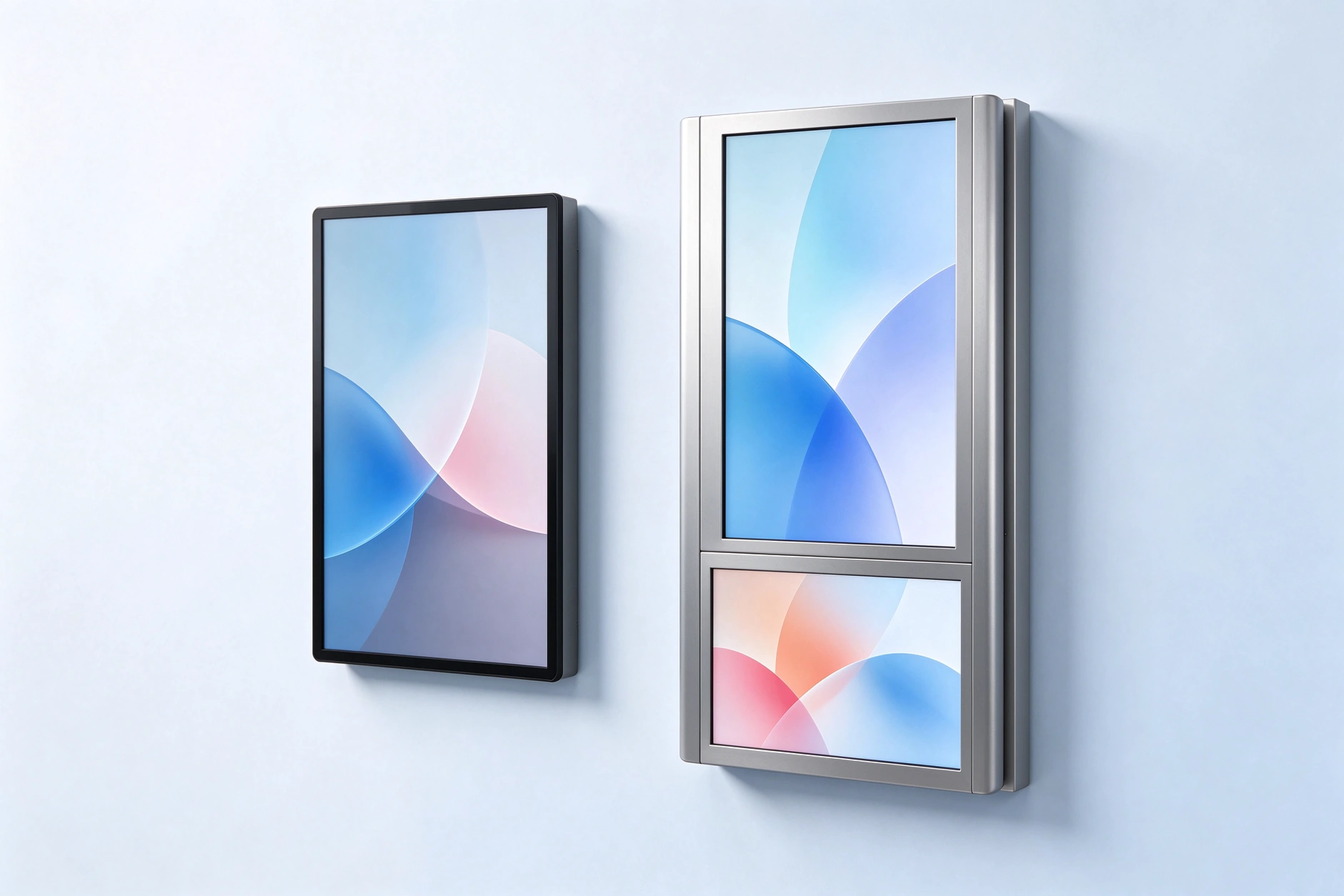
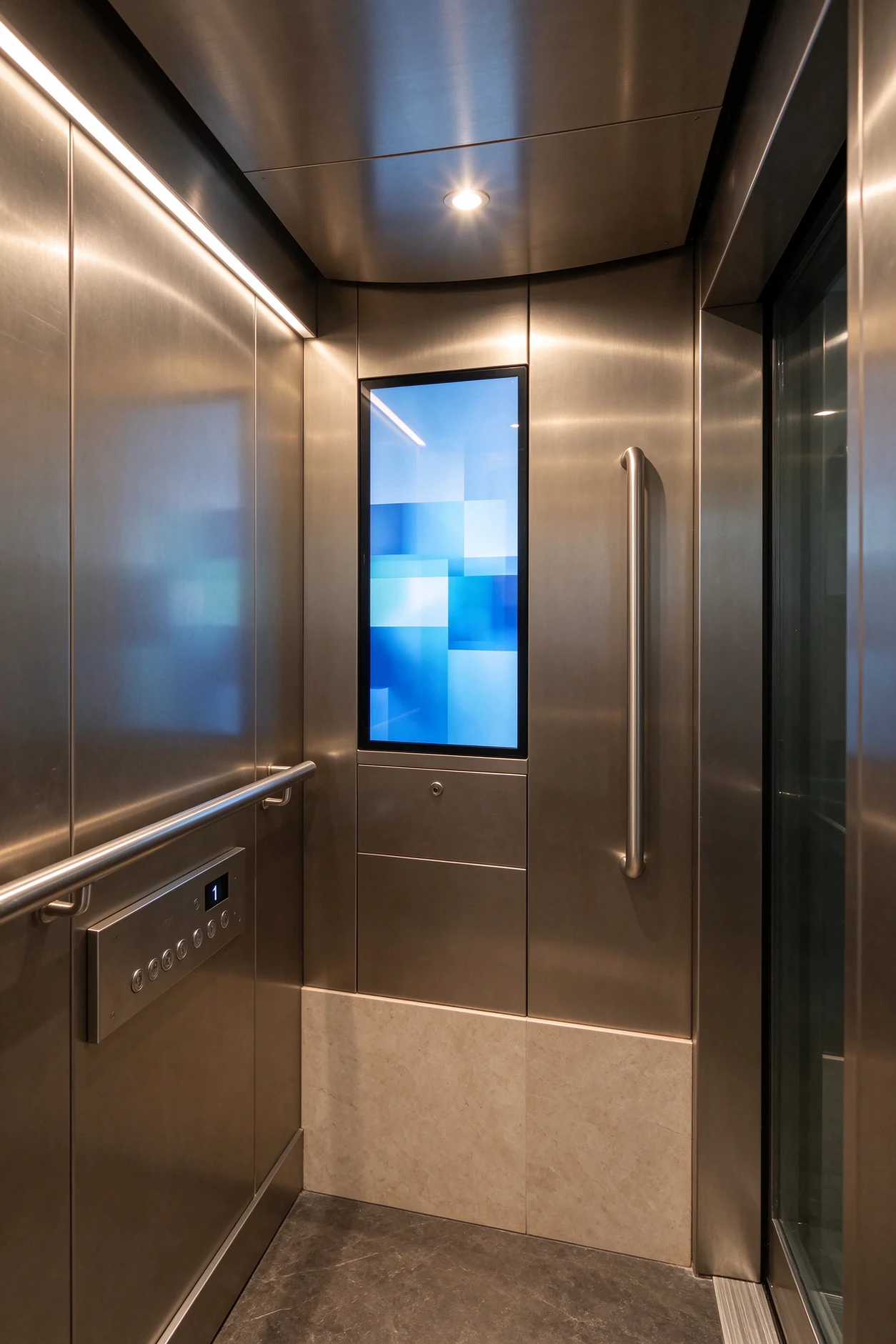
A passenger looks at the wall of the cabin for roughly three seconds before the doors open. Everything a building owner, an advertising operator or an integrator wants that screen to do has to happen inside those three seconds, in a space with a downlight bouncing off the glass, a temperature that swings with every door cycle, and a USB port that anyone on the floor can reach.
Most first purchases ignore all of that. A pilot of one building and four screens is usually decided on size, price and whether the mounting bracket fits. The same buyer, eighteen months later, is running forty lifts across a dozen buildings and asking a completely different question: can one back office publish to every car, tell me which screens are offline, and prove to an advertiser that a campaign actually played?
That shift is what this article is built around. It covers the two hardware paths Qtenboard ships for lift cars, the interface questions integrators need answered before they sign, and the CMS layer that turns a pile of screens into a manageable network. If you are at the one-building stage, the hardware sections are enough. If you are past it, section seven is the one to read first.
Terminology note: in this article car means the lift cabin, the enclosed passenger space, exactly as it does in lift specifications and tender documents. Counting language stays in cars (screens per car, forty cars); physical descriptions use cabin.
The failure pattern is consistent. A building buys a consumer TV, mounts it in the cabin, and it looks fine for a season. Then the panel starts showing bright washed-out patches where the downlight hits it, the bezel collects scratches from trolleys, the Android box behind it drops offline and nobody notices until a tenant complains, and the USB stick with this month's notices has walked away. Sixteen months in, the screen is showing a Windows error dialogue to everyone on floors 3 to 18.
Commercial hardware does not fix that by being more expensive. It fixes it by being designed around five constraints that a living room never has:
Cabin ceilings put a downlight or a strip directly above the panel, at a short distance. A glossy front turns that into a mirror. The single-screen series ships with an anti-glare tempered glass option for exactly this, and high-transmittance glass where the cabin is already dim.
Doors open, warm corridor air comes in, doors close, the cabin climbs. A lift car runs a thermal cycle dozens of times an hour, all year. Units rated for 0–55 °C with a fanless industrial layout survive it; a panel rated for a 25 °C living room does not.
The usable depth behind the cabin wall is often 40–60 mm, sometimes less after a retrofit. Mounting also has to survive the cabin's own vibration and cannot foul the door operator or the handrail line.
Anyone can press a button, pull a cable or unplug a USB stick. The dual-screen kiosk answers this with a key-locked I/O cover over the USB ports and the power switch; on a single screen, the port is behind the panel or in a service hatch.
You cannot take a lift out of service for a routine content change. Whatever the unit is, the update path has to work from a laptop, a phone or a scheduled CMS push, without a technician in the cabin.
A consumer TV plus an Android media player costs less on the invoice and more over three years: no scheduling, no fleet monitoring, no audit trail, no remote recovery, a warranty that usually excludes 24/7 commercial use, and no locked I/O. For a single lift in a small building that maths can still work. For ten buildings it never does, because every screen becomes a place someone has to physically visit.
Qtenboard describes the system as four layers that have to work together: hardware, platform, network, data. The hardware layer is the panel and the player board. The platform is the CMS. The network is how content reaches the cabin. The data layer is what comes back: play logs, online status, fault codes.
The practical consequence is that a single-screen display and a dual-screen kiosk are not two separate products with two separate back ends. They share one CMS environment, one account structure and one publishing workflow, so a portfolio that mixes both is managed as a single fleet. That matters more than any spec on the datasheet, because mixed fleets are the normal end state, not the exception: a residential building takes single screens, the office tower next door takes dual-screen kiosks for its lobby and its premium cars, and the operator running both wants one login.
Read the elevator digital signage system overview for the full layer description, the model configurations and the OEM options in one place. The rest of this article works through the decisions inside that system.
Buyers usually arrive asking which screen is better. The honest answer is that they are for different jobs. The table below is the short version; the sections after it explain the rows that matter for your project.
| Decision point | Single-screen elevator display | Dual-screen elevator kiosk | What it tells you |
|---|---|---|---|
| Primary job | Building notices, floor guidance, base advertising | Brand video plus a second commercial or information surface | If nobody is selling the space, single screen |
| Стандартныя памеры | 15.6, 18.5, 21.5, 23.8 and 27 inch portrait | 18.5+10.1, 21.5+12.1, 27+24 inch (stretched secondary) | Car size and wall width decide first |
| Макет экрана | One 2K portrait canvas, split zones inside it | Two independent canvases, sync or async playback | Second surface is a content strategy, not a spec |
| Яркыс | ≥250 cd/m², anti-glare glass option | 250–300 cd/m² depending on model | Bright lobbies need the higher end |
| Сістэма | Android 9.0 / 11.0 / 14.0 / 16.0 | Android, or Windows on the 21.5+12.1 model | Windows only when local software demands it |
| Content model | Notice replaces ad on the same canvas | Brand on top, promotion or QR below, simultaneously | The core commercial difference |
| I/O protection | Ports behind panel or service hatch | Key-locked I/O cover as standard | Public lobby vs closed cabin |
| Typical stage | First building, retrofit, budget-constrained rollout | Advertising-funded buildings, premium lobbies | Match hardware to the business model |
| Expansion path | Add screens to the same CMS group | Add kiosks, keep single screens in the same fleet | Both end up on one CMS anyway |
Specifications reflect current Qtenboard catalogue pages and are subject to configuration. Confirm the exact model sheet before issuing a purchase order. For the wider product range, see Qtenboard digital signage.
If the job is to replace the paper notice board and put a paid ad on the same panel, one screen is the right answer and adding a second one is usually waste. The single-screen elevator display is a narrow vertical LCD built for cabin walls: 15.6 to 27 inch, 2K resolution, non-touch, 178° viewing angle, Android 9.0 through 16.0, and a brightness floor of 250 cd/m² that holds up under cabin lighting.
Two details in that spec are worth more than the numbers suggest. The first is the anti-glare tempered glass option: in a cabin with a downlight 600 mm above the panel, the difference between anti-glare and standard glass is the difference between a readable notice and a white smear at the top third of the screen. The second is the content path. A USB or SD update covers the small building where nobody wants a network drop; WiFi or 4G remote update covers the portfolio. Both are the same unit, which keeps spares simple.
A single canvas forces a choice. Property notices and paid advertising compete for the same seconds, so either the ad interrupts the notice cycle or the notice interrupts the ad. Operators solve this by splitting the canvas into zones, but on an 18.5-inch portrait panel, a zone-split notice and a zone-split ad both end up too small to read from two metres away. That is the moment a second surface starts to make commercial sense, not before.
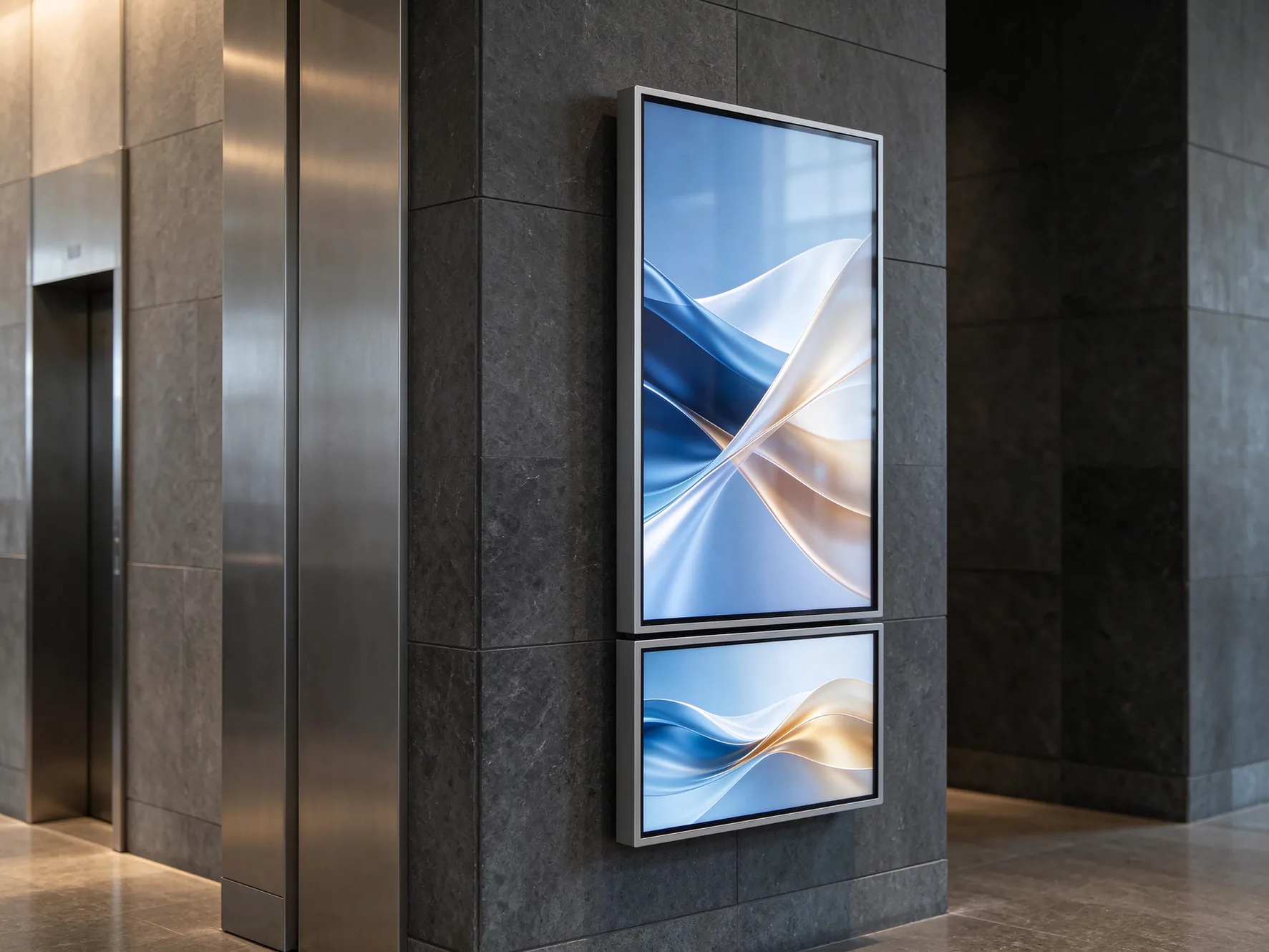
Выдаліць dual-screen elevator digital signage kiosk pairs an 18.5-inch primary panel with a 10.1-inch secondary panel in a single ultra-thin aluminium frame. The two screens can run synchronised content or two independent playlists, pushed from the CMS with one click. The frame sits around 25 mm, the front is tempered glass, and the I/O panel takes a key so the USB ports and the power switch cannot be reached by passengers.
The commercial logic is simple and worth stating plainly, because it is the reason operators pay roughly twice for a position: the main screen builds trust (brand film, building identity, property messaging), and the secondary screen drives action (a promotion, a QR code, a floor directory, a live wait time). Those two jobs fail when they are forced onto one canvas. On two, they run at the same time, in the same three seconds.
| Моделы | Screen combination | Размяшчэнне | Сістэма | Найлепшае адпавяданне |
|---|---|---|---|---|
| КМ-1910ФЗ | 18.5″ primary + 10.1″ secondary, A-grade panel | Portrait main, compact secondary | Android 7.1 / 8.1 | Standard residential and office cars |
| КМ-2112ФЗ | 21.5″ primary + 12.1″ secondary | 1920×1080 | Android або Windows | Mid-size cars, Windows-based local software |
| QM-2724FZ | 27″ primary + 24″ stretched secondary | 1920×1080 main / 1920×360 secondary | Android 8.1 | Premium lobbies and high-traffic towers |
All three share the same CMS, mounting logic and connectivity options, so mixed deployment across a portfolio is managed as one network. Panel suppliers include Samsung, LG and BOE, A-grade.
For an advertising operator, the secondary panel is where the response mechanism lives. A brand film can hold attention, but it cannot carry a scannable code at a size a passenger can read in three seconds. Put the QR on the lower panel and the main screen is free to stay purely brand. For a property manager, the logic inverts: notices on the main screen, floor and facility information below, and neither interrupts the other.
There is a second, less obvious saving. Two separate units on the same wall means two power points, two network connections, two mounting points and two addresses in the CMS. A single dual-screen kiosk halves all of that, and the installation is one lift outage rather than two. On a forty-car project, that difference shows up as days of access time, not dollars on the invoice.
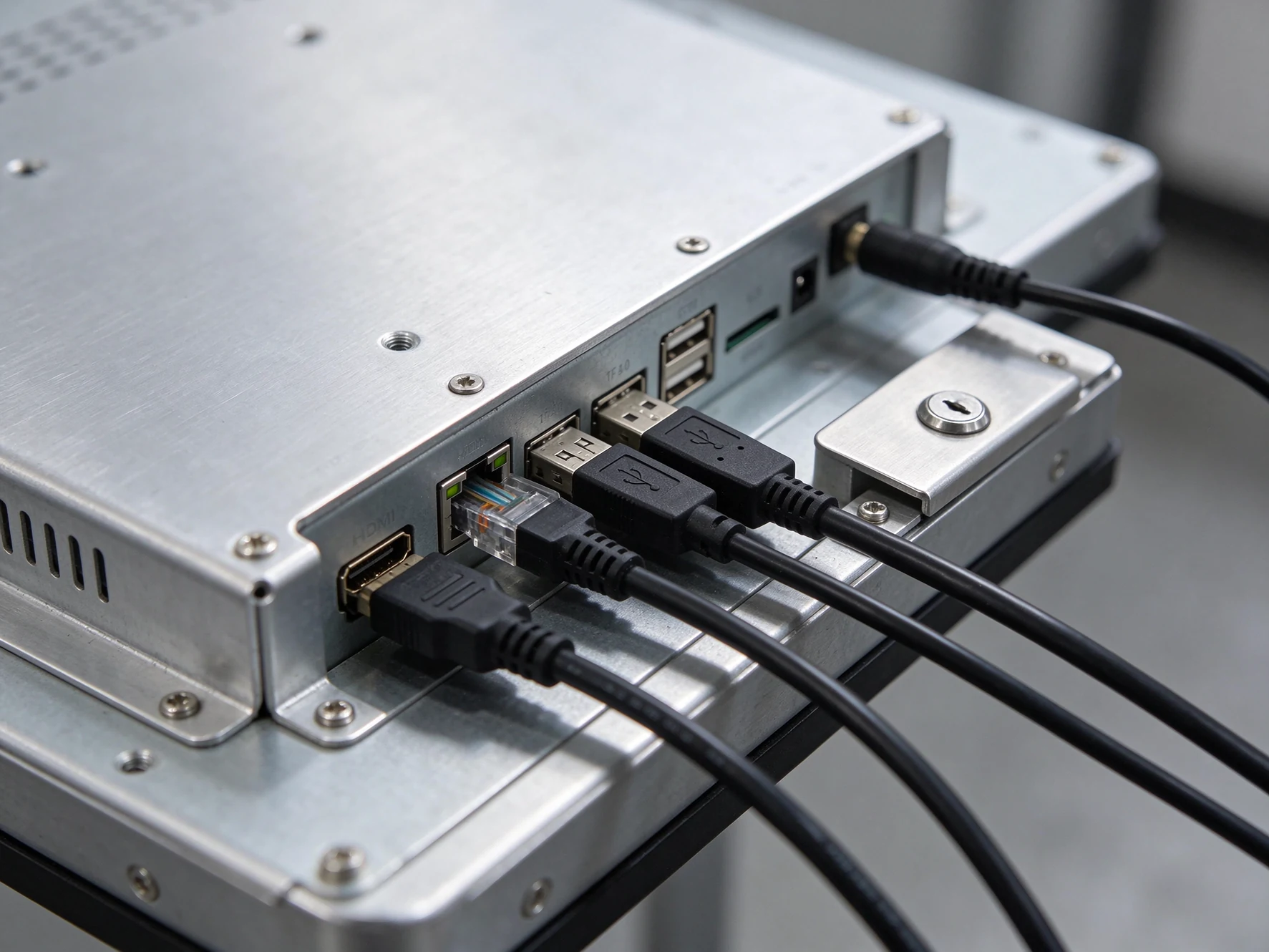
The search phrase elevator display interface supplier is usually not a request for a reseller. It is a request for the wiring and protocol facts that let a consultant write a specification: what ports are on the unit, what the CMS expects on the network, and how the screen behaves when the building's own systems want to talk to it.
On the Qtenboard units, the standard interface set is two USB 2.0 ports, an RJ45 network port, a TF card slot and an HDMI input, with WiFi and LAN built in and 3G/4G available as an option. That covers the three common jobs: content delivery over the network, a local source over HDMI, and an offline update over USB or TF.
Everything beyond that set is a project decision, not a catalogue item. Floor indication, a dry-contact trigger from a third-party controller, or a relay that forces an emergency message all have to be specified at order stage through the OEM channel, with the pinout and the protocol documented in writing.
The display is an information device, not part of the lift control loop. Take power from the car lighting circuit through a dedicated supply, keep signal grounds separate, and never tap a safety or door circuit for a trigger. If the building's consultant asks for an interface to the controller, the answer is a read-only signal through an isolating relay, documented by the lift OEM.
Ask for the connector map, the supported video timings on HDMI, and the network behaviour: static IP or DHCP, ports used, whether the CMS needs an outbound connection only. Integrators write specifications from these documents, and a supplier who cannot produce them slows the project down by weeks.
Most retrofits have no spare pair in the travelling cable and no easy path in the shaft. Where a wired drop is impossible, WiFi or 4G with local cache is the practical route: the unit keeps playing from cache when the link drops and resumes uploads when it returns, so a weak signal degrades reporting, not the passenger experience.
Emergency and fire messaging must outrank commercial content, and everyone in the approval chain needs to see that rule. In practice that means a CMS priority queue plus a local override path that works even when the network is down, so a cabin with no connectivity can still be put into emergency mode from inside the building.
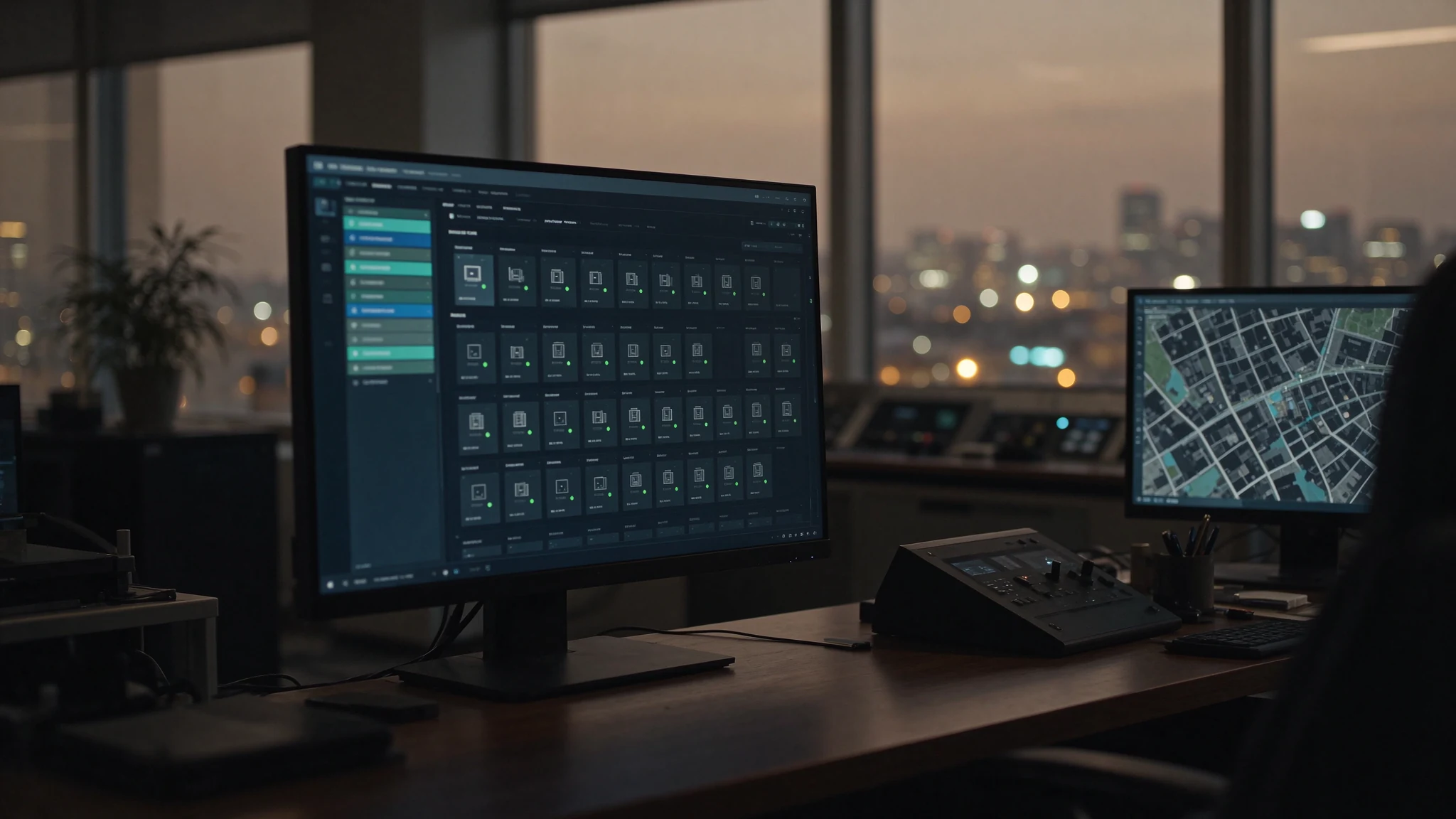
At one building, the CMS is a convenience. At ten buildings and a hundred screens it becomes the purchase decision, because the operating cost of a screen network is almost entirely the cost of touching it: someone driving to a site to swap a USB stick, someone noticing three weeks later that a cabin has been showing a black screen, someone rebuilding a playlist for every building because the account has no group structure.
Portfolio, building, bank or car, device. Publishing to a group should be one action, and a device should be movable between groups without re-provisioning it. If the CMS only knows a flat list of screens, a hundred-device fleet becomes a hundred manual jobs.
Head-office administrators, building managers and field technicians need different rights, and every publish should be logged with who, when, and to which building. That log is what settles the argument when a tenant says a notice never went out.
Upload once, push to a device group, schedule by daypart. Night shutdown extends panel life and cuts power cost; morning start puts the building's identity film back on before the first passengers arrive.
Video, text crawl, clock, weather and a QR zone inside one canvas, each with its own schedule. This is what makes a single screen usable for two jobs without a second panel, and what makes the dual-screen secondary panel a content surface rather than a spare display.
Online rate, last play log, fault alarms across a mixed fleet. The metric that matters operationally is mean time to notice, not mean time to repair: a dashboard that flags an offline car within the hour removes the three-week blind spot.
Play data should be exportable into the customer's reporting and billing systems, and the CMS can run on the customer's own domain under their brand. For an advertising operator, proof-of-play is the product being sold; if it lives only inside a supplier's portal, the operator cannot invoice without manual work.
Qtenboard's platform ships with a 20-language interface, so a local facilities team in one country and a head office in another work in the same account without a translation layer. The system page covers the platform's full feature set, including white-label CMS and API access.
Ask the supplier to publish a notice to twelve screens across three buildings, take one screen offline, and then show you the log of both events. If that takes more than five minutes, or the log cannot tell you which car missed the push, the platform is not ready for the portfolio you are planning.
Nobody should buy a hundred screens on the first order. The sequence below is the one that keeps risk low and keeps the CMS structure clean from the start.
Four to eight screens in one building, one hardware type, one update path. What the pilot actually validates is glare under real cabin lighting, mounting depth, network behaviour in the shaft, and whether the facilities team can publish without calling you. Budget four to six weeks including installation windows.
Build the group structure, the role split, the playlist templates and the naming convention now, while there are thirty devices and not three hundred. Add the second hardware type here if the portfolio needs it, and confirm that both types sit in the same account.
Spares on the shelf, a named escalation path, API feeds into the operator's billing, and a monthly review of online rate rather than a monthly scramble. This is also where OEM standardisation pays back: one bezel colour, one panel grade, one firmware baseline means one spare part covers every car.
A hundred-screen network with thirty minutes of manual work per screen per month is fifty hours of someone's month, every month, before anything breaks. The same network with group publishing and a monitored device list is closer to two hours, plus exceptions. That gap is the real payback on the CMS, and it is usually larger than the hardware discount a buyer negotiates at the end of a tender.
Spares follow the same logic. Two to three percent spare units on the shelf turns a dead panel into a same-week swap instead of a four-week shipment. Qtenboard's own production facts matter here: every unit goes through a 48-hour aging test and a pre-shipment inspection, two plants in Shenzhen and Guangzhou hold hardware, assembly and testing under one roof at 200-plus units per day, and the standard warranty runs one to three years with free replacement of defective parts.
The three patterns below are composite scenarios assembled from Qtenboard project parameters and the buyer types the system is built for. They are not named customer references, and no performance figures are attached to them; they are here to show how the hardware and CMS decisions combine in practice.
Асаблів
21.5″ single screen
СеткаName
LAN + 4G fallback
Змест
Notices + base ads
Owner
Property management
One screen per car, anti-glare glass because every cabin has a ceiling downlight, published from a single account with one group per tower. The operating requirement that decides the design is the emergency path: a fire or evacuation notice must pre-empt the ad cycle on every screen in the community, including cars whose 4G link is down, which is why the CMS priority queue and a local override are both specified.
The failure this pattern avoids is the tower-by-tower spreadsheet: twenty-four screens managed as twenty-four jobs, with the notice going out on different days in different buildings.
Асаблів
QM-2112FZ dual screen
СеткаName
Building LAN
Змест
Brand + QR + live info
Owner
Media operator
Main screen for the advertiser's film, secondary for the call to action and the building's own live information. The commercial requirement is proof-of-play: the CMS API feeds play logs into the operator's billing system, per device, so each advertiser invoice is backed by a record of what actually ran and when. Key-locked I/O matters here because the kiosks sit in lobbies where the public walks past the ports.
Night shutdown is part of the same decision: the operator schedules a hard stop and a morning start across all forty cars, which protects panel life and gives the sales team a clean daily campaign boundary.
Асаблів
Single + dual mixed
СеткаName
Вай-Фай
Змест
Wayfinding + queue info
Owner
Facilities / integrator
Lobby positions carry dual-screen kiosks for welcome content and floor guidance; lift cars carry single screens for quiet notices. The integrator's requirement is the interface document: HDMI for a local source, RJ45 and WiFi for the CMS, and a written priority rule so clinical or emergency messaging outranks hospitality content. Mixed hardware in one fleet is the normal case here, not an afterthought.
The design constraint is aesthetic as much as technical: one bezel finish across lobby and cabin positions, so the hardware reads as part of the building rather than a retail add-on. That is a frame colour decision at order stage, not a styling decision after installation.
Single screen or dual-screen kiosk for my project?
If the cabin only needs notices and a base ad, a single screen covers it at the lowest hardware cost. If the position has to carry brand content and a second commercial or information surface at the same time, the dual-screen kiosk does that in one wall position, one power point and one network drop. Most portfolios end up with both.
Does the system need internet to keep playing?
No. Content is cached on the device, so the screen keeps running its playlist when the network drops, and resumes uploads and log transfer when the link returns. Updates can also be delivered by USB or TF card where no network path exists at all.
Will an elevator display interfere with the lift controller?
Not when it is installed as an independent information device. Power comes from the car lighting circuit through a dedicated supply, signal grounds stay separate, and no safety or door circuit is tapped for a trigger. If a building system needs a signal from the lift, it is taken read-only through an isolating relay, documented with the lift OEM.
How do you retrofit a car with no spare cable in the travelling cable?
Use WiFi or optional 3G/4G with local caching, which is why the units ship with both wired and wireless options. Where a spare pair does exist, a wired LAN drop is preferable for stability and for reporting frequency. The retrofit decision is usually made per building, not per project.
What certifications and testing come with the screens?
CE, FCC, RoHS and CB, with test reports available on request. Each lift unit goes through a 48-hour aging test plus a pre-shipment inspection before it leaves the factory.
Can single screens and kiosks be managed in the same CMS?
Yes. Both hardware families share one CMS environment and one account structure, so a mixed fleet is published to, monitored and reported on as a single network, with logs kept per device.
What drives the price of an elevator display?
Size and panel grade first, then the second screen on a kiosk, then the options: anti-glare versus high-transmittance glass, Android versus Windows, network module, key-locked I/O, and OEM finish. CMS licensing follows the device count and the level of white-label or API integration, so the same hardware quote can carry very different platform costs depending on the fleet size.
What is the minimum order and how fast is a quote?
Small trial orders are supported so a pilot can be validated before a portfolio commitment. Send the quantities and the project parameters and a quote covering MOQ, sample lead time and batch lead time comes back within 24 hours.
What warranty and after-sales support apply?
A standard one-to-three year warranty, extendable, with free replacement of defective parts, 24/7 technical support with under two hours response, and a CMS interface in 20 languages for local teams.
Lift cars differ by project: width, finish, the colour of the handrail, the depth behind the wall. Standard catalogue panels rarely match, which is why customisation is a normal part of the product range rather than a special favour. As a direct manufacturer, Qtenboard takes the frame, the firmware and the platform into the same order.
| Customisation | Варыянты |
|---|---|
| Кампанэнт памеру | Single 18.5″–55″; dual 18.5″+10.1″, 21.5″+12.1″, 27″+24″ |
| Frame and material | Black, white, silver or grey anodised aluminium, slim bezel |
| Брэндынг | Silk-printed logo on frame and bezel, custom boot screen and system image |
| Сістэма | Android or Windows, custom firmware image |
| CMS and software | White-label CMS on your domain, API access to your platform |
| Пакета | Branded cartons, accessories and documentation |
Founded 2005. Two plants in Shenzhen and Guangzhou, 330,000 m² combined, 200-plus units per day. CE, FCC, RoHS and CB with reports on request. 48-hour aging and pre-shipment inspection on every lift unit. Products shipped to more than 100 countries. Standard warranty one to three years, extendable, with free replacement of defective parts, 24/7 support and under two hours response.
Send the building count, the car count and the operating model. You get back a hardware configuration, the CMS structure for that fleet size, and a quote within 24 hours, including MOQ, sample lead time and batch lead time.
Qtenboard, display systems for buildings: from a single lift screen to a remotely managed signage network.

Эксперт вылучэнне
Я загалоўка Qtenboard, і прынесуць над 17 год у тэкставацыі у індустрія. Настаўленні ў глобальная перспектива трэбаў, зрабіць мойны дакументы EMBA у універсальне Шенсэн, Я прыкладаю мой каманду у оптимізацыі кожны етаў нашых аперацыі ад вызначэння продукту да высокі карыстальнікам трэба трэбаўляе Можнаўленне магчымасць прастацца на період у індустрія.
Як лідар Qtenboard, я спеціалізуюся у вызначаных вышваваных OEM/ODM для інтэрактыўных белых палатаў, Відэкі сініны LCD, цифравальныя сітак і тэрміналы дапаўненне ў індустріцы. Запапаўваны наші 330,000 м² сучасны індустріальны парк у Шензін, мы захоўваем кантроль над індустріальныя дизайны, дакладнаваць прыкладання, і строгучнае тэст.
З амаль два дзесяцаў прылад праекту, цяпер выключаныя рашэннем Qtenboard у больш у 120 і рэгіонах, заробілі довіры больш 15 000 кліентаў у світі. Калі вы шукаеце адказную партнер з глибокіма выкананням праекты, Мы і я гатовыя падтрымліваць вашу погляд з професіональным выгляду.

 bel
 EN
 spa
 pt
 vie
 th
 est
 lav
 aze
 ukr
 ru