A structured decision framework for procurement teams — before the budget is locked and the order is placed.
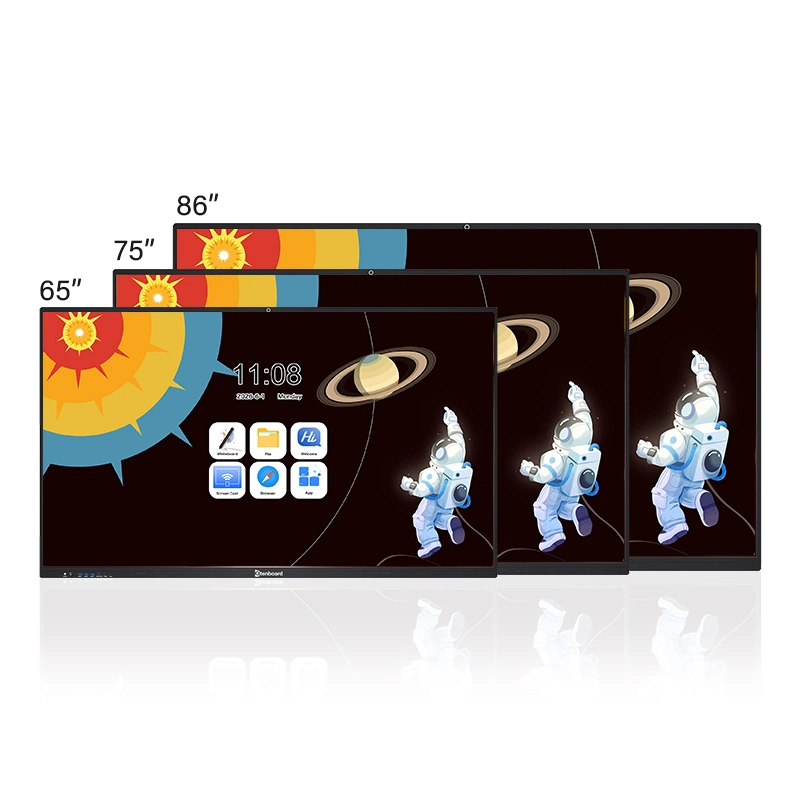
This size selection guide is written for education bureaus, school procurement teams, and enterprise facility managers evaluating 65", 75", 86", and 98" interactive whiteboards for fixed installation. It explains why size selection is a procurement decision rather than a display decision, then applies a four-variable framework (room depth, user count, interaction frequency, installation conditions) to each size tier. The guide includes three verified Qtenboard deployment cases that resolved oversized specifications, mixed-specification campuses, and stalled 98" rollouts, a reference decision matrix for procurement briefs, a total-cost-of-ownership note for district-level procurement, and Qtenboard's pre-purchase site assessment service.
Interactive whiteboards are fixed-installation, high-frequency-use tools — not display devices — so a size misjudgment at the specification stage surfaces only after installation, when correction costs are rarely limited to the equipment itself.
The most common starting point for institutional buyers is straightforward: "We have the budget. Let's go with the largest option available." In consumer electronics, this logic is defensible. In commercial interactive whiteboard procurement, it is one of the most reliable paths to budget overruns, installation delays, and long-term operational friction.
An interactive whiteboard is not a display device. It is a fixed-installation, high-frequency-use educational or professional tool with three usage characteristics that fundamentally separate it from consumer TVs:
Across the institutional projects we have delivered, the most common and most avoidable cost overrun pattern is this: an 86" specification is written into the procurement brief without a prior wall load-bearing assessment, reinforcement costs emerge post-award, and the project budget requires emergency revision at a stage when scope changes carry maximum disruption. This is not an equipment problem. It is a specification process problem — one that a structured pre-purchase framework eliminates entirely.
The correct framework for size selection is built on four variables, not one: room depth, user count, interaction frequency, and installation conditions. Each section of this guide applies that framework to a specific size, structured as: technical parameters → real-world pain point → measurable value delivered.
For rooms of 4m depth or less with 30 or fewer users, a 65" interactive whiteboard is the optimal specification — not an entry-level concession — and it typically installs without wall reinforcement.
Procurement teams frequently treat 65" as the entry-level option — a concession to budget constraints rather than a deliberate specification. This perception leads to unnecessary upgrades in rooms where 65" is, in fact, the correct and optimal choice.
In classrooms with a room depth of 4m or less, oversized selections consistently produce the same result: front-row viewing distances are compressed below comfortable thresholds, the top touch zone exceeds the standing writing height of most teachers, and a measurable portion of the screen surface goes unused in daily practice. The larger panel does not expand the usable working area — it reduces it.
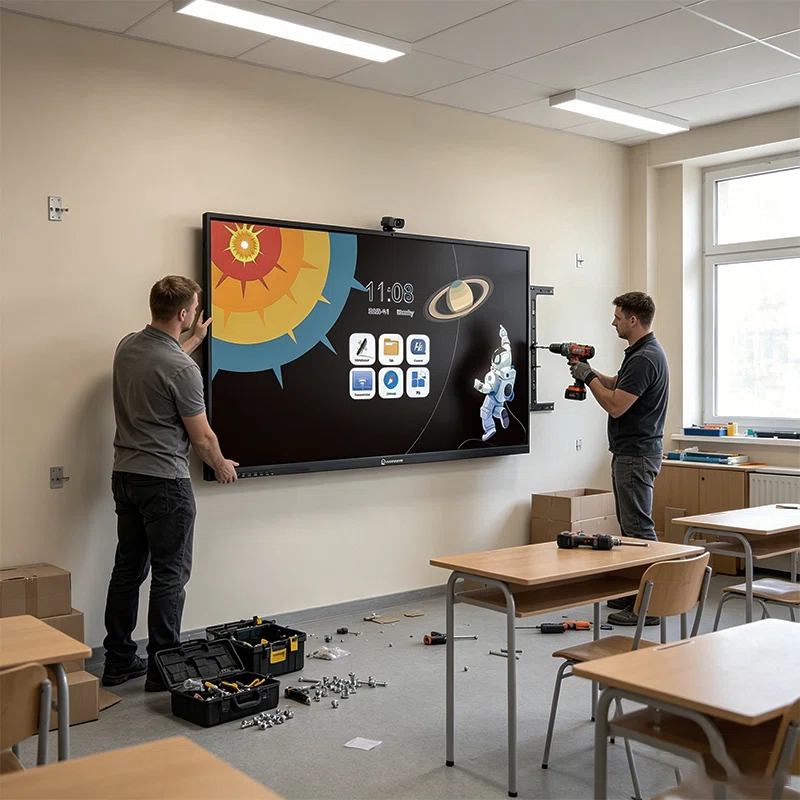
The 65" interactive whiteboard is the appropriate specification when room depth does not exceed 4m and the user count is 30 or fewer. In these environments, it delivers full utilization of the screen surface, comfortable touch height for standing users, and optimal pixel density at the actual working viewing distance.
From an installation standpoint, 65" units do not require wall reinforcement under standard gypsum board construction — a meaningful advantage for renovation projects operating under tight construction timelines or where structural modification would require a separate approval cycle. For education institutions managing phased, classroom-by-classroom rollouts, this translates directly into deployment speed and reduced per-unit project complexity.
At 4K resolution, the 65" panel delivers approximately 68 PPI — sufficient for clear text legibility at 1.5m viewing distance without requiring enlarged font sizes that reduce the information density of teaching materials. Replacing a projector setup with a touch-interactive whiteboard eliminates the content-switching latency that averages 30–45 seconds per transition in projector-dependent classrooms. Operating power consumption in the 120–180W range positions 65" as the lowest long-term energy cost option within the standard size range.
This specification boundary — 4m room depth, 30 users, no wall reinforcement required — is a direct output of the site measurement data Qtenboard has accumulated across small-classroom deployments in K12 renovation projects. It is not a theoretical threshold; it is where the real-world performance data consistently draws the line.
The 75" size has become the global K12 standard classroom specification because it is the minimum size at which dual-column teaching layouts become fully viable, and because panel supply at this size tier is the most stable for district-level batch procurement.
The global K12 education market has moved consistently toward 75" as the standard classroom specification. This reflects two converging realities.
On the supply side, 75" panels currently sit within the core production volume range of leading panel manufacturers. Stable panel supply translates directly into predictable lead times — a material consideration for education bureaus managing multi-school batch procurement projects with fixed semester delivery nodes. Supply disruptions at this size tier are substantially less frequent than at the extremes of the size range.
On the demand side, 75" is the minimum size at which standard classroom teaching layouts — specifically dual-column formats where question sets and worked solutions are displayed simultaneously — become fully viable without font size compromises that sacrifice information density.

In a standard classroom of 30–50 students with a room depth of 7–9m, a 65" interactive whiteboard creates a specific and recurring instructional problem: rear-row students cannot reliably read standard-size text, and teachers working in dual-column layouts find that the available width per column is insufficient for subject matter requiring visual density — mathematics, annotated reading passages, structured data.
The effective writing area of a 75" panel is approximately 33% larger than that of a 65" unit. This is the threshold at which a teacher can simultaneously display a full problem set on one side of the screen and a step-by-step solution on the other, at a font size that remains legible from the back row of a standard 9m-deep classroom.
For campus-wide or district-level procurement, specification standardization is a financial and operational argument as much as a technical one. A campus that standardizes on 75" across all standard classrooms operates with a single spare parts inventory, a unified maintenance protocol, and a consistent acceptance standard — all of which reduce post-delivery operational cost and simplify the financial audit trail.
The 75" benchmark standard reflected here is one Qtenboard's project teams have applied and refined across large-scale institutional deployments. The pattern is consistent: mixed-specification campuses carrying parallel 65" and 86" inventories carry structurally higher operational overhead, and the difference surfaces reliably in the first annual maintenance cycle.
An 86" interactive whiteboard is required in two scenarios — lecture halls of 50–80 students with 6–10m room depth, and enterprise boardrooms where presentation environment quality is itself part of how decisions are perceived — but two site conditions must be verified before the order is placed.
The commercial-grade panels used in 86" interactive whiteboards are rated for a design lifespan of approximately 50,000 operating hours. Consumer-grade panels — including those found in large-format TVs that are sometimes repurposed as display solutions — are typically rated at 30,000 hours. At eight hours of daily operation, that difference translates to more than six years of additional service life.
For institutional procurement teams presenting an equipment acquisition for financial approval, this is not a technical footnote. It is an asset lifecycle argument: the higher per-unit cost of a commercial-grade 86" interactive whiteboard delivers a lower annualized cost over the deployment period compared with a lower-cost consumer-panel alternative of equivalent size.
Two environments consistently require 86" to meet their functional specifications.
The first is the large university lecture hall or tiered classroom of 50–80 students with a room depth of 6–10m or more. In spaces of this depth, a 75" panel's maximum recommended viewing distance is exceeded by rear-row seating positions, meaning a meaningful portion of the audience cannot reliably read standard instructional content at normal font sizes.
The second is the enterprise boardroom or executive meeting space. In this context, the specification requirement is not purely functional. The quality of the visual presentation environment is itself a component of how decisions are communicated and perceived. A 75" panel in a large boardroom reads as undersized relative to the room; the mismatch creates an unintended impression that the professional environment has been under-resourced.
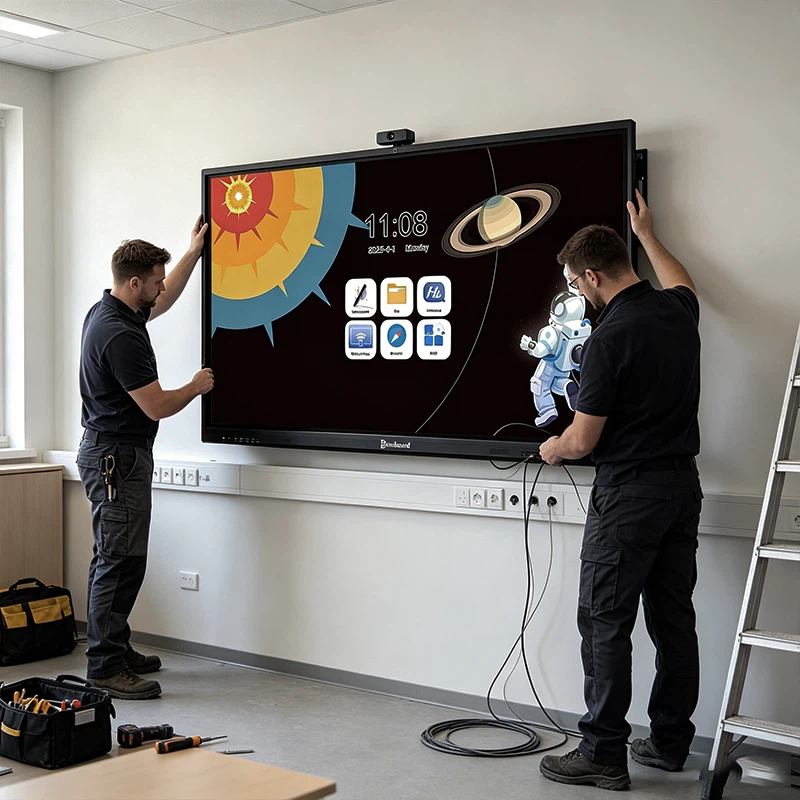
Two site conditions must be confirmed before an 86" interactive whiteboard is specified, not after.
Wall load-bearing capacity is the first. An 86" unit carries a net weight of approximately 65–80kg; the mounting hardware adds to this figure. Standard gypsum board construction does not support this load without reinforcement. Wall reinforcement is a construction scope item — it requires separate contracting, separate budgeting, and in most institutional environments, a separate approval cycle. Projects that reach the installation stage before this condition is verified routinely face a multi-week suspension while reinforcement is designed, approved, and executed.
Front wall clear width is the second. After the panel and mounting hardware are installed, the remaining clear width on either side must meet local fire egress standards. This measurement is straightforward to verify in advance and near-impossible to remediate after installation without equipment removal.
Across the 86" projects Qtenboard has delivered, skipping these two pre-purchase verifications is the single most consistent predictor of project delay — not equipment failure, not specification error, but avoidable site condition oversights that a standard pre-deployment survey eliminates in under two hours.
A 98" interactive whiteboard is justified only for lecture theatres with 200+ seating, government command centres, or institutional exhibition spaces with formal public-display requirements — and it must be structured as an independent capital project, not appended to a standard classroom budget line.
There are environments where 98" is not only appropriate but necessary: large university lecture theatres with seating for 200 or more, government command and operations centres, and institutional exhibition spaces designed for formal public display. These environments share a common characteristic — they have display requirements that cannot be met by smaller sizes or standard multi-unit configurations, and they typically have engineering infrastructure capable of supporting large-format installation.
The procurement process for 98" interactive whiteboards must include a physical site evaluation covering three conditions before the order is placed.
A 98" procurement should be structured as an independent capital project, not appended to a standard classroom equipment budget line. The internal approval document should address three questions explicitly: why this specific venue requires 98" rather than an alternative configuration; what site conditions have been verified prior to purchase; and what the dual 86" comparison shows in terms of cost, timeline, and display performance.
The three cases below show how the four-variable framework resolves situations that standard specification comparison cannot anticipate — from respecifying an oversized district rollout to recovering a stalled 98" university deployment.
The following three cases are drawn from projects delivered by Qtenboard's project and specification teams.
Qtenboard was engaged by an education bureau on a smart classroom renovation covering 42 small-group classrooms, each with a room depth of 3.5–4m and a class size of 25–30 students. The original procurement brief had specified 86" interactive whiteboards uniformly across all classrooms, based on a "maximum size within budget" approach applied without prior site assessment.
Our project team conducted a pre-deployment site survey across the full classroom inventory before any orders were confirmed. The survey identified that standard gypsum board walls in these classrooms could not support 86" unit weights, and that the oversized specification would compress front-row viewing distances and push the upper touch zone beyond comfortable standing writing height — meaning a significant portion of each screen would be structurally idle in daily use.
We recommended retaining 86" units in the six classrooms with room depths exceeding 6m, and respecifying the remaining 36 classrooms with 65" units requiring no wall reinforcement. The additional reinforcement cost across the project was reduced by 22% relative to the original specification. Full-screen writing utilization in the respecified classrooms increased from 62% to 98%. The adjusted project completed deployment before the semester opening with no further budget overruns or post-installation equipment issues.
A municipal key secondary school engaged Qtenboard for a campus-wide multimedia equipment renewal covering 54 standard classrooms of 30–50 students each, with room depths of 6–8m. The existing installation was a mixed deployment of 65" and 86" units procured without a consistent selection standard across two separate budget cycles.
Our assessment identified two compounding operational problems. In classrooms with 65" units, teachers could not implement dual-column teaching layouts at readable font sizes, requiring courseware switching that consumed 30–60 seconds of instructional time per transition. In classrooms with 86" units, incompatible spare parts models required the school maintenance team to stock two parallel inventories and operate two maintenance workflows — an arrangement that increased annual operating costs and produced inconsistent documentation across financial audits and project acceptance reviews.
Qtenboard's project team recommended full campus standardization to 75", with unified spare parts reservation, standardized maintenance protocols, and a single acceptance calibration applied across all 54 rooms. Annual equipment maintenance and parts reserve cost was reduced by 18%. The project cleared financial audit and acceptance review without remediation. Average per-class courseware switching time savings exceeded 40 seconds — recovered directly as instructional time across every teaching day for the full academic year.
Qtenboard was brought in to resolve a stalled deployment at a comprehensive university that had procured eight 98" interactive whiteboards for large lecture halls and academic exhibition spaces, with delivery timed to a fixed semester opening schedule.
The original procurement had been completed without a pre-purchase site assessment. When equipment arrived on campus, our project team was engaged to assess the situation: the older teaching building's elevator clear width and corridor turning radius could not accommodate the 98" packaged units, and the standard walls of the lecture halls lacked the structural capacity for direct mounting. The project had suspended with equipment on site and a 21-day delay already accrued.
Our team conducted a venue-by-venue assessment and implemented a differentiated resolution. For venues where passage constraints were the binding issue, the specification was converted to dual 86" side-by-side configurations, which could be brought through standard passages and installed against conventional wall structures without structural fabrication. For exhibition spaces with adequate engineering infrastructure and formal display requirements that genuinely justified 98", we retained the original specification and managed the steel structure construction and passage preparation in advance of equipment placement.
The stranded equipment problem was fully resolved. The dual 86" configuration delivered equivalent wide-format display coverage, shortened the construction cycle by 10 days compared to the original 98" installation plan, and reduced total project cost by approximately 15%. All teaching and exhibition requirements were met within the revised timeline, and post-installation operational stability was consistent across both configurations.
The matrix below is designed to be directly referenced in feasibility reports and internal procurement documentation — it maps each size to room depth, user count, pre-installation checks, and batch procurement stability.
Room Depth is the hard lower bound on size selection. It determines the maximum viewing distance from the screen to the furthest seat, which sets the minimum display size required for content legibility at standard font sizes.
User Count determines the information density requirement. Larger groups require larger effective writing areas to support the range of instructional and presentation content formats used in professional environments.
Interaction Frequency influences panel grade requirements. High-frequency daily touch interaction creates thermal and mechanical stress that commercial-grade panels are engineered for and consumer-grade panels are not.
Installation Conditions — wall structure, front wall clear width, and handling passage dimensions — are the variables most consistently overlooked in pre-purchase planning and most consistently responsible for post-award project delays.
| Item | 65" | 75" | 86" | 98" |
|---|---|---|---|---|
| Recommended Room Depth | ≤4m | 4–7m | 6–10m | 10m+ |
| User Count | ≤30 | 30–50 | 50–80 | 80+ |
| Typical Environment | Small classroom / small meeting room | Standard classroom / training room | Lecture hall / boardroom | Auditorium / exhibition hall |
| Pre-Installation Checks | Low | Low | Medium (load-bearing + clear width) | High (passage + structure) |
| Batch Procurement Stability | High | Highest | High | Project-by-project |
| Qtenboard Site Survey | Standard pre-deployment check | Standard pre-deployment check | Mandatory load-bearing + width assessment | Full structural and passage evaluation |
Per-unit acquisition cost is one component of the total investment. The full TCO calculation for institutional buyers should include professional installation fees, any structural modification costs, transportation and handling insurance, and annualized power consumption differences across the deployment lifetime. For a district-level procurement covering 100 classrooms, a per-unit specification error multiplied across the full deployment scope can produce TCO variance exceeding 15–20% of the initial equipment budget — entirely avoidable with accurate upfront specification and a pre-purchase site assessment.
Qtenboard's engagement begins at the project planning stage — not at the point of order — because the pre-purchase phase is where specification errors are prevented, installation risks are identified, and procurement documentation is built on verified site data rather than assumptions.
Before any specification is committed to procurement documentation, Qtenboard's project team conducts a structured site assessment covering the four decision variables: room depth measurements, user count and layout analysis, interaction frequency requirements, and installation condition verification including wall load-bearing capacity, front wall clear width, and handling passage dimensions for larger units.
The output is a written specification recommendation formatted for direct use in feasibility reports, internal procurement briefs, and formal purchasing documentation. This document includes the technical parameter language appropriate for institutional procurement processes and provides a clear rationale for each size recommendation tied to the verified site conditions.
This service is provided at no charge for institutional projects. The assessment takes place before any purchasing commitment is made, with no obligation to proceed with Qtenboard equipment.
Qtenboard provides the full documentation package required for institutional procurement qualification reviews: third-party test reports, relevant product certifications, and technical specification sheets formatted for formal tender submission. For education bureau and government procurement processes with specific compliance requirements, our documentation team prepares the supporting materials in the format required by the relevant procurement authority.
For district-level or campus-wide batch procurement projects, Qtenboard provides dedicated project management covering order phasing, delivery timeline coordination, and installation scheduling aligned to semester opening or project handover nodes. Batch orders are supported with independent pricing structures and supply chain prioritization to protect delivery commitments on fixed-deadline institutional projects.
For education institutions, enterprise buyers, and channel partners with brand specification requirements, Qtenboard supports full OEM customization including panel branding, interface configuration, and packaging. Project-level channel protection is available for partners managing competitive tender processes.
Qtenboard's commercial-grade interactive whiteboards carry clearly defined warranty terms and service response commitments structured for institutional asset management requirements. Warranty documentation is provided in the format required for institutional asset registration and financial audit compliance.
No. A larger screen can reduce usability and increase risk if the room is not suitable. When screen size exceeds the room's practical viewing distance, front-row viewing distance is compressed below comfortable thresholds, the upper touch zone rises beyond the reach of standing users, and heavier panels frequently require wall reinforcement before installation. Correct size is determined by room depth, user count, interaction frequency, and installation conditions — not by a maximum-size-within-budget principle.
Start with room depth, which sets the hard lower bound on size — measure from the screen to the furthest seat to determine the minimum display size required for standard-font legibility. Then apply user count (which determines required effective writing area), interaction frequency (which determines panel grade requirements), and installation conditions (wall structure, front wall clear width, and handling passage dimensions for larger units).
A 75-inch panel's effective writing area is approximately 33% larger than a 65-inch unit. That difference becomes decisive in standard classrooms: in rooms of 30–50 students, a 65-inch panel forces rear-row students to lose standard-size text legibility and blocks dual-column teaching layouts. For rooms of 4m depth or less with 30 or fewer users, 65-inch is the optimal specification and does not require wall reinforcement.
65-inch, 75-inch, and 86-inch, depending on room size and usage. The 75-inch size has become the global K12 standard classroom specification because it balances cost, effective writing area, supply stability, and batch procurement standardization across district-level deployments.
Indirectly, yes. Larger panels are more sensitive to heat, handling, and installation conditions. A large-format panel operating in a high-temperature, dusty, or inadequately ventilated environment degrades faster than an appropriately sized unit in the same conditions. Correct size selection — along with choosing commercial-grade panels rated for continuous daily operation — is the primary lever for extending service life.

CEO | Interactive Display & Collaboration Solution Expert
I am the founder of Qtenboard, bringing over 17 years of hands-on expertise to the touch display industry. Drawing on the global management perspective gained through my EMBA studies at ShenZhen University, I lead my team in optimizing every stage of our operations—from product definition to high-efficiency supply chain management—ensuring our manufacturing capabilities remain at the forefront of the industry.
As the leader of Qtenboard, I specialize in providing tailored OEM/ODM solutions for interactive whiteboards, LCD video walls, digital signage, and industrial-grade touch terminals. Backed by our 330,000 m² modern industrial park in Shenzhen, we maintain full-lifecycle control over industrial design, precision manufacturing, and rigorous performance testing.
With nearly two decades of project experience, Qtenboard’s display solutions are now deployed in over 120 countries and regions, earned the trust of more than 15,000 enterprise customers worldwide. If you are seeking a responsive partner with a deep manufacturing foundation for your customized touch display projects, my team and I are ready to support your vision with professional excellence.

 ukr
ukr
 EN
EN  pt
pt  spa
spa  th
th  vie
vie  aze
aze  bel
bel  est
est  lav
lav  ru
ru