
 bel
 EN
 spa
 pt
 vie
 th
 est
 lav
 aze
 ukr
 ru
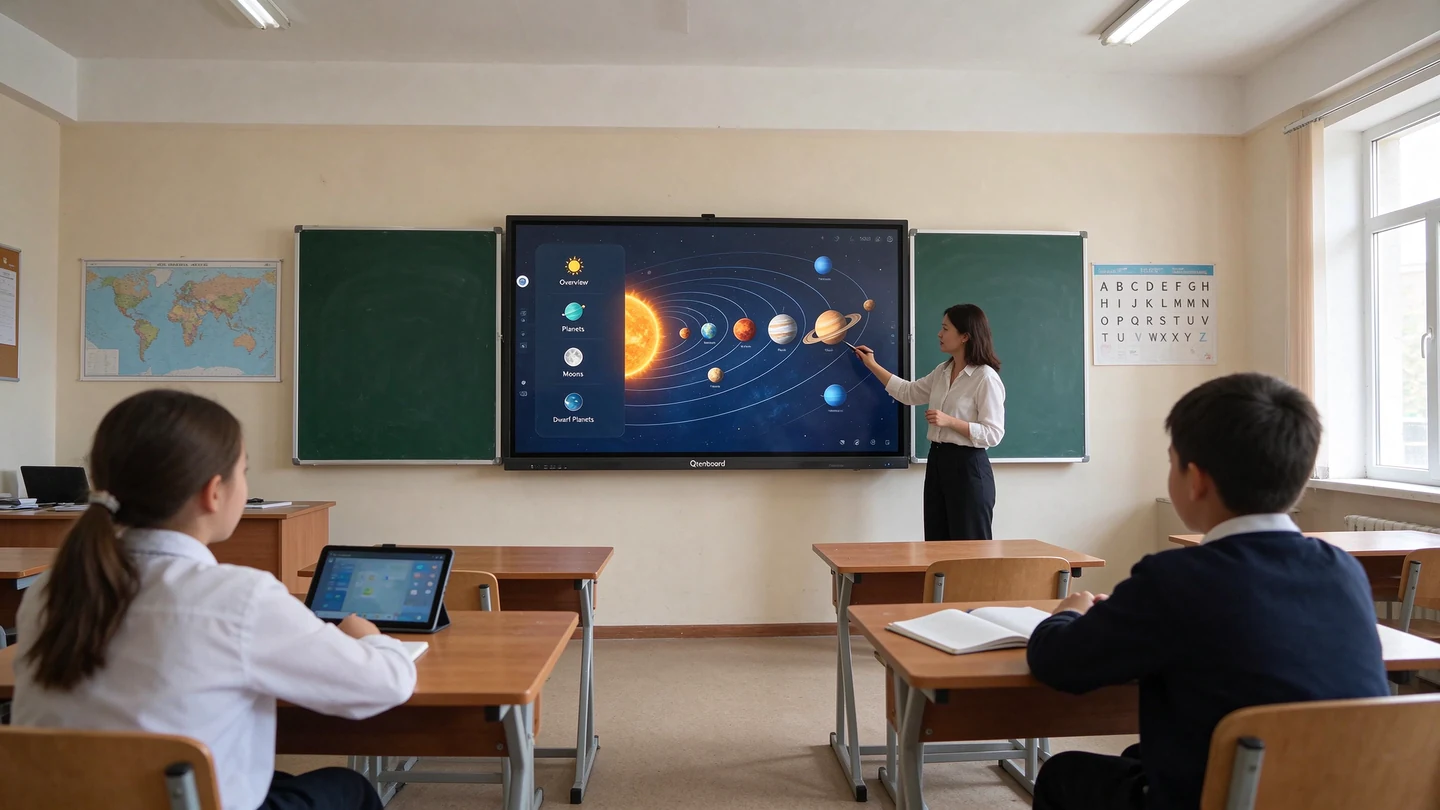
Choosing an interactive flat panel for a school project in Kazakhstan requires more than comparing screen sizes and prices. A clear tender specification should cover display performance, touch technology, system configuration, connectivity, software compatibility, installation, warranty, and technical documentation. This checklist explains 20 requirements that school buyers can define and suppliers or system integrators can verify before submitting a tender response.
Why Do Kazakhstan Interactive Flat Panel Tenders Need a Technical Checklist?
A well-prepared technical checklist helps schools and educational institutions describe what they actually need from an interactive flat panel. It also gives suppliers a consistent basis for comparing product configurations and preparing their technical compliance documents.
For school procurement teams, the main objective is to make every important requirement clear, measurable, and relevant to the intended teaching environment. For distributors and system integrators, the objective is to demonstrate that the proposed model meets each requirement with accurate specifications and supporting evidence.
In Kazakhstan public procurement, technical specifications should be prepared with attention to applicable standards and the functional, technical, quality, and operational characteristics of the goods. Requirements should be assessable and verifiable rather than vague or unnecessarily restrictive. Buyers should always check the current procurement rules and the specific tender documentation before publishing or submitting a bid.
What Are the 20 Technical Requirements for Interactive Flat Panel Tenders?
The following 20 points provide a practical framework for school buyers and suppliers. They are a specification checklist, not a statement that every item or numerical value is mandatory in every Kazakhstan tender.
A. Display Performance
| Не. | Тэхнічнае патрабаванне | Чаму яна мажны ідэй | How to Verify |
|---|---|---|---|
| 1 | Памер экрана | The display must suit classroom dimensions, viewing distance, and the number of students. | Check the model datasheet and confirm the diagonal screen size in inches. |
| 2 | Размяшчэнне | High resolution helps teachers present detailed text, diagrams, images, and learning materials. | Verify the native resolution in the official product specification, including whether it is 3840 × 2160 (4K UHD). |
| 3 | Яркыс | Suitable brightness improves readability under different classroom lighting conditions. | Check the rated brightness in cd/m² and confirm the measurement specification with the supplier. |
| 4 | Contrast Ratio and Viewing Angle | These characteristics affect image visibility for students sitting at different positions. | Review the manufacturer's contrast ratio and horizontal and vertical viewing-angle specifications. |
| 5 | Screen Protection and Anti-Glare | Surface protection and glare reduction can support everyday classroom use. | Check the front glass description, surface treatment, and relevant product documentation. |
| B. Touch Performance | |||
| 6 | Тэхнок | The touch system determines how users write, draw, select, and interact with content. | Confirm the touch technology, such as infrared touch, in the technical datasheet. |
| 7 | Памеры | Multi-touch allows teachers and students to work with the display simultaneously. | Check the supported number of touch points and test simultaneous input where required. |
| 8 | Touch Accuracy and Response | Accurate, responsive touch supports smooth writing and interactive classroom activities. | Request documented touch specifications and conduct a practical writing and response test. |
| C. System and Hardware | |||
| 9 | Аперацыя | The operating system affects application support, user experience, and device management. | Confirm the operating system version supplied with the exact model and configuration. |
| 10 | Processor Performance | Processor capability influences application operation, multitasking, and system responsiveness. | Check the chipset or processor model in the manufacturer's technical documentation. |
| 11 | RAM and Internal Storage | Sufficient memory and storage help the panel run applications and store teaching materials. | Verify the exact RAM and ROM configuration rather than relying on a general product-family description. |
| 12 | Windows OPS Compatibility | OPS compatibility may be important for schools using Windows-based educational applications. | Confirm supported OPS specifications, installation compatibility, and whether the OPS computer is included or optional. |
| D. Connectivity and Collaboration | |||
| 13 | Злучэнне | Reliable network access supports online teaching resources, updates, and connected applications. | Check supported Wi-Fi bands, Ethernet connectivity, and relevant network specifications. |
| 14 | Input and Output Ports | Schools may need to connect computers, storage devices, cameras, and other classroom equipment. | Review the interface list and confirm the number and type of HDMI, USB, Type-C, RJ45, and other required ports. |
| 15 | Друкавання | Wireless projection allows teachers and students to share content from compatible devices. | Request a demonstration and verify supported devices, operating systems, and connection methods. |
| 16 | Educational Software and File Compatibility | Software compatibility helps teachers use existing lesson materials and classroom applications. | List the required applications and file formats, then test them on the proposed configuration. |
| E. Audio, Video, and Deployment | |||
| 17 | Audio and Video Capabilities | Built-in speakers, cameras, and microphones can support multimedia lessons and remote communication. | Check audio output, camera and microphone availability, and whether these components are standard or optional. |
| 18 | Power, Operating Environment, and Installation | The panel must be suitable for the local power supply, installation location, and operating conditions. | Verify power input, operating temperature, humidity range, mounting requirements, and installation responsibilities. |
| F. Quality, Warranty, and Support | |||
| 19 | Warranty and Product Quality | Clear warranty conditions help buyers understand product coverage and after-sales responsibilities. | Request a written warranty statement covering the period, scope, exclusions, and service procedure. |
| 20 | Documentation, Compliance, and Technical Support | Complete documentation helps buyers evaluate the product and manage delivery, installation, and maintenance. | Check the datasheet, applicable conformity documents, user manuals, installation instructions, and support arrangements. |
Qtenboard product specification examples: Qtenboard's published interactive flat panel range includes screen sizes from 55 to 110 inches, 4K UHD resolution, brightness options of 350/400/450 cd/m², and 20–50 touch points. Listed configurations also include Android 14/15/16 options, different RAM and storage combinations, Wi-Fi, Bluetooth, HDMI, USB, Type-C, and RJ45 interfaces.
These are examples of available Qtenboard product configurations, not universal legal thresholds or mandatory specifications for Kazakhstan tenders. Buyers should select requirements according to the project, while suppliers should confirm the exact configuration of the model they propose.

How Should Schools Write Clear Interactive Flat Panel Technical Specifications?
School buyers should begin with teaching needs rather than copying a generic product specification. Consider classroom size, typical viewing distance, teaching software, the number of simultaneous users, connectivity requirements, and the school's existing IT environment.
Each requirement should be specific enough for suppliers to understand and for the evaluation team to verify. Where applicable, refer to relevant standards and define the required functional, technical, quality, and operational characteristics.
Replace Vague Requirements with Verifiable Criteria
| Vague Wording | More Verifiable Wording |
|---|---|
| Высокі яскрасць | Specify the required brightness value in cd/m² and the method or documentation used for verification. |
| Fast touch response | Define the required touch performance and state whether a datasheet or practical test will be used. |
| Good compatibility | Name the required operating systems, applications, devices, or file formats that must be supported. |
| Excellent after-sales service | Specify warranty coverage, service contact arrangements, response expectations, and responsibilities. |
Separate mandatory requirements from optional features wherever the procurement format allows. Also define the quantity, delivery location, delivery schedule, installation scope, acceptance procedure, and documents required at handover.
Avoid using a brand name or a combination of unnecessary technical conditions to restrict competition. The final wording should be checked against the applicable Kazakhstan procurement rules and the specific procurement method.
How Can Suppliers and System Integrators Prepare a Technical Compliance Response?
For suppliers and system integrators, a strong tender response is not simply a product brochure. It is a structured explanation of how the exact proposed model and configuration meet each requirement in the tender documentation.
- Review every requirement. Read the technical specification carefully and identify mandatory parameters, supporting documents, delivery conditions, and related services.
- Build a technical compliance matrix. Record the tender requirement, the offered product specification, the supporting evidence, and the compliance status in separate columns.
- Confirm the exact model configuration. Check screen size, operating system, processor, RAM, storage, touch points, ports, and optional modules. Do not combine specifications from different models.
- Prepare supporting documents. Organize the product datasheet, technical compliance statement, relevant test reports, product images, user manuals, installation documents, warranty statement, and applicable conformity documents.
- Check submission language and format. Confirm the required language, electronic submission format, signatures, and document translation requirements in the current tender documents.
For Kazakhstan public procurement, language and document requirements should not be assumed. Suppliers should check the applicable rules and tender instructions, including whether documents prepared in another language require an accurate translation.
What Should a Technical Compliance Matrix Include?
| Tender Requirement | Offered Specification | Supporting Evidence | Статус |
|---|---|---|---|
| Выкарыстоўванне | Exact resolution of the proposed model | Official datasheet | Compliant / To Confirm |
| Дапаўненні | Exact supported touch-point count | Datasheet or test record | Compliant / To Confirm |
| Аперацыя | Supplied OS version | Model specification | Compliant / To Confirm |
| Арганты | Written warranty conditions | Warranty statement | Compliant / To Confirm |
What Technical Specification Mistakes Can Cause Tender Disqualification?
Not every documentation error automatically leads to disqualification. The result depends on the procurement rules, the tender requirements, and the nature of the non-compliance. However, the following mistakes can create significant evaluation risks.
- Unclear or unverifiable requirements: Vague wording makes it difficult for buyers to evaluate bids consistently and for suppliers to demonstrate compliance.
- Inconsistent product configurations: The datasheet, compliance matrix, quotation, and proposed model may show different specifications.
- Missing supporting documents: Required technical specifications, test evidence, or conformity documents may be absent or incomplete.
- Unsupported software compatibility claims: A supplier may claim that an application or operating system is supported without evidence for the proposed configuration.
- Unclear warranty conditions: The response may not explain the warranty period, coverage, exclusions, or service responsibilities.
- Overlooked installation requirements: Delivery may be specified while mounting, commissioning, training, or acceptance testing is not properly addressed.
School procurement teams should make evaluation criteria clear before publication. Suppliers should use a final document review to check every requirement against the exact model and the documents being submitted.
What Should Buyers and Suppliers Check Before a Kazakhstan Tender Submission?
Checklist for School Buyers
- Have the classroom use cases and installation environment been identified?
- Are display, touch, system, and connectivity requirements clearly defined?
- Can every mandatory technical requirement be measured or verified?
- Are installation, commissioning, training, and acceptance responsibilities clear?
- Have the current procurement rules and tender-document requirements been checked?
Checklist for Suppliers and System Integrators
- Does the proposed model meet every mandatory requirement?
- Do all documents show the same model and configuration?
- Are datasheets and supporting evidence complete and readable?
- Are warranty, delivery, installation, and technical support conditions clear?
- Have language, translation, signature, and electronic submission requirements been confirmed?
How Can Qtenboard Support Kazakhstan Interactive Flat Panel Tender Projects?
Qtenboard provides interactive flat panel solutions for education projects, with product configurations designed for different classroom sizes and application requirements. Its published product range includes 4K displays, multi-touch options, Android configurations, wireless projection, and a range of connectivity interfaces.
For Kazakhstan distributors, education suppliers, and system integrators, selecting the correct configuration is an important first step. The product model, optional components, software requirements, and supporting documents should all be checked against the specific project specification.
Qtenboard can support project discussions around product selection, technical specifications, configuration comparison, and documentation preparation. Actual product availability, configuration, warranty terms, and project support should be confirmed for each inquiry.
Explore Qtenboard's interactive whiteboard for education range and education solutions to review options for school projects.
Frequently Asked Questions About Kazakhstan Interactive Flat Panel Tenders
1. What technical specifications are required for interactive flat panels in Kazakhstan school tenders?
Requirements depend on the project and tender documentation. Common categories include screen size, resolution, brightness, touch performance, operating system, memory, connectivity, software compatibility, warranty, installation, and supporting technical documents.
2. Is 4K resolution mandatory for every interactive flat panel tender in Kazakhstan?
Not necessarily. A 4K display may be suitable for many modern classroom projects, but buyers should define resolution according to actual project needs and applicable procurement requirements. Suppliers should respond to the resolution specified in each tender.
3. How can suppliers prove compliance with interactive flat panel tender requirements?
Suppliers can prepare a technical compliance matrix supported by the exact model datasheet, relevant test records, product documentation, warranty statement, and applicable conformity documents. All evidence should match the configuration offered in the bid.
4. Can a Kazakhstan public tender specify a particular interactive flat panel brand?
Brand-specific references are generally restricted under Kazakhstan public procurement rules, subject to defined exceptions. Buyers should review the current legal provisions and procurement circumstances before including any brand-related wording in a technical specification.
5. What documents should interactive flat panel suppliers prepare for Kazakhstan tenders?
Common technical documents include a product datasheet, technical compliance statement, relevant test reports, user and installation manuals, warranty statement, and applicable conformity documents. The exact submission list and language requirements must follow the tender documentation.
Request Interactive Flat Panel Technical Documentation from Qtenboard
Are you preparing an interactive flat panel tender response or sourcing equipment for a school project in Kazakhstan? Contact Qtenboard to discuss product configurations, technical specifications, and documentation for your project.
Whether you are an education equipment distributor, system integrator, school supplier, or project purchaser, Qtenboard can help you review suitable interactive flat panel options for your requirements.
Contact Qtenboard to request product datasheets and discuss your Kazakhstan education project.
