
 bel
 EN
 spa
 pt
 vie
 th
 est
 lav
 aze
 ukr
 ru
Sample Technical Specification for Interactive Flat Panels in Kazakhstan Schools
Schools and education projects in Kazakhstan need interactive flat panels that support clear classroom presentations, reliable multi-touch interaction, compatible teaching systems and practical long-term operation. For school administrators, education procurement teams, local distributors and system integrators, selecting the right interactive flat panel means evaluating more than screen size. Display performance, Android configuration, Windows OPS compatibility, connectivity, installation conditions and after-sales support all need to be considered before a project is approved.
This guide presents a sample technical specification for QTENBOARD interactive flat panels intended for school classrooms and education projects in Kazakhstan. It covers the main product configurations, recommended screen sizes, technical parameters and procurement considerations that buyers can use when preparing a project requirement or comparing supplier proposals.
1. Interactive Flat Panel Requirements for Kazakhstan Schools
Interactive flat panels are increasingly relevant to digital classroom projects because they combine a large-format display, touch interaction and computing functions in one teaching device. In Kazakhstan, schools may use these systems for teacher-led presentations, interactive lessons, digital learning materials, group activities and classroom collaboration.
The equipment requirements can differ between public schools, private education groups, regional education projects and newly constructed classrooms. A school in a major city may already have stable network access and established digital teaching systems, while a school in a smaller town or rural area may need more attention to network availability, offline teaching resources and installation arrangements.
For this reason, a suitable interactive flat panel specification should define the actual teaching tasks and site conditions instead of selecting a device based on screen size or processor name alone.
Key evaluation areas
- Паказаць: 4K resolution, appropriate brightness, viewing angle and anti-glare performance for classroom visibility.
- Дапаўненне: Responsive infrared multi-touch for writing, annotation and multi-user interaction.
- Аперацыйная сістэма: Android configuration for built-in applications, with optional Windows OPS where Windows-based teaching software is required.
- Злучэнне Interfaces and wireless functions compatible with classroom computers, networks and teaching accessories.
- Audio and collaboration: Integrated speakers and optional camera or microphone configurations according to the project.
- Выкананне: Wall mounting, mobile stand options, installation planning, teacher training and technical support.
2. Recommended Interactive Flat Panel Sizes for Kazakhstan Classrooms
QTENBOARD provides interactive flat panel sizes from 55 to 110 inches. For many standard classroom projects in Kazakhstan, 65-inch, 75-inch and 86-inch models are the main sizes to evaluate. The final selection should depend on classroom dimensions, the distance between the display and students, viewing conditions, teaching methods and the available installation space.
| Памер экрана | Suggested Application | Project Considerations |
|---|---|---|
| 55 inches | Small classrooms, compact teaching rooms and limited-space environments | Evaluate viewing distance and whether the screen area is sufficient for the number of students. |
| 65 inches | Standard classrooms and smaller teaching spaces | A practical option where installation space and classroom layout require a more compact display. |
| 75 inches | General-purpose school classrooms | A balanced size for everyday teaching, presentations and interactive learning activities. |
| 86 цаляў | Larger classrooms, demonstration rooms and collaborative learning spaces | Consider viewing distance, wall strength, installation height and available classroom space. |
| 98 цаляў | Large teaching rooms, lecture spaces and education centers | Check transportation access, wall structure and installation requirements before ordering. |
| 105 цаляў | Large-format teaching and presentation environments | Requires project-specific planning for delivery, mounting and classroom layout. |
| 110 дзюйм | Large lecture rooms and specialized education environments | Confirm the installation site, structural support and access route for the equipment. |
For Kazakhstan school procurement projects, 65-inch, 75-inch and 86-inch models are useful starting points for a standard classroom equipment plan. However, these are product selection recommendations rather than official classroom size requirements. Buyers should confirm the final size through a site survey or project layout review.
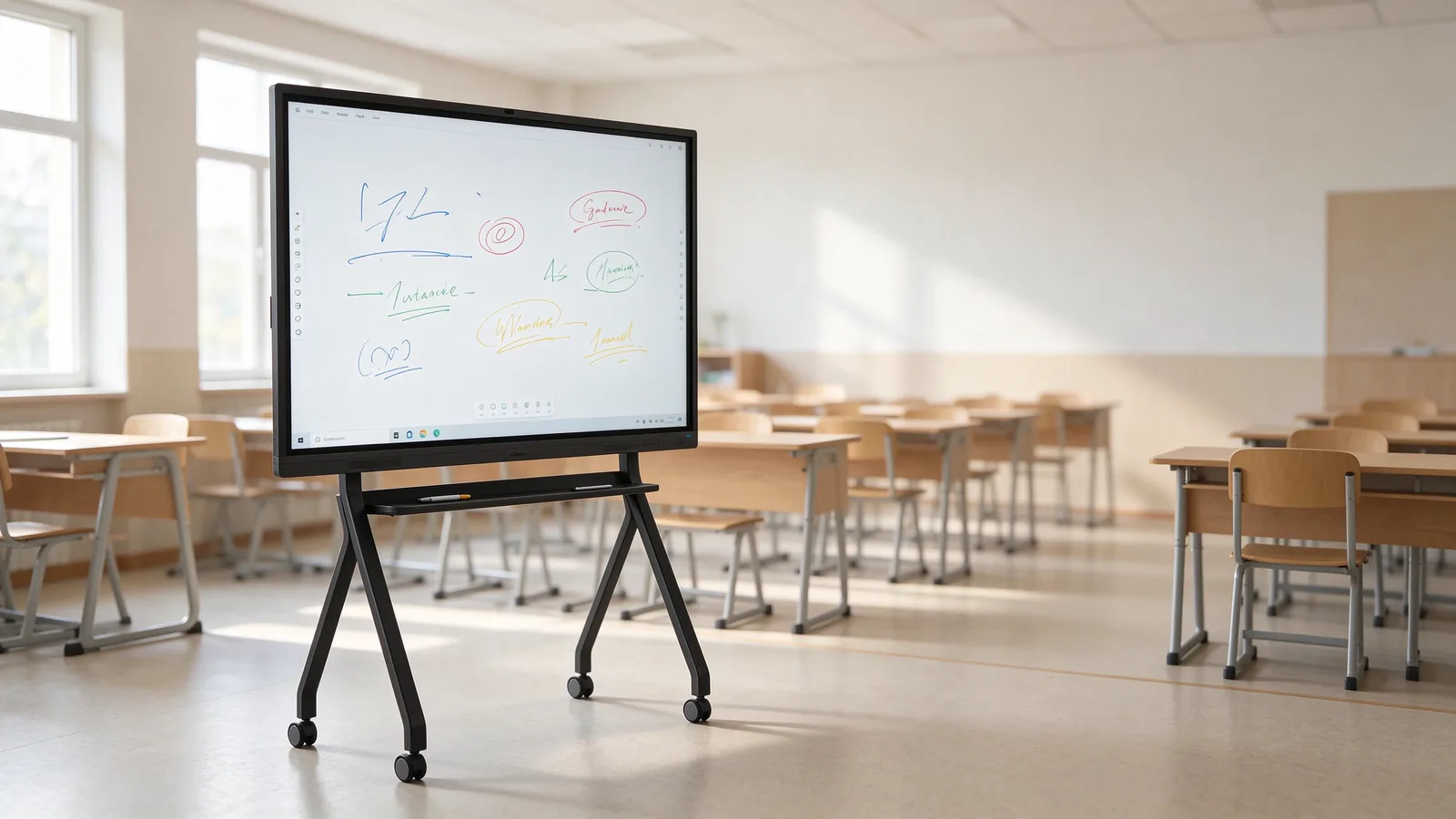
3. Sample QTENBOARD Interactive Flat Panel Technical Specification
The following table summarizes the main technical parameters published for the QTENBOARD interactive flat panel product range. These specifications provide a reference for school equipment planning and supplier comparison in Kazakhstan. Individual models and configurations may differ, so buyers should request a model-specific datasheet before finalizing a purchase or tender submission.
| Катэгорыя | Technical Parameter | QTENBOARD Product Range Reference |
|---|---|---|
| Праграм | Product type | Interactive Flat Panel / Interactive Whiteboard |
| Паказаць | Памеры экрана | 55 / 65 / 75 / 86 / 98 / 105 / 110 inches |
| Паказаць | Размяшчэнне | 3840 × 2160, 4K UHD |
| Паказаць | Яркыс | 350 / 400 / 450 cd/m², depending on configuration |
| Паказаць | Кантраст | 4000:1 typical |
| Паказаць | Кут прагляду | 178° па гарызанталі / 178° па вертыкалі |
| Паказаць | LCD lifetime | 60,000 hours typical |
| Дапак | Шлях | Infrared touch with zero-gap bonding |
| Дапак | Дапаўненні | 20–50 points, depending on model configuration |
| Сістэма | Android versions | Android 14 / 15 / 16, depending on configuration |
| Сістэма | Processor options | 9679 / 3576 / 311D2 / V100 / 3588 |
| Памяць | RAM and storage | 4GB + 32GB / 8GB + 128GB / 16GB + 256GB, optional configurations |
| Безстраць | Wi-Fi | 2.4GHz and 5GHz |
| Безстраць | Блакатаў | Bluetooth 5.2 |
| Аўдыа | Спрачыцы | 20W × 2 |
| Магчыма | Дапаўнень | AC 100–240V, 50/60Hz |
| Магчыма | Магчыма | ≤ 0.5W |
| Асаблів | Перапісаць тэмпатар | 0°C да 40°C |
| Асаблів | Ачысціць вологы | 20%–85%, non-condensing |
| Асаблів | Тэмпература захоўвання | - 10°C да 60°C |
| Інтэрфейсы | Input and output | Type-B 2.0, Type-C, HDMI in/out, USB, USB-B, DP, VGA, TF Card, MIC, RJ45 in/out and optional RS232 |
| Функцыі | Праграмаў | Падтрымка |
| Функцыі | Адкрыць | Падтрымка |
4. Android System and Optional Windows OPS for Kazakhstan Schools
Operating system selection is an important part of interactive flat panel procurement in Kazakhstan. Schools may use Android applications for everyday classroom activities, while some education projects require Windows-based software, desktop applications or compatibility with existing computer systems.
Android configuration
QTENBOARD interactive flat panels offer Android 14, Android 15 and Android 16 configurations, depending on the selected model. Available processor options include 9679, 3576, 311D2, V100 and 3588. Memory configurations can include 4GB + 32GB, 8GB + 128GB and 16GB + 256GB, subject to model availability.
For school projects, the Android configuration should be selected according to the applications teachers will use, the number of applications expected to run simultaneously, available storage requirements and the planned service life of the equipment.
Дадатковы Windows OPS
For schools that depend on Windows-based teaching applications, QTENBOARD can provide optional Windows OPS configurations, including Intel Core i5 and i7 options. The exact processor generation, memory, storage, Windows license status and OPS compatibility should be confirmed in the quotation.
Buyers should check whether the required educational software can run directly on Android or needs a Windows environment. This avoids specifying unnecessary computing performance and helps the project select an appropriate configuration for its teaching requirements.
Questions to confirm before procurement
- Which teaching applications will be used on the interactive flat panel?
- Does the school require Android only, or is Windows OPS also necessary?
- Are applications supplied by the school, an education authority or a third-party software provider?
- Are Kazakh and Russian language interfaces or teaching resources required?
- Does the project require centralized software installation or remote device management?
5. Touch Technology and Classroom Interaction
Touch performance directly affects how teachers and students use an interactive flat panel during lessons. QTENBOARD models use infrared touch technology with zero-gap bonding and support 20 to 50 touch points, depending on the configuration.
Multi-touch interaction allows teachers to write, draw, annotate presentations and work with digital teaching materials. In suitable classroom activities, several students can interact with the display at the same time, making it useful for group exercises and collaborative learning.
Touch functions to evaluate
- Writing and annotation responsiveness for daily teaching.
- Multi-touch performance for collaborative classroom activities.
- Compatibility with the selected operating system and teaching applications.
- Touch accuracy across the display area.
- Ease of use for teachers who may be transitioning from traditional boards or projectors.
During product evaluation, schools and integrators should test writing accuracy, multi-user interaction and palm-related operation with the actual model. The touch-point count alone does not fully describe the user experience.
6. Connectivity and Classroom Deployment in Kazakhstan
An interactive flat panel must connect reliably with the other equipment used in a classroom. Before ordering devices for a school project in Kazakhstan, the project team should compare the panel's available interfaces with the computers, networks, cameras, audio equipment and teaching accessories that will be installed on site.
Connectivity checklist
| Злучэнне | Typical Project Use | What Buyers Should Confirm |
|---|---|---|
| HDMI | Connecting external computers and video sources | Number and position of HDMI input/output ports on the selected model. |
| USB / USB-B | Touch connection, storage devices and classroom peripherals | Port quantity, version and supported functions. |
| Тып- C | Connecting compatible laptops and mobile devices | Whether the selected Type-C port supports the required video, data and power functions. |
| RJ45 | Wired network connection | Network access, local IT policies and required network configuration. |
| Wi-Fi | Wireless network access and screen projection | Wireless coverage, network security and compatibility with school infrastructure. |
| Блакатаў | Connecting supported wireless accessories | Accessory compatibility and any restrictions set by the school's IT team. |
| RS232 | External control or integration in selected projects | Whether the optional interface is required and included in the quoted configuration. |
Kazakhstan school projects should also consider differences in network infrastructure between individual sites. Where stable internet access is not guaranteed, buyers should identify which teaching functions can operate locally and which functions depend on cloud services, online applications or remote servers.
7. AI and Digital Teaching Functions: Considerations for Kazakhstan Education Projects
Kazakhstan has set out a national direction for introducing artificial intelligence into its secondary education system during 2026–2029. The published policy direction includes digital infrastructure, personalized learning, teacher training and the protection of students' personal data. This creates a relevant context for schools and education suppliers evaluating digital classroom equipment and software compatibility.
It does not mean that every school must purchase an AI-enabled interactive flat panel. Instead, education project teams should evaluate whether the display and its software can support the actual digital teaching functions planned by the school or education authority.
QTENBOARD lists optional AI-related functions for its interactive whiteboard range, including Speech to Text, Meeting Minutes, AI Q&A and Smart Assistant. Availability and supported languages should be confirmed for the selected model and software configuration before they are included in a Kazakhstan project specification.
AI-related functions to evaluate
- Speech to Text: Converts spoken content into editable text, subject to supported language and software availability.
- Meeting Minutes: Helps organize key discussion points and generate structured records for supported use cases.
- AI Q&A: Provides question-and-answer assistance through the available AI service or application.
- Smart Assistant: Supports selected voice, translation, summarization or information assistance functions, depending on software configuration.
For schools in Kazakhstan, language support is particularly important. Buyers should verify whether the required AI functions support Kazakh, Russian and any other languages used in the teaching environment. They should also review how student information is processed, where data is stored and whether the selected applications comply with the school's data protection and information security requirements.
AI functions should therefore be described as optional software capabilities where appropriate, rather than treated as a guaranteed feature of every hardware configuration.
8. Technical Specification and Public Procurement Considerations in Kazakhstan
Public education procurement in Kazakhstan requires attention to the applicable procurement rules and the documentation prepared for each project. Under Article 12 of Kazakhstan's Law on Public Procurement, tender and auction documentation, as well as information published for requests for quotations, is prepared by the procurement organizer in Kazakh and Russian. The article also addresses the use of national standards, and where they are absent, interstate standards; where neither is available, the technical specification should describe the required functional, technical, quality and operational characteristics.
For this reason, an English-language manufacturer datasheet can be a useful technical reference, but it should not automatically be treated as a complete tender document for a Kazakhstan public procurement process. The procurement organizer and its local specialists should prepare and review the required Kazakh- and Russian-language documentation.
Recommended sections in a school equipment specification
- Апісанне продукту: Identify the equipment as an interactive flat panel or interactive whiteboard for classroom teaching.
- Display requirements: State the required screen size, resolution, brightness and other relevant display characteristics.
- Touch requirements: Define the required touch technology, touch-point capability and classroom interaction functions.
- System requirements: Specify the operating system, memory, storage and optional Windows OPS requirements based on the teaching software.
- Злучэнне List the required physical interfaces and wireless connection functions.
- Устаноўка: Define wall mounting, mobile stand, commissioning and any required installation work.
- Дакументацыі: Identify the required datasheets, user manuals, warranty documents and applicable conformity documentation.
- Service: State warranty, technical support, spare parts and response arrangements required by the project.
Conformity and documentation checks
Before importing or deploying interactive flat panels in Kazakhstan, the buyer or importer should verify which conformity documents apply to the exact product classification and intended market placement. The required documents may depend on the applicable technical regulations, product category and import arrangement.
Do not assume that a CE, FCC or RoHS document automatically replaces every conformity document required in Kazakhstan or the Eurasian Economic Union. The importer should confirm the applicable requirements with the relevant conformity assessment body or customs specialist before shipment.
9. Installation, Operation and Support for Kazakhstan School Projects
A successful interactive flat panel project requires more than delivering the equipment. Schools, local distributors and system integrators should coordinate installation, teacher orientation, network access, software setup and ongoing maintenance before the devices are put into daily use.
Pre-installation checks
- Confirm the wall structure, mounting position and required installation height.
- Check the delivery route, classroom access and handling requirements for large-format displays.
- Confirm the availability and position of power outlets and network connections.
- Check whether the school requires a wall mount or a mobile stand.
- Verify that the selected model's operating environment is suitable for the installation location.
- Confirm the required software, user accounts and network permissions with the school's IT team.
Operation and maintenance planning
For projects involving multiple schools or classrooms, a consistent device configuration can simplify training, maintenance and future replacement. Buyers may also consider centralized device management where the project requires remote monitoring, application management, firmware updates or device status reporting.
QTENBOARD provides a Device Management System (DMS) for supported deployments. The listed functions include device monitoring, remote commands, application management, scheduled power control, alerts and firmware updates. Buyers should confirm the DMS version, licensing arrangement, network requirements and supported device models for the proposed project.
In Kazakhstan, the project agreement should also clarify who is responsible for local installation, on-site troubleshooting, warranty coordination and spare parts. Depending on the project structure, these responsibilities may be divided between the manufacturer, local distributor, system integrator and school.
10. Supplier Evaluation Checklist for Kazakhstan Buyers
When comparing interactive flat panel suppliers for Kazakhstan school projects, procurement teams and local integrators should review the product configuration together with the supplier's delivery and service capabilities.
| Evaluation Area | Questions for the Supplier |
|---|---|
| Product configuration | Can the supplier provide a model-specific datasheet for the proposed screen size and hardware configuration? |
| Сумяшчальнасць сістэмы | Does the Android or optional Windows OPS configuration support the software required by the school? |
| Падтрымка моў | Can the interface, manuals and relevant software functions meet the project's Kazakh and Russian language requirements? |
| Дакументацыя | Can the supplier provide the product datasheet, user manual, warranty terms and applicable conformity documents? |
| Delivery to Kazakhstan | Can the supplier confirm the delivery method, packaging, lead time, shipping documents and agreed Incoterms? |
| Устаноўка | Who will handle mounting, commissioning, network setup and teacher training at each school? |
| Warranty and service | How are warranty claims, replacement parts and technical support handled for equipment deployed in Kazakhstan? |
| Multi-site management | Can the proposed system support centralized monitoring and management if the project covers multiple schools? |
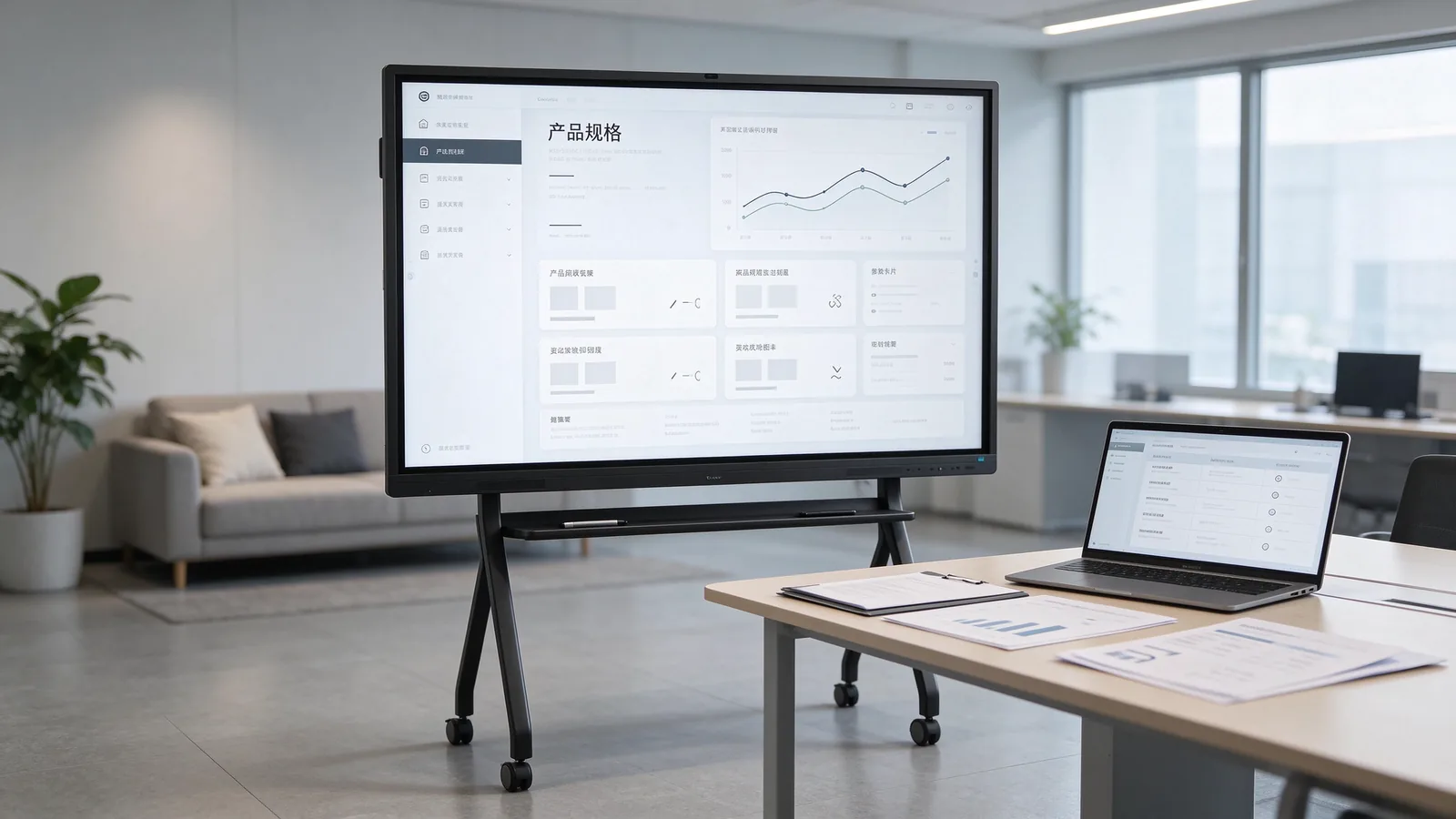
11. Why Consider QTENBOARD for Kazakhstan Education Projects?
QTENBOARD is an interactive flat panel manufacturer offering product configurations for education, business and institutional display projects. Its interactive whiteboard range covers screen sizes from 55 to 110 inches, with Android system options, optional Windows OPS configurations and different touch and memory specifications.
For Kazakhstan distributors, education suppliers and system integrators, the product range can be evaluated for different classroom layouts and project requirements. QTENBOARD also provides OEM, ODM, CKD and SKD cooperation options for partners that need branded products, customized configurations or local assembly arrangements.
Project cooperation options
- Standard product supply: Select from available interactive flat panel sizes and configurations.
- OEM customization: Customize branding elements, logo, interface, system language, wallpaper, startup screen and packaging according to project requirements.
- ODM development: Discuss product and configuration adjustments for specific education market requirements.
- CKD/SKD cooperation: Evaluate component supply and local assembly arrangements for qualified partners.
- Technical support: Request product documentation, configuration guidance and technical assistance for project planning.
For projects in Kazakhstan, the final product configuration, delivery arrangement, applicable documentation, local service responsibilities and language requirements should be confirmed before the purchase order is issued.
12. Frequently Asked Questions About Interactive Flat Panels for Kazakhstan Schools
What screen size is suitable for a standard classroom in Kazakhstan?
65-inch, 75-inch and 86-inch interactive flat panels are useful starting points for evaluating standard classroom projects. The appropriate size depends on classroom dimensions, student viewing distance, installation space and teaching requirements. A site survey is recommended before final selection.
Does QTENBOARD provide interactive flat panels for Kazakhstan education projects?
QTENBOARD offers interactive flat panels in multiple sizes and hardware configurations for education projects. Buyers and local partners can request a project-specific quotation, model datasheet and configuration details for their Kazakhstan requirements.
Can an interactive flat panel support both Android and Windows?
QTENBOARD provides Android configurations and optional Windows OPS solutions. The exact combination depends on the selected model and project configuration. Buyers should confirm OPS compatibility, processor, memory, storage and Windows licensing details before ordering.
Are Kazakh and Russian language interfaces available?
Language requirements should be confirmed for the selected system and software configuration. Buyers should specify whether they need a Kazakh or Russian system interface, user manual, teaching application or AI function, and obtain confirmation before placing an order.
What documents should be checked when purchasing interactive flat panels in Kazakhstan?
The project team should review the model-specific technical datasheet, user documentation, warranty terms and conformity documents applicable to the product and its market placement. Public procurement documentation should also follow the relevant Kazakhstan language and technical specification requirements.
Can QTENBOARD provide OEM or ODM interactive flat panels for Kazakhstan distributors?
QTENBOARD provides OEM and ODM cooperation options, including branding and selected software or configuration customization. The scope, minimum order quantity, development requirements and lead time should be confirmed according to the project.
Can interactive flat panels be supplied as CKD or SKD kits for local assembly?
QTENBOARD offers CKD and SKD cooperation options for qualified partners. Local assembly projects should evaluate component scope, assembly capability, quality control, technical training, logistics and applicable local requirements before implementation.
What should schools consider when deploying interactive flat panels across multiple locations?
Multi-site projects should plan consistent hardware configurations, installation procedures, teacher training, spare parts, warranty coordination and remote device management. Network conditions and local support arrangements should be reviewed for each school.
13. Request an Interactive Flat Panel Specification for Your Kazakhstan Project
Choosing an interactive flat panel for a school project in Kazakhstan requires a clear understanding of classroom size, teaching applications, system requirements, connectivity, documentation and local service arrangements. A model-specific specification helps schools, distributors and system integrators compare proposals and prepare a more accurate equipment plan.
Discuss Your Kazakhstan Education Project with QTENBOARD
Whether you are equipping individual classrooms, supplying interactive whiteboards to a school network or preparing a larger education project, QTENBOARD can help you review screen sizes, Android and Windows OPS configurations, OEM/ODM options and CKD/SKD cooperation.
Share your required quantity, preferred screen sizes, software requirements and delivery expectations to request a suitable product configuration and technical datasheet.
Электронная пошта: Info@qtenboard.com
Product Reference: QTENBOARD Interactive Whiteboard for Education
