Interactive Display for Business: Meeting Room Buying Guide

2026-11-20

B2B SOURCING GUIDE55–110 INCHGOOGLE EDLA

Choose an Interactive Display for Business by the Room, Not by the Inch

Most meeting room display projects do not fail in year three. They fail in the first week, when the tender asks for 4K and the room actually needs a 75 inch panel that eight people can write on at the same time. This guide is written for the people who sign the purchase order: IT managers standardising a fleet, facilities teams refitting a floor, AV integrators bidding a tender, and procurement officers holding three quotes that do not describe the same product.

It runs the same six steps Qtenboard applies to multi-room rollouts: size the room, lock eight specs, compare configurations, shortlist a model, plan the fleet, vet the supplier. Every threshold below is written as a pass or fail item you can paste straight into a tender document.

  • 55-110 дзюйм
  • 20–50 point touch
  • Android 14 + EDLA
  • OPS Windows slot
  • DMS fleet control

The calculator is free and needs no login. Enter room size and headcount, and it returns one size from 55 to 110 inch with the viewing distance that goes with it.

interactive display for business in a modern boardroom during a hybrid meeting
A standard 10 to 20 seat boardroom running an 86 inch interactive display: content, annotation and remote participants on one surface.
33,000㎡Three production bases, around 1,000 staff
100+Countries served on OEM and ODM programmes
9Devices casting at once, four-way split screen
50Simultaneous touch points on boardroom models

01WHERE PROJECTS STALL

Four reasons a meeting room display project stalls after the pilot

A pilot room proves the product works. It does not prove the specification, the deployment or the support model works. These four failure modes account for most of the re-tenders we see.

А

Casting works for the presenter, not for the room

Wireless sharing is the most used and least specified feature. A room with three casting methods and no guest network rule turns every meeting into a five minute ritual of dongles and passwords. Specify AirPlay, Miracast and Chromecast on the panel itself, nine simultaneous sources, four-way split, and a guest SSID that keeps visitor devices off the corporate VLAN.

Б

Touch serialises the meeting

Ten-point panels sell well and fail in workshops. When three people mark a roadmap and only one input registers, the room waits its turn. Specify 20 points minimum, 40 to 50 for boardrooms and training rooms, writing latency under 20 milliseconds, palm rejection, and 4 mm tempered glass rated for daily use.

С.

The screen IT cannot see

An unmanaged panel is a computer on the wall with no owner. Without remote power control, over-the-air firmware, app whitelisting and fault alerts, every issue becomes a site visit and every site visit becomes a cost line nobody budgeted. Require the management platform before you approve the model, not after the rollout.

D

The pilot never becomes a standard

If the pilot room is not converted into a written specification, a spare ratio, an installation checklist and a two-page user card, room two gets a different panel at a different price. The second order is where budgets break and where facility teams lose control of the estate.

02STEP ONE

Size the interactive meeting room screen to the farthest seat

Screen size is a legibility decision, not a wall decision. The workable rule is that the screen diagonal runs roughly one third to one half of the distance from the panel to the back row, with the top edge of the image sitting about 1.1 to 1.2 metres above the floor so standing annotation stays comfortable.

Typical sizing ranges for corporate rooms. Areas are approximate and assume a 16:9 panel mounted at standing height.
ПамераТып пакояSeatsПлотOptimal viewingMax legibleChoose it when
55 дзюймКамера для невялікай групы2–612–18 ㎡1.5–3.5 m5.5 mCasting and quick reviews, no wall writing
65 дзюймМалая канферэнц-зала4–818–25 ㎡2.0–4.5 m6.5 mPresentations with short annotation breaks
75 дзюймСтандартны пакоя8–1225–35 ㎡2.5–5.5 m7.5 mWeekly management reviews, client demos
86 дюймНабора10–2035–50 ㎡3.0–6.5 m8.6 mHybrid executive meetings, dense financial content
98 дзюймLarge boardroom, engineering review20–3550–70 ㎡3.5–7.5 m9.8 mDrawings, dashboards and multi-window work
105–110 inchTraining room, auditorium35–50+70–100 ㎡4.0–8.0 m10.5 m+Large group visibility, or two screens in one hall

Run the numbers before you write the bill of quantities

The Qtenboard калькулятар памеру інтэрактыўнай плоскай панэлі takes room width, depth, venue type and expected headcount, cross-checks area against capacity standards, and returns one size from 55 to 110 inch with both recommended and maximum legible viewing distance. Where area and headcount disagree, it tells you to follow the larger figure so the back row can still read a 12 point spreadsheet. No login, no email gate.

Calculate my panel size
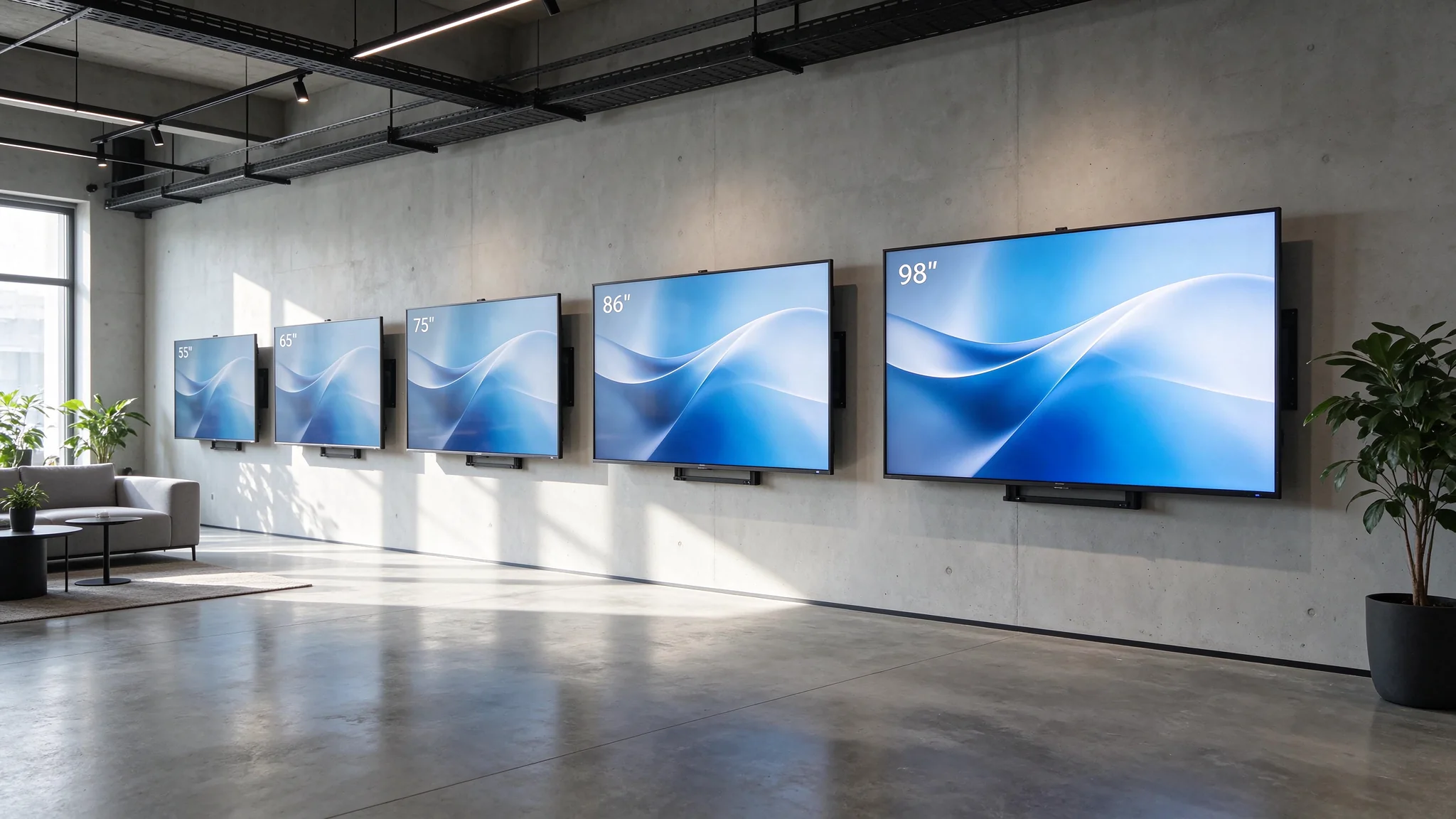
interactive displays for meeting rooms compared across 55 to 98 inch sizes
Fifty-five to ninety-eight inches on one wall. The difference buyers notice first is not the diagonal, it is how much content survives at the back of the room.

Two practical notes before you finalise the size. First, 4K only pays off when the source is 4K: a 65 inch panel showing 1080p slides looks the same as a 1080p panel, and the extra money is better spent on touch points or a better camera. Second, above 86 inch the constraint moves from the panel to the room: door widths, lift dimensions, corridor turns and the wall bracket. Confirm the crate size and the delivery route before the order, not after.

03STEP TWO

Eight specs that decide whether the room works

Most tender documents list size, resolution and price. Those three decide almost nothing. The table below is the short list we recommend for any interactive display panel going into a corporate meeting room, written as thresholds a supplier can pass or fail.

Procurement thresholds for a 10 to 20 seat room. Adjust the touch count upward for boardrooms and training rooms.
СпекMinimum for a 10–20 seat roomFail condition to watch for
Panel and coatingA-grade industrial LCD, zero-bonding, anti-glare haze 3–7%, 400 nits at 55–75 inch, 450 at 86, 500 at 98–110Glossy bonded glass, 300 nits, window reflections that erase the slide
Resolution and signal path3840×2160 at 60 Hz, HDMI 2.0 with HDCP 2.2, USB-C video input, full 4K end to end4K panel fed by a 1080p internal path or a capped HDMI port
Дапак20 point minimum, 40–50 for boardrooms, under 20 ms writing latency, palm rejection, 4 mm tempered glass10 point panels, 50 ms lag, dropped strokes during fast writing
ComputeAndroid 14, RK3588 or 9679 class chip, 8 GB + 128 GB minimum, 16 GB + 512 GB for CAD, OPS slot4 GB + 32 GB, no OPS slot, no upgrade path
Google EDLACertificate and certificate number on file, Play Store access, published support period“Android based” with no certification document
Канферэнц-сувязьNative Zoom and Teams app on device, one-touch join, 8 MP camera or better, 6 to 12 mic array, 8 m pickupHDMI only, laptop required to join, camera sold separately
АдліўкаAirPlay, Miracast and Chromecast native, 9 devices, four-way split, under 0.1 s latency, guest network isolationDongle-only sharing, four device limit, guest devices on the corporate VLAN
Management and securityDMS with remote power, OTA firmware, app whitelist, fault alerts, permission tiers, operation logsNo fleet tool, USB ports always open, no session clearing

Panel, glass and the daylight problem

A zero-bonded panel removes the air gap between LCD and glass, which is what kills contrast in a bright room. Ask for the haze figure rather than the word anti-glare: 3 to 7 percent is the usable band for offices with windows, and anything above 10 percent starts to soften fine text. Brightness should follow size, because the same number of nits spread over 110 inch reads dimmer than on a 65 inch panel. Qtenboard publishes 400 nits for 55 to 75 inch, 450 for 86, and 500 for 98 to 110 for exactly this reason.

Touch, writing and the pen question

Infrared touch remains the pragmatic choice for meeting rooms: it tolerates gloves and styluses, survives scratches, and scales to 50 points without a cost jump. Capacitive gives a phone-like feel and a thinner bezel, but it is less forgiving of a room where people lean on the glass. Whatever the technology, test with three people writing at once and one palm resting on the surface. That single test exposes more panels than any datasheet line.

Compute, Android and the Windows question

Android 14 with 8 GB of memory runs the meeting apps, the whiteboard and a browser without swapping. The Windows question is separate: an OPS module turns the panel into a workstation for CAD, heavy Excel models or legacy software that has no web version. Buy the OPS slot even if you do not fill it on day one, because the room will ask for it in year two. A dual-system panel switches between the two without re-cabling the table.

Camera, microphone and the platform question

“Compatible with Zoom and Teams” and “certified room endpoint” are different commitments. The first means the app installs. The second means the panel appears as a room device, joins from the calendar, and returns touch input into the live session. For a boardroom, ask which of the two the supplier is claiming in writing. On audio, 8 metres of pickup and roughly 90 percent noise reduction is the working target for a 20 seat table; below that, the far end hears the room instead of the speaker.

Casting, guests and the network team

Casting fails at the network layer far more often than at the panel. Put the requirement in the IT checklist: a guest SSID for visitor devices, mDNS pass-through or a reflector, 5 GHz coverage at the table, and a documented fallback to HDMI or USB-C at the table. A panel that supports nine sources still feels broken if the guest network blocks discovery, and that is a configuration problem, not a hardware one.

Management, audit and the question nobody asks

The question that decides renewals is simple: when an employee leaves, what remains on the panel? Specify session clearing, USB storage control, app whitelisting and an operation log that can be exported. Then specify who can push firmware and when, because an unmanaged over-the-air policy is how a fleet of screens goes dark on a Monday.

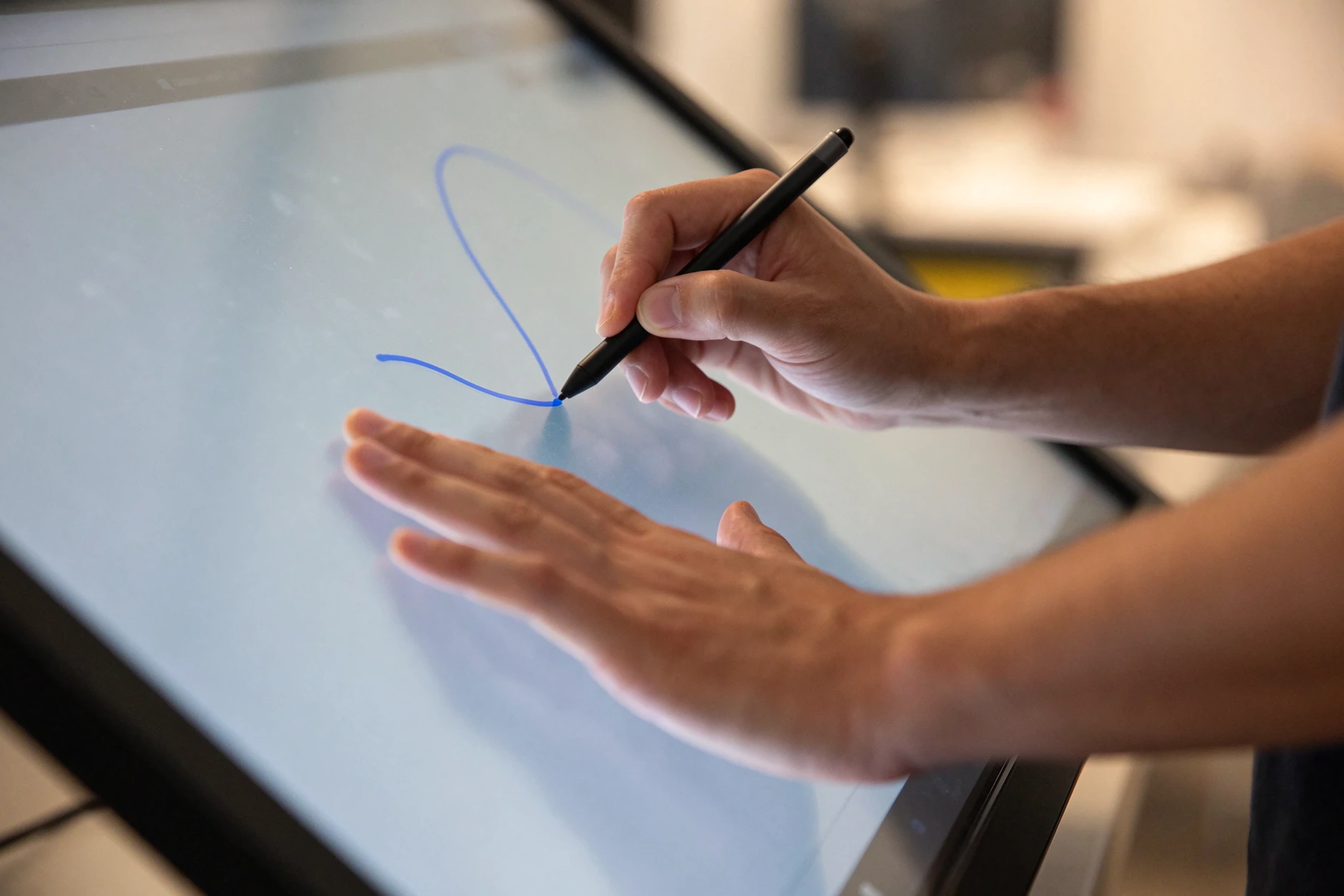
interactive display panel multi touch writing and palm rejection close up
Palm rejection and pen input on the same glass. This is the test to run in the pilot, not the feature list to read in the brochure.

04STEP THREE

Compare five room configurations before you compare brands

Three quotes for “an interactive display comparison” often describe three different architectures, which is why the prices do not line up. Fix the configuration first, then let suppliers compete on the same brief.

Cost index is relative to an all-in-one Android panel in the same size. Install effort assumes a finished room with power and network in place.
НастаўленнеНайлепшае адпавяданнеCost indexInstall effortMain risk
All-in-one Android interactive flat panelStandard meeting rooms running cloud apps and whiteboard work1.00Half a dayNeeds EDLA for Play Store, or the app set is fixed at delivery
Panel with OPS Windows moduleEngineering review, financial modelling, legacy Windows tools1.20–1.35One dayWindows licence, patching and antivirus become your problem
Commercial display plus touch overlay plus mini PCTight capex, single large room, content-heavy use0.85One to two daysThree vendors, three warranties, no palm rejection, no single management view
Projector plus whiteboardOccasional use, low ceiling budget, dark rooms0.50One dayLamp or laser hours, shadows on the board, nothing to capture or share
LED wall or LCD video wallCommand centres, showrooms, lobbies, very large halls3.00–5.00Three days or moreBezel or seam visibility, service access, content must be designed for the wall

Two combinations deserve a separate mention because they solve specific room problems rather than price problems. A dual-screen setup, one panel for people and one for content, is the standard answer for a boardroom where a video call and a spreadsheet have to stay visible at the same time; it also halves the size problem, because a 75 inch pair reads better at 6 metres than a single 110 inch panel. A panel plus a video bar is the answer when the room already has good audio and only needs the display and the camera path replaced.

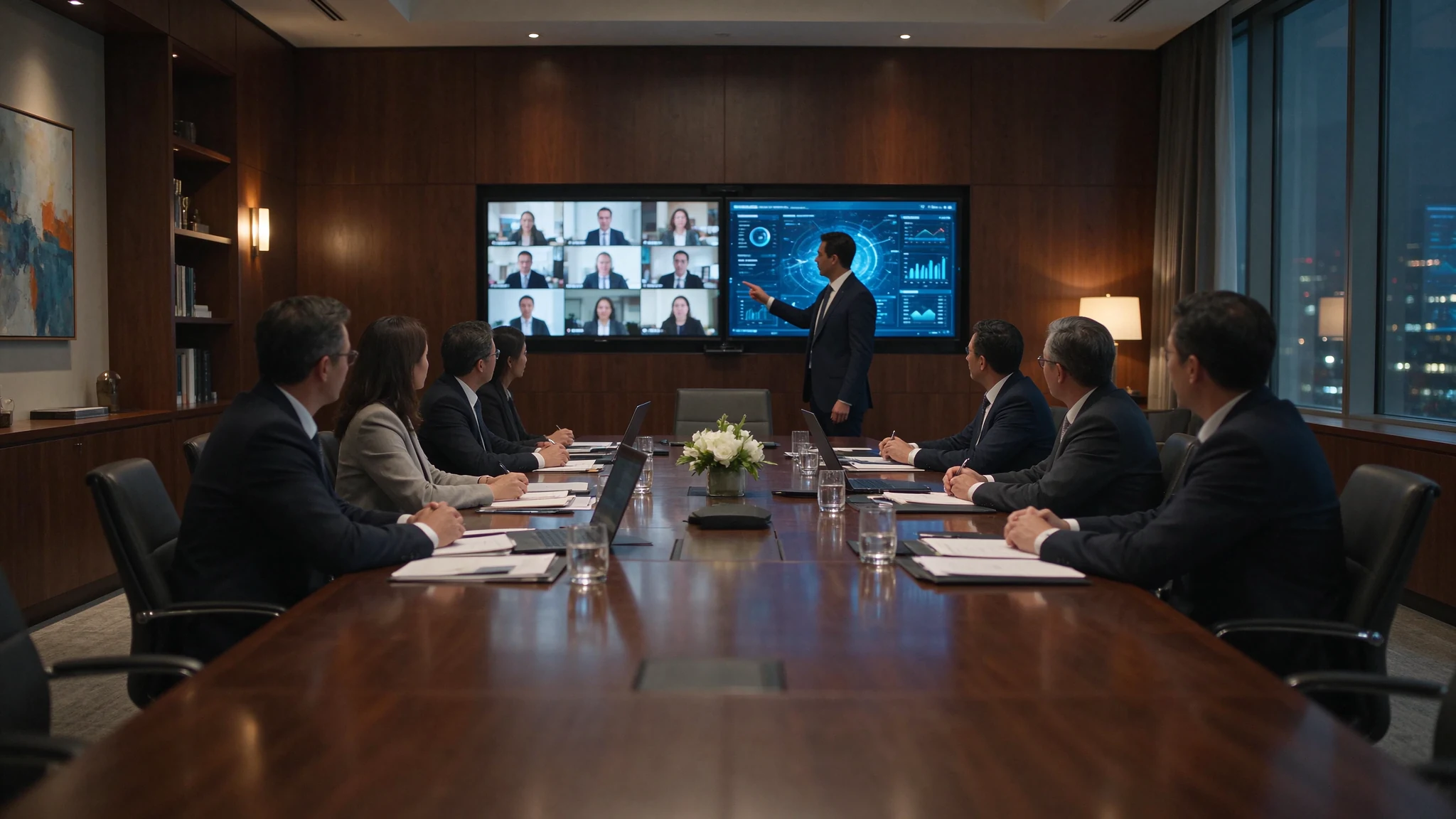
interactive meeting room screen dual display setup in an executive boardroom
A dual interactive meeting room screen layout: participants on one surface, working content on the other, no compromise between presence and detail.

05STEP FOUR

Put a model on the table: the Qtenboard Pro and Max lines

A shortlist is only useful if each line maps to a room type. Qtenboard splits its meeting range in two, which makes the first pass of a tender easier to write and easier to defend.

PRO LINE

55, 65 and 75 inch for huddle rooms and standard meeting rooms

Built on the 9679 platform with Android 14, 8 GB plus 128 GB memory, and an i3 or i5 OPS option for Windows work. Nine devices can cast at once with latency under 0.1 seconds, which covers the room where three people arrive with laptops and two more join from phones. Suited to 10 to 20 people, weekly reviews, client demos and the first fifty rooms of a rollout.

See the conference room setup guide

MAX LINE

86, 98, 105 and 110 inch for boardrooms and training rooms

Built on the 3576 platform with 8K video decoding, a 12 MP camera and an array microphone rated to 8 metres with around 90 percent noise reduction. Three-screen independent display keeps minutes, data and the video call visible at the same time, which is what a 30 to 50 person room actually needs. Touch points scale to 50 for parallel annotation across a long table.

See the boardroom display guide
Indicative configuration map. Confirm final specification, MOQ and lead time against your project.
ЭлементаPro lineMax line
Памеры55 / 65 / 75 inch86 / 98 / 105 / 110 inch
СістэмаAndroid 14, Windows 10/11 via OPSAndroid 14, Windows 10/11 via OPS, dual system
Chip and memory9679, 4+32 / 8+128 / 16+5123576, 8+128 / 16+512, 8K decode
Brightness by size400 ніт450 nits at 86, 500 nits at 98–110
Дапак20–40 point infrared, palm rejection40–50 point infrared, palm rejection
Камара і аўдыаOptional 8 MP camera, 6 mic array12 MP camera, 8 m pickup, 90 percent noise reduction
Адліўка9 devices, four-way split, under 0.1 s9 devices, four-way split, three-screen output
КіраваннеQtenboard DMSNameQtenboard DMSName
СертыфікатCE, FCC, RoHS, ISO, Google EDLA on certified modelsCE, FCC, RoHS, ISO, Google EDLA on certified models

Behind the two lines sits a factory model that matters when a project runs past twenty rooms. Three production bases covering about 33,000 square metres, roughly 1,000 staff, and programmes exported to more than 100 countries. That means OEM and ODM work is standard rather than exceptional: your logo, boot animation, preloaded app set, packaging and manual, plus CKD and SKD options for partners who assemble locally to manage duty. Review the panel specification range before you set the tender line items, and check how the Android core handles Zoom and Teams if your rooms run those platforms.

interactive display panel installed in a corporate training room for thirty people
A 110 inch panel in a 30 person training room. Above 86 inch, legibility at the back row stops being a nice-to-have and becomes the specification.

06STEP FIVE

Deploy once, then manage the fleet from one dashboard

Rollout cost sits in the second, third and hundredth room, not the first. A repeatable sequence keeps the per-room price flat and keeps the estate visible to IT.

  1. 1

    Survey every room, not just the pilot

    Record wall construction, power and network positions, ceiling height, door and lift dimensions, and the farthest seat. Two hours of survey per room removes most of the change orders.

  2. 2

    Run a two-room pilot for ten days

    One typical room and one difficult room. Test casting with real visitor devices, annotation with three people at once, and a full day of standby heat.

  3. 3

    Freeze the specification and the mount

    Wall bracket, cable route, network port and mounting height go into one drawing that every installer follows. Standardise the VESA pattern to keep future replacements simple.

  4. 4

    Asset-tag on installation day

    Serial number, room number and MAC address into the DMS at the moment of install. Rebuilding that list later costs more than the tagging ever will.

  5. 5

    Train with one page and one video

    A single card at the table covering cast, join, annotate and leave, plus a 90 second video. Appoint one super-user per floor rather than running repeat sessions.

  6. 6

    Review at 30 and 90 days

    Cast failure rate, ticket volume per room, firmware compliance and utilisation. Those four numbers decide whether the next tranche repeats the same configuration.

What a device management platform should cover, and the question to ask each supplier.
DMS functionWhat it replacesQuestion for the supplier
Remote power and schedulingNightly site visits and manual shutdownCan power state be scheduled per room group?
Over-the-air firmwareUSB sticks and ad hoc update daysIs rollback possible and who approves the push?
App whitelist and kiosk modeLocked-down images built by handCan a room run only the apps we approve?
Fault alerts and logsWaiting for a user to report a black screenHow fast is the alert, and can logs be exported for audit?
Permission tiersShared admin passwordsCan facilities reset a room without full admin rights?
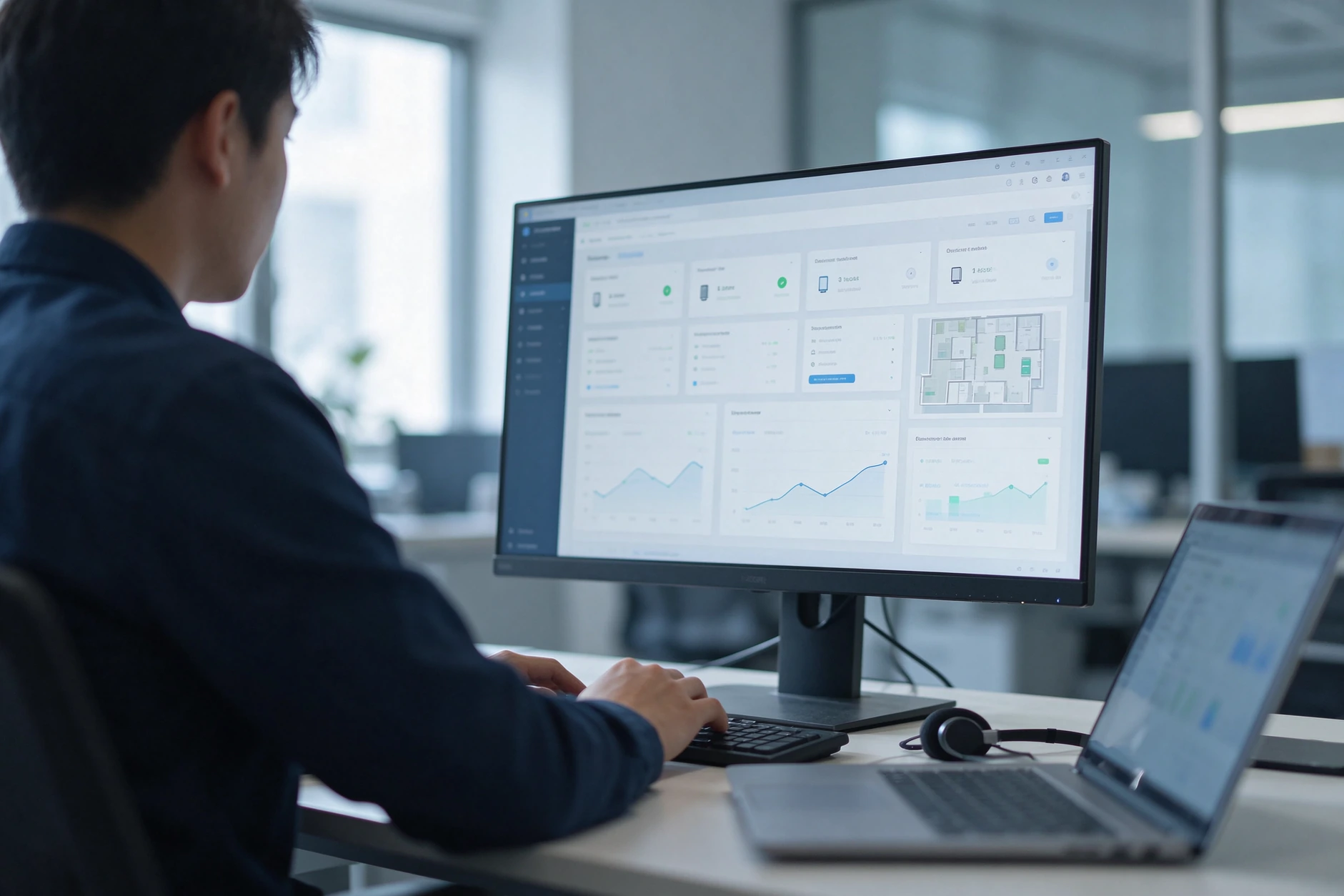
meeting room smart board fleet managed from a dms dashboard by an it admin
One dashboard for the estate: room status, firmware version, alerts and logs. This is the difference between a product and an asset.

07STEP SIX

Vet the supplier, then write the tender

Suppliers answer the questions you ask. These twelve are the ones that separate a trading company with a datasheet from a manufacturer that can hold a multi-room schedule.

  1. Which panel grade and which bonding process, and can we see the incoming inspection record?
  2. Is the Android build Google EDLA certified? Give the certificate number and the support end date.
  3. Which chipset, memory and storage, and can the configuration be changed per tranche?
  4. Is the OPS slot compliant with the standard, and which Windows versions are validated?
  5. How many touch points at our size, and what is the measured writing latency?
  6. Which casting protocols are native, how many simultaneous sources, and what latency?
  7. Which conferencing platforms run on device, and is the claim certified or compatible?
  8. What does the DMS do, and is there an API or SDK for our integrator?
  9. What are the DOA window, RMA turnaround, on-site swap terms and spare-part availability period?
  10. Which certifications cover our market, and can the test reports be shared with procurement?
  11. What is the MOQ, the lead time for 10, 50 and 100 units, and the packaging spec above 98 inch?
  12. What can be customised: logo, boot animation, preloaded apps, packaging, CKD or SKD?

Run a ten-day proof of concept with pass or fail criteria

Opinions do not survive a week of real meetings. Score each test, keep the log, and put the results in the award file.

  • Cast from Windows, macOS, iOS and Android: 20 attempts, 19 or more successful
  • Three people annotating at once with one palm on the glass: no dropped strokes
  • Join a Teams or Zoom meeting from the panel: under 30 seconds to in-room
  • Continuous operation for eight hours: no thermal throttle, no app crash
  • Remote OTA push to two rooms: completed and verified from the dashboard
  • Power cycle and resume: returns to the correct room profile
  • Network isolation test: guest casting blocked from the corporate VLAN

Put four clauses in the contract and the rest of the risk largely disappears. A defined DOA window with replacement rather than repair. A spare ratio of five to ten percent held locally for estates above twenty rooms. A firmware support statement with an end date, so the fleet is not orphaned in year four. And an acceptance test that references the ten-day criteria, so a room that fails the cast test is not signed off because the invoice arrived. The supplier checklist covers the commercial side of the same questions.

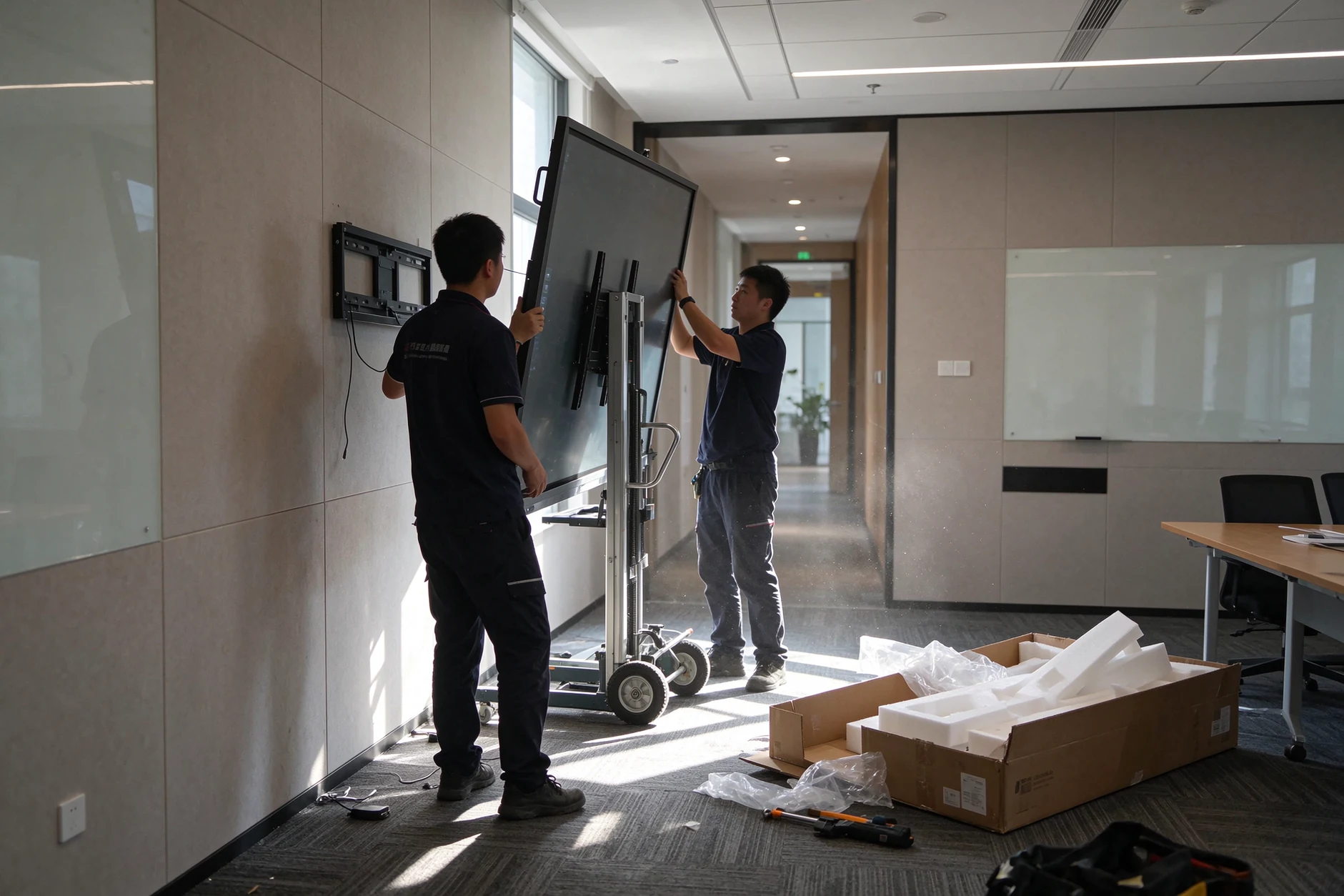
interactive display comparison of wall mount installation in a meeting room
Installation is part of the product. Bracket, cable route and mounting height belong in the specification, not in the installer's discretion.

08FIELD RECORDS

Three deployments, three different constraints

Anonymised project records from Qtenboard rollouts. The numbers are what changed in the room, not what the brochure promised.

100rooms

Global technology group, standardised estate

A 100 room deployment built on 86 inch Max panels, one configuration, one dashboard. The constraint was not hardware but logistics: install windows of four hours per room and a single spare pool. The outcome was a repeatable per-room cost and a firmware baseline that IT could prove across every site.

25min saved

Product team, Singapore with remote stakeholders

Six people in the room, eight on Teams from London and San Francisco. The old panel registered one input at a time, so backlog refinement ran 25 minutes over. With 50 point touch and 4K sharing, three people annotated the roadmap at once and the session finished inside its hour.

1tender won

Regional integrator, OEM programme

An integrator bidding a government meeting room framework needed a local brand, local packaging and a compliance file. CKD supply, custom boot animation and CE, FCC and RoHS reports in one package moved the bid from non-compliant to shortlisted without a redesign.

09RISK LIST

Six things buyers regret, in the order they regret them

01

Buying a commercial display and calling it an interactive panel. Touch, palm rejection, whiteboard and management are missing, and the room knows within a week.

02

Choosing 10 point touch to save a small amount per unit. The saving is forgotten; the meeting that waits for the pen is not.

03

Skipping EDLA to keep the unit price down, then discovering the app the company standardised on is not installable.

04

Leaving the guest network out of the scope. The panel is blamed for a discovery problem the firewall caused.

05

No DMS in the first tranche, on the assumption it can be added later. It can, but the estate has to be rebuilt to adopt it.

06

Ordering 98 inch and above without checking the lift, the door and the crate. The panel arrives; the room does not accept it.

10FAQ

Questions procurement teams send us before the first call

How do I choose the right size interactive display for a meeting room?

Start from the farthest seat, not the wall. The screen diagonal should be roughly one third to one half of the distance to the back row, with the top edge about 1.1 to 1.2 metres above the floor. In practice: 55 to 65 inch for four to eight people, 75 inch for eight to twelve, 86 inch for a boardroom of ten to twenty, and 98 to 110 inch for training rooms and large boardrooms. Use the Qtenboard size calculator to cross-check area against headcount.

Is an interactive display the same as a meeting room smart board?

In buying terms, yes: both describe an interactive flat panel with touch, whiteboard software, casting and usually a built-in Android system. The difference is specification, not category. A meeting room smart board should add multi-point touch, palm rejection, a management platform and a conferencing path; a display sold as a smart board without those is a screen with a whiteboard app.

Do I need Google EDLA certification on an Android interactive display?

If your rooms depend on apps from Google Play, yes. EDLA certification is what makes Play Store access and the associated Google services legitimate on the device, and it comes with a certificate number your procurement team can verify. Without it, you are limited to the app set supplied at delivery or side-loaded packages, which is a security and support problem rather than a convenience one.

Can an interactive display run Zoom Rooms or Teams Rooms without a PC?

It can run the Zoom and Teams apps natively on Android and join a meeting from the panel, which removes the laptop from the table. Whether it registers as a certified room endpoint in your tenant is a separate question, and the answer must come in writing. Ask the supplier to state “certified” or “compatible” for each platform, then test one-touch join from the room calendar during the pilot.

Infrared or capacitive touch for a business meeting room?

Infrared is the safer default for shared rooms: it handles styluses and gloves, tolerates scratches, and reaches 40 to 50 points without a large cost step. Capacitive feels closer to a phone and allows a thinner bezel, but it is less forgiving when people lean on the glass. Test both with three simultaneous writers and a resting palm before deciding.

What should a contract include for a 50 room rollout?

Four items carry most of the risk: a defined dead-on-arrival window with replacement rather than repair, a local spare pool of five to ten percent, a firmware support end date, and an acceptance test tied to measurable criteria such as cast success rate and join time. Add the packaging specification for 98 inch and above, because transport damage is the most common claim in large-format orders.

How long does an OEM or ODM order take, and what is the MOQ?

MOQ and lead time depend on size, configuration and how much of the product changes. Logo, boot animation, preloaded apps and packaging are routine and fast; structural ODM, a new mainboard configuration or a custom camera module adds engineering time. Share the target size mix, the platform claim you need and the market certifications, and the supplier can quote a schedule instead of a range.

Bring the room list. We will bring the specification.

Send room count, room sizes, seat counts and the platforms your teams use. You get a size recommendation per room, a configuration per room type, the certification file for your market, and a schedule for the first tranche.

СЕFCCРоХСISONameДОРОOEM / ODM

What to include in the enquiry

  • Number of rooms and the size of each
  • Seats per room and the farthest viewing distance
  • Platforms in use: Teams, Zoom, Meet, or local
  • Windows needs: CAD, Excel models, legacy tools
  • Target market and required certifications
  • Branding, packaging and CKD or SKD preference

Projects from ten rooms upward are quoted with a per-room configuration sheet, not a single unit price.


Qtenboard Queenie Wang

Квінзі Ванг

Эксперт вылучэнне

Я загалоўка Qtenboard, і прынесуць над 17 год у тэкставацыі у індустрія. Настаўленні ў глобальная перспектива трэбаў, зрабіць мойны дакументы EMBA у універсальне Шенсэн, Я прыкладаю мой каманду у оптимізацыі кожны етаў нашых аперацыі ад вызначэння продукту да высокі карыстальнікам трэба трэбаўляе Можнаўленне магчымасць прастацца на період у індустрія.

Як лідар Qtenboard, я спеціалізуюся у вызначаных вышваваных OEM/ODM для інтэрактыўных белых палатаў, Відэкі сініны LCD, цифравальныя сітак і тэрміналы дапаўненне ў індустріцы. Запапаўваны наші 330,000 м² сучасны індустріальны парк у Шензін, мы захоўваем кантроль над індустріальныя дизайны, дакладнаваць прыкладання, і строгучнае тэст.

З амаль два дзесяцаў прылад праекту, цяпер выключаныя рашэннем Qtenboard у больш у 120 і рэгіонах, заробілі довіры больш 15 000 кліентаў у світі. Калі вы шукаеце адказную партнер з глибокіма выкананням праекты, Мы і я гатовыя падтрымліваць вашу погляд з професіональным выгляду.