
 aze
aze
 EN
EN  pt
pt  spa
spa  th
th  vie
vie  bel
bel  est
est  lav
lav  ukr
ukr  ru
ru 2026 - cü ildə sərbəst otağın üçün ağıllı təzahürat seçin
Məclis zalı üçün ekran seçimi, qonaq otağı üçün böyük televizor seçmək kimi deyil. Korporat mühitdə, otaqın istifadəsi üçün ağıllı tərzdə qərarın infrastruktuurdır. Şəxsiyyətlər necə təmizliklə əməkdaşlıq edirlər, və IT teams onu dəstəkləmək üçün nə qədər vaxt sərf edir. Yaxşı seçin və görüşlər daha az fasilə ilə daha sürətli keçir. Layihəni seçin və arxa sətirdən heç bir şey olmayan ekranla sona çata bilərsiniz. Ofisində laptops yarısı ilə müvəffəqiyyət, həftələr çəkən quruluş sistemi, yaxud bir çox otaqların üstündə idarə etmək çətin bir alətlər.
Bu məsləhətlər, IT idarəçiləri, AV integratorlar üçün yazılmışdır. və ofis tədqiqatçıları konferensi otağına planlaşdıranlar. O, səkkiz praktikal ölçüsü - böyüklüyü və uzaqlıq, rəftar və toxunma əməl, wizsız casts, Video konferensiya hazırlıq, operat sistem və təhlükəsizlik, mükəmməl bahasına, verdiyi qabiliyyəti, və sonra satış dəstəkləmək və hər birini əsl görüş otaqları ilə necə uyğunlaşdırmağı izah edir. Nəticədə, təəccüblü təfərrüatları deyil, əhval - ruhiyyələrin siyahısını nəzərdən keçirə bilərsiniz.
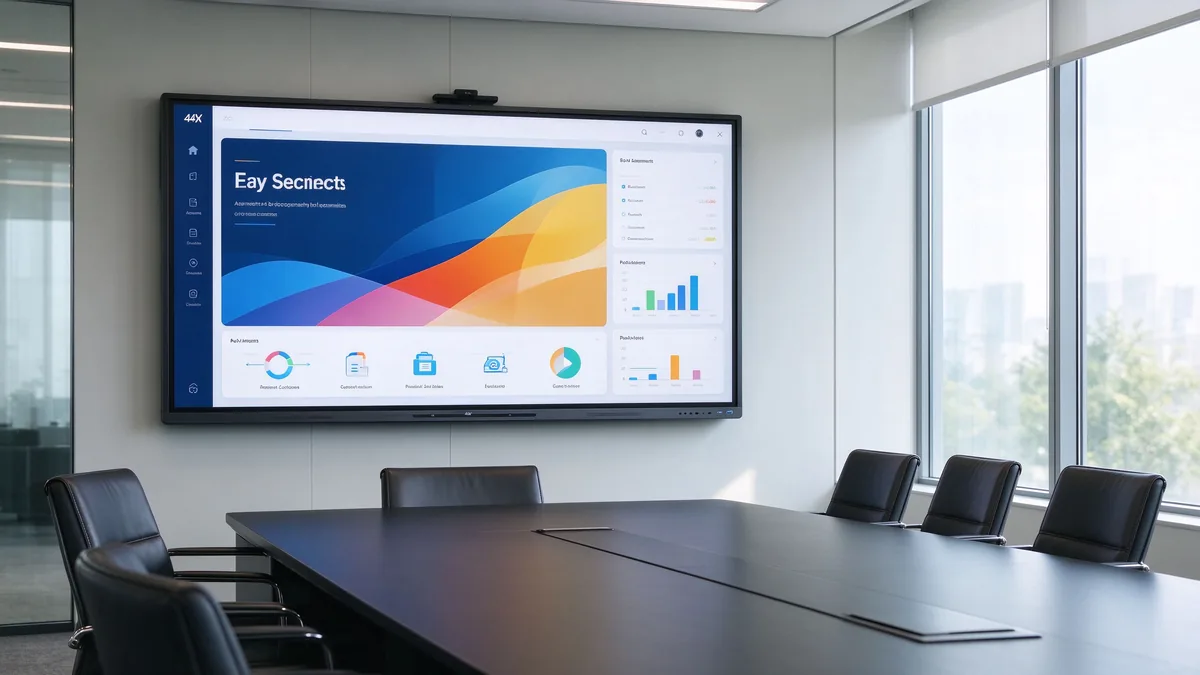
Tez cavab: Şirkət iclas zalında hansı ağıllı displeyi istifadə etməlidir?
Əgər siz sürətlə məsləhət lazımdırsa, bu, başlanğıcda məsləhətdir. Bu, qısa divarında saxlamaq görüş otaqları üçün normal təqdirlərdir; ən uzun görünmə məsafəsini düzəlt.
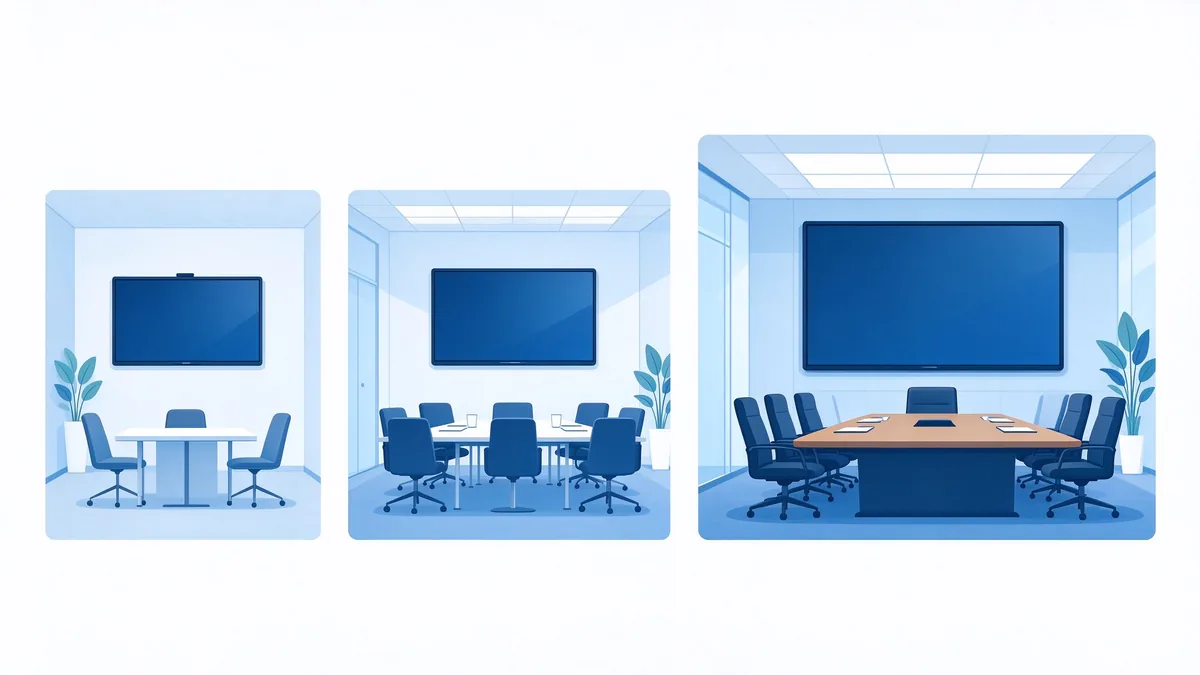
- Balaca görüş otaqlar (2-6 insan) 55-65 düym
- Orta ölçülü konfrans zalları (6-12 nəfər): 75-86 düym
- Böyük iclas zalları (12-20 nəfər): 86-98 Inçms
- Yaxud təlim otaqlar (20 insan: 98-110 düym, yaxud çox ekranlı qurğu
- Onların hamısı üçün əsas tələblər: 4K UHD, multi-touch, audio konferencing platformu ilə ünsiyyət, və Uzaq avadanlıq idarəçisi ilə təhlükəsizliki
- B2B alıcıları üçün uyğundur: Qtenboard 55-110 inç 4K interaktiv ağ bordları, əməkdaşlıqla, toq anlaması ilə təklif edir. və OEM/ODM qurğular və layihə tərcümələri üçün.
Konferensi otaq üçün mütəxəssis bord satında nəyi axtarmalı
Qiymətləri müqayisə etməzdən əvvəl, qiymətləndirmə çərçivəsi qurun. Əksər əhval - aldalar, çünki alışçılar, adətən, ekran böyüklüyü və ya bir dəyərini rədd edərkən, Əslində istifadə ediləcək. Aşağıdakı cədvəl konfrans zalı üçün ağıllı lövhənin vacib olduğu altı ölçüsünü ümumiləşdirir.
| Qiymətləndirmə ölçüsü | Satınların nəyi təsdiq etməlidir? |
|---|---|
| Ölçü və baxış məsafəsi | Ən uzaqdakı oturacaqdan kiçik mətn və məlumatları rahatlıqla oxumaq mümkündürmü? |
| Səhifə göstər | Bu orijinal 4K, parlaqlıq qarşısıdır, çox toxunuşa malikdir və aşağı gecikməyə sahibdirmi? |
| Simsiz yayımlama | Bu Windows, macOS, iOS və Android əməliyyat sistemlərində işləyir? Proqram təminatı tələb olunurmu? |
| Videokonfrans | Kamera, mikrofon və dinamiklər otağı əhatə edir? |
| Sistem və təhlükəsizlik | Android, Windows, yoxsa ikili sistem? DMS, EDLA və haqda idarə etməkdirmi? |
| Təchizatçı və xidmət | OEM/ODM, çoxlu təqdim, spare parts və satış dəstəyi yerində? |
Növbəti addımlar bu sahədə tətbiq edir: Beləliklə, ehtiyaclarınızın bir dəfə işlədərək qurğuları ilə bitirə bilərsiniz.
Addım 1: Gözləmə böyüklüyü ilə uyğunlaşdır
Ölçü alıcının gördüyü ilk qərardır, lakin yeganə deyil. Yaxşı böyüklüyü iştirak edənlərin sayı, otağın şəklində və göstərdiyiniz məzmunlardan asılıdır. Aşağıdakı cədvəl tipik bir iclas otağı üçün praktiki başlanğıc nöqtəsidir.
| İdarə heyəti növü | Tipik iştirakçılar | Bağlan |
|---|---|---|
| Kiçik iclas otağı | 2–6 | 55-65 düym |
| Orta konfrans otağı | 6–12 | 75-86 düym |
| Böyük iclas zalı | 12–20 | 86-98 Inçms |
| İcraçı / təlim otağı | 20+ | 98-110 düym və ya çoxlu ekran |
Yalnız otaq sahələri yox, uzaq baxmağı nəzərdən keçirək.
Otağın sahəsi təklikdə zəif bir göstəricidir. Daha vacib olan şey ən uzaqdakı oturacaqdan ekrana qədər olan məsafədir. Otaqda gəzərkən bu sualları verin:
- Ən uzaqdakı iştirakçı Excel, maliyyə modelləri və ya mühəndislik çertyojlarında kiçik şriftləri oxuya bilərmi?
- Ekranını müntəzəm olaraq iki və ya dörd pəncərəsinə bölüşürsənmi? Ayırma görünüşü oxumalı məzmunun böyüklüyü azaldur, bu sizi böyük bir panelə atışdır.
- Gözdərək rəngləri, yaxud divarlar, yaxud müntəzəm yerinə yetirmələri varmı?
- Hansı montaj metodu uyğundur: divara bərkidilmə, mobil arabası və ya divara quraşdırma?
Bağçanın qanunu olaraq, ən uzaq yerdə olan insan bədən böyük mətni oxumaq olmalıdır. Vəziyyət çətinliklər üçün 65 nümayəndək təmizlənmək üçün təmizəssürat yaranır. Qtenboard həmçinin təmin edir interactive flat panel size calculator you can use with your own room dimensions. Whatever number you land on, test it with your real content before ordering.
Step 2: Evaluate Display, Touch, and Writing Performance
Ölçü müəyyən edildikdən sonra növbəti sual panelin nə edə biləcəyidir. Biznes görüşlərində istifadə olunan interaktiv görünüş üçün, üç xüsusiyyət ən vacibdir: həll, təbiət işığını davranmağı və təxminən keyfiyyəti.
4K resolution for data-heavy presentations
Növbəti 4K UHD (3840 × 2160) paneli maliyyət deyib, CAD çəkişmələri göstərəndə, Dashboardlar, yaxud gözəl çap. 75-inch ekranında, 4K kiçik yazıçıları və yanlış sərtləri qoruyub saxlayır. Bundan əlavə, ekran mənbələr arasında nə qədər tez keçdiyini yoxlayın; yavaş keçmək hər görüşdə dəqiqlər yoxlayır. Əksəriyyət otaqlar üçün, 4K ağıllı konferensiya nümunədir, lazımdır.
Anti-glare and brightness for real meeting rooms
Boardrooms often have floor-to-ceiling windows and strong ambient light. A screen that looks vivid in a dark demo room can wash out when the blinds are open. Look for low-reflection glass, adequate brightness, and high contrast, and — if possible — judge the panel with the room’s normal lighting on.
Touch technology and multi-user writing
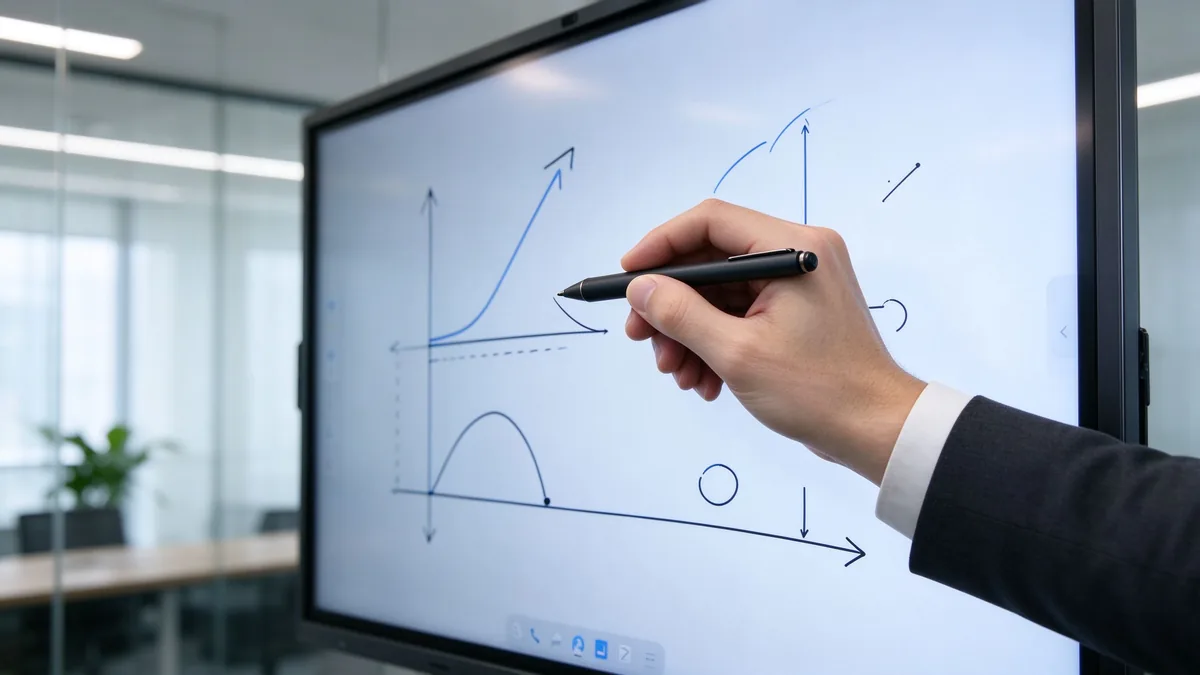
Üstəlik keyfiyyəti təqdim olunan nöqteyi - nəzərləri, cavab vermək vaxtı, yazmağı yazmağı və palma rədd etməklə müəyyən edir. Təcrübədə bunları yoxlayın: iki və ya üç nəfər eyni vaxtda yazıb şərh yaza bilərmi? Ekran barmaqları, aktiv stylusları və passiv qələmləri qəbul edir? İclasdan sonra qeydlər saxlanıla, ixrac edilə və paylaşılacaqmı? Bunları yaxşı idarə edən konfrans otağı interaktiv lövhəsi, flip-qrafikləri və səpələnmiş qeydləri əvəz edir.
Step 3: Check Wireless Casting and Collaboration Workflow
Cross-platform wireless screen sharing
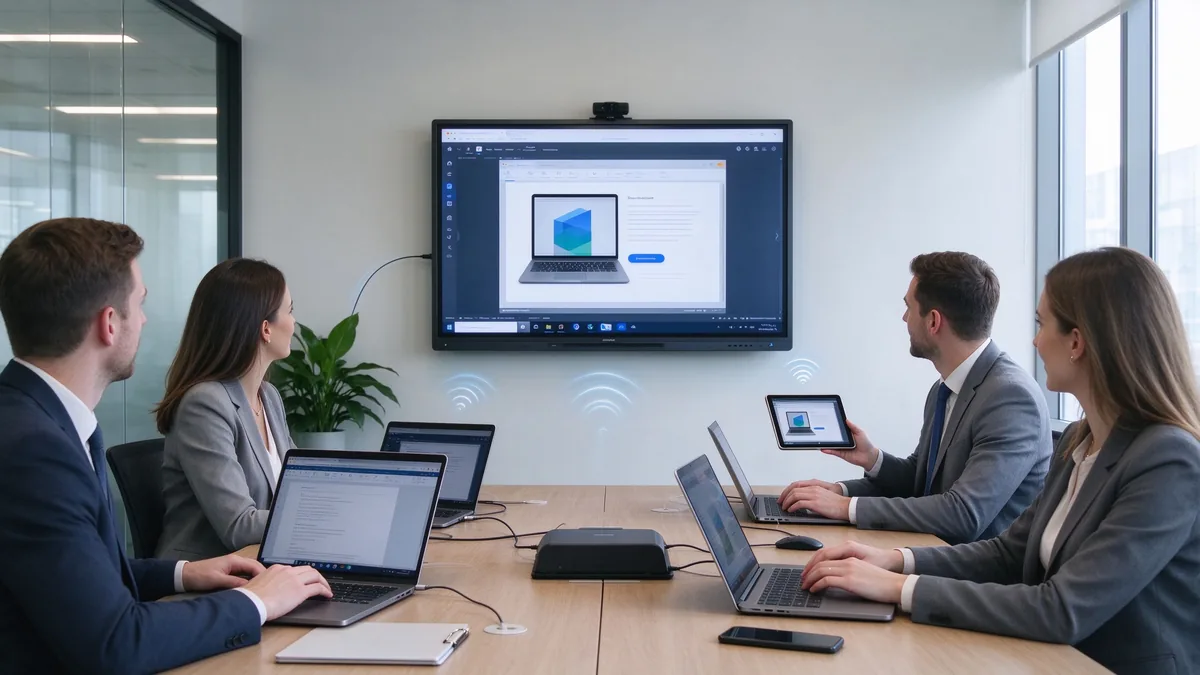
İnsanın öz üsullardan IT dəstək olmadan təqdim edə bilsə, əgər sizli təqdirdə təqdim edirsə, faydalıdır. İsadları Windows, macOS, iOS və Android mənbələrini qəbul etdiyini təsdiqləyin. bir neçə avadanlar bir dəfə (misilə, quad-split görünüş), və qonaqların tez necə qoşulduğunu. Təhlükəsizlik məsələlər də: Göstərilərin imkansız castsiyanı qışqıra biləcəyini və hər görüşdən sonra gedişatları sona və təmizləyə bilərsiniz.
Real-time collaboration for hybrid meetings
Hibrid görüşlərdə yerindəki və uzaqdan iştirak edənlər eyni lövhəyə real vaxtda qeydlər etməlidirlər. Synkronasiyası sürətləri barədə soruşun, quruluş ağac bordu üç hissəsi ilə görüş proqramla işlədirmi? və görüş məzmunu necə qoruyub saxlamaq, ixracta və bölüşdürülməsi. Sürətli və etibarlı əməkdaşlıq, displeyi proyektorun əvəzedicisindən məhsuldarlıq alətinə çevirir.
Step 4: Confirm Video Conferencing and Audio Readiness
Camera, microphone, and speaker coverage
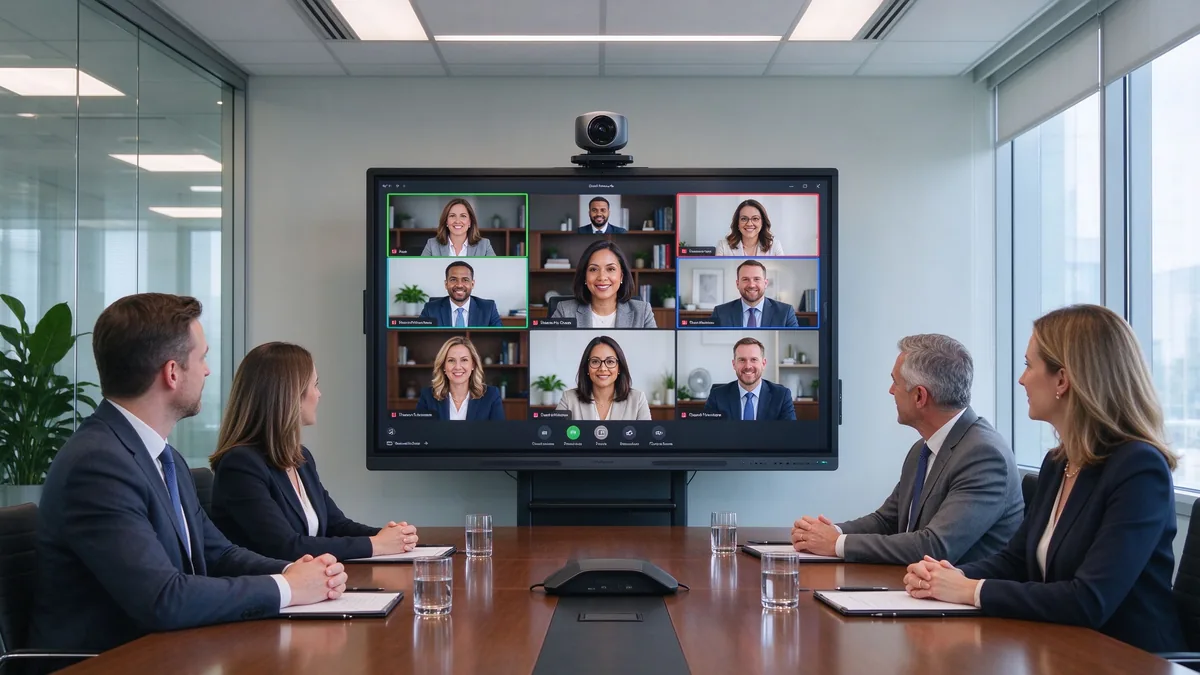
Video conferencing is now a default expectation in corporate rooms. Check whether the camera is built in or external, how far the microphone picks up voices (a 6-person room and a 20-person boardroom need very different coverage), and whether the speakers can fill the room at meeting volume. Also confirm the ports (USB, HDMI, audio) and whether the display works with the video conferencing platform your company already uses, including BYOD laptops.
Ağıllı displeyin bütün AV sistemini əvəz etdiyini güman etməyin.
A display is part of the room, not the whole room. Confirm exactly what is included in the package and how the display connects to an existing room host, camera, or audio system. Suppliers that can advise on integrated or external peripherals — and validate Teams and Zoom scenarios — are easier to work with than those selling a bare panel.
Step 5: Review OS, Security, and IT Management
Android, Windows və ya ikili sistem
The operating system determines which applications can run on the device. An Android layer covers daily meetings, wireless casting, and whiteboarding; an OPS Windows module adds the ability to run ERP, BI, or CAD applications directly on the display. If Google services matter, check for EDLA certification, and confirm how OTA updates and third-party app installation are handled.
Security and remote device management
In a corporate environment, a display is an endpoint, not an appliance. Look for fingerprint lock, USB and HDMI port control, APK installation whitelists, and password protection. For deployments across many rooms, remote device management (DMS) is what keeps IT costs under control: firmware pushed centrally, device health monitored, remote reboot and shutdown, and role-based permissions. Without it, every room becomes a separate maintenance site.
Step 6: Calculate TCO and ROI for Boardroom Deployment
Üç qatlı ROI çərçivəsi
- Device replacement value. One interactive display can replace a projector, a camera, a microphone system, and a traditional whiteboard. Fewer devices means less cabling, fewer failure points, and less space used.
- Meeting time recovery. Bu gün başlamaq üçün yavaş - yavaş alətlər, əylənən kabellar və düzəltmək lazımdır. Sadə formula: İllik yığıncaq vaxtı itirir = görüş otaqların sayı x həftəlik görüşləri tək bir görüş təklifdə ortada daqiqə itir ..
- IT management cost reduction. Mərkəzi idarələr hər otaqı qoruyanı əvəz edir. Hazırkı sahələri dəstək saxlayın, sonra onları DMS-daçıq bir flota ilə müqayisə edin.
5-year TCO checklist
Beş illik müstəsliyə baxışın tam qiyməti, quruluş, proqram liisensi, qoruyub saxlamaq, varq parçalar. Energi və təlim. Çox otaq layihələr üçün iki nöqtəsi vacibdir. Və fabrika-dirik təminlər ortaq işarələrini çıxarır. Qatarçıları xahiş edin, yerinizdə çatışma və mühüm tələbləri də daxil olmaqla.
2026 - cü ildə qərib otaqı seçməkdə nə fərqlənir?
A few developments now influence buying decisions in ways they did not two or three years ago:
- AI-yaslı görüşləri. AI meeting notes, AI noise reduction, and auto-framing cameras are becoming standard features rather than add-ons.
- Qeyd EDLA Vəsiqəsi İrverip rəftarları üçün təkrar tərzdə dəyişir, Çünki bu Google xidmətçilərinə və təhlükəsizlik günlüklərini idarə edir.
- Certification levels for Microsoft Teams and Zoom alıcılar uyğunluğu güman etmək əvəzinə, onu yoxlasınlar.
- Zero-trust security and data residency requirements now reach room devices, not just servers and laptops.
- USB-C single-cable connectivity and AV-over-IP simplify cabling and central control.
- Sustainability and energy targets are entering procurement checklists for large rollouts.
- Standardized multi-room deployment — the same model, firmware, and configuration across rooms — is becoming the norm for corporate headquarters.
How to Match the Display to Different Boardroom Use Cases
Executive board meetings
Executive rooms favor a premium appearance, fast wireless casting, quiet and stable operation, and reliable meeting notes with annotation. Downtime in front of the board is not acceptable, so reliability and support matter more than price.
Hybrid meetings
Camera angle, microphone pickup, and remote participant visibility decide whether hybrid meetings work. Prioritize video conferencing readiness, Teams and Zoom compatibility, and a display whose camera and audio can be upgraded.
Training and presentation rooms
Training rooms need large sizes, multi-touch, whiteboard annotation, long runtime, and often a mobile cart so the display can move between spaces.
Client-facing meeting rooms
For rooms where customers sit, brand matters: a custom logo, startup screen, fast guest join, data security, and multilingual interfaces. This is where OEM/ODM options become relevant.
Multi-room corporate deployment
For a headquarters rollout, plan for unified sizes and system UI, batch configuration, remote management, spare parts, phased delivery, and a supplier that can coordinate across regions.
How to Evaluate a Smart Display Supplier
A boardroom project is a long-term purchase; the supplier is as important as the product. The questions below apply whether you buy as an enterprise, a distributor, or an integrator.
Product capability
Confirm that the supplier has its own product development, a range of sizes, and the ability to configure hardware, system, interface, and software. A supplier that can provide samples and engineering support is easier to validate.
Factory and production capability
Ask about factory area, production lines, monthly capacity, key component sourcing, assembly and burn-in testing, and quality control. For volume projects, batch consistency matters as much as the first unit.
OEM/ODM capability
If you plan to sell under your own brand, confirm the scope of customization: logo, appearance, boot animation, UI, size and bezel, touch and display options, camera, microphone, speaker, ports and mainboard, packaging and manuals, software preload, and project-specific features.
Quality assurance
A credible supplier documents incoming inspection, in-process inspection, burn-in testing, touch/display/audio/interface testing, outgoing inspection, and batch traceability — and has a clear DOA and repair policy.
After-sales and project support
Review warranty terms, technical support response, spare parts availability, firmware upgrades, remote diagnostics, installation training, and support for distributors, integrators, and contractors, including cross-border after-sales.
Qtenboard operates three factories in China with a combined area of approximately 330,000 square meters and around 1,000 employees, and exports to more than 100 countries. The company positions itself as a commercial smart board supplier serving system integrators, distributors, and project contractors, with OEM/ODM services covering logo, packaging, UI, hardware configuration, software, and project-specific requirements. Its company page describes the manufacturing setup, and the warranty policy outlines standard after-sales terms.
Why Consider Qtenboard for Boardroom Projects?
For buyers working through the framework above, Qtenboard is a reasonable candidate to include on a shortlist. The reasons are practical rather than promotional:
Multiple sizes for different meeting spaces
The 55–110 inch range covers small meeting rooms, medium conference rooms, large boardrooms, and training spaces with a single product family.
Integrated meeting functions
4K conference display, touch annotation, wireless casting, file collaboration, meeting software compatibility, and multi-device connection are combined in one unit, reducing the device stack a room needs.
Fabrikadan birbaşa B2B təchizatı
Qtenboard supplies distributors, integrators, and project contractors directly, with bulk pricing, configuration advice, OEM/ODM options, and configurations adjusted by target market.
Global project experience
The company supports multi-region delivery, batch consistency, and brand and integrator projects, with supply chain backing for large rollouts. See the OEM/ODM Vericiyası page for the customization scope and the interactive whiteboard products page for the current range.
| Buyer priority | Qtenboard value proposition |
|---|---|
| Room-size flexibility | Multiple interactive display sizes |
| Bağlan | Touch writing and wireless casting |
| Project customization | OEM/ODM hardware, software, and branding |
| Supplier stability | Large-scale manufacturing and global B2B experience |
| Deployment support | Support for distributors, integrators, and contractors |
Qtenboard Boardroom Smart Display Configuration Example
Şəbəkə: a mid-size enterprise meeting room with 8–12 people, used for weekly management meetings. Participants bring Windows laptops and MacBooks, present Excel, PPT, and sales data, and some join remotely.
Suggested configuration direction:
- 75 or 86 inch 4K interactive display
- Multi-touch and built-in whiteboard
- Wireless casting from Windows, macOS, iOS, and Android
- HDMI, USB, LAN, and Wi-Fi connectivity
- Integrated or external camera, microphone, and speakers
- Wall mount or mobile stand
- For volume projects: custom logo, startup screen, and packaging
Procurement verification points: farthest-seat legibility, the wireless casting security mechanism, video conferencing compatibility with your platform, meeting note export and sharing, and the supplier’s sample and project support.
Procurement Checklist: What to Confirm Before Ordering
Before purchase
- Room dimensions, farthest viewing distance, participant count, and meeting types
- Need for touch, multi-user collaboration, camera, microphone, and speakers
- The devices and meeting platforms your employees actually use
- Network security and device management requirements
- Quantity, delivery regions, and installation dates
Supplier evaluation
- Complete specification sheet, sample, or video demonstration
- Operating system and software version, wireless casting protocols
- Ports and expansion options
- Burn-in testing and outgoing inspection evidence
- Warranty, spare parts, and technical support terms
- OEM/ODM MOQ and development lead time, if relevant
Order confirmation
- Model, size, logo, packaging, and system UI
- Certifications, plug type, and voltage for the destination market
- Mounting method, delivery batches, and packaging plan
- Inspection standard and acceptance process
Common Mistakes When Buying a Smart Board for a Conference Room
- Comparing screen size only, while ignoring viewing distance and content legibility.
- Comparing unit prices without calculating five-year total cost of ownership.
- Assuming every display is compatible with Zoom or Teams without checking certification.
- Overlooking camera, microphone, and speaker coverage for the actual room size.
- Testing demo content only, not long-running operation or batch consistency.
- Skipping the wireless casting security review.
- Not confirming who owns system upgrades and after-sales responsibility.
- Treating an education whiteboard as a business meeting display.
- Ignoring distributor, integrator, or regional after-sales capability.
- Ordering without a final configuration confirmation sheet from the supplier.
Tez sualar
Which smart display should a company use in a boardroom?
For 2–6 people, consider 55–65 inches; for 6–12, 75–86 inches; for larger boardrooms, 86–110 inches or a multi-display setup. Combine room size with farthest viewing distance, content type, video conferencing needs, and budget.
What should I look for when buying a smart board for a conference room?
Evaluate size and viewing distance, native 4K, touch response, multi-user writing, wireless casting compatibility, video conferencing connectivity, ports and system security, and the supplier’s quality and customization capabilities.
Is an interactive whiteboard better than a TV for business meetings?
If the room mainly plays video, a commercial TV may be enough. If you need annotation, collaboration, whiteboarding, and wireless casting, a conference room interactive whiteboard is usually the better fit.
What size smart board is best for a conference room?
There is no universal answer: match the size to the farthest viewing distance, participant count, and content type. For a typical mid-size conference room, 75–86 inches is a sensible range to evaluate first.
Can Qtenboard customize smart displays for business projects?
Yes. Qtenboard provides OEM/ODM services for distributors, system integrators, and project contractors, covering logo, packaging, UI, hardware configuration, software, and project-specific requirements.
Does Qtenboard support bulk orders and global delivery?
Qtenboard supplies global B2B customers with volume orders and project support. MOQ, lead time, certification, and destination requirements are confirmed per project with the sales team.
Need Help Choosing the Right Smart Display for Your Boardroom?
Different roles need different answers, so the next step depends on who you are:
| Role | Recommended next step |
|---|---|
| Enterprise procurement | Get a boardroom display recommendation |
| IT manager | Download security and compatibility checklist |
| AV integrator | Request project configuration support |
| Dağıtcı | Request OEM/ODM catalog and sample |
| Large project | Schedule a factory video audit |
Send us your room size, seating capacity, preferred screen size, meeting platform, quantity, and target market. Qtenboard can recommend a suitable configuration for your conference room, corporate rollout, or OEM/ODM project. Reach the team through the contact page.
To prepare a useful recommendation, the sales team will ask for: name, company, business type, country or target market, room size, number of participants, preferred screen size, required quantity, OEM/ODM need, video conferencing platform, required delivery date, and a short message about the project.
