Qtenboard 9679 Smart Education Conference Interactive Flat Panel Solution

Qtenboard 9679 · Smart Conference Whiteboard System

Write, Cast and Collaborate on One Screen
Make Meetings Productive, Memorable and Shareable

An all-in-one conference whiteboard solution for meeting rooms, classrooms and government offices: smart writing, wireless casting, file collaboration and AI apps in a single device — taking meetings from “just held” to “highly efficient and fully documented”.

Multi-Scenario 10+ industries Multi-Device One-tap wireless casting Çoxlu Dil AI voice transcription Always Upgradable OTA + USB firmware
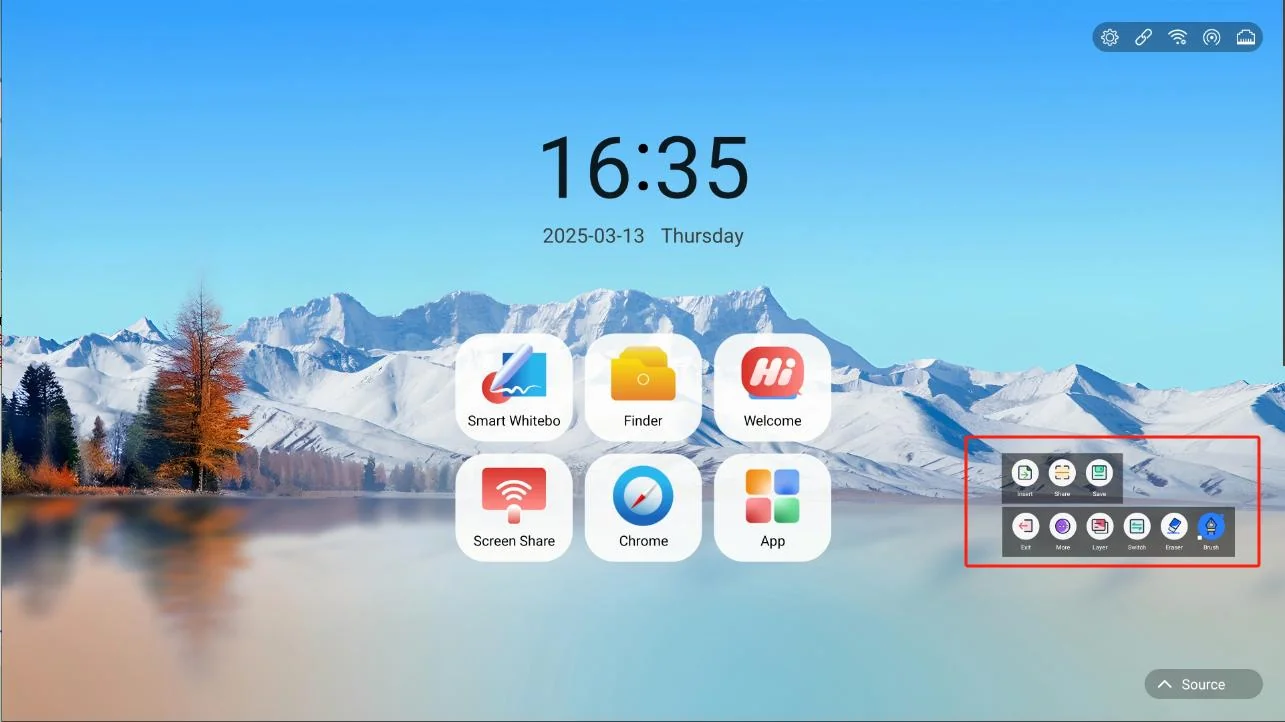
Qtenboard 9679 Smart Whiteboard Main Interface
Qeyd EtməsimPhotool · Bozee · EShare

All-in-One Screen

Whiteboard writing, wireless casting, file management and AI apps in one device — less clutter

Multi-Person Collaboration

Co-creation rooms, QR-code sharing and cloud file flow capture meeting outcomes instantly

Flexible Casting

Compatible with three casting apps, one-tap dongle casting, USB / Type-C support

Secure & Controllable

Multi-layer protection: USB / HDMI / screen / pattern / APK / fingerprint locks

PRODUCT OVERVIEW

İşləmə Göstər

Qtenboard 9679 is a smart conference whiteboard system built for meetings and collaboration. Centered on large-screen writing, wireless casting, file management and AI capabilities, it delivers an integrated collaboration experience for every organization.

Clean Main Interface, Direct Access to Every Feature

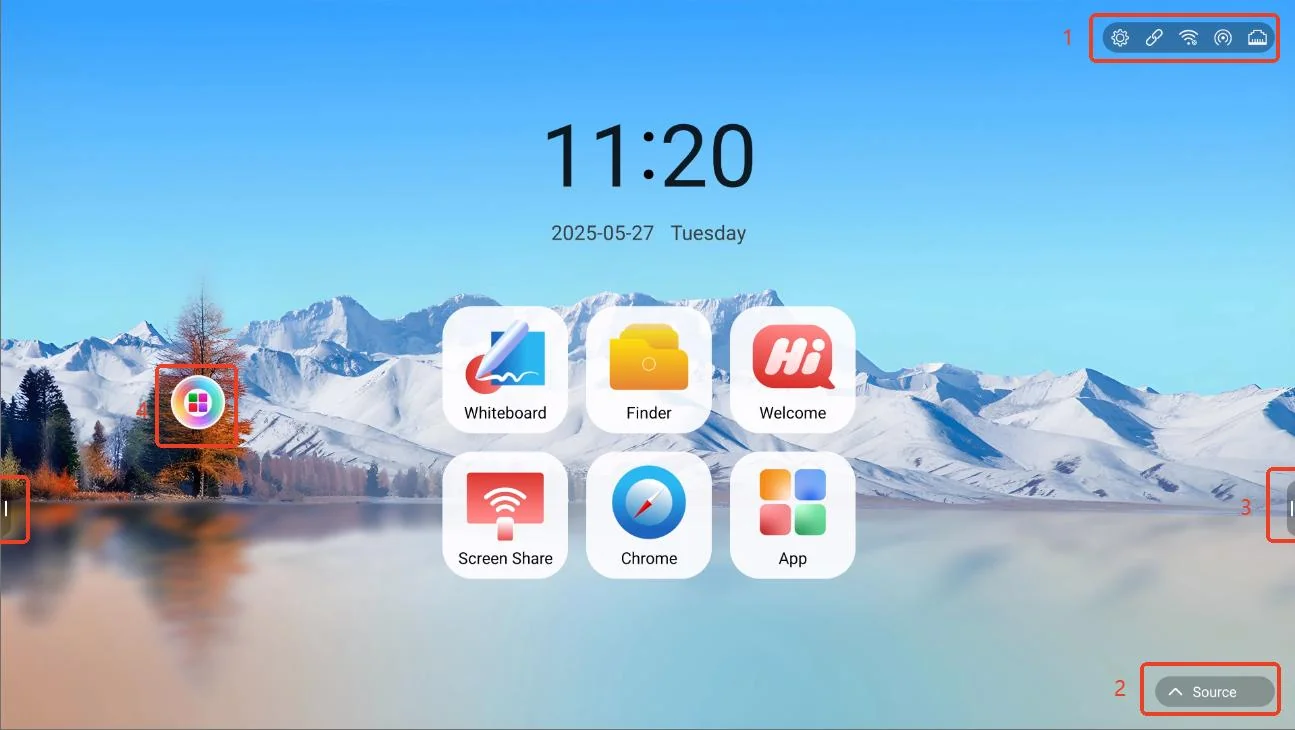
The main interface is clean and informative at a glance: network and server status in the top-right corner, signal-source switching at the bottom-right, quick actions in the side bars, and a floating menu for custom app combinations.

  • Top-right network shortcuts: settings, server connection, WiFi, hotspot and Ethernet at a glance
  • Bottom-right signal-source switching for fast input-device access
  • Two symmetric side bars for annotation, apps and quick settings
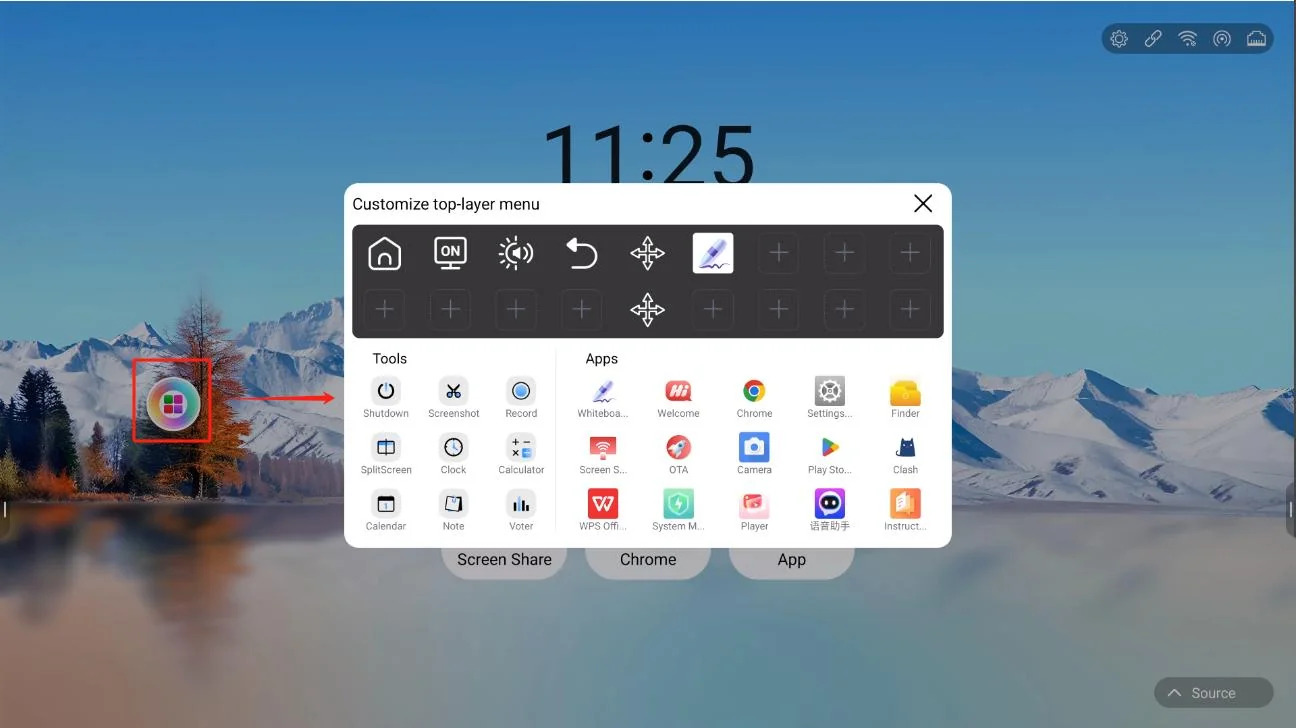
  • Floating menu “+” for customizing apps as needed
Qtenboard 9679 Smart Whiteboard Main Interface
Əsas Qurğuları
Qtenboard 9679 Floating Menu Custom Apps
Floating Menu Custom Apps
CORE FEATURES

Core Feature Portfolio

An all-round capability matrix designed for the entire meeting flow: write, recognize, share and control.

SMART WHITEBOARD

Smart Whiteboard

Multiple pen types and recognition capabilities turn writing from mere notes into content creation.

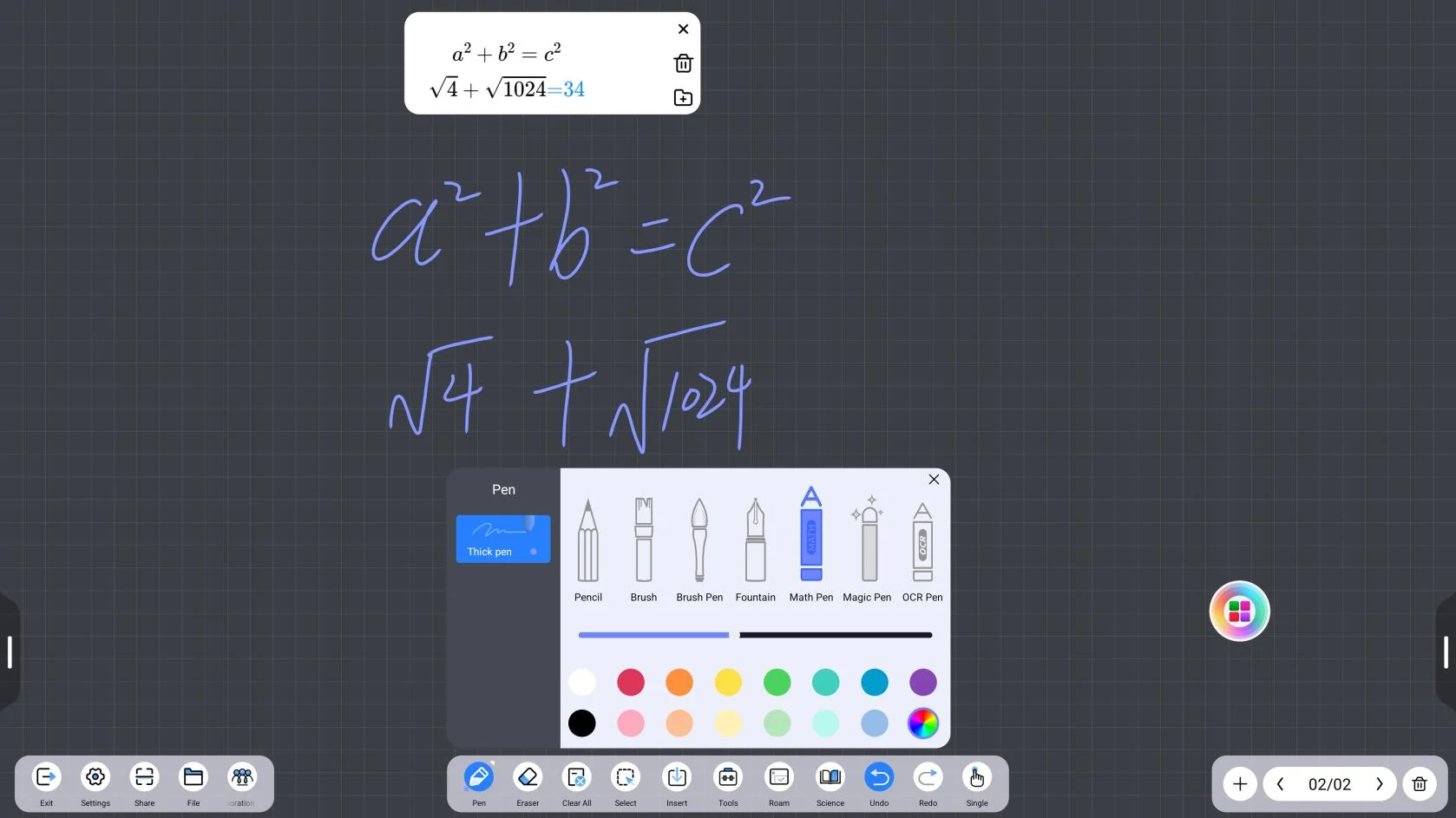
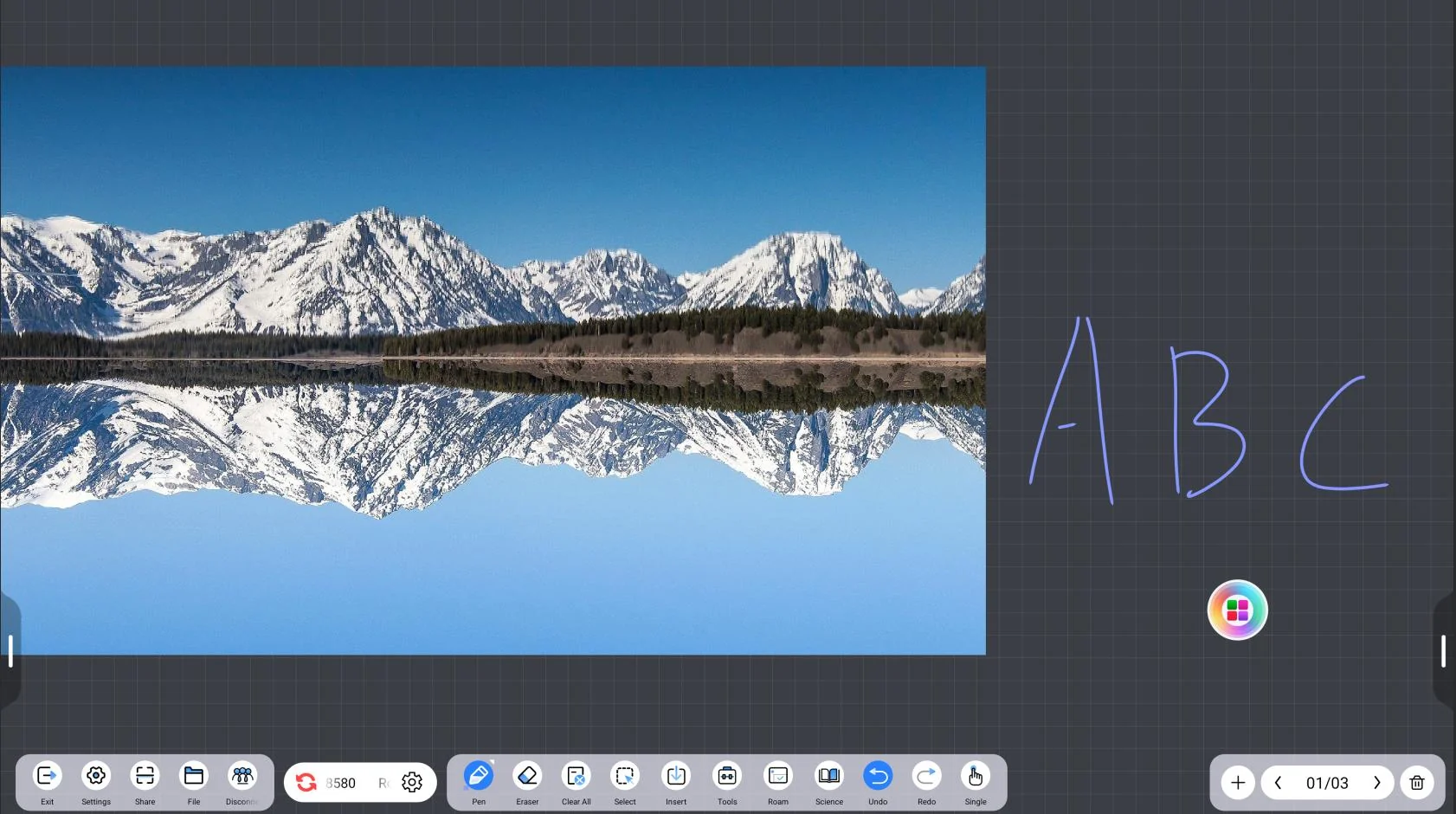
  • Pen tools: pencil, thick pen, magic pen, OCR pen and formula pen; long-press the palette to customize colors and sync annotations
  • Formula pen: extracts handwritten formulas and performs simple math
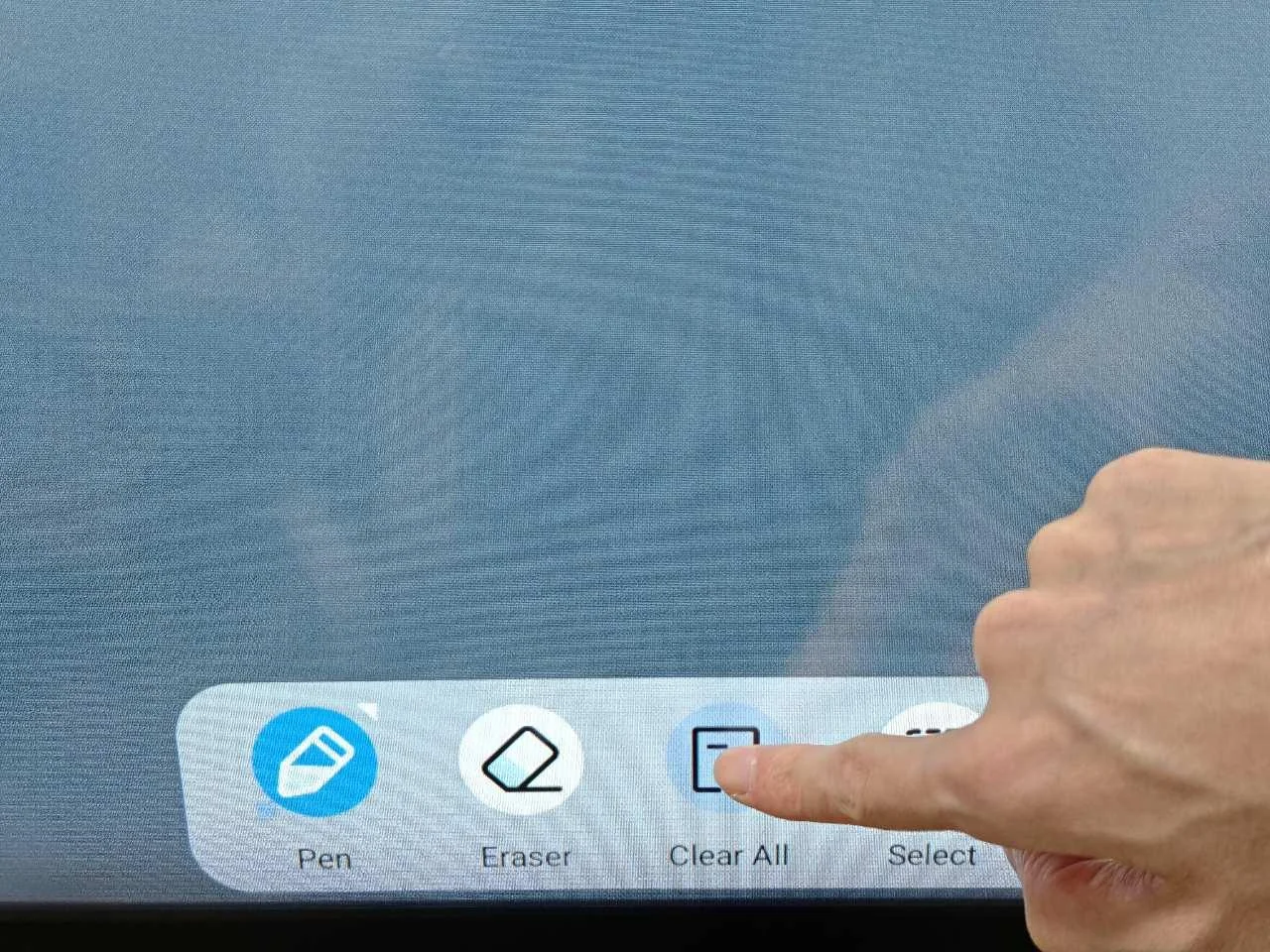
  • Eraser: universal, circular, full-screen and palm erase with 5 levels
  • Selection tool: color, bring to front, copy, delete, mirror, search, AI recognition, crop and read aloud
  • Insert tool: shapes, tables, images, videos, documents, web pages and camera, plus sticky notes, voting and mind maps
  • Subject tools: teaching plug-ins for math, physics, chemistry, biology, geography, music and more
Qtenboard 9679 Whiteboard Pen ToolsPen Tools
Qtenboard 9679 Formula Pen RecognitionFormula Pen Recognition
WHITEBOARD SETTINGS

Whiteboard Settings

Writing, erasing, background and software capabilities are fully adjustable to suit different habits.

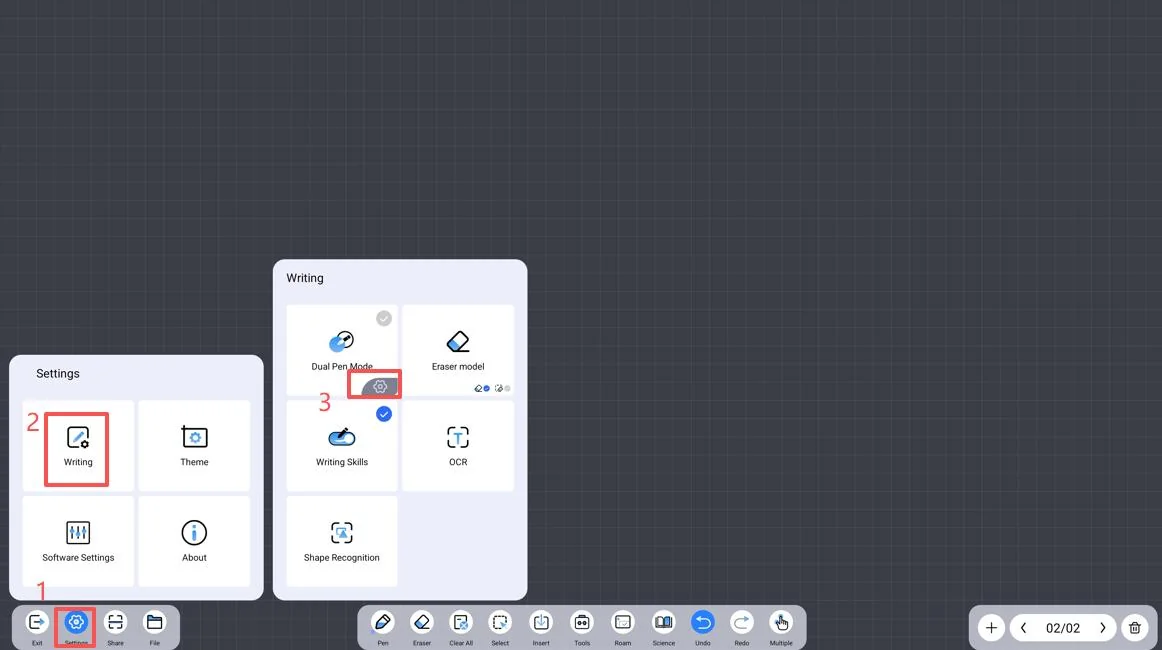
  • Dual-color pen toggle and touch-range settings; eraser settings follow the same pattern
  • OCR and magic-pen text recognition with multi-language type settings and shape-recognition libraries
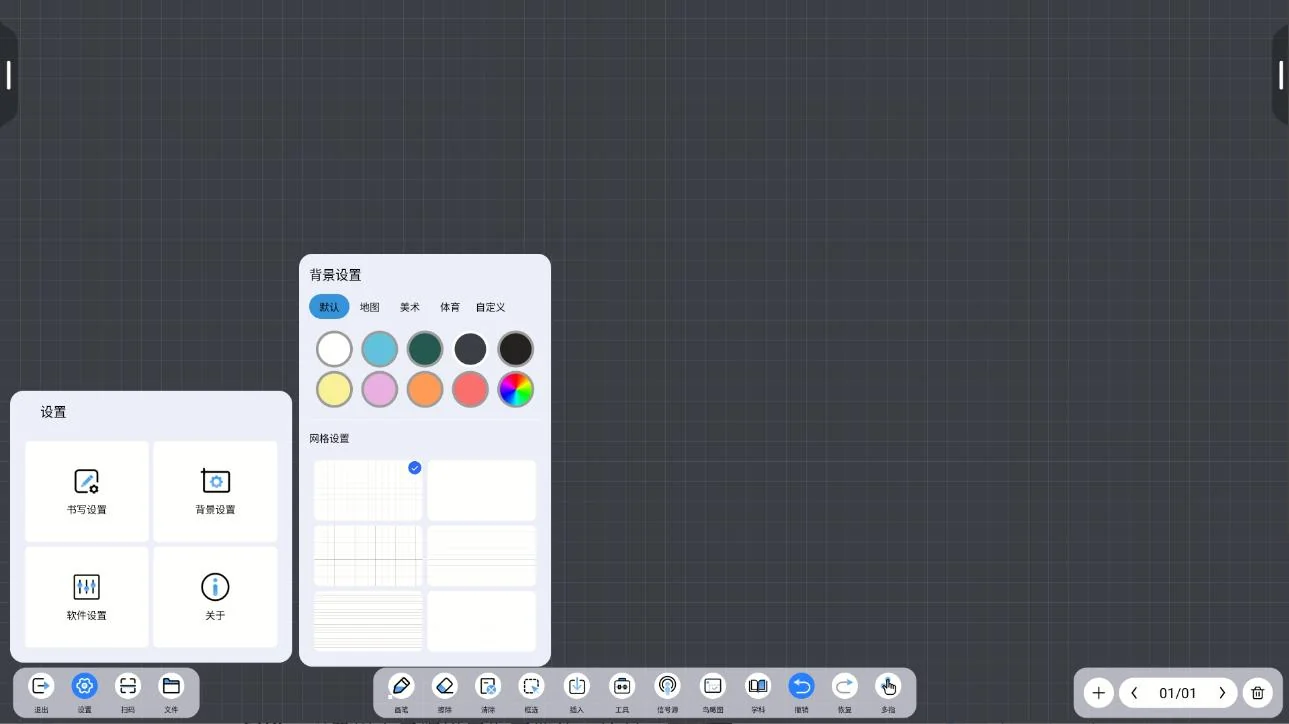
  • Background: canvas color and grid configured independently; custom backgrounds up to 2K resolution
  • Software settings: QR-code sharing, LAN / WAN, data recovery after abnormal exit, in-frame text search
  • Custom toolbar: up to 8 tools below the whiteboard; a bird-eye view reveals hidden notes and assets
Qtenboard 9679 Writing And Eraser SettingsWriting / Eraser Settings
Qtenboard 9679 Whiteboard Background SettingsArxa plan Qurğuları
COLLABORATION & FILES

Meeting Collaboration & File Management

Meeting outcomes saved instantly, shared securely and transferred across devices.

  • File saving: source-file, image and PDF formats; encrypted source files to local / USB / cloud drive
  • QR-code sharing: encrypted or standard, distribute meeting minutes right after the session
  • Co-creation: create a room, join with a room number, view and co-create on the whiteboard together
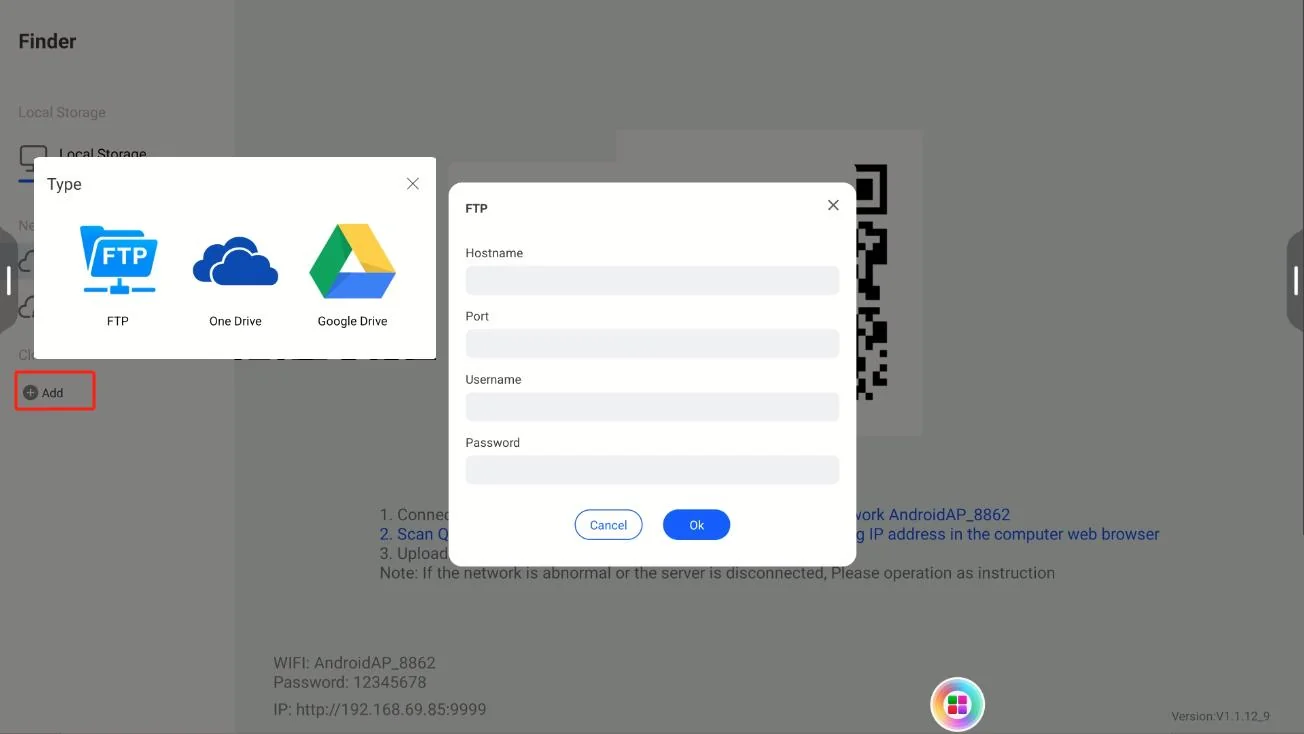
  • Cloud files: LAN cloud drive with phone QR-code upload and browser IP upload
  • Cloud drives: FTP deployable on LAN or WAN, with OneDrive and Google Drive integration
Qtenboard 9679 Collaborative Creation RoomCo-creation
Qtenboard 9679 Cloud Drive FTP OneDrive Google DriveCloud Drives (FTP / OneDrive / Google Drive)
WIRELESS PRESENTATION

Wireless Presentation

Multi-app compatibility plus one-tap dongle casting — say goodbye to cables.

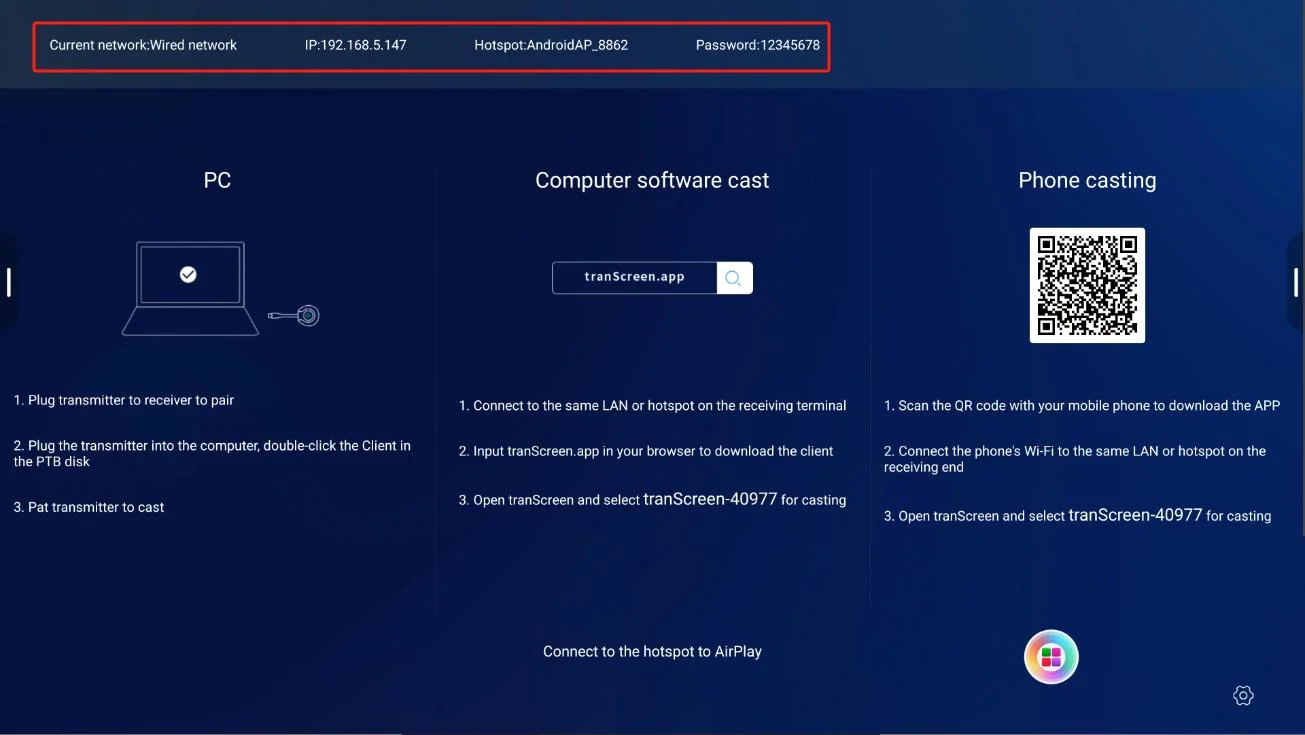
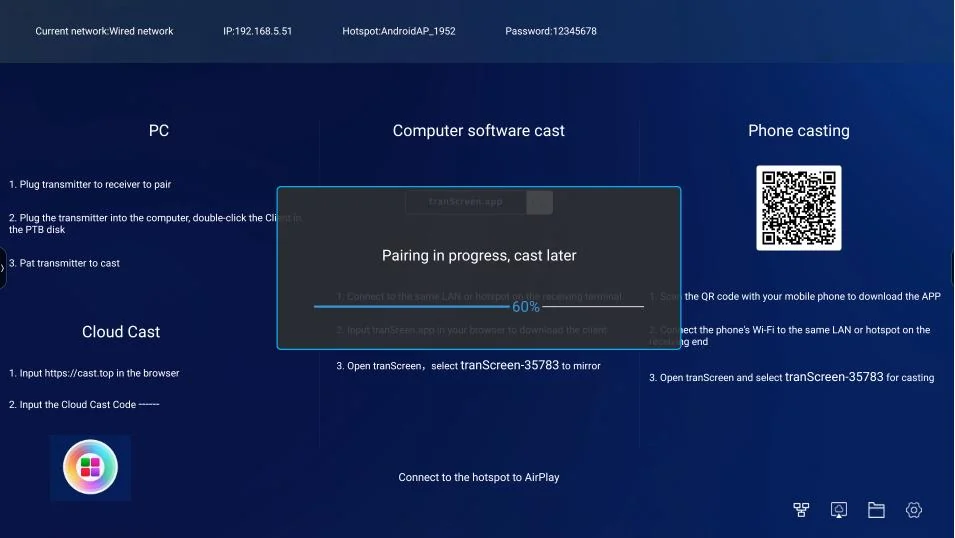
  • Works with mPhotool, Bozee and EShare casting apps, installed on first use
  • Wireless dongle (mPhotool example): hotspot pairing, Client.exe connection, one-tap casting
  • Switch casting apps: uninstall and re-download under Device Manager - Apps
Qtenboard 9679 Screen Mirroring Software SelectionCasting App Selection
Qtenboard 9679 Wireless Screen Mirroring ReceiverWireless Dongle Receiver
SYSTEM & SECURITY

System Settings & Security

Network, display, signal source and security policies are fully manageable, meeting enterprise-level requirements.

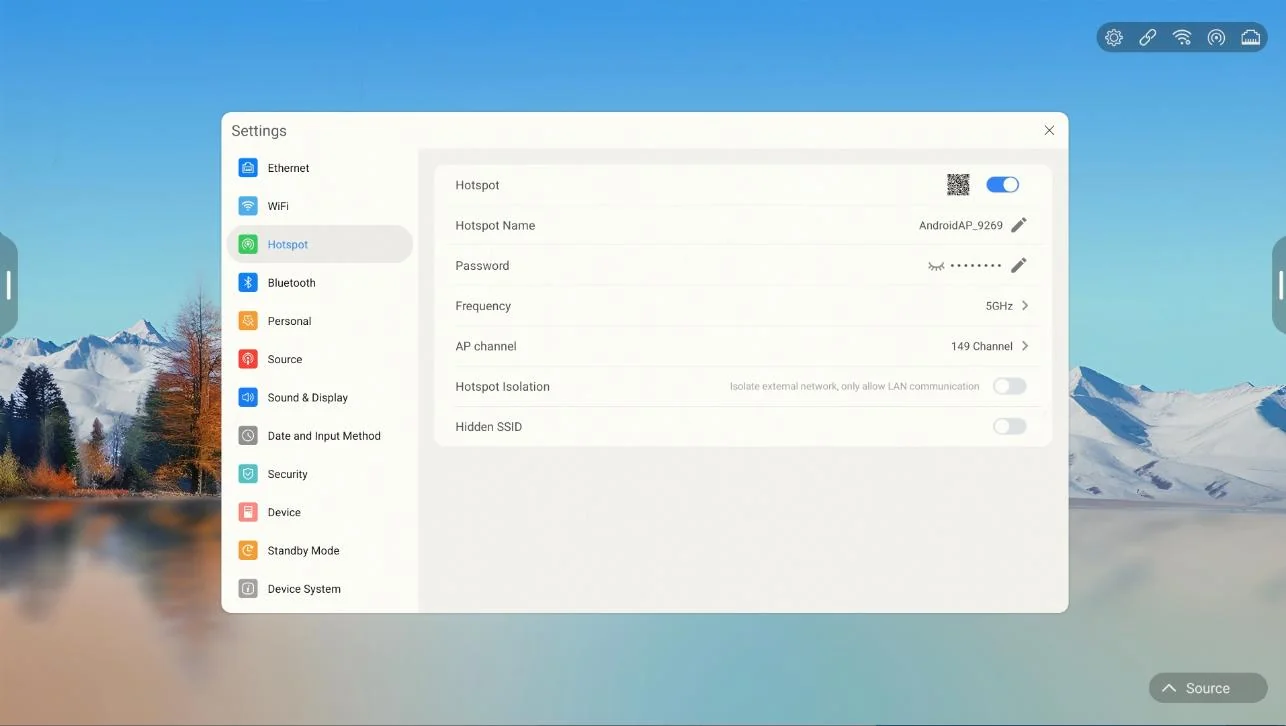
  • Network: Ethernet, WiFi, hotspot and Bluetooth; hotspot with custom name, password and channel switching
  • Signal source: boot state / boot channel / custom name / PC wake / 3-second wake
  • Sound & display: mic selection, ambient auto-brightness, eye-care textures (rice paper, kraft, sketch, watercolor)
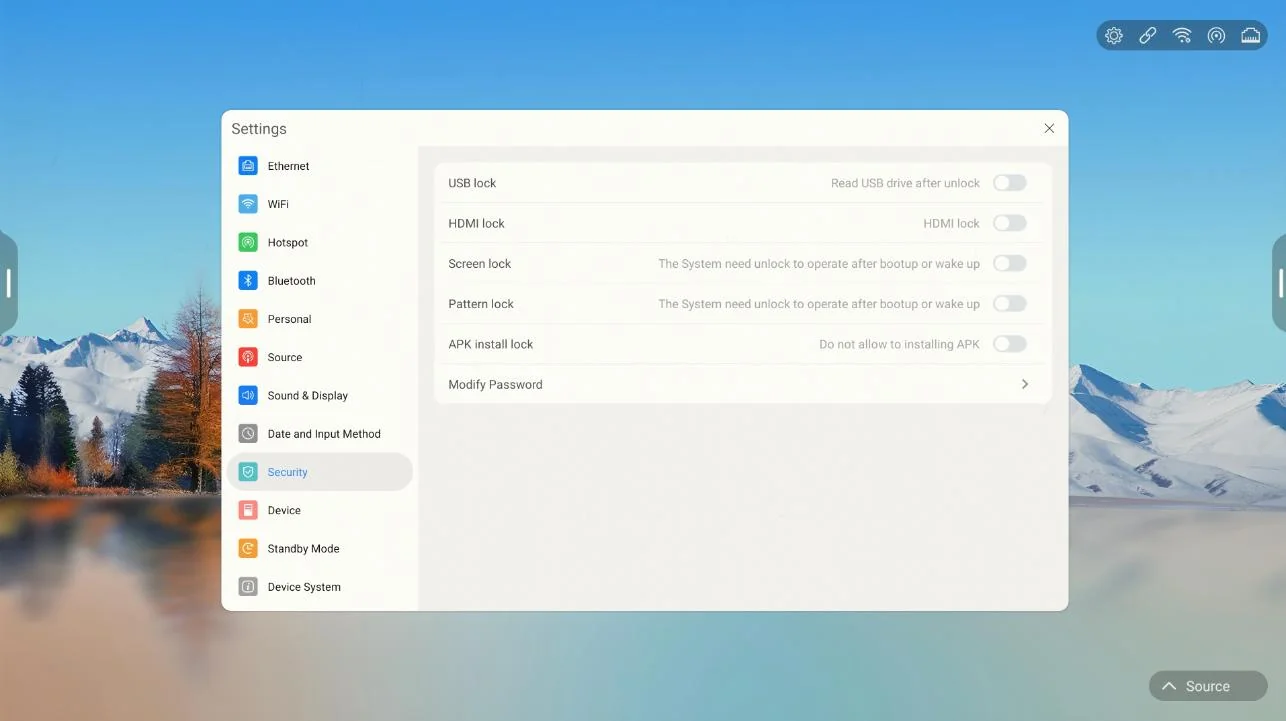
  • Security: USB lock, HDMI lock, screen lock, pattern lock, APK lock and fingerprint lock
  • External devices: NFC, fingerprint module, pen-lift wake, gesture control and server connection detection
Qtenboard 9679 Hotspot SettingsHotspot Settings
Qtenboard 9679 Security SettingsTəhlükəsizlik Qurğuları
SCENARIO TOOLS

Scenario Support Tools

From welcome screens to deep discussion — support across the entire meeting journey.

  • Welcome templates: corporate, government, healthcare, education, advertising, transportation, automotive, manufacturing, apparel, construction and more
  • Split screen: single, dual (top/bottom, left/right) and quad views, with image and video insertion
  • Side bar & annotation: annotate on any screen, with sharing, saving and board management
  • Quick settings: OPS / HDMI / front-HDMI switching, eye-care mode and brightness
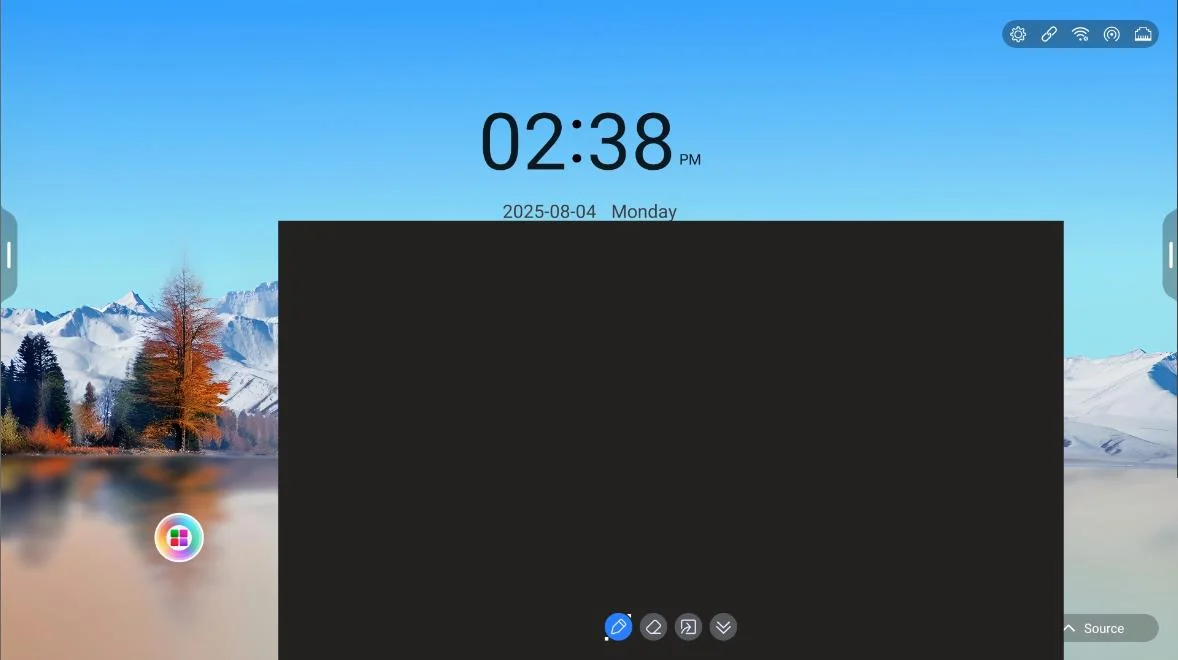
  • Window whiteboard: swipe up from the bottom of any screen, with writing, erasing and board import
Qtenboard 9679 Quick Settings PanelQuick Settings Panel
Qtenboard 9679 Window WhiteboardPəncərə Ağlan
AI ASSISTANT

AI Applications

From tool to assistant — giving the whiteboard understanding and conversation.

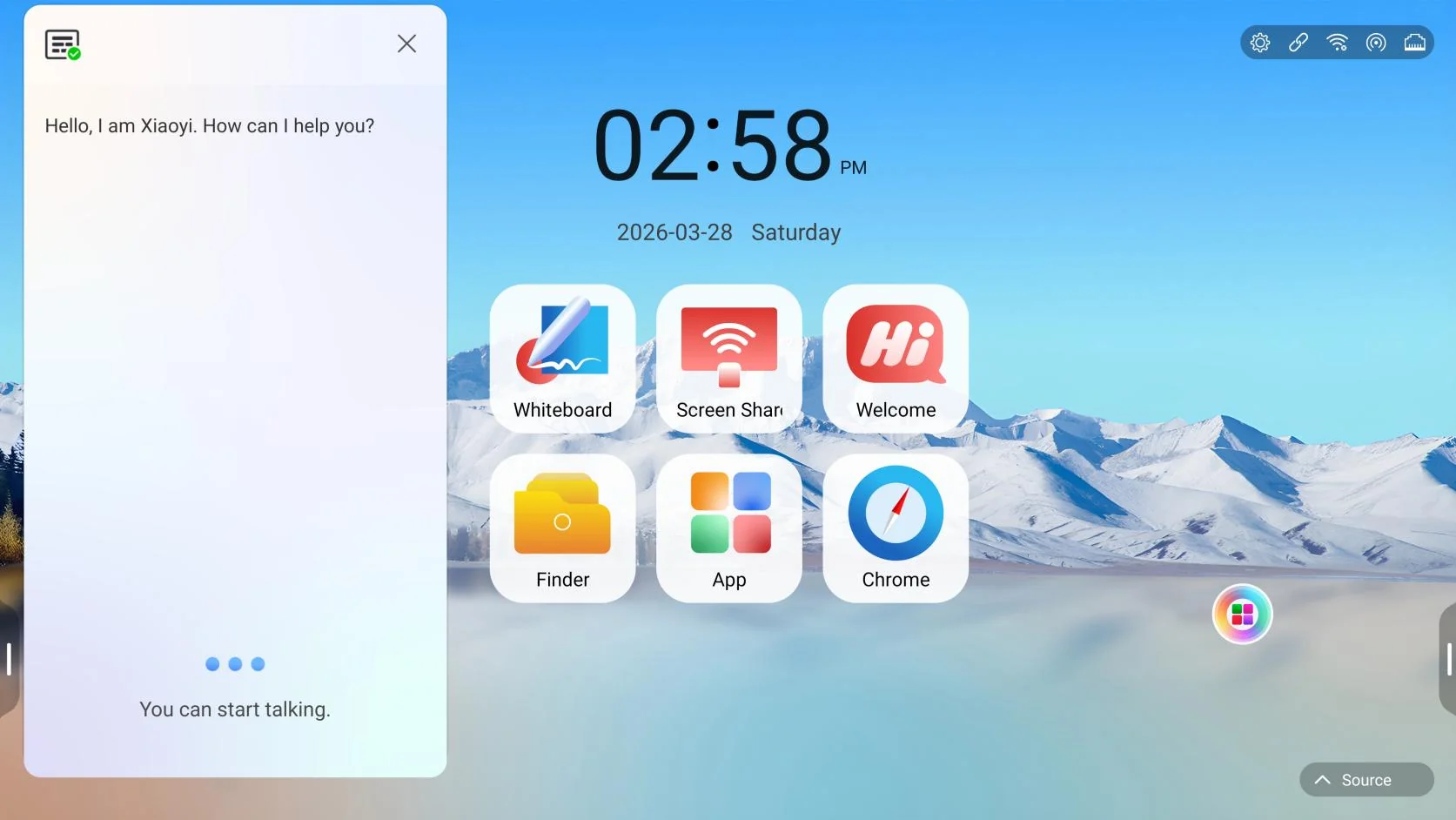
  • Smart voice assistant: voice interaction and device command control
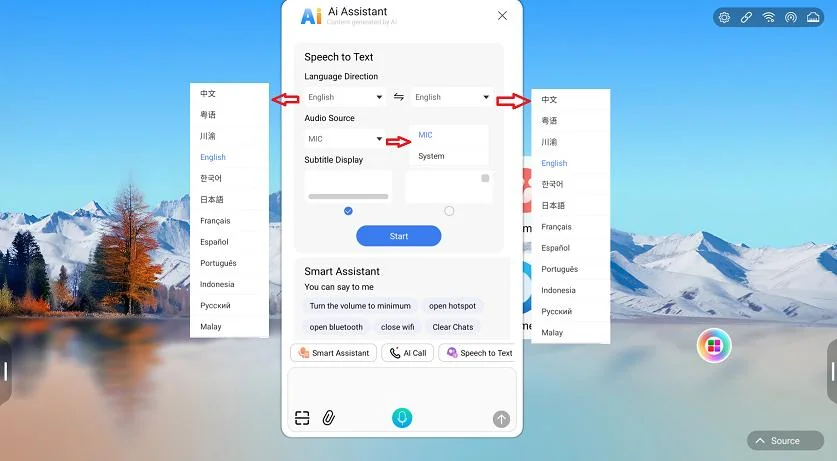
  • Voice-to-text: multi-language translation for both microphone and system audio
  • Smart assistant: general Q&A and device commands via voice, QR code or keyboard
  • AI avatar call: real-time conversation with an AI virtual human
Qtenboard 9679 AI Assistant And Voice To TextAI Assistant & Voice-to-Text
Qtenboard 9679 AI Virtual Human CallAI Virtual Human Call
APPLICATION SCENARIOS

Typical Application Scenarios

One system, flexibly adapted to meetings and presentations across industries.

Enterprise Meeting Rooms

Whiteboard discussion, wireless casting, QR sharing, co-creation and one-tap archiving turn meeting outcomes into traceable assets.

Təlim və Təlimə

Subject plug-ins, formula pen, OCR / magic-pen recognition, mind maps, split-screen teaching and paper-like eye care build engaging classrooms.

Hökumət və ictimai Sektori

Industry welcome templates, multi-layer USB / HDMI / screen / APK security and server connection monitoring meet strict management demands.

Sağlam qayğı

Welcome guidance, case and treatment-plan writing, and multi-screen comparison improve consultations and academic discussion.

Advertising & Media

Split-screen assets, web / video insertion and annotation reviews make creative reviews and pitches more visual.

Transportation / Automotive / Manufacturing

Industry welcome templates, product demos, remote collaboration and casting fit production lines, showrooms and dispatch meetings.

WHY QTENBOARD

Product Advantages & Solution Value

One integrated platform solves three pain points: scattered devices, lost outcomes and uncontrolled management.

01

All-in-One Screen

Writing, casting, file management and AI apps in one device — fewer devices and less cabling.

02

Rich Writing Experience

Multiple pen types, formula and OCR recognition, dual-color pens and multi-level erasers fit any writing habit and classroom.

03

Efficient Collaboration

Co-creation rooms, encrypted QR sharing, cloud files and drives capture and circulate outcomes instantly.

04

Flexible Casting

Compatible with mPhotool / Bozee / EShare, with one-tap dongle casting across devices.

05

Secure & Controllable

Multi-layer USB / HDMI / screen / pattern / APK / fingerprint protection with encrypted saving and sharing.

06

Continuously Evolving

OTA updates, USB firmware upgrades and online APK upgrades keep the system current and reliable.

DEPLOYMENT & SERVICE

Deployment, Upgrade & Support

Flexible network deployment and a complete upgrade mechanism keep devices running reliably.

Flexible Network Deployment

Ethernet, WiFi, hotspot and Bluetooth access; file sharing on LAN cloud drive and WAN environments.

  • FTP deployable directly on LAN or WAN
  • OneDrive / Google Drive integration
  • Upload via phone QR code or browser IP

System Upgrade

Multiple upgrade paths keep features current: OTA online updates, USB firmware upgrades (zip / bin / img) and online APK upgrades.

Self-Check & Device Management

Device Manager runs self-checks: peripheral status on the home screen, app management (enable / uninstall), plus network and sensor diagnostics for easy maintenance.

Start Your Next Meeting Right

The Qtenboard 9679 smart conference whiteboard closes the digital collaboration loop for enterprises, education and public organizations — easy to prepare, efficient in session and always documented.

Get the Qtenboard 9679 Solution

Based on the Qtenboard 9679 User Manual (Version 5.5). Actual features depend on the device software version.

Bizi nəyə görə seçməliyik?

  • 2005

    Üstüş

  • 330,000㎡

    Təkyat sahır

  • 1000+

    İşlər

  • 100+

    Ölkələr

KİMİKİYİN

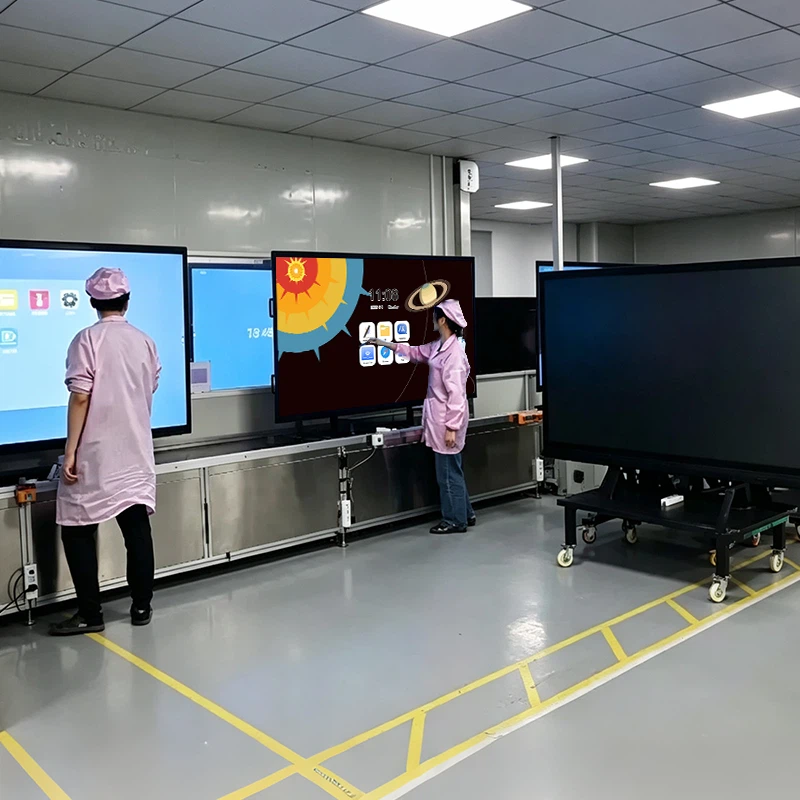
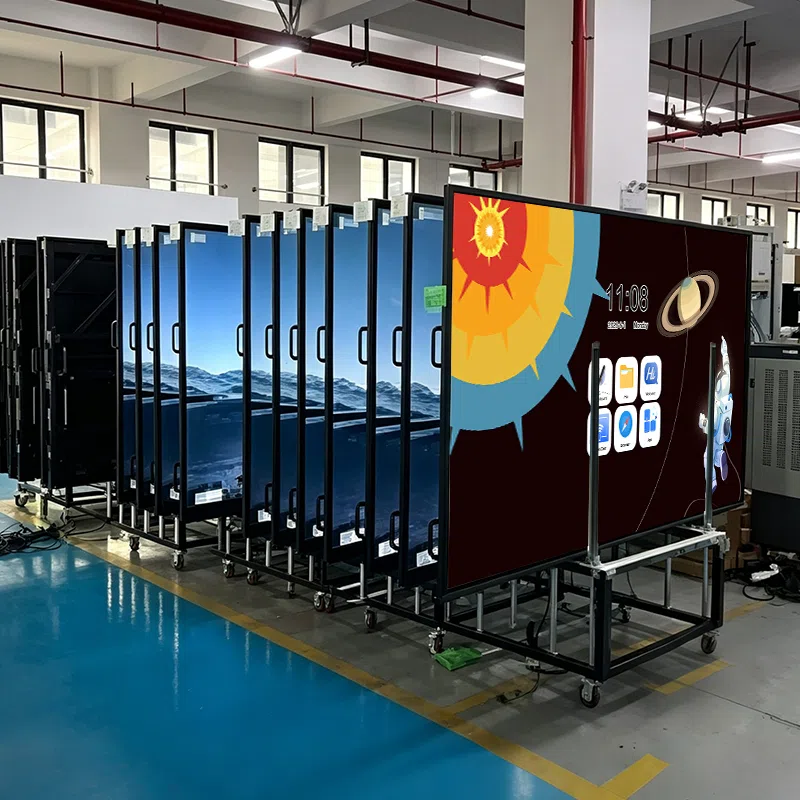
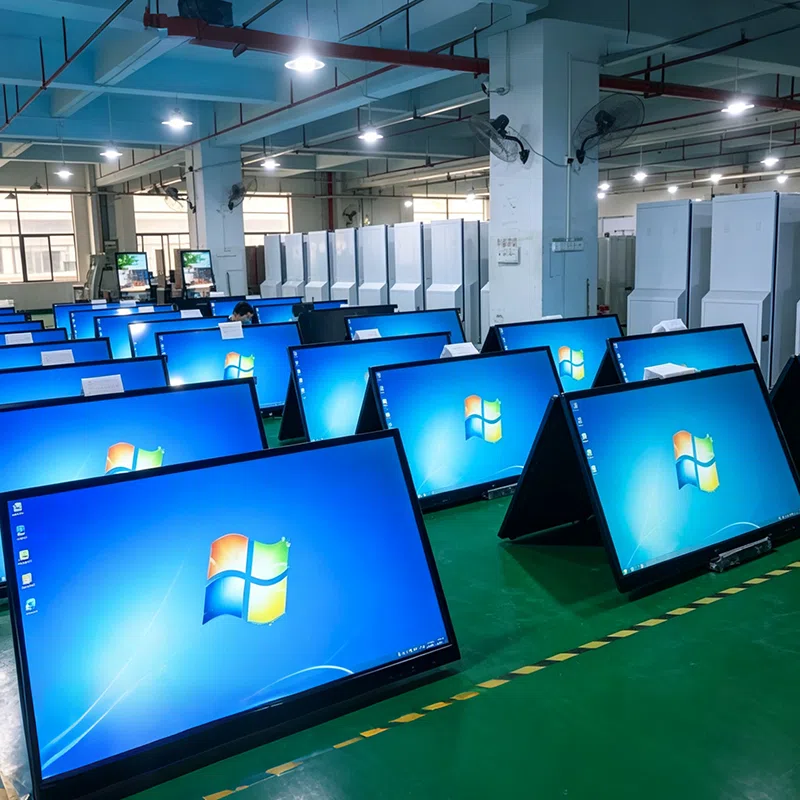
Interactive Flat Panel Aging Test Workshop
Batch Interactive Flat Panel Burn In Testing
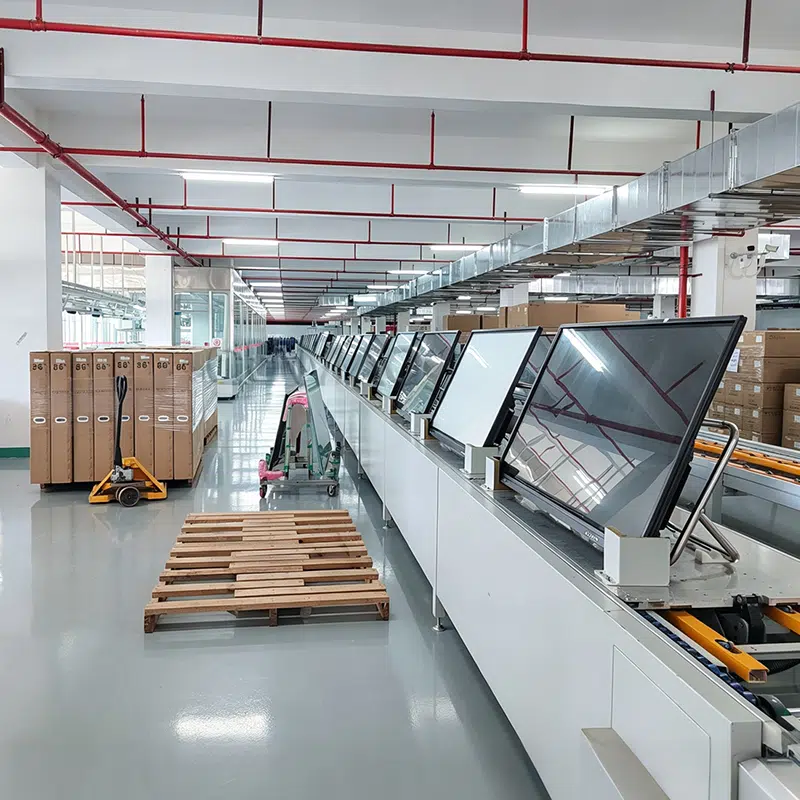
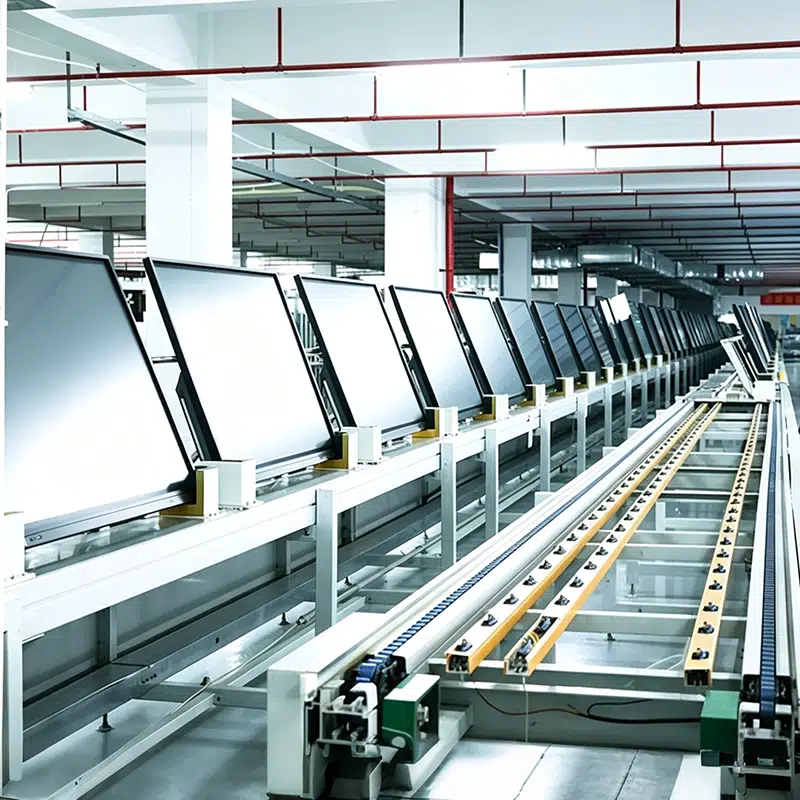
Interactive Flat Panel Production Assembly Line
Qtenboard Production Workshop
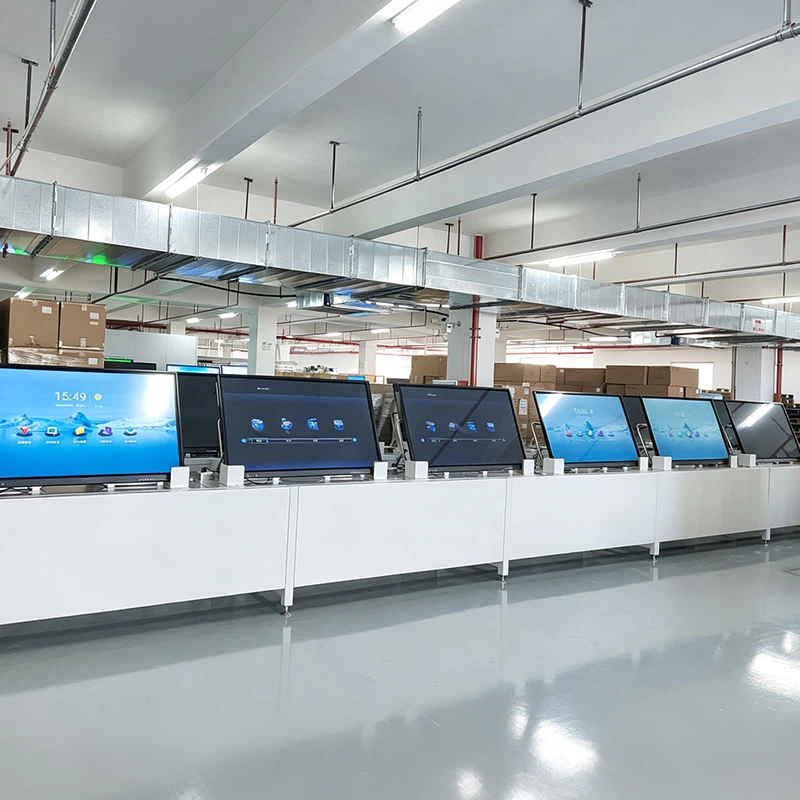
Qtenboard Testing System
Qtenboard Quality Inspection

MÜQƏDDƏN

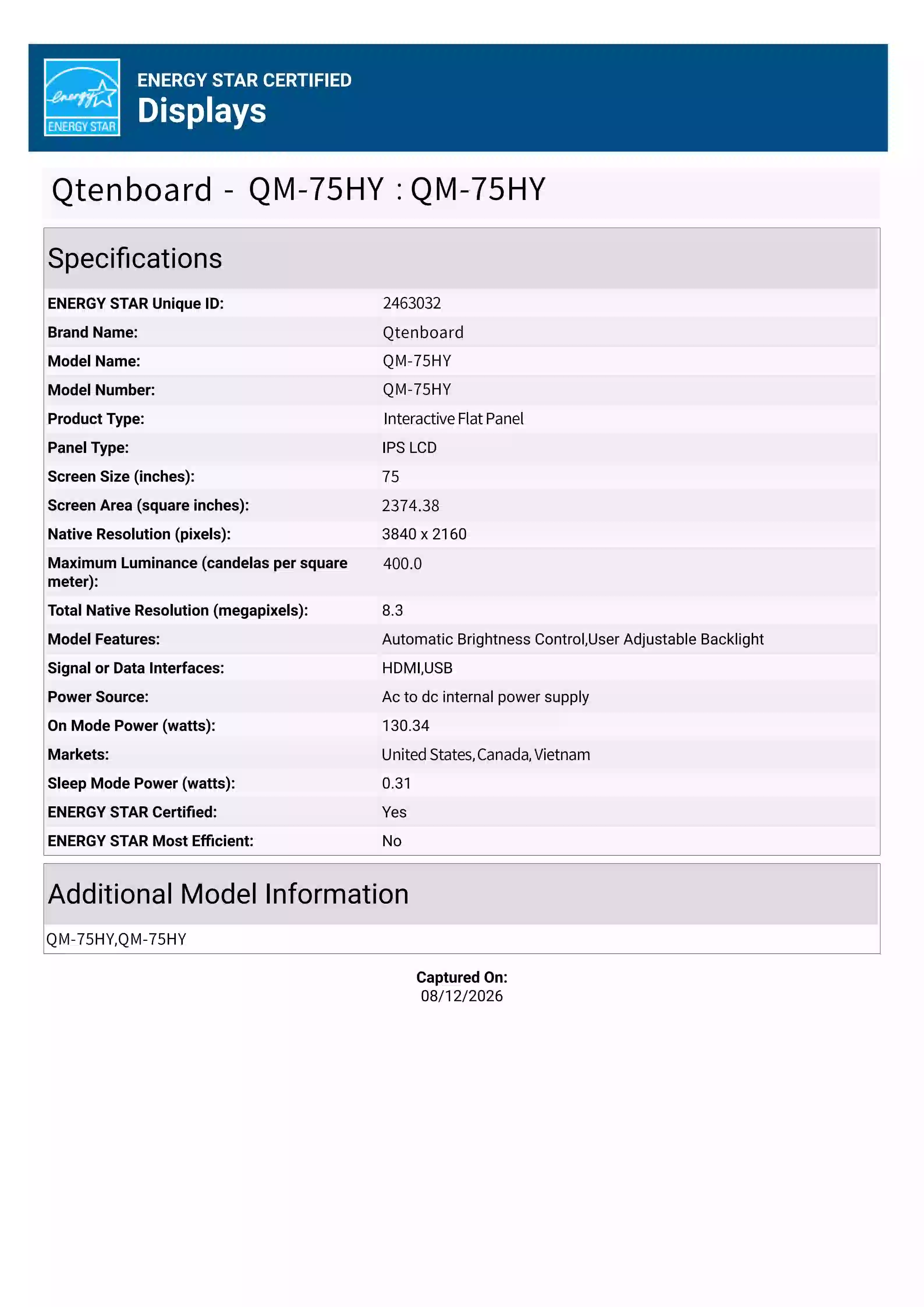
ENERGY‑STAR Certified | Qtenboard High‑Efficiency Low‑Power Display
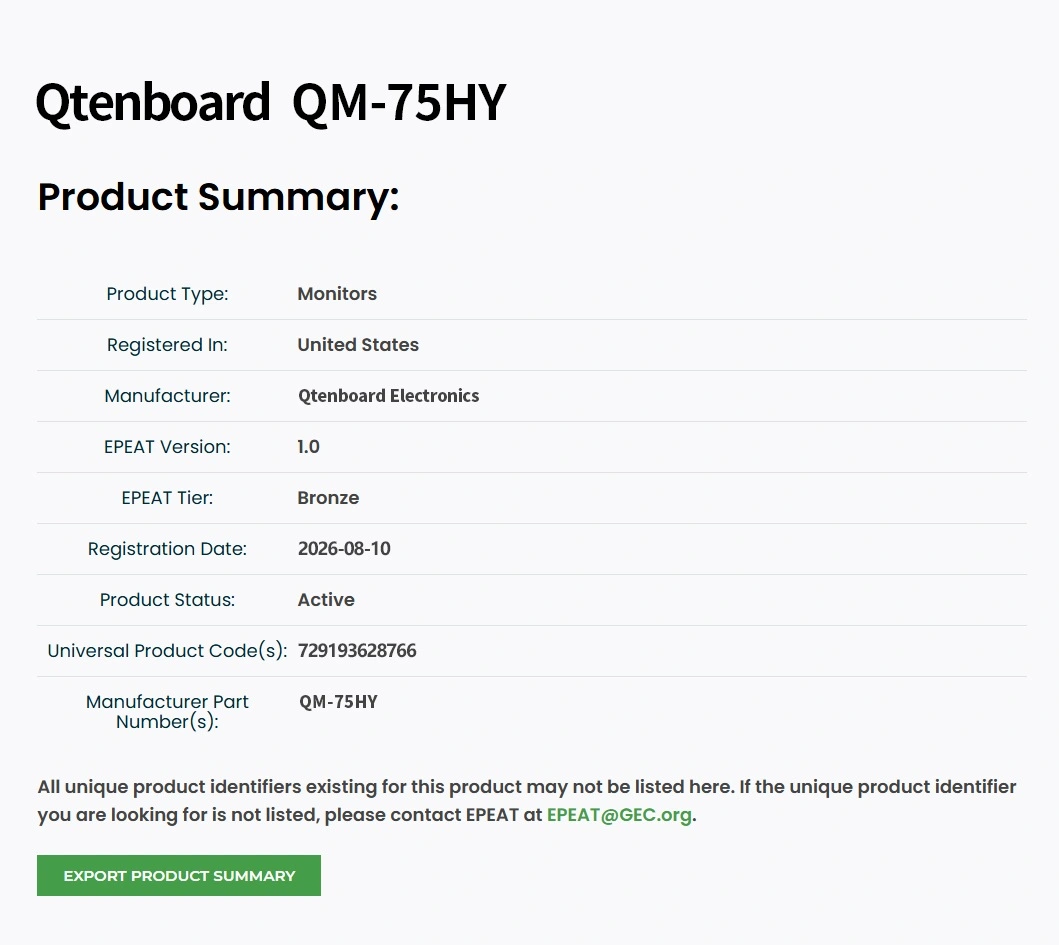
EPEAT Gold Certified | Qtenboard Eco‑Friendly Commercial Displays
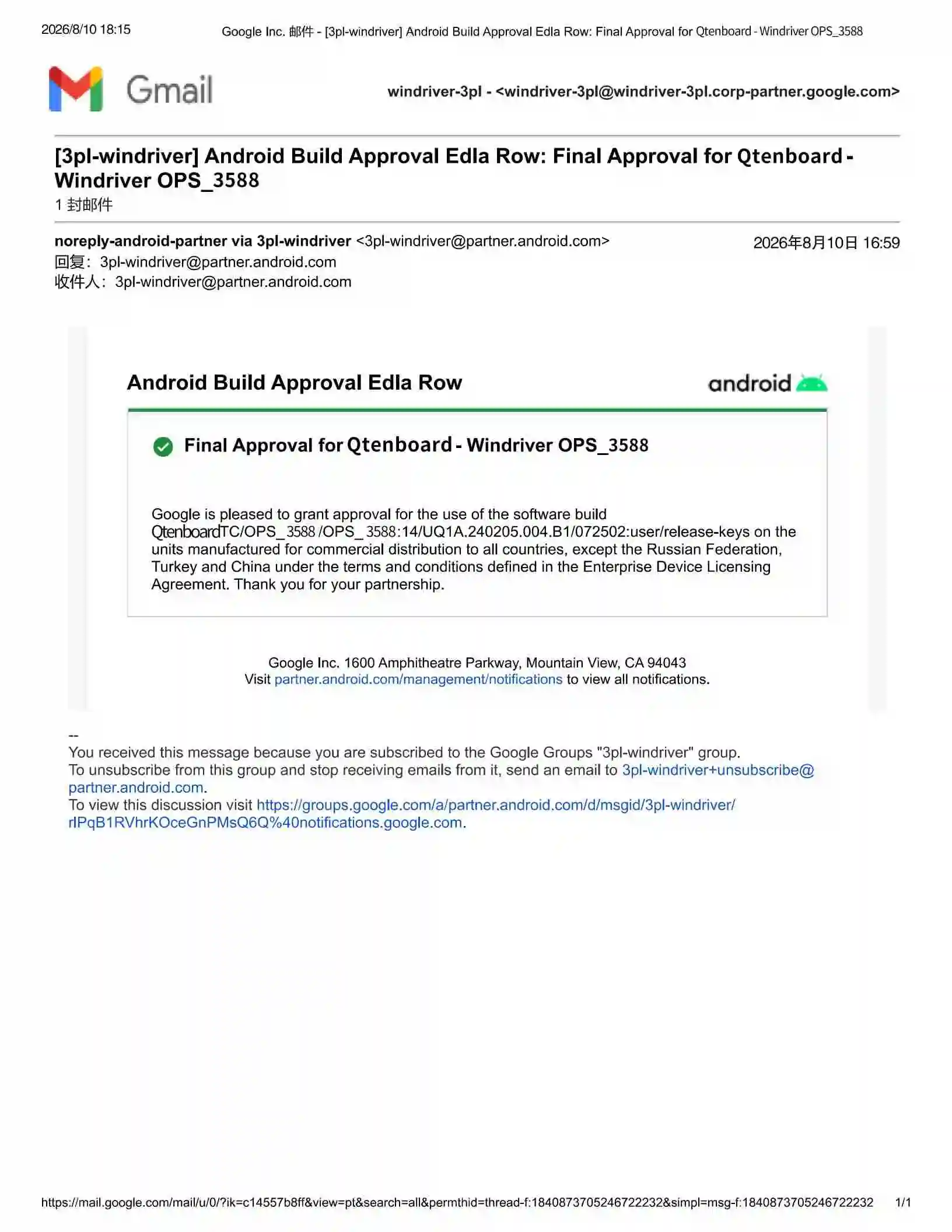
Google EDLA Certified | Qtenboard Android Enterprise Display Solution
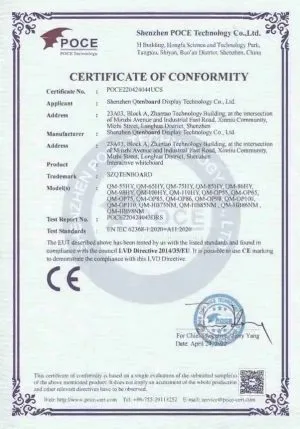
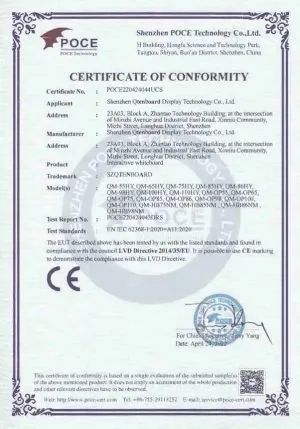
EN Standards Compliance Certification for Interactive Whiteboard
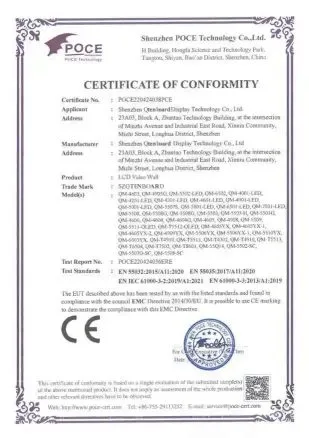
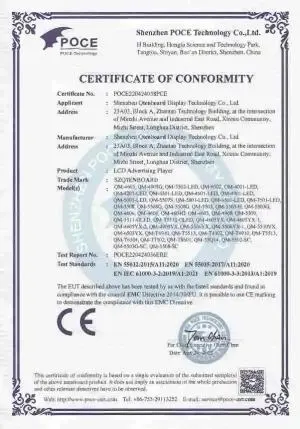
EMC Compliance Certification for LCD Video Wall
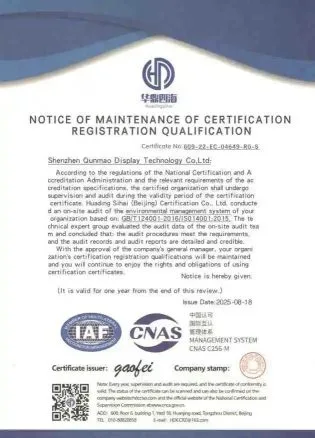
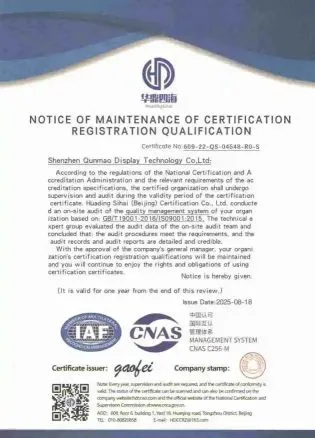
ISO 9001 Certified Quality Management System – Qtenboard
ISO 14001 Certified Environmental Management System – Qtenboard
EMC Compliance Certification for Interactive Whiteboard
CE Certification
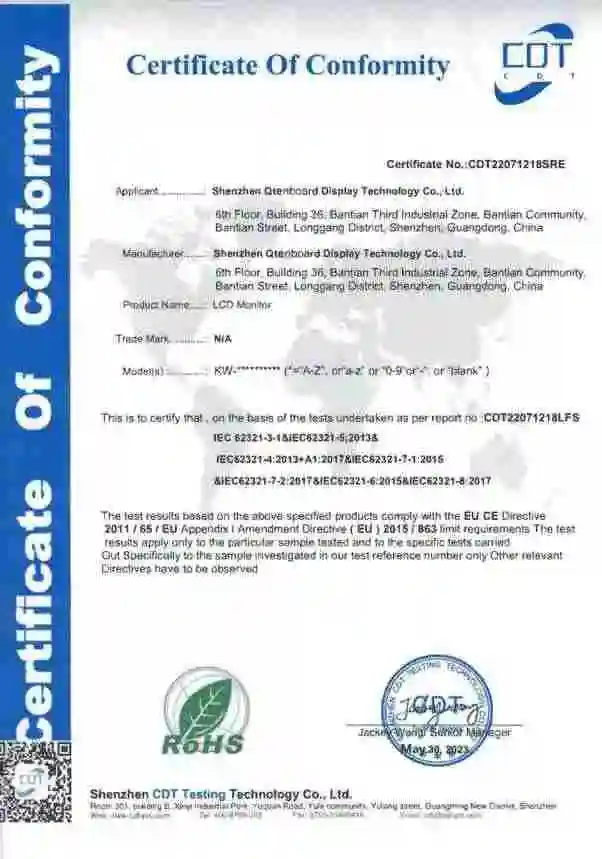
RoHS Compliance Certification