
 vie
vie
 EN
EN  pt
pt  spa
spa  th
th  aze
aze  bel
bel  est
est  lav
lav  ukr
ukr  ru
ru Cách chọn màn hình thông minh cho phòng họp năm 2026
Chọn một màn hình hiển thị cho phòng họp không giống như chọn một TV lớn cho phòng khách. Trong môi trường doanh nghiệp, một màn hình thông minh để sử dụng phòng họp là cơ sở hạ tầng quyết định: Nó quyết định cuộc họp Bắt đầu nhanh như thế nào, những người tham gia từ xa sạch sẽ cộng tác như thế nào và đội ngũ CNTT dành bao nhiêu thời gian để hỗ trợ nó. Chọn tốt, và các cuộc họp chạy nhanh hơn với ít gián đoạn hơn. Chọn kém, và bạn có thể kết thúc với một màn hình không thể đọc được ở hàng sau, một hệ thống đúc không hoạt động với một nửa máy tính xách tay trong văn phòng, một cài đặt kéo dài trong nhiều tuần, hoặc một đội ngũ các thiết bị khó quản lý trên nhiều phòng.
Hướng dẫn này được viết cho các đội mua sắm, các nhà quản lý CNTT, các nhà tích hợp AV và các nhà phân phối thiết bị văn phòng lên kế hoạch cho một phòng hội nghị. Bao gồm Tám kích thước thực tế-Kích thước và khoảng cách xem, hiệu suất hiển thị và cảm ứng, đúc không dây, sẵn sàng hội nghị truyền hình, hệ điều hành và an ninh, tổng chi phí sở hữu, khả năng của nhà cung cấp, và hỗ trợ sau bán hàng-và giải thích cách khớp từng cái với phòng họp thực tế của bạn. Kết quả sẽ là danh sách rút gọn bạn có thể bảo vệ các bên liên quan của mình, chứ không phải danh sách các thông số kỹ thuật ấn tượng.
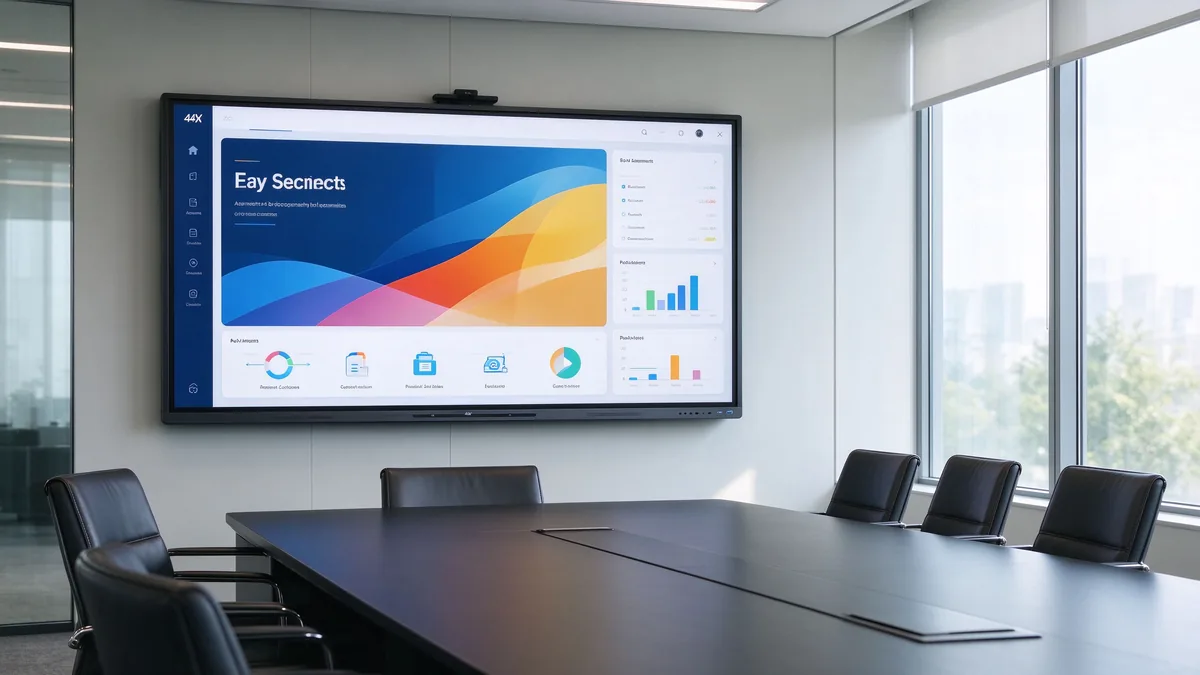
Trả lời nhanh: Công ty nên sử dụng màn hình thông minh nào trong phòng họp?
Nếu bạn cần khuyến nghị nhanh, đây là điểm bắt đầu. Đây là những cấu hình điển hình cho phòng họp hình chữ nhật với màn hình hiển thị gắn trên tường ngắn; điều chỉnh khoảng cách xem dài nhất của bạn.
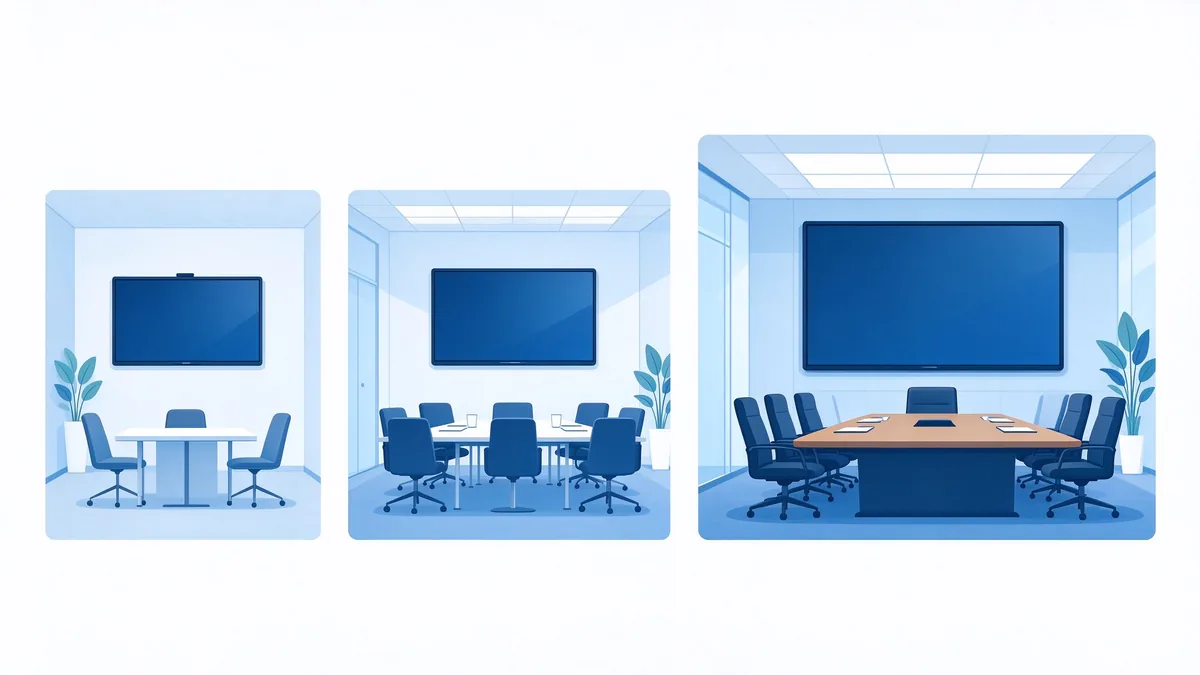
- Phòng họp nhỏ (2-6 người): 55-65 inch
- Phòng hội nghị Trung bình (6-12 người): 75-86 inch
- Phòng họp lớn (12-20 người): 86-98 inch
- Phòng Executive hoặc phòng tập (20 người): 98-110 inch, hoặc thiết lập đa màn hình
- Yêu cầu cốt lõi cho tất cả chúng: Bộ đúc không dây 4K UHD, cảm ứng đa điểm, tương thích với nền tảng hội nghị truyền hình và bảo mật cấp doanh nghiệp với quản lý thiết bị từ xa
- Phù hợp với người mua B2B: Qtenboard cung cấp bảng trắng tương tác 55-110 inch 4K với sự hợp tác không dây, chú thích cảm ứng và cấu hình OEM/ODM cho các đơn đặt hàng của công ty và dự án.
Cần tìm gì khi mua Bảng thông minh cho phòng hội nghị
Trước khi so sánh giá cả, hãy xây dựng một khung đánh giá. Hầu hết các giao dịch mua không thành công xảy ra vì người mua so sánh một đặc điểm kỹ thuật-thường là kích thước màn hình hoặc đơn giá-trong khi bỏ qua các điều kiện mà màn hình sẽ thực sự được sử dụng. Bảng dưới đây tóm tắt sáu Kích thước quan trọng đối với bảng thông minh Phòng hội nghị.
| Kích thước đánh giá | Người mua nên xác nhận điều gì |
|---|---|
| Kích thước và khoảng cách xem | Ghế xa nhất có thể đọc văn bản và dữ liệu nhỏ thoải mái không? |
| Màn hình và cảm ứng | 4K là bản địa, chống chói, cảm ứng đa điểm, độ trễ thấp? |
| Đúc không dây | Nó có hoạt động trên Windows, MacOS, IOS và Android không? Có cần phần mềm không? |
| Hội nghị truyền hình | Máy ảnh, Micro và loa có bao phủ phòng không? |
| Hệ thống và an ninh | Android, Windows, hoặc hệ thống kép? DMS, edla, và Port Control có sẵn? |
| Nhà cung cấp và dịch vụ | OEM/ODM, giao hàng số lượng lớn, phụ tùng thay thế, và hỗ trợ sau bán hàng tại chỗ? |
Các bước sau áp dụng khung này theo thứ tự, vì vậy bạn có thể làm việc thông qua yêu cầu của mình một lần và kết thúc với cấu hình bạn có thể gửi cho nhà cung cấp để báo giá.
Bước 1: khớp Kích thước màn hình với kích thước phòng và khoảng cách xem
Kích thước là quyết định đầu tiên mà người mua nhìn thấy, nhưng nó không phải là quyết định duy nhất. Kích thước phù hợp phụ thuộc vào số lượng người tham gia, hình dạng của căn phòng và nội dung bạn hiển thị. Bảng dưới đây là điểm khởi đầu thiết thực cho một phòng họp điển hình.
| Loại phòng họp | Những người tham gia điển hình | Kích thước hiển thị đề xuất |
|---|---|---|
| Phòng họp nhỏ | 2–6 | 55-65 inch |
| Phòng hội nghị trung bình | 6–12 | 75-86 inch |
| Phòng họp lớn | 12–20 | 86-98 inch |
| Phòng điều hành/Đào Tạo | 20+ | 98-110 inch hoặc đa màn hình |
Xem xét khoảng cách xem, không chỉ khu vực phòng
Khu vực phòng riêng là một hướng dẫn yếu. Điều quan trọng hơn là khoảng cách từ chỗ ngồi xa nhất đến màn hình. Hãy đặt những câu hỏi này khi đi bộ trong phòng:
- Người tham gia xa nhất có thể đọc các phông chữ nhỏ trong Excel, mô hình Tài Chính hoặc bản vẽ kỹ thuật không?
- Bạn có thường xuyên chia màn hình thành hai hoặc bốn cửa sổ không? Split View làm giảm kích thước nội dung có thể đọc được, đẩy bạn về phía một bảng lớn hơn.
- Có cột, tường kính hoặc bố trí chỗ ngồi không đều ngăn chặn tầm nhìn?
- Phương pháp lắp đặt Nào Phù Hợp: gắn tường, giỏ hàng di động hoặc lắp đặt lõm?
Theo nguyên tắc ngón tay cái, một người ở chỗ ngồi xa nhất có thể đọc được văn bản kích thước cơ thể mà không bị nheo mắt. Đối với phòng họp dữ liệu nặng, việc nâng cấp từ 65 lên 86 inch tạo ra mức tăng đáng kể. Qtenboard cũng cung cấp một interactive flat panel size calculator bạn có thể sử dụng với các kích thước phòng của riêng mình. Dù bạn chọn số nào, hãy thử nghiệm bằng nội dung thực tế của mình trước khi đặt hàng.
Bước 2: đánh giá hiệu suất hiển thị, cảm ứng và viết
Once the size is fixed, the next question is what the panel can do. For an interactive display used in business meetings, three properties matter most: resolution, handling of ambient light, and touch quality.
Độ phân giải 4K cho các bài thuyết trình chứa nhiều dữ liệu
A native 4K UHD (3840 × 2160) panel makes a real difference when you show financial statements, CAD drawings, dashboards, or fine print. On a 75-inch screen, 4K keeps small fonts and thin lines crisp where 1080p turns them fuzzy. Also check how quickly the display switches between input sources; slow switching quietly wastes minutes in every meeting. For most corporate rooms, a 4K smart conference display is the baseline, not a luxury.
Chống chói và độ sáng cho phòng họp thực sự
Boardrooms often have floor-to-ceiling windows and strong ambient light. A screen that looks vivid in a dark demo room can wash out when the blinds are open. Look for low-reflection glass, adequate brightness, and high contrast, and — if possible — judge the panel with the room’s normal lighting on.
Công nghệ cảm ứng và viết đa người dùng
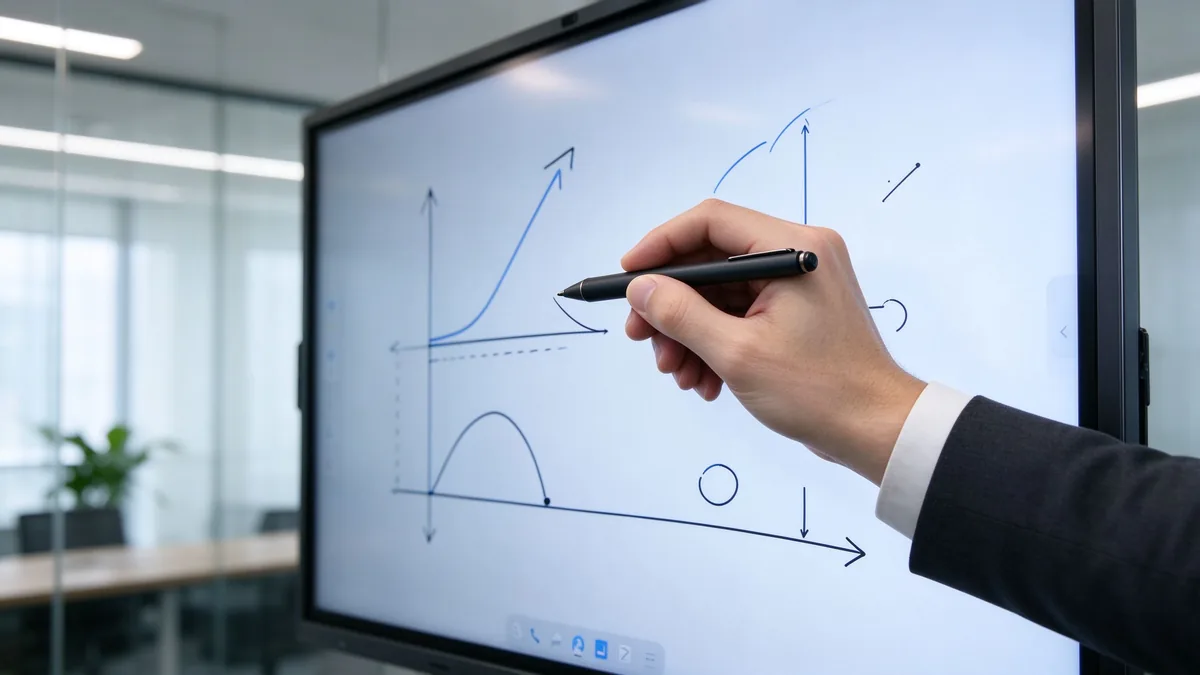
Touch quality is defined by touch points, response time, writing latency, and palm rejection. In practice, test these: can two or three people write and annotate at the same time? Does the display accept fingers, active styluses, and passive pens? Can annotations be saved, exported, and shared after the meeting? A conference room interactive whiteboard that handles these well replaces flip charts and scattered notes.
Step 3: Check Wireless Casting and Collaboration Workflow
Chia sẻ màn hình không dây đa nền tảng
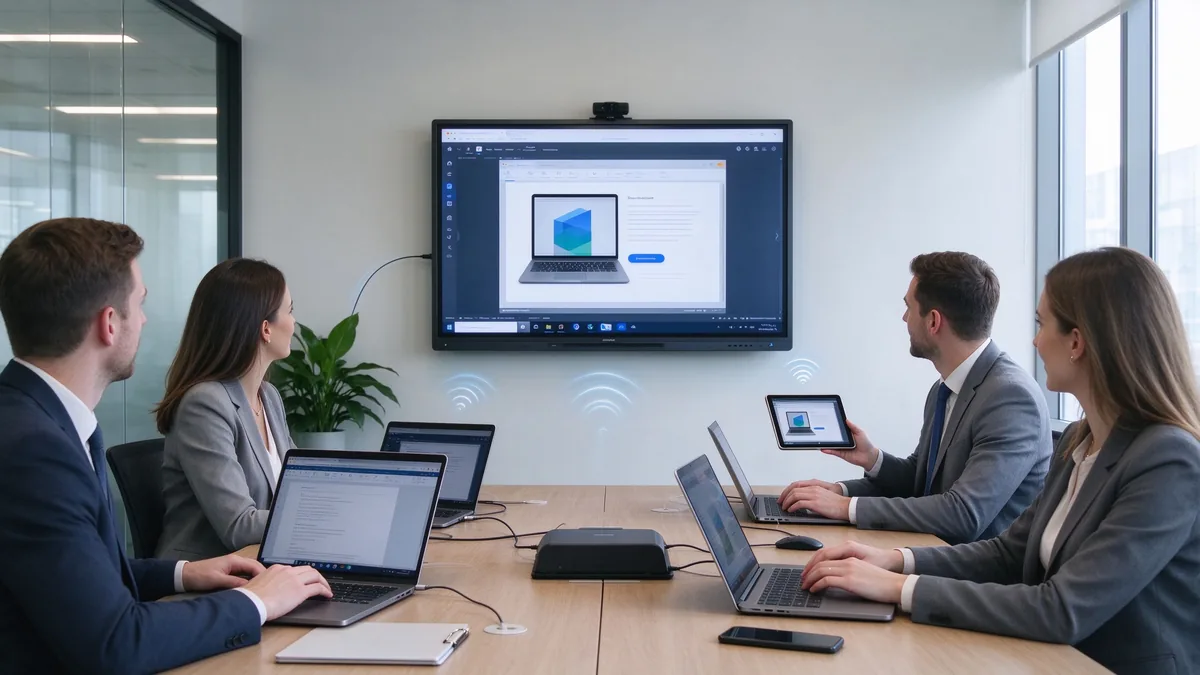
A wireless presentation display is only useful if people can present from their own devices without IT support. Confirm that the display accepts Windows, macOS, iOS, and Android sources, whether a client app must be installed, whether several devices can cast at once (for example, quad-split view), and how guests join quickly. Security matters here too: check that the display can block unauthorized casting and that sessions can be ended and cleared after each meeting.
Hợp tác theo thời gian thực cho các cuộc họp kết hợp
In hybrid meetings, on-site and remote participants need to annotate the same canvas in real time. Ask about synchronization speed, whether the built-in whiteboard works with third-party meeting apps, and how meeting content is saved, exported, and shared. Fast, reliable collaboration is what turns a display from a projector replacement into a productivity tool.
Step 4: Confirm Video Conferencing and Audio Readiness
Camera, micro và loa
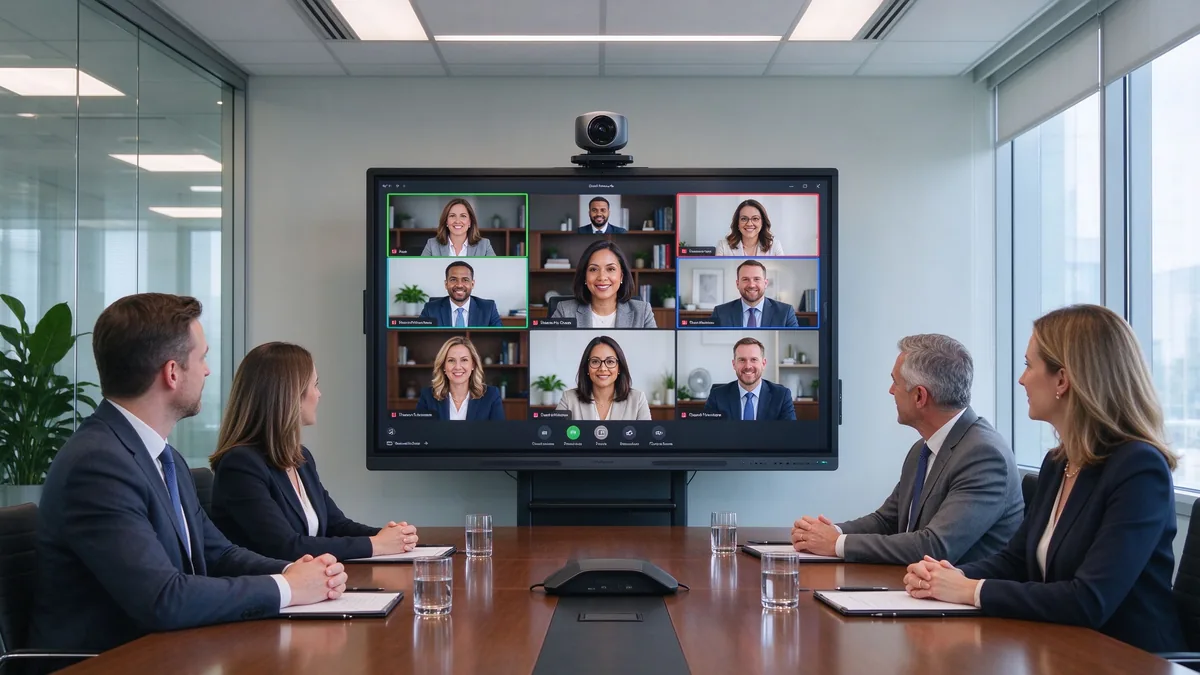
Video conferencing is now a default expectation in corporate rooms. Check whether the camera is built in or external, how far the microphone picks up voices (a 6-person room and a 20-person boardroom need very different coverage), and whether the speakers can fill the room at meeting volume. Also confirm the ports (USB, HDMI, audio) and whether the display works with the video conferencing platform your company already uses, including BYOD laptops.
Đừng cho rằng một màn hình thông minh có thể thay thế toàn bộ hệ thống AV.
A display is part of the room, not the whole room. Confirm exactly what is included in the package and how the display connects to an existing room host, camera, or audio system. Suppliers that can advise on integrated or external peripherals — and validate Teams and Zoom scenarios — are easier to work with than those selling a bare panel.
Bước 5: Xem lại hệ điều hành, bảo mật và quản lý CNTT
Android, Windows, or dual system
Hệ điều hành quyết định ứng dụng nào có thể chạy trên thiết bị. Một lớp Android bao gồm các cuộc họp hàng ngày, đúc không dây và bảng trắng; một mô-đun Ops Windows cho biết thêm khả năng chạy các ứng dụng ERP, Bi hoặc CAD trực tiếp trên màn hình. Nếu dịch vụ của Google có vấn đề, hãy kiểm tra chứng nhận edla và xác nhận cách thức cập nhật OTA và cài đặt ứng dụng của bên thứ ba được xử lý.
Security and remote device management
Trong môi trường Doanh Nghiệp, màn hình hiển thị là điểm cuối, không phải thiết bị. Tìm kiếm Khóa vân tay, điều khiển cổng USB và HDMI, bảng trắng cài đặt apk và bảo vệ mật khẩu. Để triển khai trên nhiều phòng, quản lý thiết bị từ xa (DMS) là điều giúp chi phí được kiểm soát: phần sụn được đẩy vào trung tâm, theo dõi sức khỏe thiết bị, khởi động lại và tắt máy từ xa, và các quyền dựa trên vai trò. Nếu không có nó, mỗi phòng đều trở thành một địa điểm bảo trì riêng biệt.
Bước 6: Tính toán tCo và roi để triển khai phòng họp
Three-layer ROI framework
- Giá trị thay thế thiết bị. One interactive display can replace a projector, a camera, a microphone system, and a traditional whiteboard. Fewer devices means less cabling, fewer failure points, and less space used.
- Phục hồi Thời gian đáp ứng. Estimate how much time is lost today to devices that are slow to start, cables that are missing, and screens that need adjusting. A simple formula: annual meeting time lost = number of meeting rooms × weekly meetings per room × average minutes lost per meeting × average participant hourly cost.
- Giảm chi phí quản lý CNTT. Centralized management replaces per-room maintenance. Track current field-support hours, then compare them with a DMS-managed fleet.
Danh sách kiểm tra tCo 5 năm
A five-year total cost of ownership view covers purchase price, installation, software licenses, maintenance, spare parts, energy, and training. Two points matter for multi-room projects: bulk purchasing lowers marginal cost, and factory-direct supply removes intermediary markups. Ask suppliers for a landed-cost breakdown, including delivery to your region and any import requirements.
What’s Different in 2026 When Choosing a Boardroom Smart Display?
Một vài diễn biến hiện nay ảnh hưởng đến các quyết định mua hàng theo cách mà chúng không cách đây hai hoặc ba năm:
- Các cuộc họp hỗ trợ ai. AI meeting notes, AI noise reduction, and auto-framing cameras are becoming standard features rather than add-ons.
- Chứng nhận Google edla Đang trở thành tiêu Chí sàng lọc cho màn hình Android doanh nghiệp, bởi vì nó chi phối quyền truy cập vào các dịch vụ của Google và cập nhật bảo mật.
- Certification levels for Microsoft Teams and Zoom Hãy để người mua xác minh tính tương thích thay vì giả sử.
- Bảo mật zero-trust và lưu trữ dữ liệu requirements now reach room devices, not just servers and laptops.
- Kết nối bằng cáp duy nhất USB-C và AV qua IP Đơn giản hóa hệ thống cáp và điều khiển trung tâm.
- Các mục tiêu về tính bền vững và năng lượng đang nhập liệu vào các danh mục kiểm tra mua sắm cho các đợt triển khai quy mô lớn.
- Triển khai đa phòng tiêu chuẩn hóa — the same model, firmware, and configuration across rooms — is becoming the norm for corporate headquarters.
How to Match the Display to Different Boardroom Use Cases
Executive board meetings
Executive rooms favor a premium appearance, fast wireless casting, quiet and stable operation, and reliable meeting notes with annotation. Downtime in front of the board is not acceptable, so reliability and support matter more than price.
Hybrid meetings
Camera angle, microphone pickup, and remote participant visibility decide whether hybrid meetings work. Prioritize video conferencing readiness, Teams and Zoom compatibility, and a display whose camera and audio can be upgraded.
Training and presentation rooms
Training rooms need large sizes, multi-touch, whiteboard annotation, long runtime, and often a mobile cart so the display can move between spaces.
Client-facing meeting rooms
For rooms where customers sit, brand matters: a custom logo, startup screen, fast guest join, data security, and multilingual interfaces. This is where OEM/ODM options become relevant.
Multi-room corporate deployment
For a headquarters rollout, plan for unified sizes and system UI, batch configuration, remote management, spare parts, phased delivery, and a supplier that can coordinate across regions.
How to Evaluate a Smart Display Supplier
A boardroom project is a long-term purchase; the supplier is as important as the product. The questions below apply whether you buy as an enterprise, a distributor, or an integrator.
Product capability
Confirm that the supplier has its own product development, a range of sizes, and the ability to configure hardware, system, interface, and software. A supplier that can provide samples and engineering support is easier to validate.
Factory and production capability
Ask about factory area, production lines, monthly capacity, key component sourcing, assembly and burn-in testing, and quality control. For volume projects, batch consistency matters as much as the first unit.
OEM/ODM capability
If you plan to sell under your own brand, confirm the scope of customization: logo, appearance, boot animation, UI, size and bezel, touch and display options, camera, microphone, speaker, ports and mainboard, packaging and manuals, software preload, and project-specific features.
Quality assurance
A credible supplier documents incoming inspection, in-process inspection, burn-in testing, touch/display/audio/interface testing, outgoing inspection, and batch traceability — and has a clear DOA and repair policy.
After-sales and project support
Review warranty terms, technical support response, spare parts availability, firmware upgrades, remote diagnostics, installation training, and support for distributors, integrators, and contractors, including cross-border after-sales.
Qtenboard operates three factories in China with a combined area of approximately 330,000 square meters and around 1,000 employees, and exports to more than 100 countries. The company positions itself as a commercial smart board supplier serving system integrators, distributors, and project contractors, with OEM/ODM services covering logo, packaging, UI, hardware configuration, software, and project-specific requirements. Its company page describes the manufacturing setup, and the warranty policy outlines standard after-sales terms.
Why Consider Qtenboard for Boardroom Projects?
For buyers working through the framework above, Qtenboard is a reasonable candidate to include on a shortlist. The reasons are practical rather than promotional:
Multiple sizes for different meeting spaces
The 55–110 inch range covers small meeting rooms, medium conference rooms, large boardrooms, and training spaces with a single product family.
Integrated meeting functions
4K conference display, touch annotation, wireless casting, file collaboration, meeting software compatibility, and multi-device connection are combined in one unit, reducing the device stack a room needs.
Factory-direct B2B supply
Qtenboard supplies distributors, integrators, and project contractors directly, with bulk pricing, configuration advice, OEM/ODM options, and configurations adjusted by target market.
Global project experience
The company supports multi-region delivery, batch consistency, and brand and integrator projects, with supply chain backing for large rollouts. See the Dịch vụ OEM/ODM page for the customization scope and the interactive whiteboard products page for the current range.
| Buyer priority | Qtenboard value proposition |
|---|---|
| Room-size flexibility | Multiple interactive display sizes |
| Hợp tác | Touch writing and wireless casting |
| Project customization | OEM/ODM hardware, software, and branding |
| Supplier stability | Large-scale manufacturing and global B2B experience |
| Deployment support | Support for distributors, integrators, and contractors |
Qtenboard Boardroom Smart Display Configuration Example
Kịch bản: a mid-size enterprise meeting room with 8–12 people, used for weekly management meetings. Participants bring Windows laptops and MacBooks, present Excel, PPT, and sales data, and some join remotely.
Suggested configuration direction:
- 75 or 86 inch 4K interactive display
- Multi-touch and built-in whiteboard
- Wireless casting from Windows, macOS, iOS, and Android
- HDMI, USB, LAN, and Wi-Fi connectivity
- Integrated or external camera, microphone, and speakers
- Wall mount or mobile stand
- For volume projects: custom logo, startup screen, and packaging
Procurement verification points: farthest-seat legibility, the wireless casting security mechanism, video conferencing compatibility with your platform, meeting note export and sharing, and the supplier’s sample and project support.
Procurement Checklist: What to Confirm Before Ordering
Before purchase
- Room dimensions, farthest viewing distance, participant count, and meeting types
- Need for touch, multi-user collaboration, camera, microphone, and speakers
- The devices and meeting platforms your employees actually use
- Network security and device management requirements
- Quantity, delivery regions, and installation dates
Supplier evaluation
- Complete specification sheet, sample, or video demonstration
- Operating system and software version, wireless casting protocols
- Ports and expansion options
- Burn-in testing and outgoing inspection evidence
- Warranty, spare parts, and technical support terms
- OEM/ODM MOQ and development lead time, if relevant
Order confirmation
- Model, size, logo, packaging, and system UI
- Certifications, plug type, and voltage for the destination market
- Mounting method, delivery batches, and packaging plan
- Inspection standard and acceptance process
Common Mistakes When Buying a Smart Board for a Conference Room
- Comparing screen size only, while ignoring viewing distance and content legibility.
- Comparing unit prices without calculating five-year total cost of ownership.
- Assuming every display is compatible with Zoom or Teams without checking certification.
- Overlooking camera, microphone, and speaker coverage for the actual room size.
- Testing demo content only, not long-running operation or batch consistency.
- Skipping the wireless casting security review.
- Not confirming who owns system upgrades and after-sales responsibility.
- Treating an education whiteboard as a business meeting display.
- Ignoring distributor, integrator, or regional after-sales capability.
- Ordering without a final configuration confirmation sheet from the supplier.
Câu hỏi thường gặp
Which smart display should a company use in a boardroom?
For 2–6 people, consider 55–65 inches; for 6–12, 75–86 inches; for larger boardrooms, 86–110 inches or a multi-display setup. Combine room size with farthest viewing distance, content type, video conferencing needs, and budget.
What should I look for when buying a smart board for a conference room?
Evaluate size and viewing distance, native 4K, touch response, multi-user writing, wireless casting compatibility, video conferencing connectivity, ports and system security, and the supplier’s quality and customization capabilities.
Is an interactive whiteboard better than a TV for business meetings?
If the room mainly plays video, a commercial TV may be enough. If you need annotation, collaboration, whiteboarding, and wireless casting, a conference room interactive whiteboard is usually the better fit.
What size smart board is best for a conference room?
There is no universal answer: match the size to the farthest viewing distance, participant count, and content type. For a typical mid-size conference room, 75–86 inches is a sensible range to evaluate first.
Can Qtenboard customize smart displays for business projects?
Yes. Qtenboard provides OEM/ODM services for distributors, system integrators, and project contractors, covering logo, packaging, UI, hardware configuration, software, and project-specific requirements.
Does Qtenboard support bulk orders and global delivery?
Qtenboard supplies global B2B customers with volume orders and project support. MOQ, lead time, certification, and destination requirements are confirmed per project with the sales team.
Need Help Choosing the Right Smart Display for Your Boardroom?
Different roles need different answers, so the next step depends on who you are:
| Role | Recommended next step |
|---|---|
| Enterprise procurement | Get a boardroom display recommendation |
| IT manager | Download security and compatibility checklist |
| AV integrator | Request project configuration support |
| Bộ phân phối | Request OEM/ODM catalog and sample |
| Large project | Schedule a factory video audit |
Send us your room size, seating capacity, preferred screen size, meeting platform, quantity, and target market. Qtenboard can recommend a suitable configuration for your conference room, corporate rollout, or OEM/ODM project. Reach the team through the contact page.
To prepare a useful recommendation, the sales team will ask for: name, company, business type, country or target market, room size, number of participants, preferred screen size, required quantity, OEM/ODM need, video conferencing platform, required delivery date, and a short message about the project.
