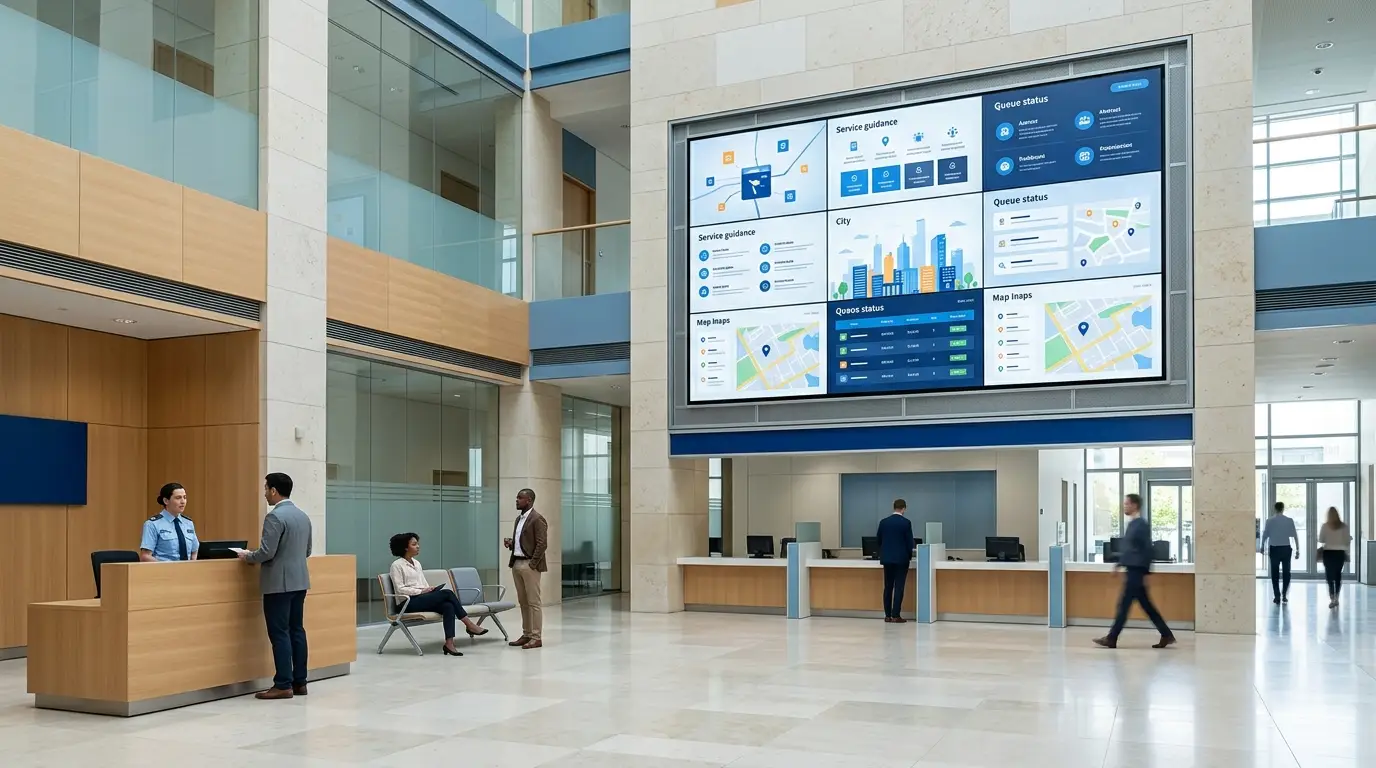
For government agencies, public-service operators, international development projects, municipal facilities, public-sector system integrators, and administrative-campus managers, an LCD video wall is not simply a large display. It is part of the public information infrastructure used to communicate services, procedures, notices, data, emergency messages, and institutional identity.
That changes how the project should be specified. A public-sector display system must be assessed not only for screen size and picture quality, but also for long-term operation, content governance, multilingual communication, accessibility, network deployment, maintenance access, documentation, and project acceptance. In many environments, the display is visible to citizens, visitors, service staff, government representatives, and international delegations. It must therefore support both operational clarity and a professional public-facing environment.
This guide is written for international government and public-sector projects, including public-service halls, government reception areas, administrative buildings, municipal exhibition centers, public-sector campuses, international visitor centers, and government-affiliated service facilities. It provides a structured way to evaluate an LCD video wall project before issuing an RFQ, preparing a tender response, or selecting an AV integration partner.
Public-service organizations often rely on printed notices, static signboards, individual televisions, or older display systems to share information. These methods can work for simple announcements, but they become difficult to manage when information changes frequently, when multiple languages are required, or when the same message must be distributed across several zones or buildings.
A citizen entering a public-service hall may need to understand the queue process, required documents, service counter location, appointment rules, opening hours, public notices, or emergency instructions. A visitor to a municipal exhibition center may need to see investment information, city-development plans, public data, project maps, or a welcome message in more than one language. A government reception area may need to switch from public information to a formal delegation presentation without moving cables or replacing printed materials.
These are operational requirements, not decorative preferences. A display system should reduce repeated questions at service counters, support timely publication of approved information, help staff manage content more efficiently, and make critical notices easier to distribute when conditions change.
LCD video walls are most useful when a facility needs a larger, coordinated display area for public information, data visualization, multi-source content, or high-visibility institutional communication. The display location and content purpose should be defined before technical configuration is selected.
| Public-Sector Area | Business or Service Task | Typical Content | System Requirement |
|---|---|---|---|
| Public-service hall entrance | Help visitors understand where to go and what services are available | Opening hours, service categories, queue instructions, multilingual welcome content, key notices | Clear templates, remote updates, multilingual content, readable text, scheduled publishing |
| Waiting area | Reduce uncertainty while citizens wait for service | Queue information, service process guidance, required documents, public announcements, civic information | Long operating hours, content rotation, emergency override, accessible viewing design |
| Government lobby or reception | Present institutional identity and support visitor reception | Welcome messages, organization profile, city or agency introduction, delegation content, event information | Professional visual design, multi-source input, controlled content approval, fast switching |
| Municipal exhibition center | Explain urban development, investment programs, public projects, and regional planning | Maps, dashboards, project videos, timelines, architectural plans, investment information | Large-format visualization, detailed content layout, controller support, serviceable installation |
| Public operations area | Provide approved operational or situational information to staff and authorized visitors | Service volume dashboards, facility status, public data, meeting content, approved monitoring feeds | Role-based permissions, multiple signal sources, secure network design, defined user access |
| Emergency communication zone | Distribute urgent public information when normal content must be interrupted | Safety notices, service interruption information, evacuation guidance, official alerts | Emergency override process, approved emergency templates, access control, operating procedure |
The same hardware can serve different purposes, but the operating model must change with the environment. A public-service hall needs clear, readable content and regular updates. A municipal exhibition center may prioritize detailed visual storytelling. A reception space may need fast switching between visitor content and formal presentation material. A successful project begins by identifying the service task first and selecting technology second.
Conclusion first: LCD video walls are suitable for many indoor public-sector environments that require detailed information, multi-window layouts, and large-format display within a structured project budget. However, LCD panels have physical bezels between display units. The project team should evaluate bezel width, viewing distance, panel layout, and content design together.
In a public-service waiting area, citizens may stand relatively close to the display. Small text, complex maps, dense tables, and content placed across panel joins can reduce readability. In a large lobby or exhibition area, viewers may be farther away, allowing the design team to use a larger visual layout for maps, videos, dashboards, and institutional content. The display configuration should therefore reflect where people stand, how long they look, and what they need to understand.
Common configurations include 2×2, 3×2, 3×3, and 4×2 layouts. A 2×2 wall may support a compact reception or waiting area. A 3×3 wall can support a larger public-information or exhibition wall. A 4×2 layout may be suitable for a wide lobby wall that presents panoramic content, multiple data windows, or a combination of public notices and wayfinding information.
Before issuing an RFQ, project teams can use the LCD Video Wall Size Calculator to estimate overall dimensions based on panel size, bezel option, and row-and-column layout. This helps confirm whether the proposed wall fits the available installation space before mounting, power, signal, and maintenance requirements are finalized.
Conclusion first: display performance in a public-service facility depends on the environment as much as on the panel specification. Ambient light, window glare, display orientation, enclosure design, ventilation, operating schedule, and maintenance access should all be reviewed before a display model is selected.
A government lobby with glass entrances may receive changing daylight throughout the day. A public-service hall may use bright overhead lighting. An exhibition center may have a controlled lighting design but require long operating hours during events. A facility with recessed wall construction may have limited rear access. Each condition affects how the screen is perceived and how the system can be serviced over time.
Procurement specifications should therefore distinguish between the visual requirement and the operating requirement. Visual requirements may include brightness, contrast, viewing angle, and content readability. Operating requirements may include daily run time, environmental temperature, ventilation clearance, power design, mounting method, front or rear maintenance access, warranty expectations, and spare-parts planning.
Claims about continuous operation should be matched to the selected model and installation design. Rather than using a generic statement such as “zero failure” or “24/7 guaranteed,” a professional public-sector specification should confirm the intended operating schedule and request the relevant technical documentation, installation conditions, maintenance recommendations, and warranty scope from the supplier.
Conclusion first: for public-sector projects, a content management system should be assessed as a governance platform, not only as a media player. The system must define who can publish information, who approves it, how content is scheduled, how emergency messages override normal playlists, and how user actions and device status are recorded.
A public-service hall may need different staff roles. A communications team may prepare visual material. A service department may update process instructions. An administrator may approve final publication. An IT team may manage network access. A facility operator may monitor whether the displays are online. Without role-based access and a clear workflow, important public information can become inconsistent or difficult to control.
These questions are especially important when the video wall is connected to government data, public-service information, operational dashboards, or external information systems. Integration should be defined in terms of approved data sources, access permissions, update frequency, network boundaries, and ownership of the content workflow.
Conclusion first: a large screen is not automatically an accessible screen. Public information must be designed so that people with different language abilities, vision levels, hearing needs, and mobility conditions can reasonably access essential messages.
For government halls and public-service facilities, accessibility should be considered during content design and system planning, not added after installation. Important notices should use readable text sizes, sufficient contrast, plain language, and adequate on-screen duration. Video content should use captions where appropriate. Rapid flashing, overly dense layouts, and low-contrast backgrounds should be avoided. Where a screen cannot fully serve every visitor, public organizations should consider complementary access routes such as printed guidance, staff assistance, a service desk, web content, or QR-linked accessible information.
Multilingual design requires more than translation. It may involve language priority, font compatibility, different text lengths, right-to-left script support where applicable, terminology approval, subtitle formatting, and a content-review workflow to ensure that public information remains consistent across languages.
| Design Area | Public-Sector Requirement | Practical Planning Approach |
|---|---|---|
| Readability | Visitors must be able to understand key information quickly | Use clear hierarchy, suitable font size, sufficient display time, and simple layouts |
| Contrast and glare | Information should remain legible in the actual installation environment | Review background colors, ambient light, reflections, screen placement, and content templates on site |
| Video and motion content | Important messages should not depend only on sound or rapid animation | Use captions, avoid unnecessary flashing, and include visible calls to action or instructions |
| Multilingual content | Different public groups may need information in more than one language | Define language order, approved terminology, template spacing, font support, and review responsibility |
| Alternative access | Not every visitor can rely on a wall-mounted screen | Link critical information to accessible web content, printed guidance, staff support, or service counters |
International public-sector procurement requirements vary by country, institution, funding source, installation environment, and system scope. A professional supplier should not make generic claims that all certifications or all regulations are automatically covered. Instead, the project team should identify the applicable requirements at the specification stage and request documentation appropriate to the selected model and destination market.
A tender-ready package may include display data sheets, system architecture diagrams, mounting layouts, power and signal drawings, network and CMS deployment descriptions, operating and maintenance manuals, warranty terms, spare-parts options, commissioning procedures, training scope, and acceptance criteria.
| Procurement Area | Questions the Buyer Should Ask | Project Documentation to Request |
|---|---|---|
| Electrical and EMC requirements | Which national or project-specific requirements apply to the selected equipment? | Applicable declarations, test documents, power requirements, and installation instructions |
| Network and cybersecurity | Will the CMS connect to public internet, private network, VPN, or local server infrastructure? | Network topology, user-role model, update process, logging approach, and deployment options |
| Accessibility | What public-information accessibility requirements apply to the facility and content? | Content design guidance, accessibility statement, template recommendations, and implementation responsibilities |
| Installation and maintenance | How will the wall be mounted, ventilated, accessed, and serviced after installation? | Mounting drawings, maintenance-access plan, cable routing, ventilation requirements, and service procedure |
| Acceptance and support | What will be tested before handover, and what support is required after commissioning? | Factory or site acceptance checklist, training plan, warranty terms, response process, and spare-parts policy |
A public-service center in Eastern Europe is renovating its visitor hall to improve service communication for citizens, local businesses, and international visitors. The facility handles several administrative services, uses a reception area and queue zone, and occasionally hosts official delegations and public-information events.
The existing communication model relies on printed notices, separate small displays, and staff explanations at service counters. Information updates are slow, different departments use inconsistent templates, and visitors often ask repeated questions about required documents, service locations, and waiting procedures. The facility also needs the ability to display content in multiple languages and publish urgent notices without replacing physical materials across the building.
The project team plans an LCD video wall for the main waiting and information area, supported by additional public displays in the entrance and reception zone. The central wall is designed for service-process guidance, queue-related information, public notices, and multilingual explanatory content. The reception display is used for welcome messages, visiting delegation information, and approved institutional presentations.
A CMS is specified with separate user roles for content creation, review, approval, and system administration. Approved templates are created for service announcements, emergency messages, public notices, and multilingual layouts. The network design is reviewed with the organization’s IT team to determine whether the CMS should operate on a local server, controlled network, or another approved deployment model. The installation plan includes maintenance access, cable routing, display ventilation, and staff training before handover.
The expected result is not a claim that technology alone will solve every service challenge. The project creates a controlled information-publishing process: staff can update approved content more efficiently, citizens receive clearer visual guidance, managers have a defined emergency-publication procedure, and the facility has documented display layouts, user roles, maintenance requirements, and acceptance criteria for ongoing operation.
This structure can be adapted to local language requirements, public-service workflows, network rules, and procurement documentation in the destination country.
A reliable proposal requires more than a request for a screen size or panel quantity. Public-sector buyers, consultants, and system integrators should prepare the following information before starting technical discussions.
For initial technical planning, use the LCD Video Wall Size Calculator to estimate the required wall dimensions. For product and configuration discussions, visit the Qtenboard LCD Video Wall solution page.
The appropriate configuration depends on the available wall size, viewing distance, ambient light, content type, operating schedule, and maintenance access. A waiting-area information wall may need different planning from a reception-area presentation wall or a municipal exhibition display. Send the site dimensions and intended use case for a more accurate recommendation.
Yes. A properly planned CMS and content-template system can support multilingual announcements, service instructions, wayfinding, video, dashboards, and scheduled public notices. The project should define language priority, translation approval, font support, template spacing, and publishing permissions.
Emergency publishing can be included in the system design when the CMS, permissions, content templates, and operating procedure are defined in advance. The project should identify who is authorized to trigger emergency content, which screens are affected, and how normal playlists resume after the event.
Deployment options depend on the CMS architecture and the organization’s IT policy. During project planning, the buyer should specify whether the system must operate on-premise, within a restricted network, through VPN access, as a cloud service, or in a hybrid model.
The required documents vary by country and tender. Buyers commonly request technical data sheets, installation drawings, power and signal requirements, warranty terms, maintenance procedures, CMS deployment information, user training scope, and applicable product compliance documentation for the selected destination market.
Accessibility should be considered in both the physical installation and the content design. This may include readable fonts, contrast, captions, display duration, glare control, language support, appropriate mounting position, and alternative information channels for visitors who cannot rely on the display alone.
Project support can be planned around the confirmed scope, including display layout, technical parameters, mounting requirements, controller or CMS requirements, documentation needs, delivery schedule, and after-sales expectations. Please provide the project country, installation scenario, required quantity, and tender or RFQ requirements.
A government or public-service display project should begin with the public-information task, site conditions, network model, accessibility needs, operating workflow, and maintenance plan—not with panel quantity alone.
Please prepare: site photographs, wall dimensions, viewing distance, content requirements, operating hours, CMS deployment preference, network constraints, language requirements, maintenance method, tender timeline, and destination country. This information supports a more accurate display layout, system architecture, and project proposal.
Calculate LCD Video Wall Dimensions | Explore LCD Video Wall Solutions

CEO | Interactive Display & Collaboration Solution Expert
I am the founder of Qtenboard, bringing over 17 years of hands-on expertise to the touch display industry. Drawing on the global management perspective gained through my EMBA studies at ShenZhen University, I lead my team in optimizing every stage of our operations—from product definition to high-efficiency supply chain management—ensuring our manufacturing capabilities remain at the forefront of the industry.
As the leader of Qtenboard, I specialize in providing tailored OEM/ODM solutions for interactive whiteboards, LCD video walls, digital signage, and industrial-grade touch terminals. Backed by our 330,000 m² modern industrial park in Shenzhen, we maintain full-lifecycle control over industrial design, precision manufacturing, and rigorous performance testing.
With nearly two decades of project experience, Qtenboard’s display solutions are now deployed in over 120 countries and regions, earned the trust of more than 15,000 enterprise customers worldwide. If you are seeking a responsive partner with a deep manufacturing foundation for your customized touch display projects, my team and I are ready to support your vision with professional excellence.

 ukr
ukr
 EN
EN  pt
pt  spa
spa  th
th  vie
vie  aze
aze  bel
bel  est
est  lav
lav  ru
ru