Solución de señalización digital de parada de autobús para información de pasajeros en tiempo real

2026-11-09
Fabricante al aire libre de la exhibición · Shenzhen · OEM / ODM desde 2005

Solución de señalización digital de parada de autobúsS para la información en tiempo real del pasajero y la publicidad al aire libre

Una plataforma de quiosco al aire libre para llegadas de autobuses en vivo, cambios de ruta, avisos de emergencia y publicidad pagada, configurada para su clima, su fuente de datos de tránsito y su estructura de refugio. Envíe las condiciones del sitio y le devolvemos un dibujo, una lista de materiales y un presupuesto en firme.

  • Tamaño de la pantalla21,5-98 pulgadas
  • Brillo≥700 – 2000 cd/m²
  • ProtecciónOpción del recinto IP65
  • PlataformaAndroid 9-16 / Windows
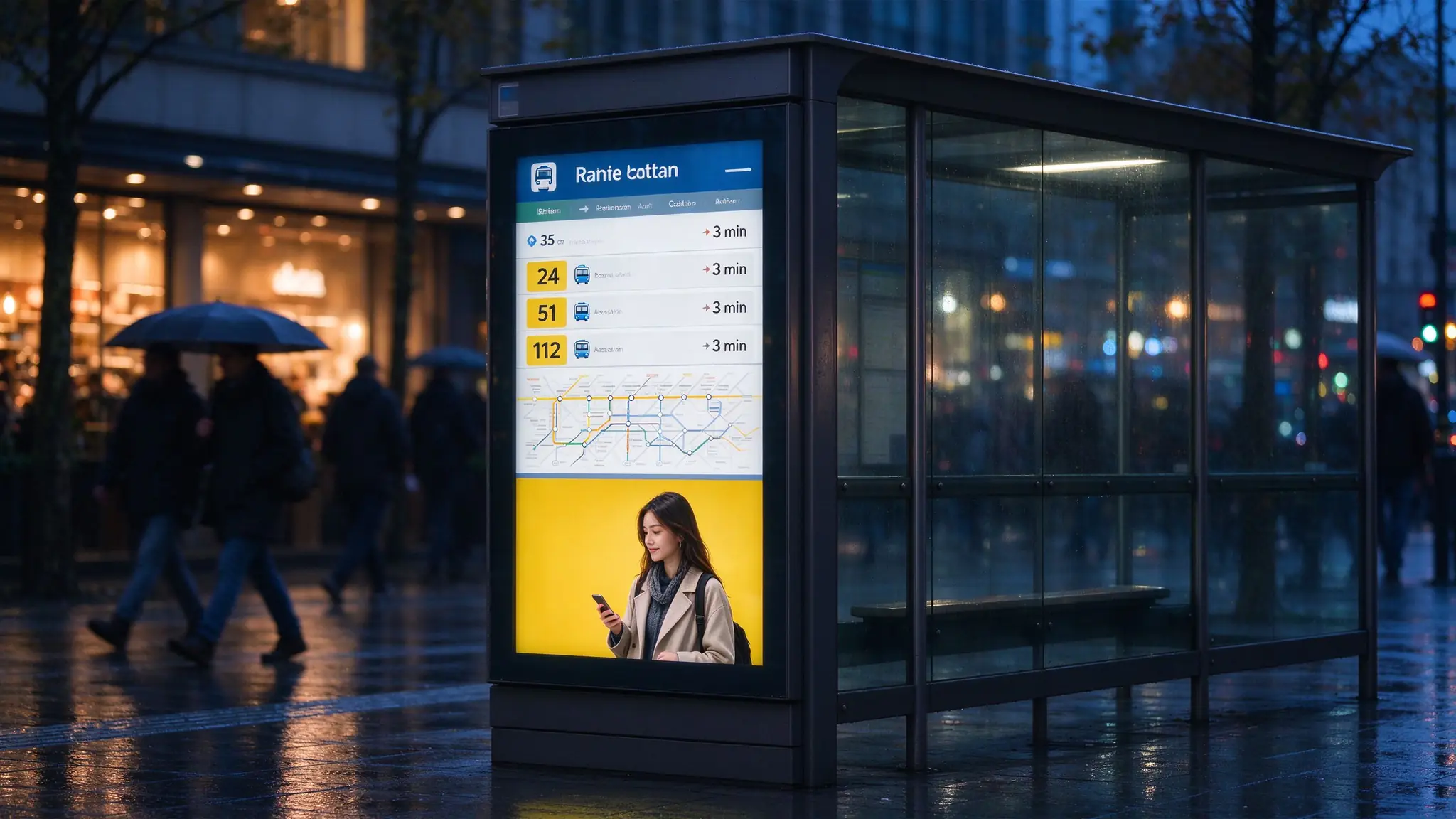
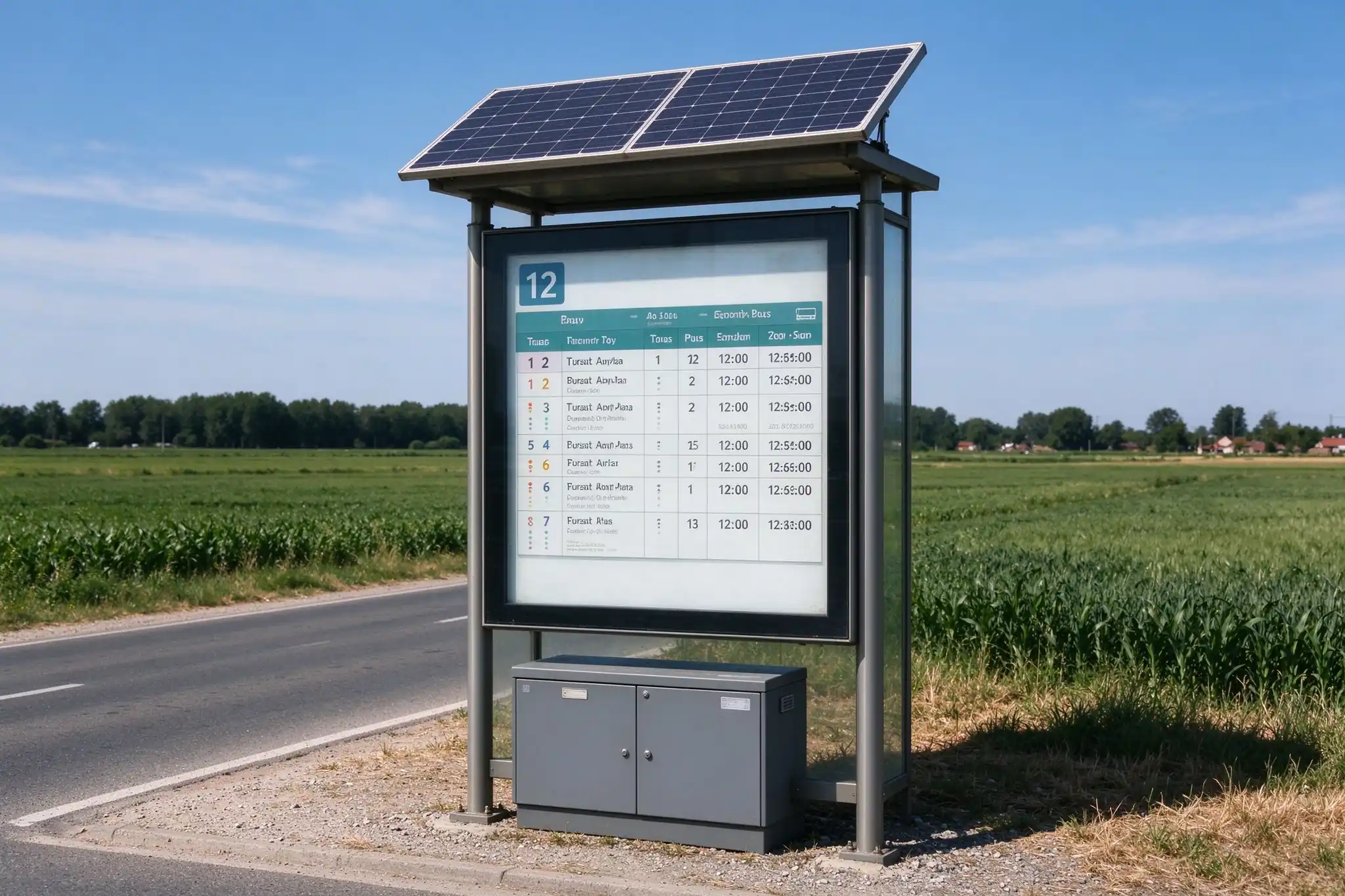
Outdoor bus stop digital signage displaying real time bus arrival information at dusk

Retrato de la parada de autobús al aire libre mostrar publicar llegadas en vivo encima de un panel de publicidad pagada en la misma pantalla.

La respuesta corta

Un proyecto de digitalización de paradas de autobús tiene éxito o falla en tres decisiones tomadas antes de que se ordene cualquier hardware: qué tan brillante y qué tan bien enfriado está el recinto para ese sitio específico, si realmente existe una alimentación de datos de tránsito real para conducir la pantalla de llegada en vivo, Y si la información y publicidad de los pasajeros se gestionan desde un sistema en lugar de dos. Qtenboard construye una plataforma al aire libre configurable del quiosco alrededor de esas tres decisiones.

Donde los proyectos de señalización digital de parada de autobús realmente se atasque

Se repiten cuatro puntos de falla en los proyectos de ciudad, integrador y operador de medios. Cada uno es más barato de resolver en la etapa de especificación que después de que la primera unidad esté en el sitio.

  1. El horario sigue siendo de papel, así que nadie confía en la parada

    Los horarios impresos se fijan con meses de anticipación. Un retraso, una ruta desviada o una parada cerrada llega tarde o no llega a los pasajeros, y cada actualización necesita una visita de campo. Las quejas de los pasajeros aterrizan en el operador, no en la impresora.

    Costo de dejarlo: gastos recurrentes de impresión y mano de obra, más daños diarios de credibilidad en el activo de la calle de mayor tráfico que posee.

  2. La pantalla se elige antes de confirmar la fuente de datos

    Una visualización es sólo una superficie de modelizado. Los tiempos de llegada estimados en vivo provienen de una plataforma de tránsito, una API de cliente o un feed GTFS/GTFS-Realtime. Compre la pantalla primero y la promesa de "tiempo real" se convierte en una presentación de diapositivas JPEG estática.

    Costo de dejarlo: un terminal que no puede mostrar lo que la licitación prometió, y un segundo presupuesto de integración que nadie planeó.

  3. El gabinete se especifica a partir de una hoja de datos de interiores

    La luz solar, el calor empapado, la lluvia, la sal costera y la condensación interna son cuatro problemas diferentes. Un panel brillante en un diseño térmico débil se vuelve tenue por la tarde y muere en el segundo verano; una caja sellada sin control de humedad se empaña desde el interior.

    Costo de dejarlo: rollos de camiones, paneles de reemplazo y un presupuesto de mantenimiento que rebase los ingresos publicitarios.

  4. La información y la publicidad provienen de dos proveedores

    Las pantallas de información de pasajeros y las pantallas de publicidad suelen llegar de diferentes proveedores en diferentes plataformas CMS. Dos inicios de sesión, dos ventanas de soporte, dos grupos de repuestos y un argumento sobre qué sistema aparece en la pantalla cuando un aviso de emergencia debe adelantarse a un anuncio pagado.

    Costo de dejarlo: trabajo de integración duplicado y un plan de monetización bloqueado por un conflicto de nivel de servicio.

Una pantalla, tres puestos de trabajo: información de pasajeros, publicidad, servicios de la ciudad

Una pantalla inteligente de parada de autobús es un solo terminal exterior que transporta tres capas de contenido a la vez, con una regla de prioridad que controla el operador. La pantalla se divide en zonas fijas para que la información de servicio nunca se empuje fuera del vidrio por una campaña.

  • Zona superior -Nombre de parada, identificación de ruta, ciudad o logotipo del operador.
  • Zona principal -Cartel publicitario o video, contenido promocional y de la ciudad-evento.
  • Zona inferior -Tiempos estimados de llegada, próximas salidas, alertas de servicio y un ticker de noticias.
  • Zona lateral -Clima, wayfinding, una entrada QR al servicio móvil o una marca de patrocinador.

Los mensajes de emergencia y de tránsito esencial pueden tener prioridad sobre el contenido comercial de acuerdo con su política de contenido y las reglas de servicio público local: una decisión de configuración, no una reescritura de software.

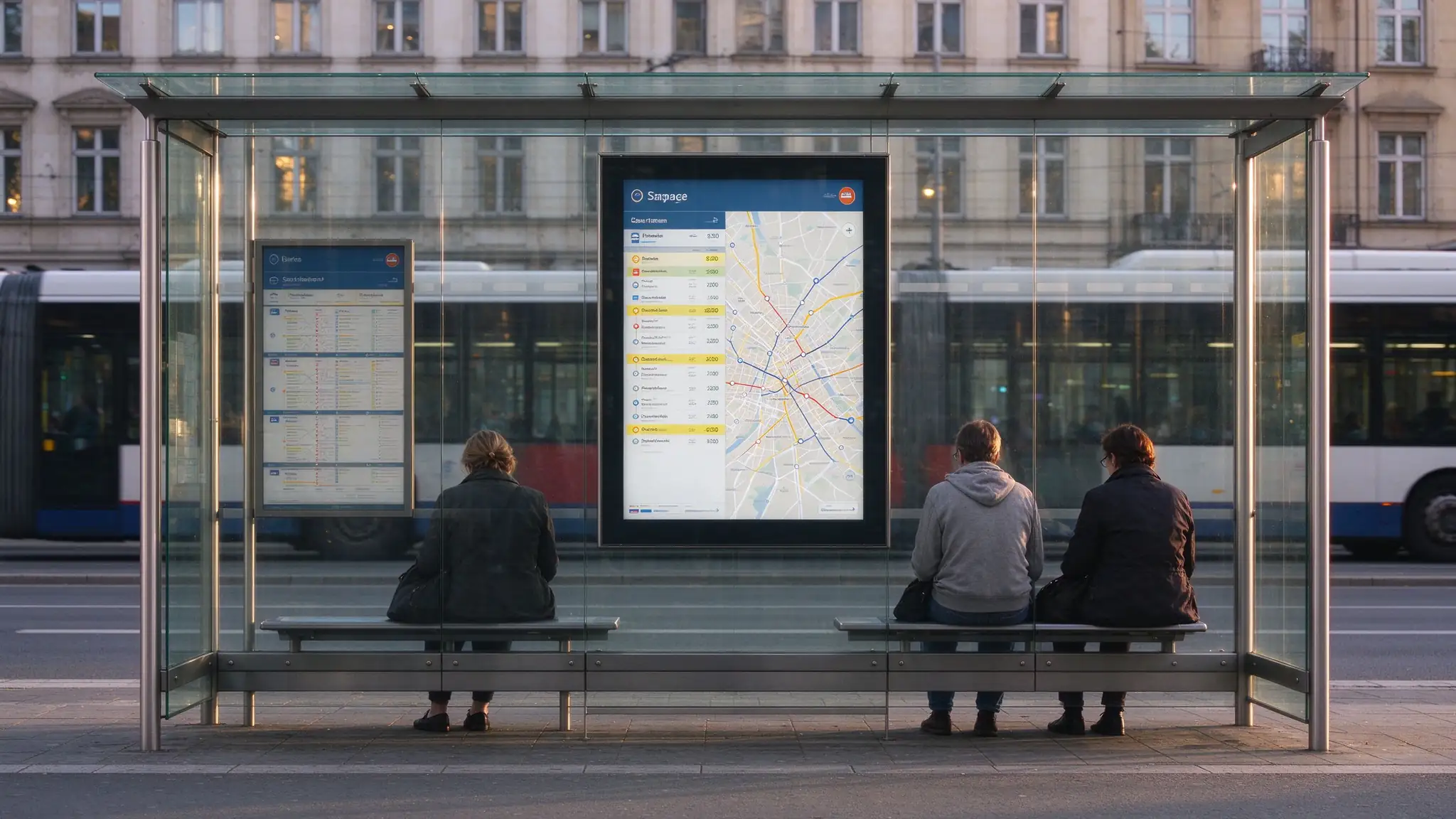
Bus shelter digital signage integrated into a glass shelter structure

Configuración integrada en el refugio: la pantalla se convierte en parte de la estructura del refugio en lugar de estar junto a ella.

Five configurations, one cabinet platform

Most projects start from one of these five. They differ in data depth and interaction, not in build quality — the same outdoor enclosure, thermal design and QC process sit behind all of them.

ConfiguraciónMejor paraData sourceConfirm before ordering
Visualización de programación independiente Sites with no live feed yet Local CMS or USB, fixed timetable Power, network, update frequency
Pantalla de parada de autobús gestionada por CMS Bus companies, campus and commercial shuttles CMS en la nube o servidor central Stop count, user permissions, playback reports
Pantalla de pasajeros integrada en la API Transit operators, smart-city programs Transit platform, REST API, GTFS-Realtime Data format, interface documentation, refresh rate
Quiosco inteligente interactivo de la parada de autobús City hubs, interchanges, tourist areas API plus touch software and peripherals Software scope, waterproof openings, privacy rules
Solar-powered bus stop display Sitios sin energía de red estable Same as above, on a low-power profile Sunlight hours, power draw, battery life, 4G coverage

Specifications are finalized on the project drawing. Screen size, OS, top signage, audio, camera, solar and data integration are confirmed per project.

Outdoor engineering: the five variables that decide whether the screen survives

Every one of these is selected against a specific site condition. Nothing on a Qtenboard bus stop display is fixed by default — which is why the site survey matters more than the datasheet.

Brightness matched to the site

Options run from a semi-outdoor panel to sunlight-readable high-brightness glass, rated across the ≥700–2000 cd/m² band on the PIS series. Shelter advertising screens run higher, ≥2500 cd/m² with an automatic light sensor. Direct sun on a south-facing stop, a canopy, and a shaded shelter recess are three different specifications.

IP protection plus moisture control

An IP65 enclosure stops water entering from outside. It does not stop condensation forming inside when a cold night follows a humid day. High-humidity and coastal sites need a drainage and anti-condensation design, and often a heater, or the driver board corrodes behind a perfectly sealed door.

Thermal design sized to the climate

Fan cooling, an air-conditioning module for high-heat regions, a heater for cold regions, or an integrated controller with remote temperature monitoring and over-temperature protection. Heat soak at midday is the most common cause of a dim or failing outdoor panel.

Glass and vandal resistance

Tempered or laminated protective glass, anti-glare and anti-reflective options for readability, optional anti-vandal front protection, security screws, a lockable cabinet and remote door-status alerting. Public space means somebody will test it.

Power architecture

AC with surge protection, a solar array with battery backup, or a hybrid system where information must keep running through an outage. A solar site is a feasibility calculation — sunlight hours, brightness setting, operating hours and connectivity all move the battery size.

Structure and installation interface

Freestanding kiosk with base plate, anchor bolts and a top signage band, or a frame designed to integrate into a shelter. The second option changes the drawing: interface points, load bearing, cable route and maintenance access all have to be agreed with the shelter manufacturer.

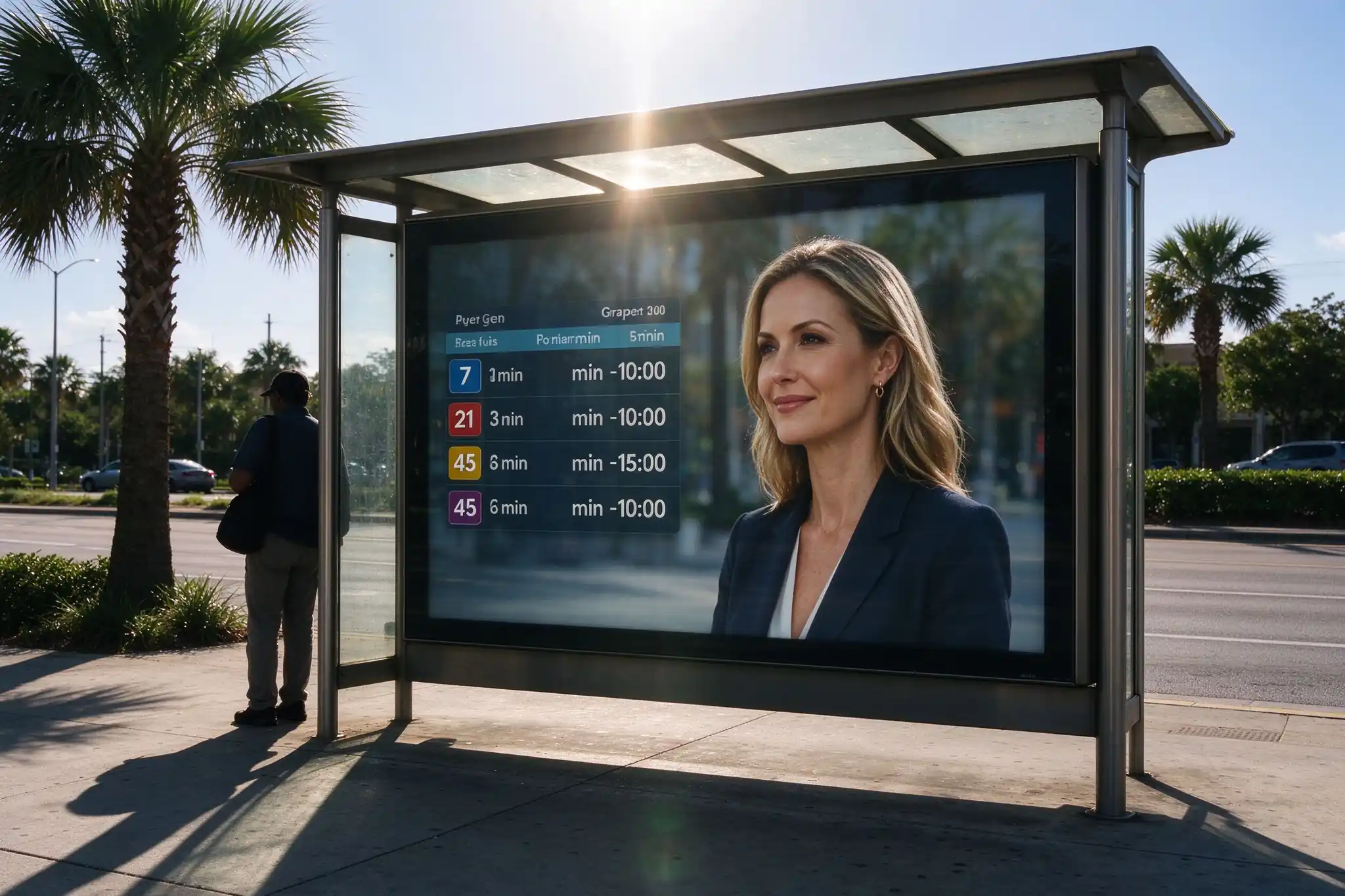
Sunlight readable bus stop screen showing passenger information in direct midday sun
Midday direct sun: the panel is specified for the site, not for a showroom.
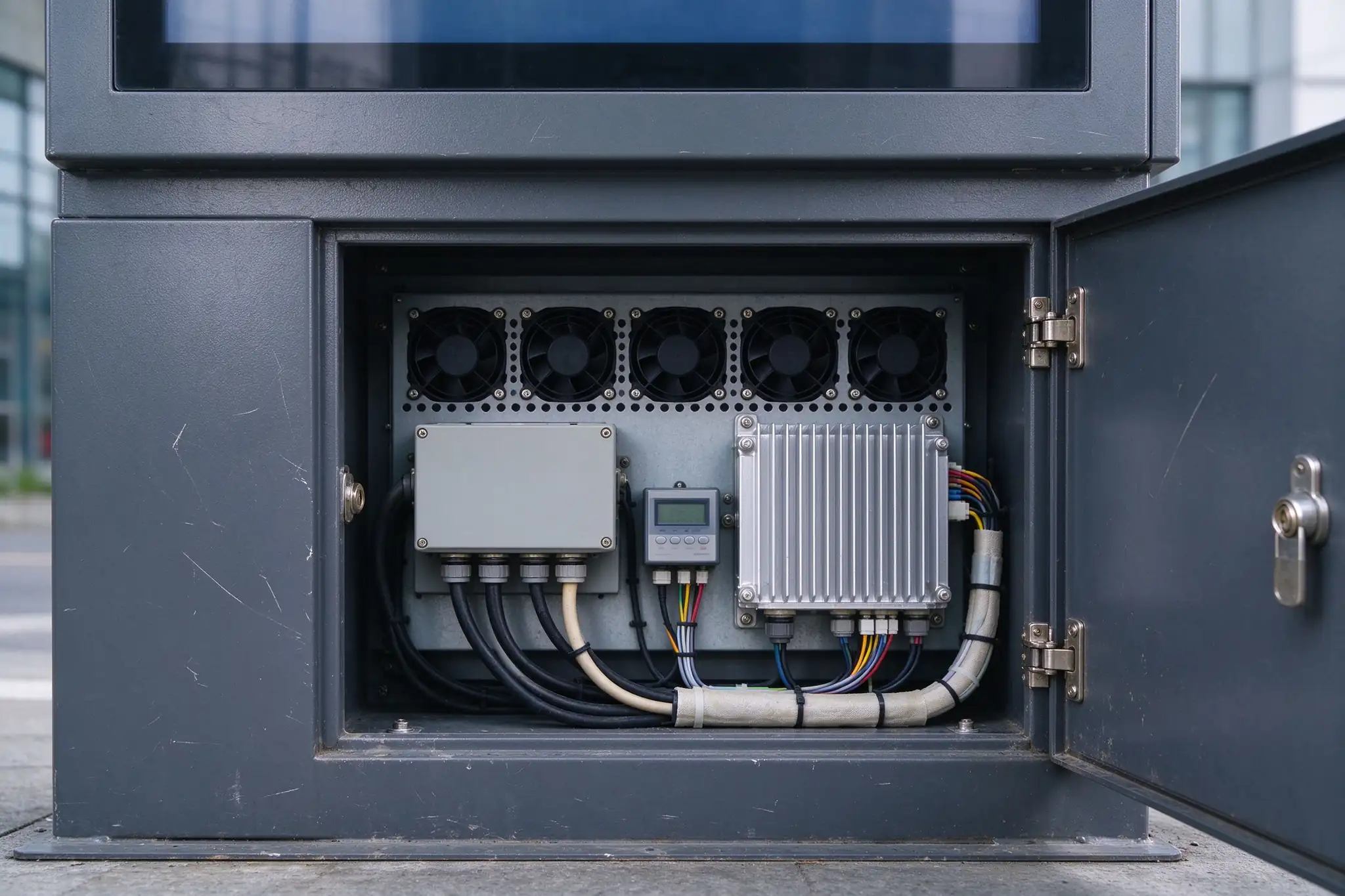
Outdoor bus stop display enclosure with fan cooling and rear maintenance access
Service bay: sealed cable glands, fan bank, heatsink and a lockable maintenance door.

When there is no grid connection at the stop

Rural routes, temporary stops and roadside sites often have no reliable supply. A solar panel, battery cabinet and a low-power display profile let the same terminal run the timetable and the ad panel without trenching a cable. We run the feasibility check before the quote, not after the order: sunlight hours, brightness setting, operating window and 4G or 5G duty cycle.

Solar powered smart bus stop display for sites without grid power
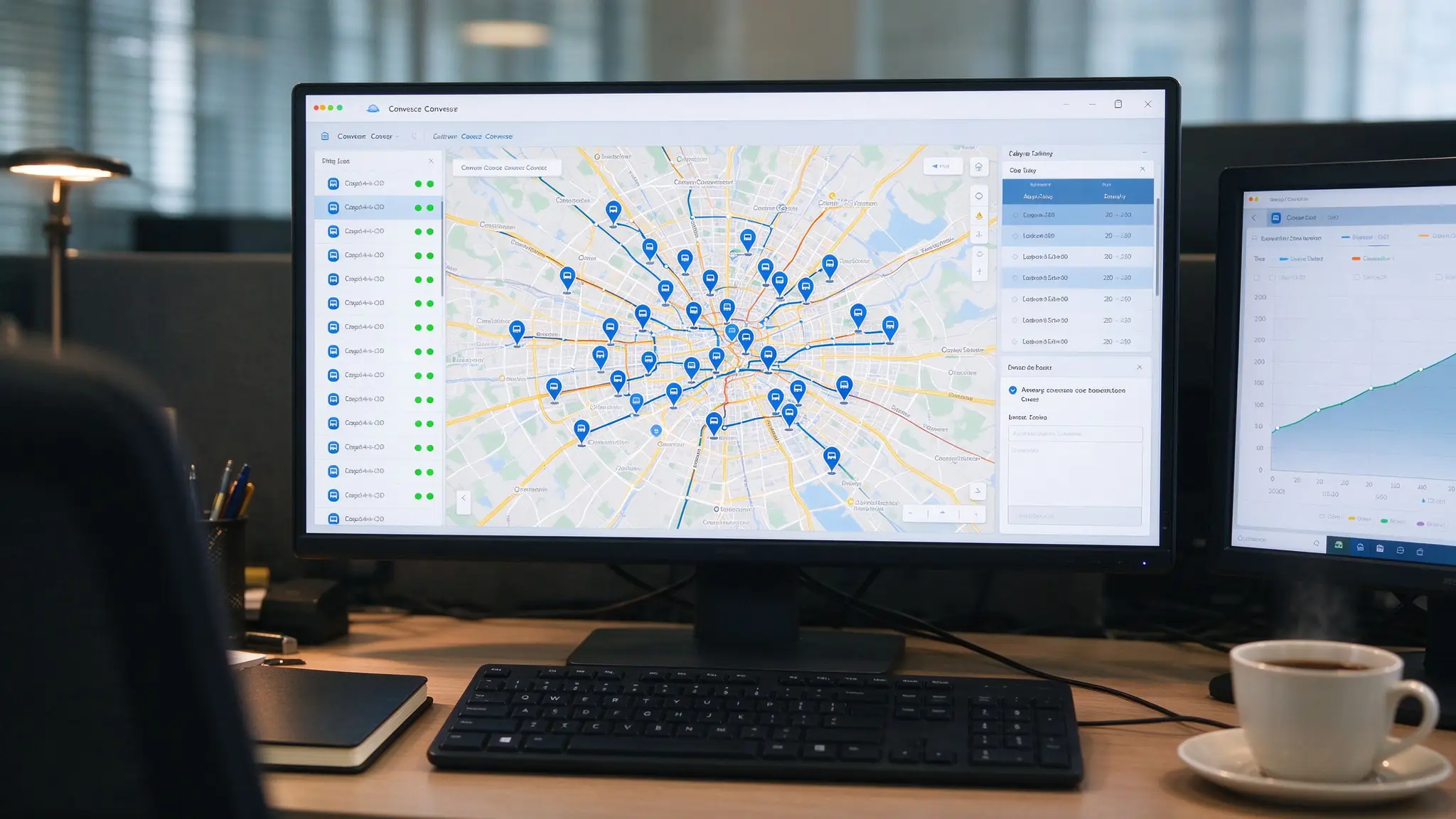
Cloud CMS dashboard managing multi stop bus stop digital signage network

One dashboard for the network: device status, playlists, emergency publishing and proof of play.

Transit data integration: what a display can and cannot do

A passenger information display renders data. It does not generate it. Live estimated arrival times require a compatible transit management platform, a customer-provided API, or a GTFS / GTFS-Realtime feed with the right permissions — and that source has to exist before the tender closes.

What the terminal can publish once connected: route number and route name, destination, next departure, estimated arrival, vehicle status, delay and diversion notices, temporary stop closure, transfer guidance, service alerts and emergency announcements.

What we assess before quoting

  • Which system owns the data, and who can authorise access
  • Format: REST API, GTFS, GTFS-Realtime or a third-party PIS platform
  • Refresh frequency, and how stale data should be displayed
  • Whether interface documentation exists, or an integration test is needed
  • Which zones of the screen the data drives, and the language set

Real-time data note. Real-time passenger information requires integration with a compatible transit platform, API, GTFS / GTFS-Realtime feed or customer-provided data source. The display hardware alone does not generate live bus data.

Remote content and scheduling

Multi-stop grouping, playlist scheduling, daypart control, timetable publishing, emergency message publishing, role-based access for the city, the operator and the advertiser, remote reboot and system updates.

Proof of play for ad revenue

Playback logs and screenshot capture give a media operator the evidence an advertiser asks for, so the shelter inventory can be sold on measured delivery rather than on a photo of a screen.

Device health without truck rolls

Online status, internal temperature, fan and thermal state, brightness, storage, signal strength, door-open and power status are visible per stop — the difference between a maintenance plan and a maintenance budget.

Deployment: from site survey to commissioning

A bus stop screen is a piece of street infrastructure. The sequence below is the one that keeps the civil work and the hardware from waiting on each other.

  1. 01

    Site survey

    Installation type, footprint, viewing direction and passenger flow, sunlight exposure, rain, wind, snow, dust and humidity, temperature range, coastal or corrosive conditions, ground material and the network available on site.

  2. 02

    Foundation and anchoring design

    Base plate, anchor bolts or an embedded frame, dimensioned against the unit weight, local wind load and the ground structure. Permanent outdoor units need a proper base — this line is often missing from a first quote and appears later as a change order.

  3. 03

    Power, earthing and cable route

    Confirm local voltage and capacity, reserve a protected cable route in the base or ground, specify earthing and surge protection, and decide the backup strategy where uninterrupted information matters.

  4. 04

    Drawing approval and production

    Cabinet drawing, top signage and branding approved before tooling starts. A sample or pre-production unit is available where the project needs one signed off.

  5. 05

    Testing, inspection and commissioning

    Function and burn-in testing, pre-shipment inspection, then packing list, drawings and installation guidance. Remote commissioning support covers the CMS, the data feed and the first live stop.

Plan the maintenance access before the concrete is poured

Front or rear service access has to be decided against the shelter layout and the pavement width, not after installation. Multi-stop projects also need an agreed split of responsibility for content, network, cleaning and hardware, plus a spare-parts list sized to the fleet.

OEM / ODM customization for transit and shelter projects

For distributors, integrators and shelter manufacturers, the value is in the parts that carry your name and your structure — not in a stock box with a sticker.

Appearance and structure

  • Cabinet dimensions and portrait screen size, 21.5 to 98 inch
  • Top signage band for the stop name, route mark, city logo or sponsor
  • Base plate and anchor-hole layout to your civil drawing
  • Shelter integration structure and interface points
  • Powder-coat colour, printed graphics, front or rear maintenance
  • Glass type, ventilation and cable-entry position

Hardware and software

  • High-brightness panel, Android or Windows platform, CPU / RAM / storage
  • 4G, 5G, Wi-Fi, LAN, GPS, IoT modules for device monitoring
  • PCAP touch, speaker and audio announcement, camera, QR, NFC, intercom, emergency button
  • CMS integration, transit API integration, GTFS assessment
  • Advertising playlist management and emergency-alert publishing
  • Multi-language UI, city map and wayfinding layout

Deployment profiles we build for

Three buyer types, three different definitions of success. The configuration changes; the cabinet platform, CMS logic and support window do not.

Transit operator

Live arrival information across a multi-stop network

Desafío Printed timetables at dozens of stops, with delays and route changes reaching passengers late.

Configuración API-integrated portrait displays with ETA, vehicle status and alert zones, grouped and published from one CMS, advertising slots kept on the same screen.

Resultado One publishing workflow for the network, delay notices pushed remotely, and a second revenue line on hardware already installed.

Municipality / smart city

A managed public-information network

Desafío Scattered legacy signs with no remote management and no consistent city identity.

Configuración 4G-connected, CMS-managed bus stop displays with device monitoring, emergency and weather alert publishing, and unified city branding on the top band.

Resultado One dashboard for the whole network, alerts published in minutes, and fewer field visits for routine checks.

Shelter and media operator

Advertising inventory without degrading passenger service

Desafío Shelter space to monetize, but passenger guidance that cannot be interrupted by a campaign.

Configuración Split-screen displays with a fixed service zone and a scheduled advertising zone, optional touch, solar power and QR services, playback logs for advertisers.

Resultado New DOOH inventory on the same asset that carries the timetable, sold on measured playback rather than on a photograph.

These are representative deployment scenarios built from project configurations. Named references, project photographs and certificates are shared under NDA once requirements are confirmed.

Factory proof: how a unit earns its shipping label

Qtenboard has manufactured outdoor displays and kiosks since 2005, exporting to more than 100 countries as an OEM / ODM partner for international brands. Three factories in China cover 33,000 m² with around 1,000 skilled workers, running automated SMT lines, metal fabrication, in-house test platforms and export packing under one roof.

Sixteen inspection points before packing

  • Panel and image-quality inspection, high-brightness readability test
  • Android or Windows boot test, CMS playback test, API data-display test where integration is in scope
  • LAN, Wi-Fi, 4G or 5G connectivity test and audio announcement test
  • Touch, QR, NFC and camera peripheral tests where selected
  • Cooling, heating and temperature-monitoring test, door-lock and access test
  • Cabinet sealing and cable-entry inspection, long-duration burn-in
  • Base, mounting point and mechanical-dimension check, packaging inspection

Test records are available for project review, alongside CE, FCC and RoHS options, IP-rated enclosure reports and IK or safety-glass certificates where they apply to the configuration.

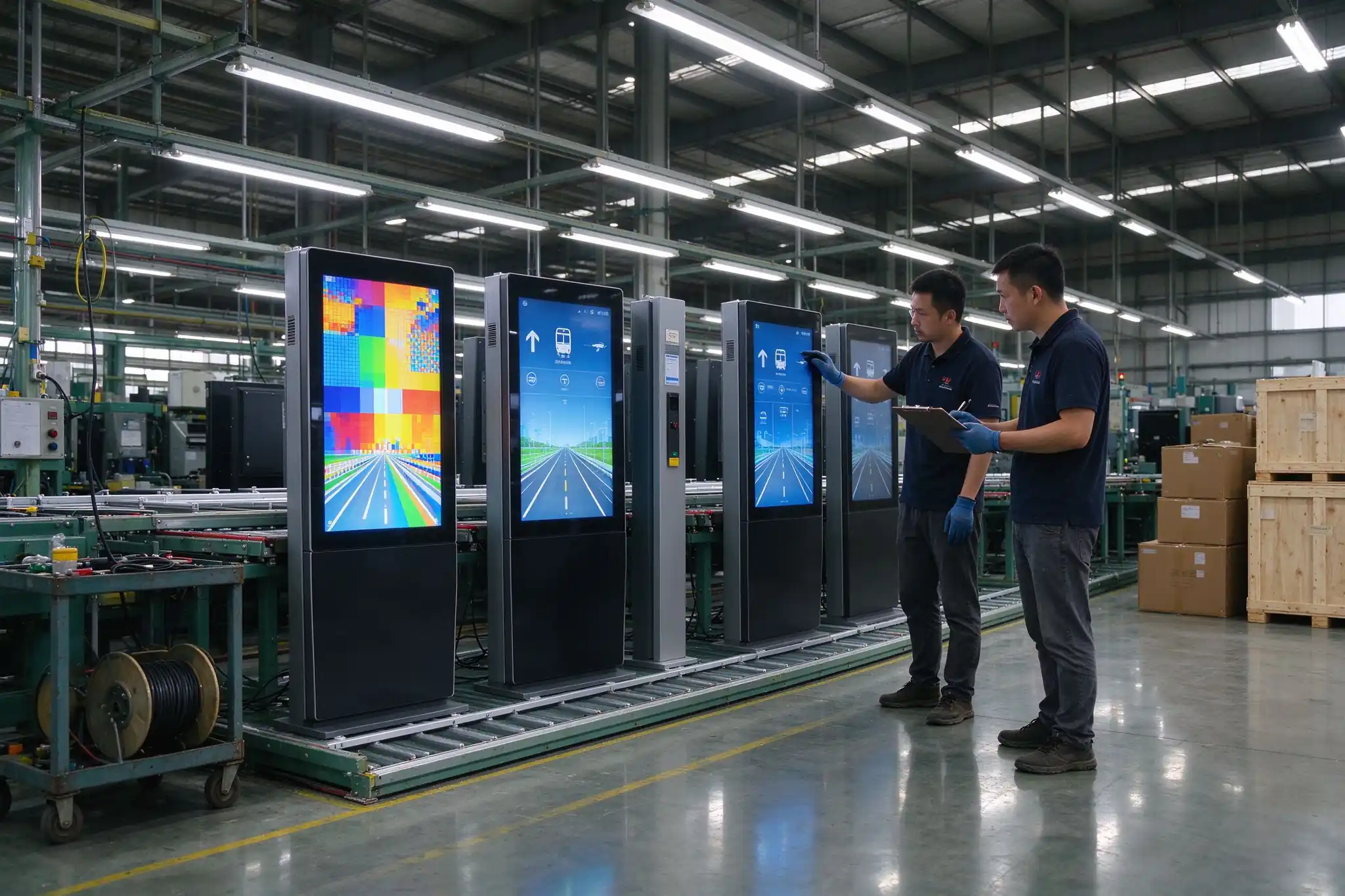
Qtenboard factory quality control testing outdoor bus stop displays before shipment

Burn-in line before pre-shipment inspection: units run under power, not just switched on for a photo.

Fundado
2005
Factories
3 in China, 33,000 m²
Equipo
~1,000 skilled workers
Export markets
100 países

What we need to return a configuration and a price

Bus stop digital signage quotes vary by two to three times for the same nominal screen size, because brightness, thermal design, protection, data scope and quantity all move the bill of materials. Send these eight items and the reply is a defined configuration, not a range.

  1. Site type and quantity — bus stop, shelter, transit hub or plaza; how many units, and how many in phase one.
  2. Medio ambiente — direct sun exposure, temperature range, rainfall, humidity, coastal corrosion, cleaning practice.
  3. Ground and wind conditions — paving or soil, foundation depth, local wind load, anchoring requirement.
  4. Poder — available AC supply, or a solar feasibility review; whether information must survive an outage.
  5. Datos de tránsito — data owner, format (REST API, GTFS, GTFS-Realtime), refresh rate, interface documentation.
  6. Display and interaction scope — size, portrait or landscape, touch, audio announcement, QR, NFC, camera, accessibility options.
  7. Content and operation model — who publishes, whether advertising is sold, permissions required, proof-of-play needed.
  8. Entrega — destination country, target date, incoterm, whether a sample unit is required first.

Talk to the project team directly

Info@qtenboard.com

+86 181 2471 3748

Distrito de Longhua, Shenzhen, China,

Send the eight items

Sample and batch orders supported · T/T, LC or project terms · Lead time depends on configuration, quantity and customization · Standard and extended warranty options

Preguntas frecuentes

What is bus stop digital signage?

An outdoor display terminal installed at a bus stop, shelter or transit area that publishes timetables, live arrival information, route changes, public announcements and paid advertising. In practice it replaces the printed timetable and the static advertising panel with one remotely managed screen.

Can the bus stop screen show real-time arrivals?

Yes, once it is connected to a compatible transit management platform, a cloud system or a customer-provided API. The accuracy of the arrival time is the accuracy of the data source — the display does not estimate a bus position by itself.

Does it support GTFS and GTFS-Realtime?

GTFS and GTFS-Realtime integration is assessed as part of the software scope. Send the feed or interface documentation, the update frequency and the display format you need, and the compatibility review comes back with the quote.

Can one screen carry both passenger information and advertising?

Yes. The layout is divided into zones — service information in a fixed area, advertising in the main area — and emergency or essential transit messages can pre-empt commercial content under the operator's content policy.

Is it suitable for direct sunlight and coastal humidity?

The terminal is built for outdoor and semi-outdoor deployment, but brightness, glass, thermal design, anti-condensation and corrosion treatment are selected per site. A coastal installation with high salt exposure is specified differently from a shaded inland shelter.

Can it run on solar power with no grid connection?

Solar panel and battery backup options are available for sites without stable supply, with a low-power display profile. Feasibility depends on sunlight hours, brightness setting, operating hours, power draw and the connectivity duty cycle, so it is reviewed before quoting.

Can it be integrated into an existing bus shelter?

Yes. The unit can be supplied freestanding or configured for integration into a shelter structure. Provide shelter dimensions, mounting position, available power, network condition and maintenance-access requirements, and the drawings are adapted accordingly.

How are multiple stops managed from one place?

A cloud CMS or local server groups the stops, publishes playlists and notices, and monitors device status — online state, temperature, signal, storage, door-open and power. Remote reboot and system updates avoid site visits for routine issues.

What certification and test evidence comes with a project?

CE, FCC and RoHS options, IP-rated enclosure test reports, and IK or safety-glass certificates where applicable to the configuration. Sixteen inspection points are recorded before packing and the test records can be supplied for project review.

What are the order terms for a first project?

Sample orders and batch orders are both supported. Payment terms are T/T, LC or project-specific; lead time depends on configuration, quantity and customization; export packing is a wooden case or project packaging, and spare-parts lists are recommended for long-term deployment.

Start with the site, not with the screen size

Send the site conditions, the data source and the quantity. You get back a configuration drawing, an integration assessment and a price that holds through production.

Technical review: Queenie Wang, founder of Qtenboard, 17 years in the interactive display industry. Figures and configuration options on this page reflect the current product specification sheet and factory QC records, reviewed 9 November 2026.

Nota de referencia: screen images are for reference only. Final screen size, operating system, top signage, audio, camera, solar power and transit-data integration are confirmed per project drawing.


Qtenboard Queenie Wang

Queenie Wang

CEO | Experto en soluciones interactivas de visualización y colaboración

Soy el fundador de Qtenboard y aporto más de 17 años de experiencia práctica a la industria de las pantallas táctiles. Basándome en la perspectiva de gestión global obtenida a través de mis estudios de EMBA en la Universidad de ShenZhen, dirijo a mi equipo en la optimización de cada etapa de nuestras operaciones, desde la definición del producto hasta la gestión de la cadena de suministro de alta eficiencia, asegurando que nuestras capacidades de fabricación permanezcan a la vanguardia de la industria.

Como el líder de Qtenboard, me especializo en el abastecimiento de las soluciones adaptadas de OEM/ODM para los whiteboards interactivos, las paredes video del LCD, la señalización digital, y los terminales del tacto del industrial-grado. Con el respaldo de nuestro moderno parque industrial de 330.000 m² en Shenzhen, mantenemos el control del ciclo de vida completo sobre el diseño industrial, la fabricación de precisión y las rigurosas pruebas de rendimiento.

Con casi dos décadas de experiencia en proyectos, las soluciones de visualización de Qtenboard ahora se implementan en más de 120 países y regiones, y se ganaron la confianza de más de 15.000 clientes empresariales en todo el mundo. Si está buscando un socio receptivo con una base de fabricación profunda para sus proyectos personalizados de pantallas táctiles, mi equipo y yo estamos listos para respaldar su visión con excelencia profesional.