Solutions / Automotive Retail
A showroom display system is not a set of screens. It is six zones along one decision path: three seconds to earn attention, five minutes to explain a configuration, thirty minutes to close. This guide specifies the hardware for each zone, the parameters that decide it, and what your team must prepare before a single panel is ordered.
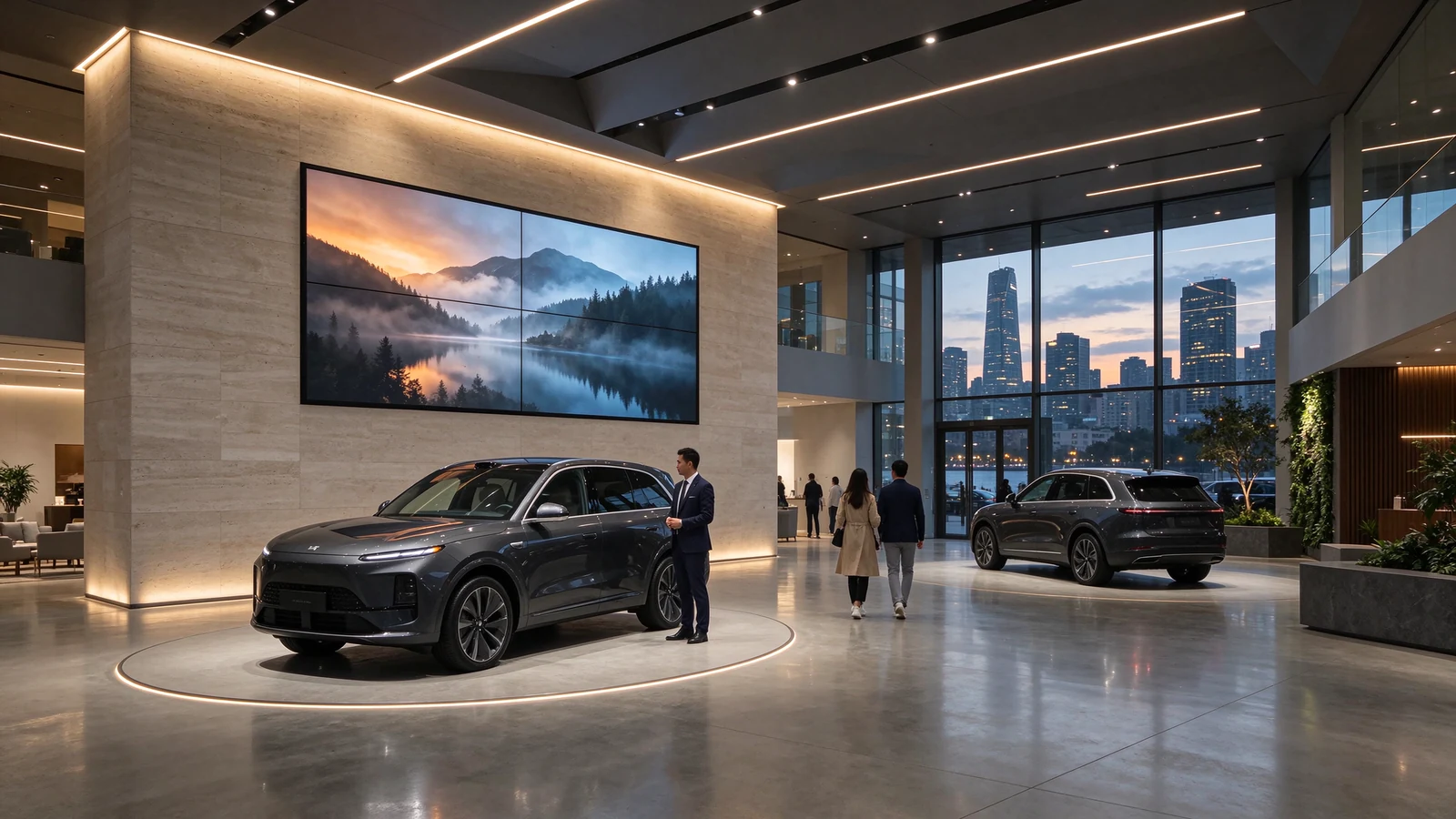
Most dealership display projects fail on the same three questions, and none of them are about the panel. Who owns the configurator software? Which supplier is accountable when the wall, the kiosk and the CMS come from three different companies? Will the main wall still look right at the viewing distance customers actually stand at? The hardware is the easy part. This page is written for the procurement and operations people who have to answer the other three.
A dealership is a managed journey, not an open floor. Walk one and the sequence is always the same: street window, entrance and main wall, the car itself, the table where the deal is written, the bay where the keys are handed over, and the service reception a customer returns to twice a year. Each of those steps has a different display job, and buying the same product for all six is how showrooms end up with a wall nobody watches and a kiosk nobody touches.
| Zona | What the customer does there | Terminal that fits | Specification that decides it |
|---|---|---|---|
| 1. Street window | Passes in three seconds; decides whether the brand is worth a visit | Double-sided hanging window display, or a high-brightness video wall | 700 nits, anti-glare, portrait or landscape hanging, independent content per side |
| 2. Entrance and main wall | Forms a first impression of tier and technology | LCD video wall, 1x3 / 2x2 / 3x3 | Bezel class 0.88 mm or 0 mm, 500-700 nits, 97% colour saturation, front maintenance |
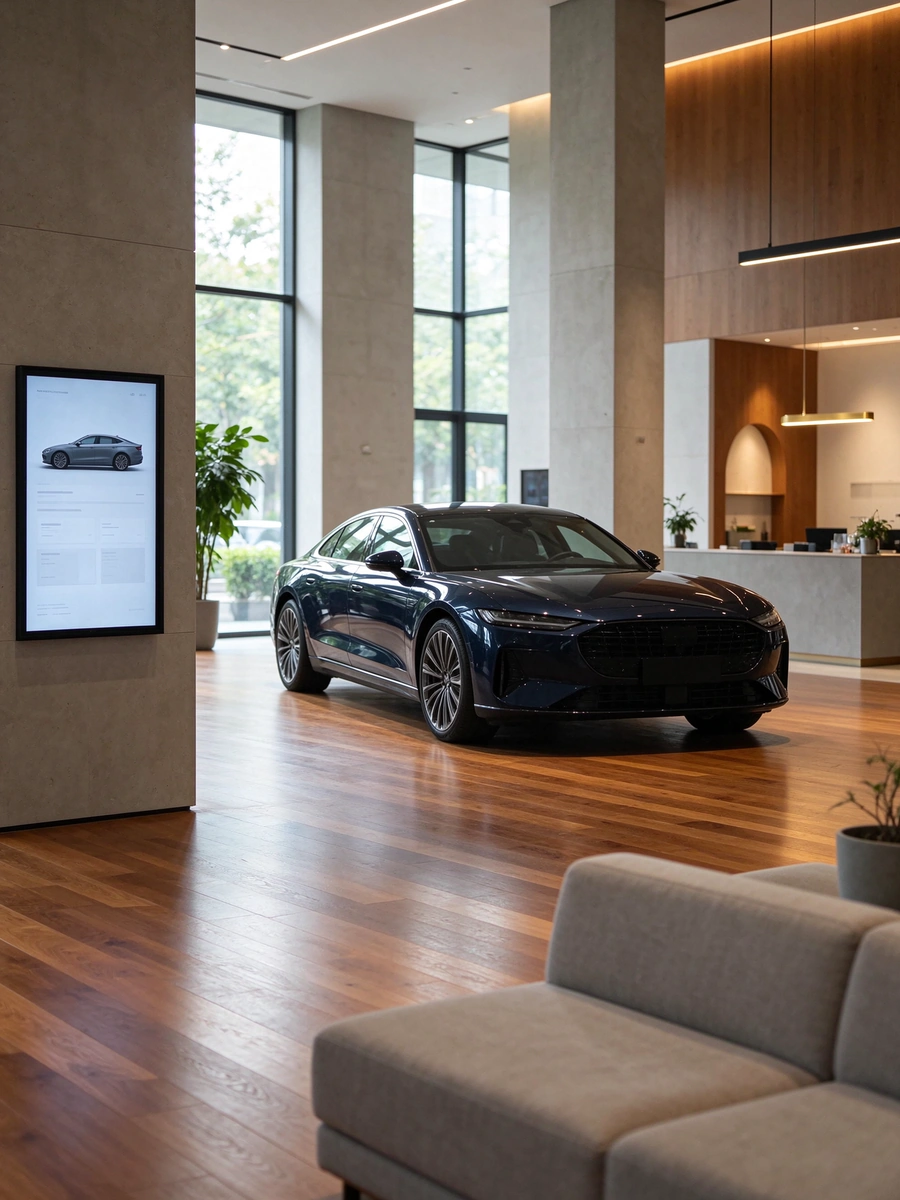
| 3. Beside the car | Asks about trim, options, stock and price; wants a number now | L-shaped or floor-standing touch kiosk, 43-55 in | Slanted display, IR multi-touch or PCAP, Android or Windows, boot-to-app, brand colour chassis |
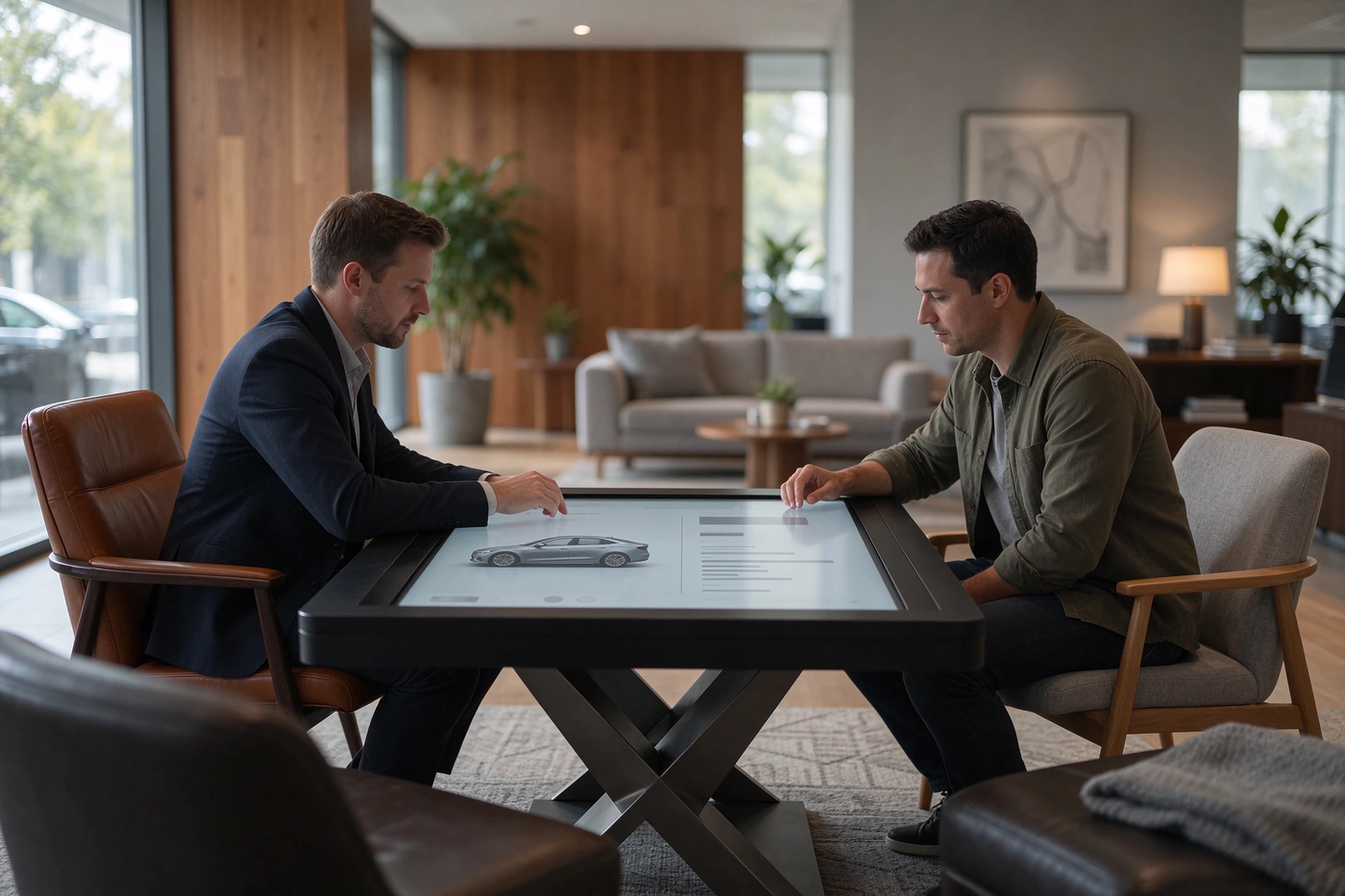
| 4. Negotiation and configuration table | Compares two builds, runs finance scenarios, signs | Touch table, or 43-49 in wall display with split screen | Horizontal multi-touch, split layout, same content source as the kiosk |
| 5. Delivery bay | Receives the car; learns the features in the first ten minutes | Portrait 43-55 in display | Portrait mounting, high brightness for spotlight conditions, CMS-scheduled handover content |
| 6. Service reception and lounge | Waits, checks job status, books the next visit | Queue display plus wall signage | Queue-system integration (assessed per project), readable at 4-6 m, silent operation |
Fund the main wall first, then the kiosk beside the hero car, then the street window, then the negotiation table. Delivery bay and service reception are the last additions and the cheapest to justify later, because they run on the same CMS and the same panel family as everything else. Buying six zones at once on a first project is usually a mistake; buying one zone that cannot be extended is a worse one.
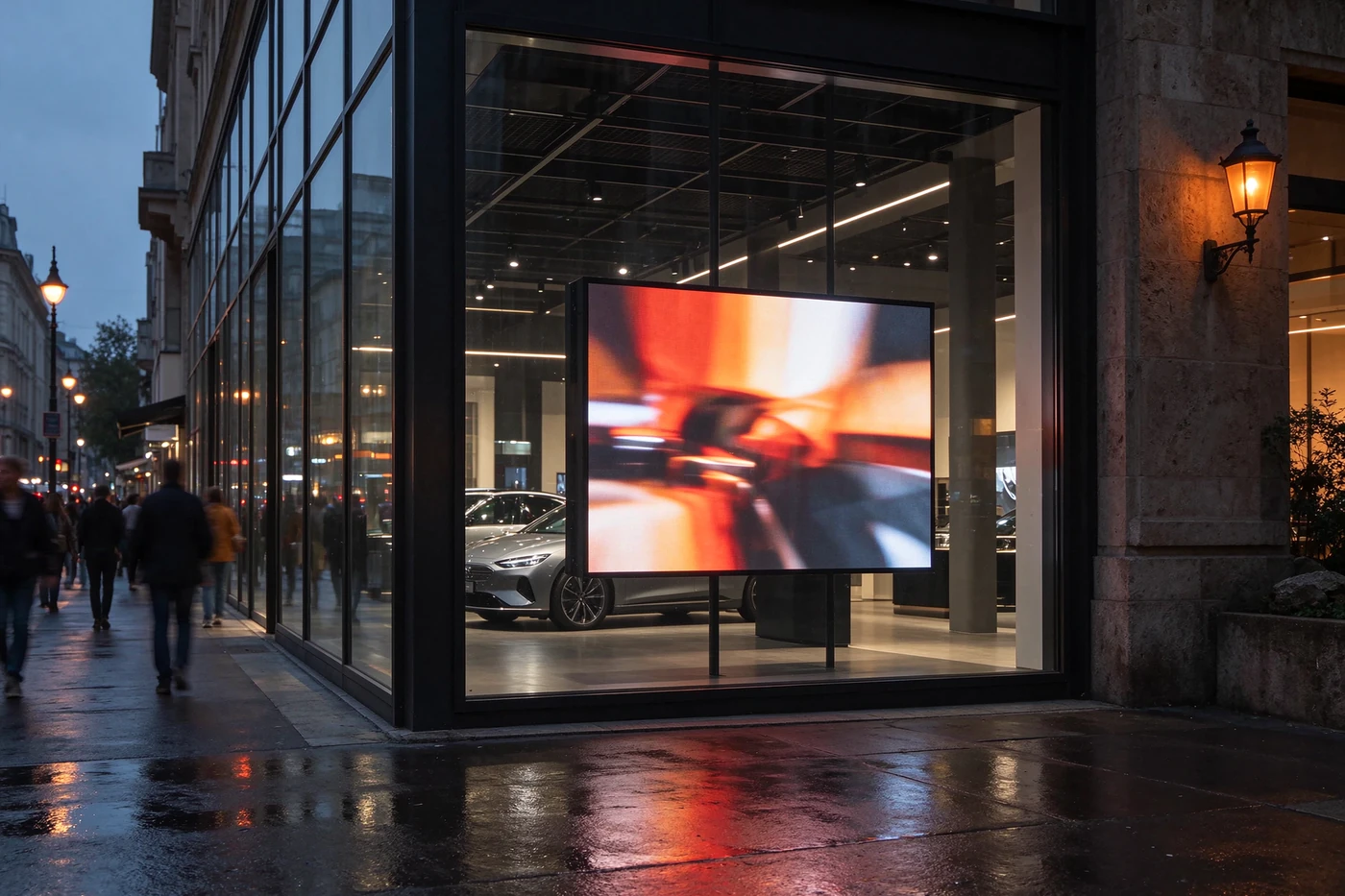
A car behind glass at night is one of the most valuable advertising surfaces a dealer owns, and it is the one most often wasted on a static poster. A double-sided hanging window display solves two problems at once: it stays legible from the pavement in daylight, and it keeps selling after the showroom closes.
The specification that matters here is not resolution. It is brightness against reflected daylight. A 350-nit panel is fine for the interior-facing side; the street-facing side needs the 700-nit option once the window takes direct sun for more than an hour a day. Independent content per side matters as well: the outdoor side should carry the campaign and the price story, the indoor side the trim walkthrough that a customer reads once they are inside.
Available formats: landscape 43 / 49 / 55 in and portrait 32 / 43 / 55 in, Android or Windows, ceiling wire-hanging with hidden cable management, tempered glass, and a full-glass frameless option for luxury brands that do not want a visible metal edge.
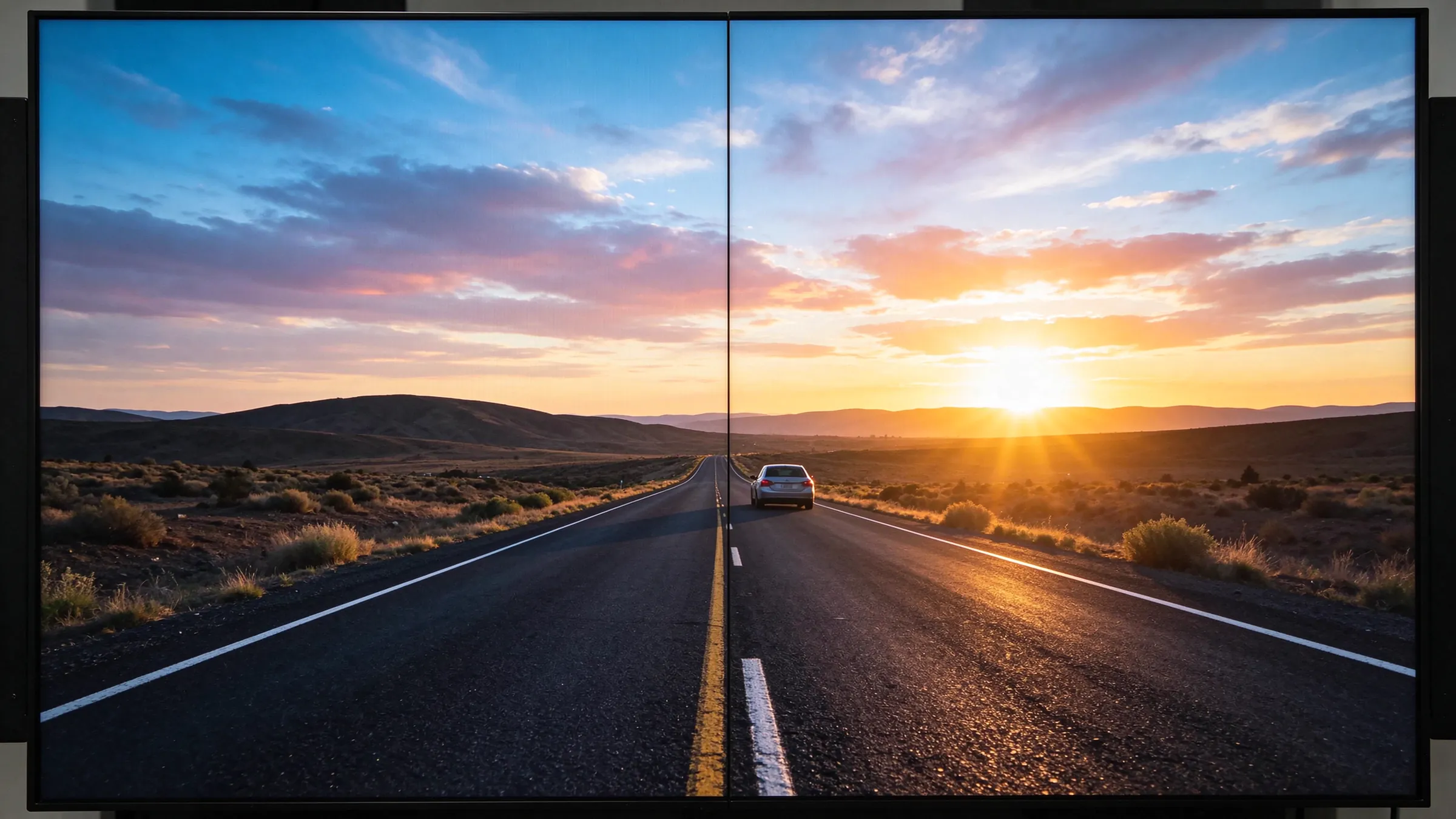
The main wall is the only display in the building that every visitor sees, and it is the one most often specified by panel count alone. "A 2x2 of 55-inch" tells a supplier nothing about whether the result will read as premium. Four parameters decide that, and all four are quotable.
| Parametri | Range available | How it is chosen | What happens when it is chosen badly |
|---|---|---|---|
| Bezel class | 8 / 3.5 / 1.8 / 1.7 / 0.88 / 0 mm | Rule of thumb: the seam must be invisible at 1.5x the closest distance a customer stands. 8 mm reads as a grid at 2-3 m; 0.88 mm does not. | A luxury brand wall that looks like six televisions bolted together. The hardware works; the brand impression does not. |
| Parlaqı | 500 / 700 nits | Match the measured ambient light at the wall, not the showroom average. Glass-fronted halls and south-facing floors need the 700 option. | Washed-out colour under daylight, and a wall that only looks correct after sunset. |
| Colour consistency | 97% saturation, system-level calibration | Require calibration across the whole array before shipment, not per panel at the factory gate. | Visible panel-to-panel colour drift on a single campaign image. This is the defect customers notice first. |
| Maintenance access | Wall mount / cabinet / floor stand; hydraulic front maintenance optional | Confirm whether the wall has rear access. In a finished showroom it usually does not. | A single failed panel means dismantling neighbouring panels during trading hours. |
| Düzülüş | Where it fits | Nə üçün? |
|---|---|---|
| 1x3 | Between structural columns, above a single hero car, or a narrow reception wall | The most common first installation in a 4S store: it fits a wall the building already has, and a three-panel row is enough for a full-width campaign film. A live reference project used exactly this arrangement. |
| 2x2 | Standard display floor, ceiling 3.5-5 m | The default for a reason: square format, balanced above two cars, and the cheapest way to reach 100+ inch diagonal. |
| 3x3 | Double-height flagship entrance, atrium, launch events | Only justified when the viewing distance starts at 6 m and the room is genuinely tall. Below that, the extra row is invisible and the money is better spent on bezel class. |
| Custom / 2x3 / 4x3 | Non-standard walls, above service reception, event backdrops | Requires a splicing processor with creative layout support. Ask for the processor model in the quotation, not after the wall is built. |
Panel sizes run 43 / 46 / 49 / 55 / 65 / 75 in at 2K or 4K, in a 16:9 ratio, 178 degree viewing angle, and rated for continuous operation with a service life of roughly 60,000 hours. A showroom runs 12 hours a day, six days a week, which leaves enormous headroom; that headroom is why the same panel family can also carry a 24/7 service-area display without a second product line.
One option is worth raising early: an infrared touch frame turns the main wall into a large-format interactive surface. It is not a replacement for the kiosk - a customer will not stand at a 3 m wall to build a configuration - but it is effective for launch events, fleet presentations and group walkthroughs where one presenter drives the wall in front of an audience.
For the full component list - panels, splicing controllers, processors, mounting structures, playback devices and CMS - see the LCD video wall system page. For sizing calculations before you commit to a layout, the commercial video wall guide covers wall dimensions against viewing distance.
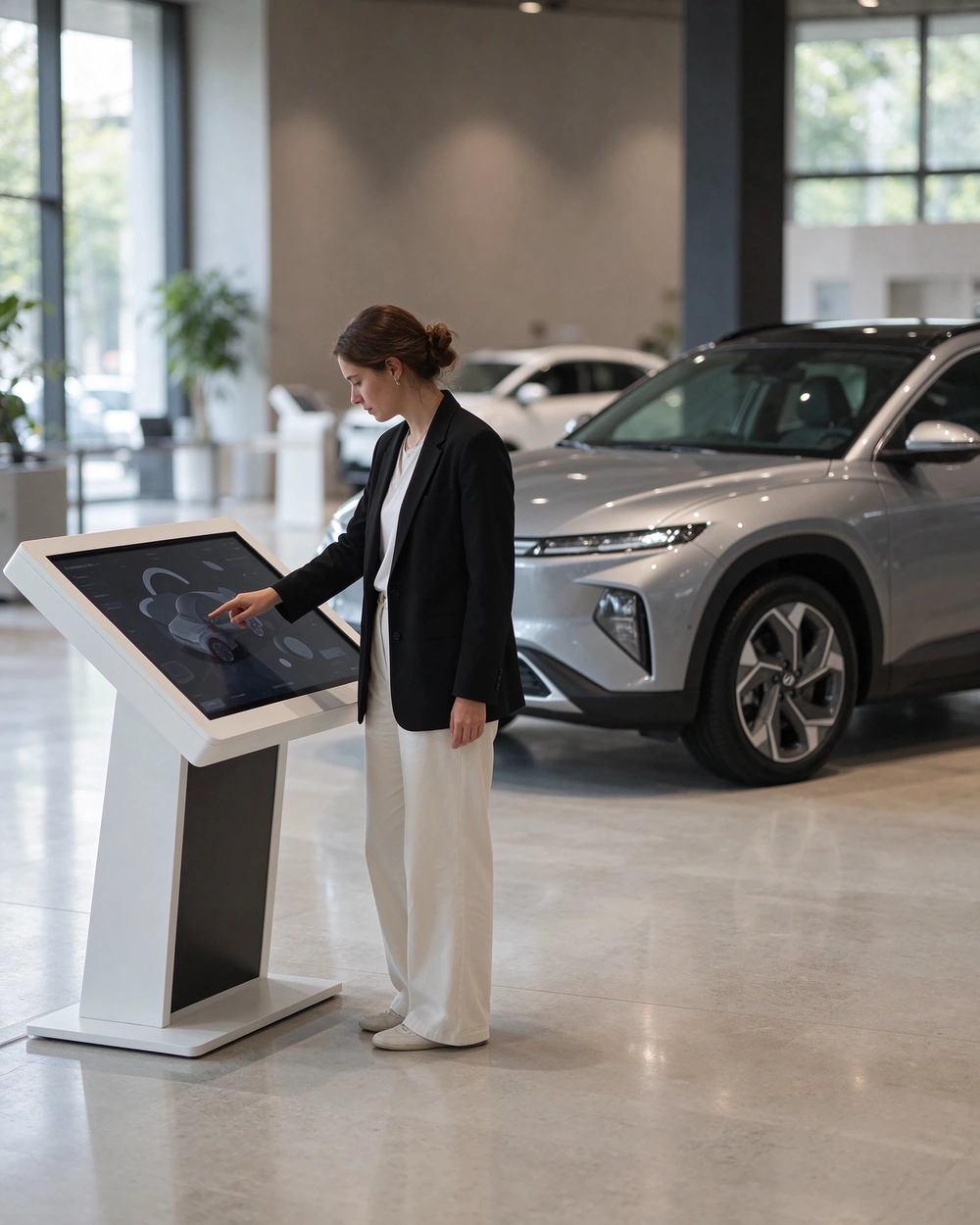
This is the zone where a showroom either converts or stalls. The customer has walked around the car, liked it, and now wants the answer a salesperson takes four trips to the back office to find: which trim, which options, what it costs per month, is it in stock. A vehicle configuration kiosk answers that in one place, in the customer's own language, at their own pace.
The placement rule is simple and frequently broken: the kiosk belongs at the front of the car, on the customer's approach line, not tucked against the wall behind it. If a customer has to step around a vehicle to reach the screen, utilisation drops to near zero and the project is written off as "customers don't use kiosks".
For the L-shaped 43 and 50 inch format, the design intent is a slanted reading surface at roughly desk angle, a white metal body that disappears in a light showroom, and a footprint small enough to sit between two display positions.
| Format | Best position | Why this one |
|---|---|---|
| L-shaped 43 / 50 in | Directly beside the hero car, or at the head of a display row | Slanted surface invites touching without a keyboard posture; 43 in fits a compact bay, 50 in carries a full-screen 3D configuration without shrinking the car model. This is the default choice for showrooms and expos. |
| Floor-standing 55 / 65 in | Structural column, zone entrance, service driveway | Vertical format reads from 4-6 m and can be wrapped onto a column; better for wayfinding, model range overview and stock lists than for detailed configuration. |
| K-shape / multi-position kiosk | Sales centre lobby, fleet desk, two-sided traffic routes | Serves two directions of traffic from one chassis. Proven in property sales centres, where the buying journey is closest to a car purchase: browse, shortlist, sit down, sign. |
43 or 50 inch, 1920x1080 or 3840x2160, 3000:1 contrast, 16:9
IR multi-touch as standard, PCAP projective capacitive optional for glass-fronted premium interiors
Android 9 / 11 / 14 / 16 or Windows, 2-4 GB RAM, 16-32 GB storage, RJ45 + WiFi, optional 4G
300-700 nits, so the same chassis works near a glass wall and in a dim lounge
White metal body as standard; black, silver or brand colour, logo silk-screen, NFC, scanner or printer on request
Boot-to-app configuration so the configurator is the first thing on screen after a power cut
The chassis, panel, touch layer, operating system, remote management and content distribution come from the display supplier. The configurator itself - model data, option pricing, finance calculator, stock lookup, CRM hand-off - comes from your software partner or the brand's global platform. Agree on that owner before the purchase order, not after. A showroom with 40 kiosks and no configurator owner is the most expensive mistake in this category.
If no configurator exists yet, run the pilot on one kiosk with a third-party configurator vendor and a single model line. Proving the content before scaling the hardware is cheaper than discovering the gap at store twenty.
Full specification and OEM options are on the L-shaped interactive touch kiosk page.
When the customer sits down, the display changes job completely. It is no longer attracting or explaining; it is holding a shared reference while two people argue about money. A salesperson reading numbers off a phone, or handing over a printed sheet that goes out of date in a week, is the weakest version of this moment.
Two configurations work, and they suit different room layouts. A multi-touch table with a horizontal screen puts the same build in front of both people, so the customer touches the option list themselves and the conversation is about the car rather than about the screen. Where the lounge is too small for a table, a 43-49 inch wall display with split screen does most of the same work: quotation on the left, configuration summary and stock status on the right.
The part that determines whether this zone is useful is not the screen. It is whether the content arrives from the kiosk or has to be re-entered by hand. In practice there are two hand-off routes: the kiosk passes a configuration token to the table screen, or the salesperson pushes the same build to the customer's phone by QR code. Both belong to your configurator vendor's API, not to the display. Confirm that one of them exists before you buy either device.
Hardware notes: tempered glass top, multi-touch surface, Android or Windows, X-base or fixed plinth depending on lounge width. The table has to be tall enough for a laptop to sit beside it and low enough that a seated customer reaches the opposite edge without standing up. Where the lounge cannot take a table, a 43 or 49 inch wall display above the same table is the cheaper variant, and it is the better place for the finance screen anyway: monthly payment, deposit, term and residual visible to both people at once.
Handover is the highest-emotion moment in the entire journey and the lowest-budget display zone in almost every dealership. It is also where the customer forms the habits that determine whether they come back for servicing: how the charging schedule works, which app pairs with the car, what the warranty actually covers.
Aportrait 43-55 inch display beside the delivery bay does three jobs at negligible cost: it presents the handover checklist so nothing is skipped under time pressure, it walks through the vehicle's functions while the customer is still in the car, and it carries the service schedule and the next-booking prompt at the end of the session.
This is the zone where brightness and mounting matter more than size. Delivery bays are often spotlit and dark-walled, which is the worst combination for a glossy panel: specify an anti-glare surface and mount it at or below eye level, never above the car where the downlight lands directly on the glass. Portrait orientation is correct here because delivery content is mostly a vertical checklist.
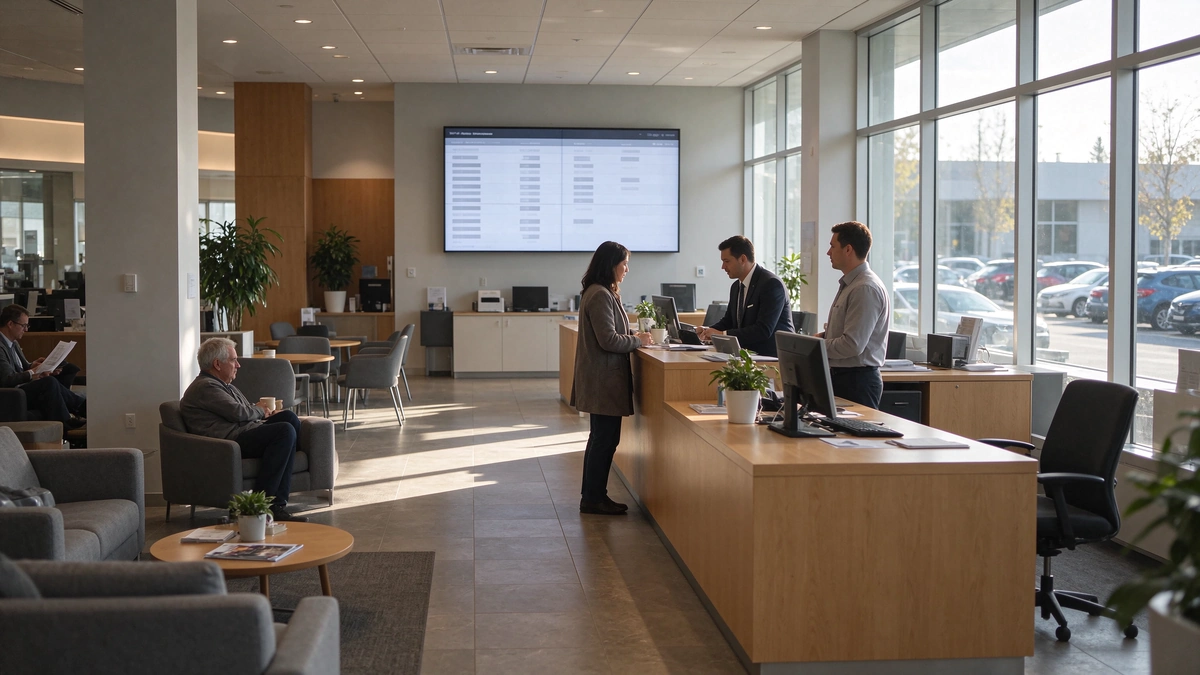
A dealership sells a car once and services it six to eight times. Yet the service area is usually equipped with a printer and a numbered ticket. Two displays fix that, and they are the least expensive items in the whole project.
Aqueue display above reception shows job status by plate or ticket number, so customers stop asking the advisor for updates every ten minutes. A wall display in the lounge carries service offers, seasonal campaigns and the next-booking prompt - the same content the head office already pushes to the showroom, one more screen on the same CMS.
One boundary worth stating plainly: queue numbering lives in your DMS or dealer management platform. Display hardware can present it, and a queue system can be integrated, but the integration has to be assessed per project against what your DMS exposes. Do not let a supplier promise a queue integration that no one has tested on your system.
A single showroom can be run by one person with a USB stick. A dealer group with eighteen stores cannot. The moment a network passes three or four sites, the constraint stops being hardware and becomes coordination: who publishes, who approves, who notices that a store's wall has been black for two days.
| Permission layer | Who publishes here | What has to be locked at this level |
|---|---|---|
| Brend qatı | Head office marketing | Campaign films, templates, logo placement, colour rules, zone-to-content mapping, playback calendar. Regional users must not be able to override the brand layer, only to add inside it. |
| Region / dealer group layer | Regional marketing, group operator | Local offers, stock highlights, finance terms, language variants - all inside approved templates, so a local promotion cannot break brand consistency. |
| Store layer | Showroom manager | Today's event, test-drive prompt, service offers. Time-limited and auto-reverting, otherwise a store's Christmas creative is still running in March. |
| Path | Ən yaxşı et | What the site must provide | What the system delivers |
|---|---|---|---|
| Rənglət | Multi-store groups, frequent updates, HQ-driven scheduling | Network access at each store, one account structure | Group scheduling, remote publishing, real-time device status, fault alerts, OTA updates, energy scheduling by opening hours |
| Advertising player box | Single stores or sites with unstable network | Player box, HDMI, content files | Local storage, plug-and-play playback that keeps running when the network drops |
| USB | Pop-up events, launch nights, sites with no network | A USB drive | Auto-play and loop on power-up, zero configuration |
The three mix freely, which is what makes a phased rollout practical: head office runs routine content through the cloud, and a store drops a local event onto the wall with a USB stick the same afternoon. What matters for procurement is that the playback path is chosen before the panel count - a site with an unreliable line needs local playback hardware in the BOM, and that decision is invisible if the quotation only lists screens.
Two operational features are worth asking about explicitly, because they show up on a service invoice rather than a specification sheet. Energy scheduling aligns power and brightness to trading hours, which removes overnight standby consumption across a network. Fault alerting reports a dead panel before a customer sees a black rectangle, which is the difference between a maintenance task and a brand incident.
Display decisions in a dealership are usually argued as a technology contest. They are better argued as a zone question: which surface, at what viewing distance, under what light, maintained by whom. Answer those four and the technology chooses itself.
| Sahısı | Right zone in a dealership | Why it works there | Decision note |
|---|---|---|---|
| LCD video divarı | Entrance and main wall, 3-8 m standing distance, indoor light | Sharp text and trim detail at close range, 0.88 mm bezel class, 500-700 nits, front maintenance, system-level colour calibration | Bezel class and calibration decide the perceived quality; panel count does not |
| Direct-view LED | Double-height atrium, launch backdrops, 8 m+ viewing distance | Truly seamless at scale, very high brightness for open lit spaces | Justified by room size, not by preference; pixel pitch and budget rise together as distance falls |
| Single large display | Negotiation room, office, service counter, delivery bay | No bezel seams, simplest install, lowest system complexity | The right answer for zones 4-6 in most stores |
| Projection | Event nights, temporary launches in controlled light | Large image from a small device, fast to deploy and remove | Ambient light in a glass-fronted showroom is the limiting factor, not resolution |
In a dealership, two zones carry almost all of the brand impression: the street window and the main wall. Both sit indoors, both are viewed from 3-8 m, and both must render text, trim names and price figures legibly - not just motion graphics. That combination is where LCD is strongest and where its total cost of ownership is lowest: a panel failure is a front-access swap of one unit, not a module-level service visit.
The same panel family then extends to the zones that are added later - a 43 in display above the negotiation table, a portrait unit in the delivery bay, a queue screen at service reception. One supplier, one CMS, one spare-parts list across six zones and eighteen stores is an operational argument, not a marketing one.
If the requirement is a twelve-metre seamless atrium surface viewed from ten metres, or a facade that must stay readable in direct midday sun, a direct-view LED wall is the correct specification and an LCD video wall will disappoint. We build LCD systems; we will tell you when the room is asking for something else, because a wall that underdelivers on a flagship is a worse outcome than a lost order.
Specifications are easy to publish. What a procurement team actually wants is evidence that the same configuration has run in a building like theirs. These are the references we hold closest to this scenario.
A three-panel row fitted to the existing wall, running four display modes: multiple images on one screen (model, configuration, promotion), single full-screen model film, arbitrary splicing such as 1x3 or 2x2, and preset plans switched with one click between weekday, weekend and campaign periods. Hydraulic front maintenance was specified so a panel swap does not require removing its neighbours during trading hours.
A 2K ultra-narrow bezel wall in continuous daily use, with feedback focused on image stability, installation fit and the practicality of 24/7 operation - the three things that decide whether a showroom wall is still being used in year two.
LCD video walls in DJI brand stores in Japan; window displays at UNIQLO storefronts in the Netherlands; K-shape kiosks in UK property sales centres - the closest analogue to a car showroom's browse, shortlist, sit-down, sign sequence; queue systems and displays in hospitals in China.
Retail-grade video wall systems running customer-facing installations for brands including Adidas, Anta, Chanel and DJI, built on 20+ years of LCD video wall manufacturing across bases in China, Thailand and Vietnam.
Most dealership enquiries arrive as "how much for a video wall". That cannot be answered honestly without the eight items below. With them, the reply is a zone-by-zone configuration rather than a price list, and the two parties stop guessing at each other.
Floor plan with ceiling height and structural column positions
Usable wall width and height for the main wall, plus closest and farthest standing distance
Ambient light readings at the street window and at the main wall, taken at two times of day
Number of zones you are equipping now, and the terminal count planned per zone
Who owns the configurator, and whether your DMS exposes stock and pricing data
Store count, countries, certifications and any tender documentation required
Opening date, and the phasing you can accept - pilot first or full rollout
Brand colour references and logo files, if the chassis finish has to match
What comes back: a terminal list per zone, a bezel class and brightness recommendation with the reasoning, panel count and layout, mounting and maintenance-access notes, an indicative bill of materials, and lead time. Quotations are built per project scope rather than against a fixed MOQ, which is why a three-store pilot and a forty-store rollout are quoted differently.
Work from the closest standing distance, not from a preference. At 2-3 m - the normal distance in front of a showroom wall - 0.88 mm reads as a single canvas and 8 mm reads as a grid. Beyond 6 m, 3.5 mm is often indistinguishable at the same content. Premium brands should not go above 1.8 mm anywhere a customer stands close.
43 in where the bay is compact and the kiosk stands between two display positions; 50 in beside the hero car, where a full 3D configuration has to stay legible without zooming. If the kiosk doubles as the model-range browser for a whole zone, go to the 55 or 65 in floor-standing format instead.
IR multi-touch is the standard and handles gloves, styluses and general showroom traffic. PCAP gives a flush glass front that suits premium interiors and edge-to-edge content, but it is more sensitive to a damaged top layer. Choose PCAP for design-led showrooms, IR for high-traffic and fleet environments.
Commercial panels are rated for continuous operation, with a service life of approximately 60,000 hours. A showroom trading twelve hours a day, six days a week uses roughly 3,700 hours a year, which leaves a wide margin. The operational risk is heat and dust, not hours - which is why front-access cabinets and airflow design matter more than the rating label.
With USB or player-box playback, the wall resumes looping on power-up with no operator action. With cloud CMS, the player reconnects and resumes the last schedule. For kiosks, specify boot-to-app so the configurator is the first screen after restart - otherwise staff arrive to a Android home screen every morning.
Your software partner, the brand's global platform, or a specialist configurator vendor. The display supplier delivers chassis, panel, touch, operating system, remote management and content distribution. This split is normal, and it should be written into the project plan before the hardware order, not resolved during installation.
Display hardware presents content; the integration itself is a software project on your side. Standard network connectivity, Android or Windows platforms and API access make third-party application installation possible, but the feasibility of a specific DMS integration has to be assessed against what your DMS exposes. Ask for that assessment in writing.
Choose the playback path per site. Stores with stable lines run cloud CMS; stores with unreliable lines run a local player box fed by occasional content pushes; event content travels on USB. One CMS still governs the account and permission structure, which is what keeps the brand layer consistent across mixed connectivity.
Configuration is quoted per project scope rather than against a fixed MOQ, so a pilot of three terminals and a rollout of sixty are priced on different terms. Lead time depends on panel mix, bezel class, mounting structure and any OEM customisation such as chassis colour or logo. Provide the eight-item list above and dates can be confirmed for your configuration.
Remote technical support, spare-parts supply and warranty per agreed terms; for larger rollouts, on-site commissioning support or training of a local partner. Spare panels held at regional level are the practical difference between a two-day repair and a two-month shipment, and they are worth negotiating into the contract.
Send the eight items above - floor plan, wall dimensions, standing distances, light readings, zone count, software owner, store count and opening date. The reply is a zone-by-zone auto dealership showroom display configuration: terminal list, bezel class, brightness, mounting, BOM and lead time, built around how customers actually move through your building.
Qtenboard · LCD display systems for automotive retail
Figures in this page reflect current Qtenboard product specifications: panel sizes 43-75 in, bezel classes 8 / 3.5 / 1.8 / 1.7 / 0.88 / 0 mm, brightness 500-700 nits, colour saturation 97%, service life approximately 60,000 hours; kiosk formats 43 and 50 in with 2K or 4K panels, IR or PCAP touch, Android or Windows; window displays 350 or 700 nits in landscape 43 / 49 / 55 in and portrait 32 / 43 / 55 in. Reference projects are described as delivered; site-specific results depend on floor plan, lighting and content.

İEO | Interaktiv Display və Koleyt Solution Müəyyət
Mən Qtenboard şirkətinin təsisçisi olaraq, sensorlu displey sənayesində 17 ildən artıq praktiki təcrübəm var. ShenZen Universitetində EMBA öyrənmələrim vasitəsilə qazanmış qlobal idarəçi təhlükəsizlikdən istifadə edir. Mənim əməkdaşlarımızın hər bir mərhəməti təhlükəsizliyindən güclü ehtiyatlı təmində zəncir idarə edir. Müxtəlif qabiliyyətlər industrinin önündə qalır.
Qtenboard lideri kimi, interaktiv ağ bordlar üçün müntəzəm OEM/ODM həlllər təqdim etməkdə xüsusiyyət edirəm, LCD video divarları, rəqtəsi simaları və industriya rəftarın terminalları. Shenzhendəki müasir industriya parkirlərimizin 330 000 m m. və sərt əməl sınaqlar.
Təxminən iki il proyiey təcrübə ilə Qtenboardın nümayişləri 120 ölkə və ərazilərdə istifadə edilib. Bütün dünyada 15 000 - dən çox əməkdaşlarının etibarına qazanmışdı. Əgər siz mütləq rəftar proyüsləriniz üçün dərin faydalı təsdiqləyən əməkdaşı axtarırsınızsa, Mənim qrupam və mən sizin görünüşünüzü dəstəkləyəcək.

 aze
 EN
 spa
 pt
 vie
 th
 est
 lav
 ukr
 bel
 ru