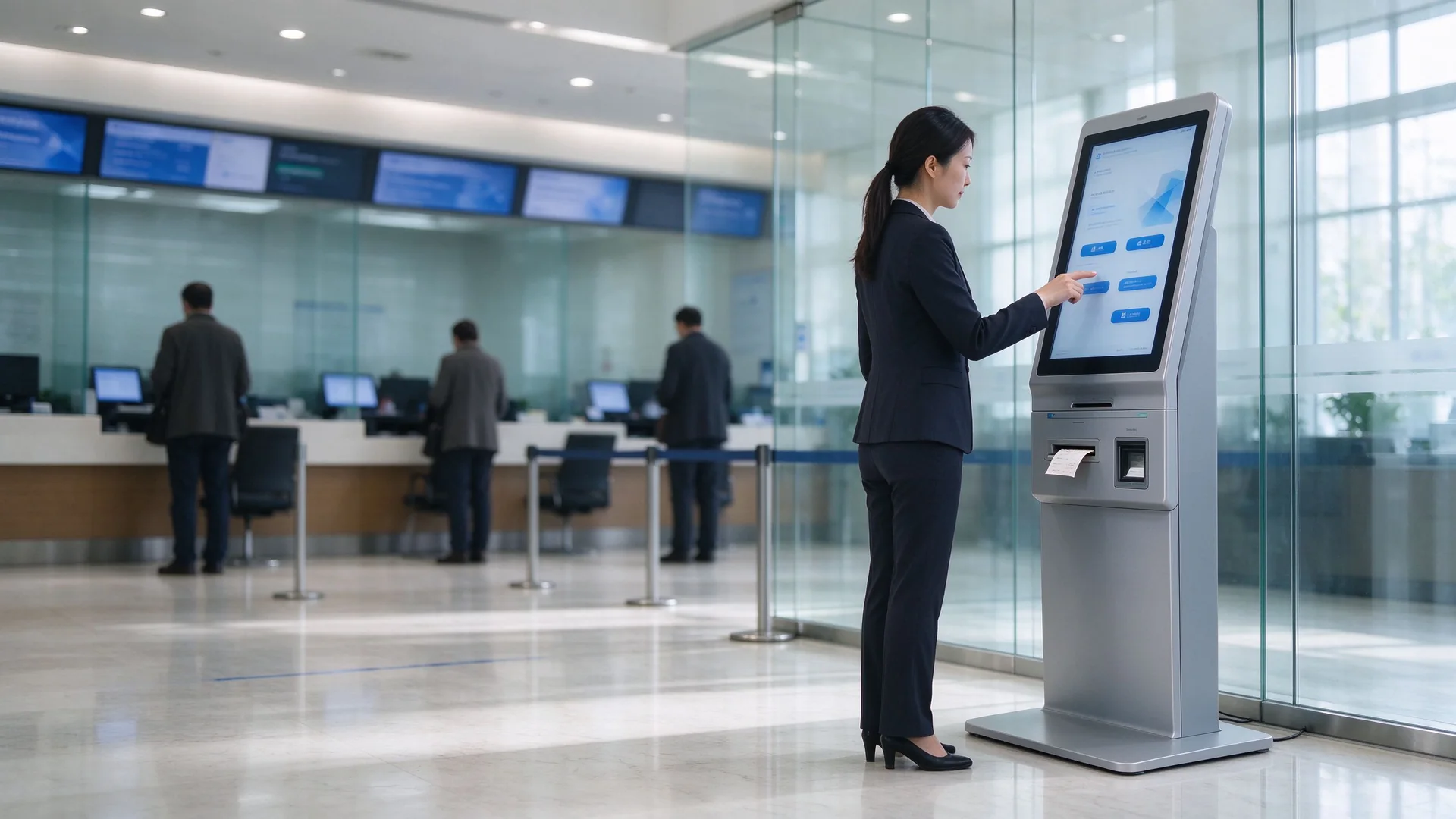
Self-service ticketing, appointment check-in, QR scanning and rear-serviceable hardware — engineered as the front end of a complete queue management system, with the ticket client, the integration contract and the spare parts coming from one factory.
Queue time reduction reported on deployed queue kiosk projects
Service throughput increase per counter
Staffing cost reduction in peak-hour management
Country markets supplied since 2005
Almost no queueing kiosk fails at the demo stage. They fail in month four, when the printer chews a ticket during the 10 a.m. peak, when the software vendor says the interface is "not their scope", or when every visitor presses the wrong service button and the priority queue collapses into one line. This solution is specified around those three failure points.
A queue ticket dispenser runs hundreds of cuts a day. Paper dust, a half-pulled ticket and a cheap cutter turn the lobby into a manual queue within three months — and the printer sits inside a sealed cabinet nobody can reach.
Specified response: 80 mm thermal module with paper-out and jam detection on the option list, auto cutter rated for the daily ticket volume confirmed at RFQ, and every printer, host and power module reachable through a rear lock door — a technician swaps the module without dismantling the front panel.
The kiosk arrives, the QMS arrives, and the interface does not. Each side says the other owns the mapping. The lobby goes live with a paper logbook while the contract dispute runs.
Specified response: the interface contract is fixed at quotation — REST API or SDK documentation, database middleware tables and message queue topics are named in the integration plan, and the 8-step delivery path assigns each handoff to a named side.
Six identical buttons and no priority logic means VIP, appointment and walk-in tickets land in one line. The counters are busy all day and the waiting time still climbs.
Specified response: multi-level service catalog, appointment and VIP priority routing, queue transfer, multi-queue parallel operation and re-call handling are configured in the ticket client before go-live — not left to the default template.
Four modules carry the deployment: the ticketing interface, the identity and appointment layer, the serviceable enclosure, and the hand-off into calling, display and reporting. Each one is a procurement line item, not a brochure feature.
The kiosk prints a service-specific number in under three seconds, on 58 mm or 80 mm thermal paper, at 203 dpi. The visitor leaves the entrance holding a physical ticket with the queue number, service type and estimated wait — so the crowd stops forming in front of the counter and starts forming nowhere.
Buying note: a take-a-number kiosk that only issues sequential numbers is a counter, not a queue management system machine. Confirm the routing rules before you confirm the price.
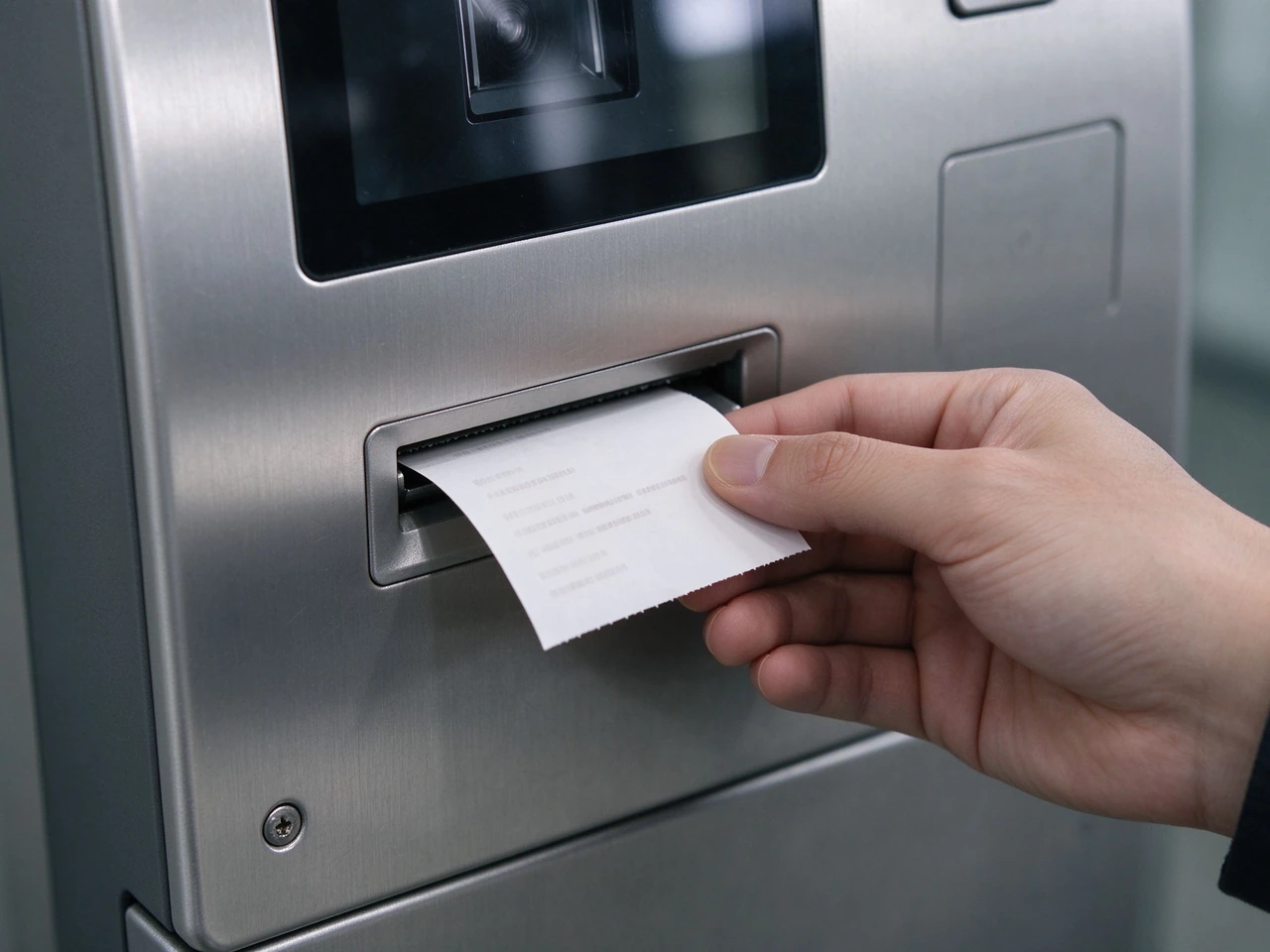
80 mm thermal ticket outlet with jam-free paper path — the module your maintenance team will touch most often.
A QR scanner on the control strip validates booking numbers, mobile appointment codes and membership QR on the phone screen — including dim screens in a bright lobby. When the project needs identity-based ticketing, the same enclosure accepts an ID card reader, passport reader, NFC/RFID or bank card reader on the second reader pad.
Buying note: the reader pads are cut into the enclosure at production. Adding an ID reader or NFC after delivery means a new panel — lock the module list at RFQ, not after installation.
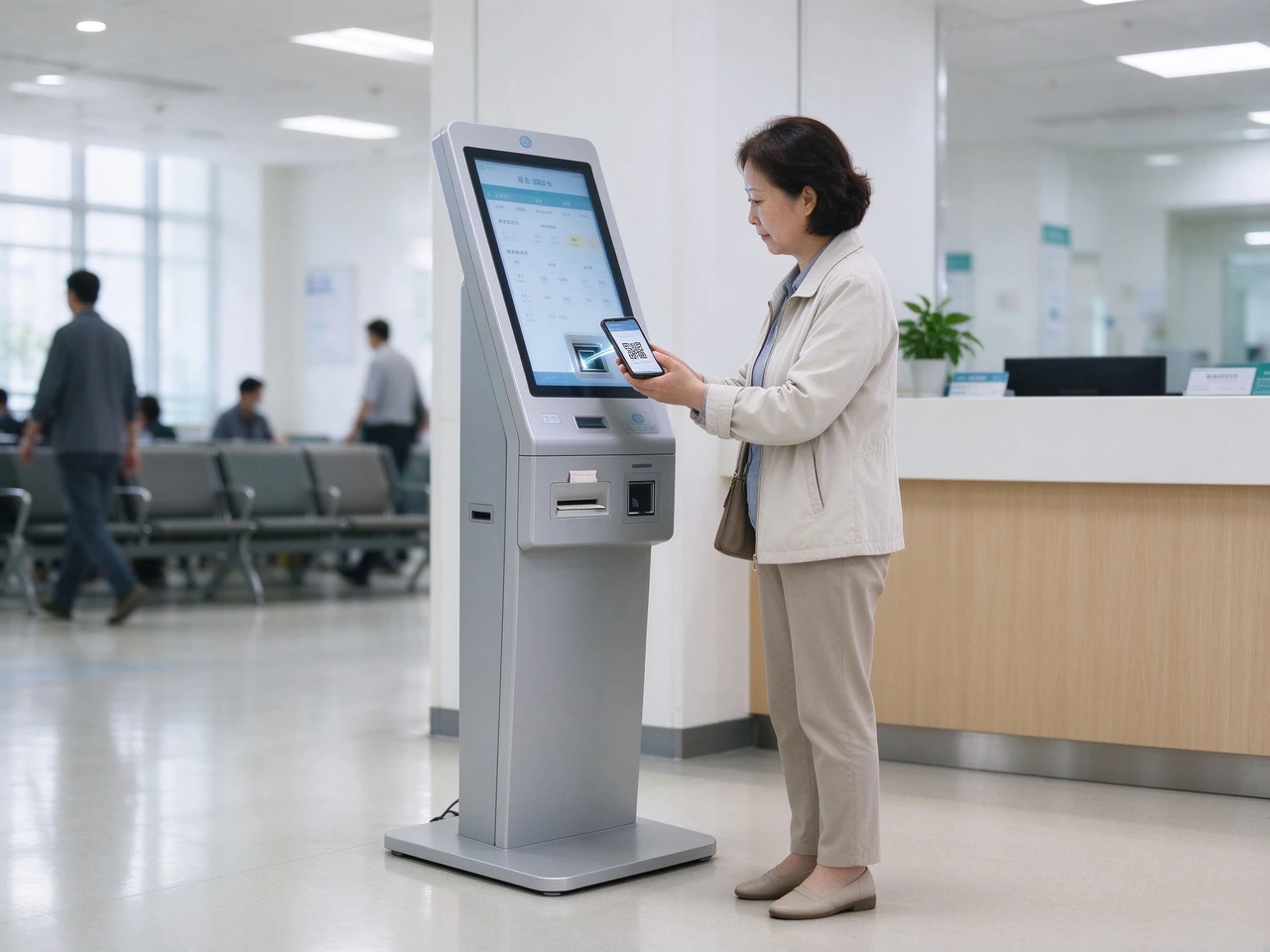
Outpatient appointment check-in by phone QR at a hospital queue kiosk — the appointment code replaces the walk-in ticket.
A floor-standing queue kiosk stays in the lobby for five years or more. Ours uses a sturdy steel body with anti-rust, anti-corrosion and wear-resistant surface treatment, an IP54-rated casing, a thin flat low base that resists being kicked, and rear lock access to the printer, host, power and cabling.
Buying note: paper changes are the highest-frequency maintenance event in any lobby. Ask to see the rear door open during the sample evaluation — that is the difference between a two-minute and a forty-minute paper change.
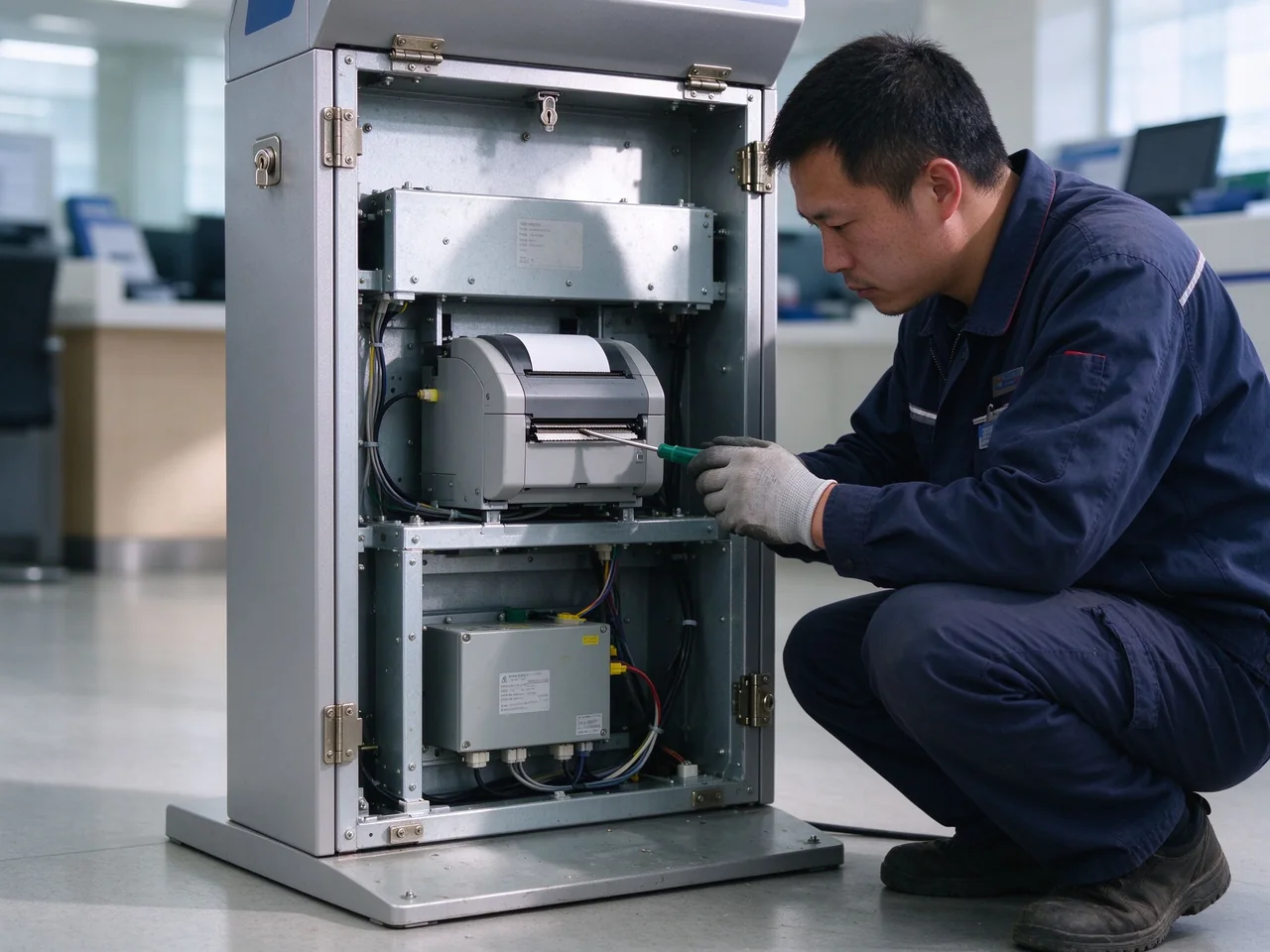
Rear service access: printer, host and power module are reachable from behind the unit.
A ticket is only half a queueing kiosk. Every number the kiosk issues is handed to the QMS server and pushed to counter calling terminals, the waiting-area queue board, multilingual voice broadcast, an SMS gateway and the mobile virtual queue, then aggregated into per-service and per-branch reports.
Deployment: single-site LAN, multi-branch private network, or cloud QMS with centralized rules and reporting across branches.
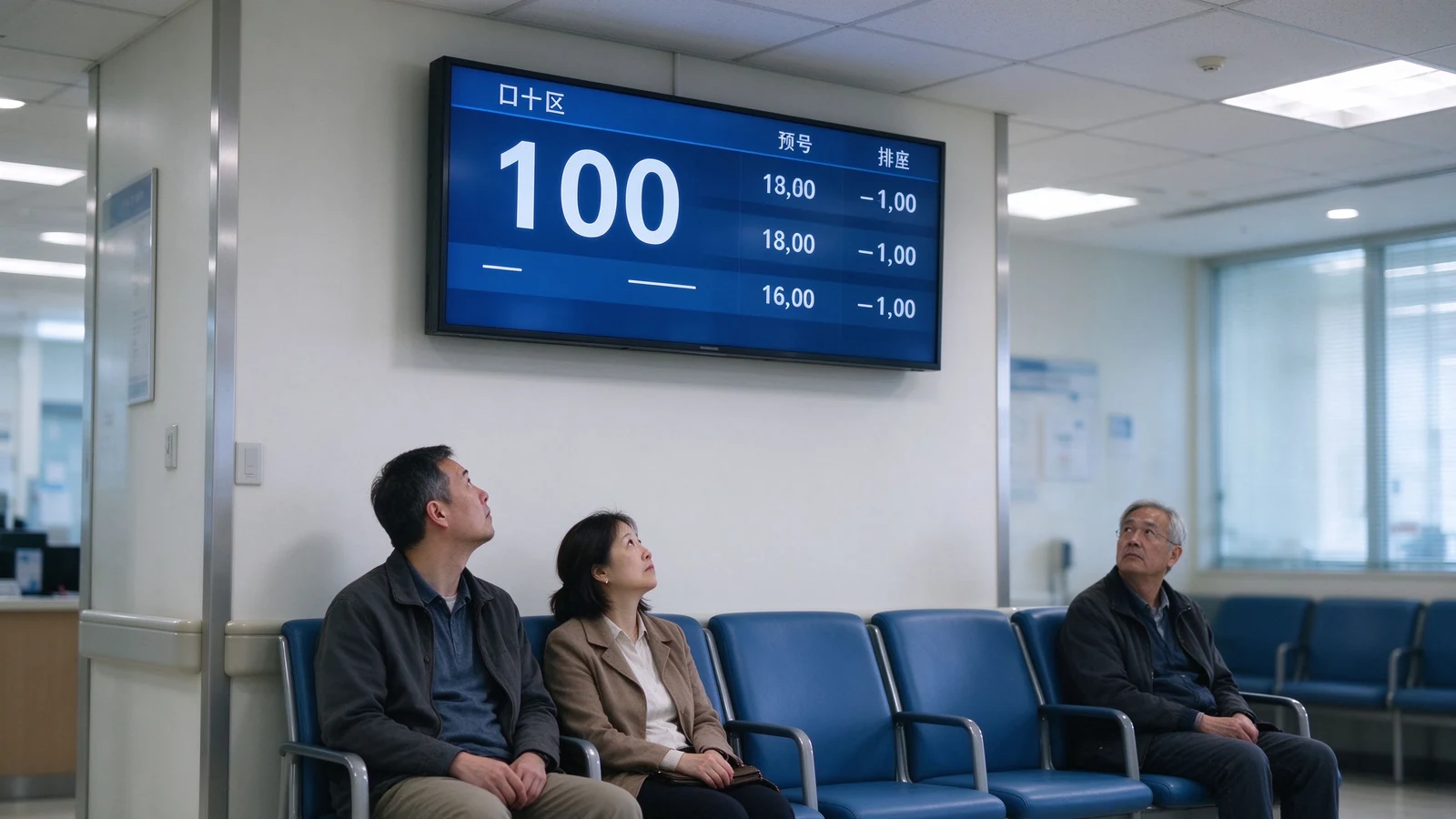
Waiting-area queue board fed by the same QMS: number, window and estimated wait in one view.
Parameters marked as confirmed on the BOM are locked at quotation, because they change with the configuration you order. Everything else ships standard on this floor-standing queue kiosk model.
| Block | Published specification |
|---|---|
| Display & touch | 17″ / 19″ / 21.5″; 1280×1024 or 1920×1080 (2K); contrast 1500:1; 4:3 or 16:9; projected capacitive 10-point touch; explosion-proof tempered front glass |
| Ticket printer | Built-in thermal line printing; 58 mm or 80 mm paper (project-defined); 203 dpi; print speed confirmed on actual BOM; auto cutter and paper-out / jam detection optional |
| Scanning & identity | QR scanner standard or optional per project; barcode scanner, NFC/RFID, ID card reader, passport reader and face recognition optional (face recognition requires compliance review) |
| Host & OS | Windows 10 / 11 standard; Android or domestic OS optional; CPU confirmed on actual BOM; RAM 4 / 8 / 16 GB; storage 128 / 256 / 512 GB |
| Network & interfaces | LAN standard; Wi-Fi / 4G / 5G optional; RJ45, USB, power and audio; centralized CMS remote management |
| สิ่งที่แนบมา | Sturdy metal / steel body; anti-rust, anti-corrosion, wear-resistant finish; IP54-rated casing; rear lock service access; thin flat low base; floor-standing installation |
| Electrical & environment | Input power, consumption, operating temperature / humidity and storage temperature confirmed on actual BOM for the destination market |
Certificates maintained current as published by Qtenboard: CE, FCC, RoHS, ISO 9001, with an IP54-rated casing as standard. Medical, financial and government project compliance, ID-reader compliance, face-recognition compliance and data-localization requirements are confirmed per project scope; certificates are released for distributor and procurement due diligence on request.
Each sector activates a different module set. The list below is what usually gets switched on for that queue type — use it to shortlist your own BOM instead of ordering the full option list.
Accounts, loans, VIP and consultation queues with card reader, appointment check-in and satisfaction survey. Priority routing keeps premium customers out of the walk-in line.
Priority + cardRegistration, triage, outpatient check-in, lab, pharmacy and payment queues with HIS integration, privacy-first data handling, multi-language and accessibility mode.
HIS + QR check-inIdentity-based ticketing and appointment validation for civic halls, with ID card or passport reader on the second pad and data-localization compliance confirmed per project.
ID / passportNew accounts, SIM services, repairs and device collection — service-type routing plus staff performance reporting per window.
Routing + reportsการตรวจสอบการนัดหมายการมอบหมายที่ปรึกษาบริการการจัดส่งยานพาหนะและการจัดคิวความพึงพอใจหลังการบริการ
AppointmentVisitor check-in, ticket purchase, customer-service ticketing, member services and event check-in, with queue and promotional content rotating on the same display.
Check-in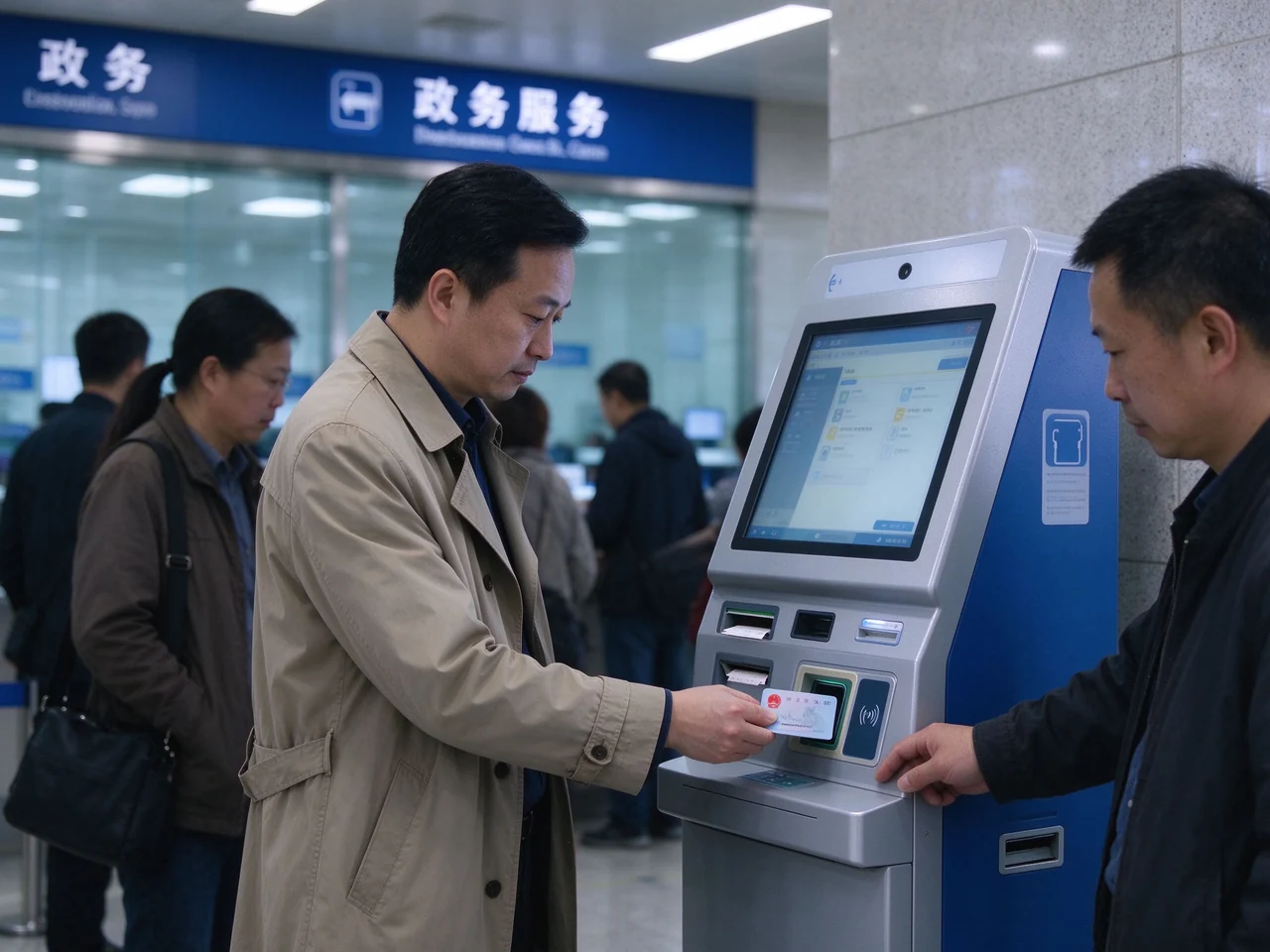
Government edition: ID card reader on the control strip for identity-based ticketing and appointment validation.
A government queue is tied to a person and an appointment, not to a random ticket. The government edition puts an ID card or passport reader on the control strip, validates the booking against the hall's own booking platform, and issues a ticket that the counter can match to a case file.
Compliance: ID card and face-recognition data require separate authorization and processing consent. Confirm the requirement at project stage — the reader module and the consent flow are specified together.
The two questions that decide whether a queue kiosk project runs on schedule are "what is the interface" and "who fixes it at 9 a.m. on a Monday". Both are answered in the quotation documents, not after delivery.
| อินเทอร์เฟซ | Typical integration target | Who owns the mapping |
|---|---|---|
| อะปิพักผ่อน | Existing QMS, hospital HIS, CRM, government booking platform | Buyer's software team, against Qtenboard API documentation |
| SDK | Legacy queue software that controls printing and scanning directly | Software integrator, with factory SDK support window |
| ฐานข้อมูลพ่อค้าคนกลาง | Branch systems that expose only a shared database | Jointly defined: table schema confirmed at RFQ |
| หางข้อความ | Multi-branch deployments with an existing event bus | Buyer's platform team, topic list confirmed before production |
| นำเข้าไฟล์/ส่งออก | Reporting feeds, offline reconciliation, legacy exports | Buyer's reporting side, format sample agreed at quotation |
การกำหนดค่าระบบปฏิบัติการโมดูลขอบเขตการรวมประเทศปลายทาง
Unit or sample evaluation against your ticket stock and code types.
ภาพระบบและไดรเวอร์อุปกรณ์ต่อพ่วงมาตรฐานต่อคำสั่งซื้อ
Batch production with factory quality checks per unit.
Single or multi-unit packing, wooden crate where required.
การติดตั้งพื้น, การยึดสมอ, การกำหนดค่าเครือข่าย
Backend connection and interface testing with your QMS.
Operator training, handover and post-launch monitoring.
After-sales terms as published by Qtenboard: 1–3 year warranty (project-defined), 1–5 year replacement parts support, online technical support pre- and post-sales, on-site repair arranged per project scope, software and firmware updates, and a 24/7 response option confirmed at quotation.
Deployment notes as published by Qtenboard for queue kiosk projects. Scope, integration target and outcome are kept separate, because a hardware order and a queue result are not the same thing.
ขอบเขต: OEM-customized queue kiosks at every outpatient entrance, branded to the hospital group's visual identity, with appointment lookup and insurance verification connected to HIS.
การรวม: the queue layer is shared with corridor signage and physician-room panels, so arrival, check-in and consultation call stay in one data chain instead of three.
ผลลัพธ์: a closed outpatient data chain from arrival to consultation call, plus higher patient adoption because the kiosk carries the institution's own branding rather than a generic third-party interface.
ขอบเขต: floor-standing bank queue kiosks with thermal ticket printing, QR check-in and SMS virtual queue across branch lobbies, replacing a manual sign-in sheet.
การรวม: ticket numbers feed counter calling terminals, the branch queue board and the SMS gateway; waiting visitors can leave the lobby and still be recalled on time.
ผลลัพธ์ที่เผยแพร่: queue times reduced by more than 40% and customer satisfaction improved by more than 40% with an intuitive check-in flow.
A queue kiosk is the entry point of a queue system: it issues tickets, routes visitors by service type and priority, validates appointments, and hands every number to calling stations, waiting-area displays, voice, SMS and analytics. A standard self-service kiosk completes one business task — order, payment, print. That is why queue rules and window scheduling matter more than payment-flow logic when you compare offers.
Yes. Integration runs over REST API, SDK, database middleware tables, message queue or file import/export. Typical targets include existing queue management systems, hospital HIS, bank branch systems, government booking platforms, CRM, visitor management, SMS gateways and mobile apps. The interface contract is confirmed at project stage and written into the integration plan, which is what prevents the hardware-versus-software dispute later.
Windows 10 or 11 is the standard OS on this model, with Android or a domestic OS available per project. If your QMS client only runs on Windows, the standard build is already compatible; if your security policy mandates a specific image, the system image is standardized per order at step three of the delivery path.
Standard: floor-standing enclosure with wide low base, touchscreen, thermal ticket printer, QR scanner, host and network, and the QMS ticket client. Optional: ID card and passport readers, NFC/RFID, camera and microphone, 80 mm printer with auto cutter, 4G/5G/Wi-Fi, multi-language and accessibility kits, POS payment and satisfaction survey. Parameters not yet locked are confirmed on the actual BOM at quotation.
Both depend on configuration, operating system, modules and customization level (OEM, ODM or CKD-SKD). They are confirmed with the quotation; Qtenboard responds with a factory quote within 24 hours, and a sample unit can be arranged before mass production.
Yes. Private-label OEM covers your logo, packaging and UI. Full ODM covers hardware design, software stack, certification targets and accessory bundle. CKD/SKD component kits are available for local assembly markets. Body colour, screen size, interface count, mainboard configuration and packaging language can all be customized per order.
CE, FCC, RoHS and ISO 9001 are maintained current, with an IP54-rated casing standard. Medical, financial and government project compliance, ID-reader compliance, face-recognition compliance and data-localization requirements are confirmed per project. Certificates are provided for due diligence on request.
Yes. Visitors scan the QR code on their ticket to follow queue position on a phone, receive SMS or app notifications when called, and see a real-time expected waiting time — so they can wait outside the lobby without missing the number. Missed numbers are handled with recall and re-call rules at the counter terminal.
Send the configuration with your ticket stock, the code types you actually use and the systems to be integrated. Sample evaluation sits at step two of the standard path: print 50 consecutive tickets, scan your real appointment and membership codes, and open the rear service door — those three checks answer most of the acceptance risk before the PO.
The first quote lands closer to the final order when the RFQ already answers the questions the factory has to ask. These six items are the ones that change the BOM.
Qtenboard has built displays and self-service hardware from the component level since 2005 — as the OEM/ODM/CKD-SKD factory behind 110+ country markets, not as a reseller. For queue projects that means hardware, ticket client and integration support come from one accountable supplier.
See the full queue kiosk spec sheet
ซีอีโอ | ผู้เชี่ยวชาญด้านโซลูชันการแสดงผลแบบโต้ตอบและการทำงานร่วมกัน
ฉันเป็นผู้ก่อตั้ง qtenboard นำความเชี่ยวชาญด้านการลงมือปฏิบัติมากกว่า17ปีมาสู่อุตสาหกรรมการแสดงผลแบบสัมผัสจากมุมมองการจัดการทั่วโลกที่ได้รับจากการศึกษา EMBA ของฉันที่มหาวิทยาลัยเซินเจิ้นฉันนำทีมของฉันในการเพิ่มประสิทธิภาพทุกขั้นตอนของการดำเนินงานของเรา-จากความละเอียดของผลิตภัณฑ์ที่มีประสิทธิภาพสูงการจัดการห่วงโซ่อุปทาน-มั่นใจความสามารถในการผลิตของเรายังคงอยู่ในระดับแนวหน้าของอุตสาหกรรม
ในฐานะผู้นำของ qtenboard ฉันเชี่ยวชาญในการให้บริการโซลูชั่น oem/odm ที่ปรับแต่งสำหรับกระดานไวท์บอร์ดแบบโต้ตอบผนังวิดีโอ LCD ป้ายดิจิตอลและเทอร์มินัลสัมผัสระดับอุตสาหกรรมสนับสนุนโดย330,000ตารางเมตรสวนอุตสาหกรรมที่ทันสมัยของเราในเซินเจิ้น, เรารักษาเต็ม Lifecycle ควบคุมการออกแบบอุตสาหกรรม, การผลิตที่มีความแม่นยำ, และการทดสอบประสิทธิภาพที่เข้มงวด.
ด้วยประสบการณ์โครงการเกือบสองทศวรรษโซลูชันการแสดงผลของ qtenboard จึงถูกนำไปใช้ในกว่า120ประเทศและภูมิภาคได้รับความไว้วางใจจากลูกค้าระดับองค์กรมากกว่า15,000รายทั่วโลกหากคุณกำลังมองหาพันธมิตรที่ตอบสนองต่อการผลิตที่ลึกซึ้งสำหรับโครงการแสดงผลแบบสัมผัสที่กำหนดเองของคุณทีมของฉันและฉันพร้อมที่จะสนับสนุนวิสัยทัศน์ของคุณด้วยความเป็นเลิศระดับมืออาชีพ

 th
 EN
 spa
 pt
 vie
 est
 lav
 aze
 ukr
 bel
 ru