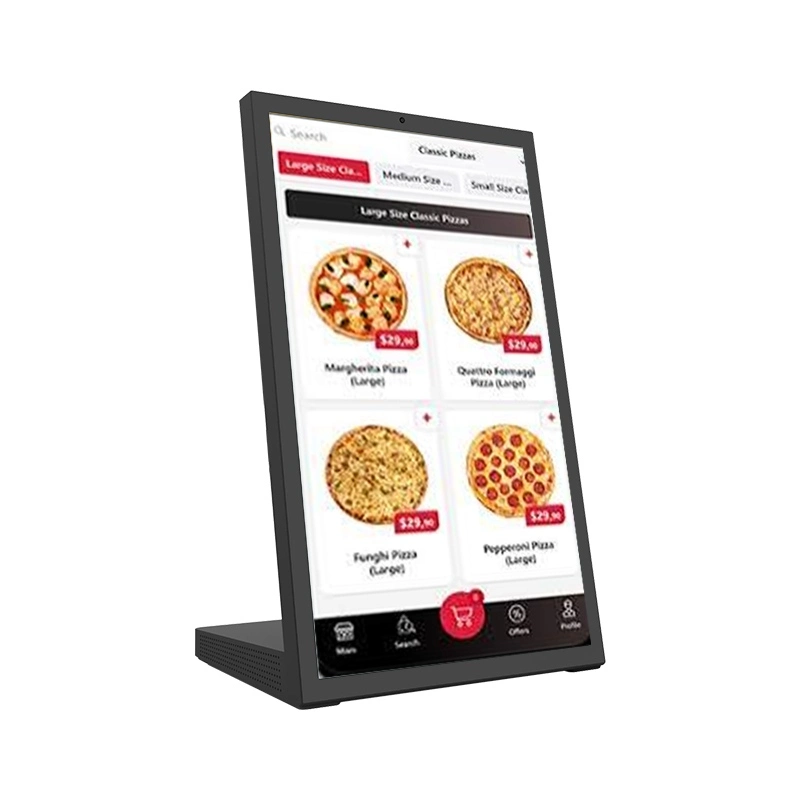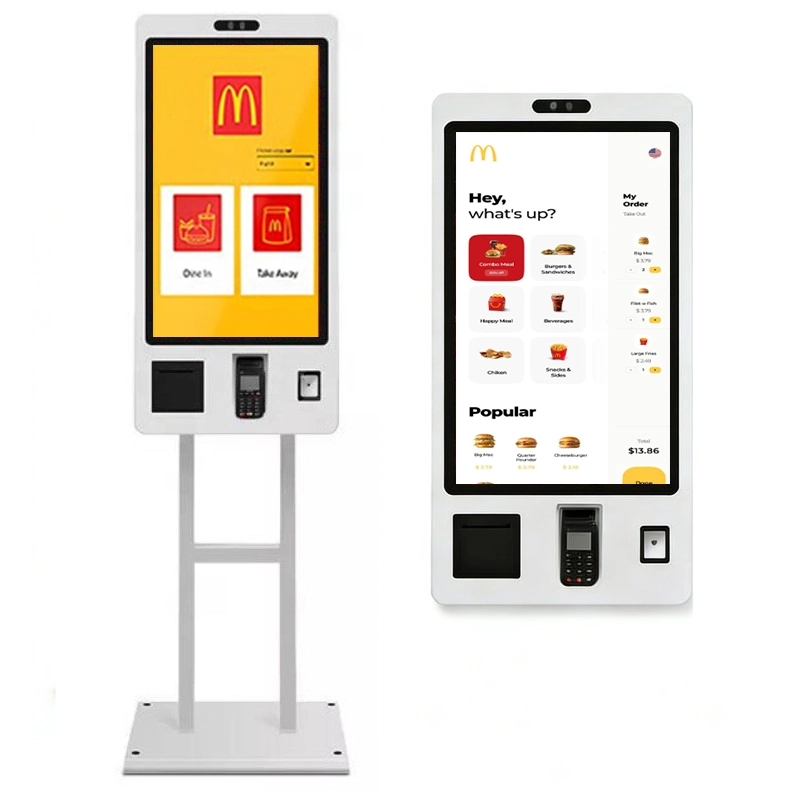

















ตู้บริการตนเองในร่มที่ปรับแต่งได้ด้วยการสแกนบาร์โค้ด1D/2D การอ่านรหัส QR การโต้ตอบหน้าจอสัมผัสและอุปกรณ์ต่อพ่วงการชำระเงินเสริมมีให้เลือกทั้งแบบติดผนังและแบบตั้งพื้นสำหรับโครงการขายปลีกร้านอาหารการต้อนรับการออกตั๋วและการควบคุมการเข้าถึง


ตู้สแกนบาร์โค้ดและรหัส QR นี้เป็นเครื่องปลายทางบริการตนเองที่ทำงานไม่ใช่หน้าจอที่แสดงเฉพาะรหัส QR เท่านั้นงานหลักของมันคือการ สแกนรหัสจากโทรศัพท์หรือตั๋วกระดาษของลูกค้า และดำเนินการขั้นตอนการบริการตนเองให้เสร็จสิ้น: การสั่งซื้อการชำระเงินเช็คอินการตรวจสอบตั๋วการจดจำสมาชิกการลงทะเบียนผู้เยี่ยมชมการตรวจสอบการเข้าถึงหรือการค้นหาข้อมูล


เนื่องจากเครื่องสแกนภาพ2D อ่านบาร์โค้ดทั่วไปและรหัส QR ผลิตภัณฑ์นี้จึงอยู่ในตำแหน่ง คีออสสแกนเนอร์ QR Code และก็พร้อม ตู้สแกนบาร์โค้ด -ไม่ใช่คิวอาร์โค้ดที่แสดงคีออสยืนยันโมดูลสแกนเนอร์และประเภทรหัสที่รองรับสำหรับโครงการของคุณในขั้นตอนการกำหนดค่า
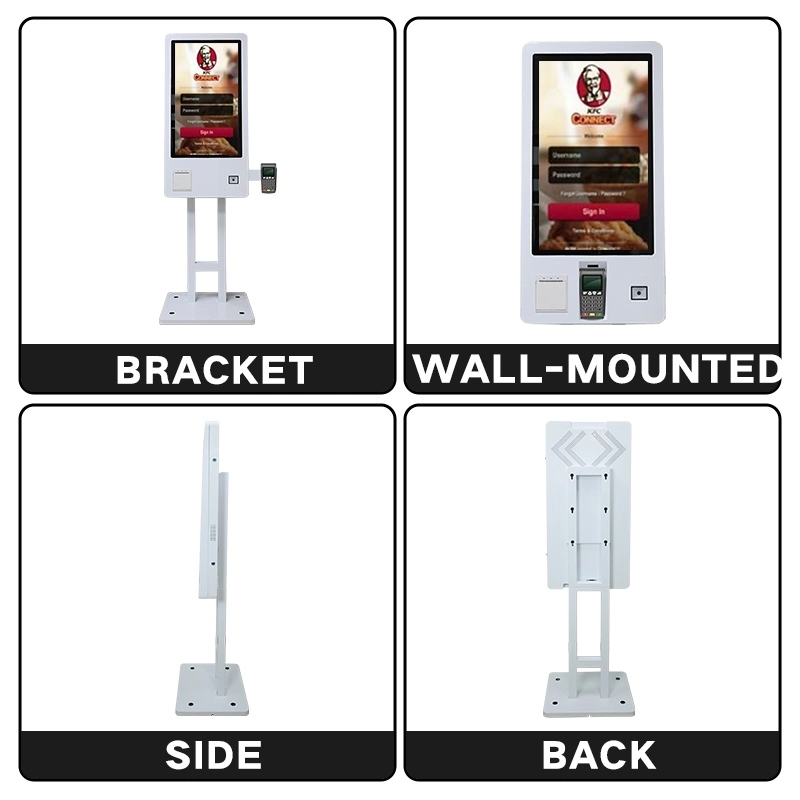
แท่นสแกนหน้าจอสัมผัสและอุปกรณ์ต่อพ่วงแบบเดียวกับมีให้เลือกใช้เป็นตู้คีออสติดผนังสำหรับจุดบริการคงที่หรือตู้บาร์โค้ดแบบตั้งพื้นพร้อมขายึดและฐานสำหรับการจัดวางในร่มที่ยืดหยุ่นนี่คือการตัดสินใจการกำหนดค่าที่สำคัญสำหรับโครงการส่วนใหญ่-เลือกก่อนที่ฮาร์ดแวร์และสายเคเบิลจะสิ้นสุดลง

การกำหนดค่าติดผนังเหมาะสำหรับสถานที่ที่มีพื้นที่จำกัดหรือที่ตู้คีออสต้องอยู่ในตำแหน่งคงที่มีการติดตั้งที่สะอาดสำหรับเช็คอินการตรวจสอบรหัส QR การควบคุมการเข้าถึงการชำระเงินและแอปพลิเคชันการสั่งซื้อ

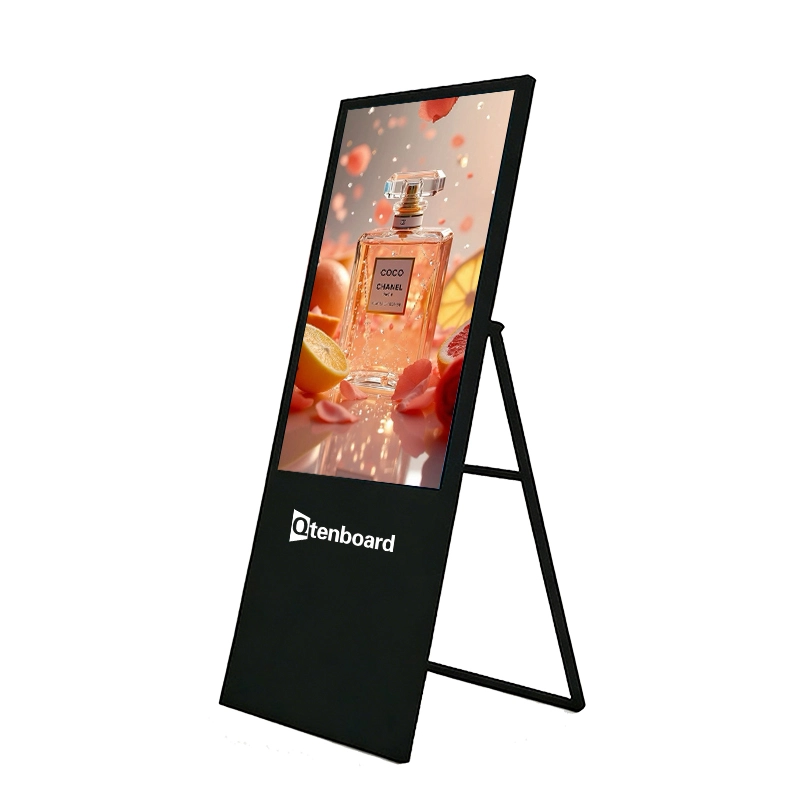
การกำหนดค่าแบบตั้งพื้นรวมเทอร์มินัลคีออสกับวงเล็บสนับสนุนที่มั่นคงและฐานสามารถวางไว้ในทางเข้าทางเดินเปิดพื้นที่จัดงานและสถานที่ในร่มอื่นๆที่สำคัญในการวางตำแหน่งที่ยืดหยุ่น
แผ่นยึดผนังพร้อมสายเคเบิลปกปิดด้านหลังที่อยู่อาศัยคีออส
ขายึดแบบตั้งพื้นพร้อมฐานถ่วงน้ำหนักและการจัดการสายเคเบิลภายใน
| การเปรียบเทียบ | คีออสติดผนัง | คีออสแบบยืนพื้น |
|---|---|---|
| การติดตั้ง | ติดตั้งบนผนัง | ติดตั้งบนวงเล็บและฐาน |
| พื้นที่รอยเท้า | พื้นที่ผนังน้อยที่สุดเท่านั้น | ต้องการพื้นที่ตั้งพื้น |
| อุปกรณ์เคลื่อนที่เคลื่อนที่ | ตำแหน่งต่ำคงที่ | อุปกรณ์ช่วยโอเปร่า |
| ดีที่สุดสำหรับ | เช็คอินคงที่การควบคุมการเข้าถึงจุดชำระเงิน | ร้านค้าร้านอาหารโรงแรมกิจกรรมนิทรรศการ |
| งานติดตั้ง | ต้องติดตั้งบนผนัง | มักจะไม่มีงานผนัง |
| ผลภาพ | สะอาดผสานเข้ากับภายใน | แบบสแตนด์อโลนแนะนำการจราจร |
| การแนะนำสำหรับ | ตัวรวมระบบ, สถานที่คงที่ | ร้านค้าปลีกร้านอาหารโครงการกิจกรรม |
| การจัดการสายเคเบิล | การกำหนดเส้นทางในกำแพง | วงเล็บภายในหรือฐานเส้นทาง |
| การบำรุงรักษา | บริการจาก Wall position | แผงทางเข้าด้านหน้าหรือด้านหลัง |
สแกนเนอร์แบบบูรณาการถูกออกแบบมาเพื่ออ่านบาร์โค้ดที่รองรับ1D และรหัส2D จากวัสดุที่พิมพ์หรือหน้าจอโทรศัพท์มือถือรูปแบบสแกนเนอร์อินเตอร์เฟซและประสิทธิภาพการถอดรหัสจะถูกเลือกตามโปรแกรมและยืนยันในขั้นตอนโครงการ
| สแกนเนอร์พารามิเตอร์ | การกำหนดค่า |
|---|---|
| ประเภทการสแกน | เครื่องสแกนภาพ1D/2D |
| สแกนแหล่งที่มา | พิมพ์รหัส/หน้าจอโทรศัพท์มือถือ |
| Scan distance | Confirmed with the selected module |
| Scanning window size | Confirmed with the housing design |
| อินเทอร์เฟซ | USB / RS232 / UART |
| Supported code types | Per selected scanner specification |
| Scan indicator | LED / sound feedback |
| Low-light performance | Confirmed with the selected module |
| Payment QR support | Requires payment platform and software integration |


The scanner reads what the selected module supports. If the project requires specific symbologies, long scan distance or reading codes from glossy phone screens, share the code samples at configuration stage so the right barcode scanner or QR code scanner module is selected.

The touchscreen displays the operation flow, scan result, menu, order, payment page and confirmation message. The UI can be branded and tailored to your workflow, on web, Android or Windows software.
Touch technology (non-touch / PCAP / infrared), brightness and panel grade are confirmed at configuration. Standard commercial brightness ranges from ≥300 to ≥500 cd/m².
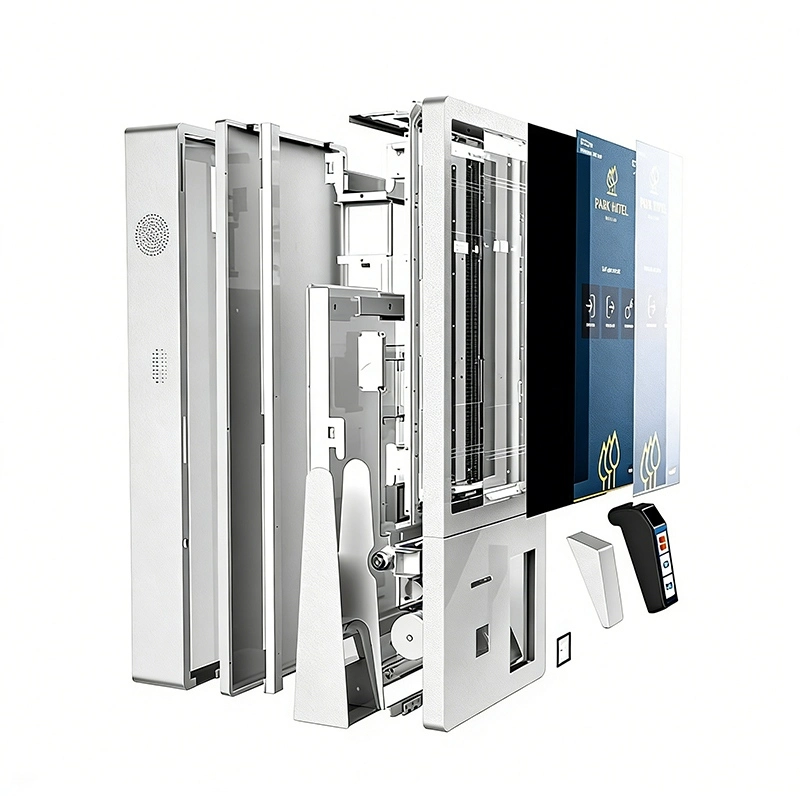
The kiosk platform reserves standard mounting space for payment, printing and identification modules, so the final machine is configured around the application rather than built as a fixed product.
Depending on the project, the QR kiosk can be equipped with:
Payment functionality depends on the selected payment terminal, certification requirements, payment provider and software integration. Confirm the required payment solution for your market before ordering.
An optional thermal printer outputs:
Printer type (thermal receipt or ticket printer), paper width and cutter options are selected at configuration.

The self-service scanning kiosk connects to the systems already running in your venue — POS, ordering, ticketing, membership, access control or a customer-developed platform — subject to interface and compatibility confirmation.
The kiosk can be integrated with third-party software, POS platforms, ticketing systems, access-control systems or customer-developed applications, subject to interface and compatibility confirmation. Interface protocols, SDK, USB, RS232 and network APIs are agreed in the early project phase; software debugging, payment onboarding and access-control integration require cooperation from the customer's backend team.
Every column of this table is a decision point for your barcode kiosk or QR code scanner kiosk project. Standard profiles exist; everything below can be customized for bulk and OEM orders.
| รายการการกำหนดค่า | ตัวเลือกที่ใช้ได้ |
|---|---|
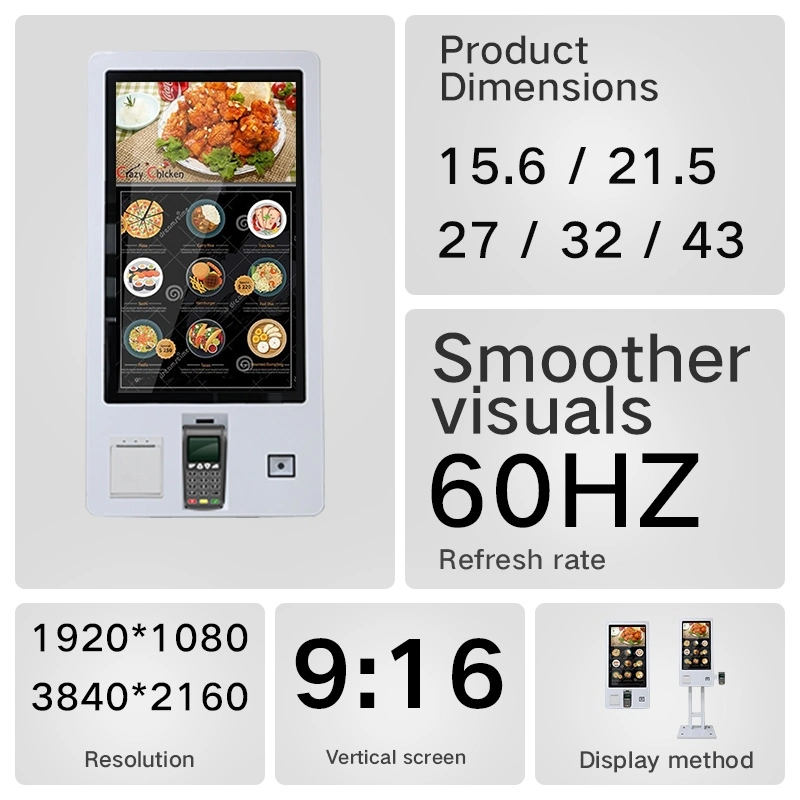
| จอแสดงผลขนาด | 15.6" / 21.5" / 23.8" / 27" or customized |
| ความละเอียดสูง | 1920×1080 (FHD); 3840×2160 (4K UHD optional) |
| ความสว่างความสว่างสูง | ≥300 / 400 / 500 cd/m² |
| การวางแนวการแสดงผล | Portrait or landscape |
| หน้าจอสัมผัสหน้าจอสัมผัส | Non-touch / PCAP capacitive / infrared |
| เครื่องสแกน | 1D barcode scanner / 2D barcode scanner / QR code scanner |
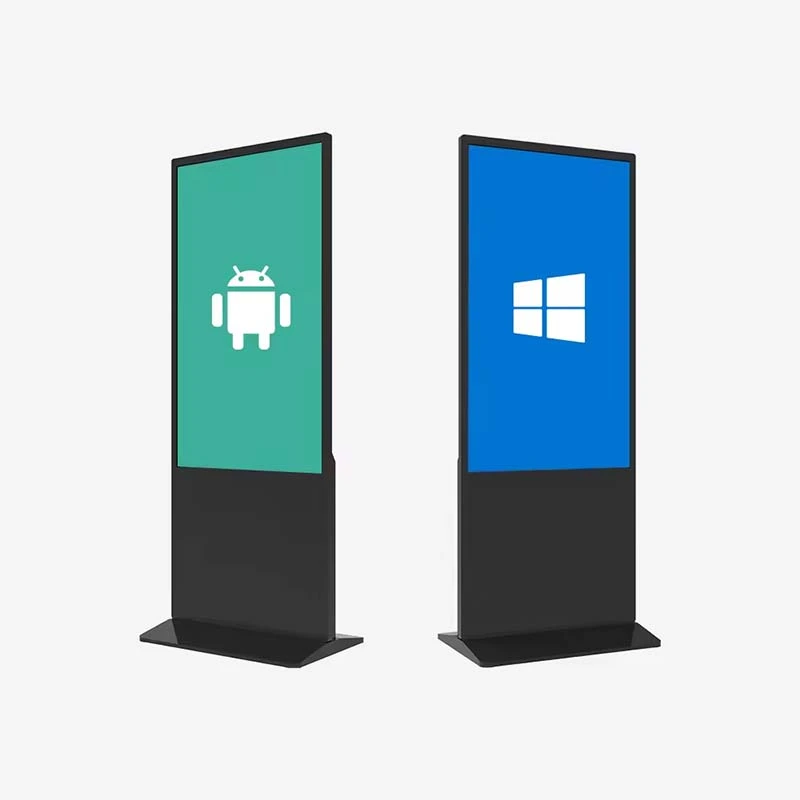
| Operating system | Android 11/13/14/16 · Windows 10/11 Pro · customized |
| โปรเซสเซอร์ | Rockchip RK3566/RK3576/RK3588 · Intel i5/i7 options |
| Memory / storage | 2/4/8GB RAM · 16/32/64/128GB ROM |
| เครือข่าย | Wi-Fi · Ethernet · 4G (optional) |
| รายการการกำหนดค่า | ตัวเลือกที่ใช้ได้ |
|---|---|
| การชำระเงิน | Card reader · NFC · RFID · QR payment module |
| เครื่องพิมพ์ | Thermal receipt printer / ticket printer |
| กล้อง | Optional front camera module |
| เสียงออดิโอ | Built-in speaker / optional audio output |
| การติดตั้ง | Wall-mounted or floor-standing |
| ที่อยู่อาศัย | Aluminum / SPCC steel · standard or custom color |
| ที่ป้องกันป้องกัน | 3mm tempered glass · lockable service door options |
| Branding | Logo · boot animation · UI · label · packaging |
| ซอฟต์แวร์ซอฟต์แวร์ซอฟต์แวร์ | Customer software / third-party platform / custom app |
| การรับรองการรับรอง | CE / FCC / RoHS / PSE / UL optional · ISO 9001 / 14001 factory |

Certification options and project documentation can be discussed according to destination-market and project requirements. Additional options include 120Hz panels, 10-bit color, Wi-Fi 6, 4G/5G modules, card readers, RFID and NFC.
Click to download or view the full specification sheet (PDF).
The customer chooses ordering, check-in, payment, ticketing, validation or inquiry on the touchscreen.
The built-in scanner reads a barcode or QR code from a phone screen, paper ticket, membership card or order voucher.
Payment, identity check, order submission, ticket validation, access authorization or inquiry completes per your configuration.
The result shows on screen and can be printed as a receipt, ticket or voucher.

One scanning kiosk platform, configured per venue. The six deployment families below cover the majority of self-service scanning projects.

Self-ordering, membership QR recognition, coupon validation, QR payment, order confirmation and receipt printing for restaurants, fast food, cafes and food courts. Ordering usually connects to the POS, kitchen display or printing system.

Product barcode scanning, price and stock lookup, membership points recognition, coupon validation and self-checkout front-end operations for stores, malls and supermarkets.

E-ticket QR validation, barcode ticket recognition, on-site check-in, ticket voiding, entry voucher printing and event information display for exhibitions, cinemas, scenic areas and stadiums.

Self check-in, reservation confirmation, member recognition, QR access, service requests, event check-in and bill inquiry with payment for hotels, resorts, conference centers and serviced apartments.

Appointment check-in, patient QR recognition, visit-flow confirmation, queue number printing and self-payment for hospitals, clinics and pharmacies. Healthcare projects require separate hardware and software confirmation per the customer's security and data requirements.

Visitor QR validation, appointment check-in, employee QR recognition, temporary pass verification and visitor voucher printing for offices, campuses, schools and member venues. Controlling gates, doors or turnstiles requires integration with the customer's access system and interfaces.
Whether you need a compact wall-mounted QR kiosk for a fixed service point or a branded floor-standing barcode kiosk for retail and events, Qtenboard configures the hardware, peripherals and software interface around your application.


Every barcode kiosk and QR code scanner kiosk passes production-line testing before shipment, including a 48-hour aging and reliability run to verify stable 24/7 operation.

The final test procedure is adjusted according to the selected scanner, payment terminal, printer, operating system and software platform. Scanner, payment terminal and printer alone do not decide total product capability — actual function also depends on software, interface protocols, certifications and the customer's backend system.


48-hour aging test before shipment · packing and shipping inspection for every unit.
Qtenboard operates dual manufacturing hubs in Shenzhen and Guangzhou with automated production lines and a daily output capacity of up to 300 units, supplying system integrators, distributors and project contractors in 100+ countries. Certification options and project documentation can be discussed according to destination-market and project requirements.
Typical project types Qtenboard supports with system integrators, distributors and end customers across 100+ countries. Project references and documentation are available for qualified projects.
Wall-mounted QR ordering kiosks at counter lines and floor-standing units at entrance zones, connected to the chain's POS and kitchen display system.
Check-in and e-ticket validation kiosks at registration zones for conferences, exhibitions and entertainment venues.
Product barcode inquiry and self-checkout front-end kiosks inside stores, linked to the retailer's product database and inventory system.
Hotel self check-in and visitor access terminals integrated with the property management or access-control system.
A QR code scanner kiosk is a self-service terminal equipped with a QR code scanner. It allows users to scan codes from mobile phones or printed materials for ordering, payment, ticket validation, check-in, access control, membership identification or information retrieval.
Yes. The kiosk can be configured with a scanner that supports compatible 1D barcodes and 2D QR codes. The supported code types depend on the selected scanner module — confirm the required symbologies for your project.
Yes. The product can be supplied as a wall-mounted kiosk for fixed installation points where floor space is limited, such as check-in, access control and payment counters.
Yes. The floor-standing version uses a support bracket and base, making it suitable for retail stores, restaurants, hotels, exhibitions, event areas and open public spaces.
A suitable 2D scanner can be selected for reading QR codes displayed on mobile phones. Please confirm the required screen-scanning distance, code size and application environment before final configuration.
The kiosk may support QR payment through an integrated QR scanner or payment terminal. Payment availability depends on the payment provider, software integration, local regulations and required certifications.
Yes. Card readers, NFC/RFID readers and other payment peripherals can be integrated according to the project requirements and market certifications.
Yes. A thermal printer or ticket printer can be added for receipts, queue numbers, tickets, visitor badges or order confirmations.
The kiosk can be configured with Android, Windows or another suitable platform. Customer software and third-party applications should be checked for operating-system, interface and peripheral compatibility before ordering.
Yes. Customization may include the housing, color, logo, scanner position, payment-terminal position, startup screen, user interface, packaging and other project details, including CKD/SKD supply for local assembly.
The shown configuration is intended for indoor environments. If the project requires outdoor deployment, the enclosure, brightness, temperature range, waterproofing, vandal resistance and other specifications must be redesigned and confirmed separately.
As a kiosk manufacturer since 2005, Qtenboard provides a dedicated account manager, technical consultation, sample testing, budget and proposal assistance, a 1–3 year warranty, spare parts support, remote technical assistance and a multilingual sales team. MOQ, lead time and sample policy are confirmed at quotation according to configuration and order volume.

 th
th
 EN
EN  pt
pt  spa
spa  vie
vie  aze
aze  bel
bel  est
est  lav
lav  ukr
ukr  ru
ru