In an interactive whiteboard tender, the difference between a smooth project and a costly dispute is rarely the unit price. Choosing a supplier for an interactive whiteboard tender requires more than comparing product prices. Buyers and bidders should evaluate technical compliance, certifications, factory capability, documentation, installation, training, delivery control, and long-term support — before the award, not after acceptance.
This guide is written for both sides of the table. Procurement teams will find a structured path from requirement definition to technical specification, compliance review, scoring criteria, acceptance testing, and after-sales management. Bidders, system integrators, and distributors will find practical guidance on technical responses, compliance matrices, manufacturer authorization, sample testing, delivery plans, installation files, and project quotations. The full framework follows the sequence that tender projects actually run: specification writing, supplier screening, compliance matrix, bid evaluation, installation and acceptance, and bid support.
Throughout this guide, Qtenboard appears as a tender-ready interactive display manufacturer. Qtenboard supplies 55–110 inch 4K interactive whiteboards together with the documentation, compliance files, installation support, training materials, and lifecycle services that government and education tenders typically require. The selection framework below applies to any supplier; Qtenboard is referenced where its capabilities are directly relevant to the decision.
The fastest way to structure a supplier decision is to check seven evaluation areas against hard evidence. A tender-ready supplier should be able to answer each row with a specific model, a document, or a named person — not with marketing language.
| Área Avaliação | O que confirmar | Por que isso importa | Apoio do Qtenboard |
|---|---|---|---|
| Technical compliance | Specification response, model parameters, test reports | Avoids technical deviation and disqualification | Specification sheets and compliance matrix |
| Certificações | CE, FCC, RoHS, ISO, local mandatory certificates | Decides whether the product can enter the target market | Certification files and test reports |
| Documentação | Datasheets, manuals, installation guides, warranty | Supports bidding and final acceptance | Complete tender documentation package |
| Factory capability | Own production line, burn-in testing, batch consistency | Affects delivery reliability and quality | Factory audit and outgoing inspection |
| Installation and training | Installation plan, commissioning, training materials | Affects acceptance and daily use | Installation and training support |
| Warranty and lifecycle | Warranty, spare parts, firmware updates, end-of-life notice | Reduces long-term risk | 5–7 year lifecycle support |
| Condições comerciais | Unit price, total price, payment terms, lead time | Affects budget and cash flow | Project quotation and phased delivery |
For procurement teams, the quick answer is to write verifiable performance specifications first, then build a compliance matrix and a scoring framework before opening the bid. For bidders, the quick answer is to confirm technical response capability with a specific model and a documentation package before preparing the sample and the tender file. For government and education projects, certifications, data security, supplier stability, spare parts, and acceptance procedures are the areas that most often decide whether a project passes review. For multi-site projects, unified configuration, device management, phased delivery, and regional after-sales support deserve equal attention.

Interactive whiteboard tenders are multi-dimensional decisions: specification, compliance, evaluation, installation, and lifecycle support all count.
A tender specification is the written baseline that defines what the buyer will purchase and what the supplier must deliver. For interactive whiteboards, it covers product performance, software capability, peripheral equipment, installation requirements, documentation, scope of delivery, acceptance criteria, warranty, and after-sales responsibility. A well-written specification is not a list of marketing features; it is the project baseline that suppliers respond to, evaluators score against, and inspectors check at final acceptance.
First, they reduce ambiguous pricing. When the specification is precise, suppliers price the same scope and bids become comparable. Second, they protect the project from missing key functions: display quality, touch performance, operating system, software, and connectivity are all defined before award, so gaps surface during evaluation rather than after delivery. Third, they assign responsibility. Installation, training, acceptance testing, and after-sales duties belong to named parties instead of being negotiated after the contract is signed. Finally, a complete specification makes the project auditable — essential for public funds and for any later review of the procurement process.
| Product specification | Tender specification |
|---|---|
| Describes a product | Defines a complete procurement requirement |
| Focuses on features | Includes supply, installation, training, and support |
| Usually model-specific | Should allow compliant equivalent solutions |
| Created by the manufacturer | Created by the buyer, consultant, or project team |
| May omit project conditions | Includes delivery, acceptance, and documentation |
Professional note: Tender specifications should describe measurable performance and project outcomes rather than unnecessarily naming a specific brand or proprietary feature, unless the applicable procurement rules explicitly allow it. When the buyer needs a particular compatibility — a required meeting platform, a mandated operating system, or a defined control interface — that compatibility should be written as a verifiable requirement with the allowed evidence attached.
Regional and city education bureaus run interactive whiteboard tenders for smart classrooms, public school digital upgrades, teacher training centers, regional education platforms, and multi-city school deployments. These projects are typically large in quantity, funded by public budgets, and audited after completion. For this reason, education procurement documents emphasize certifications, data security, standardized configurations, and verifiable acceptance procedures.
Individual schools and universities tender interactive flat panels together with cameras and audio, OPS computers, wall mounts, mobile trolleys, teaching software, installation, and teacher training. Because faculty will use the boards daily, touch responsiveness, whiteboard software depth, wireless casting reliability, and classroom management features carry more weight than in a typical office purchase.
Meeting rooms, training rooms, command centers, public service halls, and remote collaboration rooms all procure interactive whiteboards through tenders. Buyers in this segment usually focus on video conferencing integration, device management, security controls, and reliable local service, since downtime in public-facing environments is expensive.
EPC contractors and system integrators bid on behalf of end clients. They need a complete technical solution, manufacturer authorization, specification sheets and compliance matrices from the factory, on-site installation, integration and commissioning, a project quotation, and a delivery and after-sales plan. For these bidders, the manufacturer's tender documentation capability is often the deciding factor between winning and losing.
Local distributors participate in tenders where local bidding qualifications apply. They rely on the manufacturer for supplier certificates, product certifications, local warranty commitments, spare parts stock, delivery and supply guarantees, and technical training. The manufacturer must therefore be able to produce documents that are valid for the specific tender model and target country.
The sections below form a complete interactive whiteboard tender specification. They can be adapted to the project scale: a small office purchase may combine several sections, while a government education project typically requires every section with explicit values and evidence requirements.
Define exactly what the price includes: the interactive whiteboard main unit, touch pens, wall mount or mobile trolley, OPS computer, camera, microphone, speakers, remote control, cables, software licenses, installation, commissioning, training, user manuals, warranty, and spare parts. Ambiguity in scope is the most common source of later price disputes, so list every component and state which items are included in the base price and which are optional.
Cover screen type, size, native resolution, refresh rate, brightness, contrast, viewing angle, color gamut, response time, anti-glare surface, blue-light filtering, glass hardness, expected service life, and continuous-operation requirements. Write the specification with measurable values rather than adjectives. Instead of "high-quality display", require a "native 4K UHD resolution, commercial-grade panel, anti-glare surface, and brightness suitable for the target room environment". Where the project needs a minimum, state the minimum screen size, resolution, brightness, viewing angle, contrast ratio, and maximum response time explicitly so bidders can respond with a number and a test report.
Specify the touch technology, number of touch points, writing latency, touch accuracy, simultaneous multi-user writing, palm rejection, stylus support, finger and pen recognition, operating system compatibility, and screen surface durability. Useful tender clauses include a minimum of 20-point multi-touch (or a project-specific requirement), support for simultaneous writing by multiple users, low-latency pen input, accurate touch response across the active screen area, palm rejection when using a stylus, and touch operation compatible with the specified operating systems. Remember that the number of touch points is not the same as the number of users the board can meaningfully support in one session — state the real classroom or meeting scenario.
Define the Android version, Windows version, whether dual systems are required, CPU, RAM, storage, OPS module, GPU, and compatibility with enterprise applications, browsers, Office, LMS, or meeting platforms. Also cover system upgrades, device reset, and data clearing for security reasons. For dual-system projects, confirm whether Android and Windows run independently, whether switching is supported, whether touch works on both systems, whether the OPS module can be replaced on site, whether software and permissions can be managed separately on each system, and whether the setup meets information security requirements.
Define the software scope: infinite canvas, multiple pages, writing, erasing, annotation, page zoom, file import, support for PPT, PDF, images, and video, content saving and export, QR-code or email sharing, multi-user collaboration, cloud sync, meeting content archiving, and remote collaboration. For education projects, state which teaching file formats must be supported; for corporate projects, state which meeting and annotation workflows must work.
Specify compatibility with Windows, macOS, iOS, and Android, support for AirPlay, Miracast, or equivalent protocols, the number of simultaneous casts, split-screen display, guest mode, user permissions, encryption and network security, and whether additional software or licenses are required. Wireless casting is frequently an acceptance pain point, so require a live demonstration of each claimed protocol during sample testing.
For the camera, specify resolution, field of view, auto-framing, person tracking, mounting position, and external camera compatibility. For the microphone, specify pickup range, microphone count, echo cancellation, noise suppression, and external microphone interfaces. For the speaker, specify output power, frequency range, room coverage, and support for external audio systems. For the platform, state which platforms must be supported: Microsoft Teams, Zoom, Google Meet, browser-based meeting platforms, or the organization's own platform.
List the required interfaces: HDMI input and output, USB-A, USB-C, LAN, Wi-Fi, Bluetooth, DisplayPort, audio input and output, RS-232, OPS interface, and external control systems. For integrated rooms, confirm how the board connects to room control, cameras, sound systems, and display walls, and state the minimum number of each port.
Define wall mounting or mobile trolley, bracket specifications, wall load capacity, mounting height, power and network availability, cable hiding, camera position, audio commissioning, screen calibration, on-site construction responsibilities, and post-installation safety checks. Installation is part of the contract, so specify who prepares the wall, who provides power and network outlets, and who signs off each stage.
Require administrator training, teacher or staff training, user manuals, quick-start guides, installation documentation, maintenance manuals, troubleshooting guides, video training materials, a device asset list, and an acceptance test report. Training hours, attendee groups, and deliverable documents should be listed in the scope so they can be priced and verified.
Specify the warranty period, warranty coverage, DOA (dead-on-arrival) handling, on-site service, remote support, spare parts supply, fault response time, firmware upgrades, product lifecycle policy, end-of-life notification, replacement model policy, and multi-site after-sales arrangements. Long-term support is where tenders most often fail after acceptance, so make it contractual rather than verbal.
The following template is a practical starting point for a specification document. Copy the table into your tender file and replace the example values with your project requirements. You can also request a structured version from Qtenboard's tender support team and adapt it to your procurement rules.
| Section | Items to include |
|---|---|
| A. Product identity | Product type, brand and model, manufacturer, country of origin, new or refurbished, year of manufacture |
| B. Display | Size, native resolution, brightness, contrast, viewing angle, anti-glare, glass protection, response time |
| C. Touch | Touch technology, touch points, accuracy, writing latency, palm rejection, stylus, multi-user writing |
| D. System | Operating system, CPU, RAM, storage, OPS module, software version, update policy |
| E. Collaboration | Whiteboard, annotation, wireless casting, file import/export, cloud sharing, multi-user collaboration |
| F. Connectivity | HDMI, USB, USB-C, LAN, Wi-Fi, Bluetooth, audio, control interfaces |
| G. AV | Camera, microphone, speakers, video conferencing compatibility |
| H. Installation | Bracket, trolley, wall reinforcement, cabling, configuration, testing |
| I. Delivery and support | Quantity, delivery location, lead time, training, warranty, spare parts, service response, documentation |
For each section, add a "Required value" column and a "Supplier response" column. That small addition turns a static template into a working compliance matrix, which is the single most useful document in the whole tender.
Buyers looking for a smart board tender company or a government interactive whiteboard supplier should evaluate the five capability areas below. Each area produces evidence, and evidence — not brochure claims — is what should drive the decision.
Confirm whether the candidate is a manufacturer with a real factory, an R&D and engineering team, multiple size options, assembly and burn-in testing lines, batch-order capacity, and consistent quality across batches. A manufacturer with its own production line can control delivery dates, support project-specific configurations, and respond faster to quality issues than a reseller. If you cannot visit the factory, request production photos, outgoing inspection records, and references from recent projects.
A tender-ready supplier must be able to produce: product datasheets, a technical response table, a compliance matrix, product brochures, user manuals, installation manuals, certification files, test reports, factory qualifications, authorization letters, certificates of origin, warranty statements, spare parts lists, and a delivery plan. For bidders, missing documents are a common cause of disqualification, so check the documentation list against the tender requirements before you commit to a supplier.
Confirm the certifications required for the target market: CE, FCC, RoHS, ISO 9001, ISO 14001, electrical safety, EMC, energy efficiency, data security, and local government procurement requirements. Certification requirements change by country and by product generation, so always require valid original certificates or test reports for the specific model and the target market. Certificates for a different model or an expired standard should be treated as non-compliant.
Ask for evidence of similar government or education projects: supplied quantities, project countries or regions, whether installation was included, whether training was provided, whether acceptance was completed, whether local service partners exist, and named project contacts or case references. Delivery experience is the best predictor of whether the supplier can handle quantities, deadlines, installation coordination, and acceptance procedures.
Compare the complete "supply and implementation price" rather than panel price alone: product unit price, brackets and accessories, software licenses, installation, training, transport, certification, spare parts, taxes, warranty, and project payment terms. A slightly higher unit price with installation, training, and spare parts included is often cheaper and safer than a low unit price with every service billed separately.
Qtenboard positions itself as a factory-direct manufacturer supporting government and education tenders. When evaluating any candidate, including Qtenboard, buyers should request project references, model-specific compliance documents, and delivery records rather than relying on general marketing statements.
A compliance matrix maps every tender requirement to the supplier's response, the compliance status, and the evidence file. It makes evaluation transparent and prevents disputes at acceptance. Below is an example with common interactive whiteboard requirements.
| Tender requirement | Required value | Supplier response | Conformidade | Evidence |
|---|---|---|---|---|
| Tamanho do ecrã | Minimum 86 inches | 86 inches | Compliant | Ficha técnica |
| Resolução | 3840 × 2160 | 3840 × 2160 | Compliant | Test report |
| Toque | Minimum 20 points | 40 points | Exceeds requirement | Product specification |
| SO | Android and Windows | Sistema duplo | Compliant | System sheet |
| Wireless casting | Windows, macOS, iOS, Android | Compatível | Compliant | Software document |
| Instalação | Wall mount included | Incluído | Compliant | Quotation |
| Garantia | Minimum 3 years | To be confirmed | Pending | Warranty letter |
Recommended compliance status values: Compliant, Exceeds requirement, Partially compliant, Not compliant, Clarification required, and Alternative offered. Every "Compliant" row should point to a specific evidence document; every "Clarification required" row should trigger a written question before the bid is scored.
Bidders should follow the same discipline when preparing their interactive whiteboard compliance documents. Do not write "yes" alone — fill in the specific model and values. Attach an evidence file for every item. If a deviation exists, state it openly instead of hoping it goes unnoticed. Do not substitute marketing copy for a technical response, do not present optional configurations as default configurations, and do not let numbers differ between the quotation and the technical documents. Inconsistency between documents is one of the fastest routes to disqualification.
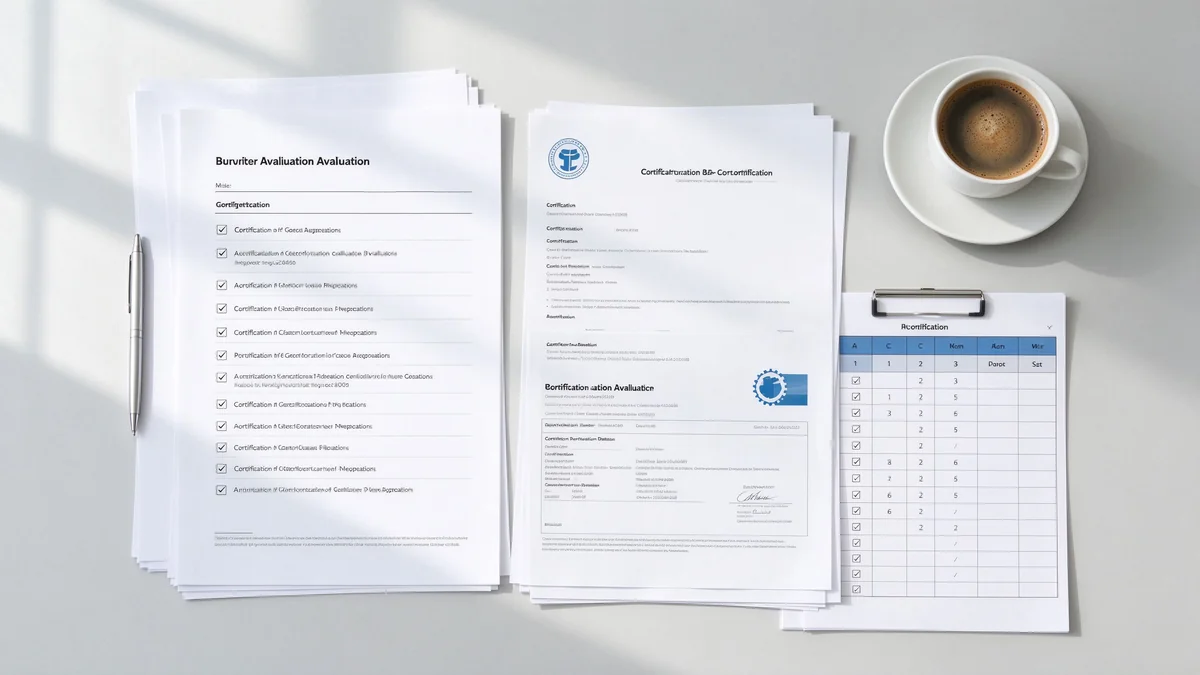
Evaluate factory capability, certifications, documentation, delivery experience, and total price — each backed by evidence.
Define the scoring framework before bids arrive, and publish the weights in the tender document. A balanced framework prevents price from overwhelming technical quality. The weighting below is a practical example, not a fixed rule — adjust it to your project priorities.
| Evaluation category | Example weighting |
|---|---|
| Technical compliance | 25% |
| Display and touch performance | 15% |
| Software and collaboration | 10% |
| Certifications and documentation | 10% |
| Manufacturing and delivery capability | 15% |
| Installation and training | 10% |
| Warranty and lifecycle support | 10% |
| Commercial price | 5% |
Important reminder: If the procurement rules require awarding to the lowest price, the buyer should still set a mandatory technical threshold, define unacceptable technical deviations, require certifications, set a minimum warranty period, and specify delivery and acceptance criteria. Without these gates, a low bid can win by compromising panel quality, touch experience, software support, installation service, spare parts, and after-sales — and the project pays for it later.
Total cost of ownership is the complete cost of a project over its working life, not the purchase price. For an interactive flat panel tender, the formula is:
TCO = equipment + bracket + OPS + camera and audio + software + installation + training + maintenance + spare parts + transport + certification.
When comparing suppliers, add the cost categories that are often overlooked. First, equipment replacement value: an interactive whiteboard replaces a projector, camera, microphone, and whiteboard combination, so compare against that bundle. Second, training efficiency recovery: estimate training rooms × weekly training sessions × average minutes saved × participant hourly cost. Third, IT operations cost: centralized device management across hundreds of rooms versus per-room maintenance. A five-year TCO comparison regularly shows that a slightly more expensive, fully documented supplier is cheaper over the contract life.
Procurement teams should update their specifications as the market evolves. Current 2026 trends include Google EDLA certification, Microsoft Teams and Zoom certification, zero-trust security and DMS remote device management, USB-C one-cable connection and AV-over-IP, AI meeting notes and AI noise reduction, government procurement cybersecurity requirements, sustainability and energy-consumption requirements, trade compliance and tariff and rules-of-origin considerations, and updated regional certifications such as CE, FCC, RoHS, REACH, and Energy Star. Check which of these apply to your project and add the corresponding verification requirements to the specification now, because retrofitting them after award is difficult and expensive.
The specification and the compliance matrix decide who wins; delivery, installation, and acceptance decide whether the project is judged successful. Define each stage in the tender document so responsibilities are clear from day one.
Confirm final models, quantities, packaging, serial numbers, certifications, outgoing inspection, packing lists, and the transport plan. Require the supplier to provide serial numbers and inspection records before shipment so that the delivered units can be verified against the order at the site.
Define the installation sequence: unboxing inspection, visual check, bracket installation, screen fixing, power connection, network configuration, software installation, touch calibration, camera and audio commissioning, and user account configuration. State who performs each step, who supplies the wall reinforcement and cabling, and who is responsible for safety checks after mounting.
Acceptance should test what users actually do, not what the brochure claims. For display, check resolution, brightness, screen uniformity, video playback, and input source switching. For touch, check touch points, multi-user writing, latency, accuracy, palm rejection, and behavior on both Android and Windows. For software, check whiteboard, annotation, file save and export, casting, multi-device connection, and meeting software. For device management, check OTA updates, DMS, remote monitoring, data clearing, permissions, and security. For training, check administrator and teacher or staff sessions, common questions, and maintenance and troubleshooting procedures.
Collect the final specification sheet, user manuals, installation manuals, test reports, certification files, asset list, warranty certificates, spare parts list, training records, acceptance report, and contact and service procedures. The buyer should formally sign the handover only after these documents match the delivered configuration.
Before the contract is signed, run a sample through a realistic checklist: display and color, touch and writing, multi-user collaboration, system and applications, wireless casting, camera and audio, long-duration operation, external devices, software upgrades, and packaging and transport condition. Sample testing catches gaps that documents cannot reveal, especially in touch latency, casting compatibility, and audio quality.
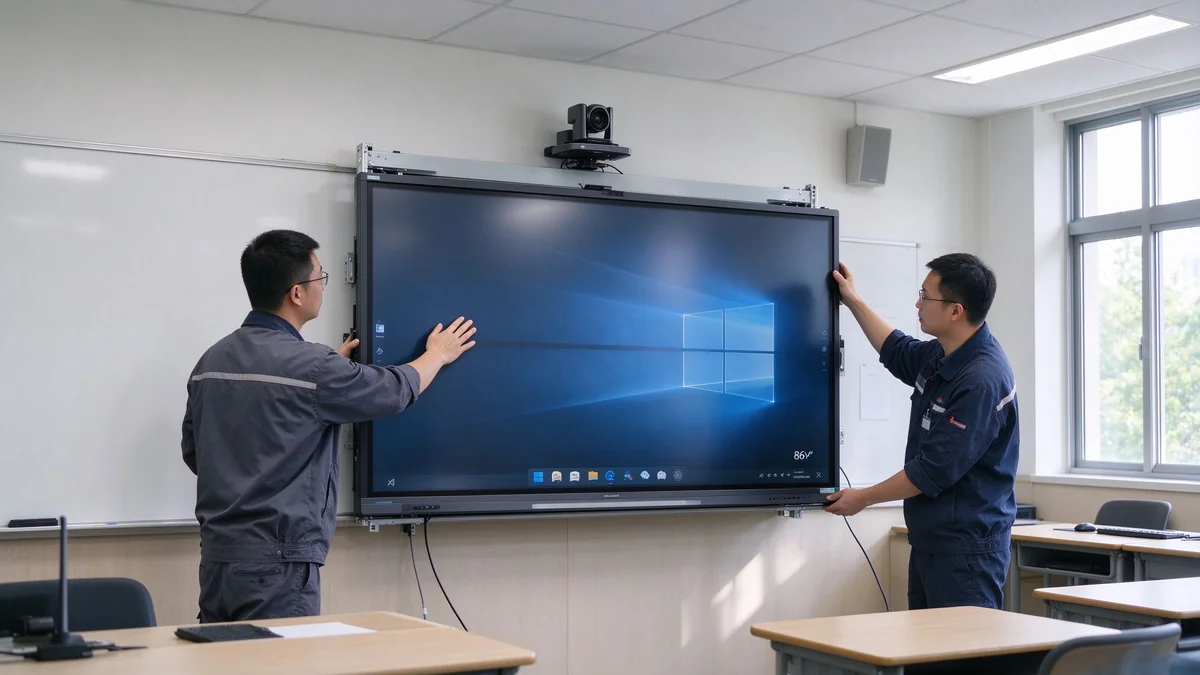
Define installation, acceptance testing, and handover documents in the tender so responsibilities are clear.
Qtenboard is positioned as a tender-ready interactive display manufacturer for buyers and bidders who need a supplier that can support the full procurement cycle. The sections below describe what a buyer or bidder can reasonably expect to confirm with the Qtenboard team on a project-specific basis.
Qtenboard offers 55–110 inch 4K interactive flat panels and interactive whiteboards, with technical solutions and product configurations adapted to the project requirements. Buyers should confirm the exact model, configuration, and certification set for their tender during supplier evaluation.
The Qtenboard team works with project requirements on product datasheets, technical parameter tables, compliance matrices, certification files, factory documentation, test reports, installation and training documents, warranty and after-sales documents, and project delivery plans. For bidders, this documentation capability is what makes the tender file complete and defensible.
Qtenboard supports equipment supply, brackets and accessories, installation, commissioning, training, phased delivery, local technical cooperation, and acceptance support. Multi-site deployments should be planned in advance to confirm unified configuration, delivery batches, local installation, spare parts, and after-sales arrangements.
Qtenboard's product range covers 55–65 inch units for small classrooms and meeting rooms, 75–86 inch units for standard classrooms and meeting rooms, and 98 inch and above for large training and conference spaces. Configurations include 4K or project-specified resolution, 20–50 point touch, Android, Windows, or dual systems, and OPS, camera, and audio options.
Nota: Qtenboard presents itself as a factory-direct manufacturer with experience supporting government and education tenders. Buyers should request project references, model-specific compliance documents, and delivery records during supplier evaluation, as they would with any candidate.
| Buyer priority | Qtenboard value proposition |
|---|---|
| Tender-ready products | 55–110 inch interactive displays |
| Compliance support | Specifications, compliance matrix, certifications |
| Documentação | Datasheets, manuals, test reports, warranty |
| Installation and training | Supply, install, commission, train |
| Lifecycle apoio | Spare parts, firmware, DMS, 5–7 years |

A complete tender documentation package — compliance matrix, certifications, datasheets, installation guide, and acceptance test report — supports both bidding and acceptance.
Most interactive whiteboard tender failures come from a small set of repeated mistakes. Check your document against this list before publishing it.
A complete specification covers display, touch, system, software, wireless casting, video and audio, connectivity, installation, training, acceptance, certifications, warranty, spare parts, and after-sales support. The full section list and a ready-to-adapt template are provided above.
Evaluate technical compliance, factory capability, certification files, bid support, sample testing, delivery capability, installation and training, warranty, and long-term maintenance together — rather than comparing quotations alone. Use the seven-area quick answer table and the scoring framework in this guide.
A tender-ready supplier or manufacturer can provide the complete bid response package: product specifications, interactive whiteboard compliance documents, certifications, technical response tables, project proposals, installation and training support, and after-sales services — so the bidder can submit a defensible tender file without assembling documents from multiple sources.
Unless procurement rules allow it or the project has a clear compatibility requirement, it is usually better to specify verifiable performance and outcomes and allow compliant equivalent products. Always follow the procurement regulations of the jurisdiction where the tender is published.
Through a compliance matrix, product datasheets, test reports, certification certificates, sample demonstrations, factory evidence, supplier authorization letters, project references, and installation and acceptance plans. Every compliance claim should be backed by a document named in the bid file.
If the project requires the devices to be put into actual use, installation and training should be included. Buying hardware without defining installation, commissioning, training, and acceptance usually leads to unclear responsibility and disputes later.
Confirm against the target country and project requirements: CE, FCC, RoHS, ISO system certificates, electrical safety, EMC, energy efficiency, and local mandatory certifications. The documents must correspond to the actual model being bid — certificates for other models do not count.
TCO = equipment + bracket + OPS + camera and audio + software + installation + training + maintenance + spare parts + transport + certification. Compare the full five-year cost rather than the panel unit price alone.
Qtenboard serves government, school, and enterprise projects with interactive whiteboards, technical documentation, compliance files, supply, installation, and training support. Specific capabilities depend on the country, quantity, delivery schedule, and tender documents, so confirm each project directly with the Qtenboard team.
Yes, on a project-specific basis. The team can discuss datasheets, technical responses, certifications, test reports, factory documentation, warranty files, installation proposals, and other bid support documents before the tender deadline.
Qtenboard offers a 55–110 inch product portfolio and project supply plans for education and government projects. Multi-site deployments should confirm unified configuration, delivery batches, local installation, spare parts, and after-sales arrangements in advance.
Send your tender specification, project quantity, target country, delivery schedule, and installation requirements to the Qtenboard team. They can help prepare a compliant interactive whiteboard solution, technical response, product documentation, and supply plan for your project.
| Role | Suggested first step |
|---|---|
| Equipas Compras | Request tender support with your draft specification |
| Bidders | Request a compliance matrix for your target model |
| Integradores do sistema | Discuss a government or education project plan |
| EPC contractors | Request project configuration and delivery support |
| Distribuidores | Request the tender documentation package |
Tell the Qtenboard team what your project needs. Fields marked required help the team respond with the right documents and configuration.
Free downloadable checklists for your project:

CEO | Display interativo e solução colaboração Expert
Eu sou o fundador da Qtenboard, trazendo mais de 17 anos de experiência prática para a indústria de telas sensíveis ao toque. Com base na perspectiva de gestão global adquirida através dos meus estudos EMBA na ShenZhen University, lidero minha equipe na otimização de todas as etapas de nossas operações-desde a definição do produto até o gerenciamento da cadeia de suprimentos de alta eficiência-garantindo que nossas capacidades de fabricação permaneçam na vanguarda do setor.
Como líder da Qtenboard, sou especialista em fornecer soluções OEM/ODM personalizadas para quadros interativos, paredes de vídeo LCD, sinalização digital e terminais de toque de nível industrial. Apoiados por nosso parque industrial moderno de 330.000 m² em Shenzhen, mantemos controle de ciclo de vida completo sobre design industrial, fabricação de precisão e testes rigorosos de desempenho.
Com quase duas décadas de experiência em projetos, as soluções de exibição da Qtenboard estão implantadas em mais de 120 países e regiões, conquistando a confiança de mais de 15.000 clientes corporativos em todo o mundo. Se você está procurando um sócio responsivo com uma fundação profunda da fabricação para seus projetos personalizados da exposição do toque, minha equipe e eu estamos prontos para apoiar sua visão com excelência profissional.

 pt
pt
 EN
EN  spa
spa  th
th  vie
vie  aze
aze  bel
bel  est
est  lav
lav  ukr
ukr  ru
ru