Bank & Financial Branch Solution
A branch lobby does not fail because the queue is long. It fails because the ticket, the calling screen, the VIP rule and the branch report are four separate things. This page is the procurement document for getting them installed as one system: which queue kiosk model fits your branch format, which modules the bank actually asks for, where the hardware responsibility stops and the QMS begins, and what to write into the contract before the first unit ships.
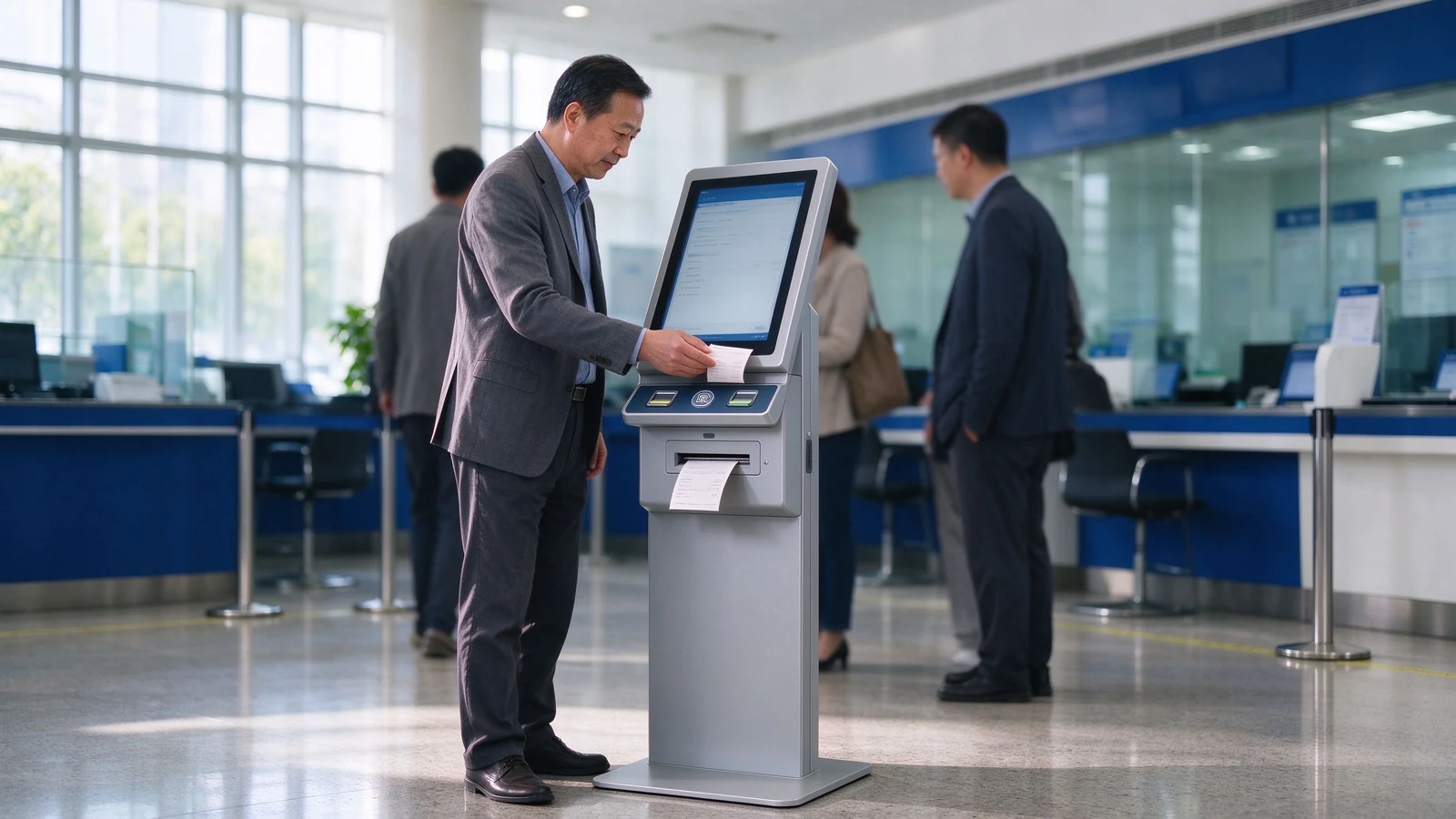
01 / The real problem
Branch operations teams usually come to a supplier with one sentence: "we need a ticket machine." That sentence describes a symptom. When a bank queue management system underperforms, the audit normally lands on one of four failures, and a ticket dispenser alone fixes none of them.
The ticket is issued but never called
Numbers print, customers sit down, and the counter forgets the missed ticket. Without recall and re-call rules, every no-show becomes a re-issued number and a longer board.
The customer leaves with the number
In a branch with a 25-minute wait, a customer who has an errand outside will abandon the seat. Without a mobile virtual queue, the branch loses the visit, not just the position.
Every branch invents its own rules
One branch puts wealth clients first, another runs pure FIFO. Regional management then cannot aggregate waiting time, no-show rate or window utilisation across the network.
The terminal lands, the system does not connect
The kiosk arrives without a settled interface contract, so the existing QMS or branch system cannot read the ticket. Integration becomes a change order.
The purchase decision in front of you is therefore not a hardware price comparison. It is a scope decision: which nodes of the queue you are buying now, which software owns the queue rules, and which party answers the phone first when a number fails to print. Qtenboard's queue management kiosk is built to be bought as the visible entry node of that system — and, when the branch has no QMS yet, to arrive with the software layer that runs the rest of it.
02 / Service path
A self-service kiosk solution for banks is only as good as the path behind it. The standard data path in a Qtenboard deployment runs in one direction, and every node in it belongs on your procurement list:
1. Ticket kiosk
Service selection, identity or appointment check-in, ticket printing with QR.
2. QMS queue server
Number generation, queue rules, priority and routing, no-show handling.
3. Counter & lobby output
Agent calling terminal, window display, waiting-area screen, voice broadcast.
4. Off-lobby channel
QR mobile queue, SMS and app alerts, real-time expected waiting time.
5. Reporting layer
Waiting time, service time, window utilisation, no-show and abandonment by branch.
6. Integration layer
REST API, SDK, database tables or message queue into your existing stack.
Bank branches do not queue for one thing. A working configuration separates at least four service families at the entrance: cash and deposits, loans and corporate business, VIP and wealth management, and booked appointments or consultations. Getting this catalogue right at the ticket screen is what makes window scheduling possible later — the queue ticket dispenser routes the visitor, the QMS decides who gets called next.
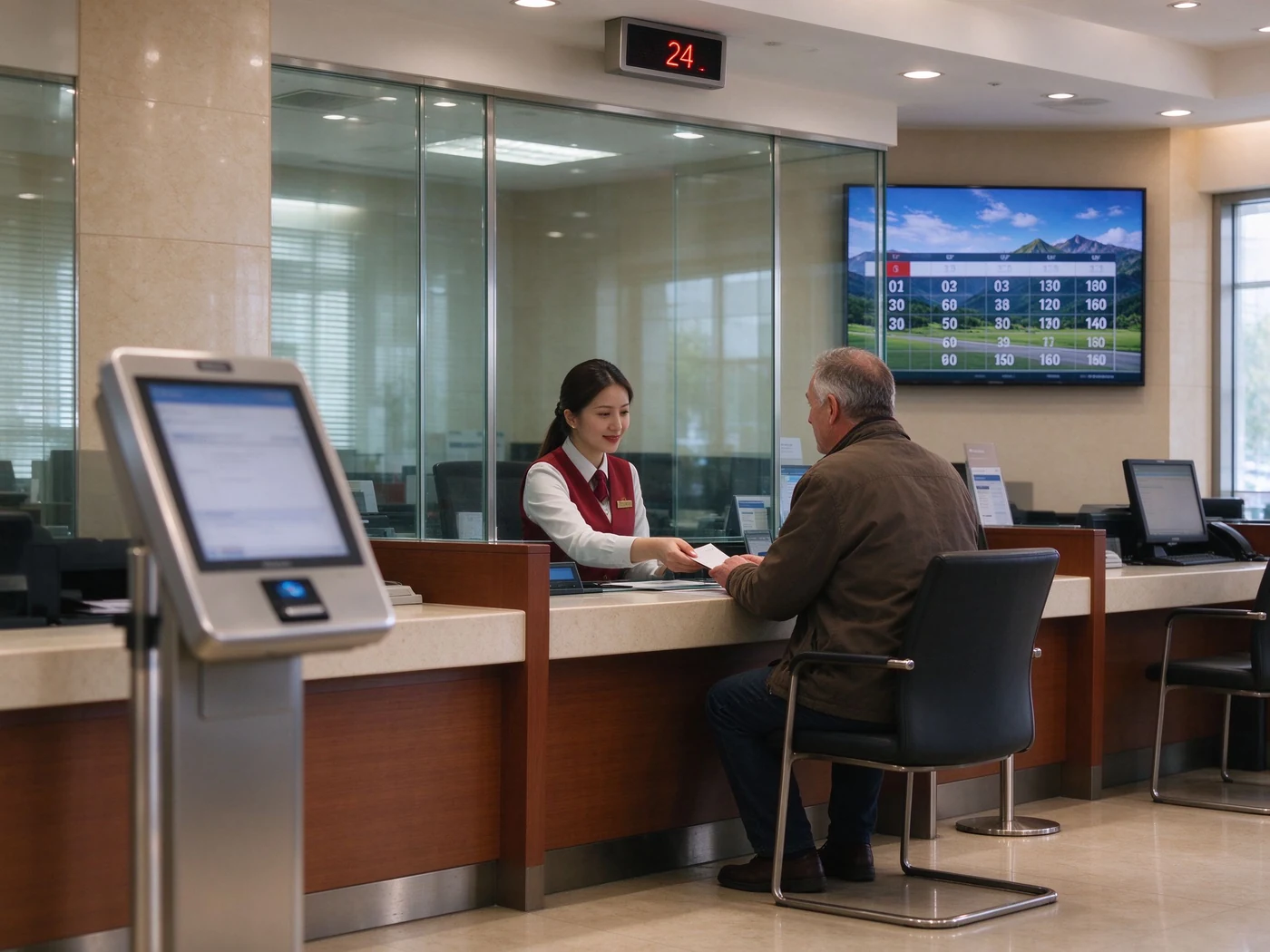
Counter number display, lobby board and agent terminal — the output side of a bank queue management system that a kiosk alone cannot provide.
| Decision point | Queue management kiosk | Ordinary self-service kiosk |
|---|---|---|
| Core task | Take a ticket, route, wait, call | Complete one business task |
| Primary output | Queue number, waiting status, window information | Order, payment result, receipt |
| Companion hardware | Calling screens, counter terminals, voice system | POS, printer, document scanner |
| Critical software | QMS queue management system | Ordering, ticketing or payment software |
| Buying focus | Service categories, priority rules, window scheduling | Business flow and payment integration |
03 / Configuration
A flagship branch with a 900-visitor day and a community branch with two counters should not receive the same BOM. Qtenboard builds six derivations from one platform, so the difference between them is a configuration line, not a redesign.
| Model | Branch fit | Modules normally activated |
|---|---|---|
| A. Single-screen standard | Full-service branches, 300+ tickets per day, main lobby entrance | 17–21.5″ touch, thermal printer, QR scanner |
| B. Dual-screen | Branches using the lobby for product and campaign communication | Ticketing screen + second screen for content rotation |
| B2. Low-height accessible | Branches with wheelchair users and assisted-ticketing requirements | Reduced-height enclosure, barrier-free UI mode, assisted ticketing |
| C. Wall-mounted / desktop | Community branches, sub-branches, counter-side re-issue points | Compact dispenser, wall anchor kit, low paper capacity |
| D. Identity edition | Branches issuing tickets against ID, and appointment-heavy service desks | ID card reader, passport reader, QR appointment validation |
| E. Finance edition | Financial lobbies with card-based identification and VIP priority queues | Card reader, PIN-ready configuration, VIP and priority rules |
| F. Custom-branded | Bank-owned visual identity across an entire branch network | Body colour, logo, panel material, UI skin set at the factory |
Two configuration decisions drive the rest of the BOM: does the branch identify the visitor at the ticket screen (D or E), and does the lobby need a second screen (B). Everything else — printer width, base height, network type — follows from daily ticket volume and site conditions.
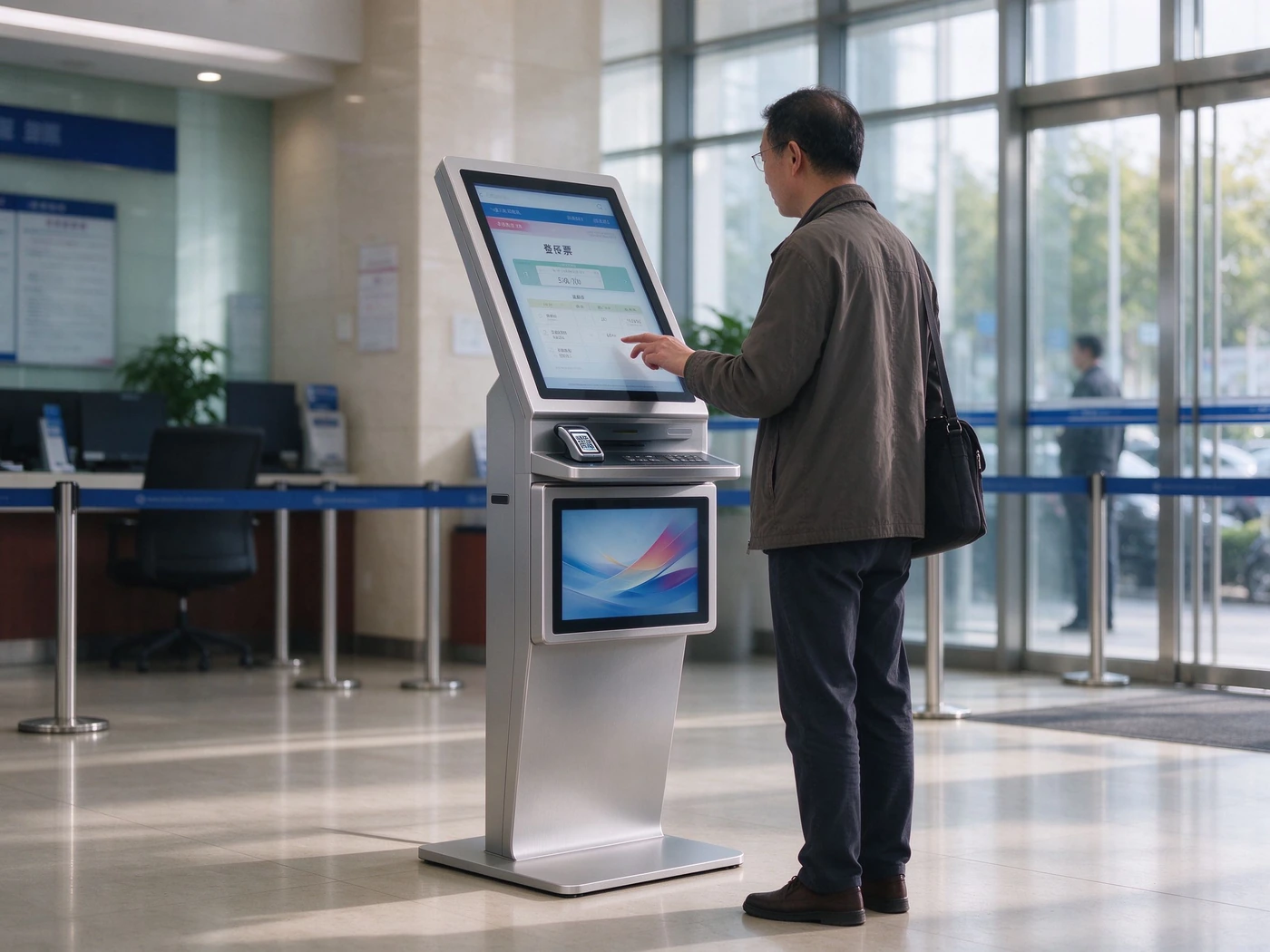
Dual-screen queue kiosk: ticketing on the upper screen, campaign or product rotation on the lower one.
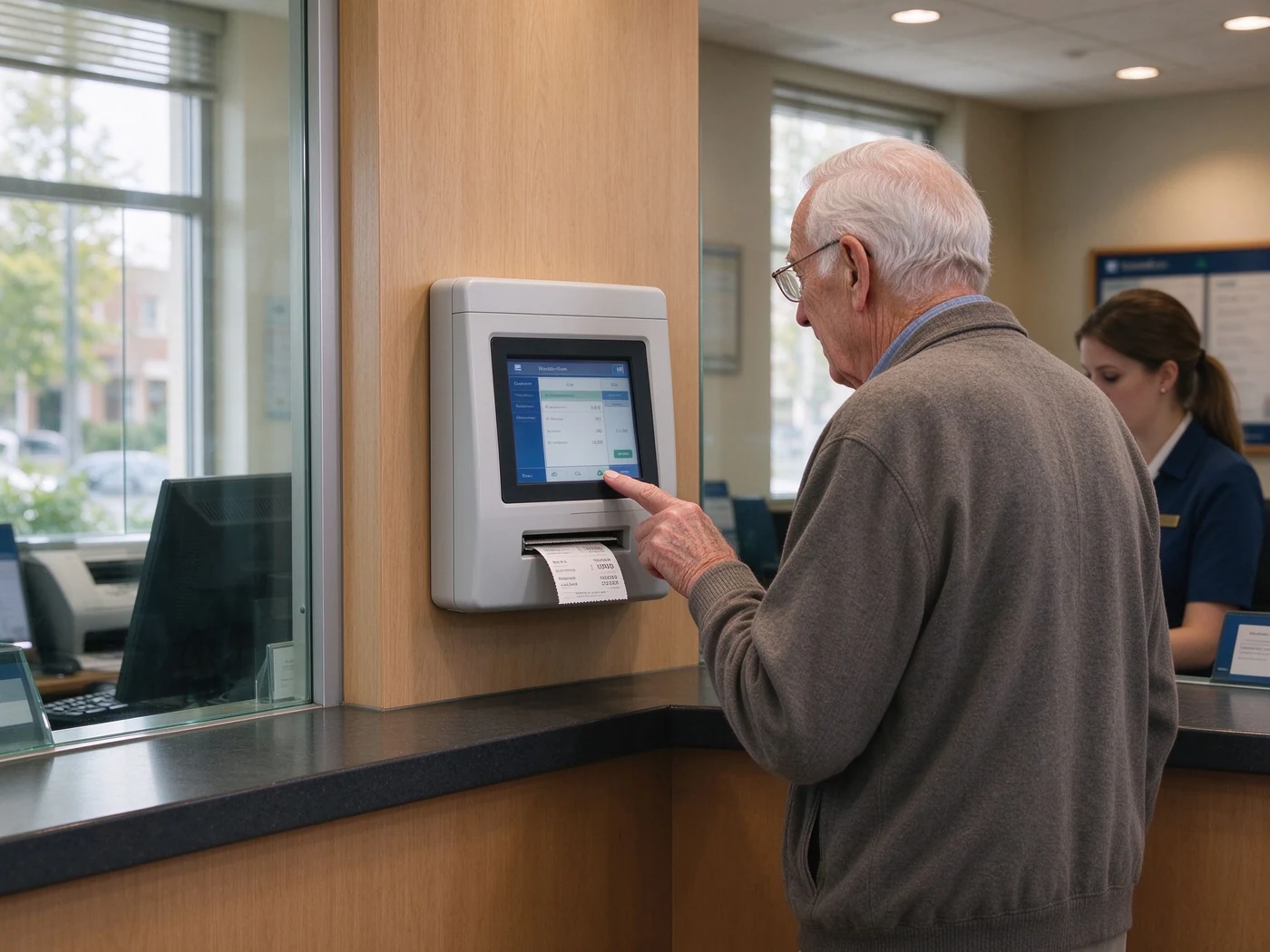
Wall-mounted ticket dispenser for a community branch, where floor space is the binding constraint.
04 / Hardware
Bank procurement rarely argues about the enclosure. It audits four things: whether the printer survives peak hour, whether the reader module matches the credentials in circulation, whether the branch can service the unit without moving it, and whether the OS is allowed on the bank network. The table below is the specification Qtenboard publishes for this queue terminal.
| Parameter | Specification | Why the branch asks |
|---|---|---|
| Screen | 17″ / 19″ / 21.5″, 1280×1024 or 1920×1080, 4:3 or 16:9 | Service catalogue depth and lobby reading distance |
| Touch & glass | Projected capacitive, 10-point, explosion-proof tempered glass | Public-space durability and high-traffic input accuracy |
| Printer | Built-in thermal line printing, 58 mm / 80 mm, 203 dpi, auto cutter optional, paper-out and jam detection optional | Peak-hour ticket throughput and unattended reliability |
| Reader modules | QR scanner standard or optional, NFC/RFID, ID card reader, passport reader, face recognition (compliance review required) | Identity-based ticketing, VIP recognition, appointment check-in |
| Host | Windows 10 / 11 standard, Android or domestic OS optional, 4 / 8 / 16 GB RAM, 128–512 GB storage | Bank terminal security policy and existing software stack |
| Network | LAN, Wi-Fi / 4G / 5G optional, RJ45 · USB · audio interfaces, centralised CMS control | Branch wiring cost and multi-branch remote management |
| Structure | Metal body, thin flat low base, rear lock service access, IP54-rated casing | Lobby footprint, paper roll replacement, dust and cleaning routine |
Parameters the factory locks per order — CPU, power input, consumption, operating temperature and humidity — are quoted as [Confirm on actual BOM] and fixed at quotation stage. Do not accept a datasheet that fills these in generically.
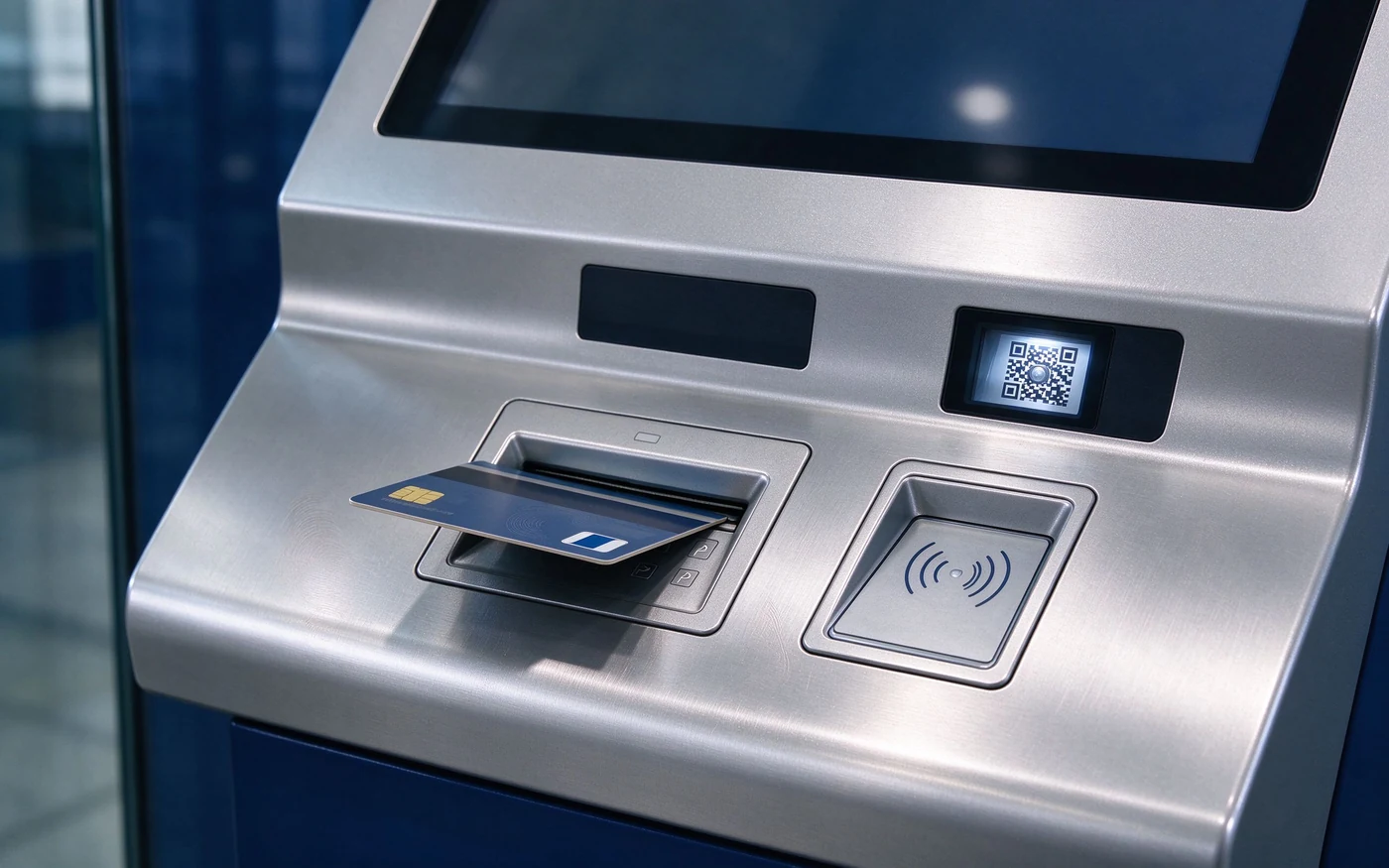
Finance edition control strip: card reader pad, NFC pad and QR window on one panel for VIP and priority ticketing.
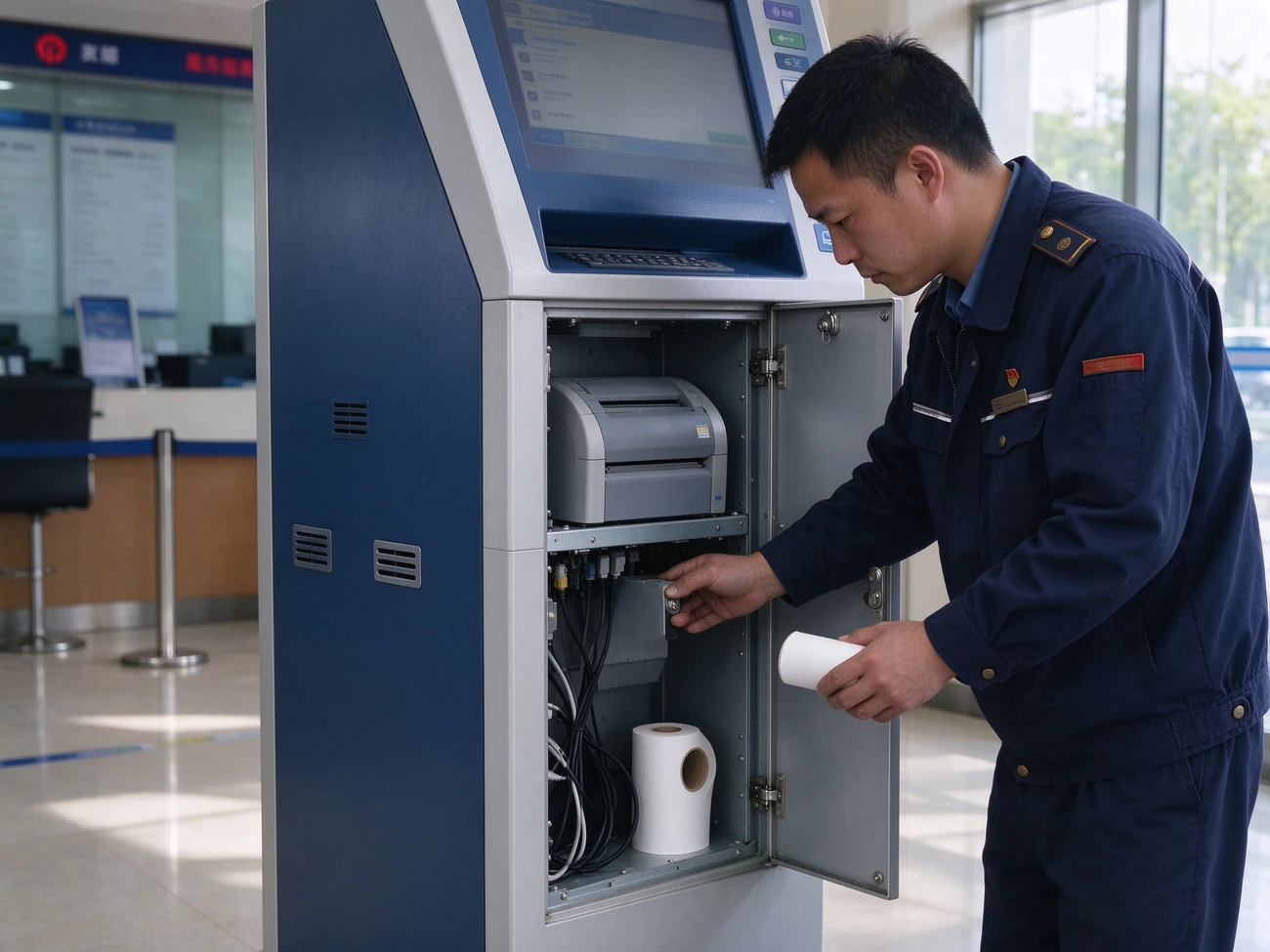
Rear lock access: printer module and paper roll reachable without moving the kiosk out of the lobby.
05 / Software layer
This is the line item most often missing from a bank RFQ. The kiosk ships with the QMS ticket client, and the software stack behind it runs the parts of the queue the customer never touches: service catalogues, priority rules, calling logic, lobby displays and the report that regional management reads.
Service selection & ticketing
Multi-level service catalogue by department and business type, QR or booking-number appointment validation, VIP and priority routing, multi-language UI (5+ languages, more on request), barrier-free and assisted ticketing modes.
Agent calling terminal
Next, Recall, Transfer and Pause controls; current window number displayed at the counter; multi-language voice broadcast; FIFO, appointment priority, VIP, urgent, routing, queue transfer and parallel queue rules.
Waiting-area display
Live board with queue number, window and estimated wait; 500–700 nit commercial panels for bright lobbies; queue information alternated with bank content.
Mobile virtual queue
Customer scans the QR on the ticket to follow the position anywhere, receives SMS or app notification when called, and sees a real-time expected wait — the branch keeps the visit instead of the seat.
Missed-number recovery
Recall and re-call handling for no-shows, with the no-show recorded as data rather than silently re-issued.
Backend analytics
Visitor volume, average waiting time, average service time, window utilisation, peak-hour distribution, no-show and abandon rate — per service type and per branch, with daily and monthly exports.
The commercial reason to buy hardware and QMS from one accountable supplier is narrower than it sounds, and it is the reason procurement teams ask for it: one interface contract, one firmware baseline across branches, and one first responder when a number does not print. Split the order across a hardware vendor and a software vendor and the branch inherits a triage problem on every incident — which is exactly the failure mode described in section 01.

QR position tracking and SMS call-back let the visitor wait outside the lobby without losing the ticket.
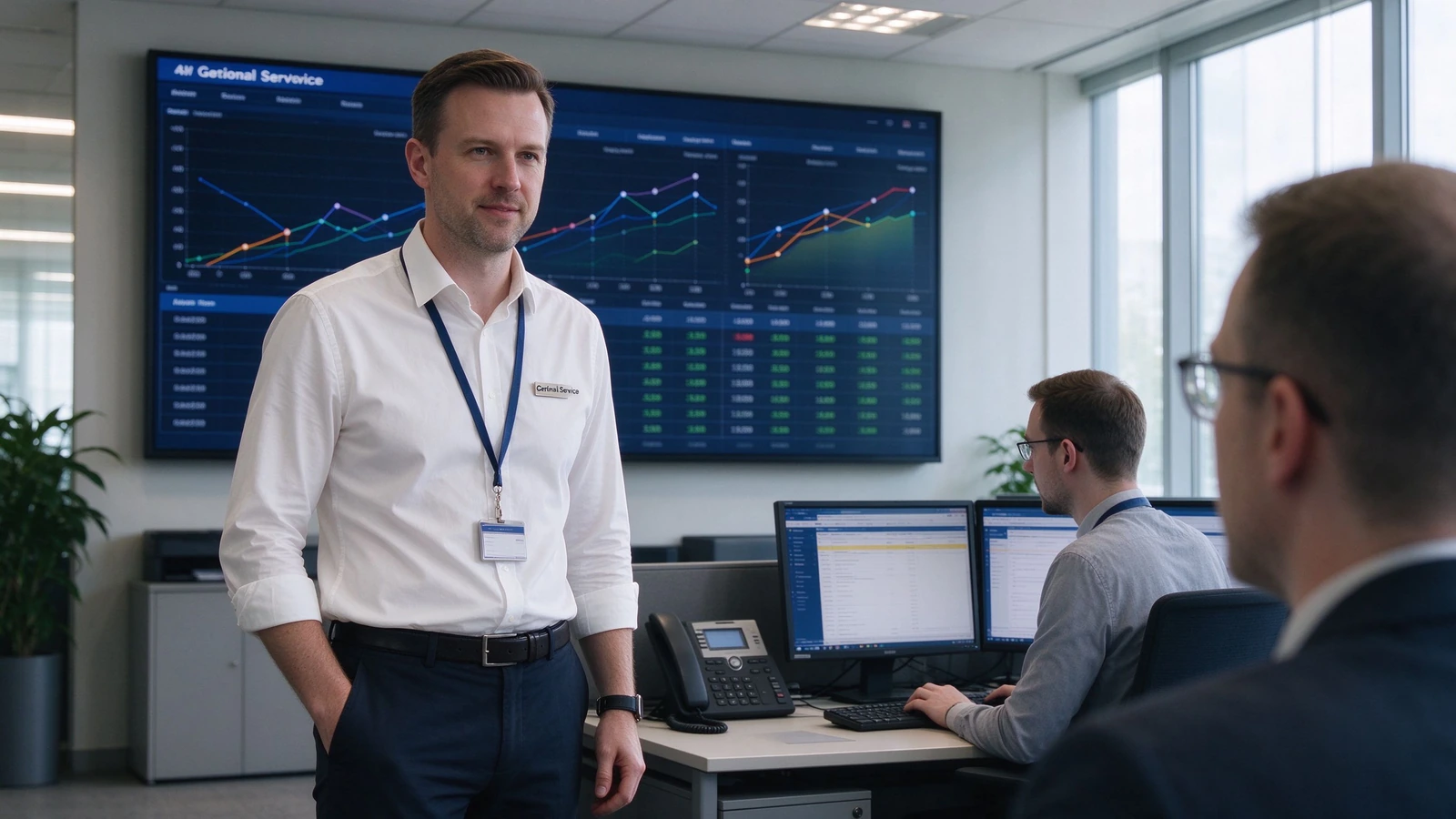
Multi-branch reporting: the same rules and the same KPI definitions across the whole network.
06 / Integration
This is where bank queue projects are won or lost, and it is the section competitors' product pages rarely write. Integration is available through REST API, SDK, database middleware tables, message queue or file import and export. The targets banks normally name are the existing QMS, the branch banking system, the appointment platform, CRM, the SMS gateway, digital signage and the teller calling software.
| Deployment mode | Hardware side delivers | Your side delivers | Typical use |
|---|---|---|---|
| Standalone branch | Kiosk, QMS client, calling terminal and display set | Network and power at the site | Single branch, pilot site, branch with no existing QMS |
| SDK integration | Hardware, drivers, SDK documentation and test utilities | Queue rules and business logic inside your QMS | Bank already runs a queue management system |
| Platform centralisation | Hardware, network options, factory integration test | Central QMS, branch interfaces, security approval | Multi-branch network on LAN, private network or cloud QMS |
ID card reading and face recognition require separate authorisation and processing consent in every market, and are not switched on by default. Storage can be local, cloud or hybrid; data masking, role-based access control and operation audit logs are included in the software layer. Deployments are structured to support GDPR, PIPL and local regulation requirements, with the specific obligations confirmed at project stage against your compliance team's reading — not assumed by the supplier.
Certification inventory carried for these projects: CE, FCC, RoHS, ISO 9001, with an IP54-rated casing as standard. Certificates are maintained current and released for distributor and procurement due diligence on request; medical, financial and government project compliance is confirmed per project scope.
07 / Delivery
A branch rollout is a schedule problem as much as a hardware problem. Each step below has a handoff point that belongs in the project plan, so the bank knows when its own team is on the critical path.
Requirements & RFQ
Configuration, OS, modules, integration scope, destination country.
Sample testing
Unit or sample evaluation before mass production.
Image & firmware
System image and peripheral drivers standardised per order.
Production & QC
Batch production with factory quality checks.
Logistics
Single or multi-unit packing, crating where required.
On-site install
Floor mounting, anchor fixing, network configuration.
System integration
Backend connection and interface testing.
Training & go-live
Agent terminal and admin report training, then launch.
Warranty runs 1–3 years project-defined, with replacement parts support for 1–5 years, online technical support on a 24-hour pre- and post-sales basis, on-site repair arranged per project scope, and software and firmware updates included. What changes the real cost of a branch network is spares coverage, not unit price: print heads, cutters and paper rolls sized to the number of branches decide how long a kiosk stays down when a part fails mid-week. Size the spares list with the branch count, not per unit.
For public-sector and bank tenders, Qtenboard supplies bid documentation, technical-spec alignment and tender strategy support — 160+ clients won government tenders in 2025, generating over $30M in contracts across education, public services and enterprise. District and municipal bank procurement rounds usually require exactly this documentation set before a shortlist is issued.
08 / Deployment references
Purchasing committees ask for references that can be checked, not a logo wall. These are the project types Qtenboard publishes, with the configuration detail that a technical reviewer needs to judge comparability.
Branch lobby queue deployment with virtual queuing
Scope: floor-standing queue kiosks with thermal ticket printing, QR check-in and SMS virtual queue across branch lobbies. Published outcome: queue times reduced by 40%+ and customer satisfaction improved by 40%+, with throughput up 35% and staffing cost down 30–50%. Figures as published by Qtenboard for deployed queue kiosk projects; request the reference package matched to your market before committing.
Multi-site outpatient ticketing under OEM branding
Scope: OEM-customised kiosks at every outpatient entrance, branded to the group's visual identity. Integration: HIS-connected appointment lookup and insurance verification, with the queue layer shared with corridor signage and physician-room panels.
Tender support for distributor partners
Scope: bid documentation, technical-spec alignment and tender strategy for public-service queue deployments. Result: 160+ clients won government tenders in 2025, generating $30M+ in contracts.
How to read these numbers: they are supplier-published results from deployed projects, not an independent benchmark. The defensible way to use them in a business case is as a range to test against your own ticket volume — run a two-week baseline of waiting time and no-show rate in one pilot branch, then compare.
09 / Supplier credentials
Qtenboard has built displays and self-service hardware from the component level since 2005 in Shenzhen — as the OEM/ODM factory behind 110+ country markets, not as a reseller. For a bank queue project that produces three practical differences in the contract:
One accountable supplier
Kiosk hardware and QMS software ship from the same order, so interface responsibility does not fall between two vendors.
Brand and firmware control
OEM/ODM/CKD-SKD: logo, packaging, UI skin, firmware baseline and accessory bundle configured per order for a bank's own identity.
Documentation that bids need
Certification set, BOM-matched spec sheets and tender documentation aligned to public procurement requirements.
Commercial structure follows four cooperation models — private-label OEM, full ODM, CKD/SKD kit supply for local assembly markets, and government tender support. MOQ, lead time and pricing are confirmed per configuration at quotation; the factory returns a quote within 24 hours and arranges a sample unit before mass production.
Shenzhen · founded 2005 · OEM/ODM/CKD-SKD manufacturer of digital signage, interactive displays, queue management kiosks and self-service terminals, serving system integrators, distributors and project contractors in 110+ countries.
10 / Buyer questions
A queue kiosk is the entry point of a queue system: it issues tickets, routes visitors by service type and priority, validates appointments, and hands every number to calling stations, lobby displays, voice, SMS and analytics. A standard self-service kiosk completes one business task. The buying focus shifts accordingly — queue rules and window scheduling matter more than payment flow.
Yes. Integration is available through REST API, SDK, database middleware tables, message queue or file import and export. Typical targets are an existing QMS, bank branch systems, appointment platforms, CRM, SMS gateways and digital signage. The interface contract is confirmed at project stage and carried into the integration plan.
Standard: floor-standing enclosure with wide base, vertical touchscreen, thermal ticket printer, QR scanner, host, network, power and rear-lock access, plus the QMS ticket client. Optional: ID card and passport readers, NFC/RFID, camera and microphone, 80 mm printer with auto cutter, 4G/5G/Wi-Fi, multi-language and accessibility kits, POS payment and satisfaction survey.
Windows 10/11 is standard on this model, which suits branches already running Windows-based QMS clients and bank desktop policy. Android and domestic OS options are available per project where the security baseline or local sourcing rules require them.
The printed ticket carries a QR code. Scanning it opens the customer's queue position on a phone, with SMS or app notification when the number is called and a real-time expected waiting time, so the visitor can leave the lobby without losing the position or the visit.
Deployment options are single-site LAN, multi-branch private network, or cloud QMS with centralised management. Rules and KPI definitions are configured once and applied across branches, so regional reporting compares like with like, and remote CMS control covers firmware, content and diagnostics.
MOQ and lead time depend on configuration, operating system, modules and customisation level. They are confirmed with the quotation, which the factory returns within 24 hours, and a sample unit can be arranged for evaluation before mass production.
Standard flow: requirements, sample test, image and firmware standardisation, production and QC, logistics, on-site installation, integration, then training and go-live. After-sales covers a 1–3 year warranty, 1–5 years of replacement parts support, remote technical support, on-site repair options and system upgrades, with 24/7 response available per project.
The first quote is only useful if it is close to the final order. Include these seven items and the factory can quote against a matched BOM instead of a generic unit price.
Reply within 24 hours with pricing, MOQ, lead time and a BOM-matched specification sheet. Sample units available before mass production.
Figures on this page are Qtenboard published product and company data or results reported for deployed projects; they are not an independent benchmark. Hardware parameters marked [Confirm on actual BOM] are fixed at quotation stage. Certification scope, identity-data authorisation and financial-sector compliance are confirmed per project against the requirements of the destination market. Qtenboard is an OEM/ODM manufacturer of queue kiosks and queue management software; it does not provide banking services or regulatory approvals on the buyer's behalf.

CEO | Interactive Display & Collaboration Solution Expert
I am the founder of Qtenboard, bringing over 17 years of hands-on expertise to the touch display industry. Drawing on the global management perspective gained through my EMBA studies at ShenZhen University, I lead my team in optimizing every stage of our operations—from product definition to high-efficiency supply chain management—ensuring our manufacturing capabilities remain at the forefront of the industry.
As the leader of Qtenboard, I specialize in providing tailored OEM/ODM solutions for interactive whiteboards, LCD video walls, digital signage, and industrial-grade touch terminals. Backed by our 330,000 m² modern industrial park in Shenzhen, we maintain full-lifecycle control over industrial design, precision manufacturing, and rigorous performance testing.
With nearly two decades of project experience, Qtenboard’s display solutions are now deployed in over 120 countries and regions, earned the trust of more than 15,000 enterprise customers worldwide. If you are seeking a responsive partner with a deep manufacturing foundation for your customized touch display projects, my team and I are ready to support your vision with professional excellence.

 EN
 spa
 pt
 vie
 th
 est
 lav
 aze
 ukr
 bel
 ru