Kitchen Display System KDS FAQ | Toast Square Chowbus Compatible KDS Screen Qtenboard

2026-11-12

Restaurant technology · KDS and order-ready displays

Three screens stand between the order and the customer. Own all three.

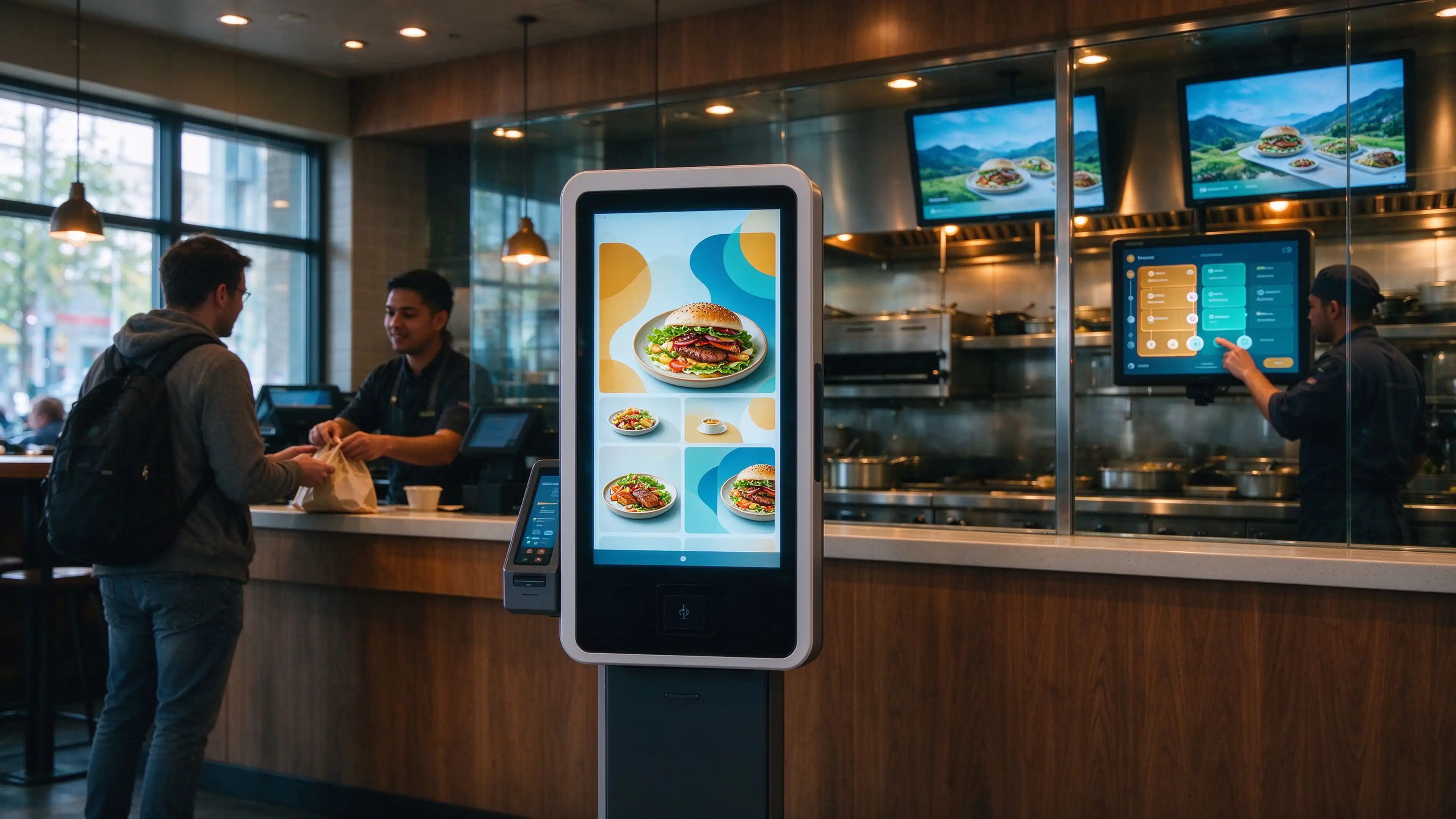
A working kitchen display system is not a screen purchase. It is an order chain: the kiosk takes it, the kitchen screen routes it, the pickup display proves it is done. Qtenboard supplies every display node in that chain — with KDS and queue-number software preloaded, or as bare hardware you integrate yourself.

40%Ticket-time reduction at Wingstop within four weeks of Smart Kitchen rollout
7.8 minTicket time at a 14-store chain after moving off paper tickets
<14 díasQtenboard standard lead time from PO and deposit
qsr-kds-order-flow-kiosk-to-kitchen-display

Most rollouts break in the same three places

Not because the hardware fails, but because three purchase decisions were made by three people who never spoke.

The order stops at the kiosk

The kiosk vendor sells a self-ordering terminal. The POS vendor sells a payment flow. Nobody owns the route from the kiosk to the kitchen queue, so the ticket lands late — or only after a staff member retypes it.

The kitchen cannot see priority

The kitchen display works, but every station filters its own queue differently. Fryer sees one order, grill sees another, expo sees paper. Throughput drops while everyone looks busy.

The customer cannot read the chain

The pickup screen runs on a separate media player, refreshed on a different clock. Food is ready, the number is not up, and the counter absorbs the complaint.

The fix is structural, not technical. Treat the four terminals as one chain with one interface owner. Qtenboard covers the display nodes, the mounting, the preloaded software option, and the spares pool — so the chain has a single hardware counterparty when a store opens at 10 a.m.

Four terminals, one order flow

Each node below lists what the hardware does, what the software must do, and what to confirm before you sign the PO. Specifications are from Qtenboard product documentation.


restaurant-self-ordering-kiosk-countertop

Node 01

Self-ordering kiosk: where the ticket is born

A restaurant self-ordering kiosk has one job beyond taking payment: emit a ticket that enters the kitchen queue without a human touching it. Everything downstream depends on whether that handoff is native or bolted on.

Tamaños de pantalla
15.6" to 32", wall, counter and freestanding
Toque
10-point PCAP, industrial capacitive
Built-in print
80 mm auto-cut thermal receipt printer
Escaneo
1D / 2D QR code scanner
Payment bracket
Standard mount for local EMV / POS terminal
OS
Android or Windows, configurable at order

Confirm before PO: which system owns the order route from kiosk to KDS — your POS, your KDS middleware, or a direct API? Ask for the interface document, not a verbal yes.

Qtenboard does not invent an order-routing protocol per project. The kiosk ships with the OS and drivers your software team needs, and we test printing, scanning, touch and network continuity before it leaves the line.
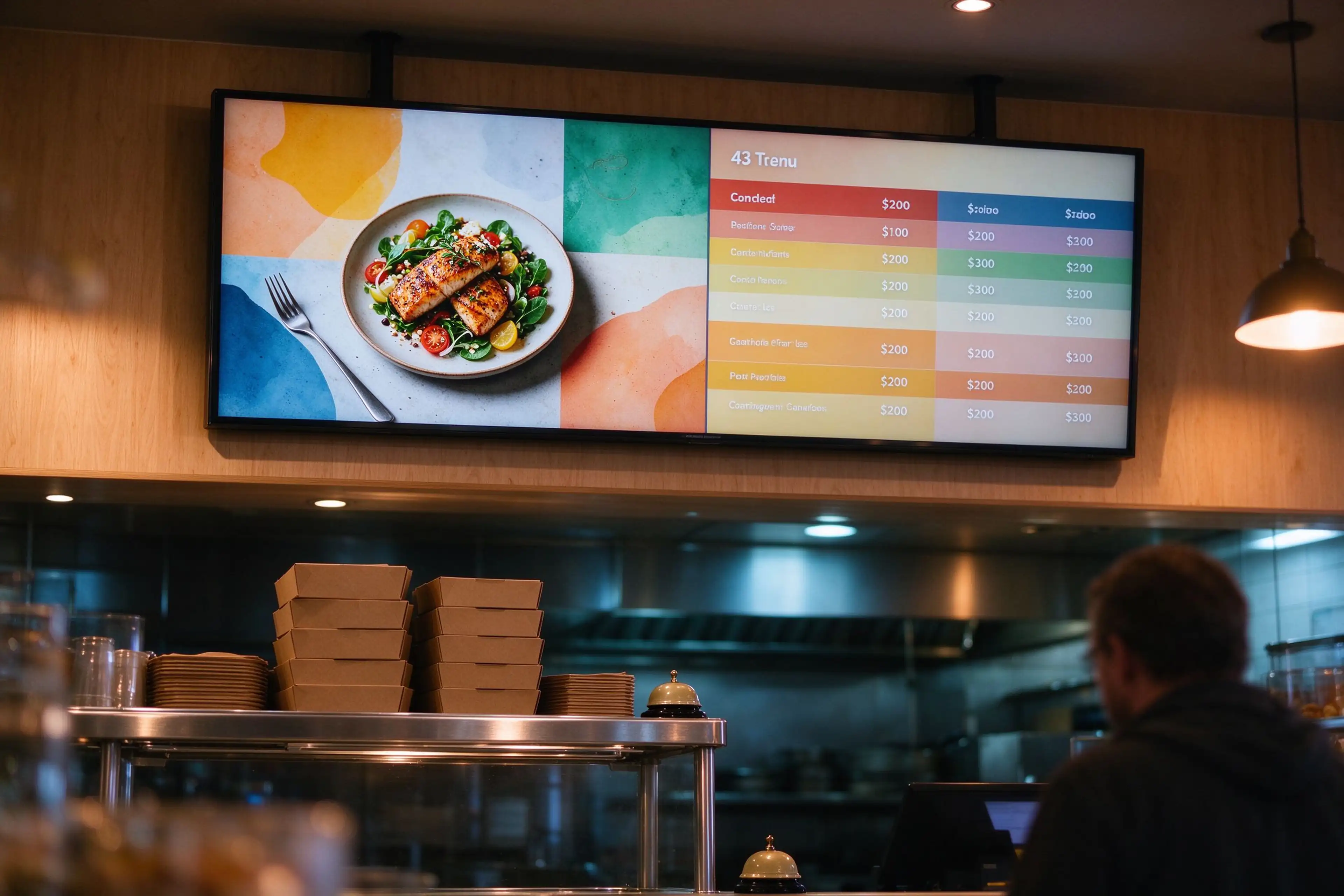
qsr-counter-digital-menu-board

Node 02

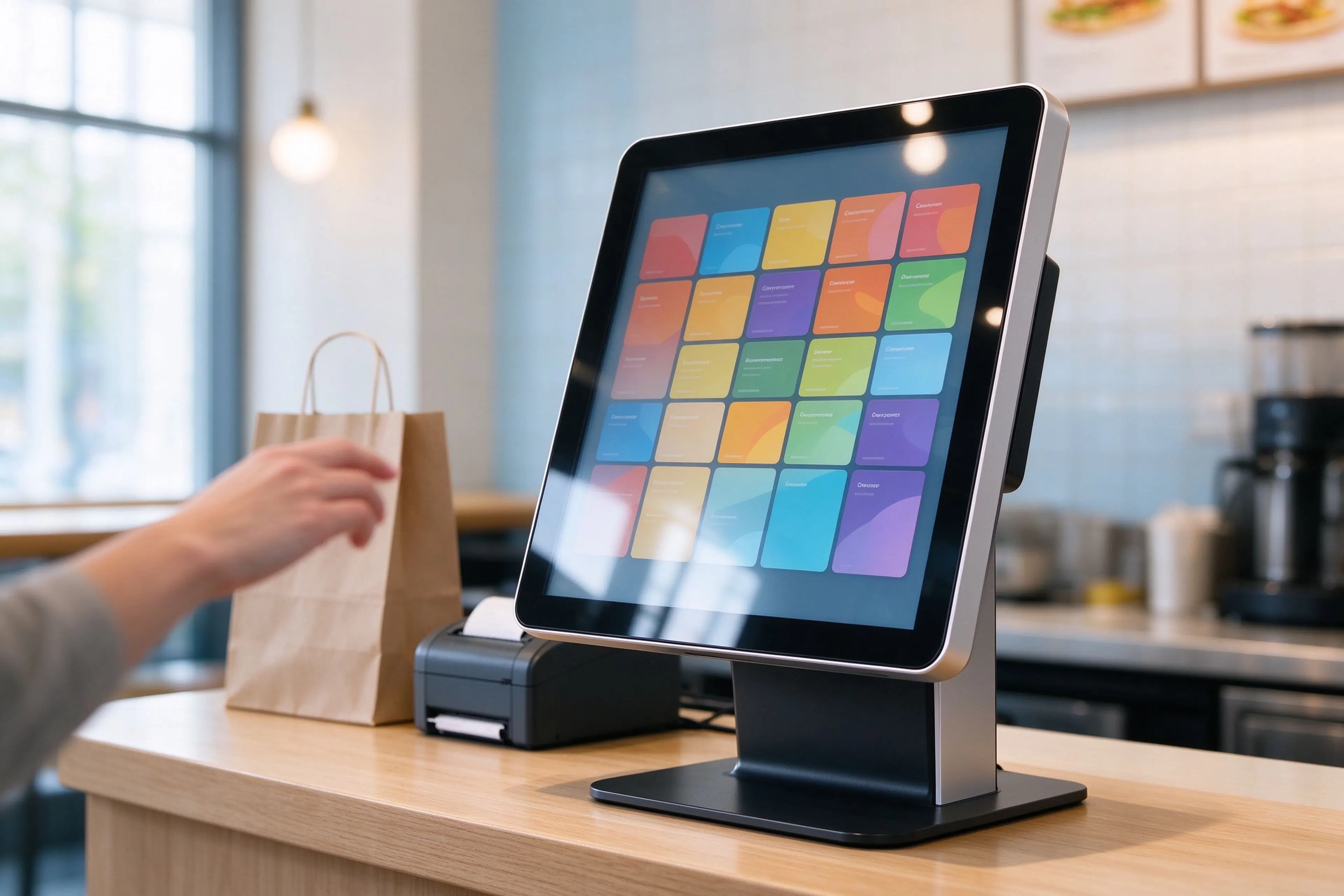
Counter and menu displays: the sell-side, not the flow side

Be clear about this node. A digital menu board does not move an order; it prevents a dead one. When a menu item sells out, the board must drop it before the next customer orders something the kitchen cannot cook. The second job is attach-rate: a visible add-on at eye level beats a verbal upsell at 12:30.

Tamaños
21.5" to 27" desktop ordering screen; 32" to 55" wall-mounted board
Resolución
1920 × 1080 on the desktop unit
Brillo
400 cd/m² on the desktop unit
Plataforma
Quad-core, 1+8 GB, USB and Wi-Fi; GMS certified build available
Operación
Plug and play, auto power on after outage

Confirm before PO: does the board pull availability from the same inventory table as the kiosk? Ask for split-screen layout samples and CMS multi-store update behaviour in writing.

Split-screen and remote CMS scheduling differ by model. Send us the layout you need and we will confirm it against the panel you are quoting, rather than promise it generically.


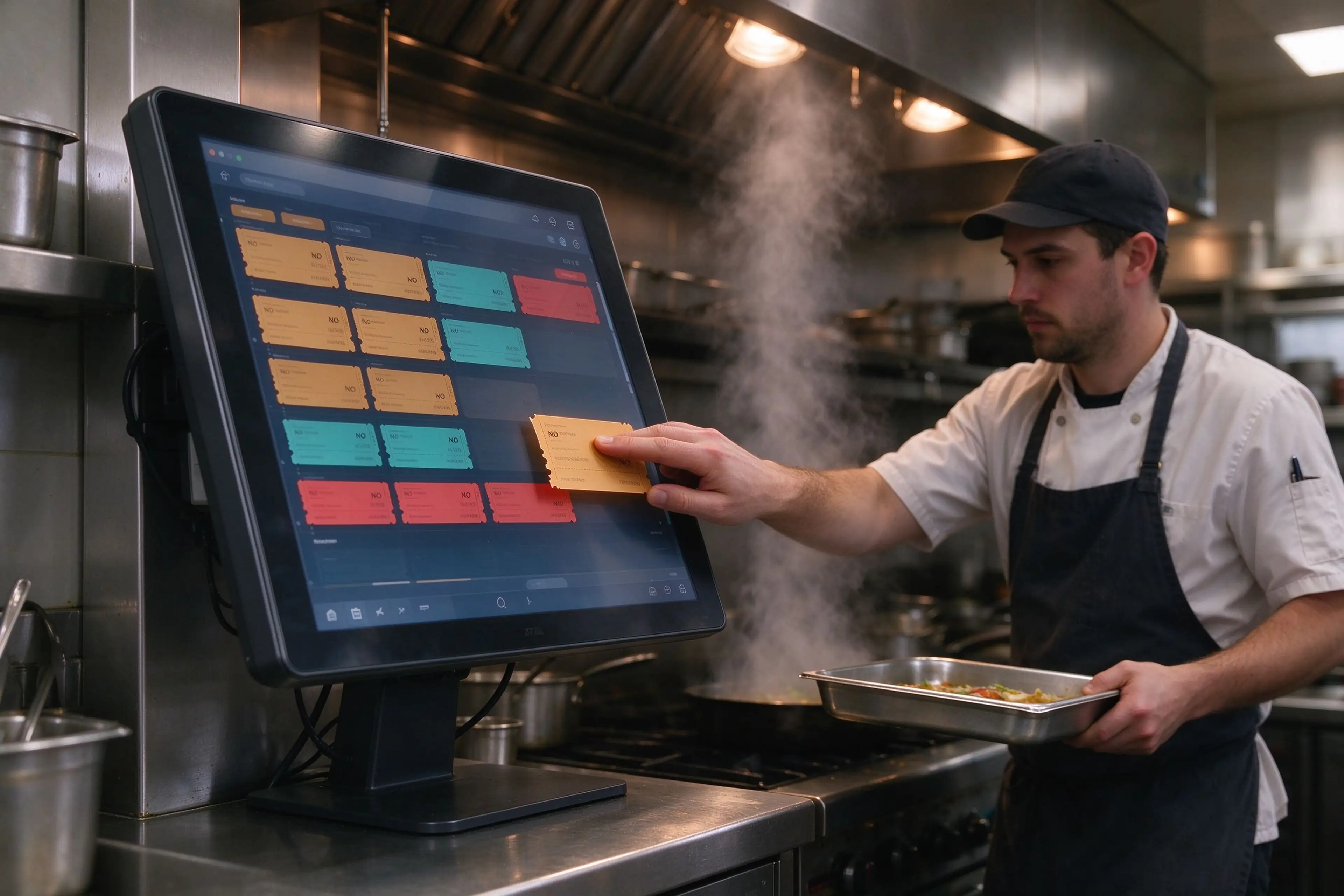
kitchen-display-system-prep-station

Node 03

Kitchen display terminal: where throughput is won

This is the node buyers under-specify. A KDS screen sits in heat, steam, grease and glare, and is touched with wet or flour-dusted fingers several hundred times a shift. The panel has to survive that environment, and the mount has to put it where a cook can bump a ticket without stepping back.

Tamaños
32", 43", 50", 55" landscape or portrait
OS
Android 9.0 to 16.0
Toque
Capacitive or infrared, or non-touch with external bump bar
Resolución
2K or 4K
Brillo
≥250 cd/m² standard panel class
Montaje
VESA wall, tilt bracket, or pedestal

Confirm before PO: measure the actual lux at the screen face under hood lights, then match panel brightness to it. A 250 cd/m² panel is fine under moderate lighting and weak under direct high-bay glare.

Honest boundary: Qtenboard’s standard indoor signage panels are commercial-grade, not grease-sealed industrial units. If your kitchen is a heavy-fry environment, specify a sealed front bezel and a washable cover, or plan a replacement cycle. We will quote either path.


order-ready-pickup-display-screen

Node 04

Order-ready display: the only screen the customer reads

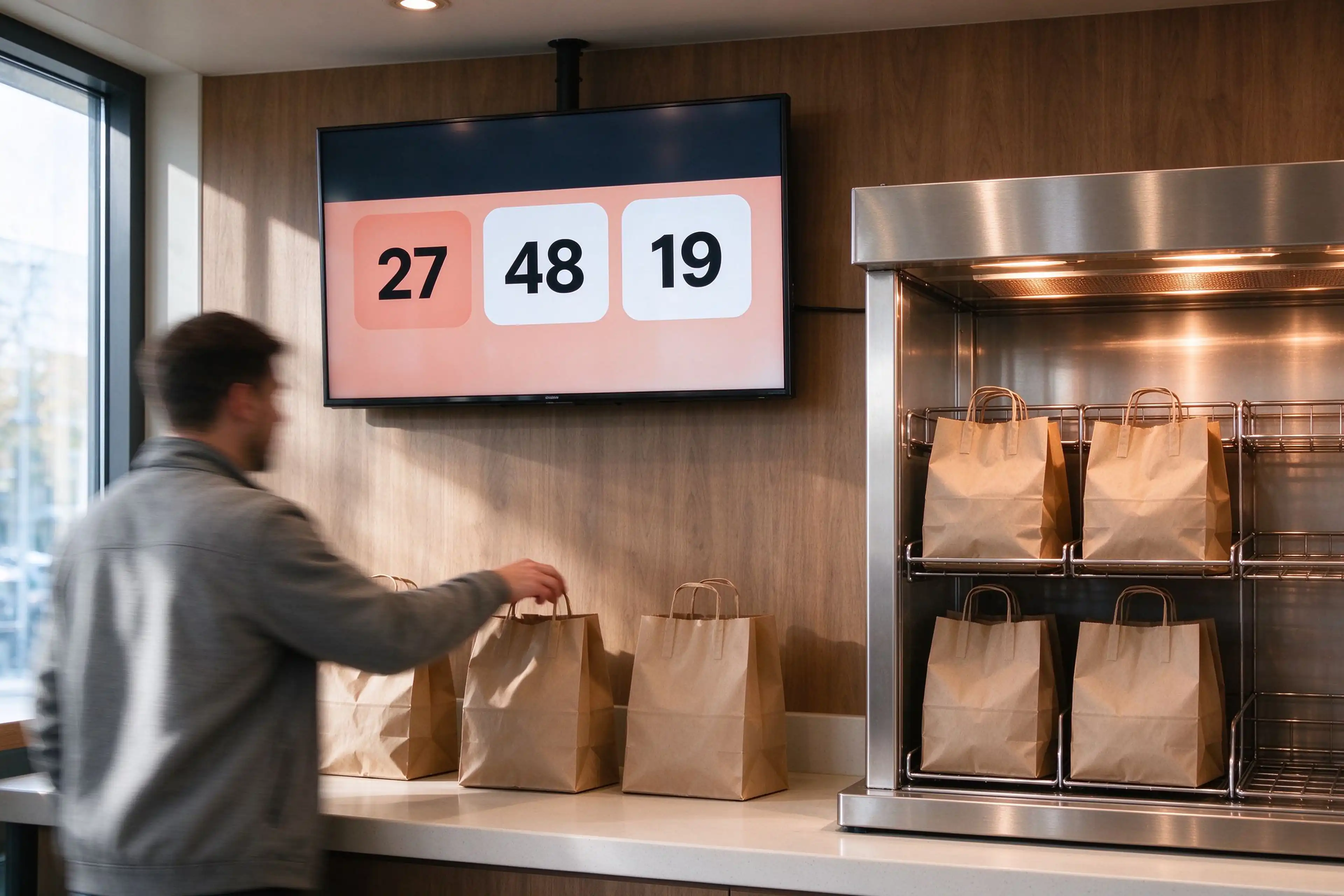
An order ready display is a queue management display with no tolerance for lag. It shows two states and nothing else: still in the kitchen, ready for pickup. If the refresh clock differs from the KDS clock by even 20 seconds, the counter pays for it in complaints and remade food.

Tamaños
43" and 55" portrait, 32" to 55" landscape
Content zones
Two-zone layout, in-progress and ready
Orientación
9:16 portrait or 16:9 landscape
Driving
Software push or CMS playlist, your choice at order
Montaje
Wall bracket, ceiling mount, or floor pedestal

Confirm before PO: who writes the number to the screen — the KDS on “bump”, or the queue app on a timer? Ask for the worst-case refresh latency you should expect at peak.

Qtenboard supplies the display and the optional queue-number software build. If you already run a queue app, we ship the panel and you keep the logic.


Buy it preloaded, or buy it bare

Two delivery modes, one bill of materials. The difference is who owns the software update path after handover — decide that before the first store goes live, not after.

Mode A — preloaded and locked down

We image the unit in the factory with the KDS or queue software build, then harden it for unattended restaurant use.

  • Boot logo, kiosk-mode app, auto-start on power
  • Fixed Wi-Fi / Ethernet profile and static addressing per store
  • Screen lock, blocked settings menu, remote-update agent
  • Qtenboard’s own KDS and queue-number build available if you have no incumbent

Mode B — bare hardware, your software

Clean Android or Windows unit with drivers only. Your KDS vendor images it, or your integrator sideloads the APK at the store.

  • No preloaded app, no lock screen, full developer access
  • Root / ADB access available on request for integration testing
  • Hardware interface document supplied to your software partner
  • Ideal when a chain standardises on Toast, Square, Chowbus or an in-house build
ResponsabilidadMode A, preloadedMode B, bare hardware
Software licenceYours or Qtenboard’s, stated on the quoteYours, purchased separately from your KDS vendor
Feature updatesWe push the image update per rollout windowYour software team pushes; we stay out of the build
First-line fault triageWe test panel, touch, network and app launch togetherWe test hardware only; app faults route to your vendor
New-store provisioningClone the approved image to every unit in the batchSend bare units; your team provisions on site
Mejor ajusteFranchise groups without in-house IT at store levelChains with a POS/KDS partner already under contract

What the chain is actually worth

Public deployment data, not vendor claims. Read the last line carefully: a screen is one variable in these results, not the cause of them.

40%

Ticket-time reduction across 1,000 Wingstop restaurants within four weeks of Smart Kitchen rollout, from 18–22 minutes down to about 10.

Wingstop Q2 2025 earnings call; Restaurant Dive, July 2025
8 puntos

Guest-satisfaction score increase at Smart Kitchen stores versus stores still on the old flow.

Restaurant Dive, July 2025
11.2 → 7.8 min

Ticket time at a 14-location fast-casual chain after replacing paper tickets, with kitchen errors down 40% and a reported 2.3-month payback on roughly $4,200 per location.

Industry case reported by Smart Restaurant Owner, 2026
+30%

Kitchen ticket-processing efficiency at Top Thai after KDS and handheld devices shared one live progress feed; miscommunication errors fell to near zero.

Chowbus customer story, Top Thai
$20–29

Per-screen monthly KDS software subscription across major platforms, so a six-screen store carries $1,440–$2,088 a year in software alone. Screen count drives your recurring cost, not just your capex.

Published vendor pricing, Toast, Square, Fresh KDS, 2026
11% CAGR

Kitchen display software market growth from $1.8 billion in 2025 toward $4.6 billion by 2034 — the category is expanding, and hardware standardisation is how chains keep that cost curve flat.

Dataintelo market report, 2026

The Wingstop result comes from a purpose-built operating platform plus retrained kitchen crews, not from a display purchase. Qtenboard’s controllable contribution is narrower and more honest: the ticket reaches the right screen on time, the screen survives the shift, and a failed unit is replaced from a shared pool.

Why one supplier matters at store twelve, not store one

Single-store buyers compare unit price. Multi-store operators compare the cost of repeating a decision. Four cost lines move when you consolidate the display chain.

Cost lineSplit across vendorsOne display supplier
IntegraciónThree interface documents, three test cycles, three failure languagesOne hardware interface document covers kiosk, board, KDS panel and pickup screen
SparesSeparate buffer stock for each brand and sizeShared panel families let one spare cover several store roles
Respuesta a fallosDifferent RMA windows, different time zones, different formsSingle RMA path and one remote diagnostic contact
New-store replicationRe-qualify hardware per site as vendors change modelsLocked BOM replicated from a template store for the rollout period
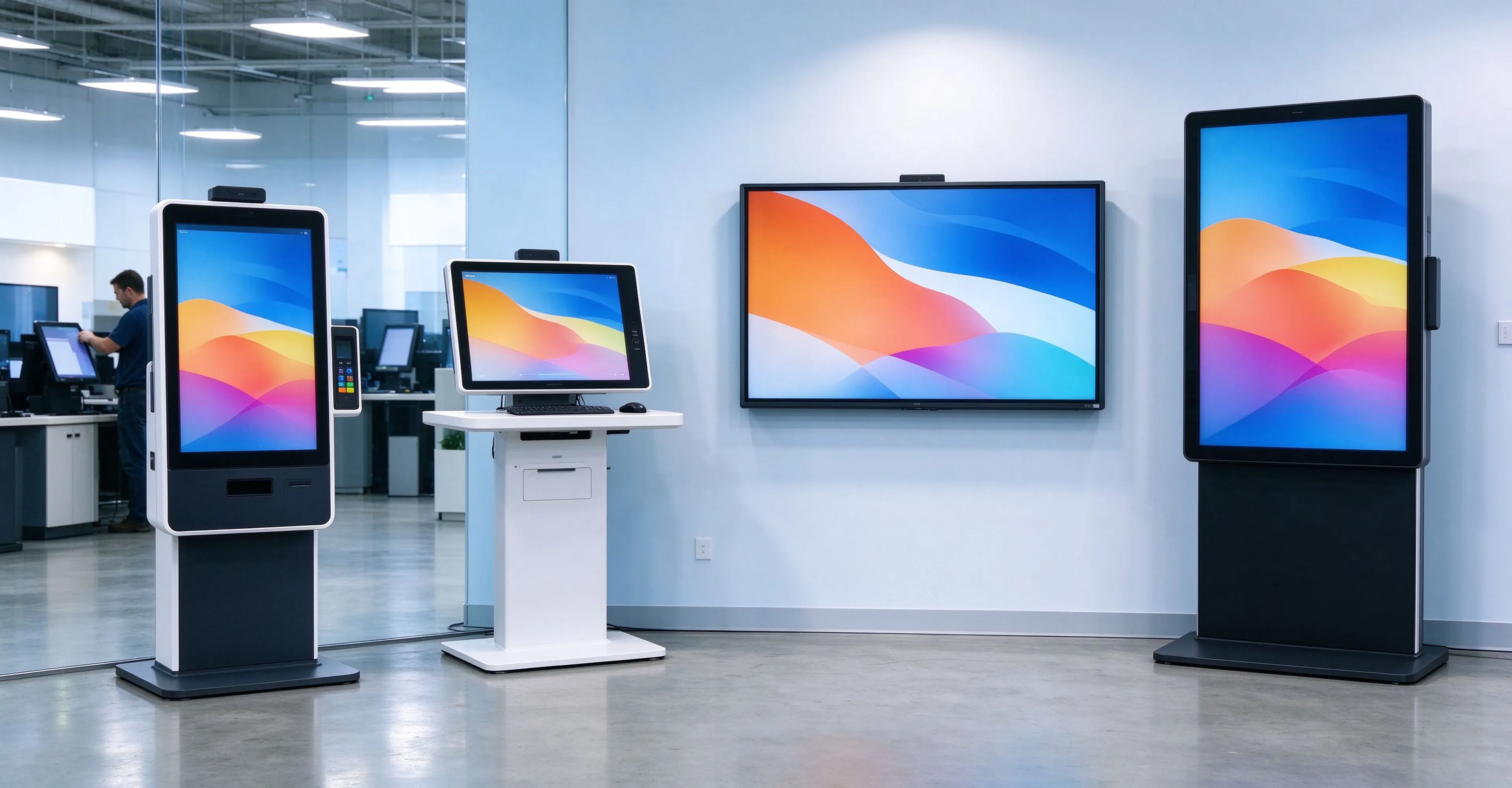
kds-hardware-multi-store-deployment
One BOM, four roles: kiosk, counter ordering screen, kitchen panel, pickup display.

Evidence, and who is making the claim

Two public deployments show what a connected chain does. The capability block below shows what Qtenboard can actually put behind a rollout — factory facts, not marketing adjectives.

Public case · United States

Wingstop: 1,000 stores on a single kitchen operating platform

The chain replaced paper checks with a smart kitchen platform spanning order intake, predictive demand and kitchen execution across four weeks of crew acclimatisation per store.

Desafío
18–22 minute ticket times at best
Cambio
Digitised queue, per-item quantities, forecast-driven prep
Resultado
40% faster tickets, +8 satisfaction points
Sources: Wingstop Q2 2025 earnings call; Restaurant Dive, 31 July 2025

Public case · New York

Top Thai: one progress feed across kitchen and floor

Servers stopped walking to the kitchen to ask status. Started and done states updated live on handhelds, so the floor could plan its own flow against the same data the kitchen saw.

Desafío
Verbal handoffs, no shared status
Cambio
KDS plus handheld progress sync
Resultado
+30% ticket-processing efficiency, communication errors near zero
Source: Chowbus customer story, Top Thai

What Qtenboard brings to a rollout

2005Manufacturing since, OEM/ODM for international brands
330.000 m²Three factories, about 1,000 production staff
200+ units/dayOutput with a 99.8% factory pass rate
100 paísesCE, FCC, RoHS, CCC and ISO 9001 certified lines
<14 díasStandard lead time; samples in 3–5 working days
OEM lineCustom boot logo, UI, frame colour, software preload, packaging
One RMA pathSingle technical contact from quotation to after-sales
Panel familiesShared sizes across kiosk, board, KDS and pickup roles

Works with the KDS you already chose

Most chains do not want a new software stack. They want a panel that runs the stack they have. Our default position is compatibility, with the interface document supplied to your software partner before the pilot.

ToToast KDS SqSquare KDS ChChowbus FrFresh KDS LiLightspeed EnIn-house build APK or Windows exe

What we deliver on the hardware side

  • Panels and touch layers sized to each station, with the OS build you specify
  • Montaje wall brackets, tilt arms, pedestals and VESA plates matched to the store layout
  • Peripheral integration thermal printer, scanner, cash drawer trigger, bump bar or keypad
  • Factory validation 48-hour aging plus print, scan, touch and network continuity checks
  • Provisioning pack network profile, boot behaviour, lock-down policy and asset labels per store
  • Documentación hardware interface document, port map and power budget for your integrator

What stays with you or your software vendor

  • Order routing logic which item goes to which station, and in what priority
  • Ticketing and payment tender, settlement and reconciliation
  • Menu and inventory truth pricing rules, sold-out state, modifier trees
  • Queue-number policy number format, recall window, voice announcement rules
  • Data retention order history, labour reporting, and analytics ownership

We state this boundary because a hardware supplier that promises the whole stack is usually reselling someone else’s licence with less accountability. Qtenboard will preload our own KDS and queue build when you want one vendor, and step back to hardware-only when you do not.

Quote a chain, not a screen

Send the five inputs below and we return a per-store bill of materials, a mounting plan for each station, and a pilot proposal for one store before you commit the rollout.

  • 01Store count and the markets you operate in
  • 02Average tickets per store per peak hour
  • 03Kitchen stations, and screens needed at each
  • 04KDS vendor, or “no incumbent yet”
  • 05Pickup model: number display, name call, or locker handoff
Request the per-store BOM

Need the panel specs first?

Product pages carry the current size, brightness, OS and touch options for each terminal role. Check the KDS panel brightness class against your kitchen lighting before you shortlist.

KDS and pickup panel specs Self-ordering kiosk specifications Countertop ordering screen specifications Factory and certification profile

KDS hardware questions buyers actually ask

Answers below are written for procurement and integration teams. Where a specification depends on the model you quote, we say so instead of assuming.

Can your kitchen display screen run Toast, Square or Chowbus KDS?

Yes, in Mode B. The panel ships as clean Android or Windows hardware, so a vendor app installs the same way it would on any commercial Android device. Two things decide whether it works in practice: the Android version your vendor supports, and whether they require Google Mobile Services. Confirm both before the pilot, and we will match the OS build on the PO.

Do you supply the KDS software, or only the display?

Both routes exist. Qtenboard has its own KDS and queue-number software build that can be preloaded and locked down at the factory, which suits franchise groups without store-level IT. If you already run a platform, we supply hardware only and hand your integrator the interface document.

What size screen does a two-station kitchen need?

Two stations usually want two dedicated panels rather than one shared screen, because each station needs its own queue view without a filter change mid-rush. 32-inch landscape covers fryer and grill stations in most layouts; 43-inch is the common choice for an expo or pass screen that consolidates status across stations. Send a station diagram and we will size it against sight lines, not against a catalogue page.

Is a 250 cd/m² panel bright enough under hood lighting?

It depends on measured lux at the screen face, not on the panel number alone. Standard commercial indoor panels in our signage range are rated ≥250 cd/m², which holds up in moderate ambient light and washes out under direct high-bay glare or strong window exposure. For heavy-fry kitchens with bright overhead light, specify a higher-brightness module or reposition the mount outside the glare cone. Measure first; we will quote both options.

How fast does the pickup display update when the kitchen bumps a ticket?

That is a software question, not a panel question. If your KDS writes directly to the display on bump, refresh is near-instant. If a separate CMS or queue app polls on a timer, expect the polling interval as your worst-case lag. Ask your software vendor for the number, and treat any answer above ten seconds at peak as a design flaw worth fixing before rollout.

Can you preload our app and boot logo on every unit in a chain order?

Yes. Factory preload covers boot logo, kiosk-mode app, auto-start on power, fixed network profile per store and a lock-down policy that blocks the settings menu. Image cloning keeps the batch identical, which is what makes store twelve cheap to open. Custom UI, frame colour and packaging are also available on the OEM line.

What is the lead time and minimum order for a twelve-store rollout?

Standard lead time is under 14 days from PO and deposit, with samples in three to five working days. Output runs above 200 units a day on a dedicated OEM line, so a twelve-store batch is not a capacity constraint. Minimum order depends on whether the units are standard or custom-configured; state the mix on the enquiry and we will quote against it.

How do we handle spares across dozens of stores?

Keep one shared spare pool per panel family rather than per store. Because the kiosk, counter screen, kitchen panel and pickup display draw on a limited set of panel sizes and boards, a small buffer covers several roles. We recommend one spare per twelve installed units plus one kiosk-specific unit for the first quarter, and we will document the mapping in the BOM.

Android or Windows for the kitchen display?

Android suits locked-down KDS deployments: cheaper, quieter at boot, easier to fix remotely, and most modern KDS apps ship an Android build. Choose Windows when your software is a Windows executable, when you need a local agent or printer driver that only exists on Windows, or when your integrator standardises on it. We build either; the decision should follow your software, not our inventory.


Qtenboard Queenie Wang

Queenie Wang

CEO | Experto en soluciones interactivas de visualización y colaboración

Soy el fundador de Qtenboard y aporto más de 17 años de experiencia práctica a la industria de las pantallas táctiles. Basándome en la perspectiva de gestión global obtenida a través de mis estudios de EMBA en la Universidad de ShenZhen, dirijo a mi equipo en la optimización de cada etapa de nuestras operaciones, desde la definición del producto hasta la gestión de la cadena de suministro de alta eficiencia, asegurando que nuestras capacidades de fabricación permanezcan a la vanguardia de la industria.

Como el líder de Qtenboard, me especializo en el abastecimiento de las soluciones adaptadas de OEM/ODM para los whiteboards interactivos, las paredes video del LCD, la señalización digital, y los terminales del tacto del industrial-grado. Con el respaldo de nuestro moderno parque industrial de 330.000 m² en Shenzhen, mantenemos el control del ciclo de vida completo sobre el diseño industrial, la fabricación de precisión y las rigurosas pruebas de rendimiento.

Con casi dos décadas de experiencia en proyectos, las soluciones de visualización de Qtenboard ahora se implementan en más de 120 países y regiones, y se ganaron la confianza de más de 15.000 clientes empresariales en todo el mundo. Si está buscando un socio receptivo con una base de fabricación profunda para sus proyectos personalizados de pantallas táctiles, mi equipo y yo estamos listos para respaldar su visión con excelencia profesional.