Most buyers compare panels by size and price, then discover in year two that the touch frame drifts, the casting drops during board meetings, and nobody can update the firmware. This guide compares panels the way a facilities or IT team actually has to: touch performance, casting behaviour under a real corporate network, video conferencing architecture, configuration parity between same-size units, and what has to be written into the purchase order.
Bu məsuliyyəti nədir?
A search for the best interactive display returns dozens of panels that look identical on paper: 4K, Android, 20 point touch, wireless mirroring. Put two of them in the same room and the difference shows up within a week. One keeps a clean pen stroke at the far corner of the glass; the other drops strokes when three people write at once. One casts a laptop in under a second on a locked-down corporate network; the other needs a driver, a dongle, and a network exception.
The reason is that an interactive flat panel is not a display with a touch layer glued on. It is five subsystems that have to work together: the LCD module and its bonding, the touch frame and its controller, the system on chip and its memory, the casting stack and its licensing, and the management layer that keeps firmware current for the life of the room. Procurement decisions that compare only the first subsystem are the ones that generate complaints in year two.
This guide is written from the manufacturing side. Qtenboard builds interactive flat panels, digital signage, kiosks and LCD video walls as an OEM and ODM supplier, so the criteria below are the ones that show up as returns, firmware tickets, and integration failures, not the ones that look good in a brochure.
Score every candidate against these seven. A panel that fails three or more is a cost, not a purchase, regardless of how it looks in a demo.
Touch performance under load
Simultaneous points matter less than what happens when ten hands touch at once during a workshop. Look for infrared frames rated for 40 to 100 points with a writing latency in single digit milliseconds. Qtenboard panels are specified at 40 to 100 touch points with a 6 ms writing latency, which is the range where annotation feels attached to the pen rather than trailing it.
Casting behaviour on a corporate network
Built-in AirPlay, Miracast and Chromecast support is table stakes. The real question is whether a guest can present without installing software, whether the panel survives network isolation and multicast blocking, and how many sources can be shown side by side. Test with an iPhone, an Android phone and a Windows laptop, on the actual meeting room VLAN, before signing.
Meeting platform certification
"Supports Zoom" can mean a sideloaded APK with no camera integration. EDLA certification confirms the panel is a Google certified Android device, which matters if your estate standardises on Google Meet and Workspace. For Teams and Zoom, confirm whether the official client runs on certified hardware or depends on a Windows module.
Compute headroom
A room panel runs whiteboard, casting, video decode and a conferencing client at the same time, eight hours a day. Check the Android version, the memory and storage configuration, and whether the board can hold five open canvases plus a 4K video without dropping frames. Low cost boards with expanded memory are the most common source of "it got slow" complaints.
Expansion slot, not a sealed box
A standard OPS slot lets the room run Windows applications such as CAD, scheduling clients or legacy conferencing tools, and lets you refresh the compute without replacing a working panel. A soldered mainboard with no slot caps the room at Android forever and turns a five year asset into a three year one.
Optical quality in a lit room
4K resolution, adequate brightness for an indoor meeting space, an anti glare surface, and full lamination that stops the washed out halo you get when a non bonded panel sits under ceiling lights. Ask for a photograph of the panel with the room lights on, at the same angle people actually sit.
Management and serviceability
Over the air firmware updates, a management protocol your IT team can reach, documented port and button layout, and warranty and spare part terms that are written down rather than promised verbally. A panel with no update path is a device that decays from the day it is installed.
| Kəs | Write this into the specification | Common trap in the quote | How to verify in ten minutes |
|---|---|---|---|
| _Daş | Infrared, 40 to 100 simultaneous points, writing latency in single digit milliseconds, no dead zones at the frame edge | Quoted at 20 points but priced as a 40 point unit; frame tolerance too loose, causing drift near the bezel | Have four people write at the same time, then draw a diagonal line from corner to corner and check for gaps |
| Qatarışdır | Native AirPlay, Miracast and Chromecast, guest access without software install, documented number of concurrent sources | A single bundled dongle described as wireless capability; no support for guest devices on an isolated VLAN | Cast from three different operating systems on the production network and leave all three running for fifteen minutes |
| Meeting software | EDLA certification where Google Meet is the standard; confirmed official client support for Teams and Zoom | "Compatible with" language that hides an unofficial client and no camera or microphone integration | Boot the panel and join a real meeting without connecting a laptop, then run it for thirty minutes |
| Compute | Current Android version, minimum memory and storage for multi window use, sustained performance under load | An older platform marketed as current; frame drops once a whiteboard, a video call and casting run together | Open five canvases, start a 4K video and cast a laptop, then watch for stutter over one hour |
| Bağlan | Standard OPS slot supporting current Windows modules, with a documented dual system switch | Proprietary module format that only the original vendor sells, at a captive price, or no slot at all | Insert an OPS module, boot Windows, and switch back to Android twice in one session |
| Optics | 4K panel, indoor brightness appropriate to the room, anti glare coating, full lamination | A glossy un laminated module that mirrors every ceiling light; inflated brightness figures measured in a dark room | Turn on all room lights and photograph the screen from the farthest seat, then judge legibility |
| Service | Over the air update path, documented management interface, written warranty and spare part terms | No firmware history, no local spares, warranty terms only in a sales conversation | Ask for the last three firmware releases and the warranty clause as a document, not a promise |
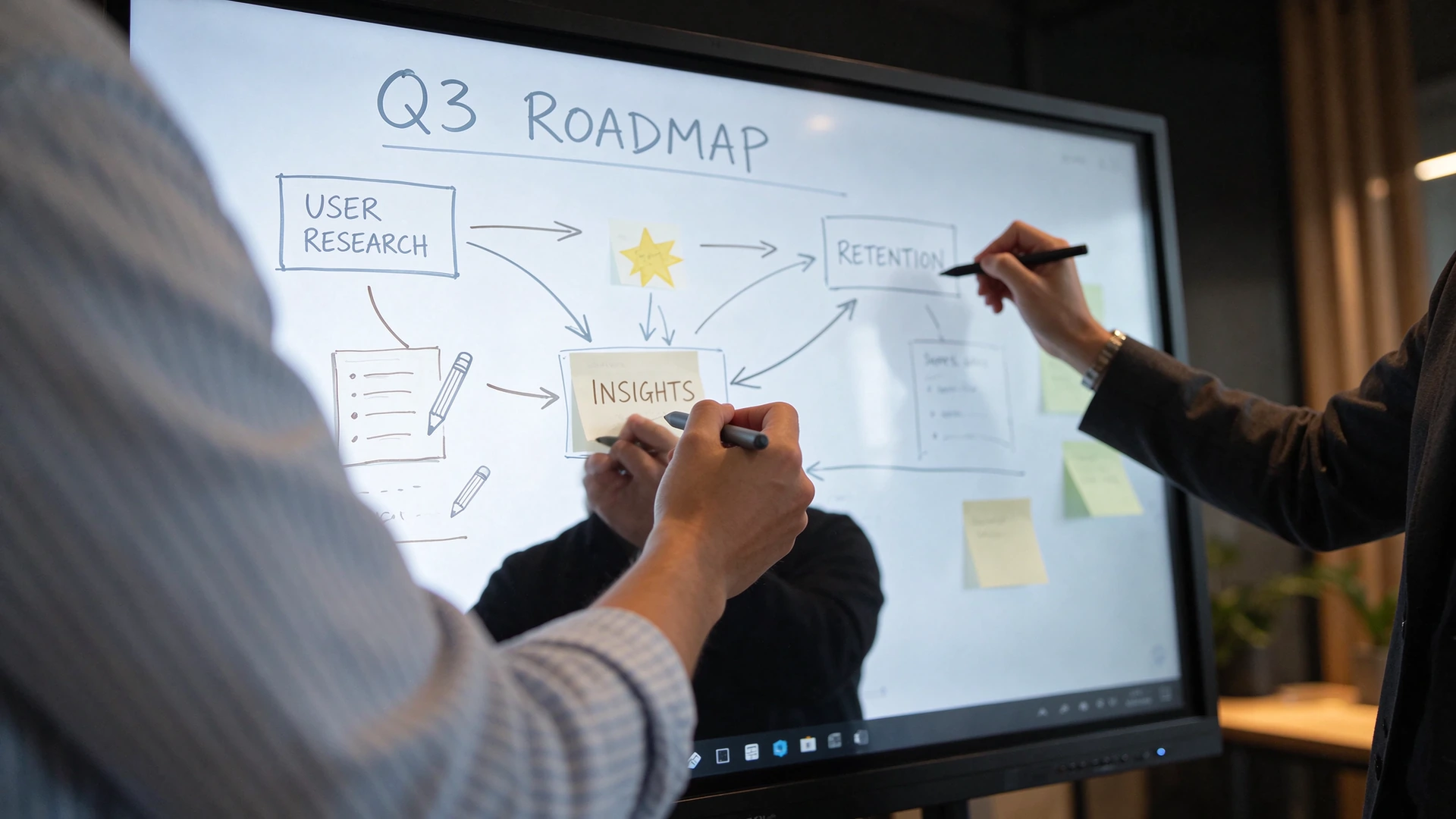
Multiple users annotating at the same time is the test that separates a 40 to 100 point infrared frame from a panel that only advertises touch.
Size is the single most common specification error in meeting room projects, and it fails in both directions. A 55 inch panel in a ten seat room forces people at the far end to read 12 point text on a slide; an 86 inch panel in a four seat huddle room puts the top of the screen above comfortable viewing height and makes the room feel like a lobby.
Two rules cover most cases. First, the height of the visible screen should be roughly one sixth of the distance to the farthest seat, which is the standard broadcast style guideline for legibility of dense content such as spreadsheets. Second, if the screen is interactive, the touch surface people reach for should top out at about 1.9 m, which puts the centre of a wall mounted panel around 1.05 to 1.15 m from the floor.
| Otaq növü | Seats | Panel size | Physical screen | Farthest comfortable seat |
|---|---|---|---|---|
| Huddle | 3 to 5 | 55 to 65 inch | 121 × 69 cm to 144 × 81 cm | Up to 3.5 m |
| Standart görüş xoxı | 6 to 10 | 65 to 75 inch | 144 × 81 cm to 166 × 93 cm | 3.5 to 5 m |
| Bölüyü Qutusu | 10 to 16 | 75 to 86 inch | 166 × 93 cm to 190 × 107 cm | 5 to 7 m |
| Cütlə | 16 to 24 | 86 to 98 inch | 190 × 107 cm to 217 × 122 cm | 7 to 9 m |
| Təlim otağı | 20 to 40 | 98 inch plus repeater screen or video wall | 217 × 122 cm for the primary surface | 9 m and beyond |
Three practical checks before you lock the size. Measure the door and the freight path, because an 86 inch panel arrives in a crate that will not turn a tight stair corner. Confirm the wall or cart can carry the weight of the glass plus the frame, especially on drywall. And confirm that the bottom edge clears the table or credenza, since a panel mounted too low forces people to step back to annotate.
Qtenboard manufactures the meeting room range from 55 to 98 inch, so the sizing table maps directly onto a model family rather than a catalogue of unrelated sizes. The full range is listed in the interactive whiteboard catalogue, and each size is specified for the seat counts above.
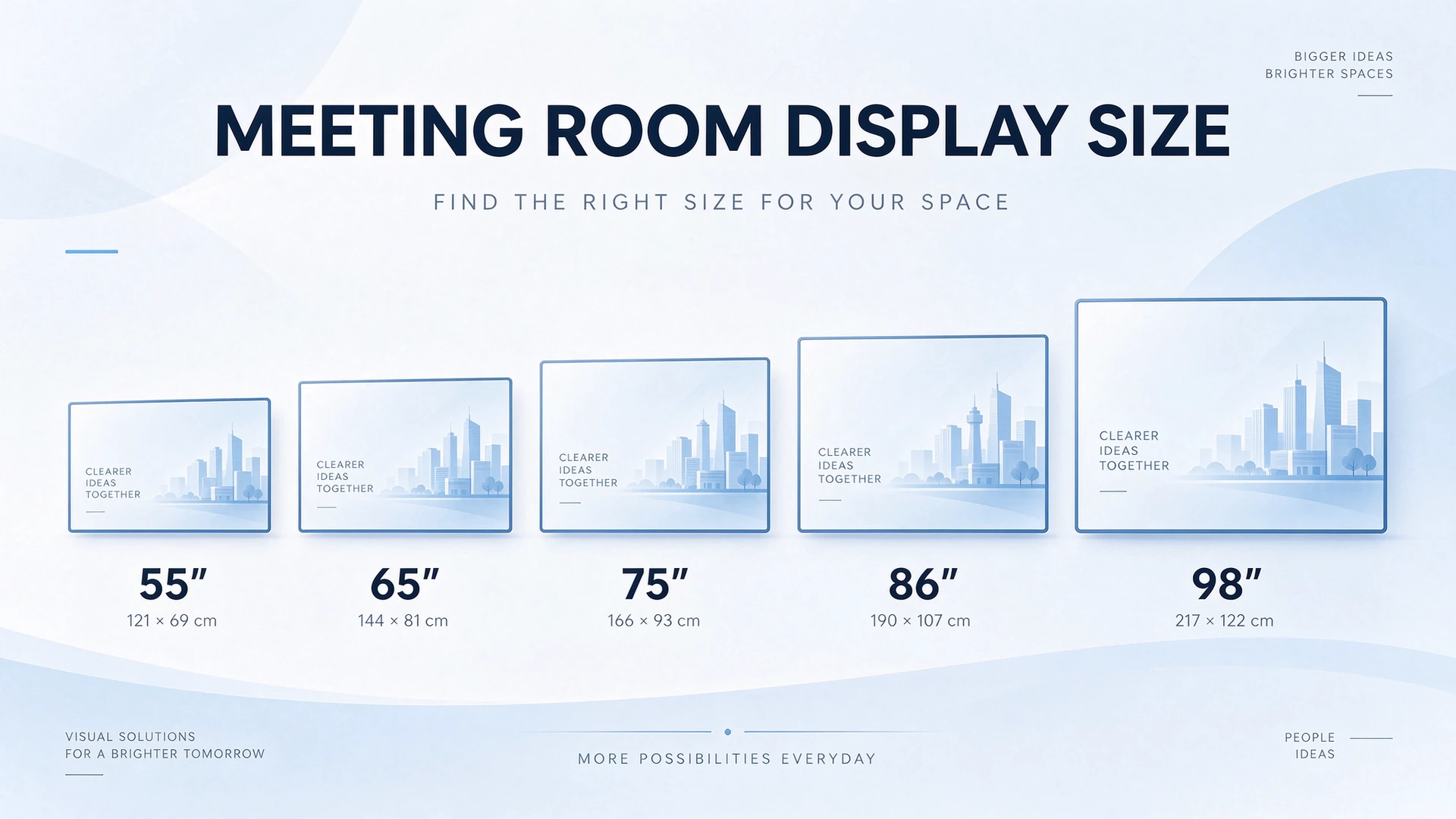
Sizing runs from seat count and distance, not from the biggest panel the budget allows. The chart above maps the five room types to physical screen dimensions.
Casting is the feature users blame first and understand least. Roughly most casting complaints in corporate rooms trace back to the network, not to the panel.
Four questions decide whether casting will work in your building. First, protocol coverage: does the panel accept AirPlay from an iPhone or Mac, Miracast from Windows and Android, and Chromecast from a browser, without a proprietary app on the guest device? Second, concurrency: how many sources can be displayed at once, and does the layout stay readable when four people want to compare two versions of the same deck? Third, guest access: can a visitor present in under a minute without joining the corporate domain, and without opening a path into the internal network? Fourth, latency: when someone drags a window, does the image follow immediately, and does 4K video stay in sync with audio?
A panel with a genuinely stable casting stack removes the most expensive habit in modern offices: the first eight minutes of every meeting spent on cables, adapters and "can everyone see this". That is the actual business case for an interactive panel in a meeting room, more than the whiteboard.
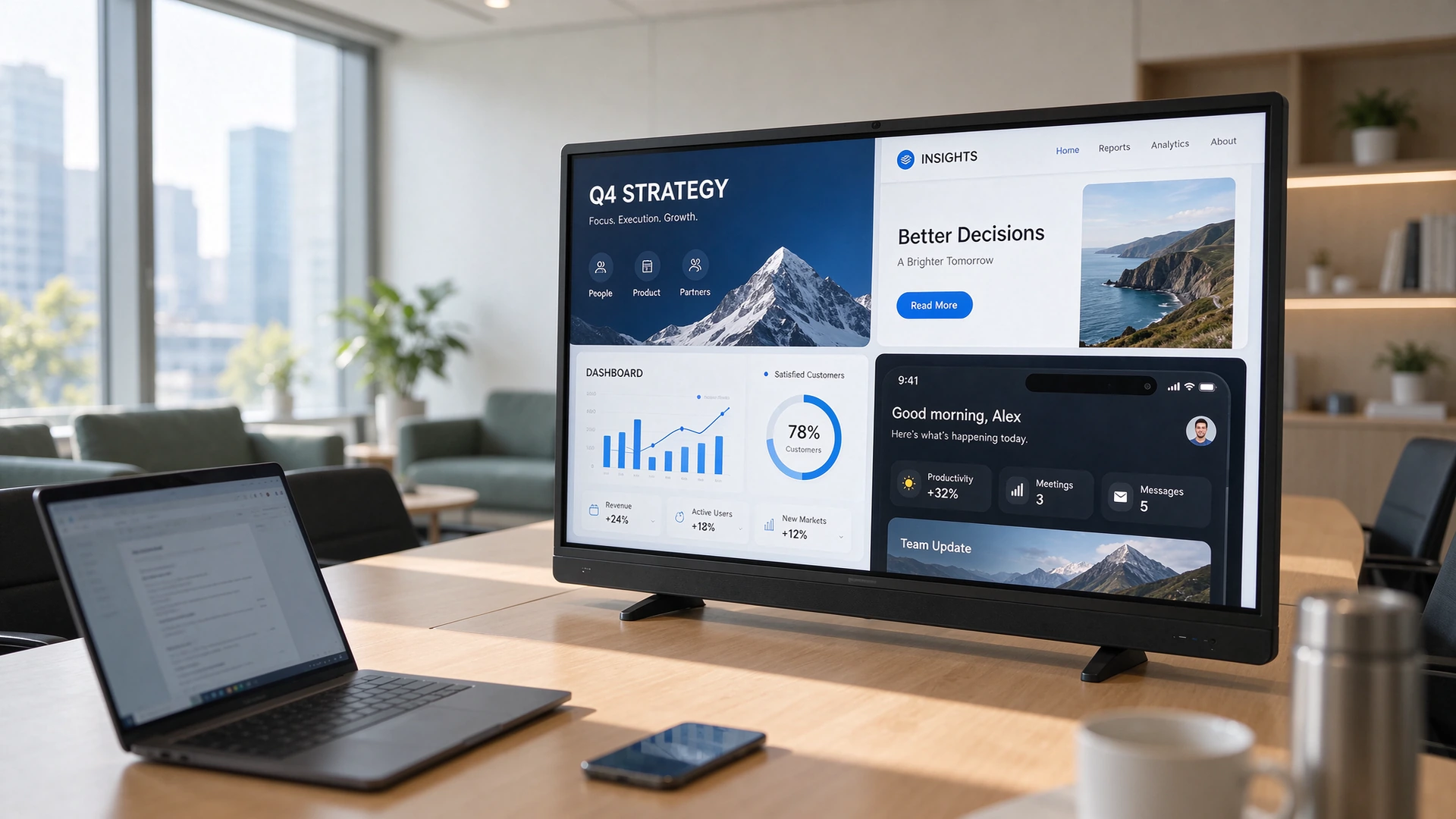
Multi source casting is only useful if the layout stays legible. Ask for the concurrent source count as a number in the specification.
The highest volume query in this category is not about whiteboards. It is about the best interactive screen for video conferencing, which tells you what buyers actually want: a room where a hybrid meeting starts on time and the remote side can see and hear the room. A panel alone cannot deliver that. The chain is display, camera, microphone, speakers, compute, and cabling, and every link has to be specified.
| Link in the chain | Nə göstərmək lazımdır | What goes wrong if you skip it |
|---|---|---|
| Kamera: | Field of view wide enough to cover the seats at the table, automatic framing, and a mounting position at eye level rather than above the screen | Remote participants see foreheads and ceiling; the first five minutes are spent adjusting the camera |
| Mikrofon | Coverage matched to room length with echo cancellation and noise suppression, or a ceiling array in larger rooms | People at the far end are inaudible, so the room starts repeating itself and the meeting runs long |
| Deyiciləri | Output that stays intelligible at the far seat, with delay aligned to the video path | Audio and lips drift apart, which reads as a network problem but is a configuration problem |
| Compute | Either a certified Android conferencing client on the panel, or an OPS module running the room client your IT team manages | A hybrid setup where the panel shows but the laptop runs the call, so nothing integrates and nobody owns the room |
| Cabling | Single USB-C cable that carries video, audio, data and charging, plus a documented HDMI path for guests | Four adapters on the table, one missing, and the room gets a reputation before it gets a chance |
| Qərar | Native all in one, Android on the panel | Windows route, OPS module or bring your own device |
|---|---|---|
| Deployment speed | Boots into a configured room, no image management, fast to replicate across many rooms | Needs domain join, imaging and update policy before the room is usable |
| Software breadth | Certified conferencing clients and the panel's own whiteboard and casting tools | Any Windows application, including CAD, scheduling and legacy conferencing |
| Dual screen behaviour | Split view on a single panel, or dual screen with a second commercial display | Native extended desktop across two screens, better for dense content |
| Ən yaxşı uyğun | Standard meeting rooms, branch offices, rollouts with limited IT support on site | Boardrooms, engineering reviews, rooms that must run software the panel cannot host |
For rooms of twelve seats and above, the case for a second screen is strong. People are poor at watching a face and reading a spreadsheet in the same rectangle. The pattern that works is one interactive panel for the remote participants and shared content, plus a second commercial display for the live document or dashboard. Qtenboard supplies both sides of that pair, which keeps the visual and colour match consistent: the interactive panel from the interactive whiteboard range and the content screen from the digital signage range.
One query in this category is about a smart display for joining video meetings from a desk. That is a different product decision from a room panel. A desk user needs a small screen at eye height, a camera with a tight field of view, and a microphone close to the speaker, not an 86 inch surface four metres away. Buying a room panel to solve a desk problem wastes budget and produces a worse experience. Specify a 27 to 55 inch display or a certified desk device, and keep the large panel for shared rooms.
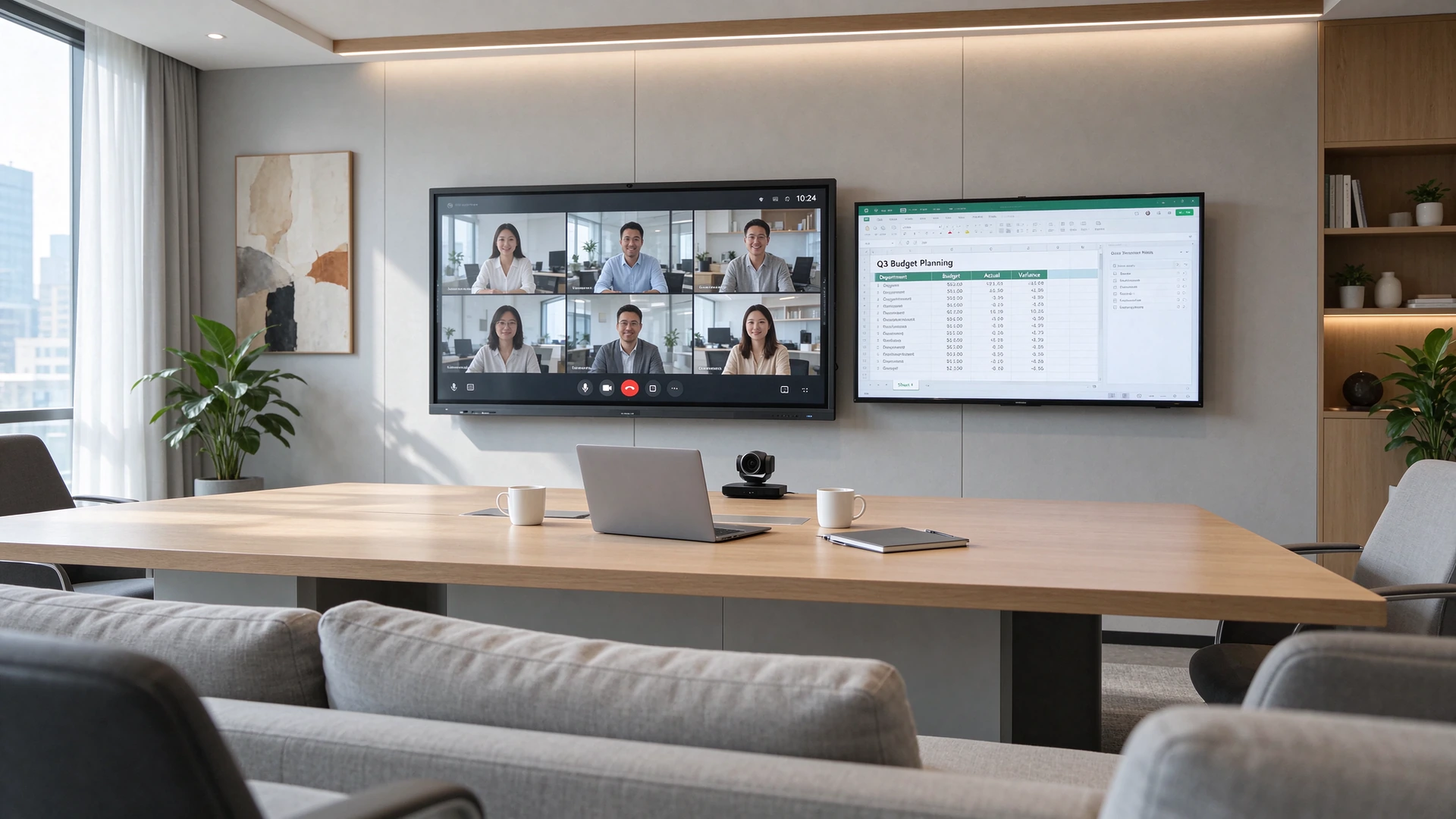
The dual screen pattern: interactive panel for participants, second display for the live document. It is the configuration that removes the most friction in rooms above twelve seats.
Plenty of buyers arrive with a television in mind, expecting to mount a large TV in the conference room and add a small box for meetings. Sometimes that is the correct decision. It is the wrong one whenever any of the following is true.
The honest counter case: a room that only displays slides from a fixed PC, with no writing, no hybrid meetings and no central management, is well served by a commercial grade display. In that situation an interactive panel is over specification. Buy the display, and put the money into the camera and audio instead. The distinction matters because a guide that recommends an interactive panel for every room is not a guide, it is a brochure.
Buyers often receive quotations for the same diagonal size that differ far more than the visible specification explains. The size is the same; the product is not.
Six things change between two panels of identical diagonal, and each one changes what the room experiences in year two or three. Read a quotation against this list rather than against the headline number.
| What differs | The cheaper version | The version that holds up |
|---|---|---|
| LCD module grade | Lower grade module with acceptable pixel defects at purchase, more visible over time | Higher grade module with tighter defect limits and consistent brightness across the panel |
| Lamination | Air gap between glass and module, visible internal reflections under ceiling lights | Full lamination that removes the halo effect and improves perceived contrast |
| Touch frame tolerance | Loose frame alignment, dead zones at the corners, drift after transport | Calibrated frame with consistent edge response and a documented recalibration path |
| Board and memory | Older platform with minimum memory, fast at demo, slow with five canvases open | Current platform with memory and storage sized for multi window use |
| Casting stack | Bundled dongle or unlicensed mirroring, unstable on managed networks | Licensed native protocol support with tested guest access |
| Certification scope | A safety certificate only, with wireless approvals pending or missing | EDLA plus CE and FCC, and wireless approvals for each market you ship to |
The practical consequence is that a tender which specifies only "75 inch, 4K, Android, 20 point touch" will legitimately receive responses from products that are not comparable. Add the six rows above to the specification and the responses become comparable, which is the only way a procurement team can defend its decision later.
Qtenboard builds to both ends of this range, because OEM and ODM customers buy at different positions. What matters for a buyer is that the configuration is stated in writing, model by model, rather than inferred from a family brochure. Certification scope is listed in the interactive whiteboard catalogue for each model.
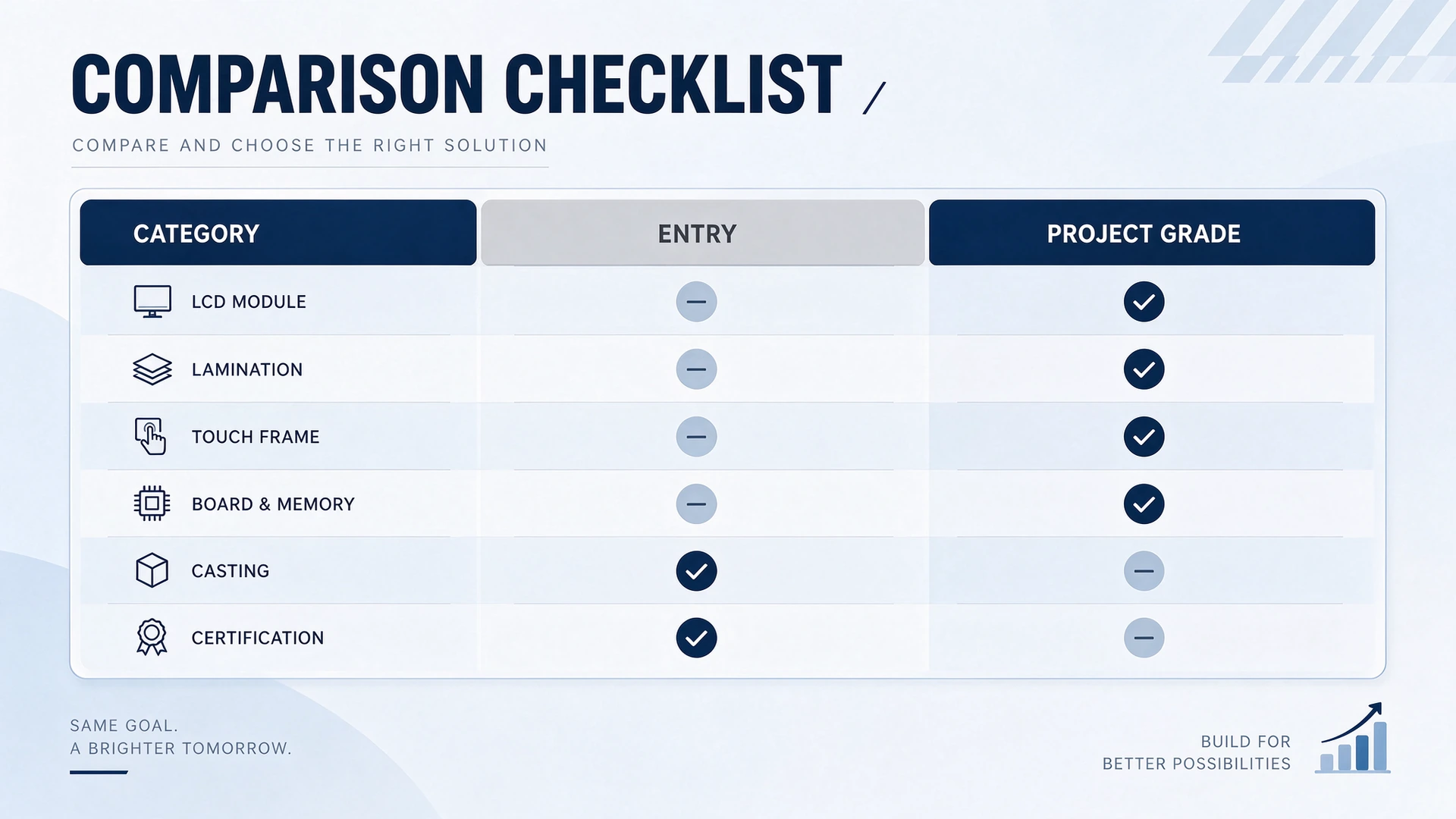
Six configuration rows turn a size based comparison into a product comparison. Use them as the left column of any tender response review.
Boardrooms and training rooms both need large surfaces, and they optimise for opposite things. A boardroom is a confidentiality and composure problem: the panel must look like furniture, annotate reliably, export notes securely, and never surprise the room with a camera that is unexpectedly live. A training room is a throughput problem: a presenter has to move between a live canvas, a recording, and a comparison of two documents without losing the room.
For rooms that need a wall sized surface rather than a single panel, the LCD video wall range covers the configuration, including bezel choice and signal distribution. Combining a 98 inch interactive panel with a video wall behind it is a legitimate training room design, and it is cheaper than two 98 inch panels.
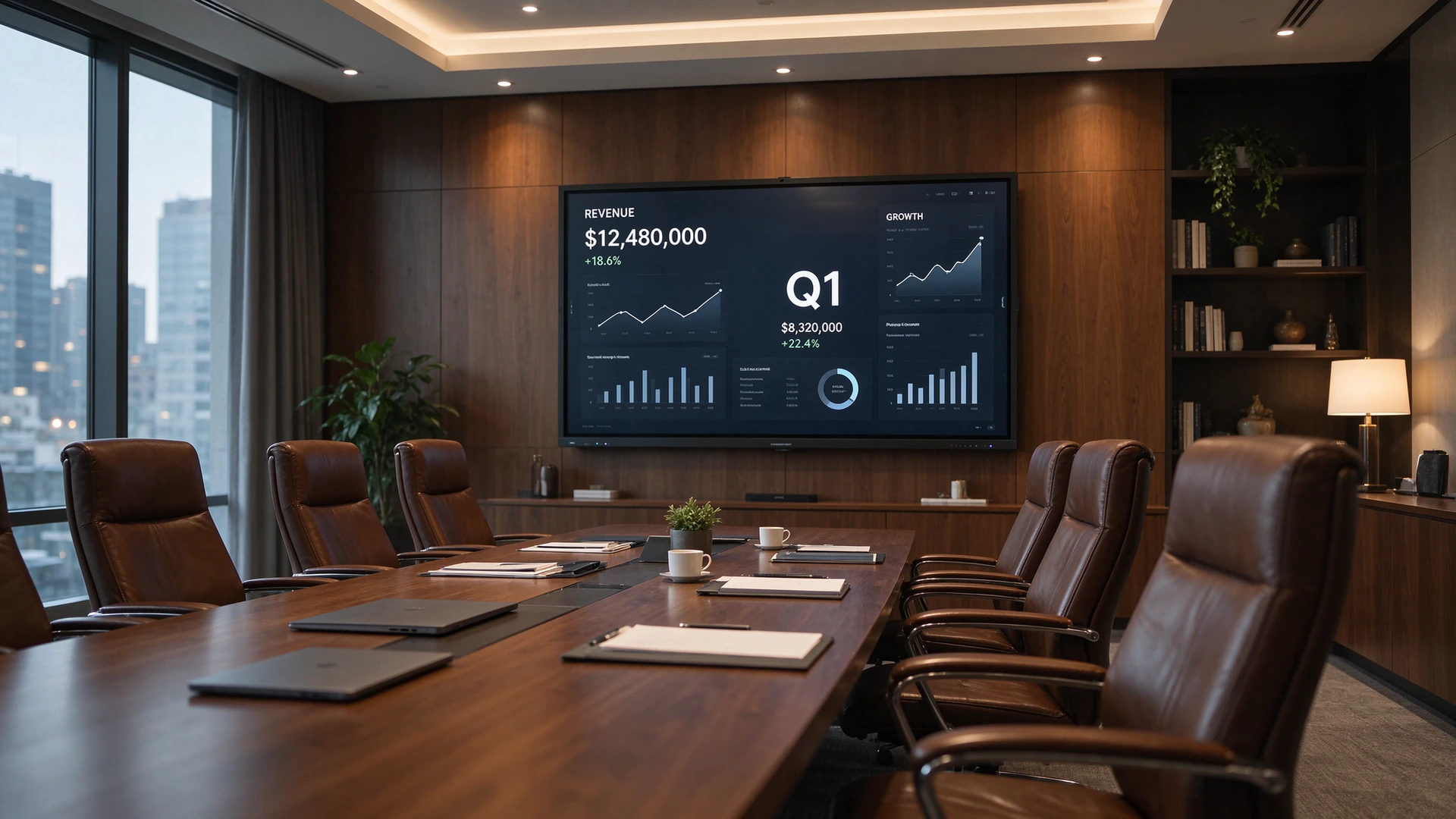
In a boardroom the panel is part of the furniture. Narrow bezel, flat laminated glass and a documented camera default matter as much as the processor.
A specification that lives only in an email is not a specification. These twelve lines are the ones that decide whether the room works in year two, and every one of them can be verified before the order is placed.
Send this list out with the tender and the responses stop being a price list and start being a specification comparison. Qtenboard returns the specification sheet, port layout and certification scope for each model on request, which is what a procurement team needs in order to compare rather than guess.
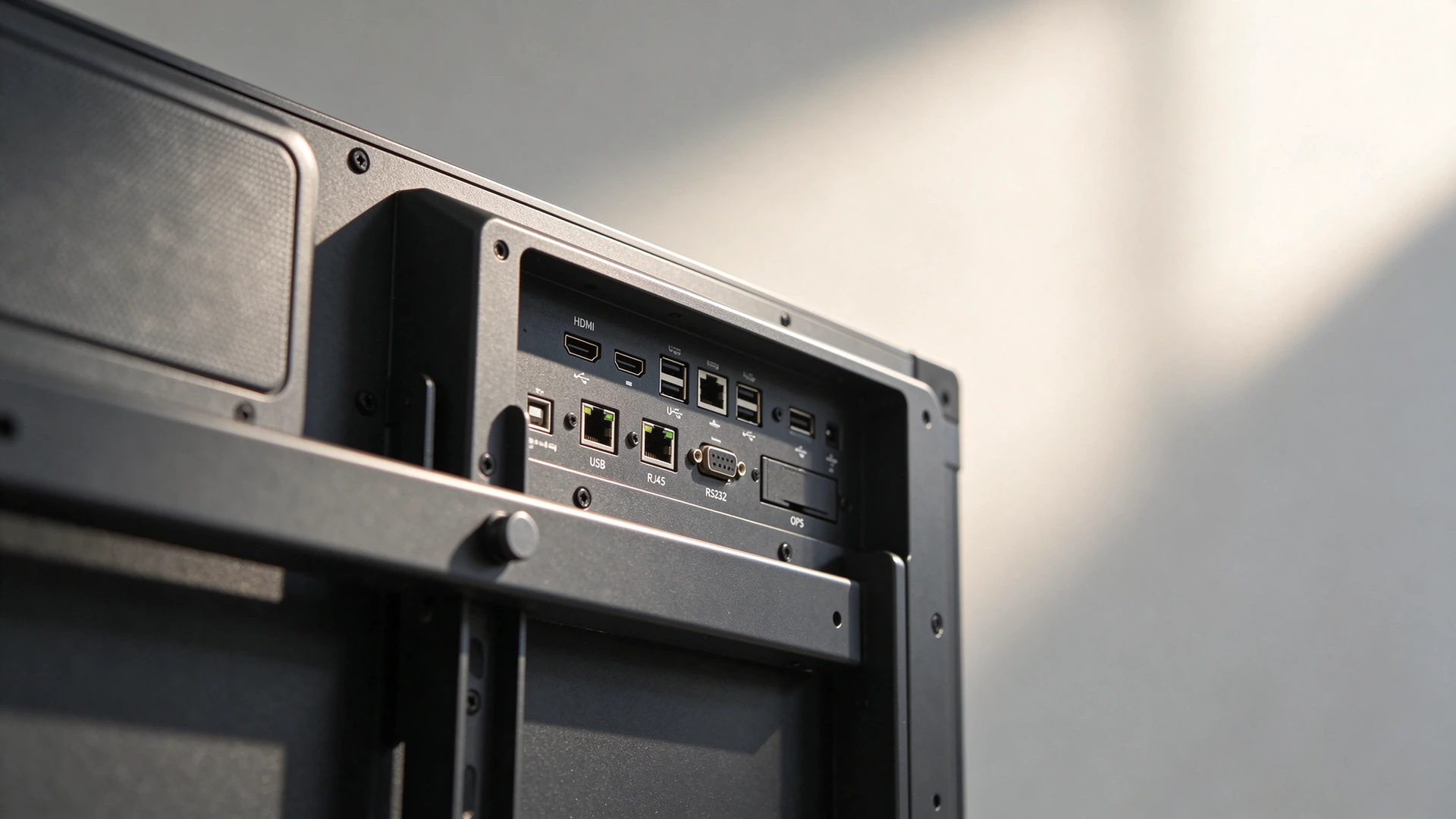
The back of the panel is where the specification is won or lost: OPS slot, HDMI in and out, USB-C with touch return, RJ45 and RS232, all in positions a wall mount will not block.
The pattern below is how the decisions above combine in a real room type. It is written as a specification walkthrough rather than a customer story, so it can be applied directly to your own floor plan.
Twelve seats, 6 × 4 m, hybrid meetings four days a week
Seat count twelve puts the room at the top of the large meeting room band, so the panel is 86 inch with a viewing distance under seven metres. The team standardises on Microsoft Teams, and the room also needs to open a live spreadsheet during reviews, which is the requirement that decides the compute route: an OPS module with Windows rather than Android alone. The second display is a 55 inch commercial display carrying the live document, sourced from the signage range so the colour and bezel match the panel.
Casting is specified as native protocol support with a tested concurrent source count, and the room gets its own 5 GHz access point on a segment that permits discovery traffic, because the corporate guest network blocks it. Cabling is a single USB-C path plus one HDMI for visitors. Commissioning includes a fifteen minute casting test from three operating systems, one hour of continuous conferencing, and a photograph of the screen with all lights on to confirm the anti glare surface holds up in that specific room.
Two details in this walkthrough are the ones most projects get wrong. The 5 GHz segment with discovery traffic permitted is an IT decision that has to be made before installation, not after the first failed cast. And the OPS decision is made from the software requirement, not from a preference for one operating system, which is why it appears before the panel size in the sequence.
For a single room, certification is a compliance detail. For an integrator or an importer shipping into several countries, it decides whether the container clears customs and whether the wireless function can legally be enabled. Two families of approval matter, and buyers routinely conflate them.
EDLA confirms the device is a Google certified Android device, which is what makes Google Meet and Workspace behave as native applications rather than as workarounds. CE and FCC cover electromagnetic compatibility and safety for the EU and US markets. RoHS and REACH cover restricted substances, which matters for corporate procurement and for retail channels that audit their supply chain.
Wi-Fi and Bluetooth radios need market specific type approval in addition to product certification. A panel with CE and FCC can still be unsellable in a market where the radio module lacks local approval. The table below lists the approvals that typically appear on a shipment covering Europe, North America, Asia Pacific, the Middle East and South America. Confirm scope model by model, because a radio change can invalidate a certificate.
| Markar | Wireless approval commonly required | Why procurement asks for it |
|---|---|---|
| Avropa Məsihi | CE, with the radio equipment directive covering Wi-Fi and Bluetooth | Customs and tender compliance both reference the CE marking and its test reports |
| Birləşmiş Ştatlar | FCC, including an FCC ID for the radio module | Retail and enterprise buyers check the FCC ID before approving a supplier |
| Kanada | ISED certification | Required for lawful sale of wireless capable devices |
| Yapona | MIC type approval, TELEC marked reports | Radio approval is checked independently of product safety |
| Cənubi Koreya | KC mark with radio approval | Import clearance depends on it |
| Taiwan | NCC approval | Frequently requested by distributors before listing |
| Avstraliya və Yeni Zelandia | RCM marking | Covers EMC and radio in a single framework |
| Sinqapur | IMDA registration | Required for wireless equipment sale |
| Tajlandin | NBTC certification | Checked at customs for radio products |
| Maleziya | SIRIM certification | Needed before distribution |
| Hindiqa | WPC ETA for the radio module | Wireless function must be approved to be enabled |
| Brazili | ANATEL homologation | Common blocker for first shipments into the region |
| Eurasian Union | EAC certification | Applies across member states for a single approval |
| Saudi Arabia and UAE | CITC and TDRA type approval | Project tenders in the Gulf typically list these explicitly |
| Çin | SRRC for the radio, CCC where applicable | Domestic sale and tendering both reference them |
Qtenboard panels carry EDLA, CE and FCC, with wireless approvals held for the markets the company ships to. Because the scope differs by model and by radio configuration, the certificate set should be supplied as documents with a model reference, not as a list in a brochure. That is the standard an integrator should hold any supplier to.
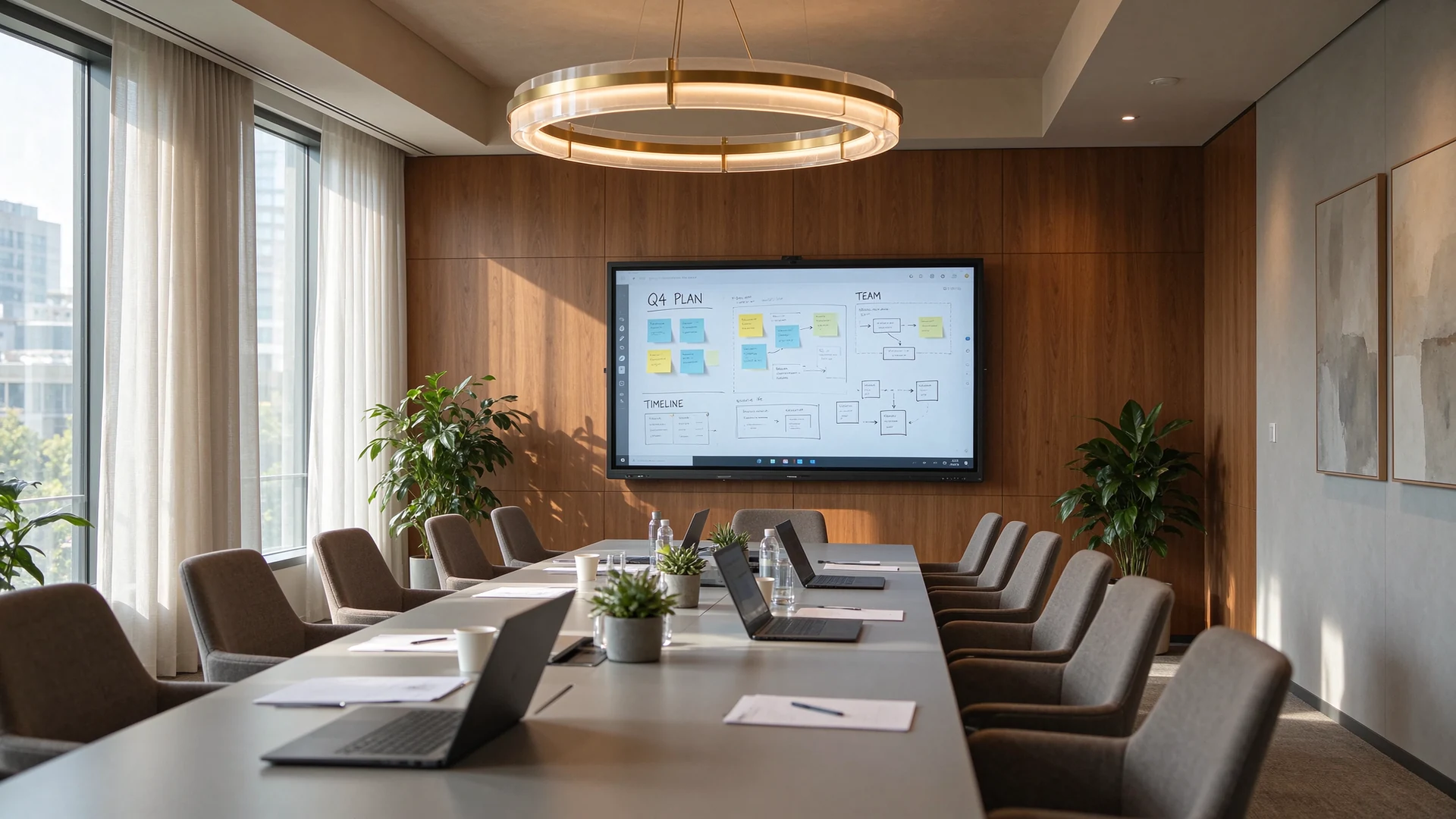
An 86 inch panel in a twelve seat room is the configuration most corporate rollouts converge on, and the one where casting and conferencing decisions matter most.
A ten seat room sits at the boundary between size bands, so 75 inch is the safe default and 86 inch is appropriate if the table is long or the room is used for dense content such as spreadsheets. Keep the farthest seat under five metres from the glass, and mount the panel so the touch surface tops out around 1.9 metres.
Only in a room that just displays slides from a fixed computer. A television has no touch layer, no conferencing client, no casting stack and no management interface, so any room that involves writing, hybrid meetings or central support needs an interactive panel instead.
Most lag comes from the network rather than the panel. Congested 2.4 GHz bands, client isolation and multicast filtering all break or slow mirroring. Give the room a dedicated 5 GHz access point on a segment that permits discovery traffic, and keep a wired HDMI or USB-C path as a documented fallback.
Only if the room has to run software the panel cannot host, such as CAD, financial models or a specific Windows conferencing client. If meetings run in a certified Android client and content is cast or opened from the cloud, the OPS slot can stay empty, but it should still exist for future needs.
Up to a point. Anything below 20 points limits collaborative workshops where several people write at once. Panels specified between 40 and 100 points cover every realistic meeting room scenario, and latency matters more than the point count once you pass 40.
Usually yes. In a six seat room an 86 inch panel pushes the top of the screen above comfortable viewing height and dominates the space, while 65 to 75 inch covers the same seats with better ergonomics and less cost. Size from seat count and distance rather than from the largest panel available.
Simultaneous touch points and writing latency, native casting protocols and tested concurrent sources, conferencing certification, memory and storage configuration, OPS slot support, brightness and lamination, management and update path, and the full certification scope for the markets you ship to.
Yes, for buyers working at volume. Qtenboard operates as an OEM and ODM supplier across interactive flat panels, digital signage, kiosks and video walls, so housing, boot animation, packaging documentation and accessory sets can be configured to a customer brand, with certification scope confirmed per model.
Tell us the seat count, the distance to the farthest seat, the meeting platform you standardise on, and whether the room has to run Windows software. We return a model recommendation, the full specification sheet, the port layout and the certification scope for that model, so the comparison happens on paper before the order is placed.
Specifications, touch point counts and certification scope vary by model and by radio configuration. Confirm the exact configuration against the model datasheet and the certificate documents supplied with the quotation. Sizing figures assume a 16:9 panel and a seated viewing position; verify wall load capacity and freight access before ordering.

İEO | Interaktiv Display və Koleyt Solution Müəyyət
Mən Qtenboard şirkətinin təsisçisi olaraq, sensorlu displey sənayesində 17 ildən artıq praktiki təcrübəm var. ShenZen Universitetində EMBA öyrənmələrim vasitəsilə qazanmış qlobal idarəçi təhlükəsizlikdən istifadə edir. Mənim əməkdaşlarımızın hər bir mərhəməti təhlükəsizliyindən güclü ehtiyatlı təmində zəncir idarə edir. Müxtəlif qabiliyyətlər industrinin önündə qalır.
Qtenboard lideri kimi, interaktiv ağ bordlar üçün müntəzəm OEM/ODM həlllər təqdim etməkdə xüsusiyyət edirəm, LCD video divarları, rəqtəsi simaları və industriya rəftarın terminalları. Shenzhendəki müasir industriya parkirlərimizin 330 000 m m. və sərt əməl sınaqlar.
Təxminən iki il proyiey təcrübə ilə Qtenboardın nümayişləri 120 ölkə və ərazilərdə istifadə edilib. Bütün dünyada 15 000 - dən çox əməkdaşlarının etibarına qazanmışdı. Əgər siz mütləq rəftar proyüsləriniz üçün dərin faydalı təsdiqləyən əməkdaşı axtarırsınızsa, Mənim qrupam və mən sizin görünüşünüzü dəstəkləyəcək.

 aze
 EN
 spa
 pt
 vie
 th
 est
 lav
 ukr
 bel
 ru