Procurement brief · five-year total cost of ownership
Every room you equip this year will still be running in 2032. This brief gives you six cost lines, one break-even formula and a supplier checklist, so the number you defend in the approval meeting is close to the number you actually pay.

The gap is not in the hardware
Three suppliers quote the same meeting room. The purchase prices land within 20 percent of each other. Five years later, the cost of owning those rooms differs by 60 percent or more, and nobody in the approval chain saw it coming.
The difference sits in lines that never appear on a quotation: lamps and filters, field labor for calibration, power draw, downtime during a class or a client meeting, and the year-3 decision to replace a device or an entire system. A comparison built only on purchase price is not a comparison of interactive display TCO. It is a comparison of invoices.
This page is written for two readers. The first signs the purchase order and needs a defensible number. The second inherits the fleet and needs fewer tickets per month. Both need the same three outputs: five-year total per room, cost per active hour, and the year the options cross over.
Five shifts that moved the crossover point
The 2019 answer is no longer the 2027 answer. Five things moved at once, and four of them moved against projector-based rooms.
What this means in practice: the crossover is driven by usage hours and by labor rates, not by screen technology preferences. A room used six hours a day behaves nothing like a room used three hours a week, even with identical hardware.
Methodology, stated up front
Six cost lines cover everything that shows up over five years. Anything outside these six is either a one-off project cost or a software subscription, and both should be listed separately so the comparison stays clean.
One denominator makes three different rooms comparable: hours the room is actually in use. Annual active hours equal daily hours times operating days. A room used six hours a day for 250 days gives you 1,500 active hours a year, and 7,500 over the five-year window.
Break-even years = premium paid up front ÷ annual running cost saved
Worked example: an integrated panel costs 600 USD more per room than a projector, screen and PC combination, and removes 400 USD of lamps, visits and consumables per year. 600 ÷ 400 = 1.5 years. After that year, every saved dollar is a real saving, and the line keeps falling for the rest of the five-year window.
Two formulas are enough for the whole brief. Energy, stated plainly: annual energy cost equals wattage times daily hours times operating days times tariff, divided by 1,000. The break-even formula above does the rest.
Published assumptions, so you can challenge them
Five-year window, 250 operating days, no software subscription inside the model, tariff 0.12–0.20 USD per kWh, field labor 30–70 USD per hour, one room of 75–86 inch class. Cost bands are 2026–2027 planning ranges compiled from education and corporate projects, not offers. Every figure in this brief should be replaced with your own local quotes before it goes into an approval pack.
Interactive display comparison, per room
Most procurement packs compare four or five options and lose the reader. Three configurations cover the real decision, because the traditional whiteboard is not a fourth system — it is a component of the projector room.
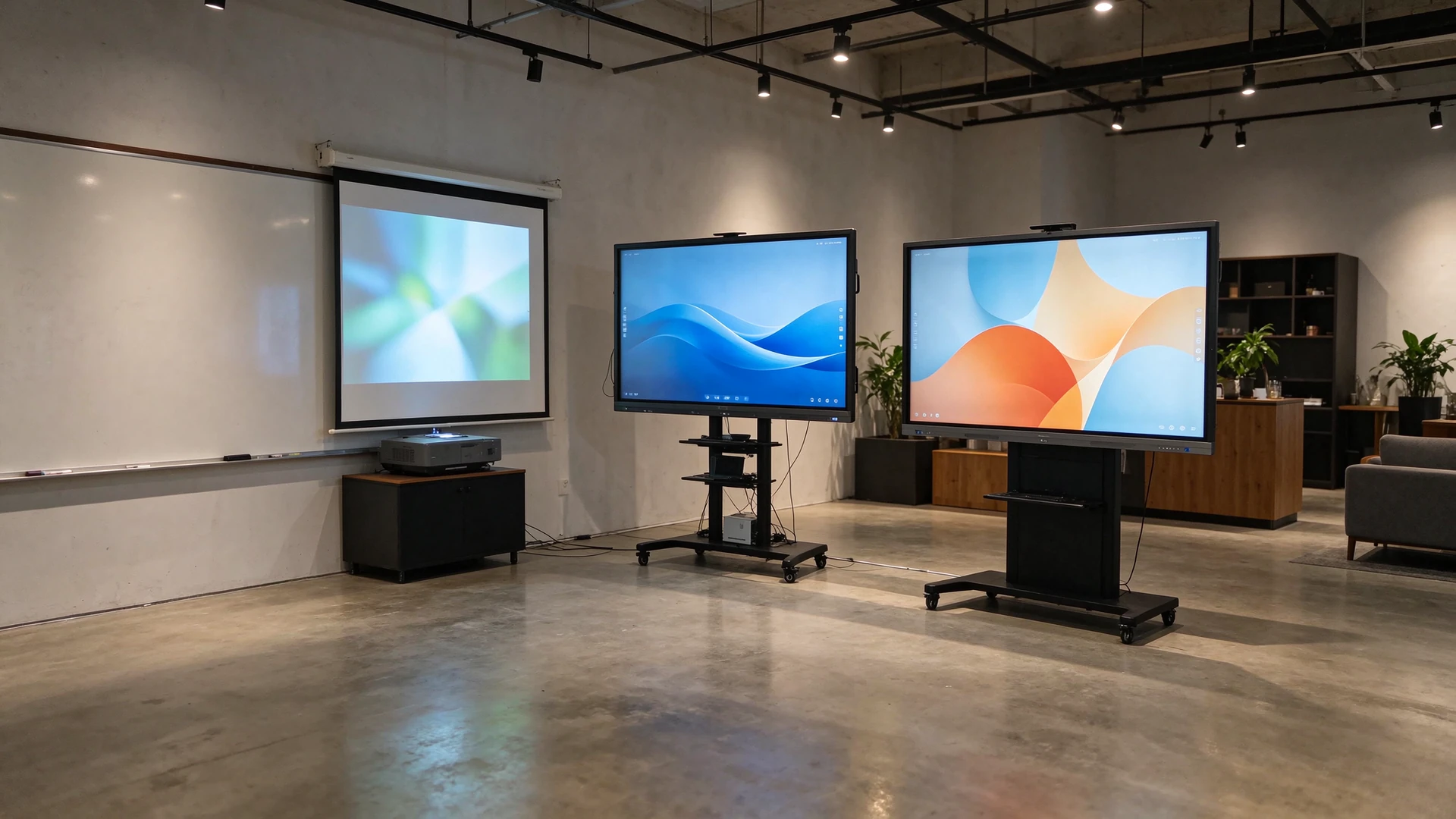
Up front: projector, screen or whiteboard, optional interactive module, cabling, PC, mounting.
Running: lamp or light-engine service, filter cleaning, touch recalibration, PC maintenance, markers and cleaning fluid.
Hidden: blackout treatment if the room is bright, plus the labor of diagnosing four devices that fail independently.
Up front: commercial-grade display, overlay touch frame, PC, stand or wall mount, installation.
Running: frame recalibration and repair, PC maintenance, occasional driver conflicts after updates.
Hidden: two vendors for one screen. When touch fails, the display vendor says the frame is at fault and the frame vendor says the panel is.
Up front: one panel that includes display, touch, whiteboard software, wireless casting and an embedded operating system; mounting and installation.
Running: no lamps, no filters, no recalibration visits; firmware updates and remote management instead of site trips; optional OPS module refresh at year three.
Hidden: almost none, provided the spare parts and warranty terms were agreed in writing before the order.
| Cấu hình | CapEx per room | Annual running | 5-year total | Cost per active hour (6h/day) | Break-even vs A |
|---|---|---|---|---|---|
| A · Whiteboard + projector + PC | 1,600–3,800 USD | 350–700 USD | 3,300–6,900 USD | 0.44–0.92 USD | Đường Cơ Sở |
| B · Commercial display + touch frame | 1,900–4,200 USD | 240–520 USD | 3,100–6,300 USD | 0.41–0.84 USD | 2.5–4 years |
| C · Integrated interactive flat panel | 2,000–3,600 USD | 90–220 USD | 2,450–4,700 USD | 0.33–0.63 USD | 1.5–2.5 years |
Read the table in one direction only: down the last two columns. The cheapest purchase price is in row A, and the cheapest five-year cost is in row C, in every usage band above three hours a day. The crossover is the point of the whole exercise — below roughly 1.5 hours a day, row A can hold the lead, and no honest supplier should tell you otherwise.
If Windows is required for legacy software, add 400–900 USD for an OPS module at purchase or at year three. That does not move the ranking; it only moves the year the comparison closes.
Four levers, one rounding error
Cost models fail when every line is given equal weight. In practice, four lines decide the outcome and one line is decoration.
A lamp-based projector rated at 3,000–5,000 hours, running 1,500 hours a year, needs a lamp every two to three years. A lamp costs 150–400 USD and a site visit to fit it costs 80–150 USD more. Add filter cleaning, and a five-year window carries 500–1,500 USD that an integrated panel simply does not have. The panel side of the comparison runs on a backlight rated 50,000–60,000 hours, which at this duty cycle is beyond the room's useful life.
A projector draws 300–420 watts while running. An interactive panel averages 150–260 watts in classroom and meeting use. At six hours a day, 250 days, and 0.15 USD per kWh, that is roughly 85 USD against 47 USD a year. The difference is 38 USD a year, or 190 USD over five years. Take it, but do not build a business case on it. The standby difference matters more in fleets of fifty rooms than in a single conference room.
Two site visits a year at 30–70 USD per hour, plus travel, is 200–500 USD annually in many markets. Remote management changes the arithmetic: firmware pushes, power scheduling, health checks and app distribution can be done from a desk, and a site trip becomes an exception rather than a routine. That is the mechanism behind the running-cost column in the table above.
A closed Windows all-in-one has one failure mode that hurts: when the compute is obsolete, the screen goes with it. A modular platform moves that cost to a replaceable module. Downtime is the other one. A dead projector during an observed lesson or a client pitch costs more than any maintenance contract, and it is the reason education buyers increasingly weight service response over purchase price.
The disqualifiers, stated before the sales conversation
A credible cost brief has to name the cases where it loses. Four of them are real.
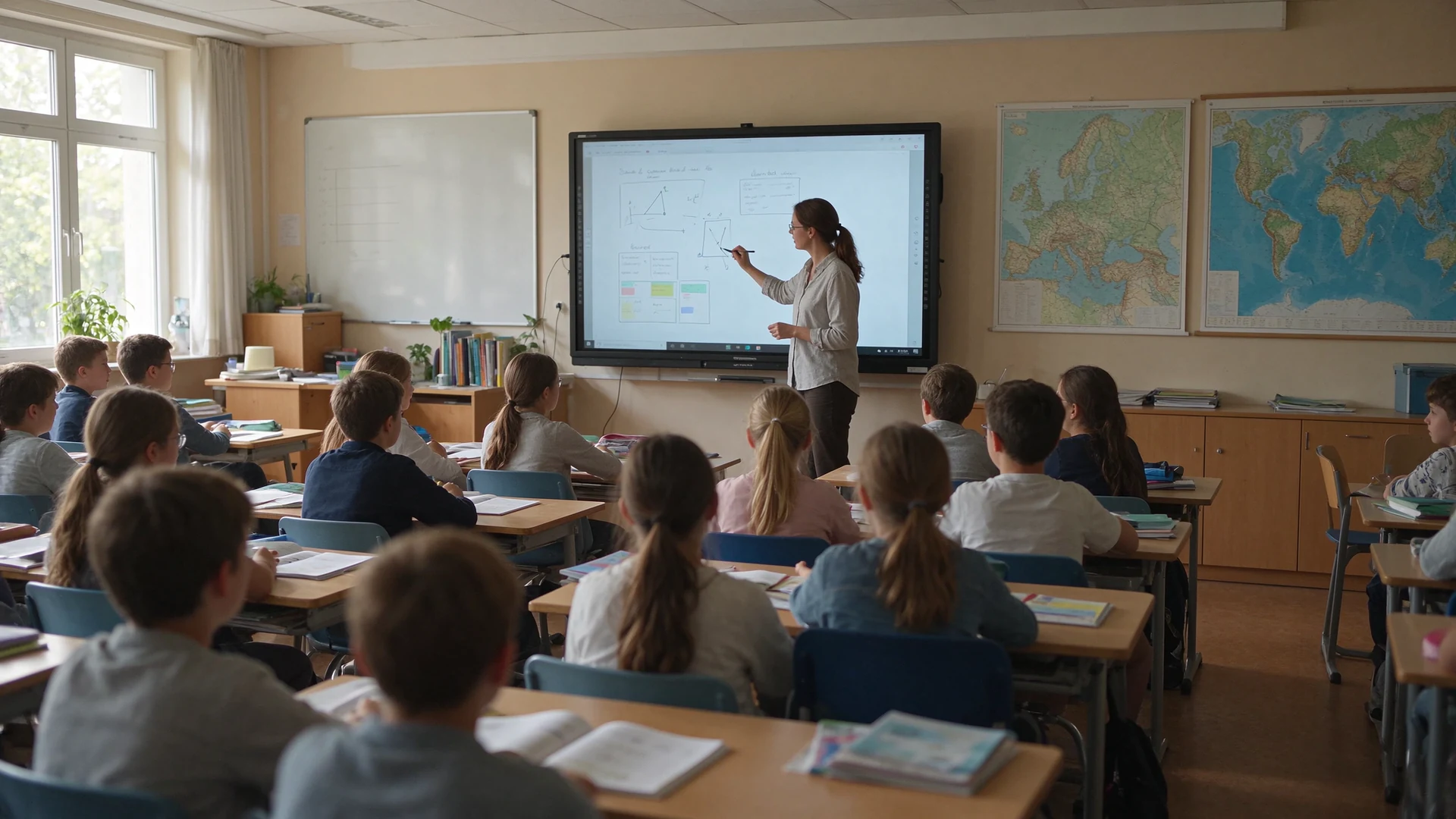
Everything else — standard classrooms, training rooms, boardrooms, briefing centers, hybrid meeting rooms used daily — falls into the zone where the integrated panel wins on five-year cost. That is the zone this page is about, and it is where most 2027 purchases will land.
What an interactive whiteboard supplier decides about your TCO
Half of the five-year cost is decided after the panel ships, by the supplier's spares policy, warranty structure and update commitments. Two identical panels from two suppliers can carry different TCO by 30 percent.
Four documents should be in your file before the order: the panel specification sheet with stated life, a warranty schedule that separates panel, touch and mainboard terms, a five-year spare parts price list, and the firmware update policy. A supplier who cannot produce these four is transferring risk to you at no visible price. The interactive whiteboard buying guide covers the same checklist from the specification side.

Where the product actually touches the model
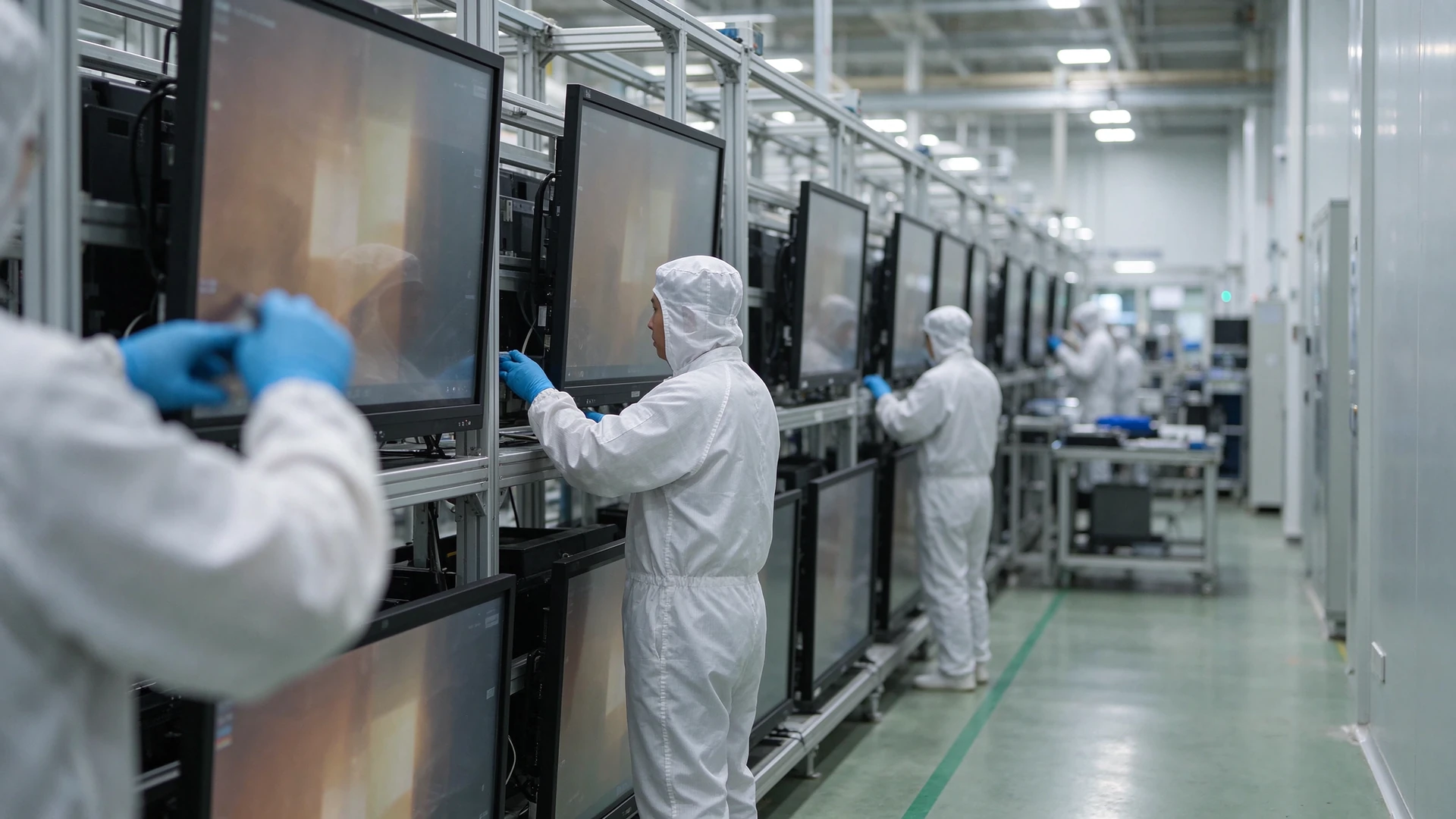
Qtenboard has manufactured display products since 2005, starting in Shenzhen as a CKD and SKD component supplier before moving to full-unit production. The group operates production bases in Shenzhen and Guangzhou Huadu with 330,000 square meters of manufacturing space and around 1,000 staff, plus a 510,000 square meter warehousing and logistics site in the Shenzhen-Shanwei Cooperation Zone. Products ship to more than 100 countries. That structure is relevant to this brief for one reason: the lines that decide five-year cost — panel grade, spares, warranty, remote management — are controlled by the manufacturer, not by a distributor.
In 2025 the company's tender support work helped 160-plus clients win government procurement contracts worth more than 30 million USD across education, public services and enterprise projects. For a buyer, that means bid documentation and technical specification structuring exist as a service, not as a favor.
Four product characteristics map directly onto the cost lines above:
| Thông số kỹ thuật | Qtenboard interactive flat panel | Cost line it affects |
|---|---|---|
| Kích thước màn hình | 55 / 65 / 75 / 86 / 98 / 105 / 110 inch | CapEx, room fit |
| Resolution and brightness | 3840 × 2160 UHD; 350 / 400 / 450 cd/m² | Replacement risk, blackout cost |
| Panel life | 50,000–60,000 hours typical | Refresh cycle |
| Chạm | 20–50 point infrared multi-touch, zero-gap bonding, 6 ms response, 4 mm tempered anti-glare glass | Field labor, service |
| Hệ điều hành | Android 14, Google EDLA certified; AOSP build available | Software continuity, update risk |
| Processor options | MT9679 / RK3576 / RK311D2 / V100 / RK3588 | Refresh cycle, performance headroom |
| Memory and storage | 4+32 GB / 8+128 GB / 16+256 GB | Refresh cycle |
| Windows option | OPS module, Intel Core i5 or i7, Windows 10 / 11 | Year-3 module refresh instead of replacement |
| Máy ảnh và âm thanh | 48 MP built-in camera, 8-array microphone option, 2 × 20 W speakers | Avoids separate AV hardware |
| Kết nối | Wi-Fi 2.4G and 5G, Bluetooth 5.2, HDMI in and out, USB, Type-C, DP, VGA, RJ45, RS232 | Integration labor |
| Sức mạnh | AC 100–240 V, 50/60 Hz; standby at or below 0.5 W; maximum around 600 W including OPS | Energy line |
| Môi trường | Operating 0–40 °C, humidity 20–80 percent | Failure rate, tropical deployments |
| Compliance and warranty | ISO 9001, CE, FCC, RoHS, Google EDLA; three-year warranty support | Customs, downtime |
The full range and current configurations sit on the interactive flat panel product line. Buyers comparing this platform against other interactive flat panel displays should benchmark the four documents in section 7, not the demo.
Deployed installations, not projections
Cost models are easier to trust when the same product family has been deployed at the scale the buyer is considering. These recent projects are published in the Qtenboard case record and cover the two heaviest usage environments in this brief: K12 classrooms and higher-education lecture halls.
| Vị trí | Site type | Units | Completed | Why it matters for TCO |
|---|---|---|---|---|
| Kuala Lumpur, Malaysia | K12 classrooms | 52 | Apr 2026 | Daily six-hour duty cycle, lamp-free operation removes recurring service trips |
| Jakarta, Indonesia | Giảng đường Đại Học | 94 | Jun 2026 | Large-format teaching with high ambient light, anti-glare surface instead of blackout works |
| Nairobi, Kenya | Primary school | 112 | May 2026 | Fleet scale on a constrained operating budget, spares planning decides year-two cost |
| Accra, Ghana | Private academy | 88 | Jul 2025 | Volume deployment with local installation labor |
| Singapore | Training center | 38 | Jan 2025 | Corporate training rooms, hybrid session use |
| Cape Town, South Africa | Training institute | 65 | Tháng 6 năm 2024 | Two-year operating history, useful for service-cost validation |
Project quantities and completion dates are published on the Qtenboard deployment case page. Reference calls for comparable projects can be arranged through the regional sales team during evaluation.
What to send, what comes back
The model in section 3 is deliberately simple so that it can be rebuilt with your data in under an hour. Send seven inputs and the output is a per-room and per-fleet comparison you can attach to the approval pack.
Room count and room sizes · daily hours of use · operating days per year · local tariff per kWh · internal IT labor rate per hour · current lamp or service price · installation cost per room.
Five-year total per room · five-year total for the fleet · break-even year for each configuration · cost per active hour, which is the number that survives a change in usage assumptions.
For an actual quotation, include the decision inputs that change configuration: target sizes, quantity per size, operating system requirement, certification market, installation scope, and whether spare boards and an OPS module should be inside the first order. Qtenboard quotes per project rather than publishing a catalogue price, which is why the ranges in this brief are bands and not offers.
OEM, ODM, CKD and SKD buyers should run the same model with the local assembly and import structure included, because duty and assembly labor change the CapEx side more than they change the running side. The OEM and customization guide sets out the four customization tiers and what each does to unit cost.
Same room, different risks
If a supplier cannot answer the procurement and IT questions in writing, the five-year number in the proposal is an assumption, and it will be resolved in their favor.
Six questions buyers ask in the evaluation meeting
How quickly does an interactive flat panel pay back against a projector?
At four to six hours of daily use, the crossover typically lands between 1.5 and 2.5 years, driven by lamps, service visits and consumables rather than electricity. Below about 1.5 hours a day, the payback stretches past the five-year window and the projector can remain the cheaper choice.
Do laser projectors remove the consumable problem?
They remove the lamp, not the light engine. The module has a finite life, replacement is priced at a large share of the projector's value, and the service visit still happens. Laser projection is a better projector, not a different cost structure.
Where does repair cost sit on an interactive panel?
The touch glass and the panel are the two expensive items, followed by the mainboard and power board. This is why the warranty schedule should separate panel, touch and mainboard terms, and why a five-year spare parts price list belongs in the tender file.
Does a small room need an interactive flat panel?
Only if it is used most days and needs writing, annotation or casting. A four-person room used twice a week for slide review is better served by a commercial display. The technology is not the variable; the duty cycle is.
Is smart board basics the same thing as an interactive flat panel?
In daily use the terms overlap, but strictly the first refers to a brand-origin interactive whiteboard and the second is the accurate category name for an integrated touch display. When writing specifications, use interactive flat panel displays so the tender language stays technology-neutral and comparable across suppliers.
What do you need from us to build the cost sheet?
Room count, target sizes, daily hours, local tariff, internal labor rate, current service prices and installation scope. With those seven inputs, a per-room and per-fleet comparison can be returned within three working days, together with a configuration and quote for the sizes that fit the rooms.
Share your room count, sizes, daily hours and local labor and energy rates. You receive a per-room TCO comparison across the three configurations, the break-even year, and a project-specific configuration and quotation for the sizes that match your rooms. Corporate, education, government and OEM projects are quoted individually rather than from a catalogue.
Request a TCO sheet and quotation Review the panel rangeMethod note: cost lines follow a six-part ownership model; energy and break-even formulas are stated in section 3 so the reader can replace every assumption. Product specifications, deployment records and customization tiers referenced here are those published by Qtenboard for the current interactive flat panel range.

Giám đốc điều hành | chuyên gia giải pháp trưng bày và hợp tác tương tác
Tôi Là Người sáng lập qtenboard, mang đến hơn 17 năm kinh nghiệm thực hành cho ngành công nghiệp màn hình cảm ứng. Dựa trên quan điểm quản lý toàn cầu thu được thông qua nghiên cứu emba của tôi tại Đại học thâm quyến, tôi dẫn dắt đội ngũ của tôi trong việc tối ưu hóa mọi giai đoạn hoạt động của chúng tôi-từ định nghĩa sản phẩm đến Quản Lý Chuỗi Cung ứng hiệu quả cao-Đảm bảo khả năng sản xuất của chúng tôi luôn đi đầu trong ngành.
Là lãnh đạo của qtenboard, tôi chuyên cung cấp các giải pháp OEM/ODM phù hợp cho bảng trắng tương tác, tường video LCD, biển báo kỹ thuật số và thiết bị đầu cuối cảm ứng cấp công nghiệp. Được hỗ trợ bởi khu công nghiệp hiện đại 330,000 m² ở thâm quyến, chúng tôi duy trì kiểm soát toàn bộ vòng đời đối với thiết kế công nghiệp, sản xuất chính xác và kiểm tra hiệu suất nghiêm ngặt.
Với gần hai thập kỷ kinh nghiệm của dự án, các giải pháp trưng bày của qtenboard hiện được triển khai tại hơn 120 quốc gia và khu vực, đã giành được sự tin tưởng của hơn 15,000 khách hàng doanh nghiệp trên toàn thế giới. Nếu bạn đang tìm kiếm một đối tác phản hồi với nền tảng sản xuất sâu cho các dự án màn hình cảm ứng tùy chỉnh của bạn, nhóm của tôi và tôi đã sẵn sàng hỗ trợ tầm nhìn của bạn với sự xuất sắc chuyên nghiệp.

 vie
 EN
 spa
 pt
 th
 est
 lav
 aze
 ukr
 bel
 ru