The best display for a conference room is not always the largest touchscreen. A meeting room touch screen earns its budget only when it genuinely improves the way teams present, annotate, brainstorm, train, or collaborate with remote participants. For many modern rooms, a 4K interactive display with wireless casting, precise touch, a digital whiteboard, and video-conferencing integration is a practical all-in-one collaboration center — but size, touch technology, operating system, audio, camera, network, and mounting must all match the room.
This guide walks procurement teams, IT and AV managers, system integrators, distributors, and meeting-room project owners through a complete buying framework: touch decision, size selection, core features, room configuration, installation and acceptance, and supplier evaluation. Qtenboard is included as a factory-direct option for 55–110 inch 4K interactive displays with multi-touch, wireless casting, Android and Windows options, DMS, and OEM/ODM support — evaluated with the same criteria as any other supplier.
There is no single “best” meeting room touchscreen for every company. Size, viewing distance, how the screen is used, and who supports it all matter. The table below is a starting point for size selection; the rest of this guide covers the decisions behind it.
| Room type | Typical users | Suggested touch screen size | Typical use | Qtenborda virziens |
|---|---|---|---|---|
| Huddle room | 2–5 | 55–65 inch | Quick sharing, small-team collaboration | 55/65 inch interactive panel |
| Maza sanāksmju telpa | 4–8 | 65–75 inch | Team meetings, client presentations | 65/75 inch interactive panel |
| Standard conference room | 6–12 | 75–86 inch | Presentations, whiteboarding, hybrid meetings | 75/86 inch interactive panel |
| Liela sēžu telpa | 12–20 | 86–98 inch | Executive meetings, technical reviews | 86/98 inch interactive panel |
| Training room / large meeting space | 20+ | 98–110 inch or multi-display | Training, workshops, large-group collaboration | 98/105/110 inch interactive panel |
Quick conclusions for most projects:
Core feature floor for a meeting room touchscreen: 4K resolution, multi-touch with low-latency writing, digital whiteboard and annotation, wireless casting, USB-C and HDMI inputs, video-conferencing compatibility, and centralized device management. Depending on the project, buyers also evaluate OPS Windows modules, AI meeting tools, and OEM/ODM customization.
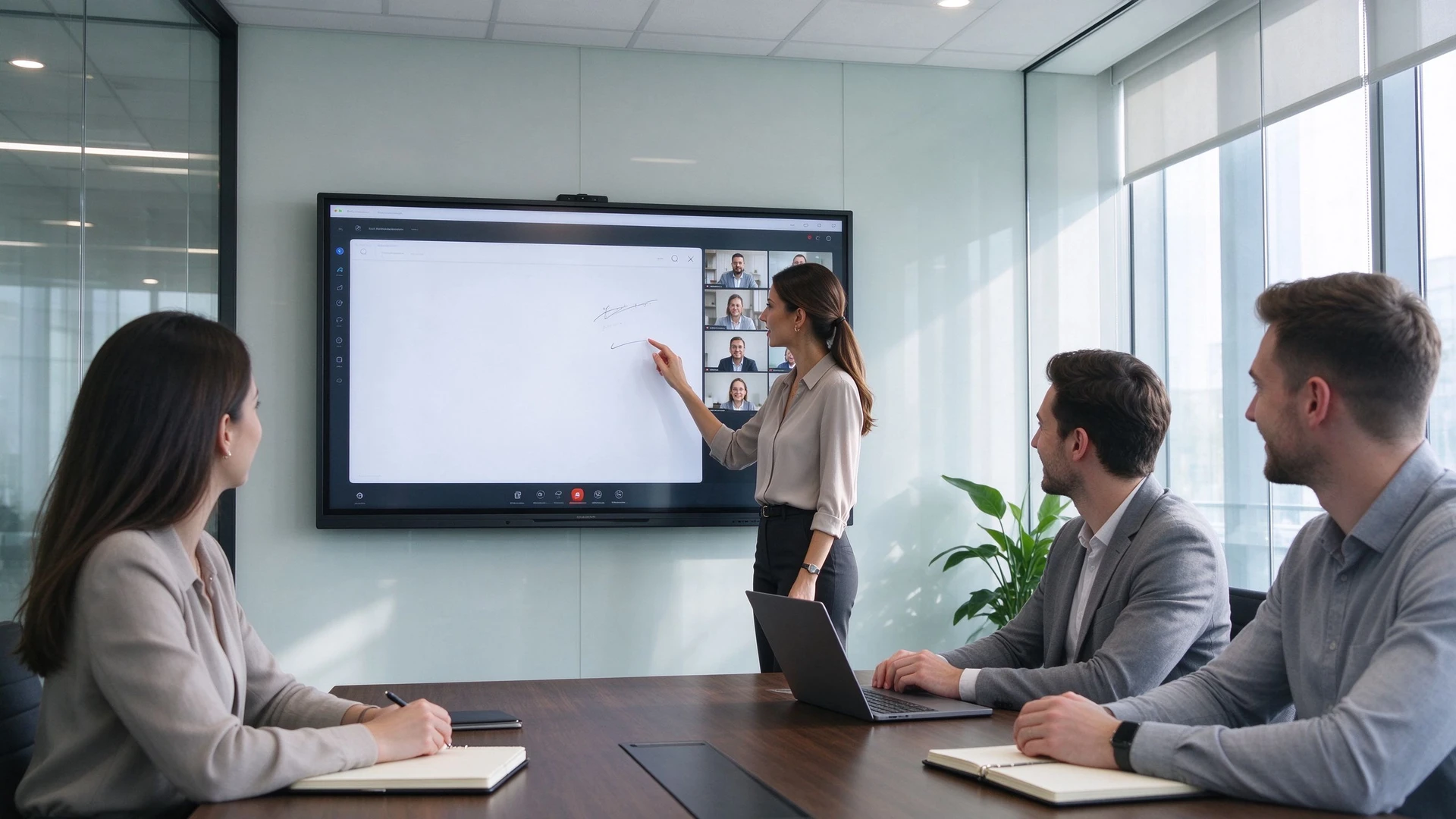
A 4K conference room touch screen as the collaboration center of a hybrid meeting.
Focus on the touch decision, size selection, room configuration, and supplier evaluation. Compare total cost, not just hardware price.
Focus on system architecture, security, DMS, network, UC compatibility, and hybrid-meeting design.
Focus on ports, OPS modules, control protocols, installation, and project support. Confirm integration points with existing room systems.
Focus on OEM/ODM scope, MOQ, certification, lead time, packaging, and multi-room supply. Evaluate factory capability, not just brand name.
A conference room touch screen — also called a meeting room touchscreen, interactive screen for meeting rooms, or conference room interactive display — is a commercial-grade interactive display for shared business spaces. A complete unit can combine a 4K display, touch technology, a digital whiteboard, annotation tools, wireless screen sharing, an Android or Windows operating system (or dual system), HDMI and USB-C inputs, video-conferencing compatibility, camera, microphone and speaker options, device management, and security controls. The exact set varies by model, so the buying process starts with the workflow, not the feature list.
| Iezīme | Conference room touch screen | Standard commercial display |
|---|---|---|
| Touch interaction | Built in | Usually unavailable |
| Digital whiteboard | Available on the panel | Requires external device or software |
| Document annotation | Direct on-screen markup | Usually not available |
| Multi-user collaboration | Supported on selected models | Not a core use case |
| Wireless sharing | Often built in | May require an external device |
| Best use | Workshops, reviews, training, collaboration | Presentations and video playback |
| Purchase cost | Augstāks | Zemāka |
| IT setup | More extensive | Usually simpler |
A touch screen display for boardrooms and meeting rooms is an investment in how people work, not a display upgrade. Before comparing models, check whether the room’s meetings actually benefit from direct interaction.
| Decision factor | Touch screen recommended | Standard display may be enough |
|---|---|---|
| Weekly meetings with annotation | 3+ times per week | Less than once per week |
| Meetings requiring a whiteboard | Frequently | Reti |
| Remote participants needing whiteboard view | Often | Reti |
| Multi-user simultaneous operation | Often | Reti |
| Training or workshop frequency | Weekly or more | Monthly or less |
| Document / design review | Regulārs | Occasional |
| Budget per room | Sufficient for touch investment | Limited to display only |
If the answers fall mostly in the right-hand column, a non-touch commercial display is likely the cost-effective choice. If they fall in the left-hand column, an interactive screen for meeting rooms should be part of the project scope.
The same panel can serve client presentations, internal meetings, executive boardrooms, project reviews, design reviews, sales demos, training, hybrid meetings, workshops, and multi-location collaboration. Define the primary workflows first, then answer these questions:
| Room type | Typical users | Suggested touch screen size | Typical use |
|---|---|---|---|
| Huddle room | 2–5 | 55–65 inch | Quick sharing, small-team collaboration |
| Maza sanāksmju telpa | 4–8 | 65–75 inch | Team meetings, client presentations |
| Standard conference room | 6–12 | 75–86 inch | Presentations, whiteboarding, hybrid meetings |
| Liela sēžu telpa | 12–20 | 86–98 inch | Executive meetings, technical reviews |
| Training room / large meeting space | 20+ | 98–110 inch or multi-display | Training, workshops, large-group collaboration |
4K resolution pays off for financial dashboards, Excel sheets, product specifications, engineering drawings, CAD screenshots, dense PDFs, multi-window layouts, high-resolution video, and layouts that show remote participants. If a room lives in slides and simple graphics, 2K may be acceptable — but most new 75-inch and larger meeting room touch screen projects start from 4K.
Touch technology varies by model: infrared (IR) is common on large commercial displays and supports finger and stylus input; PCAP can feel smoother and suits premium or high-traffic applications. Compare writing latency, accuracy, palm rejection, pen response, finger/pen/eraser recognition, multi-user writing, edge-to-edge performance, and consistent behavior across Android and Windows.
| Meeting activity | Suggested touch requirement |
|---|---|
| Presentation annotation | 10–20 points may be sufficient |
| Standard team collaboration | 20 points or more |
| Training and workshops | 20-40 punkti |
| High-density brainstorming | 40–50 points, where software and screen size support it |
| Konfigurācija | Labākais par | Main consideration |
|---|---|---|
| Android | Quick meetings, whiteboarding, casting, browser access | Confirm enterprise apps and account policies |
| Windows ops | Office apps, enterprise software, advanced workflows | Check OPS performance and lifecycle |
| Dual system | Mixed business and collaboration workflows | Requires clear IT management |
| External meeting-room PC | Existing AV and room-control environments | Confirm touch-back and cable compatibility |
Map the room’s devices before choosing ports: HDMI in/out, USB-A, USB-C, LAN, Wi-Fi, Bluetooth, DisplayPort, audio in/out, OPS slot, RS-232, camera USB, external microphone and audio links, and room-control connections. USB-C one-cable docking is increasingly expected for laptop connection, touch-back, and charging.
Enterprise deployment adds requirements beyond the panel: guest casting permissions, user accounts, auto-logout, file clearing, network segmentation, app control, camera and microphone privacy, OTA updates, remote monitoring, device status and reboot, DMS integration, and batch configuration for multi-room rollouts.
| Room type | Recommended configuration | Key priorities | Qtenborda virziens |
|---|---|---|---|
| Huddle room | 55–65 inch 4K touch screen, wireless casting, basic camera/audio | Fast start, easy sharing | 55/65 inch interactive panel |
| Maza sanāksmju telpa | 65–75 inch touch display, annotation, USB-C, wireless sharing | Team collaboration, client presentations | 65/75 inch interactive panel |
| Standard conference room | 75–86 inch 4K interactive display, 20–40-point touch, camera/audio integration | Presentations, whiteboarding, hybrid meetings | 75/86 inch interactive panel |
| Executive boardroom | 86–98 inch 4K touch screen, secure casting, premium mount, high-quality AV | Visibility, privacy, reliability | 86/98 inch interactive panel |
| Training room | 86–110 inch panel, multi-touch, whiteboard software, mobile or wall-mounted setup | Large-group training and interaction | 98/105/110 inch interactive panel |
| Engineering review room | 86+ inch 4K display, precise pen input, Windows OPS, USB-C | Drawings, models, data, annotation | 86/98 inch with OPS |
| Multi-room office rollout | Standardized 55/65/75/86 inch range plus DMS | Consistency, centralized management, support | Tiešā B2B piegāde no rūpnīcas |
A common enterprise pattern is standardizing two or three sizes: 55–65 inch for huddle spaces, 75–86 inch for conference rooms, and 86–98 inch for boardrooms and review rooms. Standardization simplifies spare parts, training, mounting, and remote management — and makes supplier comparison easier.
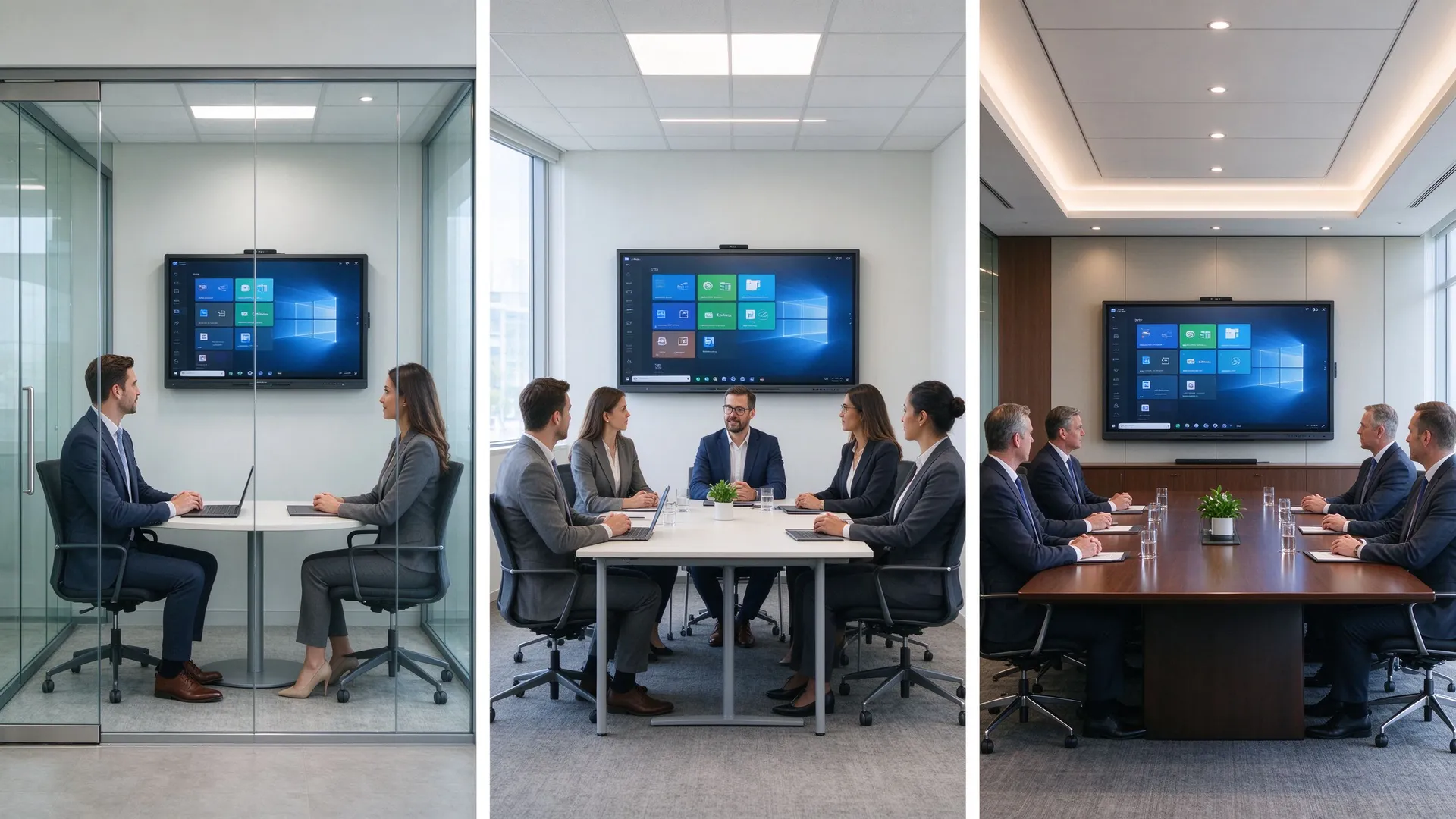
Matching meeting room touch screen size to room type: 55 inch huddle space, 75 inch meeting room, 86 inch boardroom.
Wall-mounted installation suits fixed meeting rooms, boardrooms, spaces with permanent AV infrastructure, and designs that hide cabling. Verify wall type and load capacity, VESA compatibility, bracket rating, mounting height, cable routing, power and LAN availability, maintenance access, camera sightlines, and distance from the table.
Mobile trolley installation suits training rooms, flexible workspaces, shared collaboration spaces, temporary setups, and rooms whose layout changes. Verify trolley load rating, lockable casters, stability, cable management, door and corridor width, power-cord safety, and camera/microphone positioning after movement.
| Risinājums | Advantages | Ierobežojumi | Labākais par |
|---|---|---|---|
| Interactive touch screen | Writing, annotation, casting, collaboration, hybrid meetings | Higher initial cost, more IT planning | Meeting rooms, workshops, training |
| Commercial TV / display | Cost-effective and simple | No direct writing or multi-user interaction | One-way presentations and video calls |
| Projektors | Large image potential | Ambient-light sensitivity, maintenance | Existing projection spaces |
| Lcd video siena | Very large visual canvas | Bezels, installation complexity | Command rooms, large corporate spaces |
| LED video wall | Seamless large-scale image | Higher cost; touch usually needs a separate system | Showrooms, executive spaces, auditoriums |
| Kategorija | Items to confirm |
|---|---|
| Displejs | Size, native resolution (2K/4K), brightness, contrast, anti-glare glass, viewing angle |
| Pieskāriens | Technology (IR/PCAP), touch points, writing latency, palm rejection, pen support |
| Sistēma | Android version, OPS Windows, dual system, firmware update policy |
| Savienojums | HDMI, USB-A, USB-C, LAN, Wi-Fi, Bluetooth, DisplayPort, OPS slot, RS-232 |
| Conferencing | Camera, microphone, speaker, Teams/Zoom/Google Meet compatibility, BYOM |
| Vadība | DMS, remote monitoring, batch config, security and guest-casting policy |
| Atbilstība | EDLA, CE, FCC, RoHS, local certifications for the target market |
| Atbalsts | Warranty, DOA policy, spare parts, lead time, MOQ, sample policy |
Qtenboard is a factory-direct manufacturer of interactive displays and digital signage, with its own production base, engineering validation, and supply chain. Its published product line covers 55 to 110 inch interactive panels for meeting rooms and boardrooms, with 4K UHD panels, multi-touch, Android and Windows options, video-conferencing support, and OEM/ODM programs. Evaluate Qtenboard with the same criteria as any other supplier.
| Qtenboard configuration direction | Suitable room type | Main use |
|---|---|---|
| 55–65 inch interactive panel | Huddle rooms and small offices | Fast sharing, light collaboration |
| 75–86 inch 4K touch display | Standarta sapulču telpas | Presentations, annotation, hybrid meetings |
| 86–98 inch interactive panel | Boardrooms, engineering review rooms | Detailed content, larger audiences |
| 98–110 inch large display | Training rooms, large collaboration spaces | Large-group visibility, multi-user interaction |
Qtenboard’s OEM/ODM programs suit AV system integrators, commercial display resellers, enterprise project contractors, smart-office solution providers, regional brands, and multi-site enterprise projects. Customization can be discussed for logo and boot screen, UI and language, touch configuration, Android/Windows/dual system, camera and audio options, I/O requirements, software preloads, packaging, documentation, CKD/SKD or local assembly, and phased project delivery. Confirmed scope, MOQ, and lead time depend on the project configuration.
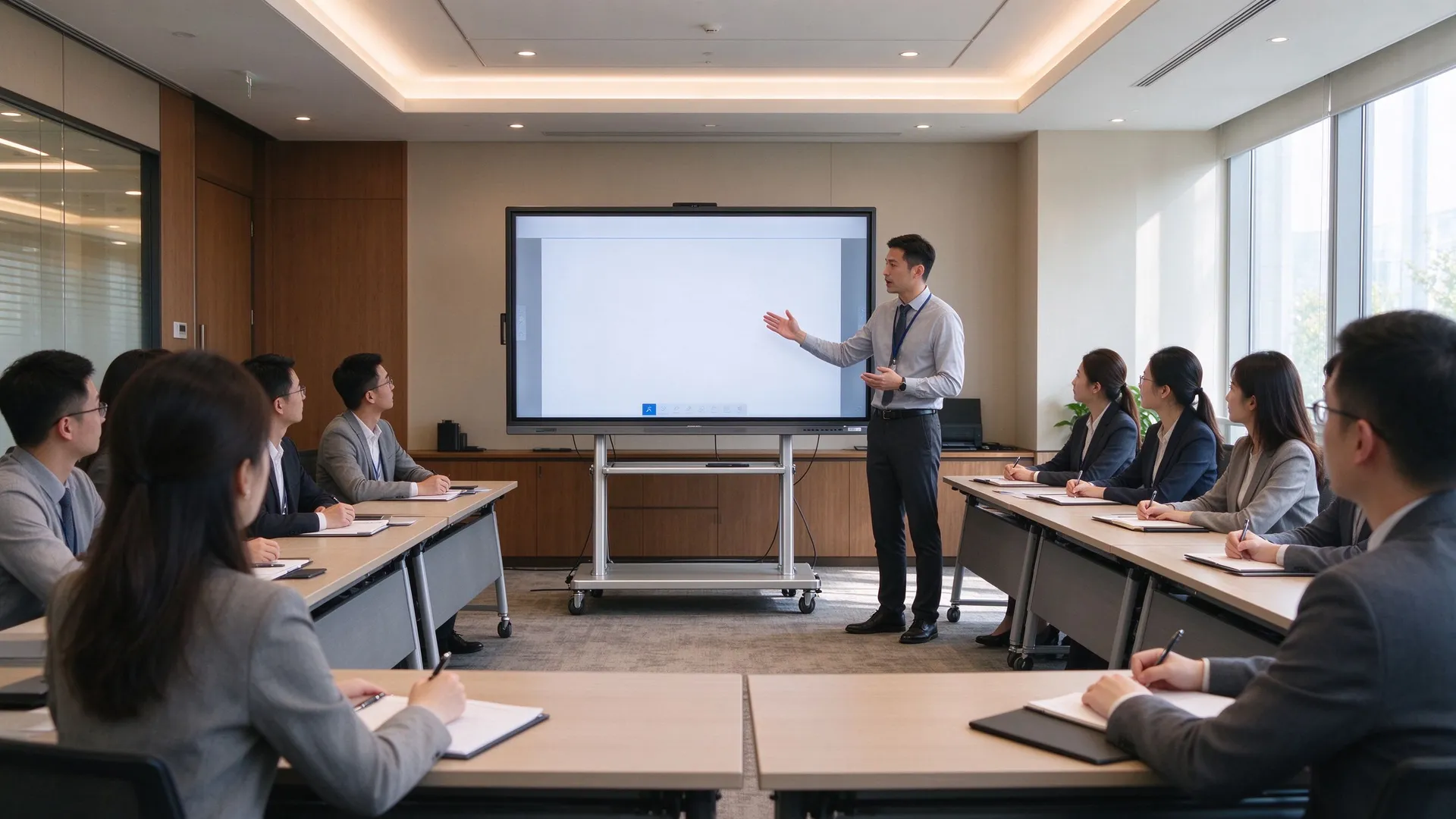
Qtenboard 4K interactive touch screens in conference rooms, boardrooms, training rooms, and multi-room deployments.
| Pircēja prioritāte | Qtenboard value proposition |
|---|---|
| Size flexibility | 55–110 inch interactive display portfolio |
| Attēla kvalitāte | 4K UHD commercial panels with anti-glare glass |
| Touch options | Multi-touch, low-latency writing, palm rejection |
| System flexibility | Android, Windows, dual system, OPS |
| Project customization | OEM/ODM, branding, packaging, CKD/SKD |
| Deployment support | DMS, batch supply, spare parts, multi-room rollout |
Ask Qtenboard for a spec sheet, sample quote, MOQ, lead time, and warranty terms matched to your room list. For multi-room rollouts, request a sample unit or burn-in test report and confirm the DMS and spare-parts plan before scale-up.
What are the best displays for conference rooms?
The best display depends on how the room is used. A 4K interactive touch screen is often best for rooms where teams annotate documents, brainstorm, train, or collaborate with remote participants. A standard commercial display may be sufficient when meetings are mainly one-way presentations or video calls.
What size touch screen is best for a conference room?
55–65 inch suits small collaboration spaces, 65–75 inch suits small meeting rooms, 75–86 inch suits standard conference rooms, 86–98 inch suits boardrooms, and 98–110 inch or multi-display setups suit training rooms and large spaces. Final size should combine the farthest viewer, room depth, content, and seating layout.
Are meeting room touch screens worth it?
Yes when touch changes the meeting workflow: people frequently annotate documents, use a digital whiteboard, collaborate on designs, run workshops, or share whiteboard content with remote participants. If the room only plays slides and runs video calls, a non-touch commercial display may be more cost-effective.
What features should a conference room touch screen have?
4K resolution, the right screen size, anti-glare surface, accurate multi-touch, low-latency writing, wireless casting, digital whiteboard and annotation, HDMI and USB-C, Android/Windows/dual-system support, camera-microphone-speaker integration, Teams/Zoom compatibility, security and DMS capabilities, and commercial warranty and support.
Do conference room touch screens work with Teams and Zoom?
Many interactive displays can be configured for Teams, Zoom, Google Meet, or browser-based meetings. Real performance depends on the operating system, meeting-room PC or OPS, camera, microphone, speakers, network, and software versions, so the full workflow should be tested before deployment.
Should I choose infrared or PCAP touch for a meeting room?
Infrared touch is common on large commercial displays, typically supports finger and stylus input, and covers a wide size range. PCAP can offer a smoother tablet-like experience and may suit premium or high-traffic applications. The right choice depends on display size, writing requirements, budget, durability, and project configuration.
Should a conference room touch screen be wall-mounted or mobile?
Wall mounting usually fits permanent meeting rooms and boardrooms. Mobile trolleys suit training spaces, flexible offices, shared collaboration areas, or rooms whose layout changes. Confirm weight, stability, cable management, and room access.
Does Qtenboard offer conference room touch screens?
Qtenboard provides 4K interactive displays for meeting rooms and boardrooms, with configurations covering touch, wireless sharing, Android and Windows options, whiteboard tools, video-conferencing extensions, DMS, and OEM/ODM support. Confirm the exact configuration, MOQ, and lead time for your project.
Can Qtenboard customize a meeting room touch screen project?
Qtenboard can discuss branding, UI, operating system, touch configuration, camera/audio options, ports, software, packaging, and other OEM/ODM requirements. The final scope, MOQ, and lead time depend on the project configuration.

Ceo | interaktīva displeja un sadarbības risinājumu eksperts
Esmu Qtenboard dibinātājs, un man ir vairāk nekā 17 gadu praktiskas pieredzes skārienjūtīgo ekrānu nozarē. Pamatojoties uz globālās vadības perspektīvu, kas iegūta, izmantojot emba studijas šengenas universitātē, es vadu savu komandu, optimizējot katru darbības posmu-no produktu definīcijas līdz augstas efektivitātes piegādes ķēdes pārvaldībai-nodrošinot, ka mūsu ražošanas spējas paliek nozares priekšgalā.
Kā qtenboard līderis, es specializējos, lai nodrošinātu pielāgotus oem/odm risinājumus interaktīvajām tāfelēm, lcd video sienām, ciparu apzīmēm un rūpnieciskās kvalitātes pieskāriena termināļiem. Atbalstīts mūsu 330,000 m² mūsdienu rūpniecības parks shenzhen, mēs uzturēt pilnu dzīves cikla kontroli pār rūpniecisko dizainu, precizitāti ražošanu un stingru veiktspējas testēšanu.
Ar gandrīz divus gadu desmitus ilgu projekta pieredzi, qtenboard displeja risinājumi tagad tiek izvietoti vairāk nekā 120 valstīs un reģionos, nopelnījis vairāk nekā 15,000 uzņēmumu klientu uzticību visā pasaulē. Ja jūs meklējat atsaucīgu partneri ar dziļu ražošanas pamatu jūsu pielāgotiem touch displeja projektiem, mans komanda un es esam gatavi atbalstīt jūsu vīziju ar profesionālu izcilību.

 lav
lav
 EN
EN  pt
pt  spa
spa  th
th  vie
vie  aze
aze  bel
bel  est
est  ukr
ukr  ru
ru